
What Is a Goods Issued Note (GIN)? Definition and Uses
A goods issued note is the record of stock leaving your business — issued to production, picked for dispatch, or drawn for internal use. This guide covers what goes on a GIN, how it differs from a GRN and a delivery note, and why untracked issues are the single biggest reason your stock figure never matches the shelf.
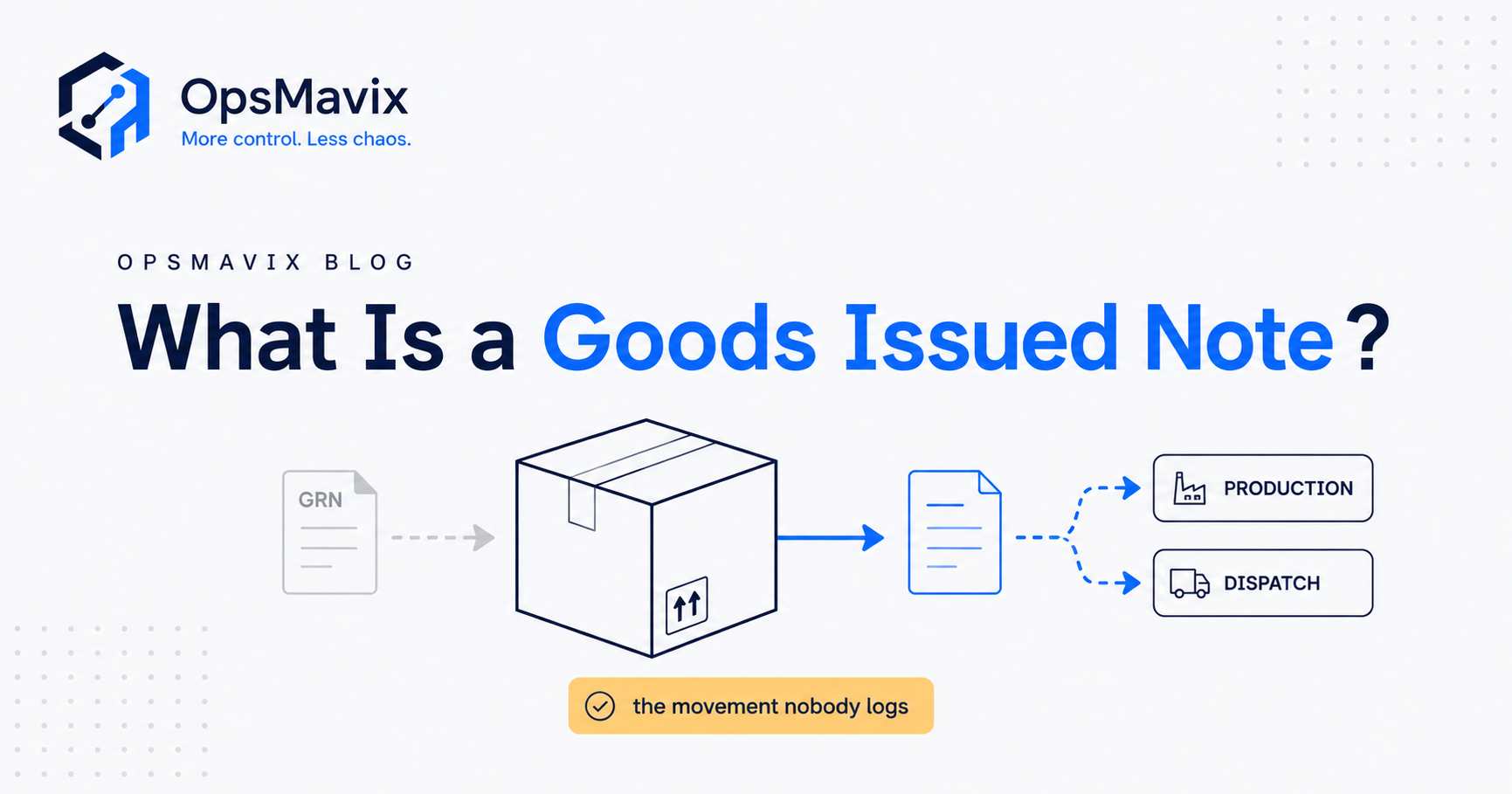
A goods issued note (GIN) is the internal record a business creates when stock leaves a store location: what item went, how many, from where, when, to which destination and under which reference. It is the outbound counterpart to a goods received note, which records what arrived. Where the GRN proves what came in, the GIN explains every unit that went out.
The practical problem is that stock leaves for many reasons that never raise a sales invoice. Materials go to a works order, samples go to a trade show, damaged units go in the skip and pallets move to another site. If only sales reduce the stock figure, everything else stays in the system long after it has left the shelf, and the gap only surfaces at the next count.

Every unit that leaves a rack should leave a record behind it. Illustrative photograph, not an OpsMavix project.
Image credit: CHUTTERSNAP, Unsplash License. No edits.
Key Takeaways
- A goods issued note records stock leaving a location, with a reason and a reference for every line.
- GINs are raised for issues to production, dispatches to customers, transfers to another site and internal use or write-off.
- The quantity on the GIN is what physically left, which is not always what the order or the bill of materials said.
- A transfer needs two records: a GIN at the sending site and a receipt at the receiving site.
- Controls matter more than the form: authorisation, reason codes, returns to store, sequence numbers and regular reconciliation.
- Choose between configuring current tools, packaged software, a focused custom application or a full ERP by how many issue types and handoffs you actually run.
In this guide:
- 1. Understand What a Goods Issued Note Is
- 2. Record the Fields Every GIN Needs
- 3. Know When a GIN Is Issued
- 4. Separate the GIN From Related Documents
- 5. Work Through a Hypothetical GIN Example
- 6. Build Controls Around Every Issue
- 7. Compare the Available System Approaches
- 8. Test Your Goods Issue Process Before Rollout
- Frequently Asked Questions
- How OpsMavix Can Help
1. Understand What a Goods Issued Note Is
A plain definition
A goods issued note is a dated, numbered record that a specific quantity of a specific item has been released from a specific location for a stated purpose. It is created by the business itself, usually by the storekeeper, picker or person releasing the stock, and it reduces the stock record for that item and location by exactly the quantity issued.
Why it exists as a separate record
A sale leaves a trail because an invoice has to be raised. Most other movements do not. The GIN gives non-sale movements the same visibility as sales and gives sales a record of what was actually picked, rather than what was ordered.
It also carries cost information. When materials are issued to a job, the GIN is the evidence behind the material cost charged to that job in job costing. When stock is written off, it is the evidence behind the loss.
Where it sits in the stock cycle
| Stage | Record | What it changes |
|---|---|---|
| Goods arrive | Goods received note | Stock increases at the receiving location |
| Goods are stored or moved internally | Putaway or bin move | Location changes, total stays the same |
| Goods leave the location | Goods issued note | Stock decreases at the issuing location |
| Count finds a difference | Approved stock adjustment | Record corrected to the physical count |
If the receiving side is your current weak point, the goods receiving process guide covers it. This guide stays on the outbound side.
2. Record the Fields Every GIN Needs
Header fields
- GIN number: a unique, sequential reference so the issue can be found, matched and not booked twice.
- Date and time: when the stock physically left, which decides the period the movement falls in.
- Issuing location: the site, store or bin the stock came from.
- Issue type: production, customer dispatch, transfer, internal use, sample, return to supplier or write-off.
- Destination and reference: the works order, sales order, transfer number, cost centre or approval reference the issue belongs to.
- Issued by and received by: who released the stock and, where relevant, who took it.
- Authorised by: required for issue types that need approval, such as write-offs and internal use.
Line fields
- Item code and description: your own code, not a loose description.
- Unit of measure: each, case, metre or kilogram. A unit mismatch on a GIN causes the same error as a miscount.
- Quantity requested and quantity issued: both, so short issues and substitutions are visible.
- Batch, lot or serial number: where traceability applies.
- Unit cost: often filled in by the system from the costing method rather than typed by the issuer.
- Notes: substitutions, damage found at pick or partial issues still to follow.
The two fields most often left blank
The reason and the reference are the fields that make a GIN useful later. Without them, the record says only that stock left. It cannot tell you which job to charge, whether the movement was approved, or whether a gap at the next cycle count is consumption or loss.
3. Know When a GIN Is Issued
Issued to production
Raw materials and components are issued from stores to a works order. The requested quantity usually comes from the bill of materials multiplied by the order quantity. The issued quantity is what the stores actually released. Unused material should come back on a return to store record that reverses part of the issue, so that the job is charged only for what it consumed.
Customer-supplied material needs its own handling because it is not your stock. The free-issue material tracking guide covers that case.
Issued to a customer
For a sale, the GIN records the quantity picked and dispatched against the sales order line. The order may say 24, but if only 22 were good, the GIN should say 22 and the shortfall should stay open on the order. A delivery note travels with the goods for the customer; the GIN stays with you.
Issued to another site
A transfer is two movements. The sending site raises a GIN that reduces its stock and places the quantity in transit. The receiving site books a receipt when the goods arrive. Until both legs exist, the units are either in transit or unexplained. The multi-location inventory management guide covers transit stock in more detail.
Issued for internal use, samples or write-off
Stock drawn for maintenance, marketing samples, testing or staff use, and stock scrapped because it is damaged or expired, all need a GIN with an approved reason. These are the movements with nothing else chasing them, so they are the ones most often missed.
Issue type summary
| Issue type | Typical reference | Usually authorised by | What happens next |
|---|---|---|---|
| To production | Works order | Production or stores lead | Job cost updated; returns booked back |
| To customer | Sales order | Pick and pack process | Delivery note and invoice follow |
| To another site | Transfer order | Sending site lead | Receipt booked at destination |
| Internal use or sample | Cost centre or request | Budget holder | Cost charged to the cost centre |
| Write-off | Damage or expiry report | Manager with approval limit | Loss recorded; cause reviewed |
| Return to supplier | Returns authorisation | Purchasing | Credit note expected |
4. Separate the GIN From Related Documents
What each document does
| Document | Created by | Direction | Main purpose |
|---|---|---|---|
| Goods received note | Receiving business | In | Confirms what arrived and was accepted |
| Picking list | Warehouse system or office | Instruction | Tells the picker what to collect |
| Goods issued note | Issuing business | Out | Records what actually left and why |
| Delivery note | Seller | Out, to customer | Tells the customer what was sent |
| Stock adjustment | Authorised user | Correction | Aligns the record with a physical count |
Common confusions
A picking list is an instruction, not a record. If the picker short-picks and nobody updates the list, the stock record reduces by the instruction rather than by reality.
A delivery note is written for the customer and only exists for outbound sales. It does not cover production issues, transfers or write-offs.
A stock adjustment corrects a record after a difference is found. If adjustments are being used to account for routine samples or scrap, those movements are not being recorded as issues when they happen. The stock adjustment approval workflow guide covers how to keep corrections separate from issues.
How the GIN pairs with the GRN
For a site transfer, the GIN at the sender and the GRN or receipt at the destination should carry the same transfer reference and agree on quantity. For a return to supplier, the GIN records what went back and the supplier’s credit note should match it. The goods received note guide covers the inbound document and its role in invoice matching.

Issues happen across production, dispatch, transfers and internal use, not only at the dispatch bay. Illustrative photograph, not an OpsMavix project.
Image credit: Kseniia Ilinykh, Unsplash License. No edits.
5. Work Through a Hypothetical GIN Example
The setup
This example is HYPOTHETICAL. A small manufacturer holds a steel bracket, item BRK-40, at a cost of £2.40 each. Opening stock at the main store is 1,000 units and 300 more are received on a GRN during the month.
The issues during the month
| GIN | Issue type | Reference | Quantity |
|---|---|---|---|
| GIN-1041 | To production | Works order WO-118 | 212 |
| RTS-0207 | Return to store | Works order WO-118 | +6 |
| GIN-1042 to GIN-1049 | To customers | Eight sales orders | 450 |
| GIN-1050 | To another site | Transfer TR-033 | 60 |
| GIN-1051 | Samples | Marketing cost centre | 5 |
| GIN-1052 | Write-off | Damage report DR-12 | 3 |
The stock arithmetic
Closing stock = opening + received - issued + returned.
1,000 + 300 - 212 + 6 - 450 - 60 - 5 - 3 = 576 units
Value at £2.40 each: 576 × £2.40 = £1,382.40
The production arithmetic
Works order WO-118 is for 50 assemblies and the bill of materials uses 4 brackets each, so the standard requirement is 50 × 4 = 200 brackets.
- Issued 212, returned 6, so net consumption is 212 - 6 = 206 brackets.
- Material charged to the job: 206 × £2.40 = £494.40.
- Standard material cost: 200 × £2.40 = £480.00.
- Material variance: (206 - 200) × £2.40 = £14.40, which is 6 ÷ 200 = 3% over standard.
That 3% is information. It might be setting-up scrap, a damaged batch or a bill of materials that needs updating. Without the GIN and the return to store record, it would be invisible.
What happens without the GINs
Suppose only the customer dispatches and the transfer were recorded, and the job was closed at the standard 200 instead of the actual 206. Samples and the write-off were never booked.
System figure: 1,000 + 300 - 200 - 450 - 60 = 590 units.
Physical figure: 576 units.
Gap: 590 - 576 = 14 units, made up of 6 extra production units, 5 samples and 3 write-offs. At £2.40 each that is 14 × £2.40 = £33.60. The money is small in this example, but the job is under-costed, the system shows stock that is not there, and a later count will report an unexplained stock discrepancy even though nothing was lost.
6. Build Controls Around Every Issue
Authorisation by issue type
Not every issue needs a signature, but some do. Where practical, the person who approves a write-off should not be the person who removes the stock. Customer dispatches are usually controlled by the order itself. Write-offs, internal use and samples should need approval from someone with a defined limit. Production issues are controlled by the works order and the bill of materials, with extra issues above standard flagged for review.
Sequence and completeness
GIN numbers should be sequential and system-generated. A gap in the sequence or a cancelled GIN should have a recorded reason. For paper GINs, books of pre-numbered forms and a weekly check that every number is accounted for are the minimum.
Returns to store and reversals
Unused production material, cancelled dispatches and corrected issues should be recorded as returns or reversals that reference the original GIN. Editing or deleting the original record removes the evidence of what happened.
Reconciliation
- Compare issues to production with the standard from the bill of materials, job by job.
- Check that every transfer GIN has a matching receipt within an agreed number of days.
- Review internal-use and write-off totals by reason and by person each month.
- Use cycle counts to test that recorded issues explain the movement since the last count.
Retention
GINs are part of your stock records. For UK companies, GOV.UK guidance on company and accounting records lists stock held at the end of the financial year and the stocktakings used to work it out among the accounting records, and says records must be kept for 6 years from the end of the last company financial year they relate to, with longer periods in some cases. Confirm your own retention policy with your accountant.
Controls checklist
- Every stock reduction has a GIN, a return or an approved adjustment behind it.
- Every GIN line has an issue type and a reference.
- Write-offs and internal-use issues need approval above a defined limit.
- Production issues above standard are flagged for review.
- Transfers stay in transit until received at the destination.
- Corrections are made by reversal, not by editing the original.
- GIN numbers are sequential and gaps are explained.
- Monthly review covers write-offs, samples, transit stock and production variance.
7. Compare the Available System Approaches
Match the approach to the issue types you run
| Approach | Where it fits | What to check |
|---|---|---|
| Paper or spreadsheet GINs | Low volume, one site, few issue types | Who types it up, how quickly and how gaps are found |
| Configure current tools | Your accounting or inventory app already has issue or adjustment features | Whether it supports issue types, references, approvals and reversals |
| Packaged inventory or warehouse software | Standard dispatch, transfer and production issue flows fit your process | Mobile or scanner capture, works order links, transit handling and reporting |
| Focused custom application | A specific gap such as production issues against works orders or site transfers | Integration with stock, accounting and orders; support and maintenance |
| Full ERP, packaged or custom | Issues, costing, purchasing and finance all need to share one record | Fit across functions, migration, training, delivery capacity and continuity |
Questions to ask any supplier
Ask them to demonstrate one issue of each type you run, including a partial issue, a return to store, a transfer received short and a write-off needing approval. Mark each requirement as demonstrated, configurable, requiring development or unsupported.
Packaged software often handles the common flows well. A focused custom application can make sense when one issue type carries most of the cost and the packaged route forces a workaround. Neither is automatically cheaper over time; compare licences or hosting, implementation, integration, support and future changes.
Capture at the point of issue
Whatever the tool, the most effective control is recording the issue at the moment and place it happens, ideally by scanning the item and the reference. Each step between the physical issue and the record is a chance for the record to be late, wrong or missing. The how to prevent stock discrepancies guide covers capture methods in more detail.
8. Test Your Goods Issue Process Before Rollout
Choose a representative sample
Pick one item that is issued to production, to customers and between sites in a normal month. Run the new process for that item first, compare the system figure with a count at the end of the trial, then expand once exceptions are being picked up by the review routine.
Acceptance checklist
- A production issue can be raised against a works order and reduces the right location.
- A return to store reverses part of a production issue and updates the job cost.
- A short pick is recorded at the picked quantity and leaves the order line open.
- A transfer shows as in transit until the receiving site books it.
- A transfer received short raises an exception at the destination.
- A write-off cannot be posted without the required approval.
- Every GIN shows who issued it, when and under which reference.
- A report lists issues by type, reason and person for a chosen period.
- Stock value moves in line with the agreed costing method.
- Users can find and reverse an incorrect GIN without deleting it.
Frequently Asked Questions
What is a goods issued note?
A goods issued note is an internal, numbered record that stock has left a location, showing the item, quantity, date, issuing location, reason and reference. It reduces the stock record by the quantity issued.
What is the difference between a GIN and a GRN?
A GRN records goods coming in and confirms what was received and accepted. A GIN records goods going out and explains why. Together they account for every movement in and out of a location.
Is a goods issued note the same as a delivery note?
No. A delivery note is a customer-facing document that travels with a sale. A GIN is your internal record and covers every issue type, including production, transfers, samples and write-offs.
Who raises a goods issued note?
Usually the storekeeper, picker or person who releases the stock. In a scanner-based system, the GIN is created when the issue is scanned against its reference.
When should a GIN be raised for production?
When materials leave stores for a works order. Unused material should come back on a return to store record so the job is charged for actual consumption.
Do I need a GIN for a transfer between my own sites?
Yes. The sending site records the issue and the receiving site records the receipt. Using one movement for both hides stock that is in transit or lost on the way.
Can a stock adjustment replace a GIN?
It should not be used for routine issues. Adjustments correct records after a count. Samples, internal use and scrap should be recorded as issues when they happen so the reason is captured.
How long should goods issued notes be kept?
GINs form part of your stock records. GOV.UK guidance says UK company accounting records must be kept for 6 years from the end of the last company financial year they relate to, with longer periods in some cases. Check your own position with your accountant.
Can OpsMavix build a goods issue system?
Yes. OpsMavix can build focused applications or a full custom ERP, and can configure or integrate suitable existing tools where those approaches fit the requirements.
How OpsMavix Can Help
OpsMavix can map how stock leaves each of your locations, which issue types are recorded and where the record falls behind the physical movement, then define the system scope needed to close those gaps.
That may involve configuring your current tools, connecting them, building an inventory automation system, adding manufacturing production tracking so issues post against works orders, or developing a full custom ERP.
Contact OpsMavix with one recent stock count difference, the records behind it and the handoff that creates the most rework. We can use that evidence to define requirements and a practical pilot.
Keep reading
Getting value from OpsMavix? Add us as a preferred source on Google — you'll see more of our operations content in your AI Overviews, AI Mode and Search.