
Optimizing Customer Service with Technology
Discover how technology revolutionizes customer service by enhancing response times, personalizing experiences, and improving team efficiency. Upgrade your customer service strategies today
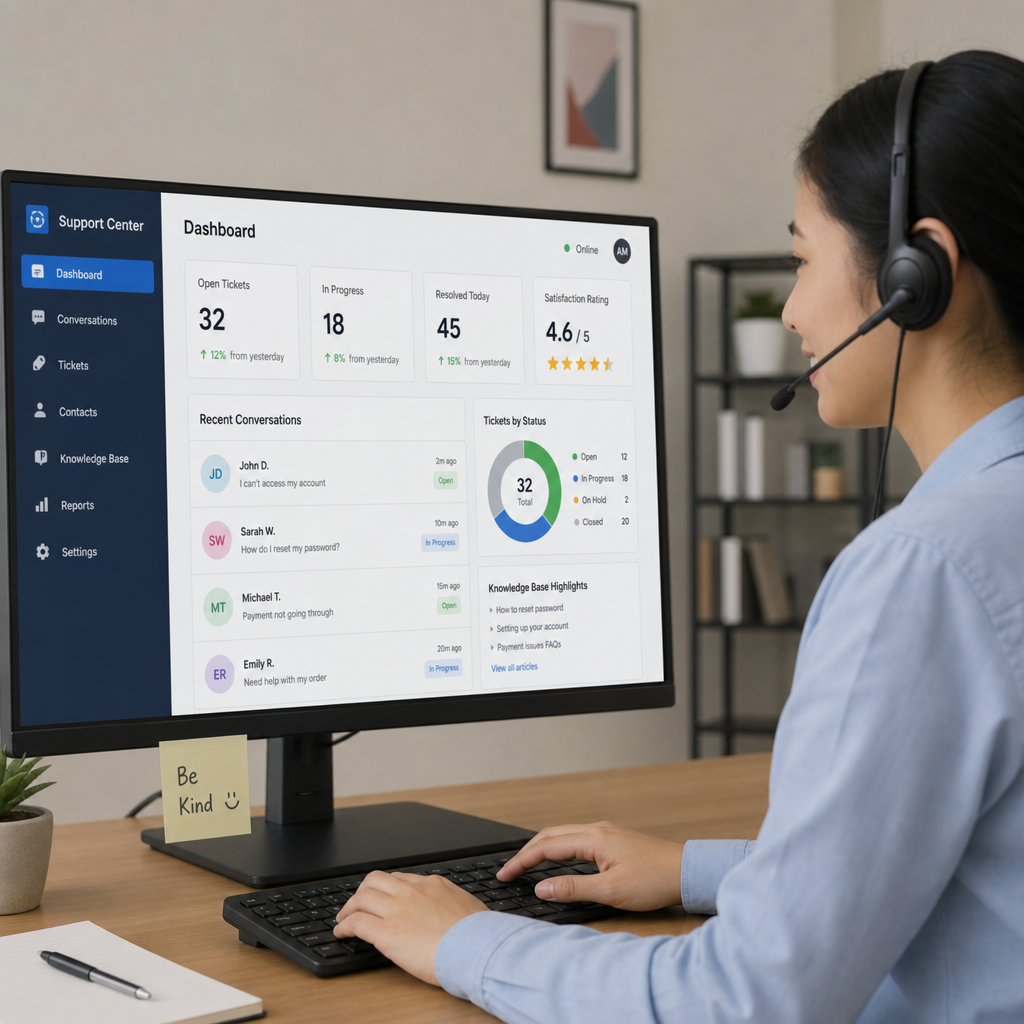
Customer service improves with technology when the people answering customers can see the same order, stock and delivery records that operations uses. For a business that sells and ships physical goods, most contacts are about an order: where it is, why it is late, whether an item is in stock and what happens to a return.
The practical problem is rarely a lack of software. It is that the answer sits in another system or another person’s head. Service staff ask the warehouse, the warehouse checks a spreadsheet, and the customer waits for a reply that nobody owns. This guide covers the operations side of service technology: order status visibility, self-service tracking, case handling, stock promises and the data both teams need to share.

Good service answers depend on order and dispatch records being captured as the work happens. Illustrative photograph, not an OpsMavix project.
Image credit: Rifki Kurniawan, Unsplash License. No edits.
Key Takeaways
- Most product-business service contacts concern an order, so start with order and stock records.
- Customers can only track orders themselves if dispatch and tracking data are recorded reliably.
- Every case should link to the order, have one owner and a next action.
- Promise dates must come from available stock and eligible inbound supply, not guesswork.
- Share only the data each team needs, with clear ownership of each record.
- Compare configuration, integration, packaged tools, a focused custom application and a full ERP against one real order journey.
In this guide:
- 1. Start With the Questions Customers Actually Ask
- 2. Make Order Status Visible From One Record
- 3. Build Self-Service Tracking That Reduces Contact
- 4. Handle Cases With Owners and Linked Records
- 5. Make Stock Promises the Service Team Can Keep
- 6. Share Data Between Operations and Service
- 7. Compare the Available System Approaches
- 8. Pilot One Order Journey Before Wider Rollout
- Frequently Asked Questions
- How OpsMavix Can Help
1. Start With the Questions Customers Actually Ask
Sort a month of contacts by topic
Before choosing any tool, take one recent month of emails, calls, chats and marketplace messages and tag each by its underlying question. For an ecommerce or wholesale business, the list usually looks something like this:
| Contact topic | Record that answers it | Usually owned by |
|---|---|---|
| Where is my order? | Order status, dispatch record and carrier tracking | Warehouse or fulfilment |
| When will it arrive? | Promise date, stock allocation and inbound supply | Operations or purchasing |
| Can I change or cancel it? | Order state and pick status | Order processing |
| Something is missing or wrong | Pick, pack and dispatch records | Warehouse |
| I want to return it | Returns record and refund status | Returns and finance |
| Is this item in stock? | Available stock by location | Inventory |
Only some of those questions are genuinely service problems. Many are operations questions that reach service because the customer has no other way to get the answer.
Separate avoidable contact from necessary contact
A customer asking for advice about which product suits them needs a person. A customer asking whether a parcel has left the building may not, if the dispatch record and tracking link are reliable and visible. Mark each topic as avoidable, partly avoidable or necessary. That classification, not a vendor feature list, should drive the first investment.
Write down where each answer currently lives
For each topic, record the system, spreadsheet or person that holds the answer today. If the honest answer is “someone in dispatch knows”, that is the integration gap to close first.
2. Make Order Status Visible From One Record
Define statuses that mean something operationally
A status such as “Processing” tells the customer very little and tells staff even less. Agree statuses that map to real events in the operation:
| Status | Operational event that sets it | What service can tell the customer |
|---|---|---|
| Received | Order captured and payment or credit accepted | Order confirmed, not yet allocated |
| Allocated | Stock reserved against the order lines | Items set aside for this order |
| Awaiting stock | One or more lines short with no allocation | Delay, with the current date basis |
| Picking | Pick list issued | Being prepared, changes may be limited |
| Dispatched | Parcel handed to carrier with tracking reference | Tracking link and carrier name |
| Delivered | Carrier confirmation received | Delivered, with date and proof if available |
| Exception | Failed delivery, damage or a short pick | Named owner and next step |
Each status should be set by the event itself, such as a scan or a confirmed dispatch, rather than updated by hand later in the day.
Keep line-level detail
Orders are often partly fulfilled. A customer who ordered three items needs to know that two shipped and one is awaiting stock. A single order-level status hides that, so service staff end up opening the warehouse spreadsheet anyway. Track ordered, allocated, dispatched and cancelled quantities per line.
Show the timestamp and source
When service staff read a status, they should see when it was last updated and which system set it. A status that has not changed for three days is itself a signal to investigate. Our guide to what an order management system does covers the wider order lifecycle behind these states.
3. Build Self-Service Tracking That Reduces Contact
Self-service depends on dispatch data quality
Self-service tracking only works if the underlying records are accurate and timely. Shopify’s documentation describes its order status page as the final checkout page where customers can track their orders, and notes that customers can check progress once tracking numbers are added to shipments. The page is only as current as the tracking information the merchant records.
If tracking numbers are added at the end of the day in a batch, customers will still contact you during the gap. The fix is often operational: capture the tracking reference at the packing bench when the label is printed, not later.
Send updates at events that matter
Proactive messages reduce contact when they answer the next question before it is asked. Useful triggers include:
- Order confirmed, with the expected dispatch basis.
- Dispatched, with carrier name and tracking link.
- Delayed, when a line moves to awaiting stock or a promise date changes.
- Delivery exception, when the carrier reports a failed attempt.
- Return received and refund processed.
Avoid automated messages that state a confirmed date when the record holds only an estimate. A wrong message creates a second contact and a less patient customer.
Give business customers more than a tracking link
Trade customers often need order history, delivery notes, invoices and back-ordered lines in one place. A portal can provide that, provided the data comes from the operational record rather than a copy. Our client portal examples show how different businesses structure the customer view and the staff view behind it.
Hypothetical worked example: contact volume
This is a hypothetical illustration, not a measured result. Assume a business ships 2,000 orders a month, and 12% of orders generate a status enquiry.
| Measure | Before | After better tracking |
|---|---|---|
| Orders per month | 2,000 | 2,000 |
| Share of orders with a status enquiry | 12% | 5% |
| Status enquiries (2,000 x rate) | 240 | 100 |
| Average handling time | 6 minutes | 6 minutes |
| Handling time per month | 1,440 minutes (24 hours) | 600 minutes (10 hours) |
The difference is 24 - 10 = 14 hours a month. At a hypothetical loaded staff cost of £15 per hour, that is 14 x £15 = £210 a month. Use your own contact tags and handling times; the reduction you achieve depends on why customers were contacting you in the first place.
4. Handle Cases With Owners and Linked Records
Link every case to an order
A help desk ticket that contains only an email thread forces staff to search for the order each time. Each case should carry the order number, affected lines and, where relevant, the dispatch or return reference. That link lets anyone pick up the case without reading the full history.
Give every exception one owner and a next action
Many service problems are handoff problems. Service raises a query with the warehouse by email, the warehouse replies to a different person, and the customer chases. Define who owns each case type and the next review point.
| Case type | Owner | Next action to record |
|---|---|---|
| Missing item | Warehouse lead | Check pick and pack record, decide resend or refund |
| Damaged in transit | Service, with carrier claim by dispatch | Evidence requested, replacement decision |
| Late delivery | Operations | Confirm supply date, update promise |
| Wrong item sent | Warehouse lead | Arrange return, check pick error cause |
| Return request | Returns team | Issue return authorisation, inspection on receipt |
Close the loop to the cause
When a case closes, record a cause code: pick error, stock record wrong, carrier failure, supplier delay or customer change. Without cause codes, service keeps fixing symptoms. With them, operations can see that, for example, most missing-item cases come from one product with a confusing pack size. For the stock that comes back, see our returns management guide.
Practical case handling checklist
- Every case carries an order reference.
- Case types have a named owning team.
- Each open case has a next action and a review date.
- Internal notes are separate from customer-visible replies.
- Closing a case requires a cause code.
- Cases older than the agreed review period appear on a shared list.

A promise date has to cover picking, packing and carrier time, not just stock on the shelf. Illustrative photograph, not an OpsMavix project.
Image credit: Claudio Schwarz, Unsplash License. No edits.
5. Make Stock Promises the Service Team Can Keep
Promise from available stock, not on-hand stock
The figure on the shelf is not the figure you can sell. Stock already allocated to other orders is spoken for. A promise should start from available stock and add only eligible inbound supply with a realistic date. Our guide to available to promise explains the calculation in more depth.
Hypothetical worked example: a promise date
This is a hypothetical illustration. A product has 50 units on hand, of which 35 are allocated to existing orders. A purchase order for 40 units is due to arrive on Thursday, with one day to receive and put away.
| Line | Units |
|---|---|
| On hand | 50 |
| Already allocated | 35 |
| Available now (50 - 35) | 15 |
| Inbound on Thursday | 40 |
| Customer order | 25 |
| Shipped from available stock | 15 |
| Remaining to ship from inbound (25 - 15) | 10 |
| Inbound left for other orders (40 - 10) | 30 |
The honest promise is 15 units now and 10 units after the inbound stock is received and put away, so dispatch on Friday at the earliest. If the supplier date is an estimate rather than a confirmation, the message should say so.
Know the legal default for consumer deliveries
For UK consumer sales, section 28 of the Consumer Rights Act 2015 says that, unless a time or period is agreed, the trader must deliver without undue delay and in any event within 30 days of the contract. Where delivery is late, the consumer may in some circumstances treat the contract as at an end or set a reasonable additional period. Service and operations should both understand what dates the business has agreed, and take advice on how the rules apply to their own terms.
Manage the shortfall openly
When stock runs short, service needs a clear allocation rule and a current date basis. Our backorder management guide covers allocation policies, partial shipping and customer choices in detail.
6. Share Data Between Operations and Service
Agree which record is authoritative
Customer service and operations often keep parallel versions of the same facts: a CRM holds the customer’s address, the order system holds a different one, and the warehouse prints whichever was last typed. Decide which system owns each record and how corrections reach the others.
| Record | Authoritative source | What service needs to see |
|---|---|---|
| Customer contact details | CRM or customer account | Current details and preferences |
| Order and lines | Order management system | Status, quantities, changes |
| Stock and allocations | Inventory system | Available quantity and promise basis |
| Dispatch and tracking | Shipping or warehouse system | Carrier, reference, timestamp |
| Invoices and refunds | Accounting system | Paid, credited and outstanding amounts |
Share what each team needs and no more
UK GDPR’s data minimisation principle requires personal data to be adequate, relevant and limited to what is necessary, as the ICO’s guidance on data minimisation explains. In practice, a warehouse picker needs a delivery address and order lines, not the customer’s full contact history. Service needs the order position, not unrelated account data. Design views and permissions around the task.
Make integration failures visible
When an order fails to sync between a shop and the warehouse system, service is often the first to hear about it, from the customer. Integrations should report failed transfers to a named owner, and service should be able to see whether an order reached the warehouse. Our guide to connecting CRM and inventory software covers where those connections typically drift.
7. Compare the Available System Approaches
Match the approach to the gap you found
| Approach | Where it can fit | What to check |
|---|---|---|
| Configure current tools | Your shop, help desk or order system already has the feature | Tracking capture, status triggers, permissions |
| Connect existing systems | Tools work individually but service cannot see operations data | Record ownership, sync timing, failure handling |
| Packaged help desk or OMS | Established workflows fit your order types | Order integration, line-level status, costs as you grow |
| Focused custom application | A specific gap such as a service view of orders and stock | Data access, support and maintenance |
| Full ERP, packaged or custom | Orders, stock, purchasing and finance all need rework | Scope, migration, training and continuity |
Packaged help desk and order management tools are often the right answer, particularly when they integrate with the shop platform you already use. A custom application makes sense when the answer service needs is spread across systems that do not talk to each other, or when your order types do not fit the standard model.
Compare the full cost
Include subscriptions or hosting, implementation, integration, training, ongoing support and the internal time needed to keep data accurate. A cheaper tool that still leaves service phoning the warehouse may cost more overall.
8. Pilot One Order Journey Before Wider Rollout
Choose a realistic test
Pick a sample of real orders that includes a normal dispatch, a partial shipment, a backorder, a delivery exception and a return. Run them through the proposed setup with service and warehouse staff together.
Acceptance checklist
- Service can find any order by order number, customer or tracking reference.
- Line-level status matches what the warehouse actually did.
- Tracking references appear for customers soon after dispatch.
- Delay messages state whether a date is estimated or confirmed.
- Each case links to its order and has an owner.
- Promise dates use available stock and eligible inbound supply.
- Integration failures are reported to a named person.
- Staff see only the data their role requires.
- Cause codes on closed cases can be reported by product and type.
- The process works when a key person is absent.
Measure before and after
Record contact volume by topic, average handling time and the age of open cases before the pilot. Compare the same measures afterwards. Report what changed, not what a vendor said would change.
Frequently Asked Questions
What is the most useful customer service technology for a product business?
Usually it is reliable access to order, stock and dispatch records. A help desk without that data still leaves staff chasing other teams for answers.
Will self-service tracking reduce customer contact?
It can reduce status enquiries if tracking references are captured promptly and status updates reflect real events. If records are late or wrong, customers will still contact you.
Should service staff have access to the inventory system?
They usually need a read-only view of available stock and promise dates for the products they discuss. Editing rights normally belong to the people who manage stock.
How do we stop giving customers wrong delivery dates?
Base promises on available stock rather than on-hand stock, include eligible inbound supply with realistic dates and say clearly when a date is an estimate.
Do we need a CRM and a help desk and an order management system?
Not always. Some platforms combine these functions. What matters is that service can see the order position and that each record has one authoritative source.
Should we automate delay notifications?
Yes, for defined events and approved wording. Review messages for uncertain or commercially sensitive changes before they go out.
How do we measure whether service technology is working?
Track contacts by topic, repeat contacts, handling time, open case age and cause codes. Compare a baseline with the period after the change.
Can OpsMavix build a customer service view connected to our operations?
Yes. OpsMavix can build focused applications or a full custom ERP, and can configure or integrate suitable existing tools where those approaches fit the requirements.
How OpsMavix Can Help
OpsMavix maps the handoffs between customer service, order processing, the warehouse and purchasing, then defines what each team needs to see to answer customers without chasing.
That may involve configuring your current tools, connecting them, building a wholesale order management system, adding ecommerce inventory automation so stock and promises stay current, extending an inventory automation system or developing a full custom ERP.
Contact OpsMavix with one recent customer complaint about a late or missing order, the records behind it and the handoff that creates the most rework. We can use that evidence to define requirements and a practical pilot.
Keep reading


Getting value from OpsMavix? Add us as a preferred source on Google — you'll see more of our operations content in your AI Overviews, AI Mode and Search.