
Best Talent Management System: Key Features & Integration
Discover the essential features to look for in a talent management system, from recruitment and onboarding to performance, learning, analytics, task management and integrations. Learn how to choose a platform that supports employees, managers and wider business operations.
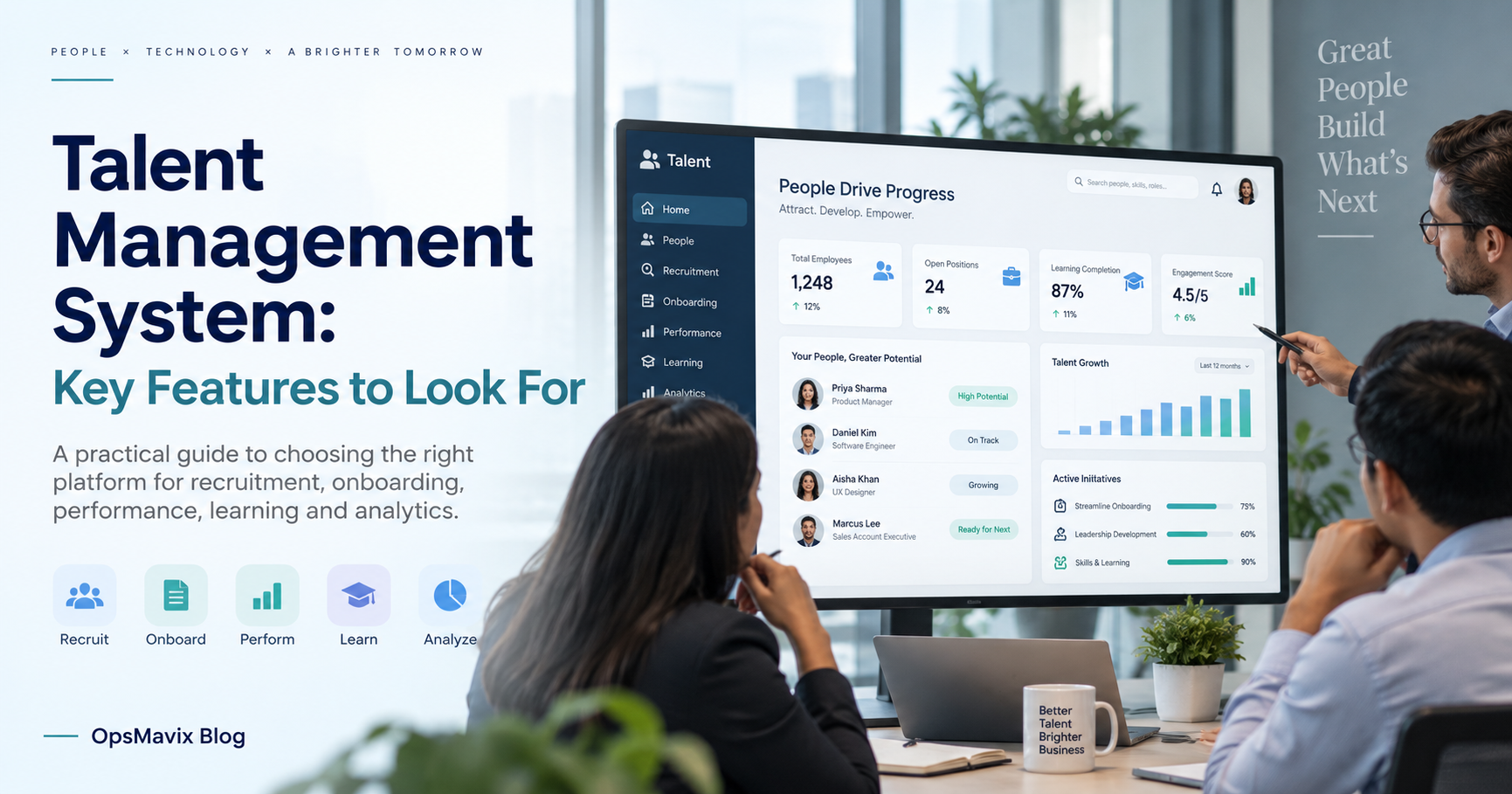
A talent management system should connect recruitment, onboarding, performance conversations, learning and development with clear employee records and assigned responsibilities. The right platform depends on the processes you need to improve and the HR tools already in place. Start with the specific handoffs and decisions before buying a broader suite or building custom software.
Talent work is different from maintaining payroll or a staff directory, although it may need information from both. A development plan should lead to agreed action, while a recruitment record should move into onboarding without unnecessary re-entry or inappropriate access to private material.
This guide explains the features to prioritise, the integrations to test and the evidence needed for a buying decision. It compares configured existing systems, packaged talent tools and focused custom workflows without inventing retention improvements, hiring outcomes or compliance guarantees.

Performance and development records should support useful conversations and agreed follow-up. Illustrative photograph, not an OpsMavix client.
Image credit: Breather, CC0 1.0. Displayed at a reduced size; no additional edits.
Key Takeaways
- Define recruitment, onboarding, performance and learning requirements separately.
- Use stable employee identity without merging every HR record into one widely visible profile.
- Test managers’ and employees’ actual workflows, including corrections and changes of role.
- Make integration ownership, effective dates and access changes explicit.
- Assess privacy, retention and permissions against defined purposes with responsible specialists.
- Pilot a limited process and compare complete costs before extending the system.
In this guide:
- 1. Define the Talent Process You Need to Improve
- 2. Establish Employee Identity and Record Ownership
- 3. Shortlist Platforms Around Demonstrated Fit
- 4. Connect Recruitment and Onboarding Deliberately
- 5. Make Performance and Learning Actionable
- 6. Verify Integrations, Access and Data Protection
- 7. Compare Cost, Adoption and Practical Ownership
- 8. Pilot One Complete Talent Workflow
- Frequently Asked Questions
- How OpsMavix Can Help
1. Define the Talent Process You Need to Improve
Start with the missing handoff
Identify a recent problem: an accepted candidate did not receive the right onboarding tasks, a review produced no development action or a required learning record could not be found. Record the people, information and decisions involved.
Avoid a requirement written only as better engagement or visibility. Specify the workflow, responsible person and desired evidence. Software can support a process, but a dashboard cannot establish why somebody chooses to stay or leave.
Distinguish related HR functions
| Process | Practical purpose | Evidence to maintain |
|---|---|---|
| Recruitment | Manage applications and agreed selection steps | Relevant candidate records and decision history |
| Onboarding | Prepare a new starter and assign actions | Tasks, owners and completion evidence |
| Performance | Support clear objectives and review conversations | Agreed goals, feedback and follow-up |
| Learning | Organise and record development activities | Appropriate completion and review records |
| Career development | Discuss interests and possible next steps | Agreed plans and relevant skills evidence |
| Core HR | Maintain employment identity and changes | Authoritative employee and role information |
| Payroll | Process pay using approved inputs | Separate controlled payroll records |
A suite may cover several functions, but that does not mean every record should be accessible to everyone who uses it. Scope and permissions should follow the purpose of the work.
2. Establish Employee Identity and Record Ownership
Use stable identifiers
An employee should remain identifiable when their name, manager, department or role changes. Avoid treating email address as the only permanent identity if addresses can change or be reassigned.
Keep applicant and employee records linked through the appropriate transition, while retaining only the information needed under the organisation’s approved policy. Do not copy every recruitment note into an employee profile automatically.
Define which application owns each field
| Record | Ownership question |
|---|---|
| Employee identity | Which core record is authoritative? |
| Role and manager | What is the effective date, and who approves changes? |
| Payroll inputs | Which team and application control approved pay data? |
| Review objectives | Who edits, acknowledges and closes them? |
| Learning completion | Is evidence verified, self-declared or imported? |
| Account access | What event creates, changes or removes permissions? |
Keep history where it is needed to explain a decision. A current manager field alone may not show who was responsible when a review occurred. Distinguish effective dates from the date somebody entered the change.
3. Shortlist Platforms Around Demonstrated Fit
Use product sources as starting evidence
Workday’s talent-management overview describes recruiting, development and learning-related capabilities. SAP’s SuccessFactors overview describes a broader human-capital-management suite. Treat these as candidates to demonstrate, not universal recommendations or proof that every advertised outcome will apply to your business.
Compare the complete routes
| Route | Where it may fit | What to demonstrate |
|---|---|---|
| Configure current HR software | The process exists but is underused | Your review, onboarding or learning workflow |
| Specialist talent application | One process needs greater depth | Relevant records, adoption and core-HR handoff |
| Broader suite such as Workday or SuccessFactors | Several HR processes need coordination | Proposed modules, migration, role changes and permissions |
| Integrated workflow application | Tasks are disconnected but core records work | Reliable triggers, completion evidence and failed updates |
| Custom workflow or ERP | A valuable wider operational gap remains | Defined scope, privacy controls, support and handover |
Ask for the exact modules, licence, configuration and implementation services proposed. A recruitment feature does not establish that performance or learning is included in the same commercial scope.
Use the same demonstration script with each supplier. Mark each requirement as standard, configured, integrated, custom, manual or unsupported. Record the remaining responsibility and cost beside it.
4. Connect Recruitment and Onboarding Deliberately
Define the accepted-offer transition
Specify what creates a new-starter record and which details transfer. The process should assign required tasks to the right owners without exposing candidate material to staff who do not need it.
Onboarding might involve HR, IT, a manager and operations. Give each action a due date, status and evidence appropriate to the task. An overdue equipment task is different from a missing employment document; avoid hiding both inside one general completion percentage.
Test changes and exceptions
Demonstrate a changed start date, different manager, withdrawn start and rehire. Check that tasks and access follow the revised record rather than continuing under an old assumption.
Hypothetical task example: six onboarding tasks are assigned. Five are marked complete, but the outstanding task is the access required for the role. The summary should identify that specific blocker rather than implying the person is ready because most tasks are finished.
The organisation remains responsible for its hiring and employment decisions. A workflow should retain the relevant evidence and authority, rather than allowing an unexplained score to become the decision itself.
5. Make Performance and Learning Actionable
Support the conversation and follow-up
Define objectives, review periods and how changes are agreed. Keep employee comments and management assessments distinguishable where relevant. A completed form is not evidence that a useful conversation occurred or that an objective was understood.
After a review, record agreed actions, owners and review dates. An action might be mentoring, supervised practice, a course or a clearer work objective. The system should show whether the action happened, rather than merely repeating the review score.
Treat skills evidence carefully
Distinguish declared skills, training completion and verified capability. Finishing a course does not automatically establish competence for every task using that subject.
| Record | Useful interpretation | Claim to avoid |
|---|---|---|
| Learning completion | The stated activity was completed | Competence is guaranteed |
| Manager assessment | A documented assessment in context | The result is an objective fact in every case |
| Employee interest | A development preference to discuss | The person is automatically suitable for a role |
| Agreed action | A defined next step and owner | Retention will improve by a promised percentage |
Use analytics to identify missing reviews or overdue actions. Investigate the context before using a number to judge an individual or team. Different roles and review practices can make simple comparisons misleading.
6. Verify Integrations, Access and Data Protection

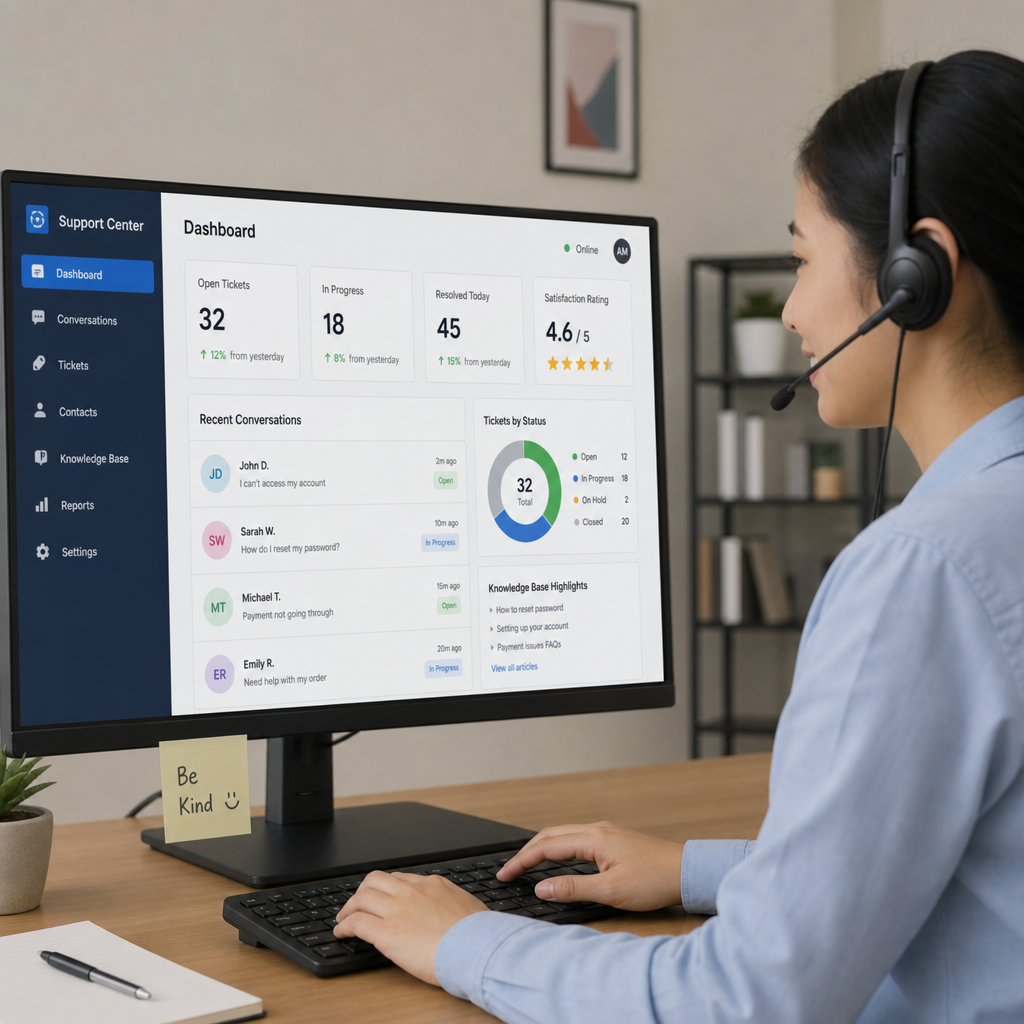
A custom connection needs defined record ownership, permissions and failure handling. Illustrative photograph, not an OpsMavix client.
Image credit: Tirza van Dijk, CC0 1.0. Displayed at a reduced size; no additional edits.
Test employee changes end to end
Document the handoffs to core HR, payroll, learning and identity systems where those are in scope. Specify the event, direction, effective date and failure owner for each connection.
Test a manager change, temporary assignment, duplicate update and leaver. Access removal should have an explicit responsible process. A successful data sync is not proof that account permissions changed correctly in every connected application.
Design records around a defined purpose
The ICO’s employment-record guidance discusses collecting relevant information, maintaining accuracy and considering how long records are needed. As checked on 13 October 2026, the page says it is under review following the Data (Use and Access) Act. Have the responsible privacy and HR specialists confirm the current requirements for your use.
The buying test should cover role-based access, retention settings, corrections, exports and the evidence of who changed a record. Sensitive HR material should not become a broadly accessible operations-dashboard field merely because integration is possible.
A supplier’s compliance claim does not remove the organisation’s responsibility for its purposes, policies and use of the system. Evaluate the actual configuration and process, including any automated recommendations or consequential decisions.
7. Compare Cost, Adoption and Practical Ownership
Include the operating effort
Obtain current scoped prices for modules, users, integration, migration, configuration, training and support. Include the time managers and employees spend maintaining the process, rather than counting only the HR administrator’s work.
Check whether existing configuration resolves the gap before purchasing another tool. A focused workflow can be sufficient for missing task ownership; a wider suite may fit when several HR processes need coordinated records.
Use a limited hypothetical calculation
Hypothetical administration example: 12 monthly review records each require 10 minutes of manual transfer. That is 120 minutes, or two hours a month. At £30 an hour across 12 months, the valued staff capacity is £720 a year.
This is not a promised saving or evidence that a new platform is justified. If the proposal costs substantially more, it needs additional evidenced value. Do not invent a reduction in turnover, hiring time or absence to make the comparison work.
| Cost or control area | Question to ask |
|---|---|
| Implementation | Who maps the process and cleans records? |
| Integration | Which systems and events are included? |
| Adoption | Can managers and employees use the workflow? |
| Support | Who handles errors, upgrades and new requirements? |
| Portability | Are linked records and attachments exportable? |
| Custom ownership | Are rights, deployment and maintenance documented? |
Source-code access does not eliminate hosting, security or maintenance. Packaged services also need clear data access, termination and support arrangements.
8. Pilot One Complete Talent Workflow
Choose a manageable process
Use one onboarding or development-review workflow with representative users and agreed responsibilities. Prepare synthetic test records where real personal information is unnecessary, and define the approved handling of any real records used.
Include a normal completion, overdue task, changed manager, incorrect entry, duplicate integration update and export. Have an employee, manager and HR administrator each test the relevant view.
Agree acceptance criteria
- Employee identity remains stable through role changes.
- Required tasks have appropriate owners and dates.
- Performance and development records remain distinguishable.
- Permissions expose only the intended information.
- Corrections retain the required context and authority.
- Failed updates remain visible and assigned.
- Effective-date changes reach the intended connected records.
- Retention and export behaviour match the approved policy.
- Another responsible person can maintain the process.
Do not judge the pilot only by the percentage of completed forms. Assess whether actions are clearer, records are maintained and users understand the decisions supported by the system.
Expand after the workflow and controls are demonstrated. Preserve historical access, explain the transition to users and document the support routine. A talent platform should make agreed processes easier to operate without turning every people decision into a software-generated verdict.
Frequently Asked Questions
What does a talent management system do?
It supports recruitment, onboarding, performance, learning and development processes. The exact scope varies, so distinguish talent workflows from core HR and payroll requirements.
Is talent management the same as payroll?
No. Talent processes concern hiring and development, while payroll processes pay using approved inputs. They may share identity and employment changes through controlled integrations.
Should all HR information be in one employee profile?
Not necessarily in one widely accessible view. Use stable identity and appropriate links while keeping access and purpose specific to each record.
Can existing HR software support the missing workflow?
Potentially. Demonstrate its configuration and integrations before assuming a new application or broader suite is necessary.
Does completing a course prove competence?
No. Completion records the activity. Capability for a particular task may require additional evidence, assessment or supervised work under the organisation’s process.
What integrations should we test?
Test the required core-HR, payroll, learning and identity handoffs, including effective dates, role changes, leavers, duplicates and failed updates.
Can a platform guarantee compliance or employee retention?
No. Software can support records and controls, but outcomes depend on the organisation’s policies, decisions and actual use. Avoid treating supplier claims as guarantees for your operation.
When is custom talent software appropriate?
When a valuable workflow remains unsupported after configuration and packaged options are evaluated. Include privacy design, interfaces, maintenance and practical handover in the scope.
What should a pilot prove?
It should show that representative users can complete the workflow, handle exceptions and maintain the right records with appropriate access. Agree acceptance criteria before extending it.
How OpsMavix Can Help
OpsMavix can map the task ownership and system handoffs behind your talent-management gaps, then compare configuration, integration and custom development.
We can build focused workflows and connect approved operational records to operations reporting, while keeping HR access and responsibilities clearly defined. Where broader business requirements justify it, OpsMavix can develop a full custom ERP as well as a limited application.
Contact OpsMavix with one onboarding or development process that repeatedly loses ownership or requires re-entry. Use an anonymised example for the initial discussion. We can define a practical pilot with your responsible HR and privacy teams.
Keep reading

Getting value from OpsMavix? Add us as a preferred source on Google — you'll see more of our operations content in your AI Overviews, AI Mode and Search.