
Google Sheets and AppSheet Operations Systems
Google Sheets and AppSheet-style systems help businesses turn spreadsheet data into clearer workflows, apps, dashboards, and automation.
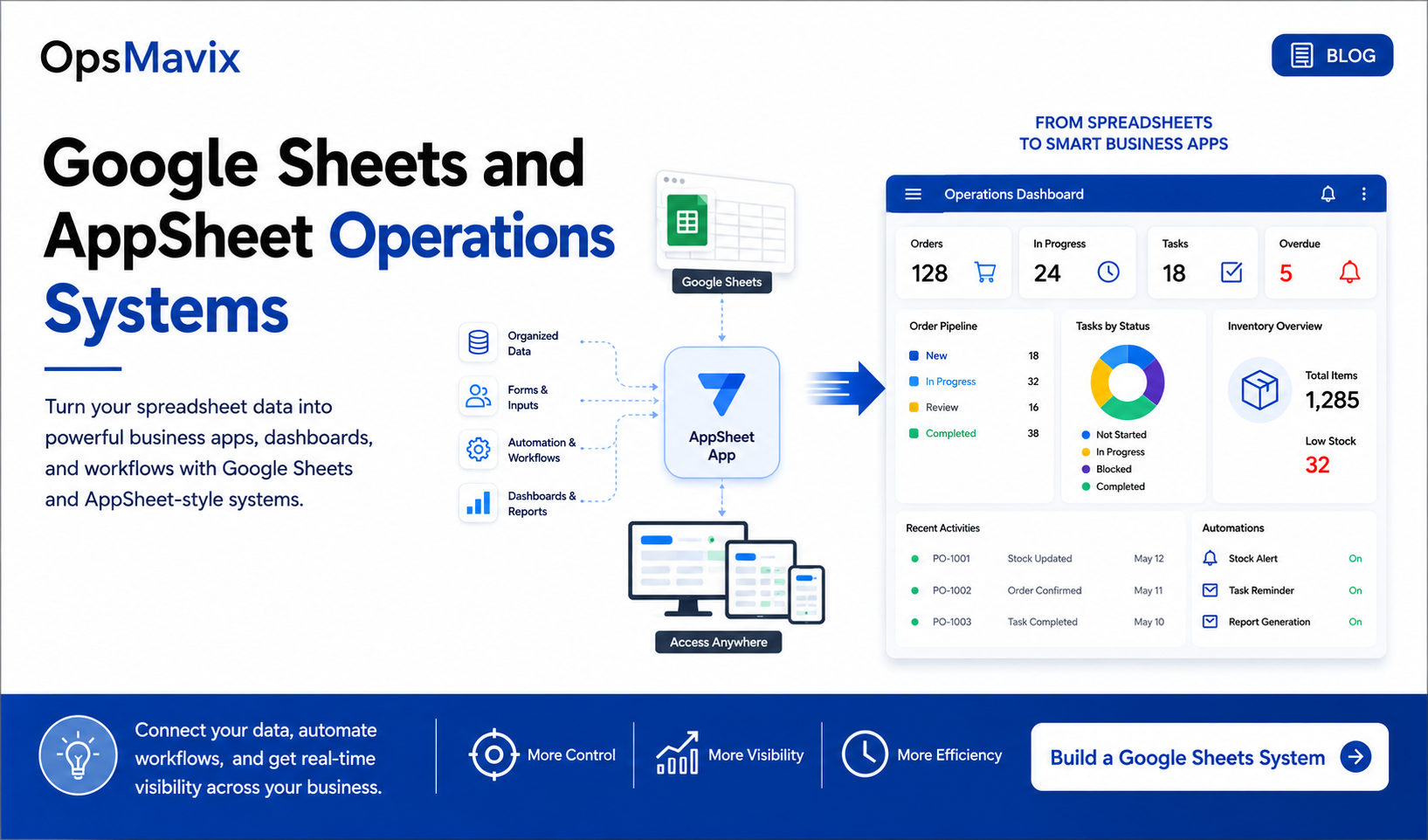
Google Sheets often becomes the starting point for a growing business. It is familiar, easy to share, and flexible enough to track customers, orders, stock, tasks, and project deadlines.
The difficulty starts when those spreadsheets become responsible for running the entire operation.
An order moves forward, but the stock sheet has not been updated. A task is finished, but the manager is still chasing it. Someone changes a formula, and the weekly report stops making sense. The information exists, yet the team spends too much time finding it, checking it, and moving it between files.
Google Sheets and AppSheet operations systems can provide a practical next step: structured data entry, clearer responsibilities, connected records, and workflows built around daily work.
For businesses considering a Google Sheets and AppSheet development company, the useful starting question is simple: which part of the operation needs better control?
A structured business app can give spreadsheet data a clearer role in everyday operations.
In this guide:
- When Google Sheets is no longer enough
- What an AppSheet operations system does
- Where these systems work well
- A practical workflow example
- Turning repeated work into automation
- Choosing the right system
- Planning the build
- Frequently asked questions
- What to do next
- How OpsMavix can help
1. When Google Sheets Is No Longer Enough
A spreadsheet can remain useful for a long time. The warning sign is the amount of coordination required to keep it accurate.
If several people must check messages, compare tabs, and ask colleagues before acting, the process needs attention.
Common signs include:
- The same customer or order is entered into several files.
- Staff overwrite formulas or change information they should only view.
- Important updates depend on colour coding or comments that others miss.
- Tasks have a status but no named owner.
- Managers prepare reports by copying information from multiple sheets.
- Approvals happen in messages without a clear record of the decision.
- One person understands how all the files fit together.
Consider a delivery date. Sales changes it in the order sheet, operations still works from yesterday’s schedule, and the customer receives an update based on the old plan. Each person may have followed their usual process. The gap sits between those processes.
Adding another tab rarely resolves that gap on its own. The business needs an agreed place for the delivery date, a clear owner, and a reliable way to communicate changes.
Our guide to why spreadsheets stop working as your business grows explores this wider transition.
2. What an AppSheet Operations System Does
Google AppSheet is a platform for building applications around business data. A Sheets-backed implementation uses Google Sheets as a data source and gives users an app interface for their work.
The phrase AppSheet-style system is broader. It describes a similar approach to forms, connected records, and workflow screens, but the application may be built using different technology. When discussing a project, confirm whether the proposal uses Google AppSheet itself or a separate custom platform.
With an appropriately configured app, a team can capture information through forms, find assigned work, update progress, and access relevant views. Google’s AppSheet app design guidance explains how data, views, actions, automation, and access controls fit together.
The business design should make everyday questions easy to answer:
- What do I need to work on today?
- Which information must I enter before moving this forward?
- Who approves the next step?
- Why is this job blocked?
- Where can I find the customer details and supporting documents?
Give each role a useful working view
A coordinator might need incoming requests and unassigned jobs. A field worker might need today’s visits. A manager might need overdue work and unresolved exceptions.
These views should reflect the decisions each person makes. Giving everyone a large table with dozens of columns can preserve much of the confusion the app was meant to solve.
Connect records around the real work
A customer can have several jobs. A job can have multiple tasks, visits, or materials used. Structuring those relationships avoids repeatedly typing the same customer details into unrelated rows.
The aim is to build one source of truth for your business: an agreed, maintained record for each important piece of information, with a clear process for updating it.
3. Where Google Sheets and AppSheet Systems Work Well
A focused workflow is often a useful starting point. It should have a clear beginning, a defined outcome, and people who can explain where the current process breaks down.
| Workflow | Typical spreadsheet problem | Useful system design |
|---|---|---|
| Job and order tracking | Status updates are scattered across files and messages | A record with an owner, deadline, status, and next action |
| Field service | Visit notes arrive late or lack required details | A mobile form connected to the relevant job |
| Internal approvals | Requests are lost in chat or email | A queue showing the approver, decision, and outstanding requests |
| Project delivery | Tasks and handovers are difficult to follow | Linked milestones, responsibilities, and blockers |
| Customer follow-ups | Staff rely on personal reminders | A shared follow-up list with dates and ownership |
| Stock movements | Receipts and usage are recorded inconsistently | Structured movement entries with item, location, quantity, and reason |
These are potential design patterns, not features that appear automatically when a sheet is connected to an app.
Stock workflows need clear definitions
Before building an inventory app, distinguish between stock physically on hand, stock reserved for orders, and stock available to promise. A single quantity column may be too ambiguous for the decisions the team needs to make.
Record how receiving, usage, transfers, returns, and corrections should work. If several users can reserve the same item at once, assess how the system will prevent conflicting commitments before relying on it for availability promises.
A spreadsheet with an app interface should not be assumed to provide the controls of a dedicated inventory system. More demanding requirements may call for an inventory automation system designed around those transactions.
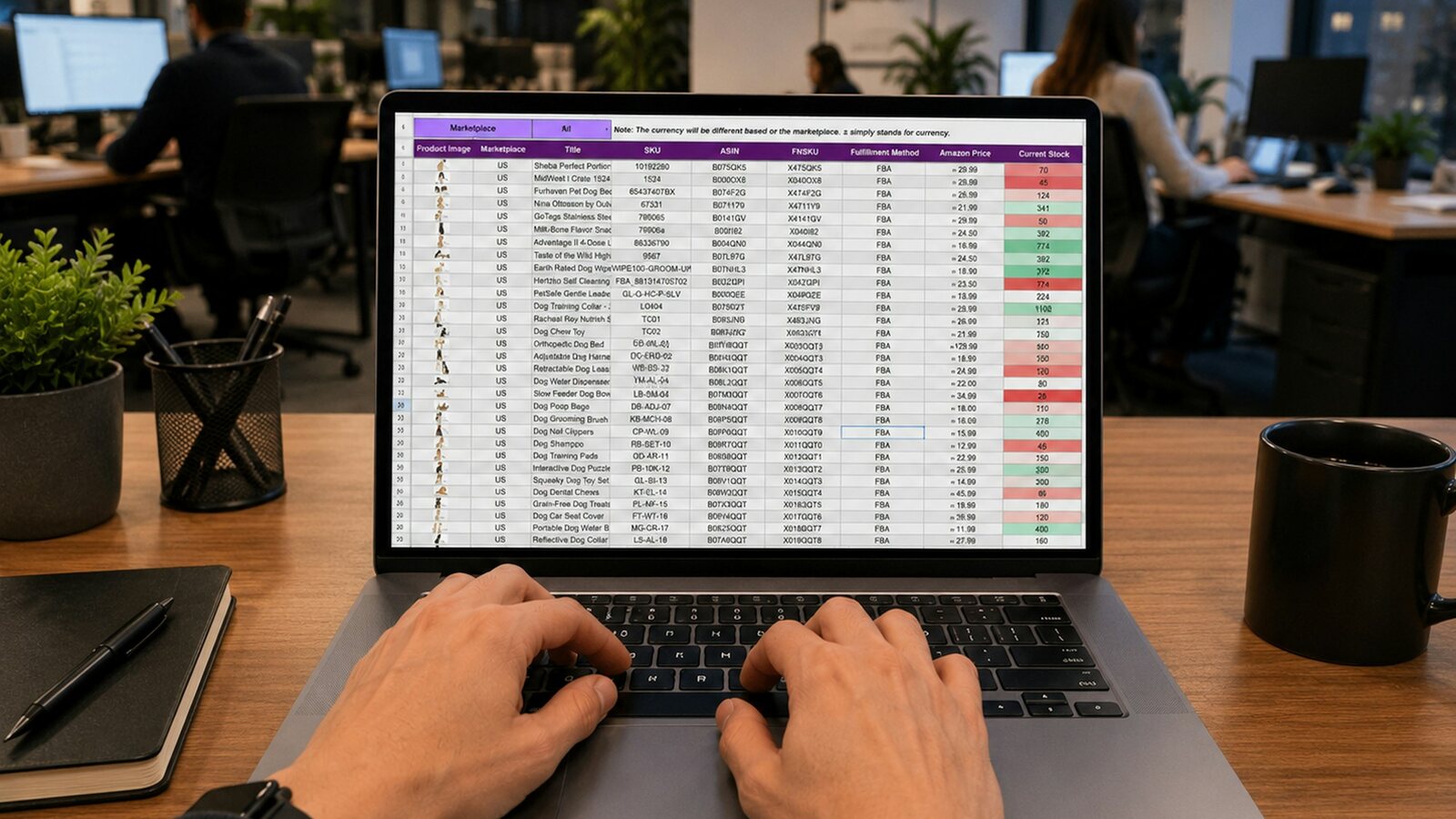
Review how people use the current sheets before deciding which screens, forms, and automations to build.
4. A Practical Example: From Job Request to Completion
Imagine a service business that tracks requests in Google Sheets, schedules visits through messages, and collects completion notes by email. This is an illustrative workflow, not a client case study.
A customer calls about a repair. The office adds a row, messages a technician, and waits for an update. The technician finishes the visit, but the office cannot prepare the invoice because the materials used and completion details are missing.
A more structured process could work as follows:
- Capture the request. The coordinator records the customer, location, issue, and requested date through a form.
- Review and assign. The coordinator checks the information, assigns a technician, and agrees the visit date.
- Show the work. The technician sees the assigned job and the information needed for the visit.
- Record the outcome. The technician adds work performed, materials used, and any follow-up requirement.
- Review completion. The office checks the record and either requests missing information or marks it ready for invoicing.
- Track the handover. Finance can identify jobs ready for its next step without searching through messages.
The status definitions matter. “Visit completed” and “ready to invoice” describe different milestones. Combining them can hide unfinished administration.
Design the exception path too
A useful workflow must handle a customer cancellation, an unavailable part, a failed visit, and a job that needs reopening.
For each exception, decide who owns it, what must be recorded, and how it returns to the normal process. Otherwise, staff will create side conversations and extra spreadsheets to handle the situations the app does not cover.
Make progress visible
Management might need to see unassigned jobs, overdue visits, work awaiting parts, and completed jobs waiting for review. A project operations dashboard can organise these questions into a useful management view.
Agree what each measure means. An overdue visit could mean that its scheduled date has passed and no completion or cancellation has been recorded. That definition gives the team a consistent basis for action.
5. Turning Repeated Work Into Automation
Automation becomes useful when the triggering event, required action, and responsible person are clear.
Start with a few repeated tasks that cause measurable friction. Examples might include notifying a coordinator about an unassigned request or reminding an approver about a pending decision.
| Situation | Possible automation | Design question |
|---|---|---|
| A new request is submitted | Notify the coordinator | Who covers the queue when that person is away? |
| A job needs approval | Alert the assigned approver | What happens if it is rejected or returned? |
| A deadline passes | Add the job to an overdue view and send a reminder | Which statuses should be excluded? |
| Completion details are ready | Notify the reviewer | How do you avoid repeated notifications? |
| A weekly review is due | Prepare an exception summary | Which decisions should the report support? |
Google documents AppSheet bots as processes triggered by supported events or schedules. App changes must reach the server before the corresponding server-side process can run.
Check where updates originate
Do not assume that an edit made directly in Google Sheets behaves like an update submitted through the app.
Google provides external eventing for Google Sheets, which requires configuration. Its documented external change events cover user edits, rather than programmatic changes made by tools such as Apps Script. Each update route needs deliberate design and testing.
Give failed automation an owner
Someone should be responsible for checking failures, resolving incomplete records, and updating the workflow when business rules change. An alert that nobody reviews cannot keep a process under control.
Check deployment and subscription requirements before committing to scheduled reports or notifications. Google’s bot troubleshooting guidance explains that some automation features require a paid subscription and that automatic scheduled execution requires a deployed app.
6. Google Sheets, AppSheet, or a More Complete Operations System?
The right choice depends on the workflow, the consequences of mistakes, and the way the business expects to grow.
| Approach | Worth considering when | What to assess |
|---|---|---|
| Improve Google Sheets | A small team has a simple process with manageable updates | Clear ownership, data validation, protected areas, and consistent reporting |
| Build a Sheets-backed AppSheet app | Staff need structured forms, assigned work, and a focused workflow | Sync behaviour, permissions, data structure, licensing, and representative workload |
| Build a more complete operations system | Several departments need tightly connected processes or more demanding controls | Transaction requirements, integrations, reporting, support, and long-term maintenance |
This is a decision framework, not a rule that every business must progress through all three stages.
Understand sync before promising live visibility
Google’s offline and sync documentation explains that AppSheet uses locally stored information and synchronises changes. Mobile offline use requires an initial online launch, and offline settings need to match the intended workflow.
A dashboard may therefore reflect the latest synchronised data rather than every action happening at that moment. Define an acceptable update delay for each process and test it on the devices and connections the team uses.
For an inspection form, a delayed upload may be workable. For a decision about the last available item, the same delay may create a problem. That distinction should influence the design.
Treat access as part of the system
Decide who may view, add, edit, approve, export, and delete information. A technician and a finance manager may need different access to the same job.
Google’s security filter guidance describes row-level filtering and sign-in for user-specific access. It also stresses that source data needs protection. A simplified screen alone is not a complete access policy.
Test the expected workload
There is no useful universal answer to “how many rows is too many?” without understanding the app. Assess record volume, formulas, connected tables, update frequency, and the number of people working at once.
Use a representative dataset during the pilot. A demonstration with a handful of clean records cannot establish how the production workflow will behave.

Choose the system around the connections and controls your operation needs.
7. How to Plan a Google Sheets and AppSheet System
A clear plan starts with the work already happening. Review the sheets alongside the people who use them, including the unofficial lists that fill gaps in the main process.
Map one process from beginning to end
Choose a specific workflow, such as a service request becoming a completed job. Identify its starting event, owners, handovers, decisions, and finishing condition.
Include the point where information enters another system. If finance already owns invoicing, decide what operations should pass to it and how invoice status should come back.
Clean the data before building screens
Resolve duplicate customers, inconsistent statuses, missing owners, and unclear date fields. Decide which records are active and which belong in an archive.
Give important records stable identifiers. Avoid relying on a person’s spelling of a customer name to connect information across the business.
Define the minimum useful version
A first version might need only a request form, an assignment view, a completion form, and a manager’s exception view.
Write down what a successful pilot should demonstrate. For example, a coordinator should be able to identify every unassigned request without opening a second file. A reviewer should be able to see why a completed job cannot yet move forward.
Pilot with the people doing the work
Ask users to complete normal tasks and realistic exceptions. Test missing information, incorrect entries, reassignment, cancellations, and connectivity problems where relevant.
Observe where they hesitate or return to messages. Those moments often reveal an unclear instruction, missing field, or workflow rule that needs adjustment.
Plan the handover and ongoing ownership
Document the app owner, data owner, maintenance responsibilities, access arrangements, and support process. Include a plan for backups and recovery, and confirm how the business will obtain its data if it later changes platforms.
Agree when the old process stops accepting new work. Running two active systems indefinitely creates competing records and makes progress difficult to measure.
Frequently Asked Questions
Can Google Sheets become a business app?
Yes. Google AppSheet can use spreadsheet data as the basis for an application. A reliable business implementation also needs suitable data structure, workflow rules, access controls, and testing.
Do we have to replace all our spreadsheets?
No. Start with the process that creates the most repeated checking or manual coordination. Other spreadsheets can remain useful for analysis and occasional work, provided the team knows which records are authoritative.
Is an AppSheet-style system always built with Google AppSheet?
No. The phrase can describe a similar style of internal application. Ask the provider to identify the platform, hosting arrangements, subscription requirements, and maintenance responsibilities in the proposal.
Can field staff use the app offline?
AppSheet supports mobile offline use with suitable configuration and an initial online launch. Test the specific forms, files, and devices the team needs. Define when staff must reconnect so the office can work from updated information.
Can this replace an ERP?
A focused app may meet a particular operational need. Whether it can replace a broader system depends on requirements such as accounting, inventory controls, production, purchasing, and integrations. Compare those requirements explicitly before making that decision.
How much does a custom implementation cost?
Scope determines the work involved. Data cleanup, workflow complexity, integrations, user access, reporting, testing, training, and ongoing support all affect the proposal. Ask for platform subscriptions and recurring costs to be shown separately from the build.
How can we tell whether the system is helping?
Record a baseline before the pilot. Useful measures include time spent preparing a weekly report, records missing an owner, overdue approvals, and jobs awaiting completion information. Compare the same measures after adoption, using consistent definitions.
What To Do Next
Choose one spreadsheet that the business depends on every day. Review it with the people who enter the data and the people who act on it.
Ask:
- What decision or next step does this information support?
- Who owns the record and each important update?
- Where is the same information entered again?
- Which mistakes or missing details cause delays?
- Which actions should happen through a form?
- What should an approval record contain?
- How quickly must other people see an update?
- Which exceptions should a manager see without asking?
Use the answers to define a small, testable improvement. That may be a cleaner spreadsheet structure, an AppSheet application, or a wider custom operations system.
How OpsMavix Can Help
OpsMavix helps growing businesses turn scattered spreadsheets and manual updates into clearer operations systems.
We can help you review the current process, structure the information, and design the forms, workflows, dashboards, and automation the team needs. The proposed platform should match the operational requirements, whether the project involves Google Sheets, an AppSheet-style application, or a more complete internal system.
That work can include:
- Mapping critical spreadsheets and handovers.
- Defining records, statuses, responsibilities, and approval steps.
- Designing forms and views around daily tasks.
- Connecting operational information to useful dashboards.
- Reducing repeated updates and follow-up work.
- Planning a practical pilot and team handover.
If Google Sheets is becoming difficult to manage, talk to OpsMavix about your operations workflow. Bring the spreadsheet that causes the most repeated questions and explain what happens when it falls behind.
That gives us a concrete starting point for designing a clearer way to work.
Keep reading
Getting value from OpsMavix? Add us as a preferred source on Google — you'll see more of our operations content in your AI Overviews, AI Mode and Search.