
Engineering Bill of Materials vs Manufacturing BOM: What Changes Between Design and the Shop Floor
The engineering bill of materials and the manufacturing BOM describe the same product and should never be identical. This guide walks the handover line by line — what design hands over, what production adds, why the two lists legitimately differ, and what quietly breaks when a business keeps only one of them.
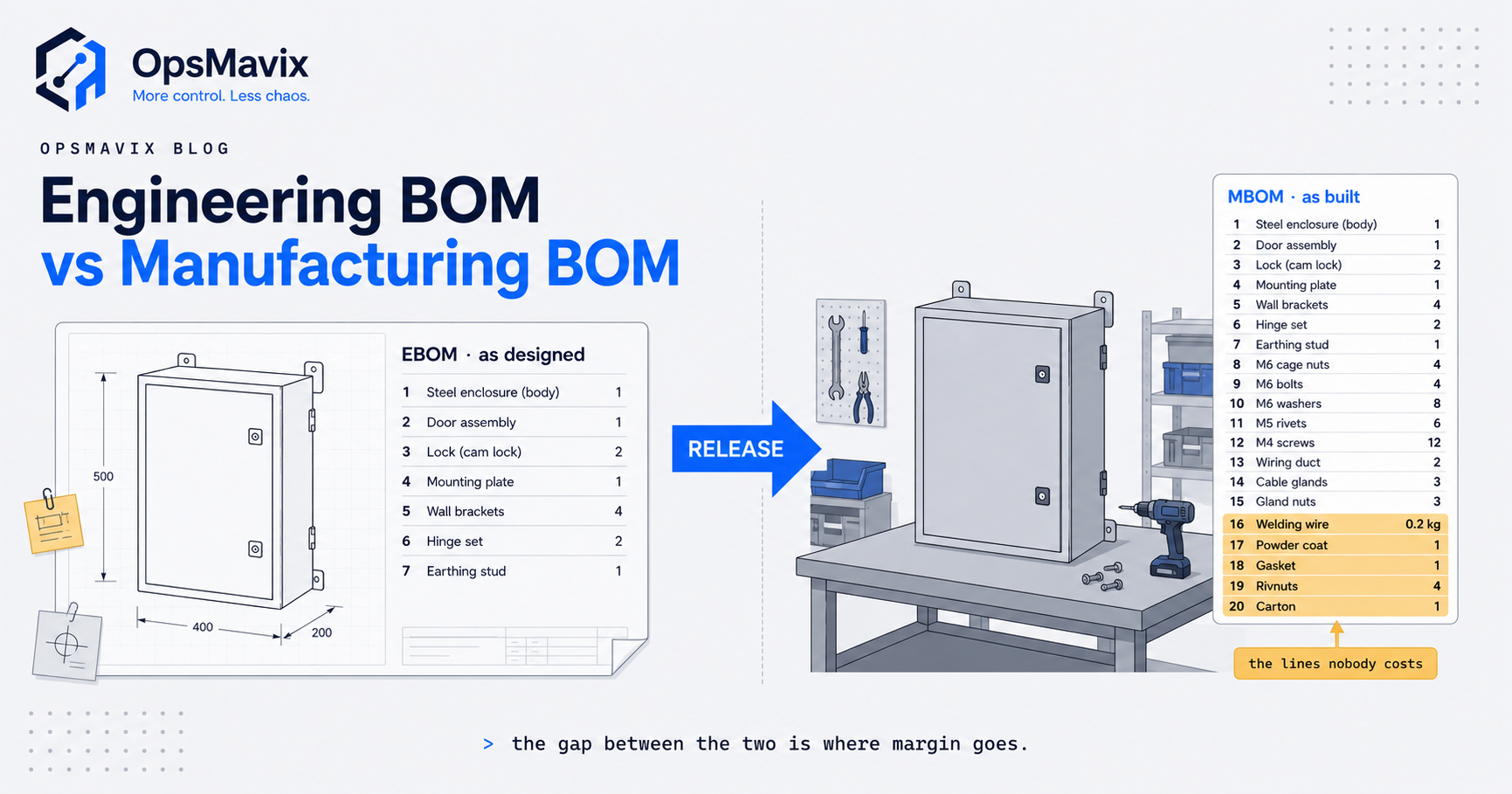
An engineering bill of materials (EBOM) describes a product as designed, while a manufacturing bill of materials (MBOM) describes how the same product is built, packed and shipped. The two lists should share a product and a revision history, but they should not be identical: the MBOM restructures the design into build stages and adds the consumables, packaging, process sub-assemblies and scrap allowances that a drawing never shows.
The practical problem sits at the handover. Design releases a parts list; production, purchasing and costing need a build list. If nobody owns that translation, buyers order to the drawing, quotes miss the materials the floor really uses, and a design change can reach one list without reaching the other.
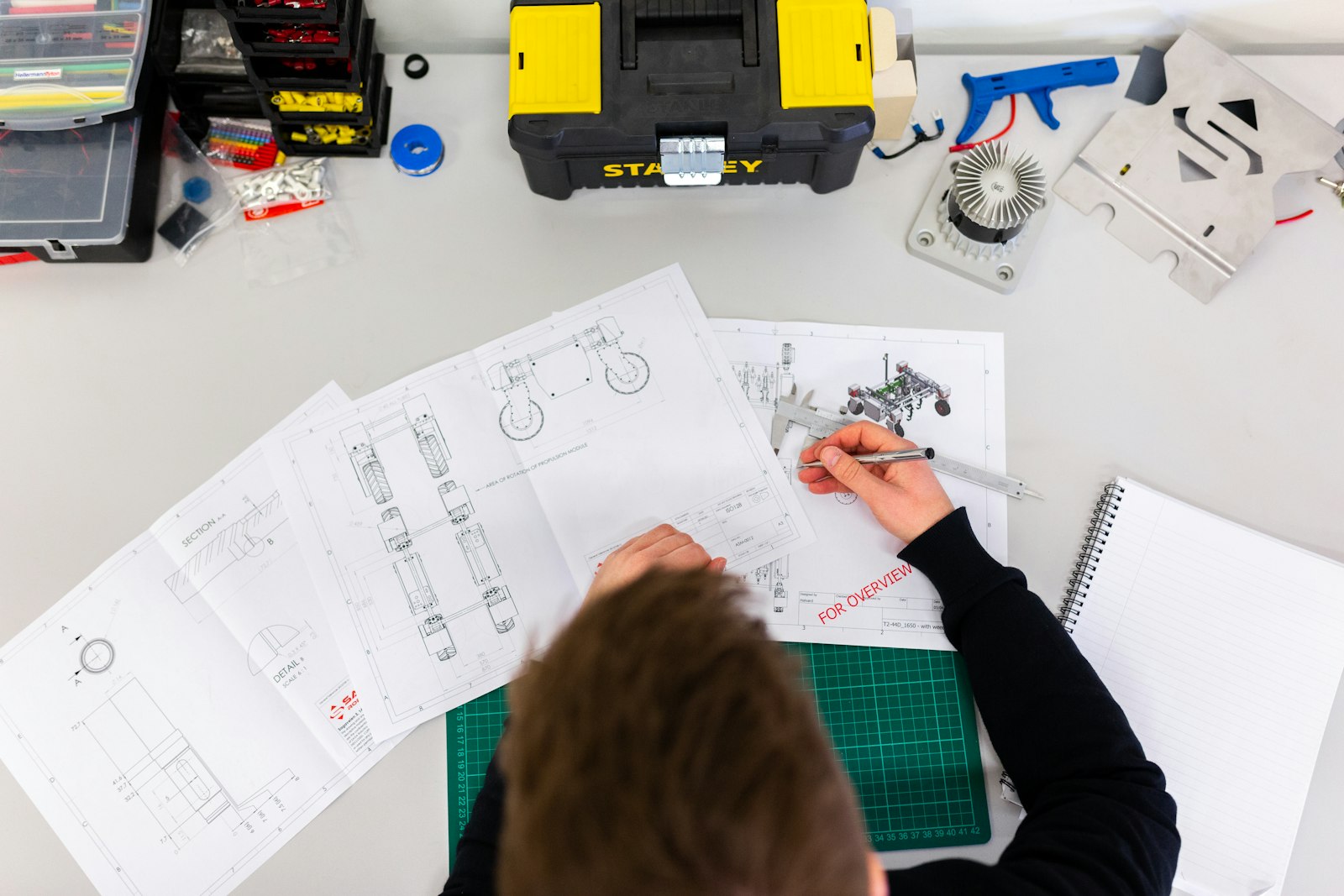
The EBOM starts from design data such as drawings and CAD models. Illustrative photograph, not an OpsMavix project.
Image credit: ThisisEngineering, Unsplash License. Resized only.
Key Takeaways
- The EBOM records the product as designed; the MBOM records what production needs to build and ship it.
- Differences between the lists are normal, but each one needs a stated reason.
- Consumables, packaging, process sub-assemblies and scrap allowances usually appear only on the MBOM.
- Assembly, component and operation scrap affect quantities in different ways, so one blanket percentage misleads.
- Every design revision needs a controlled route from the EBOM to the build list, with an effective point.
- A single accurate MBOM can be enough for a simple, stable product; changing or staged builds need both views.
In this guide:
- 1. Define the Engineering Bill of Materials
- 2. Define the Manufacturing Bill of Materials
- 3. Compare EBOM and MBOM Side by Side
- 4. Translate the Design at Release
- 5. Work Through an EBOM to MBOM Example
- 6. Apply Scrap Allowances Correctly
- 7. Control Changes Between the Two Lists
- 8. Choose How Many BOM Views You Need
- Frequently Asked Questions
- How OpsMavix Can Help
1. Define the Engineering Bill of Materials
Start with design intent
Arena defines the EBOM as a bill of materials that “defines the product as designed”. It is usually produced from CAD or electronic design data, or from a spreadsheet maintained alongside the drawing pack.
Its structure follows how engineers think about the product. A machine might be grouped into frame, drive and control assemblies; an electronic product might be grouped by board and circuit block. That hierarchy expresses function rather than build order.
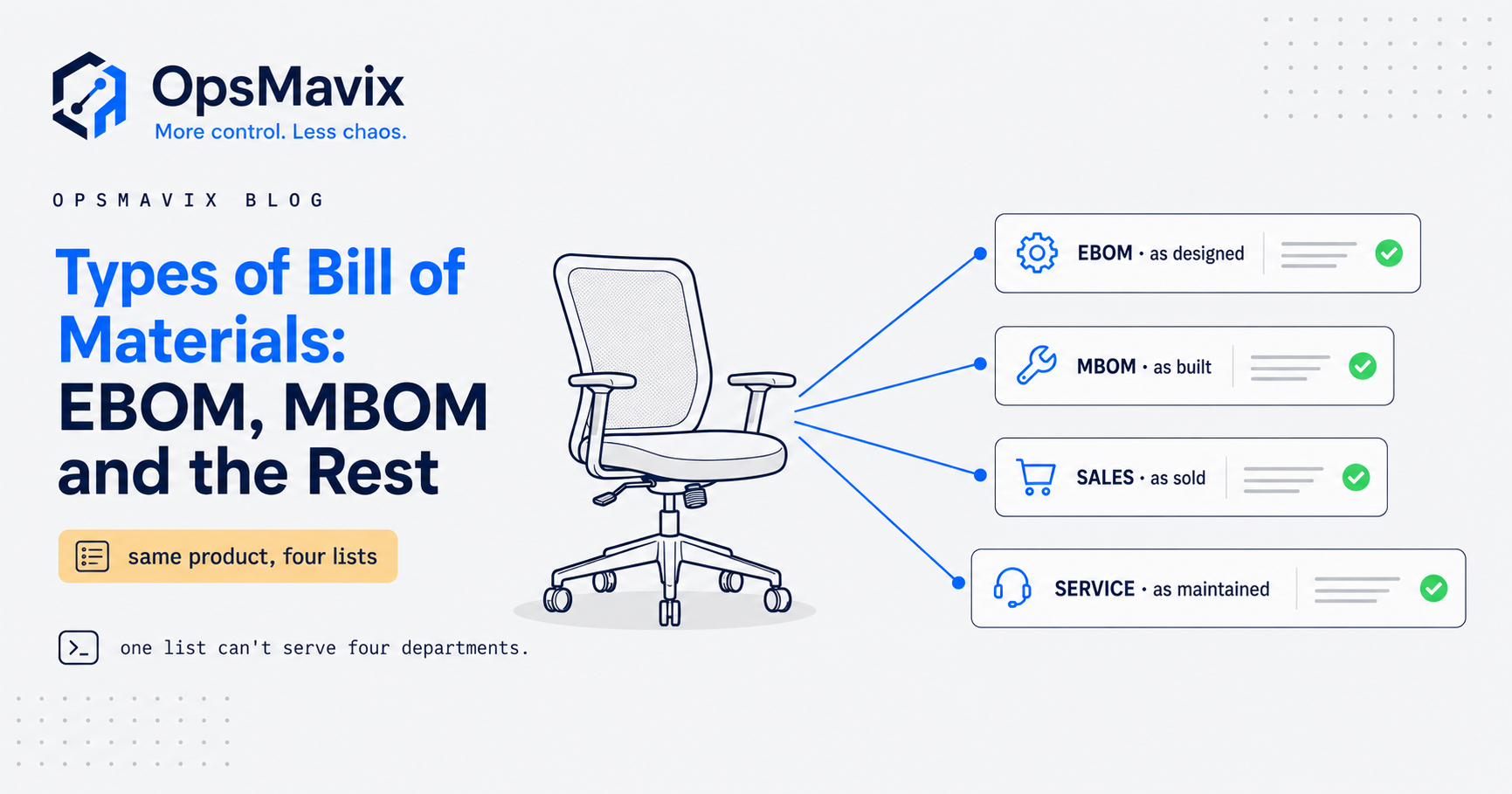
For the general definition of a BOM, see what a bill of materials is. For the wider family of BOM types, see types of bill of materials. This guide focuses on the seam between the design view and the build view.
Know what an EBOM usually contains
| Typically included | Typically left out |
|---|---|
| Designed and purchased parts with part numbers | Consumables such as adhesive, weld wire and thread lock |
| Quantity per assembly, as designed | Scrap and yield allowances |
| Revision and drawing references | Build sequence and work centres |
| Material, finish and tolerance specifications | Packaging, labels and printed inserts |
| Approved alternates where engineering specifies them | Sub-assemblies that exist only for production convenience |
The omissions are not errors. The engineer defines the product; the manufacturing team defines how the business will make it.
2. Define the Manufacturing Bill of Materials
Describe the product as it will be built
Siemens describes the MBOM as a list of “all the materials and components needed to manufacture a specific product”, distinct from the EBOM and built from it. In practice, the MBOM tells production and purchasing what must be available at each stage of the build.
Siemens also separates the MBOM from the bill of process, which explains how the product is made. Smaller businesses often keep both in one system as a BOM linked to a routing, but the distinction is useful: the MBOM says what is consumed, the routing says where, in what order and on what resource.
Recognise what the MBOM adds
- Consumables: adhesive, solder, weld wire, shielding gas, powder coat and other materials used up in production.
- Packaging and despatch items: cartons, protectors, pallets, labels and printed instructions.
- Process sub-assemblies: a folded blank, welded frame or pre-wired loom that exists between operations.
- Phantom assemblies: groupings that help structure the build but are not stocked separately.
- Scrap and yield allowances: extra quantity needed because not every part or assembly survives.
- Purchasable items: supplier codes and approved second sources in place of a generic specification.
Packaging data can matter beyond costing. Under UK packaging extended producer responsibility, GOV.UK guidance says obligated producers must report the weight in kilograms of the individual materials for each packaging activity. Whether your business is obligated depends on its own circumstances, so check the guidance before relying on BOM data for that purpose.
3. Compare EBOM and MBOM Side by Side
Use one comparison table
| Question | Engineering BOM (EBOM) | Manufacturing BOM (MBOM) |
|---|---|---|
| What does it answer? | What is this product? | What do we need to build and ship it? |
| Usual owner | Engineering or design | Production, manufacturing engineering or operations |
| Usual source | CAD, design data, drawing pack | ERP, MRP or works order system, derived from the EBOM |
| Structure | Functional assemblies | Build stages, sub-assemblies and work centres |
| Quantities | As designed | As issued, including allowances |
| Consumables and packaging | Usually absent | Present where they are planned and costed |
| Part identity | Engineering part number or specification | Stocked or purchased item, with approved alternates |
| Changes when | The design changes | The design, process, supplier, equipment or packaging changes |
The last row explains why an MBOM changes more often than its EBOM. A new supplier, fixture or carton can change the build list while the design stays exactly the same.
Separate legitimate differences from defects
| Legitimate difference | Defect that looks similar |
|---|---|
| Extra consumable or packaging line | A line nobody can trace to a design part or process reason |
| Quantity raised by a recorded scrap allowance | Quantity differs with no allowance recorded |
| Supplier item replaces a generic specification | Floor substitution never approved by engineering |
| Build stage regroups design assemblies | Component sits at a superseded revision |
A simple rule helps: every MBOM line should map to an EBOM line or carry a reason code such as consumable, packaging, process item, scrap allowance or approved substitute.
4. Translate the Design at Release
Follow four translation steps
- Restructure. Turn functional assemblies into the stages in which the product is actually built.
- Enrich. Add consumables, packaging and process items with planned consumption quantities.
- Substitute. Replace generic specifications with stocked or purchased items and approved alternates.
- Allow. Apply scrap and yield factors where recorded evidence supports them.
Each step is a translation, and translations lose information. Translate too loosely and the built product drifts from the design. Translate too little and the MBOM is just the EBOM under another name, so the floor keeps working from memory.
Use a release checklist
- The EBOM revision is formally released, with a date and an approver.
- Every MBOM line maps to an EBOM line or carries a reason code.
- Sub-assemblies that will be stocked between stages have their own item records.
- Phantom assemblies are marked so they are not purchased or stocked by mistake.
- Scrap allowances name their type and the evidence behind them.
- Packaging lines carry the data your business needs, such as material and weight.
- The first works order shows which EBOM and MBOM revisions it was built to.
If the structure runs several levels deep, the parent and child quantities need the same care. See how to set up a multi-level BOM for that mechanism.
5. Work Through an EBOM to MBOM Example
Hypothetical design list
The following example is hypothetical. A business makes a wall-mounted steel control enclosure, product ENC-400, revision C. Engineering releases this EBOM per finished unit.
| Item | Part | Quantity per unit |
|---|---|---|
| 1 | Body, 1.5 mm mild steel, folded | 1 |
| 2 | Door, 1.5 mm mild steel, folded | 1 |
| 3 | Lift-off hinge | 2 |
| 4 | Quarter-turn latch | 1 |
| 5 | Closed-cell gasket | 1.8 m |
| 6 | Earth stud kit | 1 |
| 7 | M6 x 12 stainless screw | 8 |
Hypothetical build list
Production builds it through fabrication, welding, painting, assembly and packing. The MBOM regroups the same parts and adds what the build consumes.
| Stage | Item | Quantity per unit | Reason for difference |
|---|---|---|---|
| Fabrication | Body blank, folded | 1 | Process sub-assembly stocked between stages |
| Fabrication | Door blank, folded | 1 | Process sub-assembly stocked between stages |
| Welding | Weld wire | 0.09 kg | Consumable |
| Painting | Powder coat | 0.21 kg | Consumable, including overspray |
| Painting | Masking plugs | 6 | Process item not on any drawing |
| Assembly | Door kit (phantom) | 1 | Groups hinges and latch; never stocked |
| Assembly | Lift-off hinge | 2 | Supplier item, two approved sources |
| Assembly | Quarter-turn latch | 1 | Same as design |
| Assembly | Closed-cell gasket | 1.98 m | 1.8 m fitted plus 10% component scrap |
| Assembly | Earth stud kit | 1 | Same as design |
| Assembly | M6 x 12 stainless screw | 8 | Same as design, 2% component scrap at issue |
| Packing | Carton | 1 | Packaging |
| Packing | Corner protectors | 4 | Packaging |
| Packing | Quarter pallet share | 0.25 | Packaging |
| Packing | Label and instruction sheet | 1 set | Packaging |
Seven design lines have become a fifteen-line build list. Nothing was invented; every added line is something the business already buys and uses.
Hypothetical batch calculation
Assume a customer orders 50 enclosures and the business applies a hypothetical 4% assembly scrap allowance to the finished enclosure.
| Calculation | Working | Result |
|---|---|---|
| Assemblies to start | 50 x 1.04 | 52 |
| Gasket if bought to the EBOM | 50 x 1.8 m | 90.00 m |
| Gasket required from the MBOM | 52 x 1.8 m x 1.10 | 102.96 m |
| Gasket shortfall if buying to the EBOM | 102.96 m minus 90.00 m | 12.96 m |
| Screws required from the MBOM | 52 x 8 x 1.02 = 424.32, rounded up | 425 |
| Packs of 100 screws to order | 425 divided by 100, rounded up | 5 |
Buying from the design list alone would leave the batch 12.96 metres of gasket short before the first unit is finished.
Hypothetical cost effect
Now price only the MBOM lines that the EBOM omits, using illustrative unit costs.
| MBOM-only item | Working | Cost per unit |
|---|---|---|
| Powder coat | 0.21 kg x £8.00 | £1.68 |
| Weld wire | 0.09 kg x £6.00 | £0.54 |
| Carton | 1 x £3.20 | £3.20 |
| Corner protectors | 4 x £0.15 | £0.60 |
| Quarter pallet share | 0.25 x £12.00 | £3.00 |
| Label and instruction sheet | 1 set x £0.30 | £0.30 |
| Total | £9.32 |
At a hypothetical 300 units a year, that is £2,796 of material that a quote built from the EBOM would not see directly. The figures exclude VAT and are illustrative only; your own MBOM should use your actual consumption and purchase prices.

Welding wire, gas and other consumables belong on the build list, not the drawing. Illustrative photograph, not an OpsMavix client site.
Image credit: Cemrecan Yurtman, Unsplash License. Resized only.
6. Apply Scrap Allowances Correctly
Distinguish the three scrap types
Quantities are where EBOM and MBOM arguments usually start. One list is a specification; the other is an issue and purchase plan. ERP systems formalise the difference. SAP’s learning material on routing scrap states that “assembly scrap increases the order quantity of the assembly”, and explains that assembly scrap and component scrap are both added at component level.
| Scrap type | Question to ask | Effect on the build list |
|---|---|---|
| Assembly scrap | Do some finished assemblies fail? | Raises the quantity started, and therefore every component under it |
| Component scrap | Is a component lost or damaged before it goes in? | Raises the requirement for that one component |
| Operation scrap | Does a specific operation remove parts? | Reduces the quantity passed to the next operation |
The same SAP page notes that where a component has both assembly scrap and operation scrap, only the operation scrap is taken into account. Other systems may treat combinations differently, so test the calculation in the software you actually use.
Base allowances on evidence
A single blanket allowance across every line over-buys cheap items and can under-buy the expensive one. Record actual losses by operation and reason, then review the allowances. The routine for that is covered in scrap and rework tracking.
7. Control Changes Between the Two Lists
Make release and change visible
The EBOM and MBOM fall out of step when a design change travels by email. A working minimum control looks like this:
- One product record, two views. The EBOM and MBOM belong to the same product, not unrelated files.
- Release as a recorded event. A revision is either released to manufacturing or not, with a date and an approver.
- A change flag that travels. When an EBOM line changes, the linked MBOM lines are marked for review.
- Effectivity. Each change applies from a stated date, works order or serial number, never retrospectively.
- Consumption at issue. Issuing a works order moves stock for every MBOM line, consumables included.
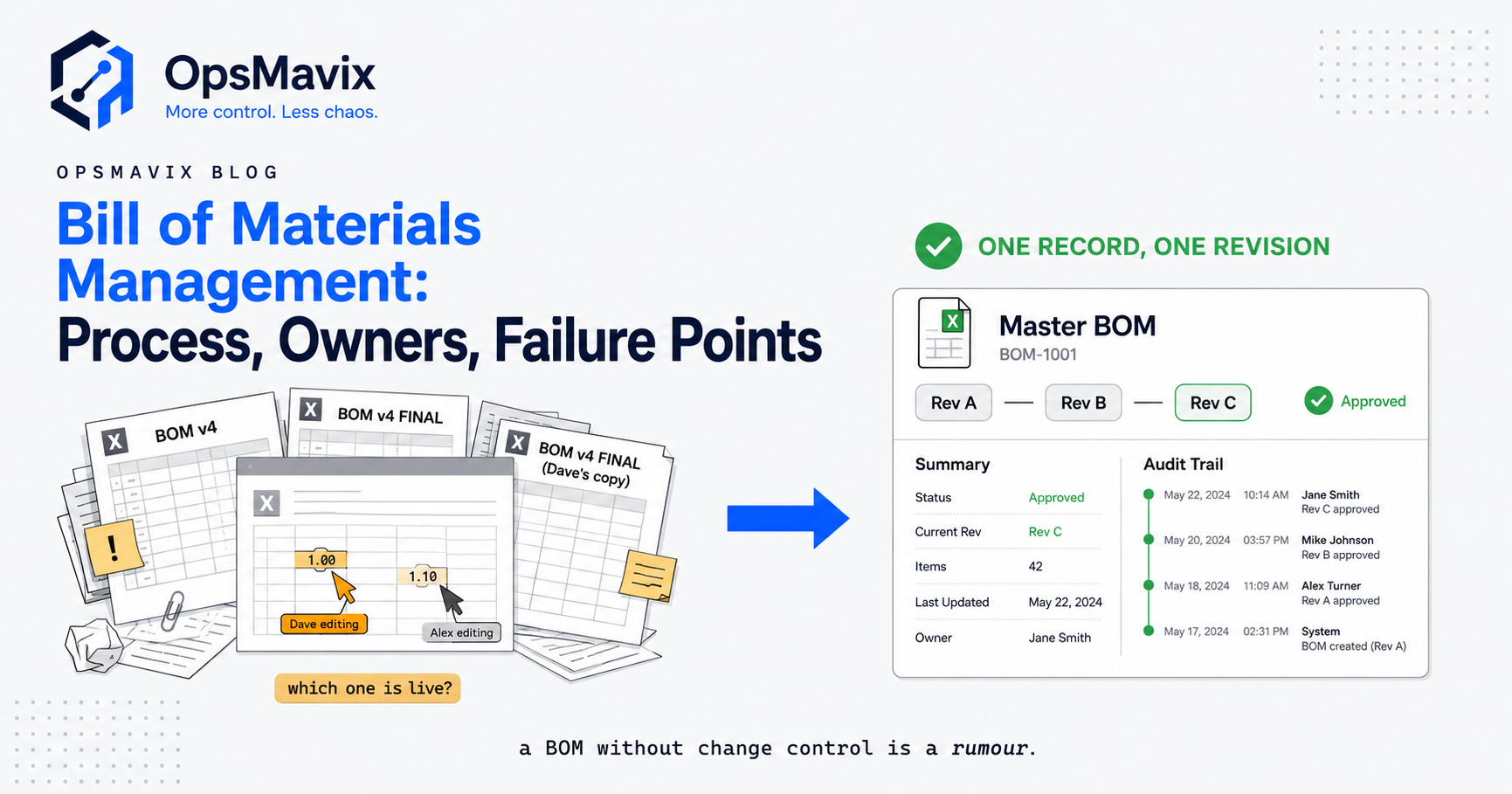
The full change process, from request to first build, is covered in bill of materials management.
Know what breaks with only one list
| Single list kept | What tends to go wrong |
|---|---|
| EBOM only | Consumables bought reactively, quotes miss real materials, works orders carry no sequence |
| MBOM only | No clean design record, floor substitutions become permanent, revision questions are hard to answer |
8. Choose How Many BOM Views You Need
Run a quick sizing test
Answer yes or no to each question:
- Do designs change after production has started?
- Do you buy consumables or packaging that appear on no parts list?
- Do buy quantities differ from drawing quantities because of scrap?
- Does the build run in stages, with part-built stock between them?
- Must you prove which revision a despatched unit was built to?
As a rough guide, none or one yes suggests a single accurate MBOM, with the drawing pack as the design record, may be enough. Two or three suggests adding the missing lines and reason codes first. Four or five suggests you need two linked views.
Compare the system approaches fairly
| Approach | Where it can fit | What to check |
|---|---|---|
| Configure current tools | Your ERP or MRP already supports BOM versions and routings | Edition, permissions and whether the team uses those features |
| Connect existing systems | CAD and ERP both work, but the handover is manual | Item matching, revision transfer and error handling |
| Packaged PLM with ERP integration | Many active designs, formal change control or regulated products | Licences, implementation effort, integration and adoption |
| Focused custom application | A specific gap, such as release and effectivity, is well defined | Data ownership, support, maintenance and integration scope |
| Full ERP, packaged or custom | Wider planning, stock and costing needs justify broader change | Process fit, migration, delivery capacity and continuity |
Packaged PLM and ERP products offer mature, tested capabilities, and for many manufacturers they are the right choice. A smaller business may get the control it needs from configuration or a focused application. Ask each option to demonstrate the same scenario: a design change released to an open works order, with a revised gasket length and a new carton. For how works orders consume the MBOM, see works order processing software.
Frequently Asked Questions
What is an engineering bill of materials?
An engineering bill of materials is the list of parts and assemblies that defines a product as designed. It is usually derived from CAD or design data and is owned by engineering.
What is the difference between an EBOM and an MBOM?
The EBOM describes what the product is. The MBOM describes what production needs to build and ship it, organised by build stage, with consumables, packaging, process sub-assemblies and scrap allowances added.
Should the EBOM and MBOM quantities match?
Not always. The EBOM shows the quantity that ends up in the product; the MBOM shows the quantity to issue, which may include scrap allowances. Every difference should be explained by a recorded allowance.
Who should own the MBOM?
Usually production, manufacturing engineering or operations. In a small business, name one person who must review every released design change before it reaches the build list.
Is a phantom assembly part of the EBOM or the MBOM?
It is usually an MBOM device. A phantom groups components for the build without being stocked as a separate item, which keeps the structure readable without creating inventory transactions.
Can a small manufacturer keep just one BOM?
Yes, if the design is stable, the build is a single stage and losses are small. Make that list a complete MBOM, including consumables and packaging, and keep the drawing pack as the design record.
Do we need PLM software to manage the EBOM to MBOM handover?
Not necessarily. PLM suits businesses with many active designs or formal change control. Others can control release, effectivity and change flags through configured ERP features or a focused application.
Can OpsMavix build this for us?
Yes. OpsMavix can build a focused application that links design and build views, or a full custom ERP, and can configure or integrate suitable existing tools where those approaches fit better.
How OpsMavix Can Help
OpsMavix can map how a design revision moves from your drawing pack to the build list, the purchase orders and the works order, then define the system scope needed to keep those records linked.
That may involve configuring your current tools, connecting CAD and ERP data, adding manufacturing production tracking, improving inventory automation for consumables and packaging, or developing a full custom ERP.
Contact OpsMavix with one recent design change, the EBOM and build list it affected, and the point where the two fell out of step. We can use that evidence to define requirements and a practical pilot.
Keep reading

Getting value from OpsMavix? Add us as a preferred source on Google — you'll see more of our operations content in your AI Overviews, AI Mode and Search.