
Bill of Materials Management: The Process, the Owners and the Failure Points
Bill of materials management is the process wrapped around the parts list — who may change it, how a change is approved, and from which date or serial number it applies. This guide walks the full loop from change request to first build, and names the specific points where spreadsheet BOMs break.
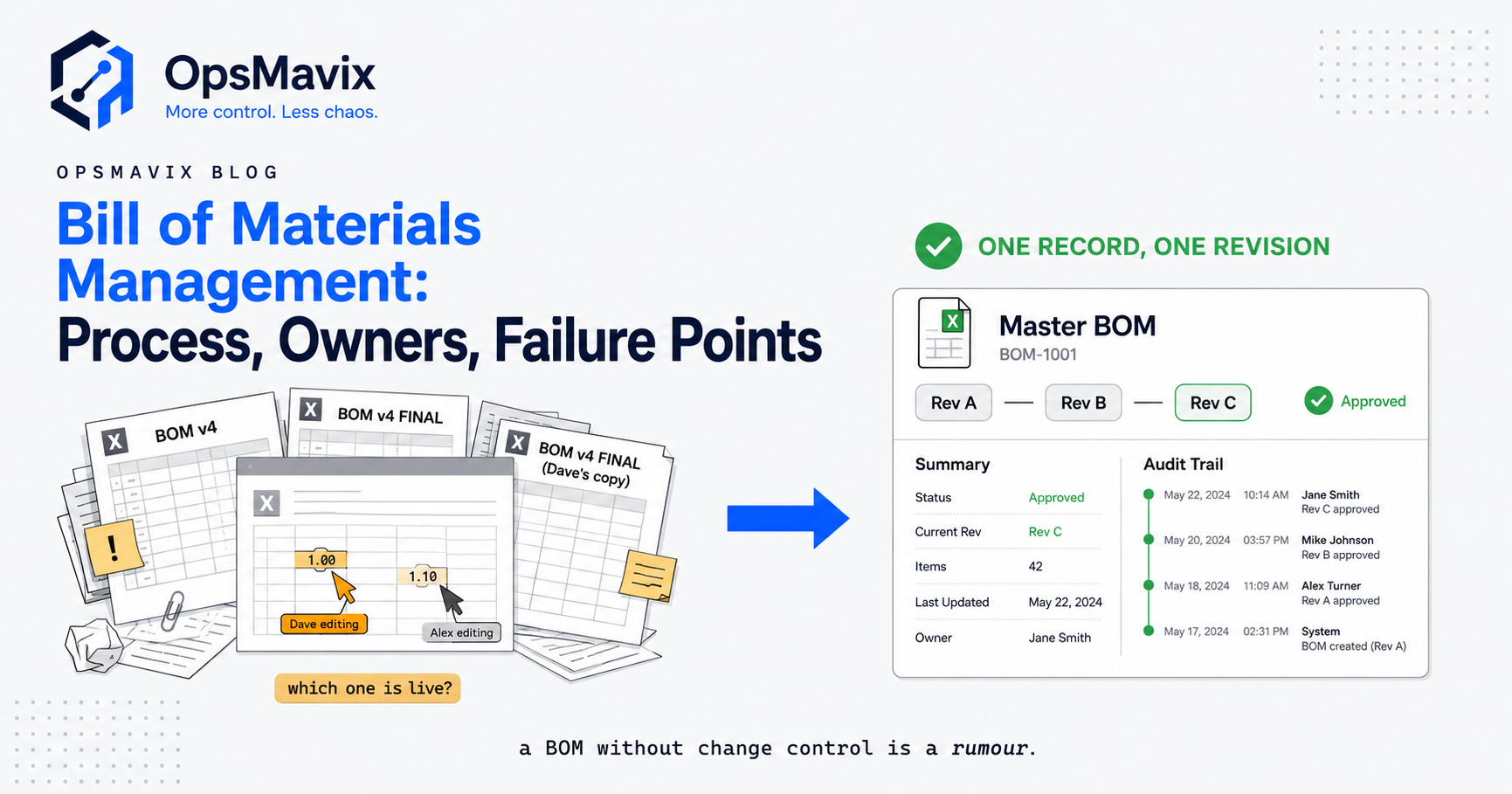
Bill of materials management is the process for keeping a product’s parts, quantities and revisions under control as designs, suppliers and production requirements change. The useful outcome is practical: purchasing knows what to order, production knows what to build, and the business can identify which approved structure a particular job used.
A correct parts list is only the starting point. Someone must own its release, assess changes and communicate them to people working from it. This guide sets out a proportionate governance process for a growing manufacturer. The worked enclosure example is hypothetical, rather than an OpsMavix client story.

A released BOM must describe the components and quantities production is authorised to use. Illustrative photograph, not an OpsMavix client.
Image credit: Nenad Stojković / Shixart1985, CC BY 2.0. Displayed at a reduced size; no additional edits.
Key Takeaways
- Name the author, manufacturing owner, approver and teams affected by each change.
- Preserve released revisions and record the structure assigned to each works order.
- Check stock, open purchases, work in progress and customer requirements before approval.
- Decide when a change becomes effective and how existing jobs will be treated.
- Separate a request, its approved instruction and the notification to affected teams.
- Start with a workable process, then configure or integrate software to enforce it.
In this guide:
- 1. Define What the BOM Management Process Owns
- 2. Give Each Decision a Named Owner
- 3. Control Release States and Revision History
- 4. Run a Change Request Through an Impact Review
- 5. Set Effectivity and Existing Stock Disposition
- 6. Walk Through a Hypothetical Hinge Change
- 7. Connect the Approved BOM to Operational Records
- 8. Introduce a Minimum Governance Policy
- Frequently Asked Questions
- How OpsMavix Can Help
1. Define What the BOM Management Process Owns
Product data and its operational use
The process covers item identification, parent-child relationships, quantities, units of measure, revision status and change history. It also governs how that information reaches purchasing, production, costing, quality and service.
It does not replace engineering judgement or make an unverified substitute technically acceptable. A buyer finding a cheaper part is a reason to request a review, rather than permission to alter the released product structure.
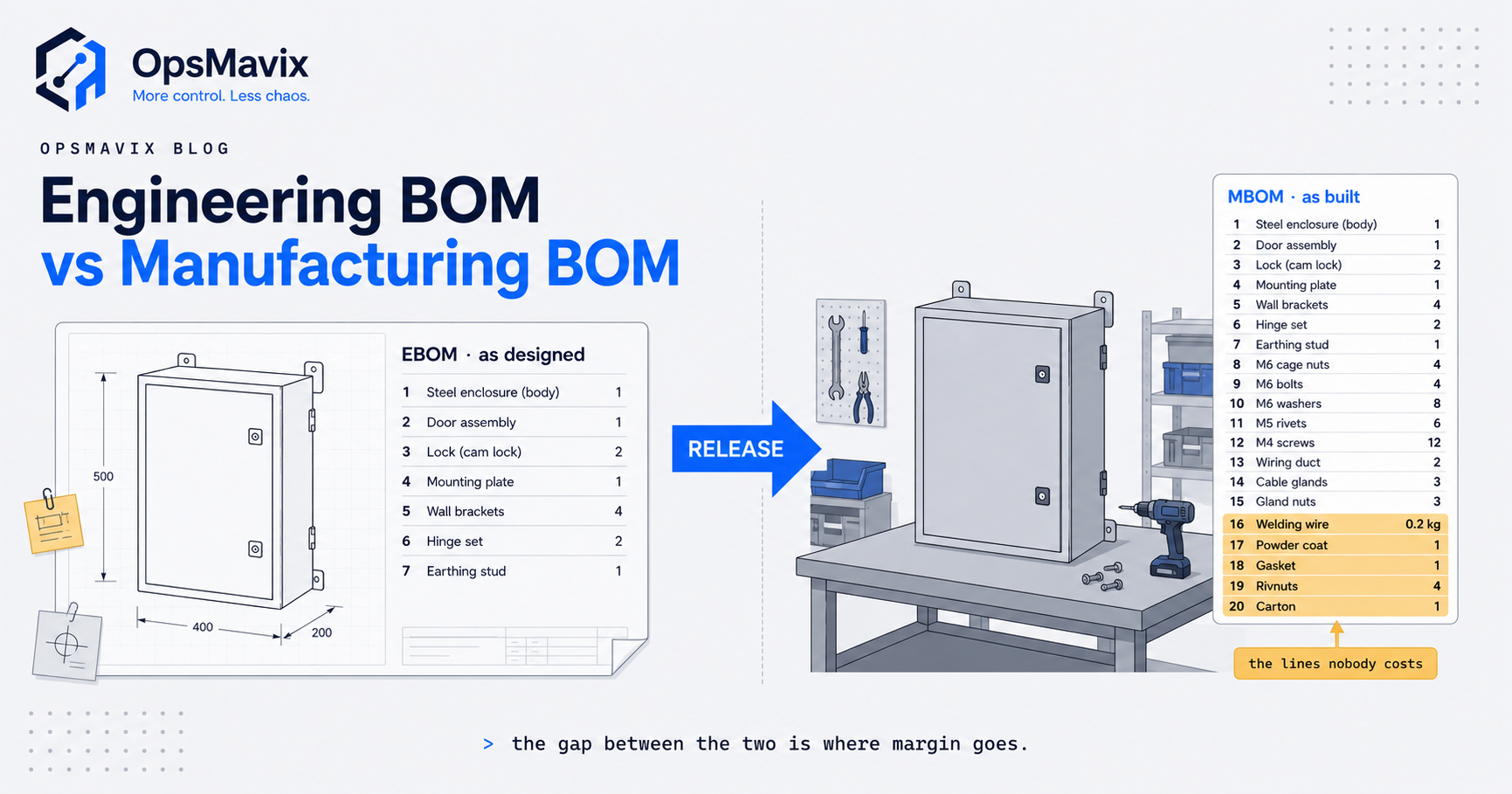
Separate engineering and manufacturing views where necessary. Engineering may describe how a product is designed; manufacturing also needs build stages, packaging and operationally relevant consumables. Define how those views are reconciled instead of maintaining competing lists with no owner.
Choose the level of control deliberately
A repeat product with frequent substitutions needs different approval rules from a simple, stable assembly. Customer approvals, safety requirements and traceability obligations can also affect the process. Write the rules for your products and contracts; this guide is not a certification scheme.
2. Give Each Decision a Named Owner
One person can hold several responsibilities in a small business, but the responsibilities still need to be explicit. For higher-risk changes, use a second competent reviewer wherever practicable.
| Role | Responsibility | Evidence to retain |
|---|---|---|
| Author | Propose structure, quantities and supporting drawings. | Draft and reason for change. |
| Manufacturing owner | Check buildability, tooling, packaging and routing implications. | Production review and affected operations. |
| Approver | Authorise release within the agreed policy. | Decision, reviewer and date. |
| Purchasing and planning | Resolve stock, orders and supply implications. | Disposition and procurement actions. |
| Quality and service | Assess inspection, customer and installed-product implications. | Required checks and service instructions. |
Make absence and escalation part of the policy
Define a deputy and an urgent-change route. An urgent route should still capture the reason, affected jobs, approval and later review. Otherwise the first busy week creates an unofficial process that bypasses the controls you intended to introduce.
3. Control Release States and Revision History
Use states that staff understand
| State | Intended use | Control |
|---|---|---|
| Draft | Development and checking. | Not available as an ordinary production instruction. |
| In review | Awaiting a release decision. | Changes return to review or restart it under the policy. |
| Released | Approved for defined products and effectivity. | Preserve the released content; changes create a controlled successor. |
| Superseded | Replaced for new work. | Retain for authorised older jobs, repair or service where appropriate. |
| Obsolete | No longer authorised for ordinary use. | Archive with retention and access rules. |
The exact labels vary between systems. What matters is whether the floor can distinguish approved information from a draft and whether old jobs remain explainable after a new release.
Decide revision versus new item identity
A changed part may need a new item number when stock cannot safely be mixed or the replacement is not interchangeable. Your numbering policy should consider form, fit, function, customer requirements and stock segregation. Revision conventions differ between manufacturers, so do not assume that a letter change always means interchangeability.
Record the BOM revision on the job. Decide whether the system snapshots the approved structure or holds a stable version reference, and test that a later edit cannot silently rewrite a released job.
4. Run a Change Request Through an Impact Review
An engineering change request describes the problem or proposed improvement. The approved change instruction identifies what will change, how it will be implemented and when. A notice communicates that decision. Businesses may call these ECR, ECO and ECN, but consistent meaning matters more than the abbreviations.
Review before approving
- Identify every product and sub-assembly using the affected component.
- Count old stock, goods in transit and open purchase commitments.
- List open quotations, released jobs and work already started.
- Check drawings, tooling, inspection plans and external approvals.
- Assess cost, lead time and service implications.
- Specify who will complete each implementation action.
Arena’s change-order guide describes requests, orders and review responsibilities. Use such guidance to inform your process, rather than adding enterprise ceremony that your team cannot sustain.
Approval is a decision about a complete change package. A technically acceptable replacement can still create waste if purchasing continues ordering the old item or production implements it before the tooling is ready.
5. Set Effectivity and Existing Stock Disposition
Effectivity answers which builds use the new structure. The date an engineer edits a record is not automatically the right effective point for production.
| Approach | Useful when | Decision still needed |
|---|---|---|
| Date-based | A planned production transition is feasible. | Treatment of jobs already released or delayed. |
| Serial or unit-based | Individual builds need an explicit boundary. | Recording and enforcing the relevant unit identity. |
| Order or batch-based | A defined set of work should use the change. | Avoiding mixed instructions within that work. |
| Controlled use-up | Old stock remains acceptable. | Reservation, remaining purchases and a reviewed transition point. |
These are process options. Confirm which are supported in your chosen application and configuration. Oracle’s BOM documentation provides a product-specific example of component effectivity controls.
Disposition is a separate instruction
State whether old stock will be used, reworked, reserved for service, returned or scrapped. Check contractual and quality restrictions before choosing use-up. Avoid a blanket instruction that makes purchasing and production infer different answers from the same revision change.

A component change needs a decision about stock already held, ordered or allocated to work. Illustrative photograph, not an OpsMavix client.
Image credit: FIONASUN, CC0 1.0. Displayed at a reduced size; no additional edits.
6. Walk Through a Hypothetical Hinge Change
Suppose an enclosure manufacturer uses six hinges per product. A proposed replacement costs £0.42 less per hinge but has different fixing centres. These are invented planning inputs, not product quotations or client results.
Check the affected structure
The replacement changes both the hinge identity and the door-panel drawing. Engineering must confirm compatibility and decide whether revised panels can accept the old and new hinges. Purchasing must identify old stock and commitments before any transition is approved.
| Hypothetical position | Quantity | Required action |
|---|---|---|
| Old hinges on hand | 640 | Confirm acceptable uses and reservations. |
| Old hinges on open purchase orders | 1,200 | Discuss changes or cancellation with the supplier. |
| Jobs already in progress | 2 | Identify the structure each job is authorised to finish with. |
Calculate a limited cost difference
The component-price difference is 6 × £0.42 = £2.52 per enclosure. For 100 enclosures that is £252 before tooling, rework, stock disposal, administration or other costs. It is not evidence that the change saves £252 overall.
Release the new structure only after the review is complete. Notify purchasing, planning, production and service, record the first affected order and inspect the first build. Retain the earlier revision for historical jobs and relevant spares.
7. Connect the Approved BOM to Operational Records
Make the interfaces explicit
| Connection | What to test |
|---|---|
| BOM to purchasing | The new component creates the intended demand; old commitments remain visible. |
| BOM to production | A released job retains its assigned revision and material requirements. |
| BOM to inventory | Issues, returns, substitutions and scrap are recorded through authorised transactions. |
| BOM to costing | Cost comparisons identify the revision, quantity basis and valuation date. |
| BOM to service | The relevant historical configuration can be retrieved. |
Changing a BOM is not itself a physical stock movement. Likewise, releasing a job need not mean its components have already been consumed. Establish the transaction timing for your process and test it across each connected application.
Respect existing software capabilities
Spreadsheets can support a small controlled process using permissions, review and release copies. Their weaknesses emerge when many people, products and integrations need enforcement and history. A database, existing ERP or PLM system may already provide the missing controls after configuration. Replacement should follow evidence of a gap.
8. Introduce a Minimum Governance Policy
Start with one product family and one real change. Prove that the process is usable before expanding it.
- Identify one authoritative source for item and BOM records.
- Name release owners, reviewers and deputies.
- Freeze released content and retain its history.
- Require an impact review and effectivity decision.
- Record stock and open-work disposition.
- Notify each affected team and confirm critical actions.
- Record the structure used by every relevant works order.
- Audit a risk-based sample against what is actually built.
Judge the process by evidence
Check whether users can retrieve the released structure, whether unauthorised substitutions are visible and whether action owners complete their tasks. Choose the audit frequency around change rate, product risk and contractual obligations, rather than assuming one universal interval.
For a software pilot, include a rejected change, a delayed release and a job that remains on the older revision. A happy-path approval alone will not prove that the controls survive exceptions.
Frequently Asked Questions
What is bill of materials management?
It is the controlled creation, release, maintenance and communication of a product structure. It includes ownership, revisions, changes and the link between the approved BOM and operational use.
Who should own the BOM?
Name a technical author and a manufacturing owner, with an appropriate release approver. Purchasing, planning, quality and service need defined review or notification responsibilities where changes affect their work.
Is BOM management the same as BOM software?
No. Management defines decisions and responsibilities; software stores information and can enforce those rules. A well-configured tool still needs an agreed policy and competent reviewers.
Can a spreadsheet be used initially?
Yes, for a limited process with controlled access, released copies and documented review. Assess the risk of concurrent edits, stale copies and manual links as the number of products and users grows.
When does a change need a new part number?
When the identification policy requires separate stock or a distinct technical identity. Non-interchangeable parts are an important case. Confirm the decision against engineering and customer requirements.
What is BOM effectivity?
It defines which builds or time period a change applies to. The chosen method must be clear to production and supported by the process and software being used.
Should open jobs automatically adopt a new revision?
Usually they need an explicit decision. Assess progress, picked material, tooling and customer requirements before changing a released job. Preserve the history of any authorised transition.
How often should BOMs be audited?
Use a risk-based interval and review affected records whenever a change is proposed. Frequent changes, recurring discrepancies or critical traceability needs justify closer checking than a stable low-risk assembly.
Does BOM control require a full ERP?
No. Existing tools, an integration or a focused system may be sufficient. A full ERP becomes relevant when broader production, purchasing, stock and finance requirements justify the scope.
How OpsMavix Can Help
OpsMavix can map the route from a proposed BOM change to purchasing and the shop floor, configure suitable software, integrate existing applications or build a custom release and traceability workflow. We can also scope a full ERP where the wider operating model warrants it.
Explore our manufacturing and production tracking systems. Bring one product structure and a recent difficult change to OpsMavix so we can identify the control gap and define a practical pilot.
Keep reading
Getting value from OpsMavix? Add us as a preferred source on Google — you'll see more of our operations content in your AI Overviews, AI Mode and Search.