
Types of Bill of Materials: EBOM, MBOM, SBOM and the Rest, Explained
There is no single bill of materials — engineering, manufacturing, sales, service, template, assembly and planning BOMs all describe the same product for different jobs. This guide defines each type, names its owner, and says plainly which ones a growing UK manufacturer needs and which are enterprise decoration.
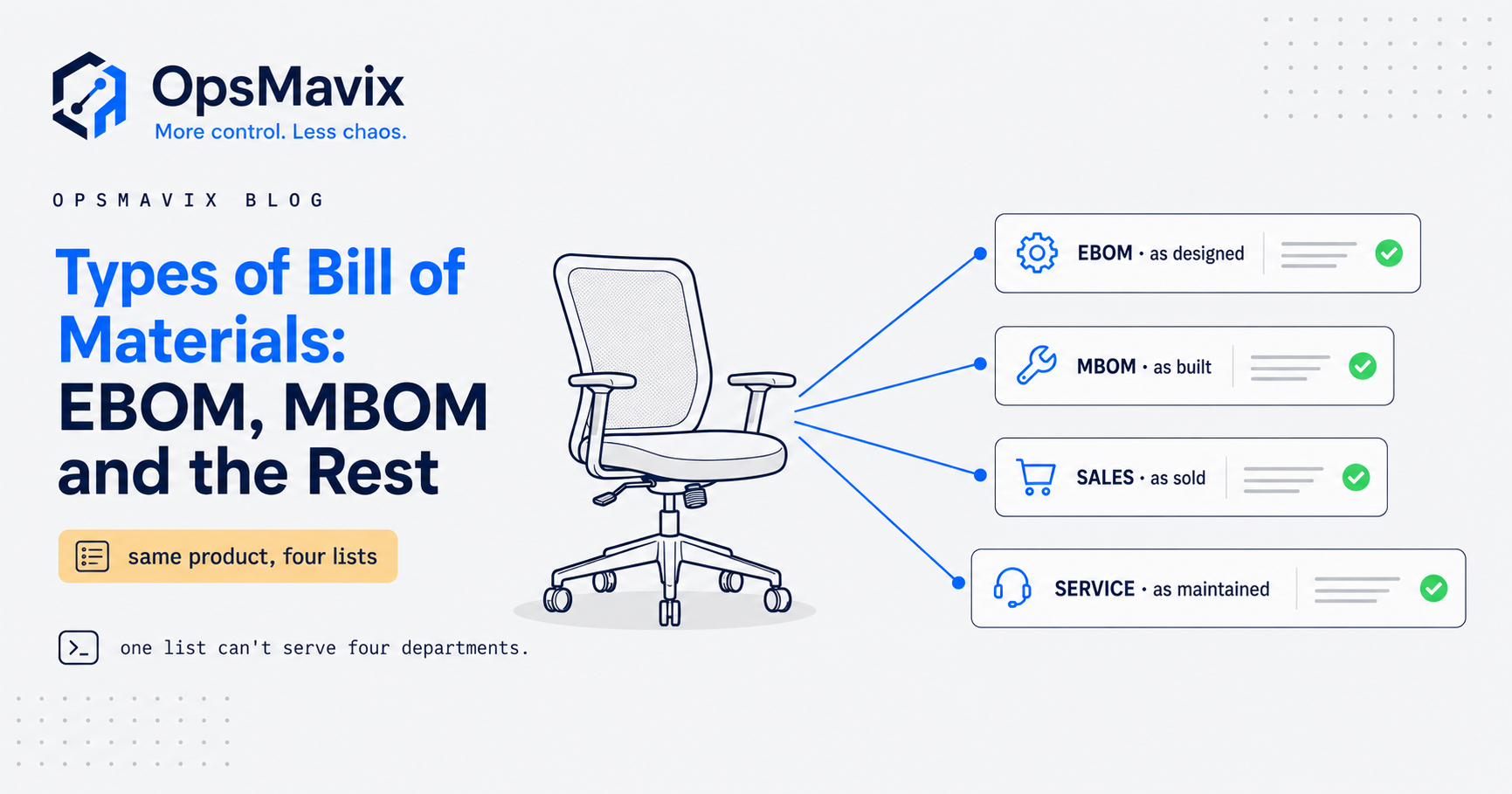
The main types of bill of materials are the engineering BOM, the manufacturing BOM, the sales or configurable BOM, the service BOM and a set of structural types: single level, multi level, phantom, kit, planning, variant and modular BOMs. Each one describes the same product for a different job, so the useful question is not “which BOM is correct?” but “which question does this list need to answer, and who owns the answer?”
The practical problem is that many businesses keep one list and ask it to do every job. The drawing office wants design intent, the shop floor wants a build list, sales wants the options a customer can choose and service wants the parts that wear out. One list stretched across all of those either grows too long to use or quietly leaves out what one team needs. This guide is a catalogue: what each type is for, when to use it and when to leave it alone.

Design, production, sales and service teams each need a different view of the same product. Illustrative photograph, not an OpsMavix project.
Image credit: TruckRun, Unsplash License. Resized only.
Key Takeaways
- BOM types fall into two groups: views for a purpose (design, build, sale, service) and structures (depth, grouping, families).
- The engineering and manufacturing BOMs are the core pair; most other types are derived from or sit beside them.
- Kit and configurable BOMs describe what customers order, which is not always what the factory builds.
- A service BOM lists only what can be repaired or replaced, so it is usually short and owned by aftersales.
- Phantom, planning, variant and modular BOMs solve specific structural problems and are not needed by every business.
- Add a BOM type when a named problem demands it, and keep every view linked to one product record.
In this guide:
- 1. Sort BOM Types by the Question They Answer
- 2. Use EBOM and MBOM for Design and Build
- 3. Choose Single Level or Multi Level Structure
- 4. Use Kit and Configurable BOMs for Sales
- 5. Use a Service BOM for Maintenance and Spares
- 6. Use Phantom and Planning BOMs Behind the Scenes
- 7. Manage Product Families With Variant and Modular BOMs
- 8. Decide Which BOM Types You Actually Need
- Frequently Asked Questions
- How OpsMavix Can Help
1. Sort BOM Types by the Question They Answer
Two families of BOM type
There is no single standard list of BOM types. Software vendors name and group them differently. Oracle’s Bills of Material documentation, for example, describes standard, model, option class, planning and engineering bills, while its JD Edwards line lists planning, batch, percent and manufacturing bills. SAP separates BOMs by usage, so a production BOM and a maintenance BOM can exist for the same material.
It helps to sort the names into two families:
- Purpose views. The product as designed, built, sold or maintained. Each has a different owner and audience.
- Structural types. How the list is shaped: how deep it goes, which groupings are stocked, and how a family of similar products is held.
A single BOM can belong to both families at once. A manufacturing BOM is a purpose view, and it can also be multi level and contain phantoms.
The catalogue at a glance
| BOM type | Family | Question it answers | Usual owner | Use it when |
|---|---|---|---|---|
| Engineering BOM (EBOM) | Purpose | What is the product, as designed? | Engineering | You release designs that change over time |
| Manufacturing BOM (MBOM) | Purpose | What must we issue to build and ship it? | Production or operations | You build anything at all |
| Kit or sales BOM | Purpose | What does one sold line contain? | Sales with operations | One order line ships several stocked items |
| Configurable or model BOM | Purpose | Which options can a customer choose? | Sales with engineering | Customers pick features from defined options |
| Service or maintenance BOM | Purpose | Which parts can be repaired or replaced? | Aftersales or service | You support products in the field |
| Single level BOM | Structure | What goes directly into this one item? | Production | One assembly step or a bought-in build |
| Multi level BOM | Structure | What is the full tree down to raw material? | Production and planning | You stock, share or sell sub-assemblies |
| Phantom BOM | Structure | Which grouping exists on the bench but not in stock? | Production engineering | A sub-assembly is built and consumed at once |
| Planning BOM | Structure | How does a family forecast split across variants? | Planning | You forecast families rather than single items |
| Variant or modular BOM | Structure | How do similar products share most of their parts? | Production engineering | Many variants differ in only a few components |
| Batch or percent BOM | Structure | What goes into one batch, by quantity or proportion? | Process production | You make mixes, recipes or formulations |
The rest of this guide takes these in turn. For the underlying definition of a BOM and the fields each line should carry, see what is a bill of materials.
2. Use EBOM and MBOM for Design and Build
The core pair
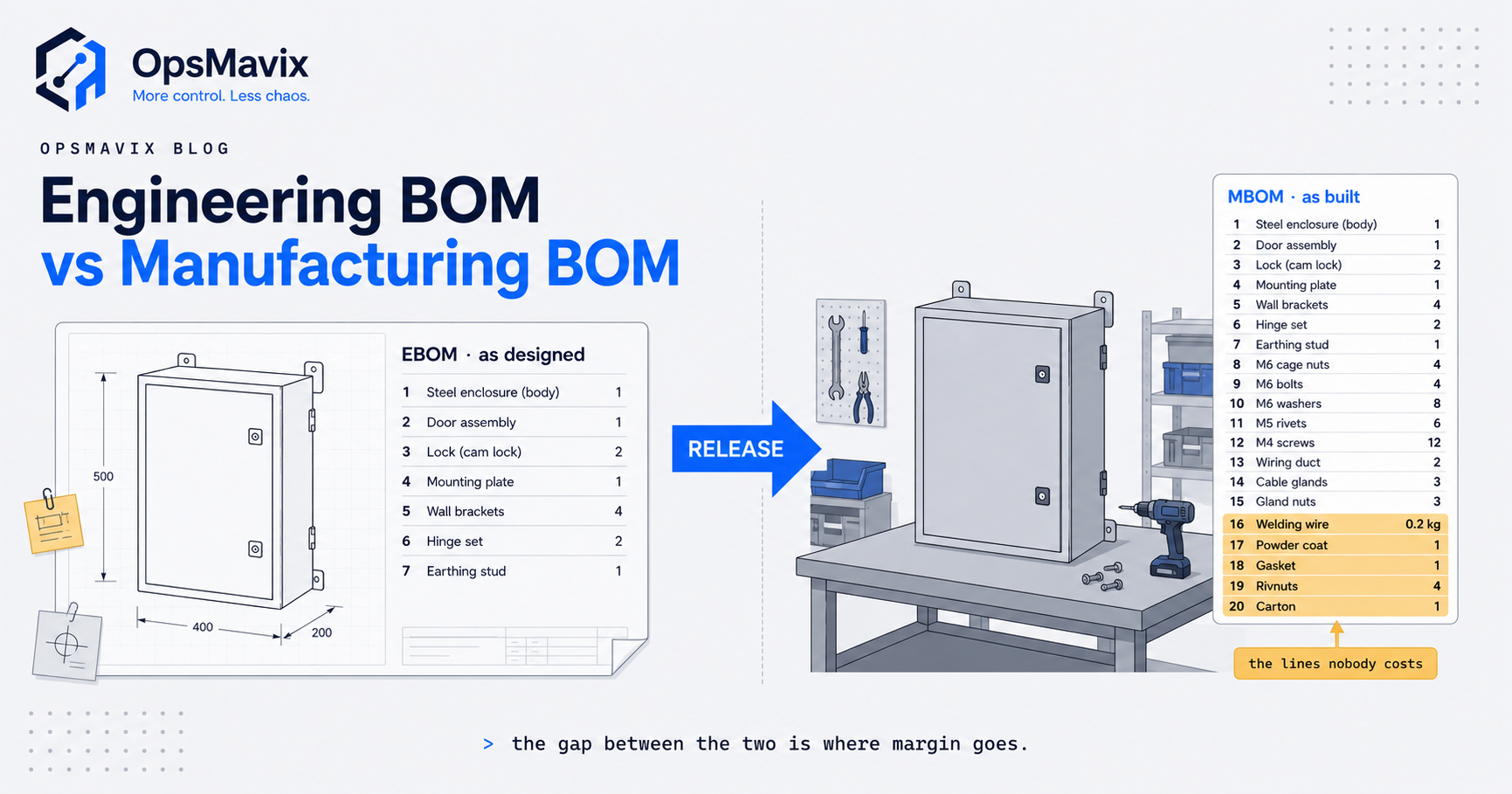
The engineering BOM records the product as designed. SAP’s learning material describes it as containing all the components of a product from an engineering perspective, and all the technical data. It is usually organised by function and comes from CAD or the drawing pack.
The manufacturing BOM records what production must issue to build and ship the product. It restructures the design into build stages and adds consumables, packaging, process sub-assemblies and scrap allowances that a drawing never shows.
When to keep both
A stable product built in one stage can often run on one complete MBOM, with the drawing pack as the design record. Keep both views once designs change after production starts, builds run in stages or you must prove which revision a unit was built to.
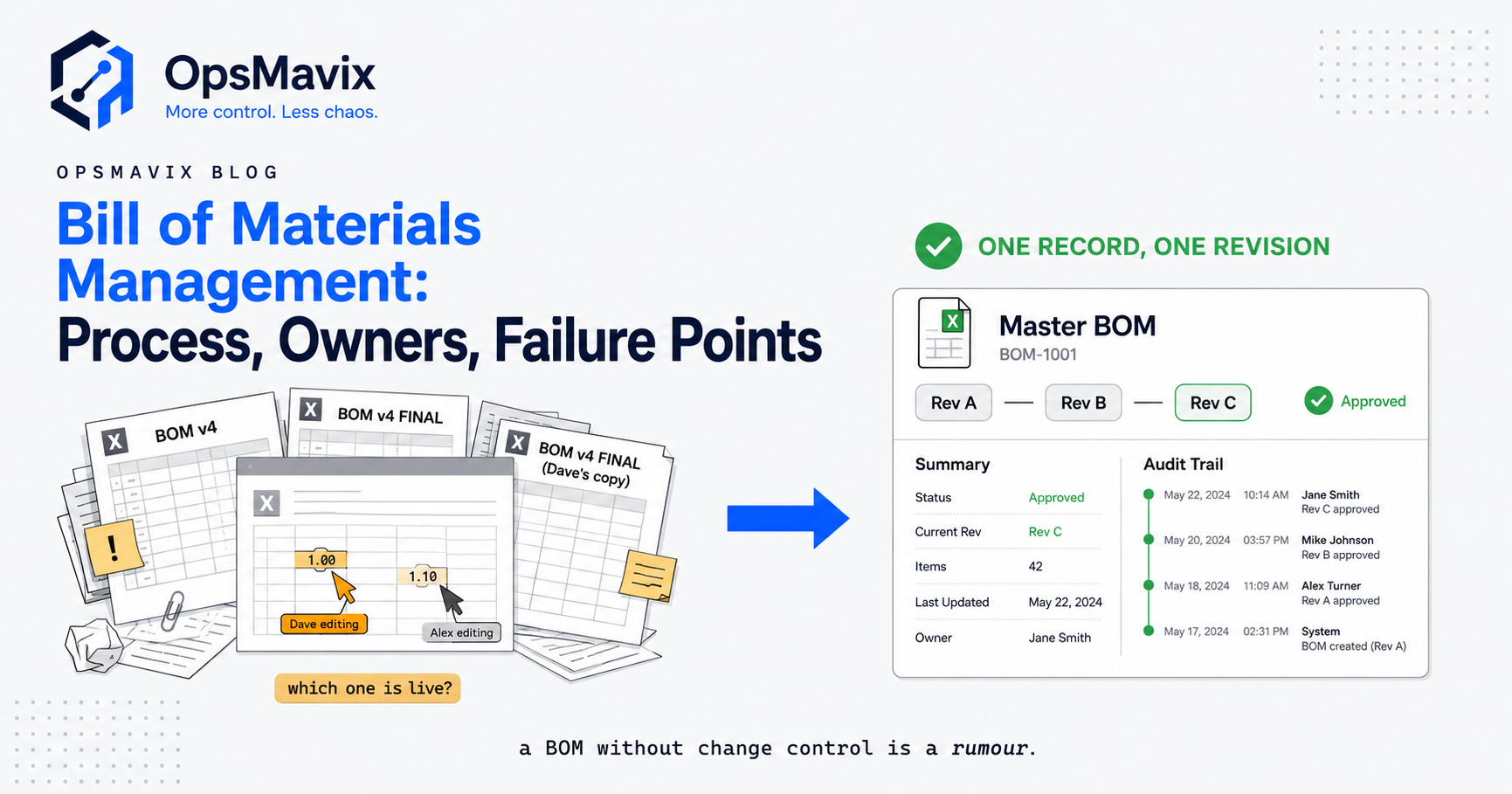
This pair has its own detailed guide, including a line-by-line translation example and scrap allowances: see engineering vs manufacturing BOM. The change process that keeps the two in step is covered in bill of materials management.
3. Choose Single Level or Multi Level Structure
Depth is a different axis
Single level and multi level are not alternatives to an EBOM or MBOM. They describe depth. A single level BOM lists only the direct components of one parent. A multi level BOM links each built component to its own BOM so the product can be exploded down to bought parts. SAP’s material BOM learning page makes the point that a BOM always contains one level and becomes multilevel when further BOMs are created for its components.
When each fits
| Structure | Use it when | Avoid it when |
|---|---|---|
| Single level | Every component is bought in, or the list is a workstation picking list | Built sub-assemblies are stocked or shared |
| Multi level | Sub-assemblies are stocked, batched, shared or sold as spares | Levels are created for groupings nobody stocks |
The full comparison, with a worked explosion, stock netting and cost roll-up, is in single vs multi level BOM. How levels are numbered is in BOM levels explained, and the step-by-step build is in how to set up a multi-level BOM.
4. Use Kit and Configurable BOMs for Sales
Kit BOMs: one line, several items
A kit BOM, sometimes called a sales kit or pick-to-order bill, lets a customer order one line while the business picks and ships several stocked items. Oracle lists pick-to-order bills, kit bills and phantoms as examples of standard bills. Stock moves at component level even though the order shows a single product.
The key control is availability. A kit can only be sold as many times as its scarcest component allows.
Hypothetical kit availability check
A hypothetical furniture maker sells a headrest upgrade kit containing 1 headrest, 1 mounting bracket and 4 screws. Stock on hand is 120 headrests, 80 brackets and 500 screws.
| Component | Qty per kit | On hand | Kits supported |
|---|---|---|---|
| Headrest | 1 | 120 | 120 / 1 = 120 |
| Mounting bracket | 1 | 80 | 80 / 1 = 80 |
| Screw | 4 | 500 | 500 / 4 = 125 |
| Kits available to sell | 80 |
A system that holds a separate “kit stock” figure of, say, 120 would oversell by 40 kits. Bundles of this kind are covered in more depth in kitting software.
Configurable and model BOMs: choices with rules
A configurable BOM describes a product the customer specifies from defined options. Oracle’s model bill defines the options and option classes available for ordering, and notes that you do not order or build the model itself: you order and build configurations of the model. An option class groups choices at one level; Oracle’s example treats the monitor as an option class and each specific monitor as an option.
SAP’s learning material on configurable materials adds the point that matters most in practice: some feature combinations are not allowed, for technical reasons or for marketing and sales reasons. A configurable BOM without validity rules lets a quote promise a combination that cannot be built.
Sales BOM checklist
- Kit availability is calculated from component stock, not typed in.
- Each option class states whether a choice is mandatory, optional or limited to one.
- Invalid combinations are blocked at quote stage, with engineering approving the rules.
- A confirmed configuration produces a manufacturing BOM or picking list without retyping.
5. Use a Service BOM for Maintenance and Spares
What a service BOM contains
A service BOM, also called a maintenance or spare-parts BOM, lists what a technician or customer needs to keep the product working. SAP’s help describes the maintenance BOM as one that contains only the parts that can be repaired or replaced, and SAP’s learning material describes equipment BOMs being used to assign spare parts to equipment for maintenance purposes.
That makes it the shortest of the purpose views. A chair with dozens of manufacturing lines may have four or five service lines: the parts that wear, break or get replaced.
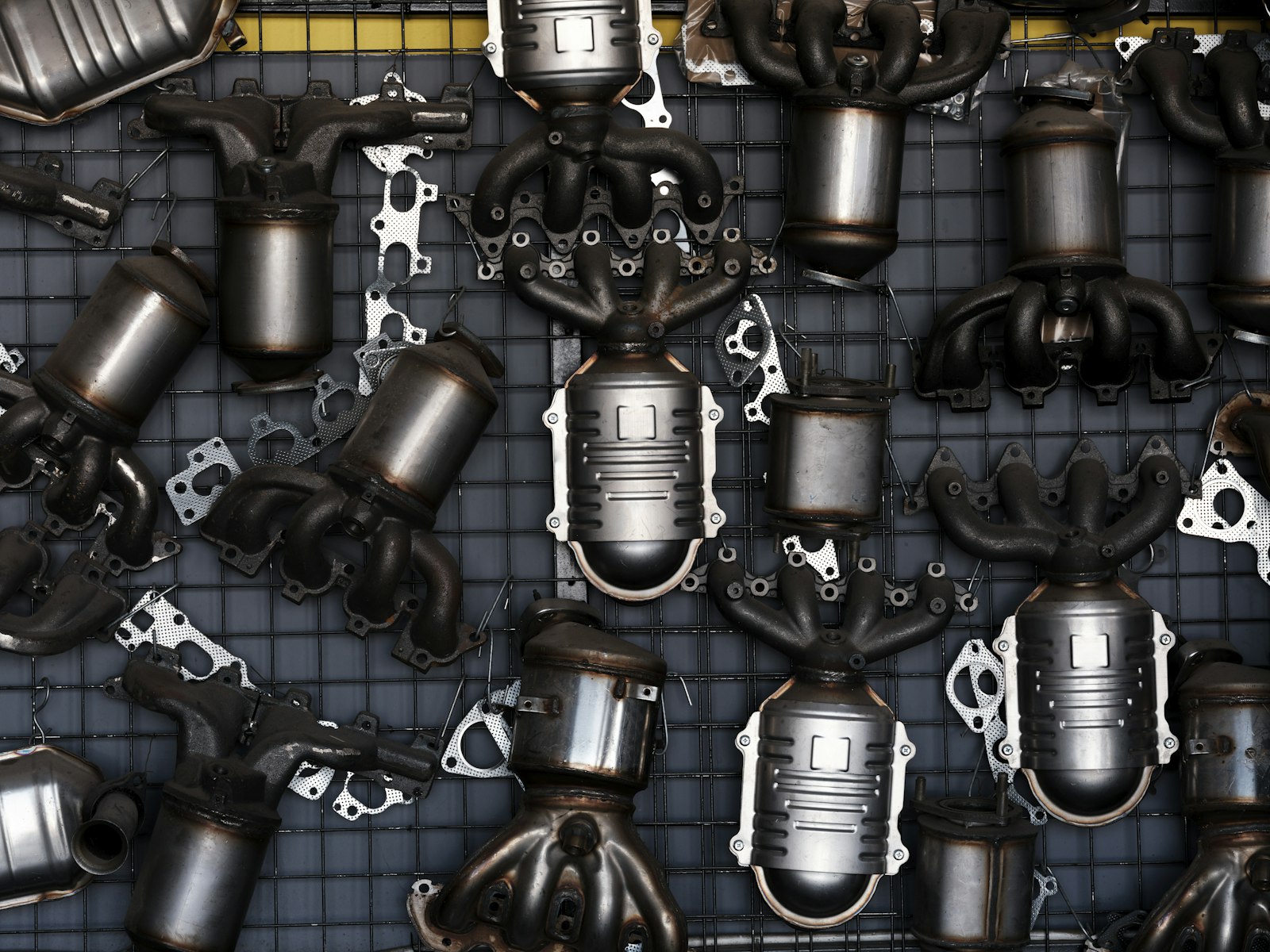
A service BOM covers only the parts that are replaced in the field. Illustrative photograph, not an OpsMavix project.
Image credit: engin akyurt, Unsplash License. Resized only.
Hypothetical spares planning example
Suppose a hypothetical manufacturer has 400 office chairs installed with one customer, and its own service records suggest these annual replacement rates. All figures are invented for illustration.
| Service BOM line | Qty per chair | Assumed annual replacement rate | Spares per year |
|---|---|---|---|
| Gas lift cylinder | 1 | 5% | 400 x 1 x 0.05 = 20 |
| Castor | 5 | 2% | 400 x 5 x 0.02 = 40 |
| Armrest pad | 2 | 4% | 400 x 2 x 0.04 = 32 |
| Tilt tension knob | 1 | 1% | 400 x 1 x 0.01 = 4 |
The manufacturing BOM cannot answer this question because it lists adhesive, cartons and staples that nobody replaces. The service BOM, combined with your own replacement history, gives a defensible spares stock figure. Use measured rates from your records rather than assumed ones.
When to add a service BOM
- Customers or engineers regularly ask for replacement parts by description rather than part number.
- The same spare is quoted at different prices or part numbers by different staff.
- Service knowledge sits with one person.
- Products carry serial numbers and service history matters to the customer.
6. Use Phantom and Planning BOMs Behind the Scenes
Phantom BOMs
Oracle defines a phantom assembly as a nonstocked assembly that lets you group materials required to produce a subassembly. Instead of planning the phantom as an item, the planning process blows through it to create planned orders for its components.
Use a phantom when a grouping is real on the bench but never on a shelf: a door kit assembled and fitted in the same operation, for example. Giving it a normal stocked BOM would create stock transactions for something that never sits in stores.
| Question | Stocked sub-assembly | Phantom |
|---|---|---|
| Is it ever held on a shelf? | Yes | No |
| Does it have its own works order? | Usually | No |
| Is it sold as a spare? | Possibly | No |
| What does planning order? | The sub-assembly, then its parts | Its components directly |
Planning BOMs
A planning BOM is an artificial parent used to split a family forecast across its members. Oracle describes it as a bill of material structure that includes a percentage distribution for its components, and notes that the percentages do not need to add to 100%.
Hypothetical planning BOM example
A hypothetical maker forecasts 500 task chairs for a quarter without knowing which options customers will choose. The planning BOM uses the mix from recent orders.
| Planning line | Planning percentage | Forecast quantity |
|---|---|---|
| Black mesh back | 40% | 500 x 0.40 = 200 |
| Grey mesh back | 25% | 500 x 0.25 = 125 |
| Other mesh colours | 35% | 500 x 0.35 = 175 |
| Adjustable armrest kit | 70% | 500 x 0.70 = 350 |
| Fixed armrest kit | 20% | 500 x 0.20 = 100 |
| Headrest kit | 30% | 500 x 0.30 = 150 |
The mesh lines add to 100% because every chair has one back. The armrest lines add to 90% because 10% of chairs have none, and the headrest line is 30% on its own. That is why planning percentages need not total 100%.
Batch and percent BOMs
Process manufacturers often state a BOM per batch or as proportions of a mix rather than per unit, which is why JD Edwards lists batch and percent bills as separate types. If you make food, coatings or chemicals, these are your normal structure rather than an advanced option. Recipe and yield control for that sector is covered in food and beverage manufacturing software.
7. Manage Product Families With Variant and Modular BOMs
Variant BOMs
SAP describes a variant BOM as one that groups together several BOMs that describe different objects, for products with a high proportion of identical parts. The same SAP page distinguishes a multiple BOM, which groups several BOMs describing one product made by different processing methods.
Use a variant BOM when you sell a fixed range of similar products, each with its own item number, and want shared parts maintained once.
Modular BOMs
A modular BOM breaks the family into interchangeable modules. Instead of keeping a complete BOM for every finished combination, you keep one BOM per module and assemble the finished product from the chosen modules. It is the natural partner to a configurable sales BOM.
Hypothetical example: permutations versus modules
The hypothetical task chair is sold with 6 mesh colours, 3 armrest choices (adjustable, fixed or none) and an optional headrest.
| Approach | Calculation | BOMs to maintain |
|---|---|---|
| One complete BOM per finished combination | 6 x 3 x 2 | 36 |
| Modular: core chair, mesh backs, armrest kits, headrest kit | 1 + 6 + 2 + 1 | 10 |
The “none” armrest choice needs no module, so there are 2 armrest kits rather than 3. If the business adds a seventh mesh colour, the per-combination approach needs 7 x 3 x 2 = 42 BOMs, or 6 new ones. The modular approach needs 1 new mesh back BOM. A change to the gas lift in the core chair is made once rather than 36 times.
Template BOMs
A template BOM is a starting list for a family of made-to-order products, copied and adjusted per job. It suits fabrication or joinery work where every job differs but most lines repeat. The risk is that copies drift from the template, so record which template and revision each job was copied from.
8. Decide Which BOM Types You Actually Need
A staged approach
Most growing manufacturers do not need every type in this catalogue. A practical sequence:
- One accurate manufacturing BOM per product, including consumables and packaging, with revisions.
- A separate engineering view once design changes start reaching the floor late.
- Multi level structure once sub-assemblies are stocked, shared or sold.
- A sales or service BOM, whichever matches the problem you have: quoting errors or spares confusion.
- Phantom, planning, variant and modular BOMs once variant counts and forecasting make them pay.
Process manufacturers start with batch or percent BOMs at step one.
Problem to BOM type checklist
| Problem you can name | BOM type to consider |
|---|---|
| Shop builds an old revision | Controlled EBOM release to the MBOM |
| Jobs under-costed because consumables are missing | Complete MBOM |
| Shortages hidden inside built sub-assemblies | Multi level BOM |
| Bundles oversold | Kit BOM with component availability |
| Quotes promise combinations you cannot build | Configurable BOM with validity rules |
| Spares quoted inconsistently | Service BOM |
| Fake stock records for bench groupings | Phantom BOM |
| Forecasting every finished variant separately | Planning BOM |
| Dozens of near-identical BOMs to update | Variant or modular BOM |
A note on the SBOM acronym
In manufacturing, SBOM may mean a sales BOM or a service BOM. In software and cybersecurity it means a Software Bill of Materials, which NIST, citing Executive Order 14028, describes as a formal record containing the details and supply chain relationships of various components used in building software. If a customer asks for an SBOM, confirm which one they mean.
Compare the system approaches fairly
| Approach | Where it can fit | What to check |
|---|---|---|
| Configure current tools | Your ERP or MRP already supports the BOM types you need | Edition, whether kits, phantoms and options are enabled, team training |
| Connect existing systems | CAD, sales and stock tools each work but handoffs are manual | Item matching, revision transfer and error handling |
| Packaged ERP, MRP or PLM | Many products, formal change control or complex configuration | Licences, implementation effort, process fit and adoption |
| Focused custom application | A specific gap, such as kit availability or a service parts list | Data ownership, support, maintenance and integration scope |
| Full ERP, packaged or custom | Several BOM views must stay linked across planning, stock and costing | Migration, delivery capacity and long-term continuity |
Packaged systems offer mature, tested support for many of these types, and for many businesses configuring them is the right answer. Ask every option to demonstrate the same scenario: a design change to one module that must reach the manufacturing BOM, the configurable sales options and the service BOM. Specialist tools for keeping the BOM itself accurate are discussed in bill of materials software, and how purchasing uses the BOM is covered in the bill of materials in supply chain management.
Frequently Asked Questions
How many types of bill of materials are there?
There is no fixed number. Vendors name and group BOM types differently. A practical catalogue covers engineering, manufacturing, kit, configurable, service, single level, multi level, phantom, planning, variant, modular, template, batch and percent BOMs.
What are the most important types of bill of materials?
For most manufacturers, the manufacturing BOM comes first because it drives purchasing, works orders and costing. The engineering BOM follows once design changes need controlled release. Other types are added for specific problems.
What is the difference between a kit BOM and a configurable BOM?
A kit BOM has fixed contents: one order line ships a set list of stocked items. A configurable BOM lets the customer choose from defined options, with rules about which combinations are valid.
Is a phantom BOM the same as a kit BOM?
No. A phantom groups components that are built and consumed in production without being stocked. A kit groups stocked items that are sold and shipped together. Both avoid stocking the parent, but for different reasons.
What is a service BOM used for?
It lists the parts that can be repaired or replaced on a product, so service staff can quote, stock and supply spares consistently. It is usually much shorter than the manufacturing BOM.
When does a planning BOM make sense?
When you forecast a product family rather than individual variants. The planning BOM splits the family forecast across modules or options using percentages, which need not total 100%.
What is the difference between a variant BOM and a modular BOM?
A variant BOM holds several similar finished products with their shared parts in one structure. A modular BOM holds interchangeable modules, and finished products are assembled from the chosen modules. Modular structures suit configurable products with many combinations.
Can OpsMavix build a system that manages several BOM types?
Yes. OpsMavix can build focused applications or a full custom ERP, and can configure or integrate suitable existing tools where those approaches fit the requirements.
How OpsMavix Can Help
OpsMavix can review how your products are designed, built, sold and serviced, then define which BOM views you need and how a change in one should reach the others.
That may involve configuring the system you already use, linking BOMs to works orders through manufacturing production tracking, keeping kit and component stock accurate with an inventory automation system, connecting configured orders through wholesale order management, or developing a full custom ERP.
Contact OpsMavix with one recent quote, build or spares request that went wrong, the BOM records behind it and the handoff that creates the most rework. We can use that evidence to define requirements and a practical pilot.
Keep reading
Getting value from OpsMavix? Add us as a preferred source on Google — you'll see more of our operations content in your AI Overviews, AI Mode and Search.