
Purchasing Requisition Software: What to Look For (and When You Need It)
A purchase requisition is a request to buy; a purchase order is the committed order that goes to the supplier. Purchasing requisition software runs the bit in between — request, approve, convert to a PO — and the best of it keeps going through receipt and invoice match. This guide covers the features that actually matter for a growing product business, the point where a spreadsheet stops being enough, and how an owned system builds the flow around how you already buy.
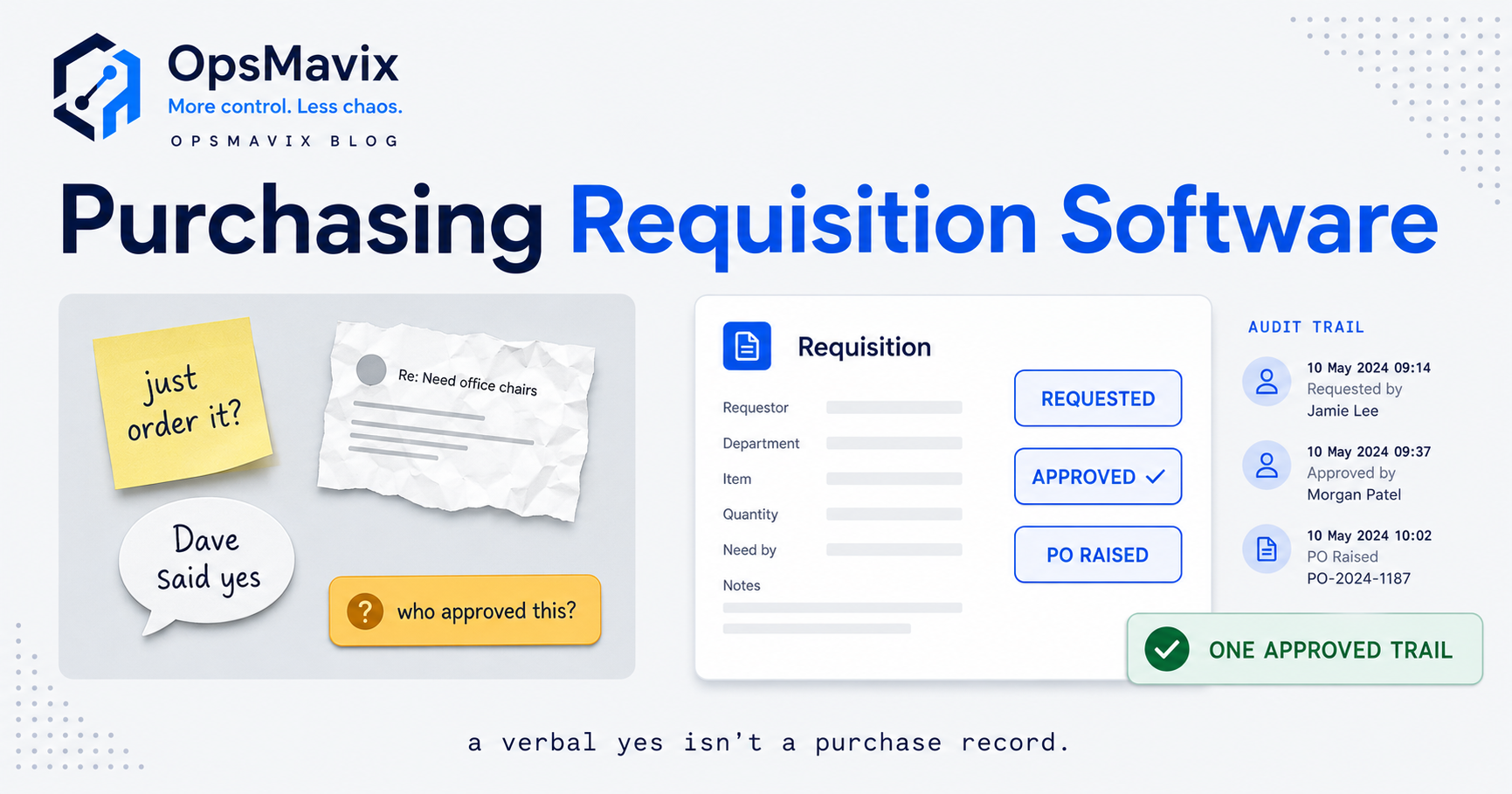
Purchasing requisition software gives finance a control point before money is committed: a request is raised, checked against the budget, approved by someone with the authority to approve it, and then turned into a purchase order that can be received, matched and paid. For a finance team, the real value is not the form. It is knowing what has already been promised to suppliers, not only what has been invoiced.
The practical problem is that spend arrives through several doors at once. Some goes through purchase orders, some through company cards, some through expense claims and some arrives as an invoice nobody expected. When those routes live in different tools, the budget report shows invoices posted, the card statement shows something else, and nobody can say how much of the quarter is genuinely left. This guide compares procure-to-pay and spend management platforms, accounting add-ons, ERP modules and a custom build on one shared hypothetical scenario, so you can judge which approach gives finance control at a cost that makes sense.

Budget control depends on counting commitments before the invoice arrives. Illustrative photograph, not an OpsMavix project.
Image credit: Aaron Lefler, Unsplash License. No edits.
Key Takeaways
- For finance, the key number is remaining budget after actuals, open commitments and uncoded card spend, not budget minus invoices.
- Card, expense and purchase order spend need clear rules so the same purchase is not paid twice or missed from the budget.
- Payment should wait until the order, the receipt and the invoice agree, or until a named person approves the difference.
- Spend management platforms, accounting add-ons, ERP modules and custom applications each fit different situations; test them on the same scenario.
- Compare total cost over several years, including the manual work each option leaves behind.
- Reports are only useful when finance can reconcile them back to the ledger.
In this guide:
- 1. Frame the Finance Question Before the Software
- 2. Set Up One Shared Scenario to Test
- 3. Track Budgets and Commitments Not Just Invoices
- 4. Decide Where Card and Expense Spend Belongs
- 5. Hold Payment Until Order Receipt and Invoice Agree
- 6. Compare the Four Software Approaches
- 7. Work Out Total Cost Over Three Years
- 8. Build Reports Finance Can Reconcile
- Frequently Asked Questions
- How OpsMavix Can Help
1. Frame the Finance Question Before the Software
Spend control is a timing problem
Most accounting systems are very good at recording what has happened: invoices posted, payments made, journals entered. Requisition software adds what is about to happen. An approved requisition is an intention to spend; a purchase order is a commitment to a supplier; a goods receipt is evidence that the commitment has been partly or fully delivered. If the difference between those documents is new to your team, read purchase requisition vs purchase order first.
Finance needs to see all of those stages together. Without them, a budget holder can approve a request against a budget that looks healthy in the ledger but is already largely committed.
Two buyers, two angles
This guide takes the finance view. If your main problem is stock, materials and production timing, our operations-led guide to purchase requisition software covers stock-linked requests, catalogues and pack sizes in detail.
| Question | Finance-led view | Operations-led view |
|---|---|---|
| What must the request show? | Budget line, remaining budget, cost centre, supplier | Stock on hand, on order, lead time |
| What does approval prove? | Spend is authorised and affordable | The item is needed in this quantity |
| Biggest risk | Commitments made without authority or budget | Shortages and duplicate stock orders |
| Key report | Budget versus actual plus commitments | Open orders due by date |
Write the controls down first
Before you look at a demonstration, list the controls finance actually needs. A short list is more useful than a long one:
- Every request carries a budget line or cost centre before it is approved.
- Approval authority follows a documented delegation, by value and category.
- Approved requests become purchase orders without retyping.
- Open orders count against the budget until they are invoiced or cancelled.
- Card and expense spend reaches the same budget view within an agreed time.
- Invoices are matched to order and receipt before payment.
- Reports reconcile to the ledger at month end.
2. Set Up One Shared Scenario to Test
The hypothetical business
Everything in this scenario is hypothetical and excludes VAT. A UK wholesale business has an operations department with a quarterly budget of £60,000 for consumables, equipment, maintenance and software. Six people can raise requests, two managers approve, and finance runs the ledger. Spend reaches the business through three routes:
- Purchase orders for supplier goods and services.
- Two company cards, used for subscriptions and urgent small purchases.
- Expense claims for occasional out-of-pocket items.
The position six weeks into the quarter
| Item | Amount |
|---|---|
| Quarterly budget | £60,000 |
| Invoices posted to the ledger (actuals) | £21,400 |
| Open purchase orders not yet invoiced | £14,800 |
| Card spend made but not yet coded in the ledger | £2,650 |
| Requisitions waiting for approval | £6,000 |
We will run this same position through each section: budget checks, card overlap, invoice matching, approach comparison, cost and reporting. When you assess suppliers, give every one of them a version of this scenario built from your own last quarter, and ask each to show how much of the £60,000 is genuinely still available on the approval screen.
3. Track Budgets and Commitments Not Just Invoices
Hypothetical worked example: what is left?
Using the scenario figures:
- Remaining budget = £60,000 - £21,400 - £14,800 - £2,650 = £21,150.
- If the £6,000 of pending requisitions is approved, it falls to £21,150 - £6,000 = £15,150.
- A report that only subtracts posted invoices shows £60,000 - £21,400 = £38,600.
The invoice-only view overstates what is available by £38,600 - £21,150 = £17,450. In percentage terms, the department has already used (£21,400 + £14,800 + £2,650) / £60,000 = 64.8% of the quarter’s budget, not the 35.7% that invoices alone suggest (£21,400 / £60,000).
What good budget checking looks like
- The approval screen shows budget, actuals, open commitments and the amount left after this request.
- Commitments reduce when an order is invoiced, so the same spend is not counted twice.
- Cancelled or closed orders release their commitment.
- Over-budget requests are flagged or routed to a higher approver rather than silently approved.
- Received but not yet invoiced goods are visible, because finance may need to accrue them at month end.
What the platforms say they do
Several dedicated platforms describe this directly on their own sites. Procurify’s budget management page says it tracks “approved, committed, and remaining spend in real time” and shows managers the potential impact of a purchase on their budget. Precoro’s spend management page describes real-time budget dashboards with pending requests, and alerts before limits are reached. Payhawk’s procurement page says approvals “commit funds in real time, so approvers always see what’s left before saying yes.”
Accounting packages usually approach budgets from the ledger side. Xero’s purchase order page lists budgeting on its higher plans; check whether open purchase orders count in that budget view in your edition, because that is the figure your approvers need.
4. Decide Where Card and Expense Spend Belongs
Three routes, one budget
Cards and expense claims are fast, which is why people like them. The control risk is that they bypass the requisition and arrive in the ledger weeks later, coded by someone who was not involved in the purchase. Decide, for each category of spend, which route is allowed.
| Spend type | Sensible route | Control to apply |
|---|---|---|
| Regular supplier goods | Purchase order | Requisition, approval and three-way match |
| Software subscriptions | Card with named owner, or PO for larger contracts | Renewal review and budget line on the card |
| Urgent small items | Card within a set limit | Receipt and coding within an agreed number of days |
| Out-of-pocket travel or sundries | Expense claim | Policy limits and manager approval |
| Large or contracted services | Purchase order | Contract reference and staged invoicing |
Hypothetical worked example: the double-paid subscription
Hypothetical. A £1,200 annual software renewal is raised as a purchase order. Before the supplier invoice arrives, someone pays the renewal on a company card to avoid a lapse. The invoice then arrives against the open order and is processed for payment. Unless a check spots that the card transaction and the purchase order relate to the same supplier and period, the business pays £1,200 twice, and the budget shows £2,400 of spend for a £1,200 service.
Practical controls include a supplier list that marks whether each supplier is paid by card or by invoice, a flag when a card payment is made to a supplier with an open order, and a monthly review of card spend against open orders.
Where the tools differ
Some spend management platforms combine cards and purchase orders. Precoro describes issuing prepaid virtual spending cards to fund purchases and track transactions, and Payhawk’s procurement page mentions single-use or employee cards alongside purchase orders. Procurify lists spending cards among its features. Accounting packages typically take card spend through bank feeds and reconciliation, which records the transaction but does not usually tie it to a requisition approved beforehand. Confirm in a demonstration whether card spend reduces the same budget figure that approvers see.

Card and online payments need the same budget view as purchase orders. Illustrative photograph, not an OpsMavix project.
Image credit: rupixen, Unsplash License. No edits.
5. Hold Payment Until Order Receipt and Invoice Agree
Hypothetical worked example: the invoice that does not match
Hypothetical, excluding VAT. The business orders 400 units of packaging at £12.50, a purchase order value of 400 x £12.50 = £5,000. The goods receipt records 380 units. The supplier invoices 400 units at £12.80, which is 400 x £12.80 = £5,120.
| Document | Quantity | Price | Value |
|---|---|---|---|
| Purchase order | 400 | £12.50 | £5,000 |
| Goods receipt | 380 | n/a | n/a |
| Supplier invoice | 400 | £12.80 | £5,120 |
| Supported by order and receipt | 380 | £12.50 | £4,750 |
The invoice exceeds the supported amount by £5,120 - £4,750 = £370. That splits into 20 units not received at £12.50 = £250, and a price difference of £0.30 on 400 invoiced units = £120. Together, £250 + £120 = £370. The system should hold the invoice, show both reasons and route it to the buyer, rather than pay the full £5,120.
What to test
- The receipt is recorded against the order line, not on a separate sheet.
- Partial deliveries leave the balance of the order open.
- Price and quantity tolerances are set by finance and logged when overridden.
- Credit notes link back to the original invoice and order.
- Non-PO invoices are routed for approval rather than paid by default.
The mechanics of matching are covered in three-way matching, and the choice between matching methods in 2-way vs 3-way matching.
Capabilities stated by vendors
Payhawk’s procurement page describes both 2-way and 3-way matching and says it can “automatically match requests or POs with GRNs and invoices.” Precoro says it “connects every invoice to the related PO and receipt.” Procurify’s invoice-to-pay page refers to three-way matches. In accounting software the step can be lighter: QuickBooks’ UK help article says purchase orders are only available in QuickBooks Online Plus and Advanced, and describes linking a purchase order to a bill; it does not describe a receipt-based match, so test how a short delivery is handled.
6. Compare the Four Software Approaches
Approach by approach
Procure-to-pay or spend management platforms such as Procurify, Precoro and Payhawk are built around requests, approvals, budgets and matching, and sit alongside your accounting system. Procurify lists integrations including NetSuite, QuickBooks, Sage Intacct and Microsoft Dynamics 365 Business Central; Precoro names QuickBooks Online, Xero and NetSuite; Payhawk describes a two-way sync with NetSuite. Their strength is depth in the spend process. The limitation is a second system whose suppliers, cost centres and coding must stay aligned with the ledger.
Accounting add-ons and built-in purchasing keep everything near the ledger. Xero says user roles control who can approve purchase orders and that an approved order can be copied into a bill. This can be enough when volumes are modest and approval rules are simple, but budget checks at request time and receipt-based matching are often thinner, so finance may keep a spreadsheet alongside.
ERP purchasing modules put requisitions, orders, receipts and the ledger in one database. Microsoft’s Business Central purchase approval walkthrough shows a purchase order moving to Pending Approval and then Released, and notes that approvers can have amount limits. NetSuite’s requisition preferences cover approval routing for requisitions, which needs a workflow bundle, and consolidating requisition lines into purchase orders. The trade-off is configuration effort and, usually, a partner.
A focused custom application fits when your delegation of authority, budget structure or card rules do not fit a packaged product, and you want the request, commitment and match logic around your own ledger. It needs ownership of support and maintenance.
Comparison on the shared scenario
| Approach | Commitments in budget view | Card and PO overlap | Receipt-based match | Main limitation |
|---|---|---|---|---|
| Spend management or P2P platform | Usually core, verify in demo | Strong where cards are included | Often included, verify | Second system to keep aligned |
| Accounting add-on or built-in PO | Varies by product and plan | Bank feed after the event | Often light or manual | Spreadsheet workarounds remain |
| ERP purchasing module | Possible with configuration | Depends on card integration | Available in many ERPs | Configuration and partner cost |
| Focused custom application | Built to your rules | Built to your rules | Built to your rules | You own support and change |
When each approach fits
- Configure what you have when your accounting plan already includes purchase orders and approvals, and the gap is discipline rather than software.
- Packaged spend platform when you need budgets, cards and matching across many requesters and your process is close to the product’s standard.
- ERP module when purchasing is one of several processes that need to share data, or you are already moving to an ERP.
- Focused custom application when the control rules are specific and valuable and packaged tools need too many workarounds.
- Full custom ERP when purchasing problems are a symptom of wider disconnected records.
7. Work Out Total Cost Over Three Years
Hypothetical worked example
All prices, rates and hours are hypothetical. They are not quotes from any vendor or from OpsMavix. Admin and workaround time is costed at £35 per hour.
| Cost item (36 months) | P2P platform | Accounting add-on | ERP module | Custom app |
|---|---|---|---|---|
| Subscription or licence uplift | £16,200 | £5,400 | £10,800 | n/a |
| Implementation, setup or build | £3,000 | £1,000 | £9,000 | £18,000 |
| Hosting and support | n/a | n/a | n/a | £7,200 |
| Admin and manual workarounds | £2,520 | £10,080 | £2,520 | £1,260 |
| Total | £21,720 | £16,480 | £22,320 | £26,460 |
The arithmetic:
- P2P platform: £450 per month x 36 = £16,200; admin 2 hours x £35 x 36 = £2,520; total £16,200 + £3,000 + £2,520 = £21,720.
- Accounting add-on: plan uplift £30 x 36 = £1,080 plus approval add-on £120 x 36 = £4,320, so £5,400; spreadsheet workarounds 8 hours x £35 x 36 = £10,080; total £5,400 + £1,000 + £10,080 = £16,480.
- ERP module: licence uplift £300 x 36 = £10,800; admin £2,520; total £10,800 + £9,000 + £2,520 = £22,320.
- Custom app: hosting and support £200 x 36 = £7,200; admin 1 hour x £35 x 36 = £1,260; total £18,000 + £7,200 + £1,260 = £26,460.
Reading the result
On these figures the accounting add-on is cheapest, but £10,080 of its cost is manual work, and that is where errors such as the £1,200 double payment or the £370 invoice difference slip through. The custom application costs £26,460 - £16,480 = £9,980 more than the add-on over three years, about £277 per month (£9,980 / 36 = £277.22). It is only worth it if your own records show that its better fit prevents more than that in errors, delays or staff time. If you cannot evidence that, choose the cheaper option.
8. Build Reports Finance Can Reconcile
Reports to ask for in every demonstration
| Report | What it should show | Reconciliation check |
|---|---|---|
| Budget versus actual plus commitments | Budget, actuals, open orders, uncoded card spend, remaining | Actuals agree to the ledger for the same period |
| Open commitments by supplier | Orders not yet invoiced, with age | Agrees to open order listing |
| Received not invoiced | Goods receipts with no matched invoice | Supports month-end accrual |
| Invoice exceptions | Held invoices and reasons | Every held invoice has an owner |
| Card spend without coding | Transactions awaiting receipts or codes | Agrees to card statement |
| Approvals log | Who approved what, when and at what value | Approvals within delegated limits |
Practical acceptance checklist
- Run the shared scenario and confirm the remaining budget shows £21,150, not £38,600.
- Approve the £6,000 pending requests and confirm the figure falls to £15,150.
- Pay a card transaction to a supplier with an open order and see whether it is flagged.
- Receive 380 of 400 units, enter the £5,120 invoice and confirm it is held for £370.
- Close a part-delivered order and confirm its remaining commitment is released.
- Export the budget report and reconcile actuals to the ledger without manual edits.
- Check that failed integrations are visible and can be corrected.
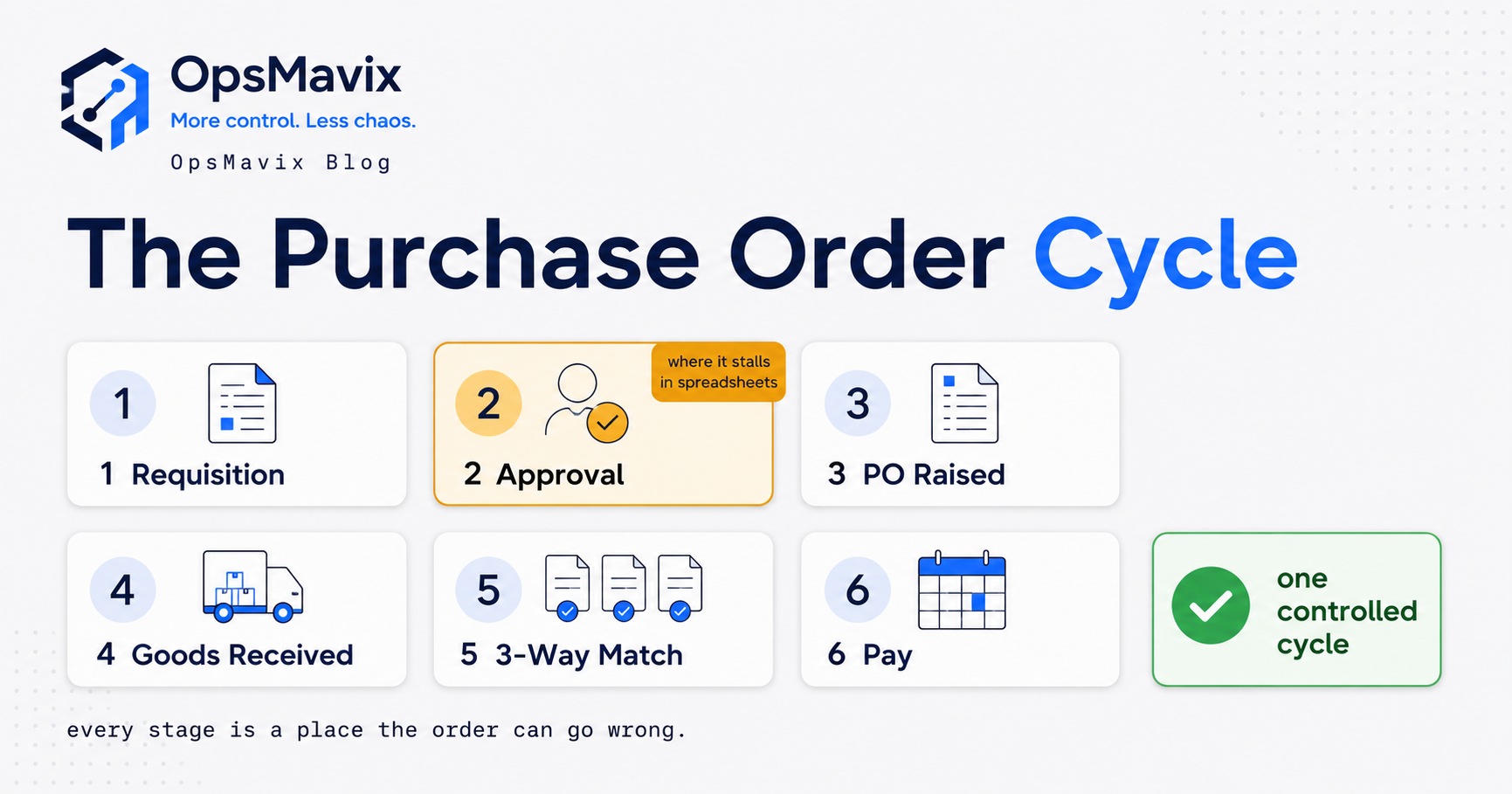
Pilot with one department for a full month end before rolling out. The approval design itself, including deputies and thresholds, is covered in purchase requisition approval workflow, and the full flow from request to payment in the purchase order cycle.
Frequently Asked Questions
What is purchasing requisition software?
It is software for raising, approving and tracking internal requests to spend, and converting approved requests into purchase orders. From a finance view, its main job is to make commitments visible before invoices arrive.
What is the difference between commitments and actuals?
Actuals are costs recorded in the ledger, usually from posted invoices. Commitments are approved orders not yet invoiced. Remaining budget should subtract both, taking care not to count the same spend twice once an order is invoiced.
Is our accounting software enough?
It may be. Some packages include purchase orders and approval permissions; QuickBooks Online, for example, limits purchase orders to its Plus and Advanced plans in the UK. Test whether approvers see commitments and whether invoices are matched to receipts before deciding you need another tool.
Should company cards go through requisitions?
Not always. Low-value and urgent spend is often better on a card with a limit and prompt coding. What matters is that card spend reaches the same budget view and that suppliers paid by card are not also paid by invoice.
Do we need three-way matching?
If you receive physical goods or staged services, three-way matching protects you from paying for items that did not arrive. For simple services without a receipt step, two-way matching against the order may be proportionate.
How long does implementation take?
It depends on the number of requesters, approval rules, cards, integrations and the quality of your supplier and cost centre data. Ask for milestones and acceptance criteria based on your scenario rather than a generic timescale.
Can OpsMavix build purchasing requisition software?
Yes. OpsMavix can build focused applications or a full custom ERP, and can configure or integrate suitable existing tools where those approaches fit the requirements.
How OpsMavix Can Help
OpsMavix can map how spend reaches your business through purchase orders, cards and expense claims, then define what finance needs to see and control before money is committed.
That may mean configuring the accounting or ERP tools you already have, connecting a spend platform to your ledger, building invoice approval workflow automation that holds invoices until they match, or giving budget holders a project operations dashboard with commitments alongside actuals.
Contact OpsMavix with one recent budget report, the records behind it and the handoff that creates the most rework. We can use that evidence to define requirements and a practical pilot.
Keep reading
Getting value from OpsMavix? Add us as a preferred source on Google — you'll see more of our operations content in your AI Overviews, AI Mode and Search.