
Operational Systems vs ERP: Which Do You Actually Need?
An ERP isn't the only step up from spreadsheets — and for most growing businesses it's the wrong one. Here's the honest comparison and how to choose.
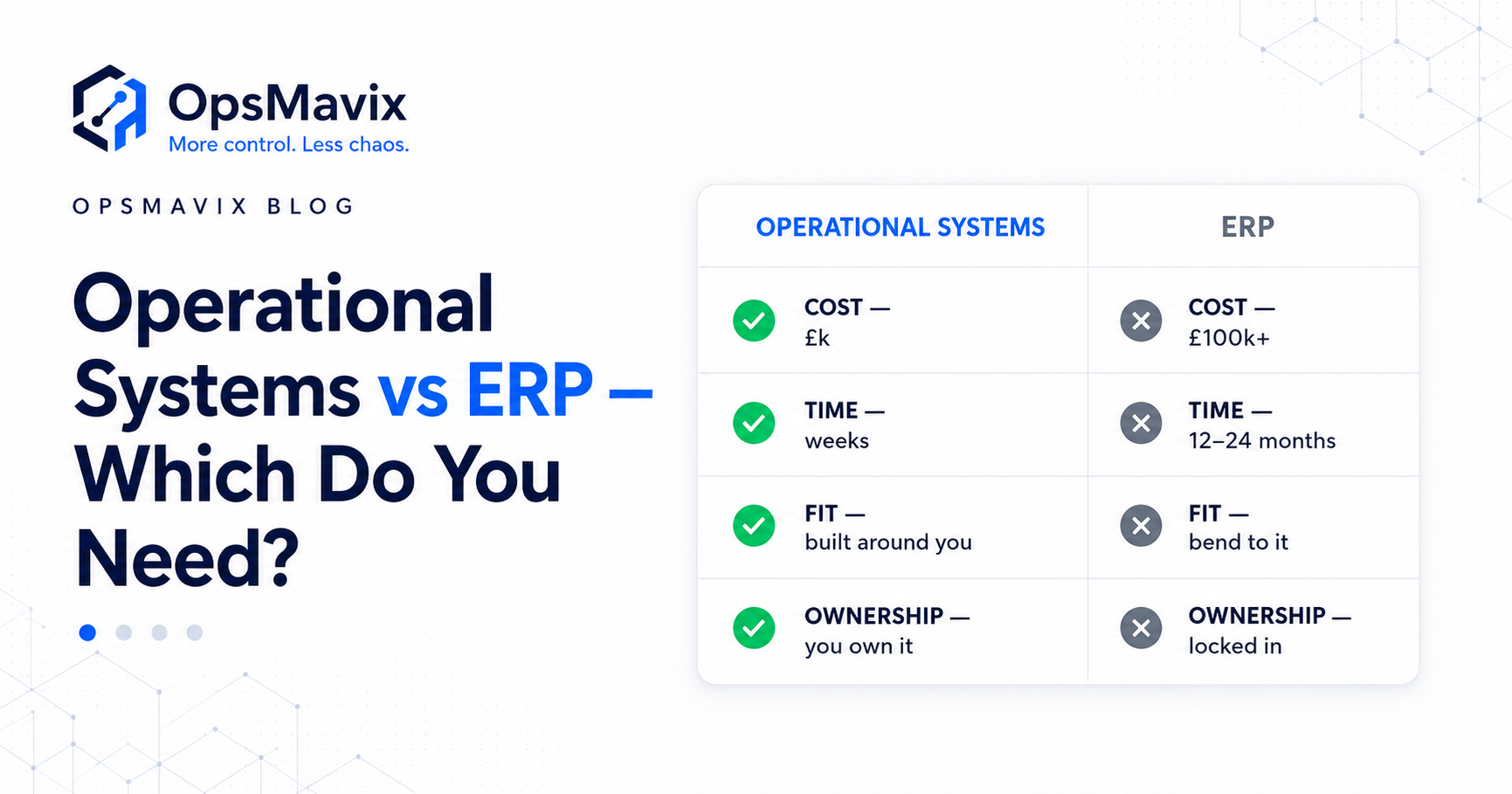
Your stock figures disagree. Orders need retyping. Purchasing updates live in email, and answering a customer means checking several screens.
Someone recommends an ERP. The proposal covers far more than the problems you started with, and you are left wondering whether to commit to a major change or keep patching the spreadsheets.
That is the practical question behind operational systems vs ERP: how much of the business needs to change, and which approach will address those requirements reliably?
For UK businesses that buy, make or move physical products, the answer depends on the workflow, data, integrations and controls they need. A focused operations system may solve a specific gap. An ERP may be appropriate when several functions need a shared transaction platform.
This guide compares the approaches across scope, cost, implementation, workflow fit and ownership. The aim is to help you assess the proposal against the work it must support.

Start with the operational records and decisions that need to connect, then choose how to support them.
Key Takeaways
- An operational system describes the tools and processes supporting daily work. An ERP is one way to provide integrated operational and financial capabilities; the terms can overlap.
- A focused system can address a narrow gap while retaining useful existing tools. An ERP can provide a broader shared foundation across business functions.
- ERP products serve businesses of different sizes. A small business does not automatically need one, and a smaller ERP is not automatically overkill.
- Compare equivalent requirements and total costs, including setup, migration, licences, hosting, integrations, support and internal effort.
- Ownership, access to data and ongoing fees depend on the product and contract. Custom software also needs maintenance and supporting infrastructure.
- Validate each option against real transactions and exceptions before committing to a rollout.
In this guide:
- What an ERP is
- What an operational system is
- The side-by-side comparison
- The four differences that decide the fit
- UK pricing and a worked cost calculation
- A worked business example
- When an ERP is worth considering
- How to choose and implement the first phase
- Frequently asked questions
- How OpsMavix can help
1. What Is an ERP?
An ERP, or enterprise resource planning system, brings related business functions into an integrated platform. Depending on the product and modules, those functions can include finance, purchasing, inventory, sales, manufacturing and projects.
The value is the shared transaction process. A purchase order, goods receipt and supplier invoice can participate in the same workflow rather than being reconstructed independently in different tools.
Not every ERP includes every function as standard. Confirm the particular edition, modules and extensions required for your operation.
ERP is not limited to large enterprises
Microsoft describes Business Central as a business management solution covering finance, sales and operations. Its plans distinguish Essentials from Premium, which adds manufacturing and service-management capabilities.
That illustrates why comparing only the label “ERP” is insufficient. Two products, or two editions of one product, can address different requirements.
A smaller company with demanding stock, costing or financial controls may have a stronger ERP requirement than a larger company with a straightforward workflow.
Integration still needs configuration
An integrated platform does not remove the work of agreeing product codes, stock rules, approval responsibilities and reporting definitions.
Existing records still need review. Staff still need training. Connections to marketplaces, warehouse services or specialist applications still need checking.
The relevant question is how much of the requirement the platform supports well, and what remains outside it.
2. What Is an Operational System?
An operational system supports the day-to-day work of the business: recording orders, moving stock, tracking jobs, making approvals and reporting progress.
It may be a focused application, a set of connected tools, a custom build or capabilities delivered within an ERP.
In this guide, focused operations system means an improvement targeting specific workflows while retaining other useful applications. For example, an inventory and order layer may connect a sales channel with the accounting system already in place.
For a fuller introduction, see what an operations system actually is.
Focus reduces scope, but creates boundaries to manage
Keeping existing tools can reduce migration and retraining. It also means the connections between those tools must be reliable.
Agree which system owns each record. One application might own product availability, another the accounting entry and another the customer-facing order.
Define how changes move between them, how failures are reported and how discrepancies are resolved. A focused system should make those boundaries clearer rather than introduce another unexplained copy of the data.
Custom does not automatically mean owned outright
Ownership is a contractual matter. Check the source-code rights, handover, third-party licences, hosting access and ability to appoint another maintainer.
The same applies to packaged systems: confirm data export rights, configuration access and the terms governing continued use.
“Custom”, “cloud” and “ERP” do not settle those questions by themselves.
3. Operational Systems vs ERP: The Comparison
Compare the proposed implementation rather than assuming every focused system or ERP behaves the same way.
| Comparison point | Focused operations system | ERP implementation |
|---|---|---|
| Main scope | Specific operational workflows and connections | A broader integrated set of selected business functions |
| Existing tools | Often retained where they work well | May replace several tools; specialist tools may remain |
| Shared records | Ownership agreed across connected applications | Shared records within the platform, with external boundaries where needed |
| Workflow fit | Can be configured or built for particular requirements | Configured around platform capabilities, with extensions where appropriate |
| Implementation effort | Depends on data, integrations and workflow complexity | Depends on modules, migration, configuration and organisational change |
| Cost model | Build or setup costs plus relevant ongoing services | Licence or subscription costs, implementation and relevant ongoing services |
| Ownership | Depends on the build and component contracts | Depends on licensing, deployment and implementation contracts |
| Changes later | Require configuration or development and maintenance | Require configuration, extensions or module changes and maintenance |
| Main risk to investigate | Reliability across the retained tools and connections | Scope, migration, adoption and fit of the shared platform |
| Good reason to choose it | A defined gap can be resolved without replacing useful systems | Several functions need coordinated records and controls |
Neither column implies a guaranteed price or timetable. A complicated set of custom integrations can require more work than a well-fitting packaged implementation.
4. The Four Differences That Actually Decide It
The most useful comparison is between two proposals for the same outcomes.
Cost: compare the whole requirement
A licence price is not an implementation budget. Equally, a fixed build price is not the complete cost of running a custom system.
Ask both providers to identify:
- Discovery, configuration and development.
- Data cleaning and migration.
- Required licences and third-party services.
- Connections, monitoring and failure handling.
- Hosting, backups and recovery responsibilities.
- Training and internal staff involvement.
- Support, maintenance and future changes.
- Exit, export and handover costs where relevant.
A fixed price is useful when the scope, assumptions and acceptance conditions are explicit. Changes outside that scope still need a process for agreement and pricing.
Time: scope drives the timetable
A focused workflow may launch sooner because fewer records and teams are affected. A broad replacement usually creates more dependencies to resolve.
But a narrow-looking requirement can become complex if product data is inconsistent, a connector is unavailable or the existing process is undocumented.
Ask what must be ready before the first usable phase, who supplies it and how the team will confirm it works. Compare the time to a reliable outcome rather than a demonstration screen.
Fit: preserve useful work and question workarounds
A custom system can accommodate specific requirements. A packaged platform may provide a suitable standard process with less development.
Neither approach should preserve a weak process merely because it is familiar. Repeated copying, unclear approvals and inconsistent product identifiers are worth changing.
Separate genuine business requirements from habits created by the old tools. Then test both options against representative transactions.
Ownership: check what you can operate and change
Ask what you receive at handover: code where applicable, configuration, documentation, credentials, deployment instructions and data exports.
Confirm which parts remain dependent on a supplier or licensed component, and what happens if the support relationship ends.
Ownership does not eliminate maintenance. API changes, dependency updates and business changes can affect an owned build. Subscription access does not, by itself, mean you lose ownership of your business data.
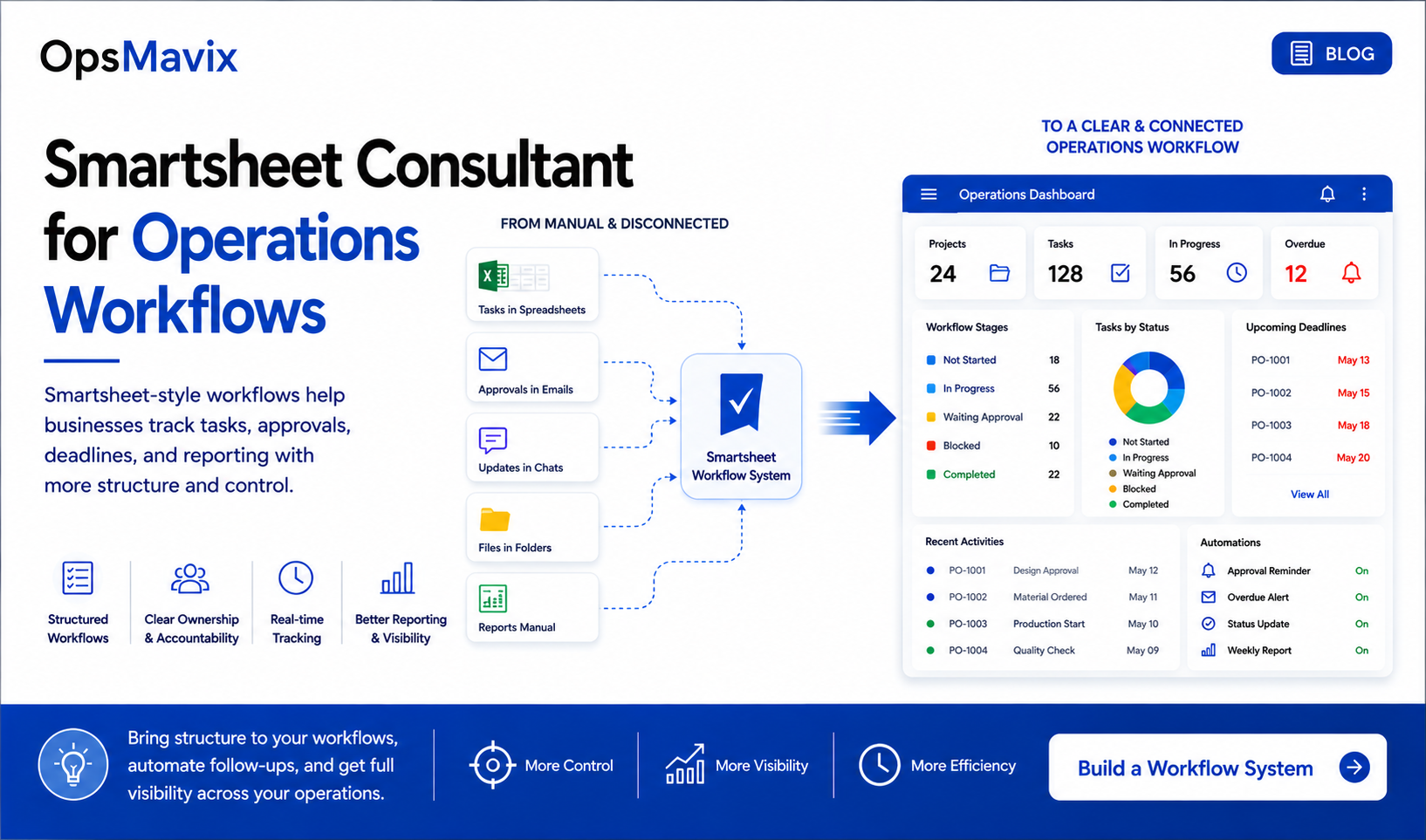
Workflow fit depends on how records, decisions and exceptions move through the business. Illustration from OpsMavix.
5. How Much Each Approach Costs in the UK
The figures below were checked on 8 October 2026. They are starting points for a scoped comparison, not quotations for equivalent projects.
OpsMavix project bands
The OpsMavix pricing page publishes these bands and indicative build periods:
| Band | Published build range | Published indicative period |
|---|---|---|
| Starter Fix | £3,000–£10,000 | 3–6 weeks |
| Growth System | £10,000–£25,000 | 6–12 weeks |
| Operations Platform | From £25,000 | 3–6 months |
The page describes fixed-scope owned builds without per-user fees, with hosting paid separately and optional care. It currently states that OpsMavix does not add VAT. Confirm the final scope, exclusions and ongoing services in the proposal.
These are OpsMavix’s published bands, not market-wide prices for every operational system.
An ERP licence example
The Microsoft UK pricing page lists Business Central Essentials at £61.50 per user per month, paid yearly, excluding VAT. Premium is £84.60 on the same basis. Team Members is £6.20 for limited access, not a substitute for full-user functionality.
Implementation, extensions and other services need separate assessment. Confirm the required licence mix and current offer with the provider.
Worked calculation: ten Essentials users
For illustration, hold the published Essentials rate constant and assume ten full users throughout the period:
| Calculation | Licence-only amount, excluding VAT |
|---|---|
| 10 users × £61.50 × 12 months | £7,380 per year |
| £7,380 × 3 years | £22,140 over three years |
This calculation excludes implementation, migration, support and additional services. It assumes no price changes and is not a three-year price guarantee.
It also does not establish that a £22,140 licence total and a custom build deliver the same capabilities. Scope both options before comparing them.
Build a three-year cost worksheet
| Cost category | Focused system proposal | ERP proposal |
|---|---|---|
| Discovery and setup | Enter the quoted amount | Enter the quoted amount |
| Data preparation and migration | Include supplier and internal effort | Include supplier and internal effort |
| Licences and subscriptions | Include all required components | Include the required user and module mix |
| Integrations | Include setup and ongoing services | Include setup and ongoing services |
| Hosting and infrastructure | Identify separate costs | Identify what is included or separate |
| Support and maintenance | Define included and optional services | Define included and optional services |
| Training and transition | Include time spent adopting the process | Include time spent adopting the process |
| Expected changes | State assumptions and change rates | State assumptions and change rates |
| Exit and handover | Confirm required deliverables | Confirm export and transition provisions |
Keep the assumptions visible. An option can look cheaper simply because a necessary service has been left out.
6. Worked Example: A Focused Gap or a Broader Replacement?
Consider a hypothetical homeware business using Shopify, Xero and shared spreadsheets. Stock records drift, purchase orders are chased through email and nobody can easily see which goods are committed to customers.
This is a design example, not a verified OpsMavix customer result or a quotation.
Identify the requirement before choosing the platform
The initial problems suggest three areas to investigate:
| Problem | Required behaviour | Evidence to test |
|---|---|---|
| Stock cannot be trusted | Receipts, reservations, damage and adjustments affect availability correctly | A sample of stock movements reconciles to the expected figure |
| Purchasing status is unclear | Purchase orders show incoming quantities, expected dates and receipts | Partial receipts and supplier date changes remain traceable |
| Orders need repeated checking | Orders have visible fulfilment status and blockers | Staff can explain a delayed order from its records |
If the existing accounting process works well and the missing capabilities can be connected reliably, a focused layer may be appropriate.
That conclusion needs validation. Confirm product mapping, order changes, connection permissions and which application owns each record.
New requirements can change the answer
Suppose discovery also reveals inconsistent inventory valuation, separate company books that need coordinated controls and manufacturing costs that cannot be tracked adequately.
The issue now reaches beyond a visibility layer. An ERP or another broader platform may provide a better foundation.
The business’s turnover alone does not decide between the options. The scope and depth of the requirements do.
Compare proposals against the same scenarios
Ask each provider to explain an amended order, a partial supplier delivery, a damaged return and a failed connection.
Check where each event is recorded, who resolves an exception and how the financial records remain consistent.
A shorter feature list with clear end-to-end behaviour can be more useful than a broad promise whose boundaries remain unclear.

Physical stock, customer commitments and financial records need an agreed relationship whichever platform you choose.
7. When a Full ERP Is the Better Fit
Consider a broader integrated platform when the business needs coordinated records and controls across several functions, and maintaining separate applications creates repeated reconciliation or fragile handoffs.
Potential requirements include integrated purchasing and finance, more demanding inventory costing, manufacturing processes or coordinated company and site operations.
Those requirements still need product-level evaluation. The label “ERP” does not confirm that a particular edition meets them.
Complexity matters more than size alone
A smaller manufacturer may need capabilities that a larger trading business does not. A multi-site company may still have straightforward processes that existing connected tools support well.
Map the transactions and controls before using headcount, turnover or company count as a shortcut.
Avoid adding layers to an unsuitable foundation
If the core records are inconsistent and every improvement creates another workaround, retaining all existing tools may increase the maintenance burden.
Compare replacing the weak foundation with continuing to connect around it. Include reconciliation effort and responsibility for failures in that decision.
An ERP can also be introduced in phases. A broader destination does not require every function to launch on the same day.
8. A Practical Checklist for Choosing
Start with evidence from the work and turn it into a reviewable scope.
Write down the problems and their impact
Use specific statements: orders are entered twice, stock is checked manually before promising delivery, or supplier changes are not visible to the warehouse.
Measure handling time, discrepancies and delays where possible. Separate confirmed costs from assumptions.
Define the shared records
Identify who owns product details, customer records, availability, orders and financial entries.
If two tools hold related records, define how they stay aligned. Include amendments, cancellations, retries and failures.
Validate the platform fit
Ask for a demonstration or walkthrough using your representative cases. Identify what is standard, what needs configuration and what requires development.
Confirm dependencies and access requirements before accepting an integration promise.
Agree acceptance and handover
Specify how the team will confirm totals, statuses, permissions and exception handling. Include opening data, training, documentation and recovery arrangements.
Agree who maintains each component after launch and how changes are requested.
Launch a manageable phase
Choose a first phase with a clear operational outcome and enough coverage to work end to end.
For a focused system, that might be connected stock and order reservations. For an ERP, it might be a defined purchasing, inventory and finance process.
Measure the result after adoption. Expand against requirements rather than simply adding modules because they are available.
For ideas on where to begin, see the operational systems every growing business needs.
Frequently Asked Questions
What is the difference between operational systems and ERP?
Operational systems describe the tools and processes supporting daily work. An ERP provides integrated capabilities across selected business functions. A focused operational improvement targets particular gaps, while an ERP implementation may create a broader shared foundation. The categories can overlap.
Are operational systems cheaper than an ERP?
A narrower project may cost less because it covers less work. That does not establish a like-for-like advantage. Compare the same requirements over a defined period, including licences, infrastructure, maintenance, support and internal effort.
Is an ERP overkill for a small business?
Sometimes a focused change is enough. In other cases, a smaller business has requirements that suit an ERP. Evaluate the product and scope rather than assuming the answer from company size.
Can a focused system connect to our existing tools?
Possibly, where the relevant interfaces, permissions and records support the required workflow. Confirm the exact data, direction, timing and failure handling. A named application on an integration list is not proof that every required transaction is supported.
Does owning a custom system mean there are no ongoing costs?
No. Hosting, third-party services, maintenance and future changes may still incur costs. Confirm the contractual ownership rights and who operates the supporting components.
Does an ERP force us to change every process?
The product may support your requirements through standard configuration or extensions. Some process changes may be useful; others may indicate poor fit. Review specific workflows before deciding.
Can we start with a focused system and move to ERP later?
Yes, if records, interfaces and export options are designed with that possibility in mind. It is not automatic: assess migration, replacement work and any continuing integrations when planning the later move.
How long should implementation take?
There is no universal timetable. Data quality, integrations, testing and training all affect delivery. Ask for a phased plan with dependencies and acceptance conditions for the proposed scope.
How OpsMavix Can Help
OpsMavix works with UK product businesses to define the operational problem before deciding how much system to introduce.
We can help assess whether a focused workflow improvement, connected operations system or broader ERP scope is appropriate for the records and controls your business needs.
That assessment can include:
- Where stock records and physical movements diverge.
- How orders move between sales, purchasing and fulfilment.
- Which approvals and exceptions need clear ownership.
- What should remain in existing tools and what needs a shared foundation.
- Which integrations need validation before the build.
- What reporting the team needs to act on the information.
- The scope, costs and responsibilities for a manageable first phase.
If you are weighing an ERP proposal against a focused system, book an Operations Leak Audit. Bring the proposal and a recent example of work that required repeated entry, stock checking or status chasing. We can help map the requirement and identify which approach deserves a closer look.
You can also review the current OpsMavix project bands before getting in touch.
Keep reading
Getting value from OpsMavix? Add us as a preferred source on Google — you'll see more of our operations content in your AI Overviews, AI Mode and Search.