
What Does It Actually Cost to Process a Purchase Order?
The cost of processing a purchase order has almost nothing to do with the price of what you're buying — it's the hidden labour of raising, approving, chasing, receiving and matching every order, plus the extras nobody counts (maverick spend, wrong quantities, late deliveries). This guide breaks the per-PO cost into its real components, gives you a transparent £ worked build-up you can plug your own numbers into, and shows how tightening the requisition-to-match flow cuts what each order costs to handle.
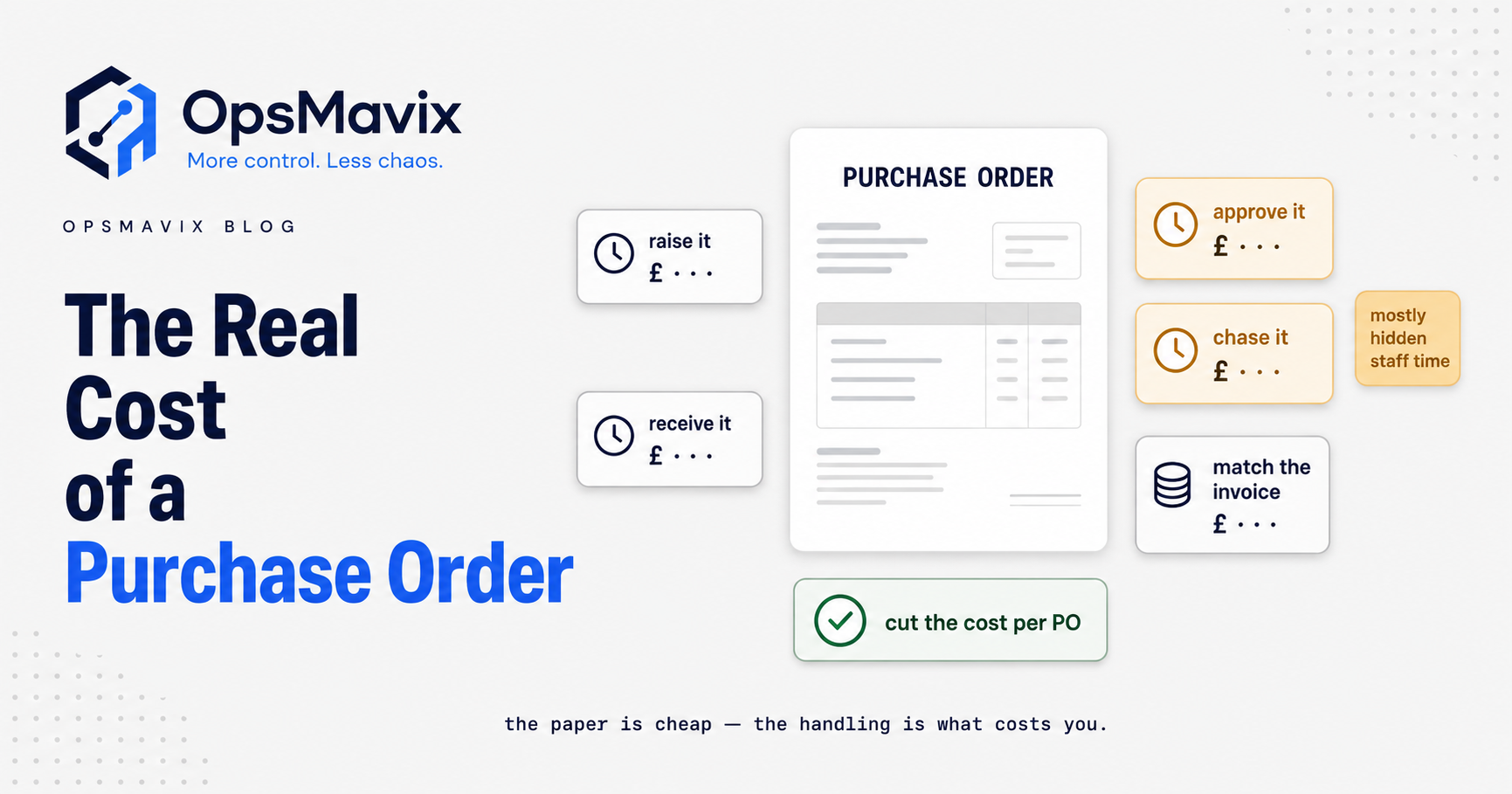
The cost of a purchase order, in the sense this guide uses, is what your business spends to move one order from request to payment: the staff time to raise, approve, send, chase, receive, match and pay it, plus a share of the tools and the rework that messy orders create. It is separate from the price of the goods, and it barely changes whether the order is for £60 of consumables or £6,000 of materials.
The practical problem is that nobody receives a bill for it. The minutes are spread across requesters, managers, buyers, warehouse staff and accounts, so the figure is rarely measured and published averages cannot tell you what your own process costs. This guide shows how to build your own number with simple activity-based costing, using one clearly HYPOTHETICAL model you can replace with your own timings and rates.

Every purchase order leaves a trail of documents, and each one takes someone’s time to create, check or match. Illustrative photograph, not an OpsMavix project.
Image credit: Camilo Rueda López, Unsplash License. No edits.
Key Takeaways
- Processing cost is mostly staff time, not the value of the goods ordered.
- Measure hands-on touch time for each activity, not just elapsed waiting time.
- Price each role with a loaded rate built from pay, employer costs and productive hours.
- Spread occasional activities such as chasing and exceptions by how often they occur.
- Exceptions and rework often explain the gap between a clean order and an average one.
- Treat time saved as capacity first and cash only when costs actually change.
In this guide:
- 1. Define What Your Purchase Order Cost Covers
- 2. Map Every Activity From Request to Payment
- 3. Measure Touch Time Not Elapsed Time
- 4. Build a Loaded Cost Rate for Each Role
- 5. Run a Hypothetical Activity Cost Model
- 6. Price Exceptions and Rework Separately
- 7. Compare Ways to Lower the Cost per Order
- 8. Track the Measure After Every Change
- Frequently Asked Questions
- How OpsMavix Can Help
1. Define What Your Purchase Order Cost Covers
Separate the order from the purchase
The purchase is what you pay the supplier. The order is the administrative work that turns a need into a received, matched and paid transaction. A low-value order can cost a meaningful share of its own value to process, because the steps are much the same whichever item is on it.
If you need a refresher on the document itself, our guide to what a purchase order is covers the contents and process. This guide is about pricing the work around it.
Decide what goes inside the boundary
Before timing anything, agree what your number includes. Different choices are all defensible, but they produce different figures, so write the boundary down and keep it stable when you compare periods.
| Cost element | Usually included | Notes |
|---|---|---|
| Requester time to raise the request | Yes | Often missed because the requester sits outside purchasing |
| Approver time | Yes | Count the decision time, not the waiting time |
| Buyer time to create, send and chase | Yes | Chasing varies widely by supplier |
| Receiving and booking in | Yes | Include recording discrepancies at the door |
| Invoice matching and posting | Yes | Clean matches and exceptions behave very differently |
| Payment run share | Optional | Shared across all supplier payments |
| Software and tool costs | Optional | Allocate a share by volume if included |
| Delay consequences such as premium freight | No, track separately | Belongs in a delay analysis, not processing cost |
Keep delay costs in a separate measure
Waiting has its own costs: expedite fees, stoppages and workarounds. Those are real, but they behave differently from processing effort. Our breakdown of the cost of purchase order approval delays prices them. Mixing the two makes both numbers harder to act on.
2. Map Every Activity From Request to Payment
List the activities in order
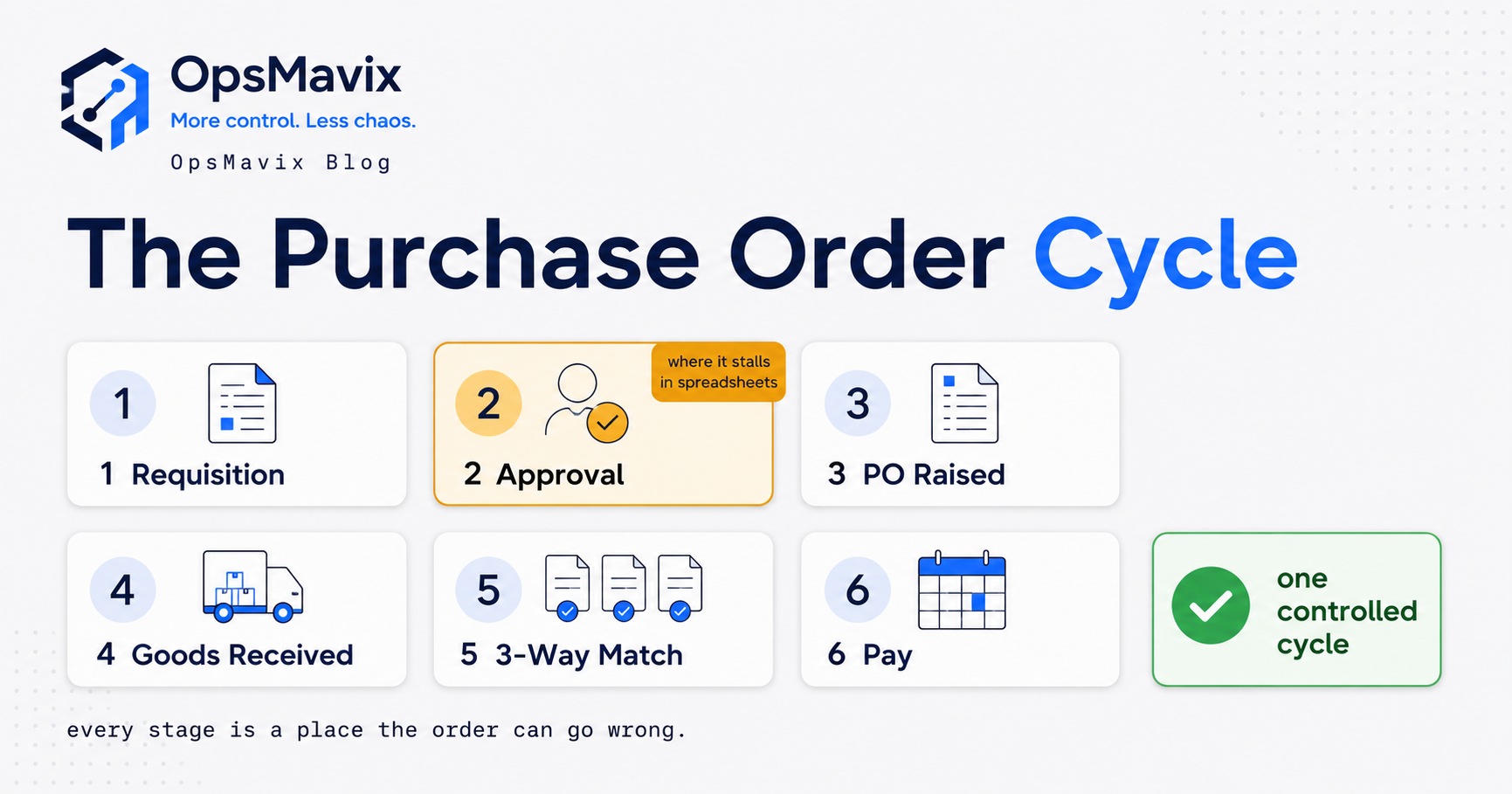
Activity-based costing starts with a list of what people actually do. Walk one recent order through the process and name each activity, who performs it and what triggers it. Our guide to the purchase order cycle describes the stages end to end.
| Activity | Typical role | Happens on |
|---|---|---|
| Raise and check the request | Requester | Every order |
| Approve the request | Budget holder or manager | Every order, unless an approval rule applies |
| Create and send the purchase order | Buyer | Every order |
| Confirm and chase the supplier | Buyer | Some orders |
| Receive and record the goods | Warehouse or site | Every order with physical goods |
| Match and post the invoice | Accounts | Every order |
| Resolve mismatches and rework | Accounts and buyer | Some orders |
| Include in a payment run | Accounts | Every order |
Note the handoffs and re-keying
Mark every point where information moves from one tool or person to another. If a request arrives by email and is retyped into an accounting system, the retyping is an activity in its own right. The difference between a requisition and a purchase order matters here, because a poorly captured request creates work at every later stage.
Capture how often occasional activities happen
Some activities happen on every order; others happen on a share of them. Record a frequency for each, such as “chasing needed on 4 in 10 orders”. This frequency, often called the activity driver rate, is what lets you spread occasional work fairly across all orders.
3. Measure Touch Time Not Elapsed Time
Know the difference
Touch time is the minutes someone actively spends on an activity. Elapsed time is the calendar time between start and finish, including waiting. A request might take three minutes to approve but sit for two days. Processing cost uses touch time; elapsed time belongs to the delay analysis mentioned above.
Choose a practical sampling method
You do not need a time-and-motion study. Pick a method that suits your team and record the results honestly.
| Method | How it works | Strengths | Limitations |
|---|---|---|---|
| Short time log | Staff note minutes per activity for one or two weeks | Cheap and quick | Relies on discipline and memory |
| Observed sample | Someone times a handful of real orders end to end | Accurate for the orders observed | Small samples may miss unusual cases |
| System timestamps | Use logged start and finish events where available | Large sample, no extra effort | Shows elapsed time unless touch time is recorded |
| Structured interview | Ask each role for typical and worst-case minutes | Fast starting point | Estimates tend to understate interruptions |
Practical sampling checklist
- Pick a sample period that includes a month end.
- Include orders from several suppliers, values and departments.
- Record each activity separately, not just a total per order.
- Log the number of chases and whether an exception occurred.
- Note the role performing each activity, since rates differ.
- Record total orders processed in the same period.
- Keep the raw log so the figures can be challenged later.
Mixing roles into one blended rate hides where the cost sits, so keep the role on each line even if you later combine them.
4. Build a Loaded Cost Rate for Each Role
What a loaded rate includes
A loaded rate is the full employment cost of a role divided by the hours actually available for work. At minimum it should include gross pay, employer National Insurance and employer pension contributions. Your finance team may also add an overhead allocation; if they already use a standard internal rate, use theirs.
For 2026 to 2027, HMRC’s rates and thresholds for employers show a 15% employer Class 1 National Insurance rate for the main categories on earnings above the secondary threshold of £5,000 a year. Under automatic enrolment, the minimum employer pension contribution is 3%, based in most schemes on earnings between £6,240 and £50,270 a year. Your own scheme, NI categories and any allowances you claim may change the figures.
Worked example: two hypothetical loaded rates
HYPOTHETICAL: an operations role on £30,000 gross and a manager on £45,000 gross, each with 1,650 productive hours a year after holidays, training and other non-process time.
| Item | Operations role | Manager |
|---|---|---|
| Gross salary | £30,000.00 | £45,000.00 |
| Employer NI: 15% × (salary - £5,000) | £3,750.00 | £6,000.00 |
| Employer pension: 3% × (salary - £6,240) | £712.80 | £1,162.80 |
| Total employment cost | £34,462.80 | £52,162.80 |
| ÷ 1,650 productive hours | £20.89 an hour | £31.61 an hour |
| Rounded rate used in the model | £21 an hour | £32 an hour |
| Cost per minute | £0.35 | £0.5333 |
The arithmetic for the operations role is £30,000 + £3,750 + £712.80 = £34,462.80, and £34,462.80 ÷ 1,650 = £20.89. Rounding to whole pounds keeps the later model easy to follow; use unrounded rates in your own workbook.
Check the productive hours assumption
Productive hours drive the rate as much as salary does. A team that spends a large share of the week on meetings, cover and unrelated tasks has fewer hours available, which raises the rate per minute. Agree the figure with finance rather than using the contracted hours.
5. Run a Hypothetical Activity Cost Model
The model business
HYPOTHETICAL: a business raising 2,400 purchase orders a year (200 a month) for physical goods. Requesters, buyers, warehouse staff and accounts use the £21 operations rate (£0.35 a minute); approvers use the £32 manager rate (£0.5333 a minute). All timings below are invented for illustration.
Activity cost table
Expected minutes per order are the minutes per occurrence multiplied by the share of orders where the activity happens.
| Activity | Minutes per occurrence | Share of orders | Expected minutes per order | Cost per order |
|---|---|---|---|---|
| Raise and check request | 6 | 100% | 6.0 | £2.10 |
| Approve request | 3 | 100% | 3.0 | £1.60 |
| Create and send PO | 8 | 100% | 8.0 | £2.80 |
| Confirm and chase supplier | 12 | 40% | 4.8 | £1.68 |
| Receive and record goods | 7 | 100% | 7.0 | £2.45 |
| Match and post invoice | 6 | 100% | 6.0 | £2.10 |
| Resolve exceptions | 30 | 20% | 6.0 | £2.10 |
| Payment run share | 2 | 100% | 2.0 | £0.70 |
| Labour subtotal | 42.8 | £15.53 | ||
| Tools share: £3,600 a year ÷ 2,400 orders | £1.50 | |||
| Average cost per order | £17.03 |
Show the arithmetic
- Approval: 3 minutes × £0.5333 = £1.60.
- Chasing: 12 minutes × 40% = 4.8 minutes, and 4.8 × £0.35 = £1.68.
- Exceptions: 30 minutes × 20% = 6.0 minutes, and 6.0 × £0.35 = £2.10.
- Operations minutes in total: 6 + 8 + 4.8 + 7 + 6 + 6 + 2 = 39.8, and 39.8 × £0.35 = £13.93.
- Labour subtotal: £13.93 + £1.60 = £15.53.
- Average cost per order: £15.53 + £1.50 = £17.03.
- Annual processing cost: £17.03 × 2,400 = £40,872.
On a £60 order, £17.03 is about 28% of the order value (£17.03 ÷ £60 = 0.284). On a £6,000 order it is under 0.3%. That gap is why low-value, frequent orders deserve attention first.

Receiving and booking in goods is one of the activities that every physical order passes through. Illustrative photograph, not an OpsMavix project.
Image credit: CHUTTERSNAP, Unsplash License. No edits.
Watch the fixed share
The tools line falls as volume rises. At 4,800 orders a year, the same £3,600 becomes £0.75 an order. Do not mistake that for efficiency; the labour per order has not changed.
6. Price Exceptions and Rework Separately
Compare a clean order with a messy one
An average hides two very different orders. Using the same HYPOTHETICAL rates:
| Order type | Operations minutes | Operations cost | Approval | Tools share | Total |
|---|---|---|---|---|---|
| Clean order, no chase or exception | 29 | £10.15 | £1.60 | £1.50 | £13.25 |
| Order needing one chase and one exception | 71 | £24.85 | £1.60 | £1.50 | £27.95 |
The clean order is 6 + 8 + 7 + 6 + 2 = 29 minutes. Adding one 12-minute chase and one 30-minute exception gives 29 + 12 + 30 = 71 minutes, and 71 × £0.35 = £24.85. The messy order costs more than twice the clean one.
Common sources of exceptions
| Exception | What creates extra work | Where to prevent it |
|---|---|---|
| Price on invoice differs from PO | Query, credit note or approval of the variance | Confirmed prices at order stage |
| Short or part delivery | Extra receipts and partial matching | Recording quantities at the door |
| Wrong item or specification | Return, replacement and corrected documents | Structured requests and supplier codes |
| Invoice with no PO reference | Searching for the order or raising one after the event | Clear supplier instructions and policy |
| Duplicate invoice | Investigation and possible recovery | Duplicate checks before posting |
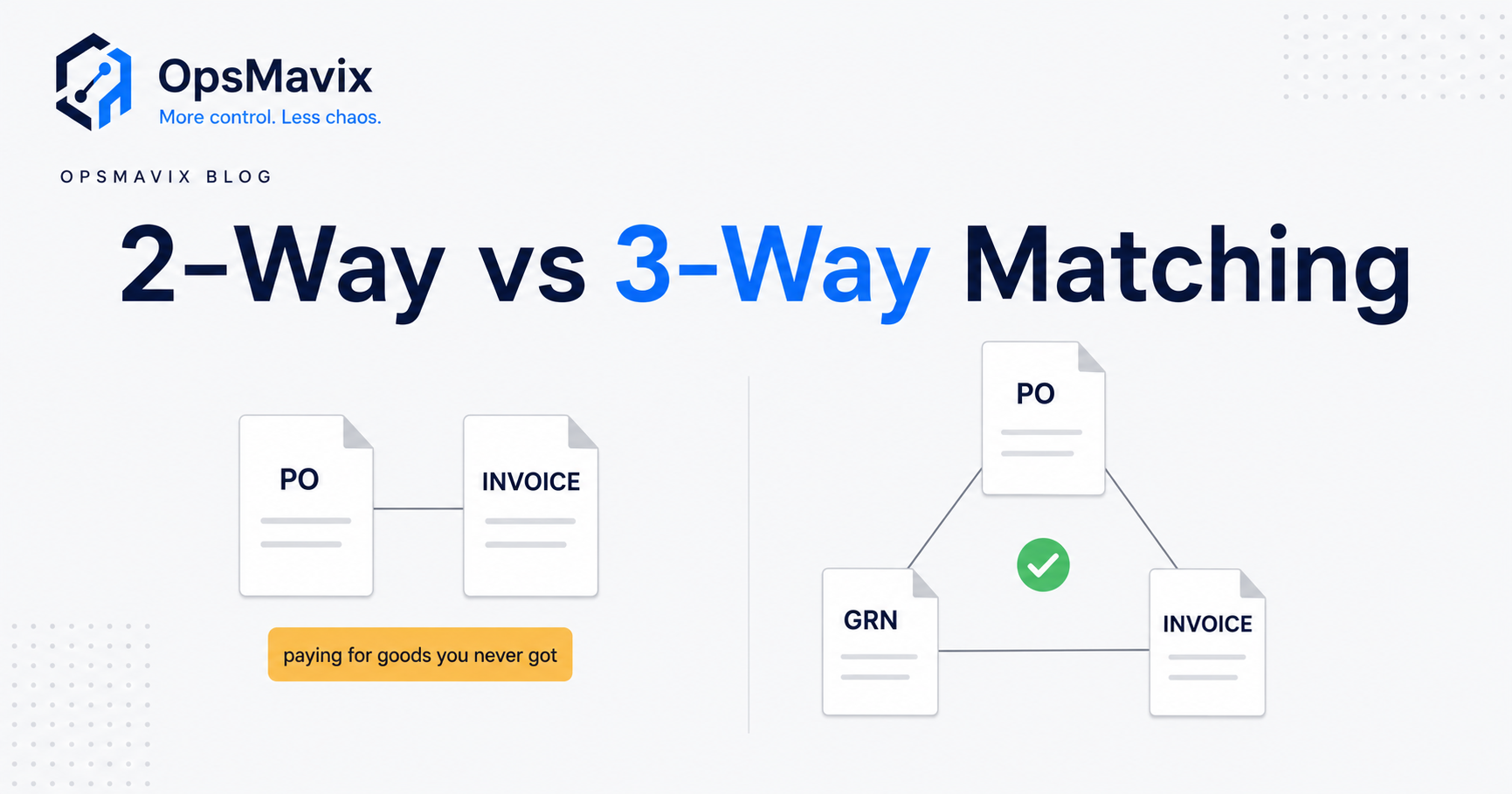
The goods receiving process and three-way matching guides cover the controls in detail. If you are choosing a matching approach, see 2-way vs 3-way matching.
Track the exception rate on its own
Count exceptions as a share of orders each month and record the main cause. In the model, cutting the exception rate from 20% to 8% saves 30 × 12% = 3.6 minutes per order, or 3.6 × £0.35 = £1.26 per order, which is £3,024 a year at 2,400 orders, before any change to other activities.
7. Compare Ways to Lower the Cost per Order
Match the approach to what the model shows
Your activity table points to the biggest lines. Fix those first, and choose the lightest approach that addresses them.
| Approach | When it fits | Limitations to check |
|---|---|---|
| Change policy and routing | Approval or ordering steps add little control | Needs agreement from budget holders and finance |
| Configure current tools | Your accounting or ERP system already supports approvals or matching | Edition, user licences, permissions and usability |
| Connect existing systems | Requests, orders, receipts and invoices sit in separate tools | Record ownership, error handling and reconciliation |
| Packaged purchasing software | Standard request, approval and matching flows fit your process | Fit with your rules, integration and ongoing subscription cost |
| Focused custom application | The process depends on stock, sites or projects that packaged tools cannot see | Support, maintenance, hosting and data ownership |
| Full ERP, packaged or custom | Wider coordination needs justify broader change | Migration, training, delivery capacity and continuity |
Packaged tools handle standard purchasing flows well for many businesses. Our guides to purchase order management software and purchase order systems for small business discuss the options. Sometimes a policy change, such as allowing pre-approved suppliers below a threshold, is the cheapest fix.
Worked example: a hypothetical improvement scenario
HYPOTHETICAL: after changes, the same business sees these timings.
| Activity | Before (minutes × share) | After (minutes × share) | After cost per order |
|---|---|---|---|
| Raise and check request | 6 × 100% | 4 × 100% | £1.40 |
| Approve request | 3 × 100% | 3 × 50% | £0.80 |
| Create and send PO | 8 × 100% | 4 × 100% | £1.40 |
| Confirm and chase supplier | 12 × 40% | 12 × 25% | £1.05 |
| Receive and record goods | 7 × 100% | 5 × 100% | £1.75 |
| Match and post invoice | 6 × 100% | 2 × 100% | £0.70 |
| Resolve exceptions | 30 × 20% | 30 × 8% | £0.84 |
| Payment run share | 2 × 100% | 2 × 100% | £0.70 |
| Tools share | £1.50 | £1.50 | £1.50 |
| Total | £17.03 | £10.14 |
- Operations minutes after: 4 + 4 + 3 + 5 + 2 + 2.4 + 2 = 22.4, and 22.4 × £0.35 = £7.84.
- Approval after: 1.5 minutes × £0.5333 = £0.80.
- Total: £7.84 + £0.80 + £1.50 = £10.14 per order.
- Annual: £10.14 × 2,400 = £24,336, compared with £40,872.
- Difference: £40,872 - £24,336 = £16,536 a year.
The tools share is held at £1.50 for comparison. If the change needs new software, add its full annual cost to the after figure before comparing.
Capacity is not the same as cash
Minutes saved per order: 42.8 - 23.9 = 18.9. Across 2,400 orders that is 45,360 minutes, or 756 hours. That time is already paid for. It becomes a cash saving only if it reduces overtime, temporary staff or future hiring; otherwise it is capacity you can redirect. Present both views.
8. Track the Measure After Every Change
Keep a small set of measures
| Measure | How to calculate | Why it matters |
|---|---|---|
| Cost per order | Total activity cost ÷ orders processed | The headline figure |
| Touch minutes per order | Sum of expected minutes per activity | Shows effort independent of pay rates |
| Exception rate | Orders with an exception ÷ all orders | Often the biggest lever |
| Chase rate | Orders needing a chase ÷ all orders | Points to supplier or communication issues |
| Orders without a PO at invoice | Invoices with no PO ÷ all invoices | Shows off-process buying |
| Share of low-value orders | Orders under your chosen threshold ÷ all orders | Highlights consolidation opportunities |
Refresh the model on a routine
Repeat the timing sample after each change and at least once a year. Update loaded rates when pay, National Insurance or pension terms change. Keep the boundary from section 1 fixed so figures stay comparable.
Review checklist
- The activity list still matches how the process actually runs.
- Each timing has a source: log, observation or system data.
- Loaded rates reflect current pay and employer costs.
- Exception causes are recorded, not just counted.
- Capacity and cash effects are reported separately.
- Delay costs remain in their own analysis.
- A named owner reviews the figures each quarter.
A purchase order tracking system that records each stage makes much of this routine instead of a one-off exercise.
Frequently Asked Questions
What is the cost of a purchase order?
It is the total cost of processing one order from request to payment, mainly the staff time involved plus a share of tools and rework. It does not include the price of the goods.
Is there a reliable average cost per purchase order?
Published figures vary widely and often rely on assumptions you cannot check. Your own timed model, even a rough one, is more useful because it reflects your roles, rates and exception levels and shows what to change.
How do I calculate the cost of processing a purchase order?
List each activity, measure touch time, multiply by how often it happens, price the minutes with a loaded rate per role and add any tool costs you choose to include. Divide annual totals by the number of orders processed.
Should approval waiting time be included?
No. Include the approver’s decision time. The cost of waiting, such as expedite fees or stoppages, is better tracked separately so each figure points to its own fix.
Does the order value change the processing cost?
Usually very little. The steps are similar regardless of value, so low-value orders cost a larger share of their own value to process. Consolidating or pre-approving routine low-value buying often helps.
Will reducing minutes per order save money?
It frees capacity. It saves cash only when that capacity reduces overtime, temporary staff or future hiring, so report the two effects separately.
Do I need new software to reduce the cost?
Not always. Policy changes and better use of current tools can reduce several lines. Software helps when requests, orders, receipts and invoices sit in separate places or when exceptions cannot be traced.
Can OpsMavix build a purchase order system?
Yes. OpsMavix can build focused applications or a full custom ERP, and can configure or integrate suitable existing tools where those approaches fit the requirements.
How OpsMavix Can Help
OpsMavix can help you map the activities behind each purchase order, identify where touch time and exceptions build up, and connect requests, orders, receipts and invoices so fewer orders need manual handling.
That may mean configuring tools you already use, adding invoice approval workflow automation, linking purchasing to stock through an inventory automation system, connecting supplier orders to wholesale order management or building a full custom ERP.
Contact OpsMavix with one recent purchase order that needed rework, the records behind it and the handoff that creates the most rework. We can use that evidence to define requirements and a practical pilot.
Keep reading
Getting value from OpsMavix? Add us as a preferred source on Google — you'll see more of our operations content in your AI Overviews, AI Mode and Search.