
Operations Management System: What It Is and How to Choose One
An operations management system is the software that actually runs your day-to-day operations — orders, stock, production and reporting — in one place, instead of scattered across spreadsheets and apps that don't talk. This post is about choosing one: what it should cover, where the line sits against a full ERP, and how to pick a right-sized system without over-buying.
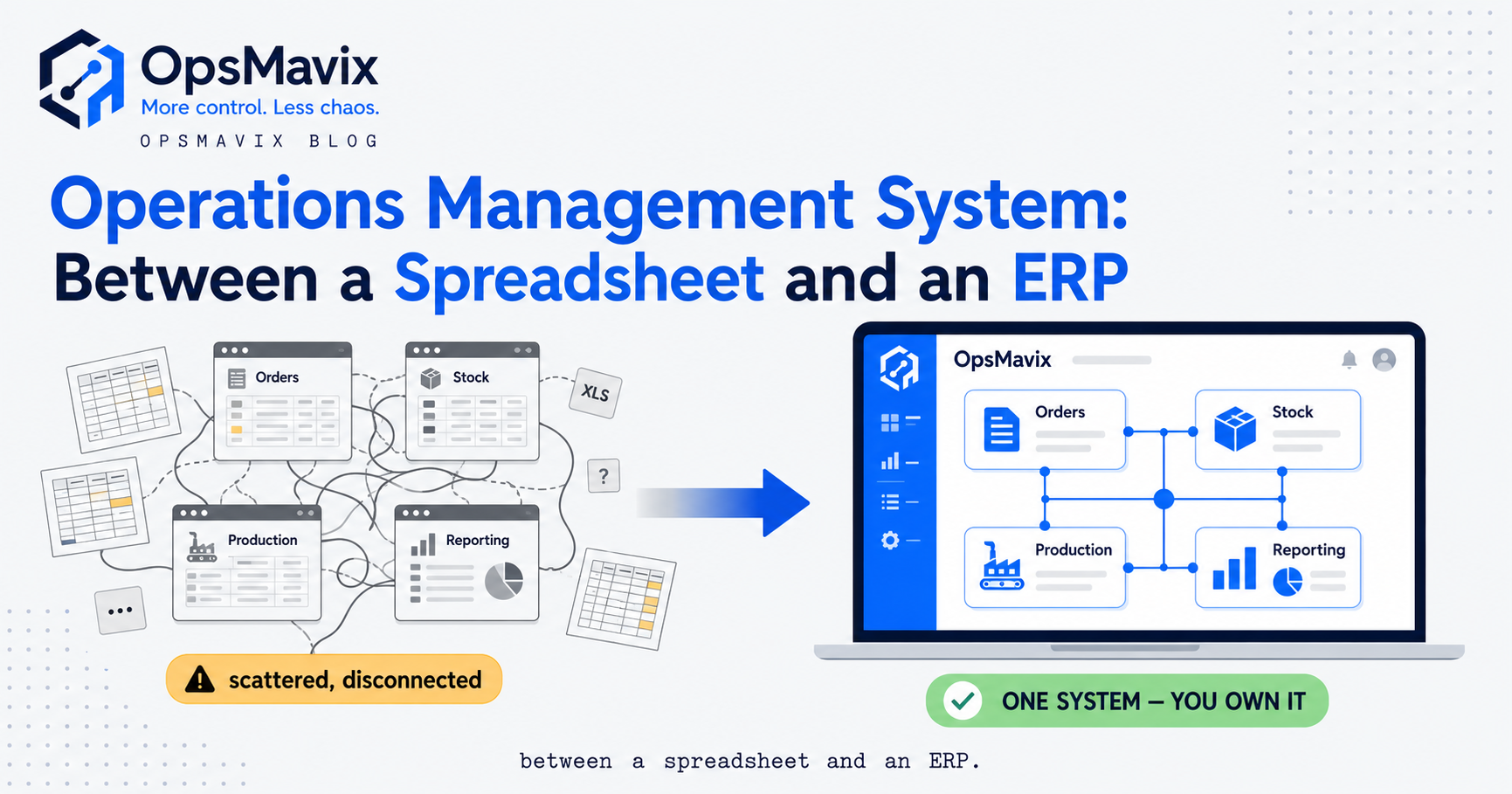
An operations management system is the software that runs your day-to-day operations — orders, stock, production and reporting — from one place, instead of scattered across spreadsheets and apps that don’t talk to each other. When someone searches for one, they’re not after a definition; they want to work out what to buy or build to stop the daily mess: the order re-keyed into three tools, the stock figure nobody trusts, the report rebuilt by hand. This post is about that choice — what the system should cover, where it sits against an ERP, and how to pick one without paying for a platform three sizes too big.
We’ve written the plain-English what is it elsewhere, so we won’t re-teach the concept — for the ground-up version, start with what an operations system is and come back. Here the spine is selection: the modules that matter, the honest line between a right-sized system and an enterprise one, and the point where a couple of well-kept spreadsheets genuinely still beat any software you could buy.
Key Takeaways
- An operations management system runs orders, stock, production and reporting off one shared set of numbers — the thing you buy or build to stop the re-keying, not a concept to admire.
- The core it should cover is narrow: inventory, orders (sales and purchase), production for anyone who makes things, and reporting that pulls the lot together. Not finance, HR or a general ledger.
- It sits between spreadsheets and a full ERP — more capable than a pile of workbooks, far lighter than an enterprise platform you configure for a year and grow into.
- Off-the-shelf makes you bend to the software; a right-sized system is built around how you work and you own it — no per-seat tax as the team grows, no vendor that can sunset it.
- You need one when the workarounds cost more than the fix — re-keying, mismatched numbers, one person holding the master spreadsheet — not because you hit a certain headcount.
- The honest floor: a very small, simple business often runs fine on two or three well-kept spreadsheets. The system earns itself when volume, locations, channels or people break what one person can hold in their head.
What an Operations Management System Actually Is (Practically)
Practically, an operations management system is the one place your operational data lives and moves. A sale is captured once; stock drops, the reorder figure updates, the report reflects it — all from that single entry. Nobody copies the number into a second tool because there is no second tool.
The word “system” is doing real work there. A spreadsheet, an inbox, an accounts package are all tools; a system is what makes them behave as one connected thing. Most growing businesses don’t have that — they have four or five good tools that know nothing about each other, held together by a person re-typing between them. So when you shop for an “operational management system,” you’re shopping for that connection — and one with fewer bells that everyone trusts beats a feature-rich one that still needs a spreadsheet on the side to reconcile it.
What It Should Cover — The Core Modules
Operations management systems can sprawl, so be concrete about the core: for most growing businesses it’s four clusters of work, and you rarely switch them all on at once.
Inventory and stock. One live figure that matches the shelf — across locations, bins, batches and channels. Goods in, goods out, transfers, stock takes, and reconciling the recorded number against the physical one. This is where most businesses start, because a wrong number costs real money: an oversell, a stockout, a customer told “yes” on stock you don’t have. It usually lands as inventory that stops drifting from the shelf.
Orders — sales and purchase. The life of an order in both directions: a customer order captured, allocated, picked, packed, shipped and invoiced; a purchase order raised, sent, received and matched. The failure mode is re-keying — the same order typed into the website, the stock sheet and the accounts package — and the errors it breeds.
Production. For anyone who makes things: job status, due dates and work-in-progress on one screen instead of a whiteboard and a phone call — what’s on the floor versus the plan, and whether a run has its materials before it starts rather than after it stalls.
Reporting. The numbers from all of the above pulled into a view that updates itself — one operations dashboard everyone trusts — instead of someone rebuilding the same workbook every month-end.
Notice what’s not on that list: general ledger, payroll, HR. Those are finance and people systems, and keeping the boundary clear is half of not over-buying.
Operations Management System vs ERP — Where the Line Sits
An ERP is the big all-in-one platform — finance, HR, supply chain, one database for the whole enterprise. An operations management system does the operational core — the four modules above — sized to a growing business, without the general ledger, the year-long rollout, or the modules you configure and never open. Both can run inventory and orders; the difference is everything wrapped around them.
The line matters most for sequencing, because the two rarely break at the same time. Growing firms almost always hit the operational ceiling first — the spreadsheets running stock and orders buckle under volume long before the accounting package fails. So the pain that sends people looking for a system is operational, and fixing it by buying a full ERP means paying to replace a finance system that was never the problem. We lay out that trade-off in operational systems vs a full ERP, and the category question — do you need the whole platform to get the operations half — in operational ERP.
The practical read: if only your operations hurt and your accounting is fine, a system feeding your existing accounts is the right size. If your finance core is failing too — the close takes forever, multi-entity consolidation is a manual nightmare — then you have a whole-business problem and an ERP is the honest answer. Buying the whole thing to fix half of it is the expensive mistake; refusing it when the whole business needs it is the stubborn one.
Operations Management System vs Spreadsheets and Disconnected Tools
Most businesses don’t run on nothing before they buy a system — they run on spreadsheets and a handful of apps that don’t connect, and that’s the real thing a system replaces. Be fair to spreadsheets: they’re flexible, cheap, and everyone can use them, which is why businesses ride them years too long. But a spreadsheet can’t update itself when something happens elsewhere, can’t stop two people overwriting each other’s numbers, and the knowledge of how the whole workbook fits together lives in one head — the place runs fine until the one person who understands the master sheet goes on holiday, and suddenly nobody can answer where an order is.
The disconnected-tools version is subtler because each tool works fine on its own; the leak is in the gaps between them, where a human carries data across and every carry can drop or corrupt a number. A system keeps the “built around how we work” flexibility but adds real-time updates and one shared figure — often it doesn’t replace the good tools, it makes them share one set of numbers.
Off-the-Shelf vs a Right-Sized System You Own
Once you accept you need a system, the fork is build versus buy. Off-the-shelf operations software is quick to start and genuinely fits some businesses — if a packaged tool matches how you already work, buy it and move on. The trouble comes when your process doesn’t match the template: you bend the business to fit the software with workarounds, fields used for the wrong thing, and spreadsheets on the side to patch what the tool won’t do. You’ve bought a system and kept the mess, now with a monthly fee attached.
A right-sized custom system is built around how you work: the stock model that matches your locations and channels, the order flow that matches how your orders really move, the production tracking that matches your floor. This isn’t a “cheaper clone” of an off-the-shelf tool — it’s a different bet: you trade a fast start for a system that fits and that you own, with no per-seat tax as the team grows and no vendor that can reprice it or switch it off. The OpsMavix view is plain — don’t replace tools on principle, and don’t buy more system than the problem. The test is rarely a feature: before, a status question means someone opens three tabs and half-guesses; after, it’s one screen and one answer, and the answer is right.
Signs You Actually Need One — and When You Honestly Don’t
You don’t need an operations management system because you’ve hit a headcount. You need it when the manual workarounds start costing more than the fix. The clearest tells:
- You re-type the same data into more than one tool.
- You don’t fully trust your own stock, order or production numbers.
- A simple status question, or month-end, means rebuilding a report by hand.
- One person is the only one who understands the master spreadsheet.
- You’re overselling, sitting on dead stock, or finding out about slipped jobs from the customer.
If several of those are familiar, the spreadsheets are already the bottleneck — the full list is in the signs you need operational systems.
Now the honest bit, because most software sites skip it. A very small, simple business often runs fine on two or three well-kept spreadsheets, and a system would be strictly worse — more cost and setup for a problem you don’t have yet. If one person can hold the operation in their head, the numbers rarely disagree, and nothing important gets carried between tools more than once, you haven’t outgrown spreadsheets. The system earns itself where volume, SKUs, locations, channels or people break what one head and a workbook can hold — where the re-keying and mismatches start costing real hours and real sales. Buy before that and you pay to solve a future problem; buy well after and you’ve already leaked more than the fix costs.
How to Choose One Without Over-Buying
Choosing well is mostly about resisting the pull to buy big. Work it in this order.
Start from the leak. Name the one area costing you most today — usually stock or order re-keying — in hours and money. That’s your first module. A system that fixes the loudest leak beats a platform that does everything adequately and nothing brilliantly.
Match scope to the pain, then stop. You don’t need all four modules on day one. Connect the part that hurts, prove the value, then expand as the need shows up. Every module you switch on before you need it is cost for nothing.
Check the boundary. If a quote includes a general ledger, payroll or HR, ask why an operations problem needs a finance platform to fix it. Often it doesn’t — the system should feed the accounting you already trust, not replace it.
Weigh ownership honestly. Off-the-shelf if a packaged tool genuinely fits and a quick start matters most. Right-sized and owned if your process needs constant workarounds to fit someone else’s template, or if per-seat fees and lock-in will bite as you grow. Both are valid; the wrong one is chosen without asking the question.
FAQ
What is an operations management system?
It’s the software that runs a business’s day-to-day operations — inventory, orders, production and reporting — off one shared set of live numbers, so a single entry updates everywhere instead of being re-typed into separate tools. It’s the connected layer between outgrown spreadsheets and a full ERP.
What’s the difference between an operations management system and an ERP?
An ERP is the all-in-one platform covering finance, HR and supply chain for the whole enterprise. An operations management system does the operational core — stock, orders, production, reporting — sized to a growing business, without the general ledger, the long implementation or the modules you never open. Most growing firms hit the operational ceiling first while their accounting is still fine, which is why a system feeding your existing accounts is usually the right size.
What should an operations management system include?
Inventory and stock, sales and purchase orders, production tracking for anyone who makes things, and reporting that pulls the three together. It should not need to include finance, payroll or HR — those are separate systems, and bundling them in is how the cost triples for capability you don’t need.
Do I need an operations management system, or will spreadsheets do?
Spreadsheets are fine until they’re running live operations across a team. If you re-key the same data into several tools, can’t trust your own numbers, or depend on one person’s master workbook, you’ve outgrown them. But a very small, simple business often runs perfectly well on two or three well-kept spreadsheets — the system earns itself only when volume, locations, channels or people break what one person can hold in their head.
How OpsMavix Can Help
OpsMavix builds right-sized operations management systems for businesses that have outgrown spreadsheets but aren’t ready for a full ERP. We start from the leak — the one area costing you most in re-keying, wrong stock or late decisions — connect it so the numbers are trustworthy, then expand into stock, orders, production and reporting as the need shows up. It’s a system built around how you work and yours to keep, not a platform you rent and bend to.
If you’re weighing what to buy or build and don’t want to over-spend on a system three sizes too big, start by seeing the leak in numbers. Book a Free Operations Leak Audit.
Keep reading
Getting value from OpsMavix? Add us as a preferred source on Google — you'll see more of our operations content in your AI Overviews, AI Mode and Search.