
Small Business ERP Software UK: Options and Buying Guide
Compare the best ERP software for UK small businesses and learn how leading systems connect finance, stock, sales, purchasing, CRM, manufacturing and reporting in one platform.
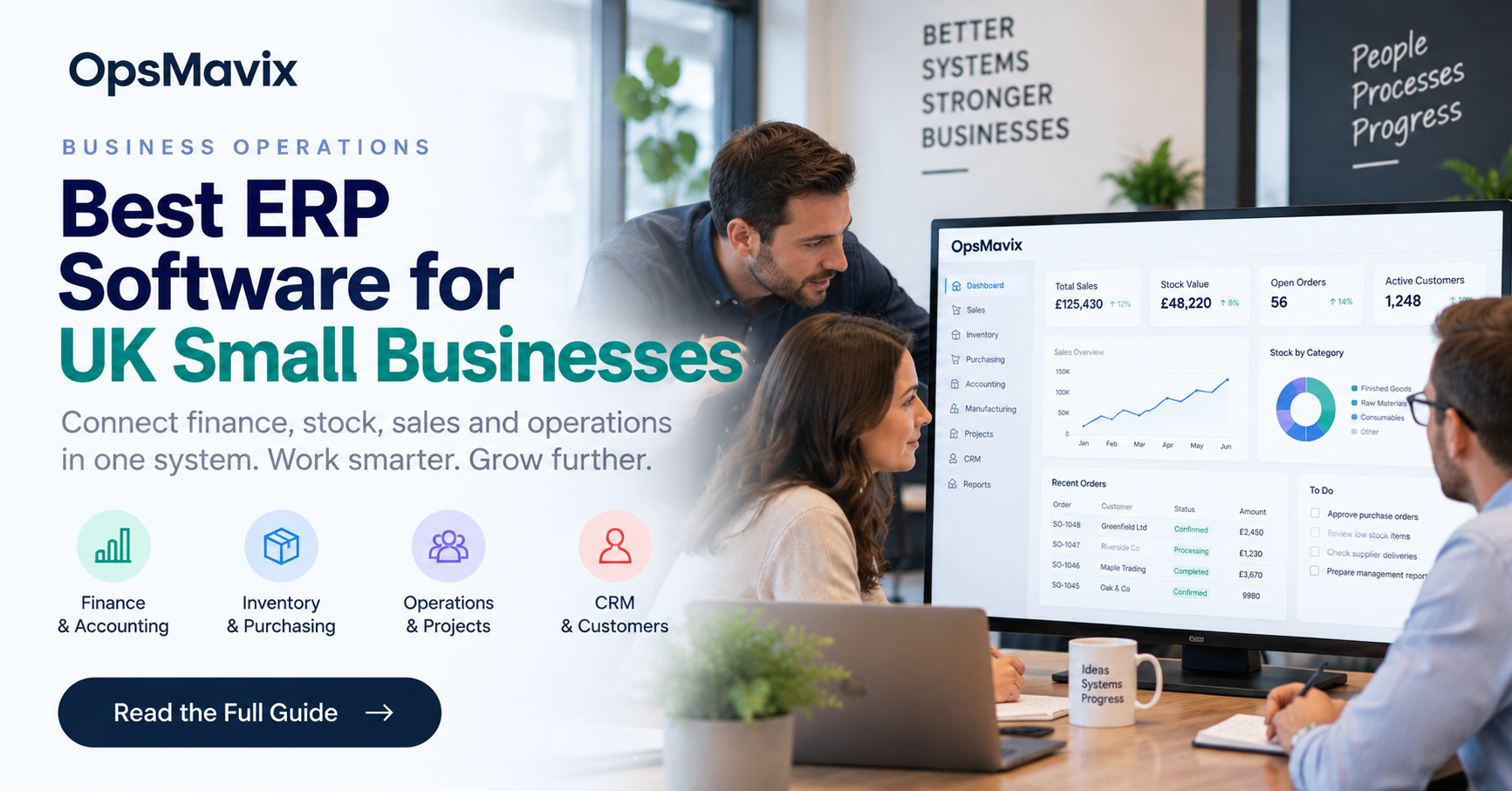
ERP for small business: the five routes compared
| Route | Fits when | Typical cost shape (UK) | Where it breaks |
|---|---|---|---|
| Configure current tools (Xero + stock app) | Finance works; the gap is stock or order capture | Low setup, existing subscriptions | A critical process still has no home |
| Packaged SME ERP: Business Central | Standard finance + operations, Microsoft shop | Per-user monthly licence plus partner implementation | Manufacturing and extensions add cost fast |
| Packaged SME ERP: Odoo | Modular needs, willing to configure | Per-user monthly, apps priced separately | App dependencies and custom-module support |
| Packaged SME ERP: Sage 200 / NetSuite | UK finance depth (Sage) or multi-entity cloud (NetSuite) | Module-based or annual contract plus implementation | Scope creep; implementation responsibility |
| Owned custom system (OpsMavix) | One or two processes packaged tools fit poorly | Fixed-price build, no per-seat fees | Scope must be agreed before build |
Sections 1 to 8 below walk through how to test each route on your own orders.
Small business ERP software connects sales, purchasing, stock and finance. The best option is the one that supports your actual work at a sustainable total cost.
Two businesses with the same headcount may need very different systems. Start with the transactions and decisions that must connect. Then give each supplier the same demonstration script.
This guide compares software approaches and explains how UK buyers can test fit, costs and implementation readiness.
A small business can need substantial operational control without needing every module in a large suite. Another business of the same size may require several companies, manufacturing, traceability or complex customer pricing. Employee count alone is a poor guide to the right ERP scope.
This guide provides a balanced shortlist and a practical buying process. It considers configuring existing software, connecting specialist applications, adopting a packaged ERP and building a focused custom system or full ERP. It does not rank suppliers using invented demand metrics, prices or implementation success rates.

An ERP decision should follow the stock, orders and financial records the business actually needs to coordinate. Illustrative photograph, not an OpsMavix client.
Image credit: FIONASUN, CC0 1.0. Displayed at a reduced size; no additional edits.
Key Takeaways
- Define your critical workflows before collecting vendor feature lists.
- Compare named products as candidates to test, rather than universal winners.
- Verify UK finance requirements in the exact edition and configuration proposed.
- Include migration, integration, training, support and retained manual work in total cost.
- Test exceptions, exports and failed updates as well as the normal transaction flow.
- Choose a phased implementation with named owners and measurable acceptance criteria.
In this guide:
- 1. Establish What You Need an ERP to Connect
- 2. Build a Shortlist Around Demonstrated Fit
- 3. Verify UK Finance and Operational Requirements
- 4. Demonstrate the Exceptions Before Buying
- 5. Assess Integration and Data Ownership
- 6. Compare Complete Costs Without False Savings
- 7. Plan a Manageable Implementation
- 8. Choose the Smallest Complete Route
- Frequently Asked Questions
- How OpsMavix Can Help
1. Establish What You Need an ERP to Connect
Distinguish the problem from the product category
ERP brings related operational and financial processes into a coordinated system. The value depends on whether those links improve your actual work. A company might need sales orders connected to purchasing and stock; a service business might need resource allocation, project costs and invoicing instead.
Write down the failures prompting the search. Examples could be duplicate entry, inconsistent stock, delayed invoices or a project margin that cannot be explained. These are requirements to investigate, not proof that a complete replacement is necessary.
Map one transaction end to end
Follow a representative order from enquiry through acceptance, fulfilment, invoicing and payment. Identify where records are copied, where approval is required and where the process stops when an exception occurs.
| Process | Question for the buyer | Evidence to bring |
|---|---|---|
| Sales | Which prices and terms apply? | Representative quote and accepted order |
| Purchasing | What must be ordered and approved? | Purchase order and receipt |
| Stock | What is held, committed or unavailable? | Movement and count records |
| Production | What resources and materials are consumed? | Bill of materials and completed job |
| Finance | What should post, and when? | Invoice, credit and reconciliation |
| Projects | Which work and cost belong together? | Job reference and actual cost evidence |
The result should be a limited set of must-have workflows. Keep future ambitions separate so an optional module does not determine the whole buying decision.
2. Build a Shortlist Around Demonstrated Fit
Compare candidates fairly
The following products offer different approaches. Their official documentation is a starting point for evaluation, not a substitute for a scoped proposal.
| Candidate | Reason to investigate | Questions to demonstrate |
|---|---|---|
| Microsoft Dynamics 365 Business Central | Coordinated finance and operational processes | Exact licence, manufacturing scope and required extensions |
| Odoo | Modular business applications | Edition, local configuration, app dependencies and custom-module support |
| Sage 200 | UK finance and stock-related processes | Proposed deployment, modules, reporting and operational fit |
| Oracle NetSuite | Cloud ERP and broader financial coordination | Entity needs, module scope, integration and implementation responsibilities |
| ERPNext | Configurable ERP with documented stock transactions | Local finance requirements, hosting, support and maintenance |
Business Central’s overview describes finance, purchasing, inventory and manufacturing functions. For modular platforms such as Odoo, ask the supplier to demonstrate the proposed applications and their dependencies. Confirm the version and commercial scope actually being offered.
Sage 200’s features cover financial and operational management. NetSuite’s UK ERP page describes a cloud business suite. ERPNext’s stock-entry documentation illustrates its material-movement records. None of these pages establishes that your exceptions will work without configuration or additional services.
Do not shortlist by size alone
A small manufacturer might require lot genealogy and subcontract operations. A larger service company might have no physical inventory. Ask for relevant process evidence rather than accepting a generic description such as small business or mid-market as a fit assessment.
Limit the shortlist to a number your team can genuinely evaluate. Repeating the same superficial demonstration with many suppliers creates work without necessarily improving the decision.
3. Verify UK Finance and Operational Requirements
Use your accountant’s acceptance criteria
Ask the finance owner to specify the required tax treatment, reporting, submission arrangements, bank handling and audit records. Check these in the proposed release, edition and configuration. A UK marketing page or GBP currency field is not sufficient evidence.
Use examples covering a normal invoice, credit, partial payment, foreign-currency purchase and any unusual transaction your business performs. Confirm which processes are native, provided by a local extension or handled in a separate service.
This is a procurement checklist, not tax advice. Where a requirement is legal or industry-specific, have the responsible adviser confirm it and the evidence needed.
Keep accounting and physical events distinct
A supplier invoice, purchase order and goods receipt are different records. An ERP should apply your chosen process consistently rather than treating one as a shortcut for another.
For stock-holding firms, test partial receipts, damaged goods and supplier credits. For projects, test costs arriving after an invoice. For manufacturing, compare actual material consumption with the planned bill of materials.
Do not promise that a single platform makes every report identical at every instant. Timing, configuration and reconciliation still matter. Ask how unresolved differences are displayed and assigned.
4. Demonstrate the Exceptions Before Buying
Give suppliers a common test script
Use the same input records and desired outcome with each supplier. An attractive demo using ideal data can hide the work required for your real process.
Suggested tests include:
- A customer-specific price and approval.
- An order shipped in two parts.
- A receipt short of the purchase-order quantity.
- A return that is inspected before becoming available.
- An invoice corrected by a credit.
- A cancelled order with an existing reservation.
- A duplicated integration message.
- A user attempting an action outside their responsibility.
Record the route to each result
Mark each requirement as standard configuration, extension, integration, custom development, manual process or unsupported. Capture the proposed owner and additional cost. These categories matter more than a yes beside a feature name.
Hypothetical comparison: platform A handles the normal order but needs manual work for staged delivery; platform B handles staged delivery directly but requires a finance connector. Compare both complete arrangements. Neither is automatically better because its headline licence is lower.
For a distribution-led business, use your wholesale order workflow as part of the demonstration, including reservations and backorders. The buyer should be able to explain what happens when fulfilment does not go to plan.
5. Assess Integration and Data Ownership

The same item and transaction should remain identifiable across receiving, picking and financial records. Illustrative photograph, not an OpsMavix client.
Image credit: Nenad Stojković / Shixart1985, CC BY 2.0. Displayed at a reduced size; no additional edits.
Assign an authoritative record
Document which application owns products, customer details, prices, stock, invoices and payment status. A shared identifier or mapping is needed when systems use different codes. Avoid two applications independently editing the same stock balance without an agreed reconciliation process.
For each interface, specify the trigger, direction, expected delay and behaviour on failure. Show pending and rejected transactions. A connector that quietly stops can leave a convincing dashboard displaying outdated data.
Test portability practically
Request a sample export with linked records and attachments where relevant. Check whether it preserves identifiers, dates and relationships. A screenshot or PDF report is not a substitute for usable data when another system needs to import it.
For custom software, agree source-code rights, deployment records, credentials, third-party dependencies and the ability to appoint another maintainer. Open source also needs maintenance and operational responsibility; access to code is not the same as a managed service.
Decide who monitors integrations after implementation. Include access renewal, retries, duplicate prevention and vendor changes in the support arrangement.
6. Compare Complete Costs Without False Savings
Include the work around the licence
Ask for itemised allowances for setup, data cleaning, migration, integration, testing, training, hardware where needed and ongoing support. Include paid extensions and the retained manual work.
Obtain current written pricing for your scope. Avoid assuming a published entry price includes the implementation, all users or every operational module.
Use a transparent model
Hypothetical three-year model: administration is valued at £30 an hour for 48 weeks each year. These figures are illustrative allowances, not vendor prices or OpsMavix quotations.
| Component | Configure current tools | Adopt a packaged ERP |
|---|---|---|
| Initial project | £8,000 | £20,000 |
| Annual software and support | £3,000 | £6,000 |
| Remaining administration each week | 5 hours | 2 hours |
| Administration over three years | £21,600 | £8,640 |
| Recurring allowance over three years | £9,000 | £18,000 |
| Total modelled cost | £38,600 | £46,640 |
The ERP costs more in this example despite reducing administration. It needs other evidenced value to justify the difference. Released staff capacity is not automatically cash, and the model excludes costs not included in the allowances.
Add a custom option using a real scoped proposal rather than a convenient assumed price. Compare approaches over the same period and test how changed volumes, support needs or remaining work affect the result.
7. Plan a Manageable Implementation
Put ownership beside scope
Assign a business owner for each process and a decision-maker for conflicting requirements. The supplier should not have to guess how stock adjustments, customer credit or purchasing approval should operate.
Agree what goes live first and what remains outside the system temporarily. A phase should have a coherent working flow, rather than isolated modules that require the team to enter everything twice indefinitely.
Prepare migration and acceptance
Clean duplicate products and customers, define opening quantities and balances, and preserve historical references. Reconcile open orders, purchase orders and unpaid documents before cutover.
Acceptance should demonstrate that representative transactions produce the expected operational and financial records. Include permissions, exports, backups and recovery. Training should use the same exceptions staff will handle after launch.
Do not select a fixed go-live date without checking the data and people needed to support it. A deadline is useful when it comes with readiness criteria and a clear decision on unresolved items.
8. Choose the Smallest Complete Route
Consider configuration and integration first
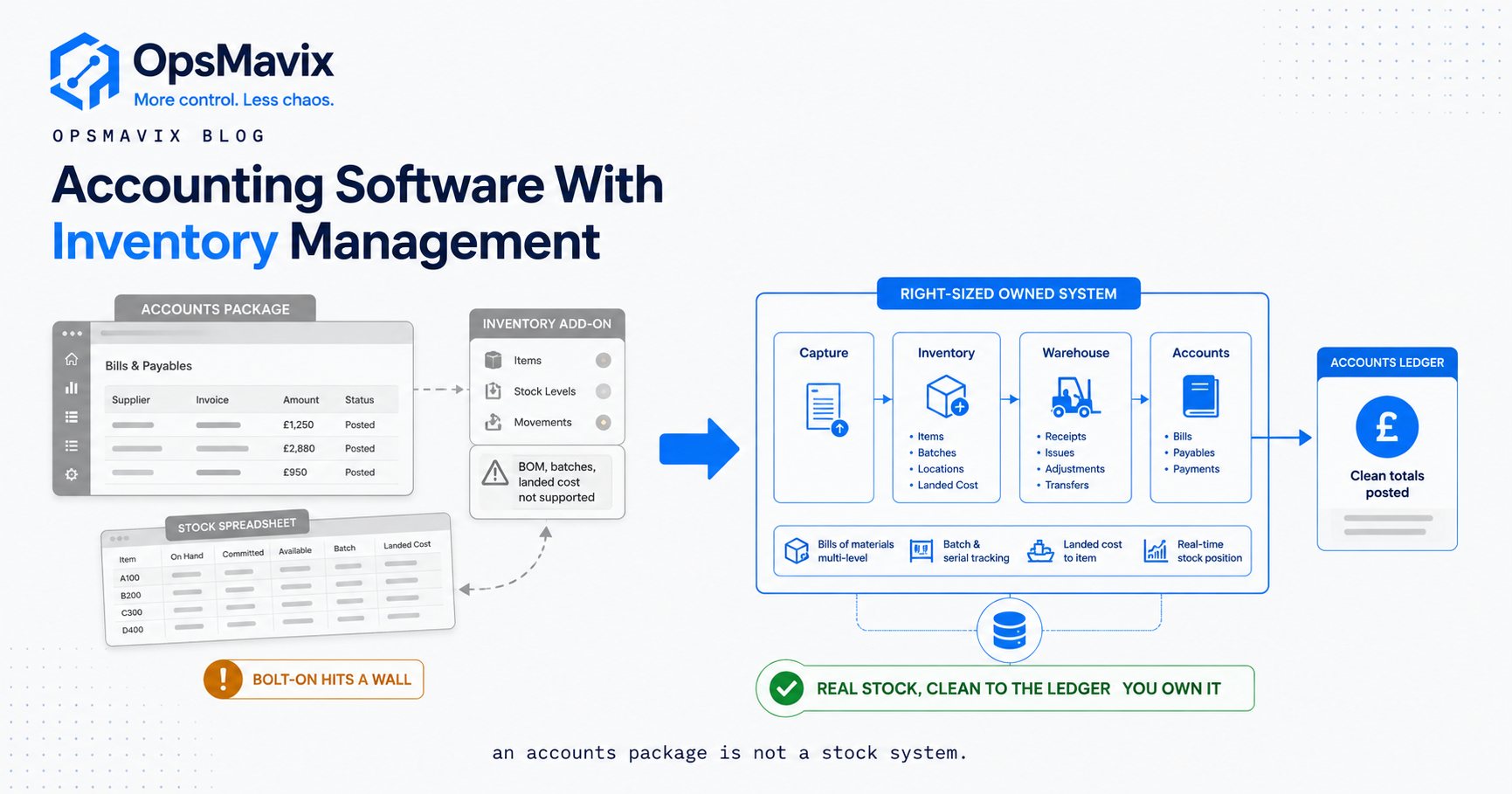
If current finance software works and the main gap is stock capture, a connected inventory application may be sufficient. If several processes are disconnected and create repeated reconciliation, a broader ERP may be justified.
| Route | Appropriate when | Main risk to test |
|---|---|---|
| Configure current tools | Capabilities exist but are unused | The revised process still leaves a critical gap |
| Integrate specialist applications | Each tool fits its work | Ownership, update timing and failed handoffs |
| Packaged ERP | Standard workflows cover most requirements | Extensions and migration effort |
| Focused custom application | A specific valuable process remains unsupported | Scope growth and ongoing maintenance |
| Full custom ERP | Broad requirements justify a tailored platform | Delivery capacity, support and practical handover |
Record the final decision
Keep the agreed scope, demonstrated gaps, cost assumptions and acceptance tests together. Explain why the chosen route fits better than the alternatives. The result should be reviewable by someone who did not attend the sales demonstrations.
Pilot the most consequential uncertain workflow before extending the commitment. Choosing the smallest complete route means covering the real requirement, including its exceptions and support, without buying unnecessary complexity.
Cloud ERP for small business: decide what belongs in phase one
ERP for small business should connect a complete workflow. A lightweight ERP project can start with orders, purchasing, stock and a clear finance handoff. Small scope is useful only when the whole chosen process works.
When comparing ERP solutions for small business, ask which records the finance team needs each day. ERP accounting software may hold the ledger inside the platform. Another arrangement may retain an existing accounting tool. Confirm how financial data reconciles in either case.
Enterprise resource planning software for small business also requires data migration. Choose which customer, supplier, item and opening records move. Run a trial import and reconcile the results before cutover.
Cloud-based ERP changes the hosting arrangement, but not the need for training or reliable inputs. Ask ERP vendors to show how a failed update is detected and recovered. A real-time dashboard must identify stale or pending records.
ERP for small companies is a buying category, not a promise of simplicity. Compare ERP companies on evidence from your own orders, support responsibilities and the cost of maintaining the agreed setup.
Give distributors a stock-to-finance acceptance test
For a distributor, a useful ERP demonstration follows goods from purchase receipt to customer shipment and credit. Include pack conversions, stock reservations and a late supplier charge. Check what remains provisional and how the figures reconcile.
Our distribution accounting comparison provides a worked cost example and compares keeping the ledger with replacing it. Use the wholesale inventory software checklist to test the operational detail alongside finance.
Frequently Asked Questions
What is the best ERP software for a small UK business?
There is no universal winner. Compare the actual processes, UK finance requirements, implementation capacity and complete cost using representative transactions.
Is accounting software already an ERP?
Some accounting products include wider operational functions, but the label alone does not establish coverage. Check whether your orders, purchasing, stock or projects are coordinated as required.
Should we choose Business Central or Odoo?
Demonstrate the same workflow in the exact editions proposed. Compare configuration, extensions, integrations and support rather than selecting by brand familiarity alone.
Is open-source ERP free to run?
Not necessarily. Hosting, configuration, migration, maintenance and support still require resources. Confirm both licence rights and the operating responsibilities.
Do small businesses need manufacturing modules?
Only where their production process requires them. Bills of materials, actual consumption, resources and traceability should be assessed using representative jobs.
Can we keep our current accounting platform?
Potentially. An integrated operational system can retain finance in an existing tool if ownership, transaction mapping and reconciliation are reliable.
Does ERP guarantee accurate stock?
No. Missed movements, incorrect units and poor item data can still create discrepancies. The software needs a workable capture and reconciliation routine.
How should we compare ERP costs?
Include implementation, migration, interfaces, training, recurring services and retained manual work over the same period. Use scoped prices and distinguish capacity from cash savings.
Can OpsMavix build a complete ERP?
Yes. OpsMavix can configure or connect existing systems, build focused applications or develop a full custom ERP when the scope and business case support it.
How OpsMavix Can Help
OpsMavix starts with the transactions and decisions your systems need to support. We assess existing configuration, integration, packaged options and custom development against demonstrated gaps.
For stock and order-led businesses, this can include inventory automation and wholesale order management. For manufacturers, it can include production tracking. We can also build a full custom ERP where broader finance and operational requirements justify it.
Contact OpsMavix with one end-to-end transaction, the manual handoffs and the decisions you cannot currently make reliably. We can define the gap and a practical comparison or pilot.
Keep reading
Getting value from OpsMavix? Add us as a preferred source on Google — you'll see more of our operations content in your AI Overviews, AI Mode and Search.