
Odoo for Inventory: Powerful, and Often Too Much
Odoo Inventory is a genuinely deep stock and warehouse module — routes, putaway rules, multi-step flows, reordering, lot and serial tracking, the lot. The trouble for a smaller business isn't capability, it's fit: you inherit a configuration project instead of a working system, get warehouse-grade depth where you needed a clear count, and awkward gaps where your operation is actually specific. Here's what Odoo Inventory really does, where it overshoots an SME, and what a right-sized stock system does instead.
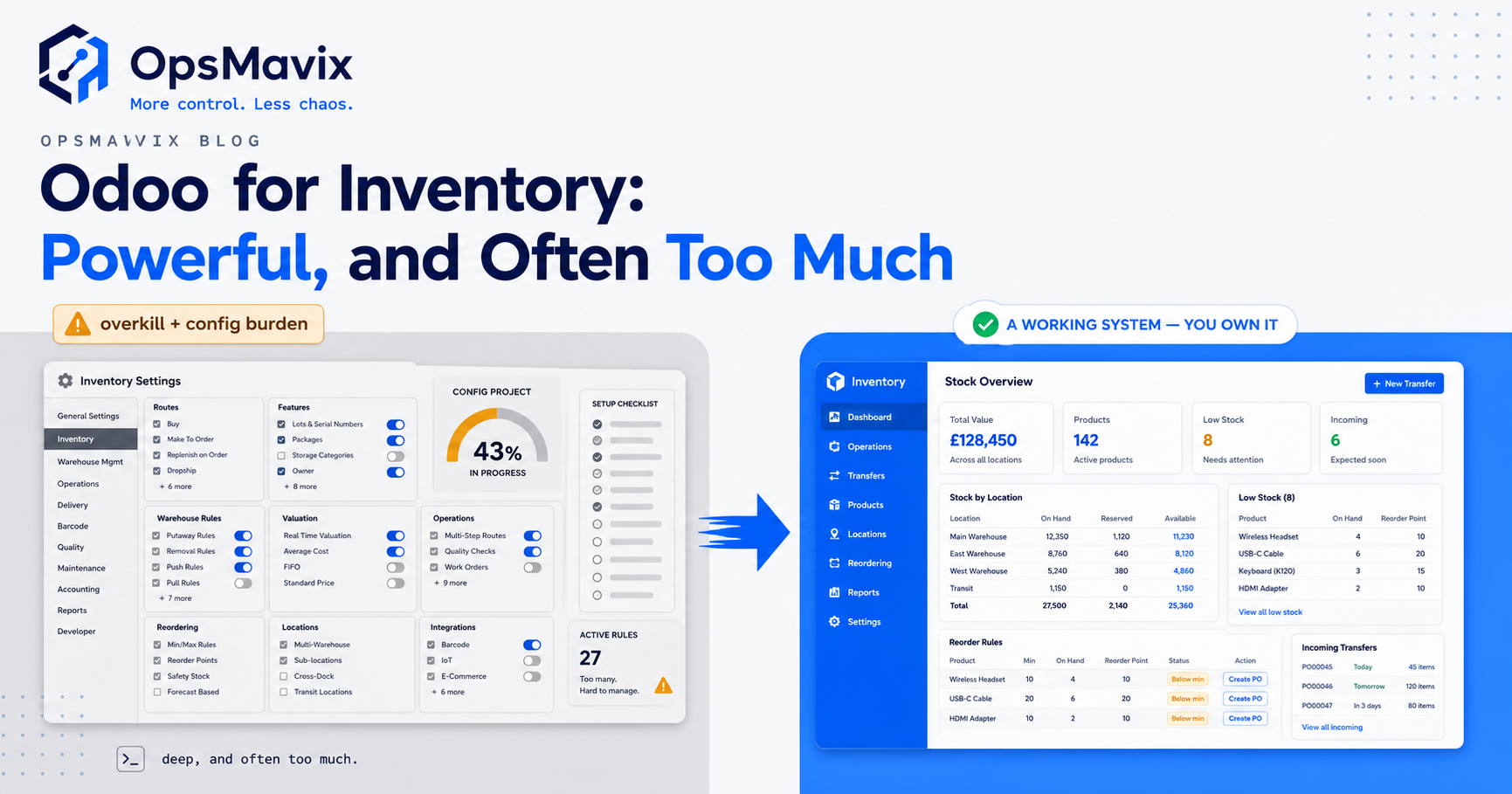
Odoo Inventory is one of the most capable stock and warehouse modules you can buy at SME prices — barcode operations, multi-warehouse transfers, push/pull routes, putaway rules, automated reordering, lot and serial tracking, FIFO/AVCO valuation and a stack of warehouse strategies most small operators will never touch. If you searched “odoo inventory” because you’re weighing it up for stock control, start from that fact: the capability is real and it’s not the problem. The problem, for a lot of businesses, is fit. A module built to handle a 3PL’s multi-step warehouse can be a heavy, awkward thing to bend around a business that just needs to know what it has, where it is, and when to reorder.
This post is about that gap. Not “is Odoo Inventory any good” — it is — but “is it the right shape for how you actually run stock.” The honest answer for a mid-sized operation is often that you’ll use a fifth of what’s there, spend a configuration project standing the rest up, and still hit a spot where your real-world quirk has no clean home. We’ll walk what the module does, where it overshoots and underfits an SME, the multi-location and replenishment reality, and what a right-sized system does differently — and we’ll be fair about when the suite module is genuinely the correct call.
Key Takeaways
- Odoo Inventory is deep, not weak — routes, putaway, multi-step flows, reordering rules, lot/serial tracking and multiple valuation methods are all there, at a price point most SMEs can reach.
- The cost isn’t the licence, it’s the configuration — the module ships as a toolkit, and turning that toolkit into a working stock system for your operation is a project, not a switch you flip.
- SMEs get depth and gaps in the wrong places — warehouse-grade routing where you needed a clean count, and awkward or absent handling where your operation is genuinely specific.
- Multi-location and replenishment are powerful but assume you’ll model your flow in Odoo’s terms — operation types, routes, per-warehouse reordering rules — before it does anything clever for you.
- A right-sized stock system starts from your flow, not a warehouse template — the count, the reorder points and the locations you actually use, without the modules you don’t.
- If you’re already all-in on the Odoo suite, use its module — the integration with sales, purchasing and accounting is the whole point, and a separate system would be a step backwards.
What Odoo Inventory Actually Does
Give Odoo its due first, because the depth is the context for everything that follows. Odoo Inventory is a full stock and warehouse management module. It runs barcode-driven receipts, picks and adjustments; tracks products by lot or serial from supplier to customer; manages transfers across multiple warehouses; and values stock with FIFO, average cost (AVCO) or standard costing. On top of that sits the warehouse machinery: putaway rules that route an incoming product to the right storage location by product, category or package type; push/pull routes that define how stock flows through your supply chain and trigger buys, manufactures or internal transfers; reordering rules that fire a purchase or manufacturing order when forecasted stock drops below a minimum; cycle counts scheduled on your important locations; and removal strategies like FEFO and closest location for picking.
That is a proper warehouse toolkit, and Odoo’s own feature list reaches further still — drop-shipping, cross-docking, subcontracting with quality checks, batch picking, landed-cost calculations, 3PL integration over API. It genuinely works. The catch hides in plain sight: a module with this many capabilities is a module you have to configure, and most of those capabilities are switches that do nothing until you’ve modelled your operation in Odoo’s language.
The Setup and Configuration Burden
Here’s the part that catches SMEs. The basic Odoo Inventory setup works out of the box — receive, store, pick, ship, adjust. But the moment you want anything non-standard, you have to understand the layer underneath: operation types, locations, routes and rules. Odoo’s own documentation and partner ecosystem are candid about this — you can run the module without grasping routes and rules, but the second your flow isn’t the default, you need to learn both. Multi-step routes aren’t even on by default; you enable them in settings, then define the flow yourself.
For a business without an in-house Odoo specialist, that’s a project with a real bill attached, usually paid to an implementation partner. You’re not buying a working stock system; you’re buying the parts and the manual, and hiring someone to build the thing you wanted. That’s fine if you have complexity that justifies it. It’s a poor trade if what you needed was an accurate count and a sensible reorder alert, because you’ve taken on the setup cost of a warehouse platform to solve a stockroom problem.
The subtler tax is ongoing. A configured route or putaway strategy is logic someone has to understand to maintain. Change how you receive, add a location, alter a supplier flow, and you’re back in the routes screen — or back on the phone to the partner. Configuration you paid to stand up becomes configuration you pay to keep.
Overkill in Some Places, Underfit in Others
The frustrating thing about a big suite module isn’t that it’s too much everywhere — it’s that it’s too much and too little at once, in different places. Odoo Inventory gives you multi-step push/pull routing, subcontracting workflows and landed-cost apportionment you’ll never switch on. Meanwhile the thing your business is genuinely specific about — the way you handle customer-allocated stock, a bundle drawn from several components, a goods-in check that doesn’t match the standard receipt flow — either needs a clever route to approximate or ends up half-in the system and half-on a spreadsheet beside it.
That’s the SME experience of a warehouse-grade module: depth where you wanted simplicity, rigidity where you needed a specific fit. You configure around features you don’t need to reach the one behaviour you do. And every workaround you build to bridge a gap is a place the real count and the system count start to drift — which is exactly how inventory discrepancies take root: not a dramatic failure, but a small mismatch between what the software models and what happens on the floor, compounding quietly until a stocktake exposes it.
The Multi-Location and Replenishment Reality
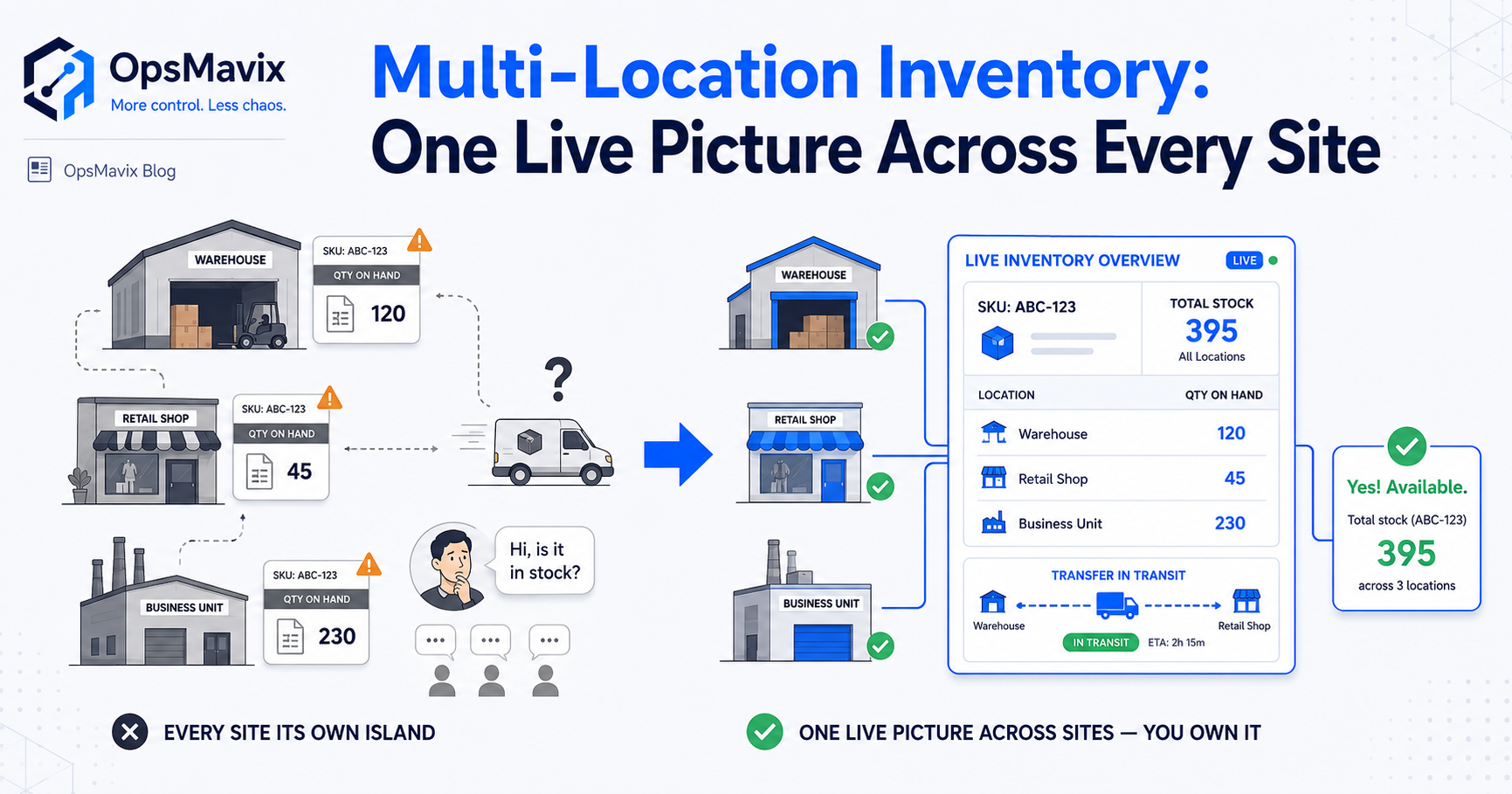
Multi-location and automated replenishment are where Odoo Inventory looks most attractive to a growing business, and they’re worth being precise about, because the power is real and so is the assumption underneath it. Odoo handles multiple warehouses and internal locations properly, and its reordering rules are genuinely capable: set a minimum and maximum per product, and the scheduler generates the replenishment when forecasted stock drops below the floor. In a multi-warehouse setup a single product can carry several reordering rules — one per location — each evaluated independently.
The assumption is that you’ll model all of this first. Locations, operation types, routes, resupply rules between warehouses, per-location reorder points — the cleverness only appears once you’ve described your flow in Odoo’s terms. For a business with genuine multi-site complexity, that modelling effort pays back. For one running two locations and a stockroom, it’s a lot of scaffolding for an answer a right-sized system gives from your own layout. If multi-site stock is the problem you’re solving, multi-location inventory management is worth reading on its own terms — the question isn’t whether Odoo can do it, it’s how much configuration you’re signing up for versus how much complexity you actually have.
There’s a warehouse-layout version of the same trade. Odoo’s putaway rules route stock to locations by category or package type — real warehouse slotting capability — but slotting only pays to configure when your picking volume and location count justify it. Below that, you’re maintaining rules for a problem you don’t have yet.
What a Right-Sized Stock System Does Instead
A right-sized stock system inverts the starting point. Instead of handing you a warehouse toolkit to configure down to your operation, it’s built up from your operation — the products you hold, the locations you use, the way stock really moves in and out, the reorder points that match your suppliers and lead times. You don’t switch off modules you don’t need, because they were never there, and you don’t approximate a specific behaviour with a clever route, because the behaviour is built the way you run it.
The practical difference is that there’s no gap for a spreadsheet to fill. Your customer-allocated stock, your component bundle, your non-standard goods-in check — these are how the system works, not workarounds bolted onto a template. One accurate count that decrements the instant anything moves, reorder alerts pitched to your real thresholds, locations that mirror your layout, and an audit trail so a wrong number can be traced to the movement that caused it rather than hunted at stocktake. That’s the substance of a custom inventory system: not fewer features for their own sake, but exactly the features your operation uses, shaped to it, owned by you.
And crucially, there’s no configuration project standing between you and a working system, and no partner retainer to change it later. When your flow changes, the system changes with it — because it was built around the flow, not assembled from generic parts you now have to re-assemble.
When the Suite Module Is Genuinely Worth It
Now the honest counterweight, because this cuts both ways. If you’re already running the Odoo suite — sales, purchasing, accounting, maybe manufacturing — then using its Inventory module isn’t overkill, it’s the entire point. The value of a suite is that stock, orders, procurement and the ledger share one database: a sale decrements stock, a low level triggers a purchase order, a receipt updates valuation, and the accounts reflect all of it without a single integration. Bolting a separate stock system onto a business that already lives in Odoo re-introduces the exact disconnection the suite exists to remove.
Likewise, if your warehouse genuinely has the complexity Odoo Inventory is built for — multi-step receiving and dispatch, real putaway optimisation across many locations, subcontracting, lot/serial traceability under regulation, meaningful multi-site replenishment — then the depth isn’t waste, it’s the requirement. The module earns its setup cost when the complexity is real.
The line is simply this: Odoo Inventory fits when you’re in its world already or you have the warehouse complexity to justify its depth. It overshoots when you needed an accurate count and a sensible reorder — and took on a warehouse platform to get one.
FAQ
Is Odoo Inventory good for a small business?
It can be, but it’s easy to over-buy. Odoo Inventory is a deep warehouse module, and a smaller business often uses a fraction of it while paying — in time or partner fees — to configure the rest. It fits well if you’re already on the Odoo suite or you have genuine warehouse complexity. If what you need is an accurate count and a sensible reorder alert, the setup burden usually outweighs the value.
Why is Odoo Inventory considered complex to set up?
The basic setup works out of the box, but anything non-standard means learning the layer underneath — operation types, locations, routes and push/pull rules. Multi-step routes aren’t even enabled by default. For a business without in-house Odoo skills, standing this up is an implementation project, typically paid to a partner, and changing it later means going back into that configuration. The capability is real; the assembly is the cost.
Does Odoo Inventory handle multiple warehouses and reordering?
Yes, and well. It manages multiple warehouses and internal locations, and its reordering rules generate replenishment automatically when forecasted stock drops below a per-product, per-location minimum. The caveat is that this power assumes you’ve modelled your flow in Odoo first — locations, routes, resupply rules and reorder points. For real multi-site complexity that pays off; for a two-location operation it’s a lot of scaffolding for an answer a right-sized system gives from your layout.
Odoo Inventory or a custom stock system — how do I choose?
Choose Odoo’s module if you’re already on the suite or you have the warehouse complexity to justify its depth. Choose a right-sized custom system if you needed an accurate count and sensible reordering but keep hitting configuration overhead and spreadsheet workarounds for the bits specific to you. The deciding factor isn’t which is more capable — Odoo is deeply capable — it’s which shape matches how you actually run stock without a project to bend it into place.
How OpsMavix Can Help
OpsMavix builds right-sized inventory systems for businesses stuck between a spreadsheet that’s outgrown and a suite module that’s too much — too messy for the workbook, not ready for a warehouse platform you’d spend months configuring. Instead of handing you a toolkit to assemble, we build up from how your stock moves: one accurate count that updates the instant anything moves, reorder points pitched to your real suppliers and lead times, locations that mirror your layout, and an audit trail so a wrong number is traceable rather than a stocktake surprise. The specific things your operation does — allocated stock, component bundles, non-standard goods-in — are how the system works, not workarounds beside it. You own it outright: no per-seat licence, no partner retainer to change a flow, nothing a vendor can switch off.
If you’re weighing Odoo Inventory and quietly wondering whether you’re buying warehouse depth to solve a stockroom problem, start by seeing the real shape of it. Book a Free Operations Leak Audit and we’ll map how your stock flows today — where the count drifts, what the configuration and workarounds are costing you — and tell you honestly whether the suite module or a right-sized system is the better fit for how you work now.
Keep reading
Getting value from OpsMavix? Add us as a preferred source on Google — you'll see more of our operations content in your AI Overviews, AI Mode and Search.