
Construction Company ERP: A Features Checklist by Company Size
The right construction company ERP depends less on the software brand and more on your stage. This guide maps the capabilities a UK builder actually needs at each turnover band, and the point where a right-sized owned system beats both spreadsheets and a heavy ERP.
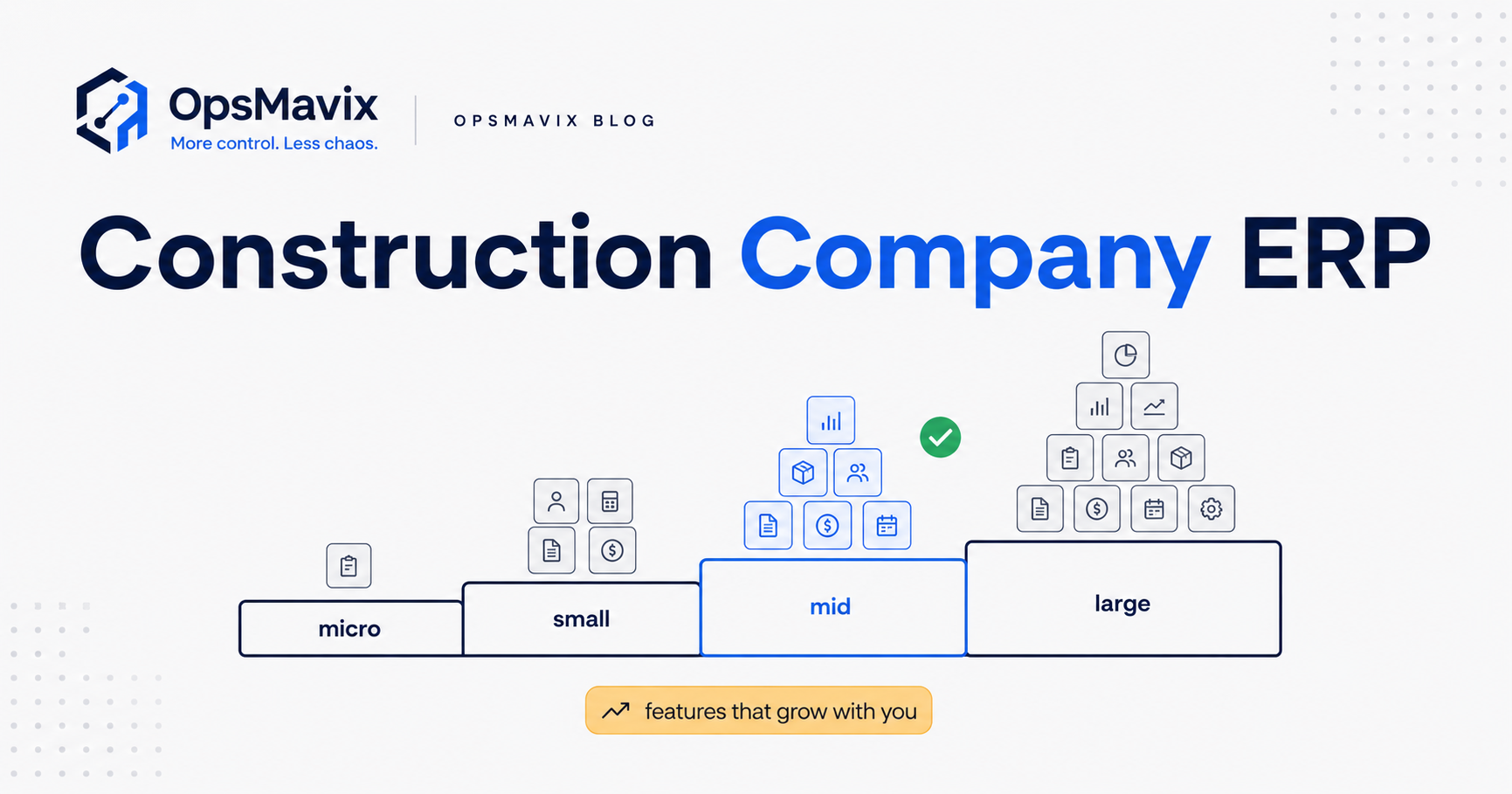
A construction company ERP is only “right” if it matches your stage: a jobbing builder needs CIS-compliant payments and simple job costing, while a £20m contractor needs subcontractor management, retentions, and application-for-payment workflows the smaller firm would never touch. The mistake most UK builders make is buying for a size they are not, either drowning in a heavy platform or clinging to spreadsheets long after they stop coping.
Quick summary: There were 370,770 VAT- and PAYE-registered construction firms in Great Britain in 2024, the overwhelming majority of them small (ONS). Because the sector is dominated by SMEs working under the Construction Industry Scheme, the features that matter most are payment compliance and job-level profit visibility, and they scale in a predictable order as you grow (GOV.UK).
Contents
- Why “ERP” means different things at different sizes
- The four UK construction stages
- Features by company size (the checklist table)
- Micro / jobbing builder: what you actually need
- Small firm (£1–5m): where spreadsheets start to fail
- Mid-size contractor (£5–50m): the coordination layer
- Larger contractor (£50m+): the full ERP case
- Worked example: a firm growing from £800k to £12m
- The compliance features every size shares
- Owned right-sized system vs off-the-shelf ERP
- FAQ
- How OpsMavix can help
- Sources
Why “ERP” means different things at different sizes
ERP stands for enterprise resource planning: one connected system for finance, projects, people, and materials. In practice, “construction company ERP” covers everything from a £30-a-month bookkeeping add-on to a six-figure platform with modules for plant hire, payroll, and design coordination.
That range is the whole problem. A term that means both extremes gives you no help deciding what to buy. The useful question is not “which ERP?” but “which capabilities do I need at my size, and which are dead weight I would be paying for and not using?” Answer that, and the shortlist writes itself.
The order in which capabilities become essential is remarkably consistent across UK builders, because the sector shares the same regulatory spine: the Construction Industry Scheme (CIS) and the statutory payment rules of the Construction Act. Get those two right first, then layer on job costing, then coordination, then true enterprise planning.
The four UK construction stages
We use four bands, aligned to UK turnover and how firms actually operate. UK construction sits under SIC section F (SIC codes 41–43: building, civil engineering, and specialist trades), and the sector is overwhelmingly made up of small firms and sole traders (ONS).
- Micro / jobbing builder — sole trader or a handful of staff, under roughly £1m turnover. Domestic and small commercial jobs, informal quoting.
- Small firm (£1–5m) — a directly employed core plus regular subcontractors, several concurrent projects, someone doing the books part-time.
- Mid-size contractor (£5–50m) — multiple sites, formal contracts, quantity surveying, retentions, and applications for payment.
- Larger contractor (£50m+) — divisions or regions, plant, in-house payroll, and genuine enterprise planning needs.
Most firms reading this sit in the first two bands. That matters, because the software marketed hardest as “construction ERP” is usually built for the last two.
Features by company size (the checklist table)
The table below maps core capabilities to stage. Read it as a growth path, not a menu: a capability marked essential at your size is one you will feel the absence of within weeks.
| Capability | Micro | Small (£1–5m) | Mid (£5–50m) | Large (£50m+) |
|---|---|---|---|---|
| CIS deductions & monthly returns | Essential | Essential | Essential | Essential |
| Basic invoicing & quoting | Essential | Essential | Essential | Essential |
| Job costing (cost vs quote per job) | Useful | Essential | Essential | Essential |
| Purchase orders & materials tracking | Optional | Useful | Essential | Essential |
| Subcontractor management | Optional | Useful | Essential | Essential |
| Applications for payment & valuations | No | Useful | Essential | Essential |
| Retention tracking | No | Useful | Essential | Essential |
| Cashflow & WIP forecasting | Optional | Useful | Essential | Essential |
| Document control (drawings, RAMS, O&M) | Optional | Useful | Essential | Essential |
| Plant & asset management | No | No | Useful | Essential |
| Integrated payroll (PAYE + CIS) | No | Useful | Essential | Essential |
| Multi-entity / divisional consolidation | No | No | Useful | Essential |
| BIM / design coordination | No | No | Optional | Useful |
The pattern is clear: compliance and job costing are universal; coordination features (subcontractors, retentions, applications) switch from “nice” to “non-negotiable” as you cross into the mid band; and true enterprise features (plant, multi-entity, BIM) only earn their keep at the top.
Micro / jobbing builder: what you actually need
At this size, the enemy is admin, not complexity. You are quoting on the drive, buying materials on trade counter accounts, and paying one or two subcontractors. What you genuinely need:
- CIS compliance. If you pay subcontractors for construction work, you must register as a contractor, verify each subcontractor with HMRC, deduct at 20% (registered) or 30% (unregistered), and file a monthly return (GOV.UK). This is non-optional from your very first subcontractor.
- Fast, consistent quoting and invoicing so cash comes in without chasing.
- A rough sense of job profit — even a simple “what did this job cost vs what I charged” beats nothing.
You do not need an ERP. A good bookkeeping tool with CIS support (many of the mainstream UK accounting packages handle it) plus a disciplined quote template covers you. Buying a construction platform here is paying for empty modules.
Small firm (£1–5m): where spreadsheets start to fail
This is the band where most builders feel the pain first, and where the wrong purchase does the most damage. You now run several jobs at once, employ a core team, and lean on regular subcontractors. The failure mode is predictable: the numbers live in one person’s head and three spreadsheets, and no one can tell you which jobs are actually making money until the year-end accounts land.
What becomes essential here:
- Real job costing — labour, materials, plant, and subcontractor costs booked against each job, compared live to the quote. This is the single highest-value capability at this stage. Our guide on job costing software goes deeper on getting this right.
- CIS at volume — more subcontractors means verification, deductions, and monthly returns become a recurring workload that manual processes fumble.
- Cashflow visibility — you are now carrying materials and labour ahead of payment, so knowing what is owed and when is survival, not luxury.
What is merely useful, not essential: purchase orders, retention tracking, applications for payment. You will start to want these; you do not yet need to pay for a platform built around them. Many firms this size are better served by a focused system that nails costing and cash than by a full ERP whose contract and valuation modules sit idle. If you are seeing the warning signs, signs you need operational systems is a useful gut-check.
Mid-size contractor (£5–50m): the coordination layer
Cross into the mid band and the game changes from “know my numbers” to “coordinate many moving parts under contract.” You are running multiple sites, working under formal contracts (often JCT or NEC), employing quantity surveyors, and living inside the statutory payment regime.
This is where the Construction Act starts to shape your systems directly. The Housing Grants, Construction and Regeneration Act 1996 gives you the right to stage/interim payments, requires payment notices and pay-less notices within defined periods, bans most “pay-when-paid” clauses, and gives either party the right to adjudication at any time (legislation.gov.uk). Your system now has to produce and track applications for payment, valuations, and retentions accurately, because getting a payment notice wrong has legal and cashflow consequences.
Essential at this stage:
- Subcontractor management — packages, orders, CIS, and performance across many trades.
- Applications for payment and valuations — aligned to the Act’s notice regime.
- Retention tracking — knowing exactly what is held, by whom, and when it is due back.
- WIP and cashflow forecasting across a portfolio, not a single job.
- Document control — drawings, RAMS, and O&M manuals with version control.
This is the first band where a purpose-built construction ERP genuinely earns its cost, because the coordination overhead exceeds what any spreadsheet stack can carry safely. That said, plenty of firms here are still over-buying: they take a heavyweight enterprise suite when a right-sized system covering these specific capabilities would fit better and cost less to run.
Larger contractor (£50m+): the full ERP case
At the top band, enterprise planning is real. You have divisions or regions, significant owned plant, in-house PAYE and CIS payroll, and a need to consolidate results across multiple legal entities. The construction workforce is forecast to grow toward roughly 2.68 million by 2030, and the firms at this size carry a disproportionate share of that headcount and its administration (CITB).
Here the full ERP feature set — plant and asset management, integrated payroll, multi-entity consolidation, and increasingly BIM and design coordination — stops being optional. The cost and implementation burden of a large platform is justified because the alternative is uncontrolled risk across hundreds of people and dozens of contracts.
If you are at this size, this article is not really for you: your question is which enterprise vendor and how to implement it well, not whether you need one.
Worked example: a firm growing from £800k to £12m
Take a Midlands groundworks contractor, “Redway”, to see how the checklist plays out over time.
- £800k (micro). Two directors, four staff, a rotating handful of subcontractors. They use a mainstream accounting package with CIS turned on, plus a quote spreadsheet. It works. Job profit is a gut feel, but jobs are small and short.
- £3m (small). Six live jobs, twelve regular subcontractors. The gut feel breaks. Two jobs quietly lost money and no one noticed until March. Redway bolts a costing spreadsheet onto the accounts, but it is out of date the moment anyone books a delivery. Chasing cash becomes a part-time job. This is the pain point: they need real job costing and cashflow, and they start pricing “construction ERP”.
- £3m, decision point. The ERP quotes come back heavy: modules for valuations, retentions, plant, and BIM they will not touch for years, plus a long implementation. Instead, Redway commissions a right-sized owned system that connects their existing accounts, tracks live cost-vs-quote per job, and surfaces cash due. They own it; it does exactly their job and nothing they do not need. Our piece on tracking project profitability without spreadsheets describes this shape of system.
- £12m (mid). Now the equation changes. Formal contracts, QS function, applications for payment, retentions across a dozen sites. The coordination features are now essential, and the owned system either grows to include them or Redway moves to a construction ERP built for this band. The point is that they arrive at the ERP decision when the features are genuinely needed, not two sizes too early.
The lesson: the expensive mistake is not choosing the “wrong” ERP. It is buying enterprise capability years before you can use it, or clinging to spreadsheets years after they stopped working.
The compliance features every size shares
Two capabilities are non-negotiable at every band, and they are the ones off-the-shelf tools most often handle badly for UK builders:
- CIS. Verification, correct deduction rates, monthly returns, and clean records are a legal obligation from your first subcontractor, and non-construction businesses spending over £3m on construction in 12 months are pulled in too (GOV.UK). Any system you consider must handle CIS natively, not as an afterthought.
- Construction Act payment discipline. Even small firms benefit from getting interim payments, notices, and the ban on pay-when-paid working in their favour (legislation.gov.uk). As you grow, this stops being a cashflow nicety and becomes a formal workflow your system must enforce.
If a tool cannot do these two things cleanly, its other features do not matter.
Owned right-sized system vs off-the-shelf ERP
The choice is usually framed as “spreadsheets vs ERP”. There is a third option that fits most UK builders in the £1–15m range better than either: a right-sized system you own, built around the specific capabilities your stage needs.
Off-the-shelf construction ERP gives you everything, whether you use it or not, and shapes your business around its assumptions. Spreadsheets give you nothing structural and break under load. An owned right-sized system gives you exactly the capabilities on the checklist that are essential for your band, connects to the tools you already run (your accounts package, your CIS process), and grows as you do — without a rip-and-replace at every size transition.
This is not about writing bespoke code for its own sake; it is about owning a system that does your job and stops there. For the wider argument, see operational systems vs ERP.
FAQ
At what size does a construction company need an ERP?
Most firms genuinely need ERP-grade coordination features (applications for payment, retentions, subcontractor management at scale) around the £5m mark. Below that, real job costing plus solid CIS and cashflow usually matters far more than a full ERP, and a right-sized owned system often fits better.
Is job costing part of a construction company ERP?
Yes — job costing (tracking real cost against quote per job) is a core module of any construction ERP and the single most valuable capability for firms in the £1–5m band. You can also get strong job costing from a focused system without buying a whole ERP.
Does a small builder need construction-specific software for CIS?
You need software that handles CIS correctly: verifying subcontractors, deducting at the right rate, and filing monthly returns to HMRC. Many mainstream UK accounting packages include CIS, so a jobbing builder rarely needs a dedicated construction platform just for compliance.
What is the difference between construction ERP and accounting software?
Accounting software records money in and out. A construction ERP adds project-level control: job costing, purchase orders, subcontractor and retention management, valuations, and often plant and payroll. The overlap is real, which is why smaller firms can often extend their accounting tool rather than replace it.
How do UK payment rules affect what my system needs?
The Construction Act 1996 requires payment notices, pay-less notices, and interim payments, and bans most pay-when-paid clauses. As you grow into contract work, your system has to produce and track applications for payment and retentions in line with those rules, which is why coordination features become essential in the mid band.
How OpsMavix Can Help
OpsMavix builds right-sized operations systems for UK construction firms that are outgrowing spreadsheets but not looking for — or over-served by — a full ERP. We start with the checklist above: we work out which capabilities your stage actually needs, map where you are losing money and hours today, and build an owned system that does exactly that and connects to the tools you already run, including your CIS process. You get the outcome — job profit you can see, cash you can forecast, compliance handled — not a shelf of modules you will never open. Every build carries a delivery guarantee. If you want a clear read on whether you have outgrown spreadsheets or are about to over-buy, Book a Free Operations Leak Audit.