
Workflow Automation: What It Is, 7 Examples and How to Start
See how workflow automation connects orders, approvals and daily tasks. Explore seven practical examples and use a planning worksheet to choose your first project.

Workflow automation uses software to move work through a defined sequence: something happens, rules determine the next step, and the system takes an action or sends a decision to a person. It can connect orders, approvals, stock records and customer updates without someone repeatedly copying information between them.
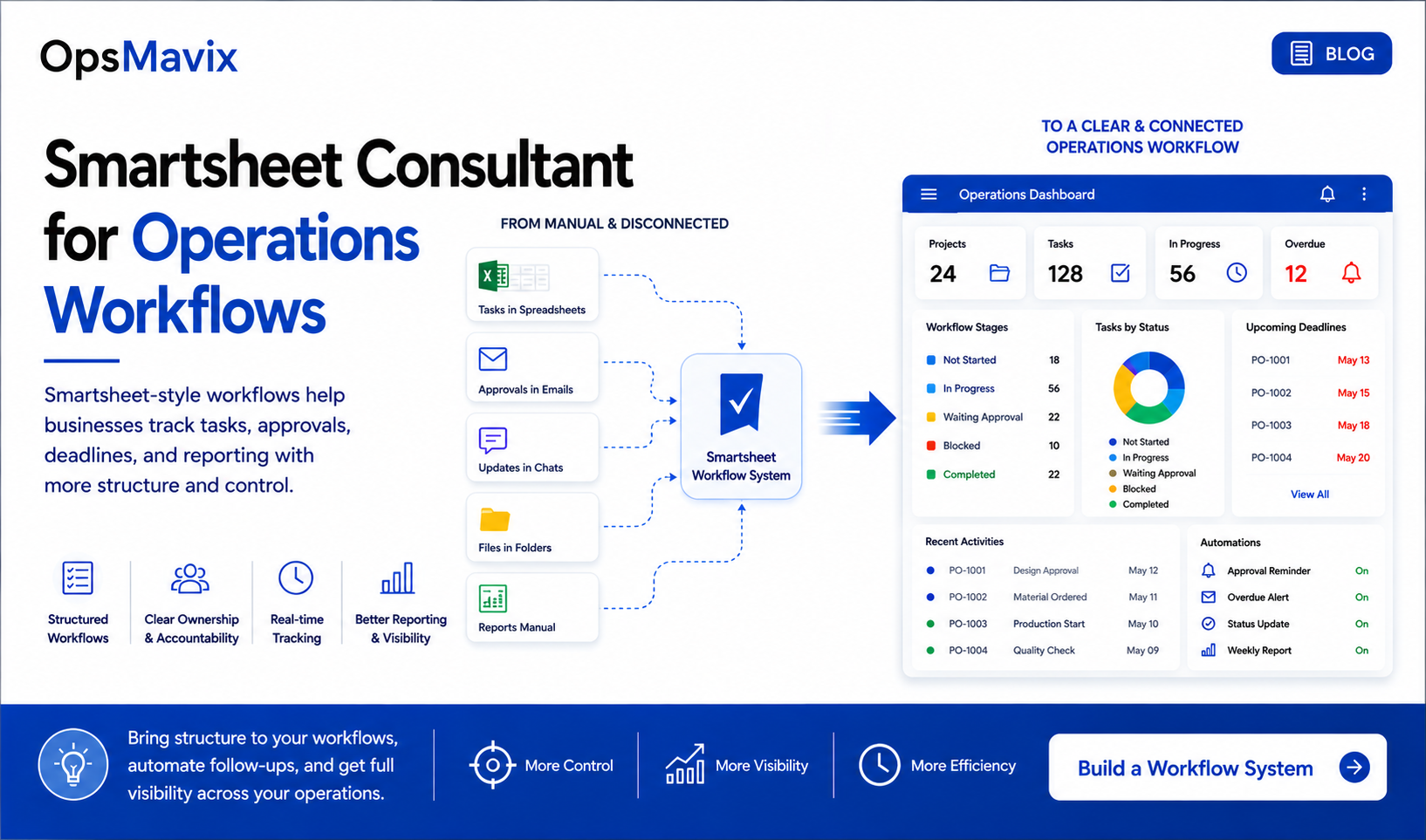
Connected tasks, approvals and reporting. Illustration from OpsMavix’s operations workflows guide.
An order arrives. Someone checks it, enters it in another system, asks whether stock is available and sends a message to the warehouse. Later, another person asks whether it has shipped.
Each task is small. Together, they create a business that depends on people remembering every handoff.
This guide explains how workflow automation works, where it is useful, how to choose a first project and what to test before trusting it with daily operations. The examples apply to growing product and service businesses, regardless of location.
The starting point: Choose one repeatable process with a clear owner and measurable delay. Automate its routine steps, keep decisions visible and give someone responsibility for anything that fails.
What is workflow automation?
Workflow automation is the use of software to execute or coordinate repeatable tasks according to defined events and rules. It can happen within one application or across several connected systems.
A submitted request might create an approval task. An approved order might reserve stock. A completed delivery might make a billing task ready for review.
The workflow should also describe what happens when the expected path cannot continue: information is missing, a decision is rejected or a connected system does not respond.
Atlassian’s overview describes how triggers and rules route information and work. For an operations team, the practical test is whether each transaction reaches a known outcome without disappearing between departments.
How is it different from a reminder or a checklist?
A checklist records what someone needs to do. A reminder asks them to do it. An automated workflow can perform the next step, check whether it succeeded and update the record that everyone uses.
For example, “remember to create the order” leaves the work with a person. Creating a draft order from validated information removes the re-entry task. Routing an incomplete submission back to its owner makes the failure visible.
Reminders and checklists can still be useful parts of that workflow. The distinction is who performs the action and how completion is confirmed.
How workflow automation works
Most workflows can be described using six elements.
| Element | Question to answer | Example |
|---|---|---|
| Trigger | What starts the workflow? | A customer submits an order |
| Input | What information must be available? | Customer, items, quantities and delivery address |
| Rule | What determines the next step? | Complete orders continue; incomplete ones need review |
| Action | What should the system do? | Create the order and assign the next task |
| Exception | What happens if it cannot continue? | Place the order in a visible review queue |
| Record | How do we know what happened? | Save the status, timestamp and responsible person |
Zapier’s guide explains automation through triggers and actions. In a business process, it helps to extend that model with ownership and recovery: who investigates when an action does not produce the expected result?
Suppose an order is successfully created but its confirmation email fails. Retrying the email should not create another order. Those are two actions with different completion states, even if the customer experiences them as one process.
Does workflow automation need AI?
No. A rule such as “send requests above the approved limit to a manager” does not require AI. IBM’s overview also distinguishes workflow automation from the optional use of AI within it.
AI can help interpret less structured inputs, such as suggesting fields from an emailed order or classifying a support request. Those suggestions still need an appropriate checking process.
For example, a model might suggest that a customer asked for 12 cases. A separate check should establish which product, how many units a case contains and whether the source message supports that quantity. Unclear inputs should reach a person before an order is committed.
Seven practical examples of workflow automation
These are design examples, not claims that every software product includes the functionality as standard.
1. Customer orders
Trigger: An order is submitted through a form, portal or connected sales channel.
Workflow: Check required details, identify the customer and products, apply the agreed approval rules and create the order. Send shortages or missing details to a named team rather than leaving them in someone’s inbox.
Measure: Time from submission to an order ready for processing, plus the number of orders that require re-entry or correction.
The key distinction is between acknowledging receipt and promising fulfillment. The system should not tell a customer that an order is confirmed before the necessary availability and approval checks are complete.
2. Purchasing requests
Trigger: A member of staff submits a request to buy goods or services.
Workflow: Check the required fields, send the request to the appropriate approver and preserve the approved details when a purchasing document is created. If the scope or amount changes materially, apply the relevant review rule again.
Measure: Time awaiting approval and the proportion of requests returned because information is missing.
An absent approver needs a defined substitute. Otherwise the workflow simply moves the bottleneck from an email inbox to an application.
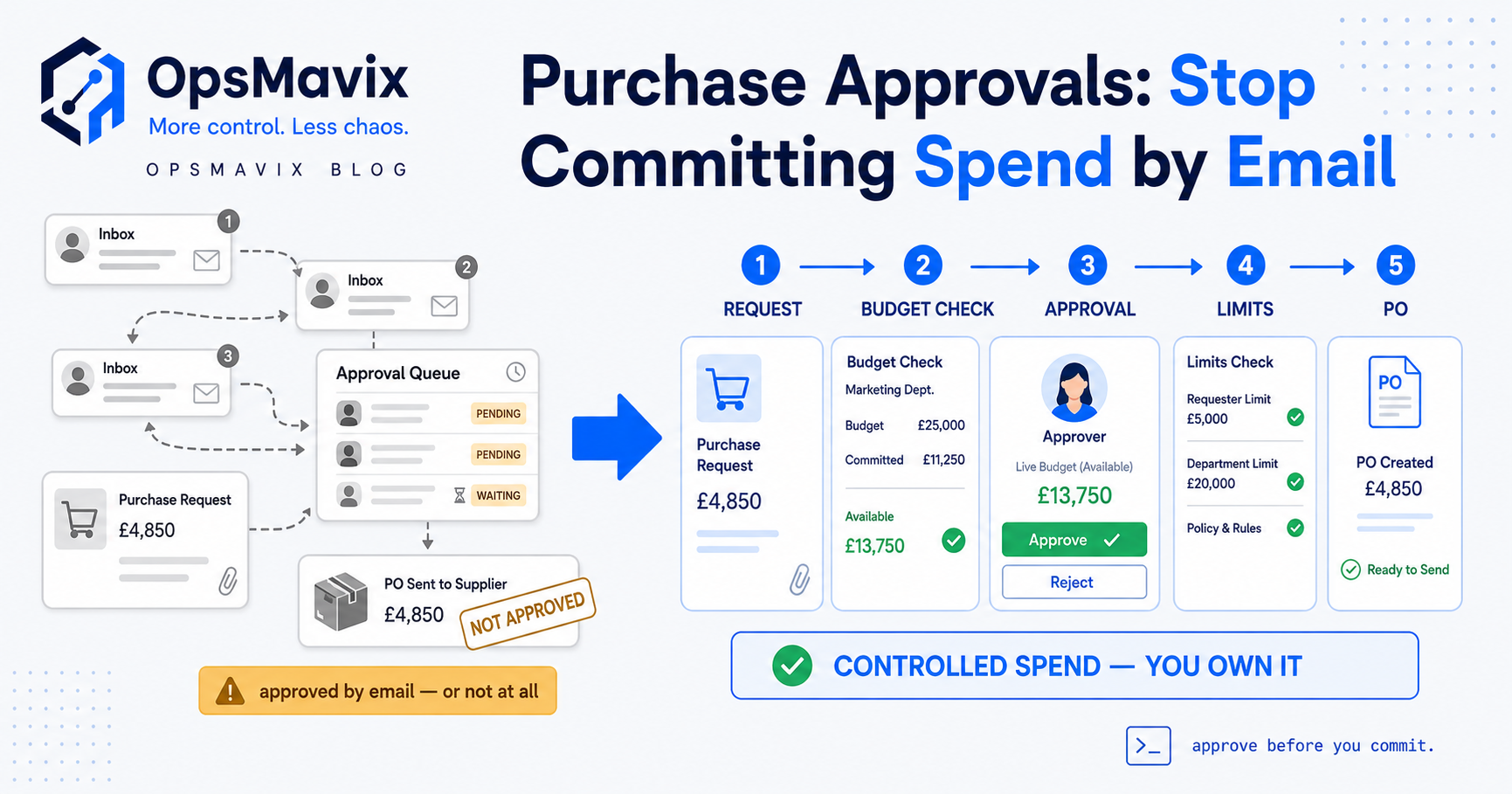
A purchasing workflow needs explicit decision points. Illustration: OpsMavix’s purchase requisition process guide.
3. Inventory replenishment
Trigger: A stock review identifies a shortage against the business’s replenishment rules.
Workflow: Consider usable stock, existing allocations and incoming supply, then create a replenishment proposal. Route unusual quantities or supplier changes for review before sending an order.
Measure: Shortages discovered too late, duplicate replenishment requests and time spent assembling the purchasing list.
Specify whether the action means moving existing goods from another location or buying more. A nearly empty picking shelf does not necessarily mean the business needs another supplier delivery.
4. Supplier invoice review
Trigger: A supplier invoice reaches the designated intake channel.
Workflow: Associate it with the relevant supplier and supporting records, flag potential duplicates and route discrepancies to a reviewer. Keep approval status separate from payment status.
Measure: Time from receipt to a completed review, missing-document requests and unresolved exceptions.
An invoice awaiting evidence of delivery should remain visibly blocked. Automatically moving the document between systems should not imply that someone has approved its contents.
5. Customer onboarding
Trigger: A customer accepts a proposal and meets the agreed start conditions.
Workflow: Create the customer workspace or project, assign an owner, request missing information and schedule the first internal tasks. Record which documents and decisions are still outstanding.
Measure: Time to a ready-to-start handoff and the number of times the customer is asked for information already supplied.
A welcome email is only one step. The delivery team also needs the agreed scope, contacts, dependencies and responsibility for the next action.
6. Production handoffs
Trigger: A job completes an operation or passes an inspection.
Workflow: Record the completion, make the next operation available when its prerequisites are met and notify the responsible team. Route shortages, rework and failed checks through separate states.
Measure: Waiting time between operations, jobs released with missing prerequisites and time spent asking for progress updates.
Completing one task does not always mean the next can start. Materials, capacity or an inspection may still be outstanding. Encode the actual release conditions.
7. Service requests and escalation
Trigger: A customer or employee submits a service request.
Workflow: Classify the request, assign it to a responsible queue and start the appropriate response timer. Escalate overdue work and identify requests waiting on an external answer.
Measure: Time to ownership, time to the first useful response and requests reopened after premature closure.
Avoid automating closure merely because a message was sent. Define the evidence needed to consider the request resolved.
A complete example: from customer order to warehouse handoff
Consider a hypothetical distributor receiving an order for 40 units of one item.
There are 60 units physically in stock. Ten are damaged and unavailable. Another 20 are reserved for existing orders. That leaves 30 units available for this new order, assuming no other restrictions or allocations.
An automation that checks only the physical quantity would give the wrong answer.
| Step | Expected behavior | What to test |
|---|---|---|
| Receive the order | Record its source reference and requested quantity | A repeated submission should not create a duplicate |
| Validate the details | Check the customer, item, unit of measure and address | An unknown item should go to review |
| Check availability | Distinguish physical, unavailable and already reserved stock | The result should show 30 available units, not 60 |
| Resolve the shortage | Apply the customer’s agreed split-delivery or backorder rules | Do not promise 40 units from the current available stock |
| Reserve approved stock | Record the allocation in the authoritative stock system | Two simultaneous orders must not reserve the same units |
| Release warehouse work | Create the pick task for the approved quantity | A failed task creation should remain visible and recoverable |
| Confirm the outcome | Update the customer-facing status from the actual decision | A notification failure must not recreate the order |
For this example, suppose the customer accepts 30 units now and ten later. The workflow can reserve 30 and record the remaining ten as outstanding. It should not record those ten as available simply because a future supplier delivery is expected.
This is where connected work needs more than a chain of notifications. The order, allocation and warehouse task must agree about the same quantity.
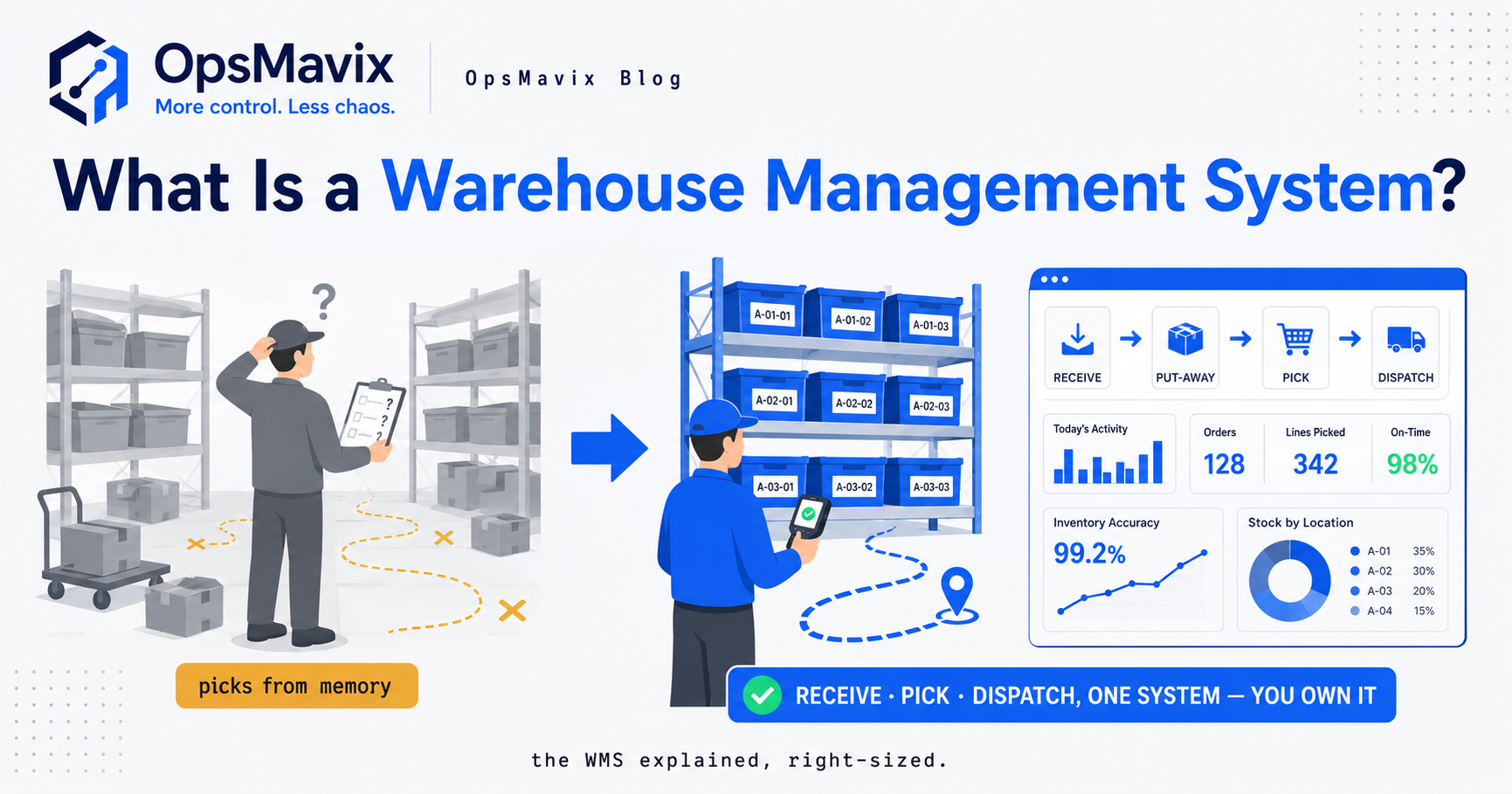
Physical work and system updates need to stay connected. Illustration from OpsMavix’s warehouse software guide; screen figures are illustrative.
Test the paths that interrupt the sequence
Before launch, run the same order through these scenarios:
- The customer submits it twice.
- The customer changes the quantity after approval.
- Someone places part of the stock on hold during processing.
- The connection fails after the order is created but before confirmation returns.
- The customer cancels after a warehouse task has started.
For each scenario, ask the operator to show the resulting records and explain what happens next. A workflow is much easier to trust when the team can recover from these situations without rebuilding the transaction manually.
Which workflow should you automate first?
Start where there is enough repeatable work to justify the effort and a clear way to judge the result.
Use this assessment with the people who perform the process.
| Question | A useful first candidate | A reason to investigate further |
|---|---|---|
| How often does it happen? | Frequent enough to observe and compare | Too infrequent to establish a baseline |
| Are the rules understood? | People agree on the normal path | Every person describes a different process |
| Are the inputs usable? | Required records are identifiable and accessible | Missing identifiers or conflicting records |
| Who owns the outcome? | A named person can make decisions | Responsibility changes whenever there is a problem |
| Can failure be contained? | The workflow can pause for review | A mistake immediately spreads into several systems |
| Can value be measured? | Delay, rework or workload can be counted | The goal is only to “be more automated” |
A suitable first project might prepare a purchasing proposal, route a request or remove repeated order entry. It does not have to be the most technically impressive process in the business.
If the rules are still disputed, map and simplify the process first. Otherwise the build becomes an expensive way of discovering that the team has not agreed how work should happen.
Choosing the right software approach
Begin by checking what your existing applications can do. Then compare the options against the complete workflow, including exceptions.
| Approach | When to investigate it | Main question |
|---|---|---|
| Automation inside an existing application | Most steps and records already live together | Can it perform the required actions and expose failures? |
| An integration platform | Work moves between applications with usable connections | Are the exact actions, fields and volumes supported? |
| A workflow or work-management application | Tasks, approvals and handoffs are the main problem | Can operators see ownership, status and overdue work clearly? |
| A custom operations system | Shared records and unusual rules are difficult to manage across existing tools | Who will build, document, maintain and support the complete process? |
For named starting points, Zapier demonstrates workflows across applications, while Atlassian describes automation in a work-management setting. These are different approaches to evaluate, not a ranking of products or a claim of hands-on testing.
Ask each supplier to demonstrate your actual scenario. “It connects to your accounting system” is less useful than seeing the required record created correctly, an error detected and a retry completed without duplication.
Include the full cost of operating the workflow
Compare configuration or development, subscriptions, usage charges, integration work, data cleanup, training, monitoring and support. Ask what changes when transaction volumes increase or an application changes its interface.
Also establish who can edit the workflow and how changes are checked before release. A process that only one departing employee understands creates a new dependency.
A practical implementation plan
1. Observe the current process
Follow several real transactions from start to finish. Record active work, waiting time, corrections and handoffs. Include awkward cases as well as straightforward ones.
2. Agree the outcome and owner
Define what completion means. “Order received,” “order approved,” “stock reserved” and “order shipped” are different states. Give one person responsibility for the process as a whole.
3. Specify the data and decision rules
List the required fields, authoritative records and conditions for continuing. For teams across countries, make currencies, units, time zones and working calendars explicit wherever they affect a decision or deadline.
4. Design exceptions alongside the normal path
Decide which failures can be retried, which need review and how operators identify unfinished work. Confirm that retrying a step will not duplicate an action already completed.
5. Build and test a contained version
Use representative data and check the resulting records. Run cancellations, missing fields, rejected approvals and connection failures. Ask everyday users to perform the recovery steps themselves.
6. Pilot with clear stop conditions
Choose a limited group or process segment. Define when the pilot should pause, such as duplicate records, unexplained stock changes or a growing queue nobody owns. Agree how outstanding work will be reconciled if the previous process resumes.
7. Compare the results and maintain the process
Review performance on comparable work before expanding. Keep the instructions current, name a backup owner and review the workflow when business rules or connected applications change.
How to measure whether automation is helping
Measure the completed business outcome as well as the number of successful software runs.
| Measure | What it tells you |
|---|---|
| Time from a valid request to completion | Whether work reaches its outcome sooner |
| Active handling time | Whether people spend less time performing routine steps |
| Corrections per completed transaction | Whether the process remains accurate |
| Open exceptions and their age | Whether unresolved work is accumulating |
| Requests completed without avoidable follow-up | Whether inputs and handoffs are clear |
| Actual overtime or contractor spending | Whether released capacity becomes a cash saving |
For an illustrative capacity calculation, assume 800 orders per month previously required six minutes of handling each. That equals 80 hours. After automation, suppose normal handling falls to two minutes per order, while 80 exception orders each need another ten minutes beyond that allowance.
New handling time is about 26.7 hours, plus 13.3 hours for exceptions: 40 hours in total. The modeled capacity released is therefore 40 hours per month.
This is an invented planning example, not a customer result. It excludes maintenance and other activities outside the stated handling scope. Released salaried time is additional capacity unless actual spending falls; it should not automatically be presented as a cash saving.
The exception rate also matters. If normal processing gets faster but unresolved requests accumulate, the business may have moved the work rather than removed it.
Copyable workflow planning worksheet
Complete this before asking for a demonstration or a quote.
| Field | What to write |
|---|---|
| Workflow name | The transaction or handoff being improved |
| Business problem | The delay, re-entry or error observed |
| Start event | The exact event that opens the workflow |
| Completion condition | The evidence that the work is finished |
| Owner and backup | Who decides and who covers absence |
| Required inputs | Fields, documents and record identifiers |
| Authoritative system | Where each important record is maintained |
| Decision rules | Conditions for continuing, rejecting or reviewing |
| Automated actions | What the system should perform |
| Human decisions | What needs judgment or approval |
| Failure handling | Where failures appear and who resolves them |
| Duplicate prevention | How repeated requests are recognized |
| Baseline and success measure | What will be compared before and after |
| Pilot boundaries | Included users, transaction types and stop conditions |
Bring an ordinary transaction, an exception and a cancellation alongside this worksheet. Those three examples often reveal more than a long list of desired features.
An applied automation workflow: test the whole handoff
An applied automation workflow turns a written rule into an action that someone can verify. For example, a purchase request reaches its budget owner, an approved request creates the next task, and a rejected request returns with a reason.
Automation platforms differ in the events and actions they support. Before choosing one, check that it can detect the real starting event, pass the needed data and recover after a failed step.
The benefits of workflow automation should be measurable. Track time waiting for an owner, repeat data entry and work that falls out of the queue. Compare those figures with the effort needed to maintain the rules.
Use a small acceptance test: run a normal request, a rejection, an absent approver and a repeated message. Each should have a clear result and an understandable history.
Frequently asked questions
Can a small business use workflow automation?
Yes. A small business can begin with one repetitive handoff, such as creating a task from a valid request or preparing an order from existing data. The work should occur often enough, and the rules should be clear enough, to justify setup and ongoing support.
Do you need coding skills?
Some workflows can be configured using visual tools. More complex rules, missing integrations or shared business records may require development. Assess the full process and its recovery requirements before deciding whether a no-code approach is sufficient.
What is the difference between workflow automation and RPA?
Workflow automation coordinates or executes steps in a process. Robotic process automation, or RPA, uses software bots to carry out repeatable interactions with applications, often through their interfaces. RPA can perform a step within a larger workflow; the terms do not describe the same scope.
Can you keep your existing software?
Often, but the available connections and required actions need checking. Establish which application controls each record, how updates are confirmed and what happens when one system is unavailable. Keeping applications is useful only if the combined process remains understandable and supportable.
How long does implementation take?
A contained task within one application has different requirements from a process spanning orders, stock and accounts. Agree milestones for data preparation, configuration, testing, training and a limited pilot. A timeline without those dependencies is difficult to assess.
What should happen when an automated step fails?
The failure should appear in a visible queue with a responsible owner and enough context to resolve it. Where a retry is appropriate, it should preserve completed work and avoid duplicate records. Operators also need a documented way to reconcile anything that remains unfinished.
Start with the handoff your team keeps chasing
The useful first question is specific: which transaction keeps waiting because somebody must copy information, ask for an update or remember the next step?
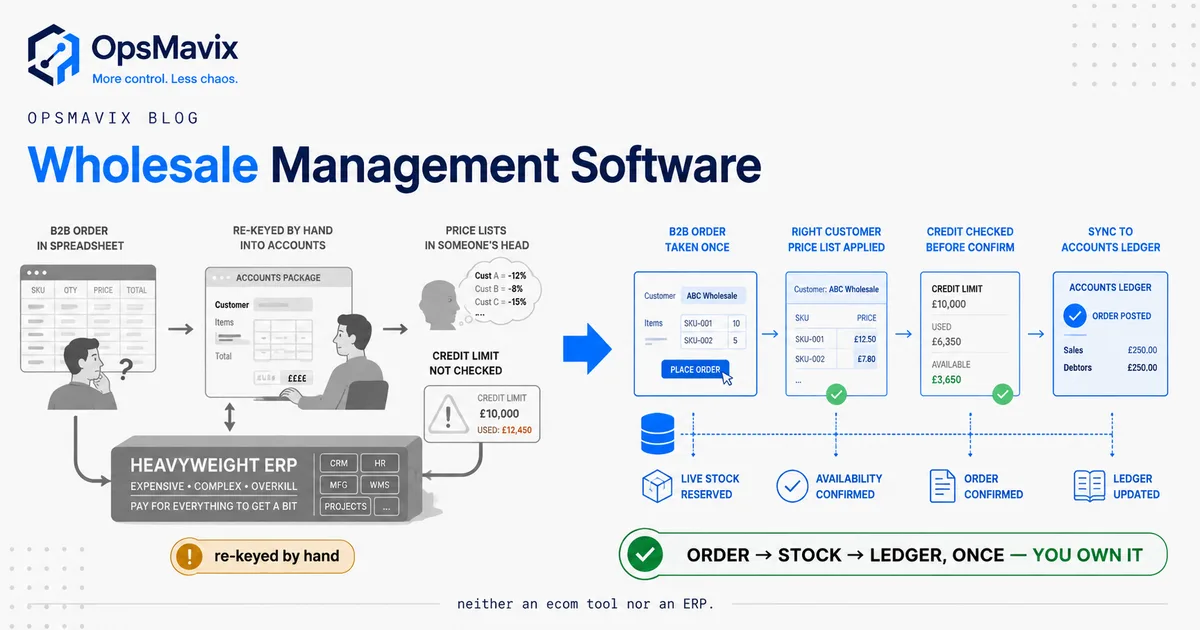
OpsMavix builds custom operations systems connecting stock, orders, tasks, approvals and reporting. Explore our inventory systems or wholesale order management solution for examples of the workflows a scoped build can connect.
Bring one recurring problem and the applications involved. We can help map the process, identify the decisions and scope the next improvement.
Keep reading
Getting value from OpsMavix? Add us as a preferred source on Google — you'll see more of our operations content in your AI Overviews, AI Mode and Search.