
Warehouse System (WMS): What It Does and How to Choose One
A warehouse management system should make stock, people, orders and space easier to control, not just digitise old problems. This guide covers the features to look for, the setup options to understand, and the questions worth asking before you buy.

Warehouse system options at a glance
| Option | Best for | Typical UK cost shape | Main risk |
|---|---|---|---|
| Inventory tool with warehouse features (Linnworks, Cin7 Core, Unleashed) | Multichannel sellers whose problem is stock sync across channels | Monthly subscription per user or order band | Thin picking logic; no directed putaway or slotting |
| Dedicated cloud WMS (Mintsoft, Peoplevox, SnapFulfil) | 3PLs and high-volume single-site fulfilment | Monthly fee by orders or clients, plus setup | Separate system to integrate with ERP and finance |
| ERP warehouse module (Business Central, Odoo, NetSuite) | Businesses already on the ERP with simple warehouse flows | Covered by existing licence; extra modules per user | Module stops short of labour rules, slotting, automation |
| Enterprise suite (Manhattan, Blue Yonder) | Multi-site networks with automation | Six-figure implementation | Far more than an SME operation needs |
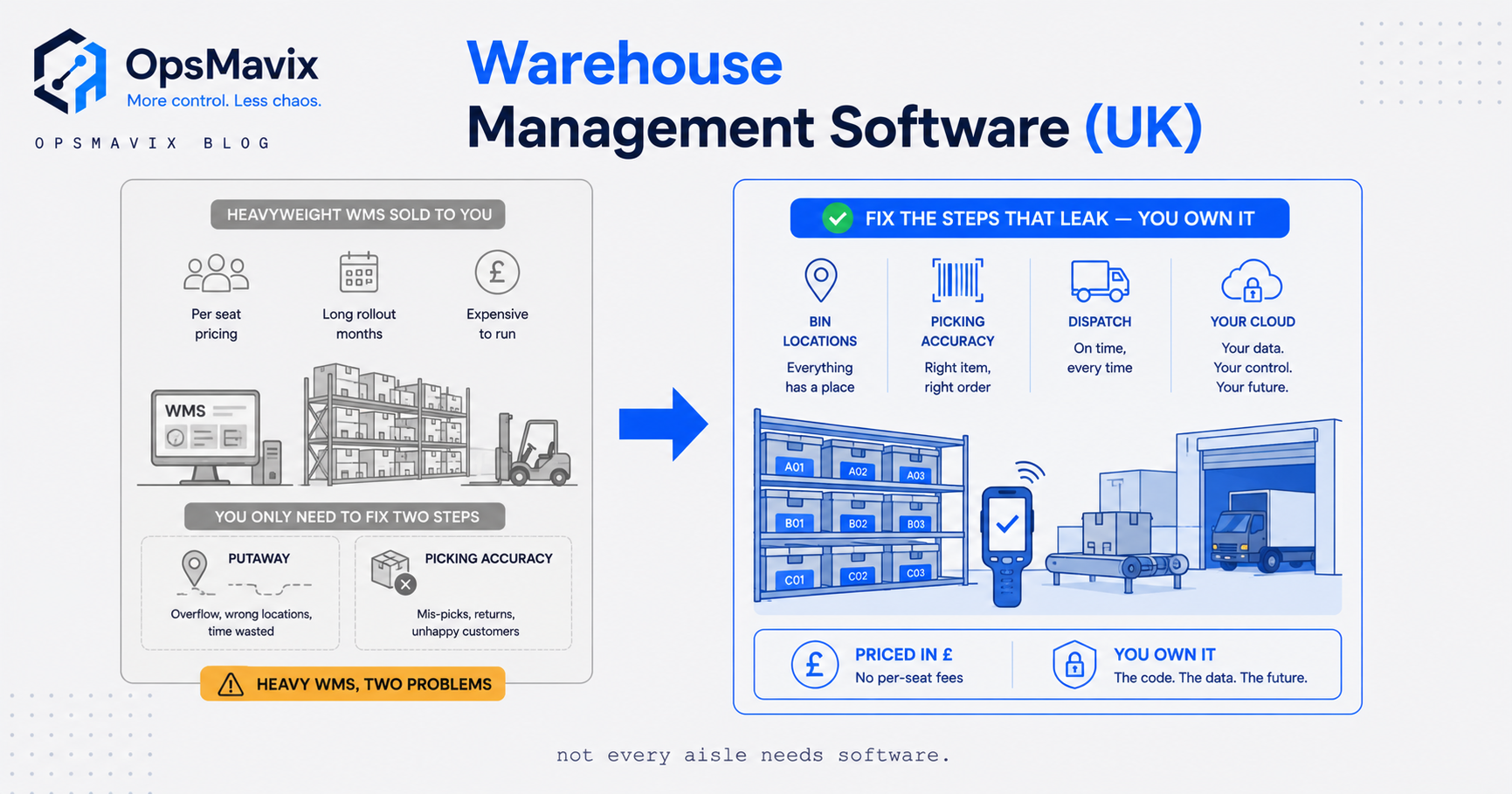
| Owned custom system (OpsMavix) | One warehouse plus orders and production that must share one record | Fixed-price build, no per-seat fees | Scope must be defined before build |
For a side-by-side of named products with UK prices, see Best Warehouse Management Software UK: 6 Options Compared.
A warehouse management system (WMS) tells staff where stock is and what to do next. It connects receiving, storage, picking, packing and despatch.
Start with the tasks your team finds hard today. Then test each warehouse system against those tasks. This guide covers the main features, setup choices and questions to ask before buying.
What should a good WMS actually do?
A good WMS should give your team clear stock view, guide warehouse work, cut manual errors and connect warehouse activity with the wider business. In practice, warehouse management software should help goods move from receiving to storage, picking, packing, despatch and returns with fewer delays and less guesswork.
At its best, a wms warehouse system becomes the working layer between your physical warehouse and your commercial systems. It tells people where stock is, where it should go next, which customer orders need attention, and what has changed in real time. That matters because warehouse management is rarely about one separate task. A missed receipt can affect stock. A poor pick route can slow despatch.
A wrong stock count can cause overselling, lost trust and costly rework.
The best warehouse management software is not always the biggest or most complex platform. It is the one that fits your order mix, stock complexity, fulfilment channels, team size and growth plan. A small business may need a simple warehouse inventory tracking system with barcode scanning and easy links. A multi-site distributor may need advanced wms warehouse management tools, labour control, automated replenishment and deep ERP links.

Real-time inventory visibility is the base
If stock data is wrong, every other part of the operation becomes harder. A strong warehouse inventory management system should update stock moves as they happen, rather than waiting for end-of-day fixes or manual spreadsheet updates. That includes receipts, putaway, transfers, picks, adjustments, cycle counts, returns and damaged goods.
This is where warehouse inventory software adds clear value. Instead of asking someone to check the shelf, staff can see available, reserved, allocated and quarantined stock in one place. For ecommerce, wholesale and manufacturing teams, this helps stop avoidable issues such as promising stock that is not really there or delaying orders because goods were put in the wrong bay.
Look for inventory features such as:
- Barcode and mobile scanning, so stock moves are captured at the point of work.
- Location-level control, covering zones, aisles, bins, pallets and bulk storage.
- Batch, lot and serial tracking, especially for regulated, high-value or traceable products.
- Expiry date and FIFO/FEFO support, where shelf life or stock rotation matters.
- Cycle counting, so teams can check small areas often without shutting down work.
- Stock status controls, such as available, held, damaged, returned or awaiting inspection.
A warehouse stock management system should also make exceptions easy to spot. If a pick face is running low, if received stock has not been put away, or if counts keep changing in one zone, the system should help supervisors act early. Good warehouse stock software does not just record what happened; it helps people see what needs attention next.
Order fulfilment features should cut friction
Picking, packing and despatch are often where warehouse performance is most visible to customers. A capable warehouse wms should support the fulfilment methods your business actually uses, whether that means single-order picking, batch picking, wave picking, zone picking or a mix based on order type.
The right warehouse software guides staff through clear routes and checks each step. For example, mobile prompts can send a picker to the right bin, ask them to scan the item, confirm quantity, and flag substitutions or shortages before the order reaches packing. That lowers the risk of wrong items leaving the building and gives customer service teams better facts when something cannot be shipped as planned.
Packing and despatch tools matter too. Warehouse system software should support carton choice, packing checks, label printing, carrier choice and shipment confirmation. If you handle more than one sales channel, the system should separate needs for marketplaces, trade buyers, retail stores and direct-to-consumer orders.
Practical fulfilment features to focus on include:
- Configurable picking rules for different order types, product groups and warehouse zones.
- Packing checks that confirm items before labels are printed.
- Carrier and courier links to cut duplicate data entry.
- Back-order and short-pick handling so exceptions are visible, not hidden.
- Returns processing that links returned stock to inspection, refund, repair or resale flows.
The goal is not automation for its own sake. It is a calmer, clearer fulfilment flow where staff know what to do next and managers can see where work is building up.
How should a WMS connect with your wider business?
A WMS should connect smoothly with the systems that take orders, manage finance, update customers and plan supply. If your system for warehouse management sits alone, teams may still have to rekey data, match conflicting reports or chase information across departments.
Integration is one of the main gaps between basic stock tools and mature warehouse management system software. Your WMS may need to connect with an ERP, ecommerce platform, marketplace, transport management system, accounting tool, manufacturing software, procurement system or customer service platform. The more connected your operation is, the more important clean data flow becomes.
When reviewing warehousing software and warehouse management systems, ask how links are handled. Some platforms offer ready-made connectors. Others rely on APIs or custom build. Neither route is always right or wrong, but you need to know the cost, time and support model.
Key integration questions include:
- Which systems need to send orders, product data or purchase orders into the WMS?
- Which systems need stock updates, despatch confirmation or tracking details back?
- How often does data sync: straight away, in set batches, or by hand?
- What happens when a link fails or sends bad data?
- Who supports the link after go-live?
For UK businesses comparing warehouse management software uk options, it is also worth checking whether providers understand local carrier networks, VAT workflows, cross-border paperwork needs and common ERP setups in your sector. Searches for warehouse management systems uk often return global platforms, but local setup experience can still make a real difference.
Cloud, standalone and integrated options all suit different operations
There is no single best setup for every warehouse. The right choice depends on complexity, internal IT capacity, change appetite, budget structure and how fast the business expects to grow.
Cloud systems support flexibility
A cloud warehouse management system is hosted and updated by the provider, usually through a browser or mobile device. This can cut the need for on-site kit and make it easier to support multiple sites, seasonal peaks or remote management. A cloud based warehouse management system may also suit teams that want regular updates without managing servers themselves.
Cloud does not remove the need for planning, testing or training. You still need clean product data, clear processes and reliable network on the warehouse floor. But for many growing teams, cloud delivery makes it easier to start with what they need now and add more later.
Standalone systems offer warehouse depth
A standalone WMS is often built for warehouse work first. These systems can be strong where the warehouse is complex, fast-moving or central to advantage. They may support advanced slotting, automation, labour planning and detailed work rules.
The trade-off is integration. If the standalone platform is not part of your ERP or commerce suite, you need to make sure data moves reliably between systems. For larger distributors, manufacturers or third-party logistics providers, that extra work may be worth it because of the warehouse depth available.
Integrated ERP WMS keeps data in one suite
Some businesses prefer a WMS module that sits inside, or very close to, their ERP. This can simplify master data, finance links and reporting. It can also reduce the number of suppliers involved.
The question is whether the built-in warehouse management program is strong enough for your day-to-day needs. If your warehouse processes are simple, an integrated option may be cost-effective. If you need advanced task control, automation links or very specific workflows, you may need to compare it carefully with dedicated wms warehouse software.
Labour, space and task tuning drive daily gains
Many teams first look for warehouse inventory management software because stock accuracy is hurting performance. Once that improves, the next gains often come from better use of people and space. A good WMS should help supervisors assign work, balance priorities and cut wasted travel.
Task management tools can send staff to the most important work based on rules you set. For example, the system might focus on urgent picks, then replenishment, then putaway. It might also help managers see who is on which task, where delays are happening, and which zones need support.
Space tuning matters just as much. The WMS should help spot fast-moving items, suggest better pick-face spots, and support replenishment before orders are delayed. It should also handle real-world limits such as bulky goods, hazardous items, chilled areas, high-value cages or products that must not be stored together.
Useful tuning features include:
- Directed putaway, placing goods based on space, product type and demand.
- Replenishment triggers, keeping pick locations stocked before they run empty.
- Slotting support, helping popular items sit closer to packing or despatch.
- Work queues, so teams can see priorities without constant supervisor input.
- Performance reporting, showing trends in picking, packing, receiving and stock accuracy.
These features help turn warehouse management uk goals into practical action: fewer wasted trips, clearer workloads and better use of available space.
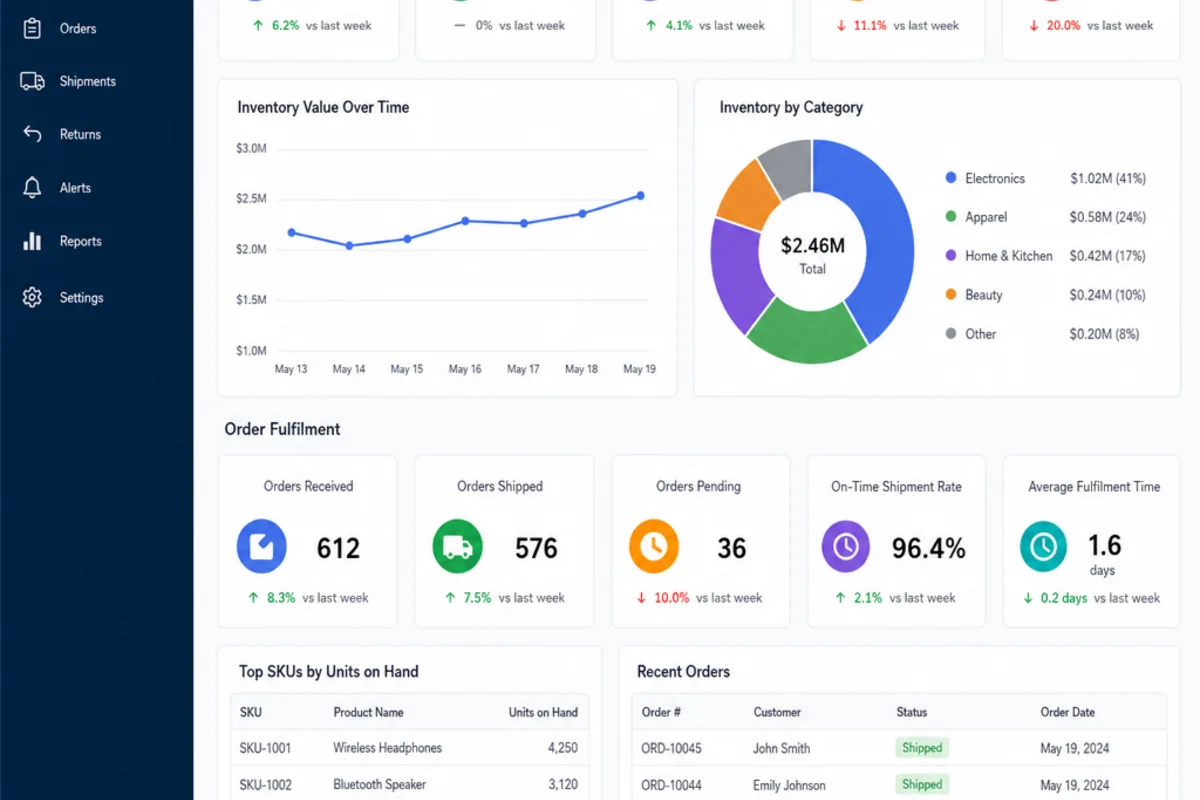
What features matter most when choosing WMS software?
The most important features are the ones that solve your current limits while still leaving room to grow. Before building a list of warehouse management software, map the processes that cause the most errors, delays or manual work, then test each platform against those cases.
Do not buy from a feature checklist alone. Two systems may both claim barcode scanning, ERP integration and reporting, but perform very differently in daily use. Ask to see workflows that match your operation: receiving a mixed pallet, handling a short pick, processing a return, moving stock between sites, or dealing with a rush of ecommerce orders after a promotion.
A practical evaluation checklist should include:
- Day-to-day fit: Does the software support your receiving, storage, picking, packing, despatch and returns work?
- Ease of use: Can warehouse staff learn the screens and scanning flows quickly?
- Scale: Can it handle more SKUs, users, orders, sites or channels as you grow?
- Integration capability: Can it connect reliably with your ERP, ecommerce, finance and carrier systems?
- Reporting: Does it show useful information, not just exported data?
- Configuration: Can workflows be changed without expensive custom build every time?
- Support and training: Does the provider offer practical help before, during and after launch?
- Security and resilience: Are access controls, backups and uptime goals clear?
- Total cost: Have you counted subscription, licences, devices, setup, training, integrations and support?
This is also the stage to define what best means for your business. The best warehouse management systems for a high-volume ecommerce brand may not be the best choice for a regional wholesaler, a maker, or a specialist distributor with strict tracking needs.
Implementation success depends on preparation
Even excellent warehousing management systems can disappoint if implementation is rushed. A WMS changes how people work, how stock is recorded and how exceptions are handled. That means the project needs floor input, not just technical sign-off.
Most projects move through discovery, process design, setup, integration, testing, training, go-live and post-launch support. The exact timeline depends on complexity, data quality, number of links, warehouse size and how much process change is involved. Rather than focusing only on the launch date, focus on readiness: clean item data, agreed workflows, tested devices, trained users and clear backup plans.
Common challenges include unclear ownership, poor master data, underplaying training, trying to customise every old habit into the new system, and failing to test edge cases. A strong provider should challenge assumptions, explain trade-offs and help your team make choices that support the future work rather than just rebuild the past.
Before go-live, make sure you can answer:
- Who owns product, location and supplier data?
- Which processes are changing, and have staff practised them?
- Have links been tested with real examples, not just ideal orders?
- What reports will supervisors use on day one?
- How will issues be logged, sorted and resolved after launch?
A WMS implementation is not just an IT project. It is a warehouse change project, and the people using the system every day need to be part of it.
Future-ready systems support automation and better decisions
Warehouses are under pressure to fulfil faster, handle more channels and control operating costs more tightly. That is why modern WMS platforms increasingly need to work with automation, robotics, analytics and forecasting tools. You do not need every advanced feature right away, but you should avoid software that blocks future growth.
If you are considering conveyors, goods-to-person systems, automated storage, robotics or advanced carrier optimisation, ask vendors how their WMS connects with automation partners. Also look at whether reporting can move beyond past activity into useful planning insight, such as demand patterns, labour needs, replenishment risk or repeat bottlenecks.
Future readiness is partly technical and partly commercial. Can the platform add modules without a full rebuild? Can user numbers or warehouse sites increase without heavy disruption? Can the provider support your sector as rules, customer needs and fulfilment models change? These questions help separate a short-term fix from a platform that can grow with the business.
Which WMS platforms should be on a UK shortlist?
A UK shortlist usually mixes three groups: fulfilment-led platforms built for 3PLs and multichannel retailers (Mintsoft, Peoplevox, Deposco), inventory-led tools that add warehouse control on top of order management (Linnworks, Cin7 Core), and the warehouse module inside an ERP you may already own. Enterprise suites such as Manhattan Associates and Blue Yonder sit a tier above what most SME operations need.
We compare six of these with UK prices, a worked receipt-to-despatch test and a three-year budget in Best Warehouse Management Software UK, and publish direct breakdowns at OpsMavix vs Mintsoft, Mintsoft vs Peoplevox, Mintsoft vs Linnworks, Deposco vs Mintsoft and Manhattan vs Blue Yonder.
The right WMS brings control, clarity and confidence
Choosing a WMS is a decision about how your warehouse will run day after day. The right platform gives teams reliable stock data, clearer tasks, faster fulfilment, better links and stronger management insight. It should cut friction on the floor while giving the business a more exact view of what is happening.
Start with your daily pain points, then evaluate warehouse management solutions against real workflows rather than generic claims. Whether you choose a cloud system, a standalone platform or an integrated ERP module, the strongest option will be the one that fits your process, supports your people and leaves room to improve.
With the right approach, warehouse management system software becomes more than a back-office tool; it becomes the control centre for a more exact, responsive and scalable warehouse.
Test the WMS management system at its handoffs
An integrated WMS shares defined records with the rest of the business. Ask which system owns products, orders and stock. Then test when a warehouse move becomes visible to sales and finance.
Real-time visibility only helps when staff record the work promptly. Ask the supplier to show a delayed scan, a failed message and a corrected receipt. A claim of seamless integration should come with an error queue and a named person responsible for recovery.
WMS solutions also need to fit the wider supply chain management process. Enterprise resource planning (ERP) may hold purchase orders and financial records, while the warehouse system directs physical tasks. Agree the boundary before connecting them.
A cloud-based WMS changes hosting and access arrangements. It does not remove the need for working scanners, network coverage or a recovery plan. Measure operational efficiency through fewer repeat walks, fewer corrections and timely warehouse operations. Check whether those changes also improve customer delivery updates.
Check the warehouse-to-finance boundary
A scan confirms physical work; it does not necessarily create an invoice. Agree how receipts, reservations, shipments and returns reach the commercial and financial records.
Ask the supplier to reconcile a partial shipment and a return from the warehouse history through to the ledger. Our accounting software guide for distribution companies explains the financial side of that test. Use the stock-record guide to check the movement history and running balance.
FAQ
What is the first feature to check when evaluating a WMS?
Real-time inventory visibility should be the first priority because wrong stock data affects receiving, storage, picking, fulfilment and customer promises. A strong WMS should update moves as they happen and show stock by status, such as available, reserved, allocated, quarantined, damaged or awaiting inspection.
Is the best WMS always the most advanced or feature-rich system?
No. The best option is the one that fits your order mix, stock complexity, fulfilment channels, team size and growth plan. A smaller operation may only need barcode scanning and simple links, while a multi-site distributor may need labour control, automated replenishment and deeper ERP links.
How should a business choose between cloud, standalone and integrated ERP WMS options?
The right setup depends on warehouse complexity, internal IT capacity, budget structure and growth plans. Cloud systems can support flexibility and easier updates, standalone systems may offer deeper warehouse tools, and integrated ERP WMS modules can simplify data and reporting when operational needs are simple.
Why are links so important in warehouse management software?
Links help the WMS share exact data with ERP, ecommerce, finance, carrier, procurement and customer service systems. Without reliable links, teams may still need to rekey information, match conflicting reports or manually chase order, stock and despatch updates.
What prep improves the odds of a successful WMS implementation?
Success depends on clean product and location data, agreed workflows, tested links, trained users, working devices and clear post-launch support processes. A WMS project should involve warehouse teams as well as technical stakeholders because it changes daily work on the floor.
How OpsMavix Can Help
OpsMavix builds owned operations systems for UK and US product businesses: stock, orders, production and reporting in one place, fixed price, no per-seat fees. For warehouse-led businesses that start with inventory automation or a wholesale order workflow.
Contact OpsMavix with one end-to-end transaction and the handoffs that currently break. We will tell you plainly whether a focused build fits.
Keep reading
Getting value from OpsMavix? Add us as a preferred source on Google — you'll see more of our operations content in your AI Overviews, AI Mode and Search.