
Warehouse Management System Functions: What a WMS Actually Does
A plain breakdown of warehouse management system functions, from receiving to reporting, with an honest steer on which ones you truly need if you are outgrowing spreadsheets but do not want to bend your warehouse to a heavy ERP.
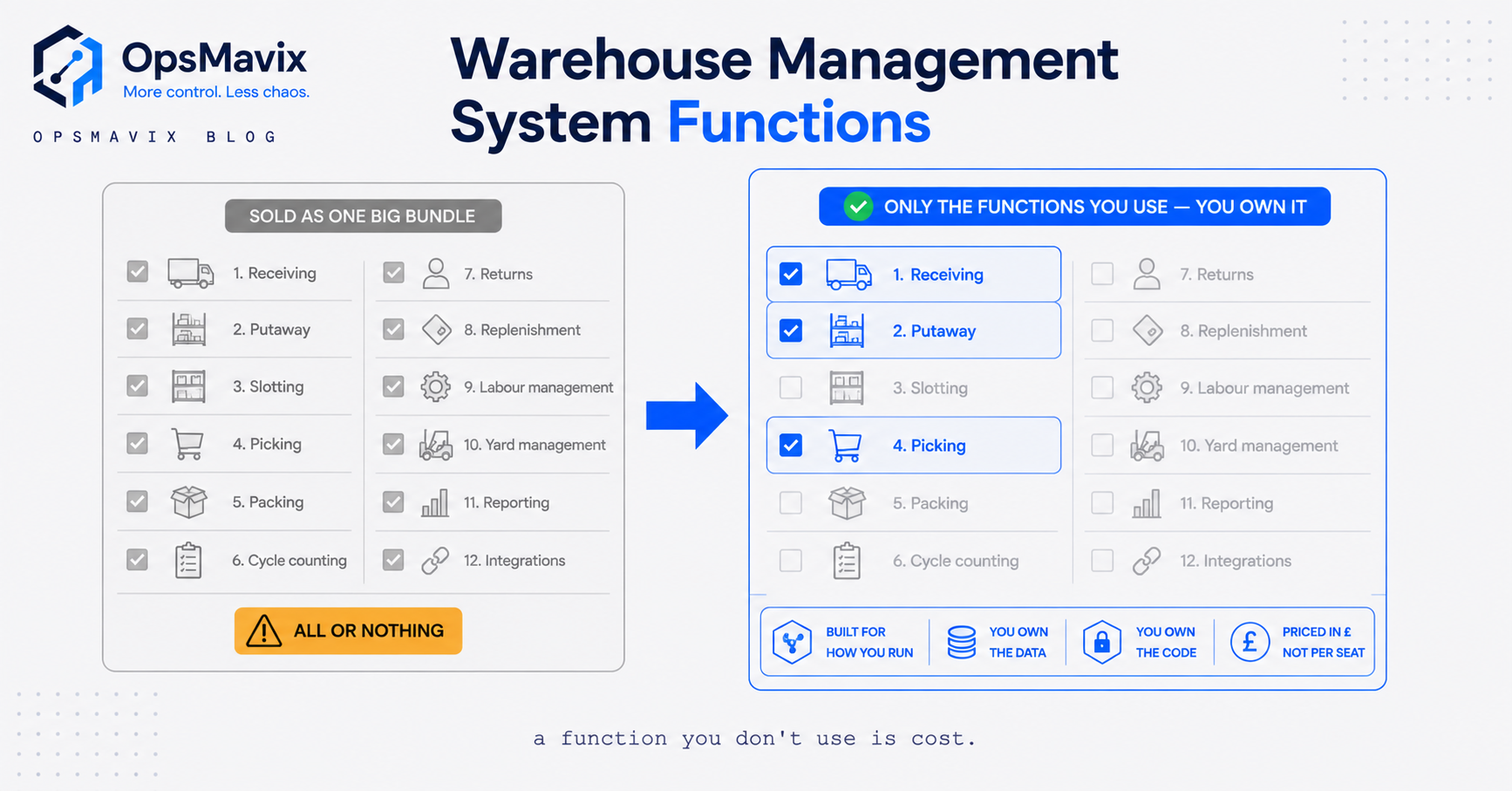
If you run a stockroom, a warehouse, or a 3PL, you already know the software exists. What is harder to pin down is what the software actually controls, function by function, and how much of it you genuinely need. Vendor pages list twenty features and imply you must buy all of them. Most warehouses use a fraction.
This breaks down the core warehouse management system functions in the order stock moves through a building: receiving, put-away, inventory control, picking, packing, dispatch, labour and reporting. Then it does the part the vendor decks skip, which is telling you which of those functions earns its keep in a small or mid-sized operation and which ones are enterprise weight you will pay for and never touch.
What a WMS actually does
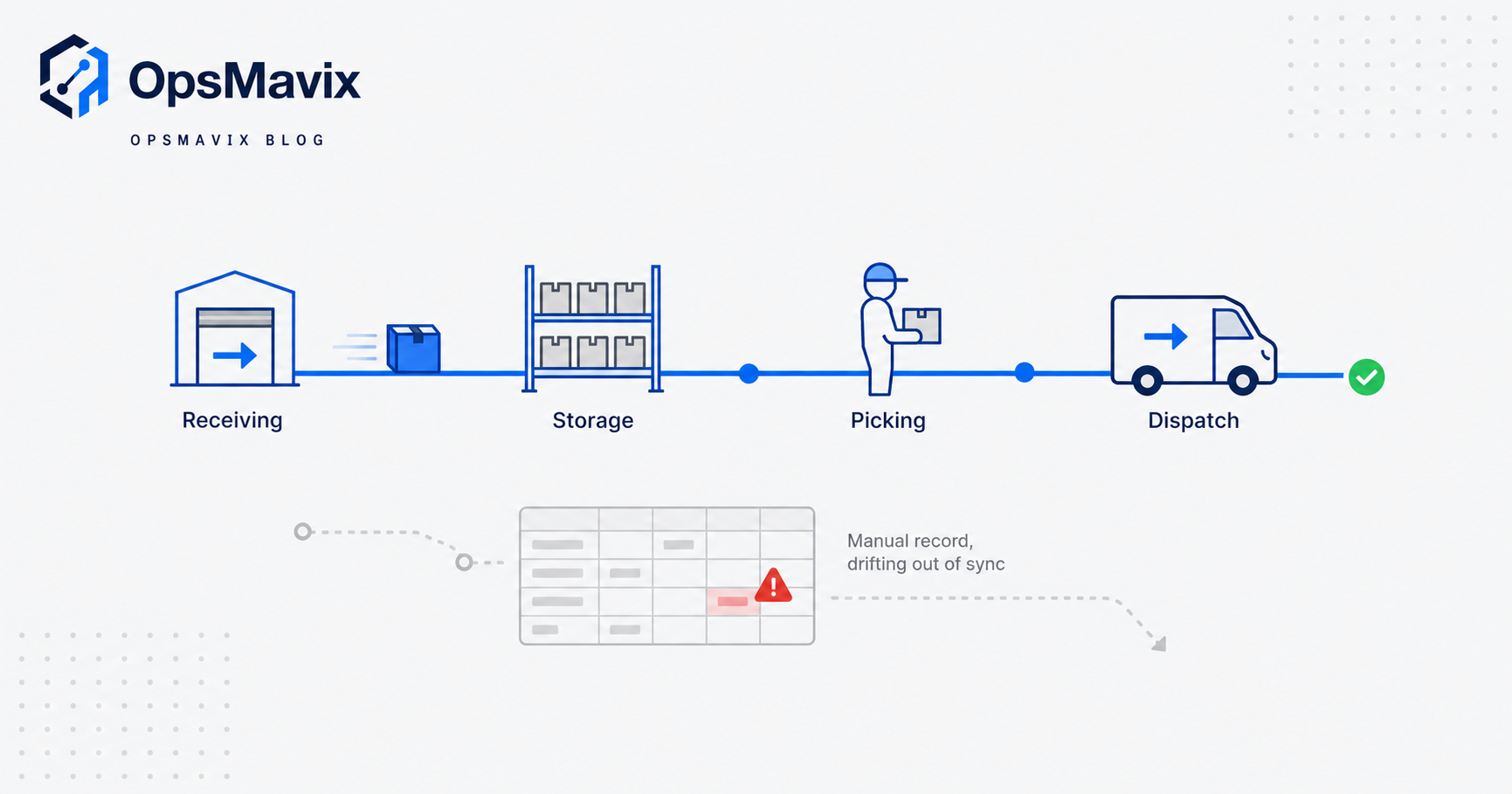
Strip away the marketing and the job is narrow. As Wikipedia puts it, “the core function of a warehouse management system is to record the arrival and departure of inventory” (Wikipedia). Everything else is built on top of that single spine. If you always know what came in, where it went, and what left, the reports, the pick lists and the stock counts all fall out of that record.
The system starts working the moment goods hit the receiving dock. A unit is scanned or logged, its location is recorded, and from then on the software knows that item exists and where it sits. When an order comes in, the system tells a picker exactly where to walk. When the order ships, the record closes. The functions below are just named stages of that one continuous track.
For a wider primer on the category, see what is a warehouse management system.
The eight core functions, one by one
Here is each function in plain terms, in the order stock flows.
1. Receiving (goods-in). The dock function. Stock arrives, and the system checks quantity, variety, condition and quality against the purchase order. A good receiving process captures the detail that matters later: batch numbers, expiry dates, supplier, and any damage. Mecalux describes this as “close monitoring of the diversity, quantity, characteristics, and condition or quality of goods entering the warehouse” (Mecalux). Get receiving wrong and every function after it inherits the error.
2. Put-away. Deciding where each received item goes and recording it there. A WMS applies rules: fast-movers near the dispatch door, heavy items low, cold stock in the chiller, batch-tracked goods kept separate. The point is that a picker later finds the item exactly where the system says it is, with no hunting.
3. Inventory control. The running truth of what you hold, where, and in what condition. This is real-time stock status, quarantines, holds, and cycle counts that reconcile the record against the shelf. This function is the one that kills the “we thought we had twelve” phone call to a customer.
4. Picking. Turning an order into a walk-and-grab list. The system decides which items to collect, in what sequence, by the shortest route, and supports methods like single-order, batch, zone or wave picking. Picking is where the money is: it is the most labour-intensive activity in any warehouse and accounts for 50 to 65% of total warehouse operating costs (Optioryx). If a WMS improves one thing, this is the one worth improving.
5. Packing. Confirming the picked order is correct, then boxing it to the customer’s requirements with the right documentation and labels. This is also the last accuracy checkpoint before an order leaves the building.
6. Dispatch (shipping). Preparing the load that leaves: grouping orders, labelling shipments, and “loading dispatch bound goods onto the vehicles” so the right goods go on the right van (Mecalux). Carrier integration and paperwork sit here.
7. Labour management. Measuring who did what, how fast, and where the bottlenecks are. Enterprise systems turn this into engineered standards and productivity targets per worker. Smaller operations usually want the lighter version: throughput visibility, not a stopwatch on every picker.
8. Reporting. Turning the movement record into numbers a manager can act on: stock valuation, ageing, pick accuracy, order cycle time, discrepancy reports. Mecalux notes the system generates “discrepancy reports and other documentation automatically” and feeds results back to the wider business (Mecalux). Reporting is only as good as the receiving and inventory data underneath it.
For how these functions sit inside the broader flow, see warehouse management system in supply chain.
The blind spot these functions fix
The pain that drives most warehouse software purchases is not a missing feature. It is that nobody knows the real number. Stock on the system says one thing, the shelf says another, and the gap only surfaces when a picker cannot find an item a customer has already paid for.
That gap has a mechanical cause: movements happen faster than anyone can record them by hand. A pallet gets split, three units go to a rush order, someone borrows stock from a bin and means to log it later. By Friday the spreadsheet is fiction. UK operators that put real-time scanning behind these functions report inventory error reductions of more than 30% and picking accuracy near 99.9% (Logistics UK). The functions fix the blind spot by forcing every movement to be recorded as it happens, not remembered afterwards.
The second blind spot is walking. Studies of picker time find most of it is spent moving, not picking. Put-away rules and pick routing attack that directly, which is why picking is the function with the biggest payback.
Which functions an SMB truly needs vs enterprise bloat
This is where honest advice diverges from a vendor demo. Not every function pays off at every size.
What almost every operation needs: accurate receiving, real-time inventory control, and disciplined picking. These three carry most of the value. If your stock record is trustworthy and your pickers are directed, most day-to-day pain disappears.
What matters once volume climbs: structured put-away rules, packing verification and carrier-integrated dispatch. A 50-order-a-day operation can put away by common sense. A 500-order operation cannot, and slotting rules start to pay.
What is often enterprise bloat for a smaller business: engineered labour standards with per-worker productivity scoring, wave-picking optimisation across dozens of zones, automated storage and retrieval integration, task interleaving, and deep 3PL multi-client billing. These are real and valuable at scale. In a single-site warehouse doing steady volume, they add licence cost, configuration time and screens nobody opens.
The trap is that the big platforms bundle all of it. You pay for the labour-management engine to get the picking module, and you carry the weight forever. The right question is not “which system has the most functions” but “which functions close my actual leak,” then buy the cheapest thing that covers those. For the tooling landscape, see warehouse management software.
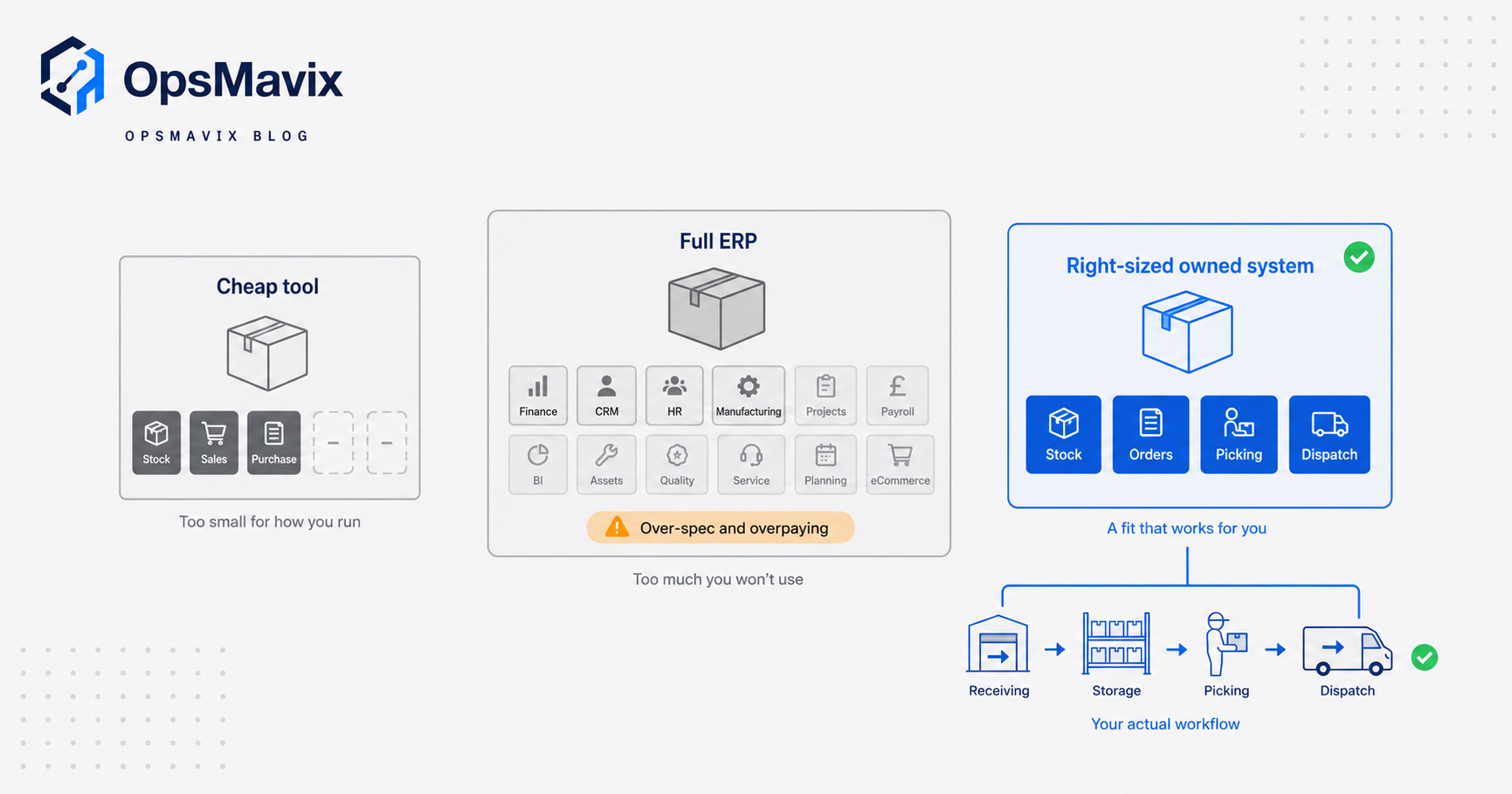
Comparing your three options
Three honest routes, depending on how far you have outgrown your current setup.
| Consideration | Cheap / generic off-the-shelf tool | Full ERP with WMS module | Right-sized owned system |
|---|---|---|---|
| Functions covered | Core receiving, stock, basic picking | Everything, most unused at SMB scale | Exactly the functions your workflow uses |
| Fit to your process | You bend to the tool’s assumptions | You bend hard, and re-train staff | Built around how your warehouse runs |
| Setup time | Days to a few weeks | Many months, external consultants | Weeks, scoped to real workflow |
| Cost shape | Low monthly per user | High licence plus implementation, per seat forever | Defined build cost, you own the result |
| When it stops fitting | When volume or complexity outgrows it | Rarely on features, often on agility | Expandable function by function as you grow |
| Best for | Small, standard operations | Large multi-site enterprises | outgrowing spreadsheets, not looking to bend to an ERP |
None of these is wrong. A tidy small warehouse with standard flow should buy the cheap tool and move on. A global distributor needs the ERP. The middle case, a growing operation whose warehouse works in a way no boxed product quite matches, is where an owned operations system usually wins: it covers the functions you use, leaves out the ones you do not, and can scale up to a full ERP later without a rebuild.
A worked example: a Midlands wholesaler
The figures below are illustrative and not a claim about a specific client.
A Midlands wholesaler ships around 300 orders a day from one warehouse, using spreadsheets plus a basic accounting stock feature. Two problems recur. First, stock accuracy sits around 92%, so roughly 24 orders a day hit a shortfall the record did not predict, each costing maybe 15 minutes of someone chasing stock, re-picking or ringing the customer. Second, pickers walk unstructured routes with no slotting logic.
Say that mis-pick and shortfall handling burns around 6 hours of staff time a day. At a loaded rate of about £16 an hour, that is roughly £96 a day, near £480 a week, or about £24,000 a year in avoidable admin, before counting the orders that ship late and the customers who churn.
Tightening three functions, receiving discipline, real-time inventory control, and directed picking, is what closes most of that gap. The wholesaler does not need engineered labour standards or wave optimisation across zones. It needs the record to be true and the pickers to be pointed. The right-sized build covers those three functions, integrates with the existing accounting and courier accounts, and leaves room to add packing verification later if volume doubles. The point is the scope: pay for the leak you have, not the enterprise feature set you were sold.
Integrations and why ownership matters
A WMS is rarely the only system in the building. It has to talk to your accounting or ERP for stock valuation and cost, to your sales channels or order-management layer so orders flow in, and to carriers so labels and tracking flow out. Logistics UK notes that systems typically “integrate with Enterprise Resource Planning (ERP) and Transportation Management Systems (TMS) to create a unified supply chain network” (Logistics UK). If those connections are brittle, you get double entry and the same stock-accuracy problem the WMS was meant to solve.
This is the case for ownership. With a boxed product, you get the integrations the vendor decided to build, and you wait, or pay, for the ones you actually need. With an owned operations system, the integrations are scoped to the tools you already run, and when you switch courier or add a sales channel, you change the connection instead of migrating platforms. You are not renting the join between your systems; you own it. For the automation layer that keeps stock true across those systems, see the inventory automation system.
FAQ
What are the main functions of a warehouse management system?
Receiving, put-away, inventory control, picking, packing, dispatch, labour management and reporting. All of them sit on one core job: recording the arrival and departure of every unit in real time, so the stock record stays true.
Do I need every WMS function?
No. Most smaller operations get the bulk of the value from three functions: accurate receiving, real-time inventory control and directed picking. Structured put-away and carrier-integrated dispatch matter more as volume rises. Engineered labour standards and multi-zone wave optimisation are usually enterprise weight for a single-site operation.
Which WMS function saves the most money?
Picking, by a distance. It is the most labour-intensive warehouse activity and accounts for 50 to 65% of total operating costs, so improving pick routing and accuracy has the largest payback of any single function.
Is a WMS different from inventory software?
Inventory software tells you how much you hold. A WMS adds the physical operation on top: where each item sits, how it is put away, how it is picked and packed, and how it leaves. If your pain is knowing the number, inventory tooling may be enough. If your pain is the physical flow, you want the warehouse functions.
Can I add functions later instead of buying everything now?
Yes, and for a growing operation that is usually the smart order. Start with the functions that close your current leak, prove the stock record is trustworthy, then add put-away rules, packing verification or labour reporting as volume justifies them. A right-sized owned system is built to expand this way; a boxed platform makes you buy the bundle up front.
How OpsMavix can help
OpsMavix builds right-sized operations systems for businesses that have outgrown spreadsheets but do not want to bend their warehouse to a heavy ERP. We start by watching how your stock actually moves, then scope a system around the functions you use, receiving, inventory control and picking first, with put-away, packing, dispatch and reporting layered on only where they earn their place. It integrates with the accounting and courier tools you already run, you own the result, and it scales up to a full ERP later if you need it. If you want to see where your current setup leaks, Book a Free Operations Leak Audit.
Sources
- Wikipedia: Warehouse management system - defines the core function of a WMS as recording the arrival and departure of inventory.
- Mecalux: What is a warehouse management system (WMS)? - UK breakdown of receiving, storage, picking, dispatch, inventory control and reporting functions.
- Logistics UK: Warehouse Management Systems - UK figures on inventory error reduction (over 30%), picking accuracy (near 99.9%) and ERP/TMS integration.
- Optioryx: Complete guide to warehouse picking strategies - order picking as the most labour-intensive activity, 50 to 65% of total warehouse operating costs.
Keep reading
Getting value from OpsMavix? Add us as a preferred source on Google — you'll see more of our operations content in your AI Overviews, AI Mode and Search.