
Order Management Software UK: One Place for Every Order
A practical guide to order management software UK sellers actually need, built for wholesale and B2B: capture, allocate and fulfil every order in one place. For a business that has outgrown spreadsheets and disconnected tools, an owned order hub often beats a subscription platform you bend to fit.
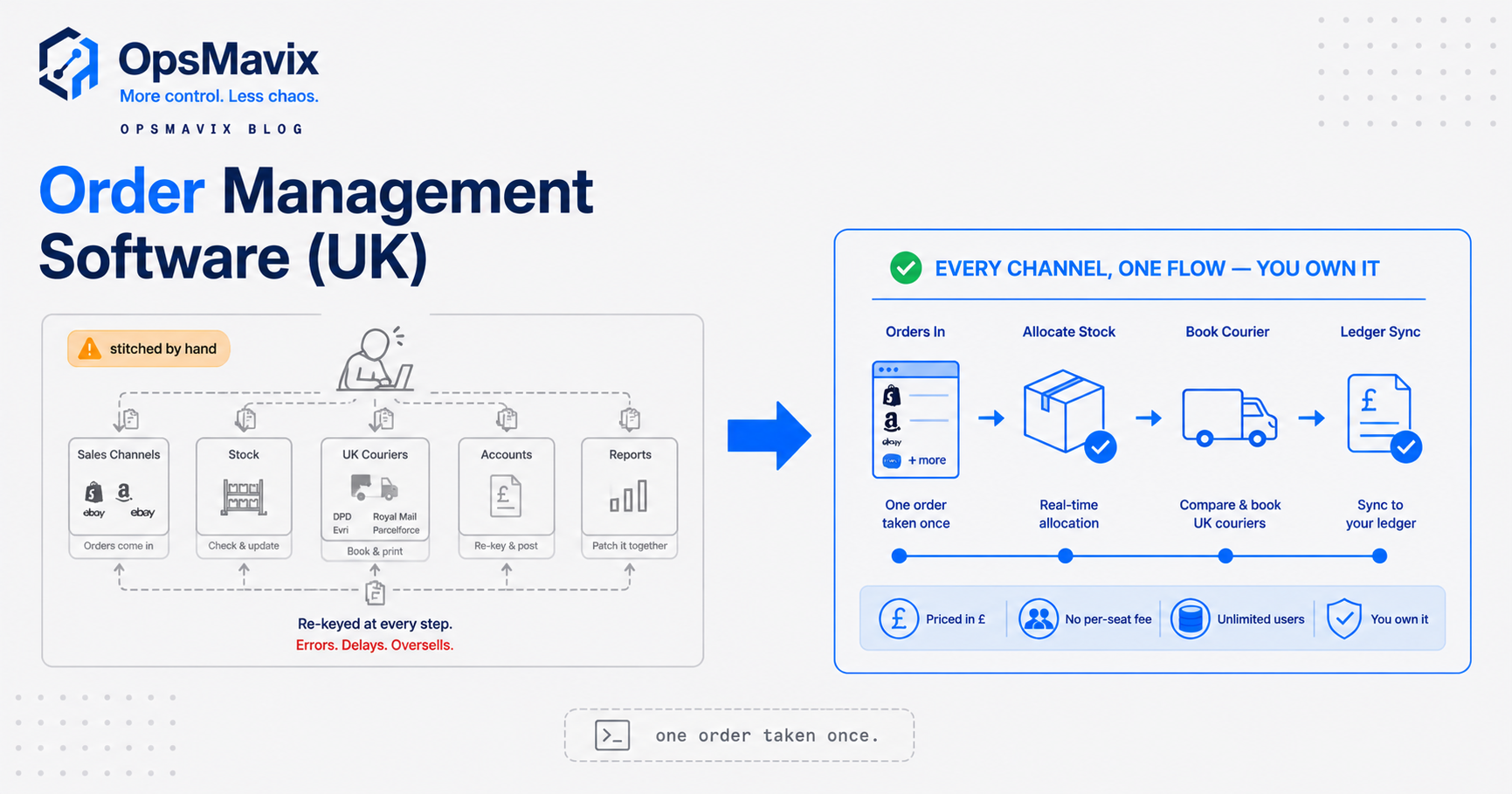
Order management software UK sellers rely on is meant to do one boring, load-bearing job: take every order, from every place it lands, and carry it cleanly through to the goods leaving the door. In practice most growing wholesalers and B2B sellers run a patchwork instead. Orders arrive by phone, email, trade counter, a web store, and one or two marketplaces, then a person copies each one into the warehouse system, a second keys the address into a courier portal, and a third pastes the tracking number back into the store. The order is real long before the system knows about it.
That gap is where the money leaks. Stock gets promised twice because two channels can’t see the same free-to-sell number. A quantity gets fat-fingered on the way from the sales inbox to the pick list. A back-order sits in someone’s head instead of on a screen. None of it shows up as a single dramatic loss, which is exactly why it survives for years.
What order management software actually does
Strip away the marketing and an order management system does four things in sequence.
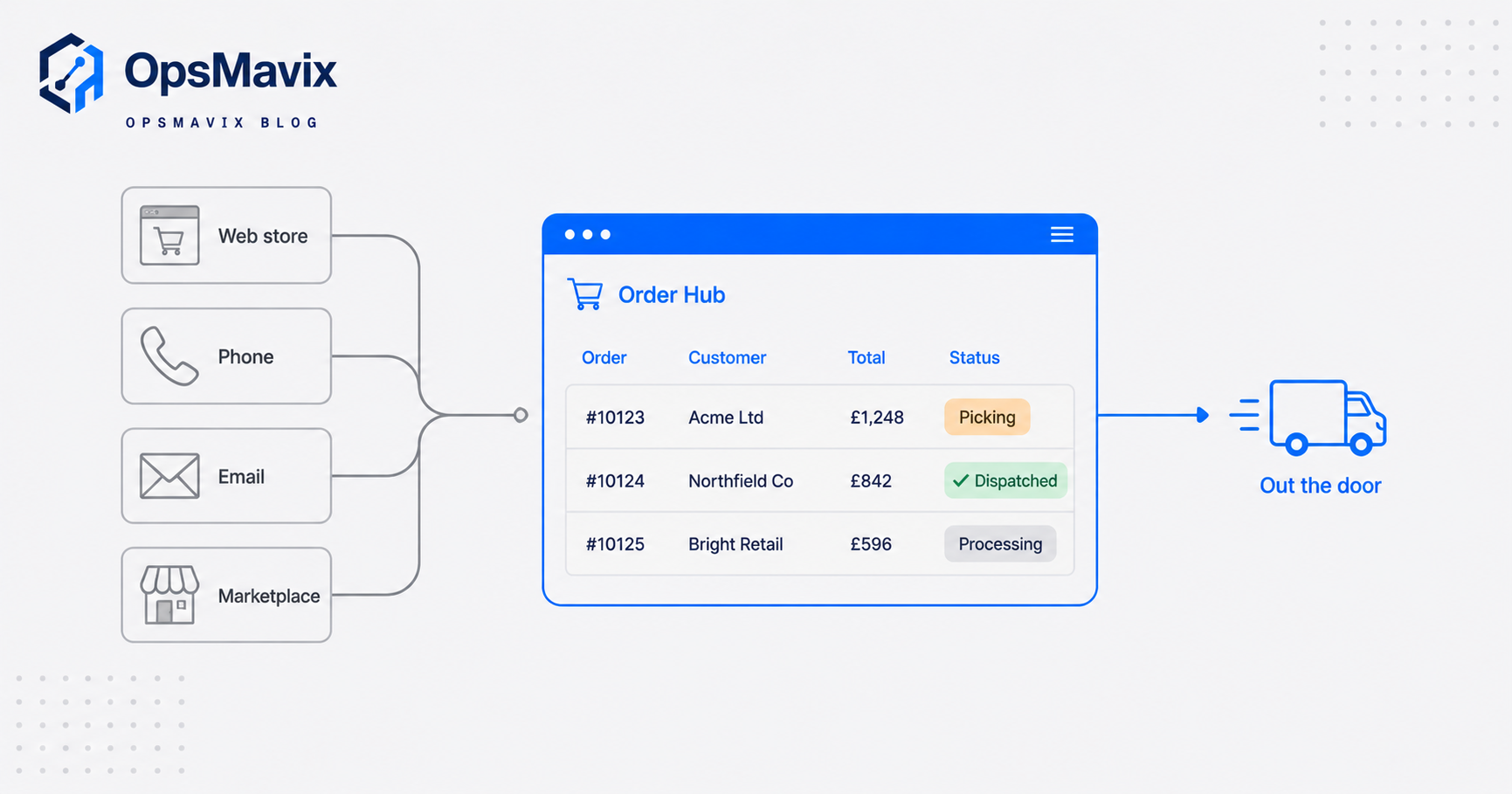
Capture. Every order lands in one place regardless of where it came from: web store, phone, email, trade counter, EDI feed, or a marketplace. One record, one status, one source of truth.
Allocate. The system reserves real stock against the order and keeps a live free-to-sell figure so the same unit is never sold twice. For a wholesaler this is the part that matters most, because you are often committing stock across a web channel and a sales team at the same moment.
Fulfil. It generates the pick list, the packing note, and the courier label, and it moves the order through picked, packed and dispatched without anyone re-typing the address or the line quantities.
Report. It tells you what is on back-order, which lines are late, what a given customer buys, and where orders stall. That last part is the difference between managing the operation and reacting to it.
An order management system is not the same as a warehouse management system (which governs bin locations and pick paths inside four walls) or accounting software (which handles the ledger). It sits between sales and fulfilment and keeps them in step. Smaller sellers often start with the order tools baked into their store platform or accounting package, which is a sensible place to begin. The question is what happens when orders arrive from four or five places at once.
The re-keying leak between sales and the warehouse
Here is the specific blind spot. In a business without a connected order flow, the same order gets entered by hand more than once. Someone reads it off an email and types it into the warehouse system. Someone keys the delivery address into the carrier’s website. Someone copies the tracking number back to the customer or the store. Each hop is a chance to introduce an error, and each hop is time spent typing data that already exists a screen away.
The cost of that is not hypothetical. Unaided human data entry tends to sit at roughly a one percent error rate, and the benchmark advice is to aim well below one percent on the fields that actually drive fulfilment and billing, because a wrong quantity, part number or postcode turns into a mis-ship, a return, and a customer call, per Conexiom’s data-entry benchmark. One percent sounds small until you run a few hundred order lines a week. It only takes a handful of wrong dispatches to eat a day of admin unpicking them.
The leak is also a visibility problem. When an order lives in an inbox until someone gets to it, nobody can answer “where is this order?” without asking the person who took it. Multiply that across a growing channel mix and the operation starts to depend on individuals remembering things. That works until someone is on holiday.
Multi-channel capture, allocation and fulfilment
Selling in more than one place is now the normal state, not the advanced one. Online sales settled at around 28.3% of total UK retail in December 2025, according to the Office for National Statistics retail sales bulletin, and most sellers reach that revenue across several channels rather than one. Industry survey data puts the average UK retailer on roughly 4.15 sales channels, while only about a third rate their inventory visibility across those channels as excellent, per Linnworks’ State of Commerce Operations reporting. That gap, many channels, poor cross-channel visibility, is the exact problem an order hub exists to close.
Multi-channel capture means each of those channels feeds the same order queue. A web order, a phone order and a marketplace order look identical once they land, so the warehouse works one list instead of five.
Allocation is where wholesale and B2B differ from pure retail. You are frequently holding stock for a standing account, releasing part of an order now and back-ordering the rest, honouring customer-specific pricing, and quoting a lead time on the phone. A generic retail order tool built around consumer web checkouts often handles part-shipments, back-orders and account pricing awkwardly, because it was not designed for the way a wholesaler sells. That mismatch is the usual reason UK B2B sellers outgrow their first tool.
Fulfilment then has to respect all of that: pick what is allocated, print the courier label from the address already on the order, and update status automatically so sales can see it without walking to the warehouse.
Generic tool vs full ERP vs owned system
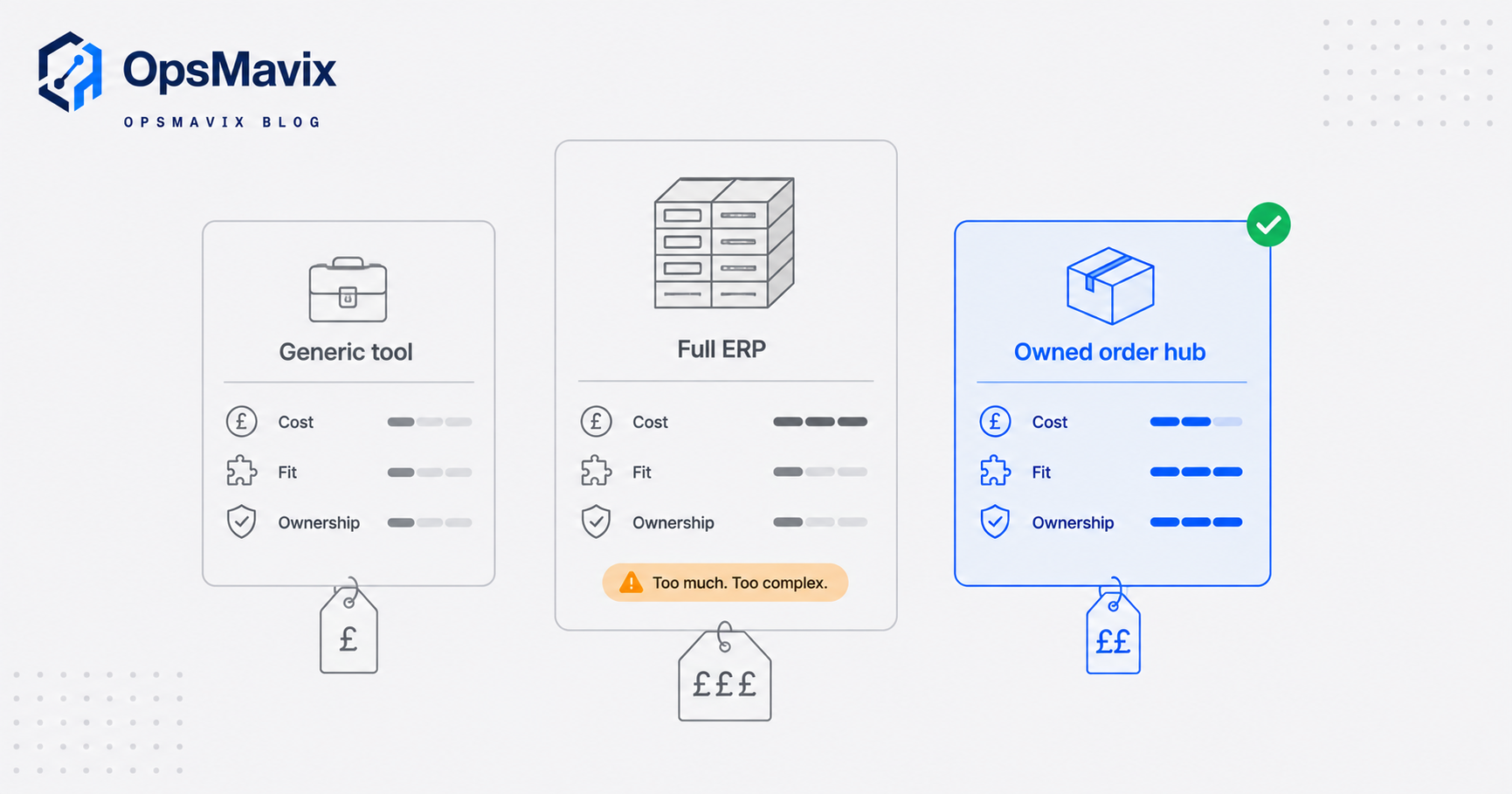
There are three honest ways to solve this, and the right one is the cheapest that actually closes your leak. Do not buy more than the problem needs.
| Cheap / generic off-the-shelf tool | Full ERP | Right-sized owned order system | |
|---|---|---|---|
| Best for | Single channel or low order volume, simple fulfilment | Large, complex operations that need finance, manufacturing and stock in one suite | A business that has outgrown spreadsheets and disconnected tools |
| Fit to how you sell | You bend your process to the tool | You bend your process to the suite | Built around your actual order flow (part-ships, account pricing, back-orders) |
| Cost shape | Low monthly fee, rises with volume and add-ons | Large upfront, then per-seat forever | One build cost, you own it; expand when you choose |
| Implementation | Days to weeks | Months, often with consultants | Weeks, scoped to the real leak first |
| Multi-channel + wholesale logic | Often retail-shaped, B2B rules feel bolted on | Handles it, at cost and complexity | Tuned to UK B2B and wholesale rules from the start |
| Ownership | Rented; features and price set by vendor | Rented; you follow the roadmap | Owned asset; changes on your timeline |
| Risk | Outgrow it, then a migration | Over-buy, long payback, seats you don’t use | Under-build if scope is wrong (mitigated by scoping the leak first) |
None of these is wrong. A generic tool is genuinely fine until you outgrow it. A full ERP is the right answer for a big, multi-entity operation, and an owned system can grow into a full ERP later if you get there. The mistake is buying the £25k-a-year suite to fix a re-keying problem, or clinging to a £40-a-month tool while three people spend their mornings copying orders between screens.
A worked example: a Midlands wholesaler
The following is illustrative and not a claim about a specific client. The numbers are realistic for a small UK wholesaler and are meant to show the shape of the cost, not to promise a result.
A trade supplier turns over about £3.5m a year selling on a trade web store, over the phone, and through two marketplaces. Roughly 600 order lines a week move through the business. Orders arrive in an inbox and a store admin, and two staff spend a good part of each day copying them into the warehouse system, keying addresses into a courier portal, and updating customers.
Take the re-keying time first. If two people each lose around two hours a day to copying, correcting and chasing orders, that is roughly 20 hours a week. At a loaded £16 an hour, that is about £320 a week, or on the order of £15,000 a year, spent moving data that already exists.
Now the errors. At a one percent error rate on 600 lines, that is around six wrong lines a week. Say half cause a real problem: a mis-pick, a re-ship, a return, a placating discount. If each costs £40 all-in once you count courier, restock and admin time, that is roughly £120 a week, near £6,000 a year.
Then the harder-to-cost loss: a marketplace and the web store both promised the last of a line because neither saw the other’s allocation, so an order gets cancelled and a standing account is annoyed. Put a conservative figure on that and the three problems together sit around £22,000 to £25,000 a year. An owned order hub scoped to capture every channel into one queue, allocate against a single free-to-sell number, and print labels from the order does not eliminate all of it, but it takes a serious bite. Against a build in the Starter-to-Growth range, the arithmetic is not subtle.
Integrations and why ownership matters
An order hub is only useful if it talks to the tools around it: your store platform, your marketplaces, your courier accounts, and your accounting package. Those connections are the whole point, because they are what removes the re-keying. Any serious option, off-the-shelf or owned, has to handle them.
The difference is who controls them. With a subscription platform, the integrations you get are the ones the vendor decided to build, the pricing is theirs to change, and a rule specific to how you sell (a particular back-order behaviour, a customer-tier pricing quirk, an EDI format a big account insists on) is a feature request that may never come. You fit the software.
With an owned system the integrations and the rules are yours. The connection to your courier, the way part-shipments release stock, the customer-specific pricing logic, all of it is built around your operation and stays that way. If a new marketplace or a new account arrives, you extend the system rather than wait for a roadmap. That is what “owned” buys you: not a lack of features today, but control over what it does next. This matters most for the wholesale and B2B rules that generic tools treat as edge cases. If you want to go deeper on that, see our guide to a wholesale order management system, our breakdown of B2B order management, and the specific fix for the re-keying problem in stop re-keying orders.
Ownership also removes the migration cliff. A generic tool you outgrow eventually forces a move, with all the data risk that carries. A system built around your process grows with you and, if you scale into needing full finance and manufacturing, expands toward a full ERP on your terms rather than forcing a rip-and-replace.
FAQ
Is order management software different from inventory or warehouse software?
Yes. Inventory software tracks stock levels, warehouse software governs bin locations and pick paths inside the building, and order management sits between sales and fulfilment to carry each order from capture through dispatch. They overlap, and a right-sized system can cover more than one of these, but the order hub is specifically about the order journey and keeping every channel’s stock allocation honest.
Do I need this if I only sell on one channel?
Probably not yet. If you take orders in one place and fulfil them simply, the tools inside your store or accounting package are usually enough, and buying more would be over-buying. The case for a dedicated order hub appears when orders arrive from several places, when stock is being promised across channels, or when people are re-keying orders between systems.
How is a UK wholesaler’s need different from a retailer’s?
Wholesale and B2B selling leans on part-shipments, back-orders, customer-specific pricing, credit accounts, and sometimes EDI with large customers. Many order tools are built around consumer web checkouts and treat those as edge cases, which is why B2B sellers often find a generic tool fights them. Software tuned to UK wholesale handles those rules as the default.
What does an owned order system cost compared with a subscription?
A subscription tool is a low monthly fee that rises with volume, seats and add-ons, paid indefinitely. An owned system is a one-off build cost that you then own, typically scoped in the Starter to Growth range depending on complexity. The right comparison is the total cost over a few years against what the current leak is costing you, not the headline monthly figure.
How long does it take to get an order hub working?
A generic tool can be live in days but on its terms. A full ERP usually runs to months. A right-sized owned system is normally weeks, because the first build targets the specific leak (capture, allocation, dispatch) rather than trying to boil the ocean, then expands from there.
How OpsMavix can help
OpsMavix builds right-sized operations systems for UK businesses that have outgrown spreadsheets and stitched-together tools but do not want to be bent into a full ERP. For order management that means an owned order hub tuned to how you actually sell: every channel captured into one queue, stock allocated against a single free-to-sell figure, part-shipments and account pricing handled as normal rather than as exceptions, and picking, packing and dispatch driven without anyone re-keying a thing. We scope the real leak first, build the cheapest thing that closes it, and leave you owning an asset you can expand as you grow. If a cheap tool or a full ERP suits you better, we will tell you. Book a Free Operations Leak Audit
Sources
- ONS Retail Sales, Great Britain: December 2025 - official UK figure for online sales as a proportion of total retail (28.3%).
- Conexiom: data-entry error rate benchmarks - the ~1% manual data-entry error rate ceiling and why critical fields need to sit below it.
- Linnworks: best multichannel ecommerce software - average UK retailer on ~4.15 sales channels and the cross-channel inventory-visibility gap.
- Charle: UK ecommerce statistics - UK online retail market size context (£127.41bn in 2024).
Keep reading
Getting value from OpsMavix? Add us as a preferred source on Google — you'll see more of our operations content in your AI Overviews, AI Mode and Search.