
Supply Chain Management Software Modules, Explained
Supply chain software is sold as one big suite, but under the bonnet it is a set of supply chain management software modules: demand planning, S&OP, procurement, inventory, warehousing, transport, supplier management, order management and analytics. Here is what each one actually does, who genuinely needs it, and why most businesses only ever use a handful.
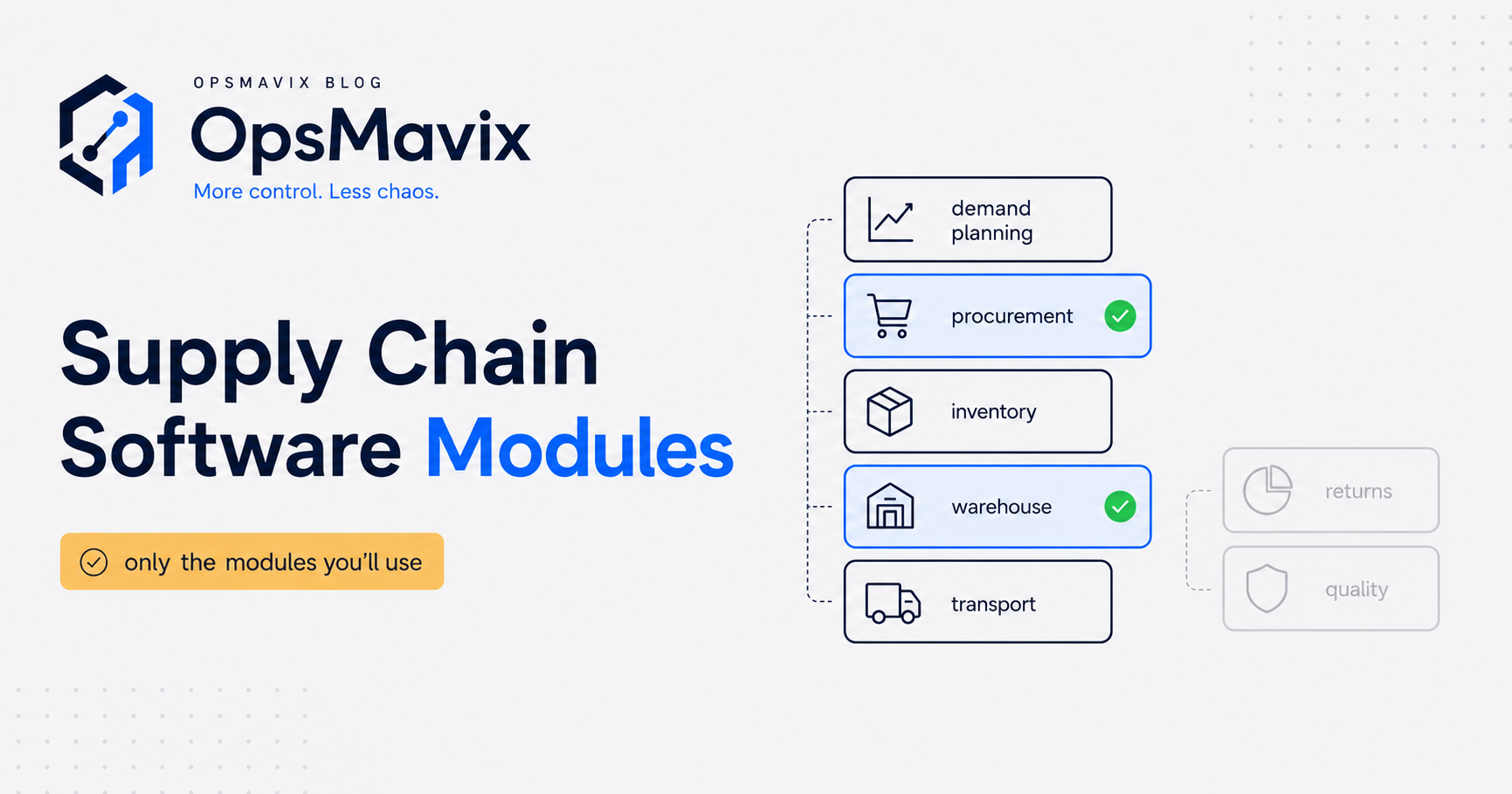
Supply chain management software modules are the separate functional building blocks inside an SCM system, each one handling a distinct part of the flow of goods, money and information, from forecasting demand through to shipping the order and reporting on the whole thing. The suite you get quoted for is really nine or so of these bolted together. The important, money-saving fact is that almost no growing business needs all of them, and knowing which is which is the difference between buying a right-sized system and paying for shelfware. For a standard definition, Britannica describes a supply chain management system as one that “manages the flow of products, data, money, and information throughout the entire supply chain” (Britannica).
Quick summary: The industry-standard SCOR framework from the Association for Supply Chain Management organises the whole supply chain into a handful of core processes, described as “the only comprehensive, universally accepted and open-access supply chain standard” (ASCM). Software modules map onto those processes, but a business rarely runs strongly in all of them, so the useful skill is matching modules to your actual pain rather than to a vendor’s feature list.
Contents
- Supply chain management software modules at a glance
- Demand planning and forecasting
- Sales and operations planning (S&OP)
- Procurement and purchasing
- Inventory management
- Warehouse management
- Transport and logistics
- Supplier management
- Order management
- Analytics and reporting
- Which modules do you actually need?
- FAQ
Supply chain management software modules at a glance
Before the detail, here is the whole map on one page. Read it as a menu, not a shopping list. The right-hand column is the one that matters: most businesses will honestly recognise themselves in three or four rows and can safely ignore the rest for now.
Textbooks cut the same ground more coarsely. OpenStax lists five major functions of supply chain management: “purchasing, operations, logistics, resource management, and information workflow” (OpenStax, Principles of Marketing). Vendors slice those functions into the nine modules below.
| Module | What it does | Who genuinely needs it |
|---|---|---|
| Demand planning / forecasting | Predicts future demand so you buy and make the right amount | Anyone holding stock with lumpy or seasonal sales |
| Sales & operations planning (S&OP) | Reconciles the sales plan with what ops can actually deliver | Larger firms where sales, finance and production disagree |
| Procurement / purchasing | Manages sourcing, POs and approvals for what you buy | Anyone raising more than a handful of purchase orders a week |
| Inventory management | Tracks stock levels, locations, valuations and reorder points | Almost every product business |
| Warehouse management (WMS) | Directs picking, putaway and movement inside the building | Multi-location, high-SKU or barcode-scanning operations |
| Transport / logistics (TMS) | Plans routes, carriers and freight costs | Businesses that ship in volume or run their own fleet |
| Supplier management | Holds supplier records, performance, lead times and risk | Anyone dependent on a few critical suppliers |
| Order management | Captures, allocates and fulfils customer orders across channels | Multi-channel sellers and distributors |
| Analytics / reporting | Turns the data from all modules into decisions | Everyone, but only once the underlying data is clean |
Demand planning and forecasting
Demand planning is the module that tries to answer “how much of each thing will we need, and when?” It takes sales history, seasonality, promotions and known future events and produces a forecast that everything downstream leans on. Gartner treats demand planning as one of the core pillars of supply chain planning, alongside supply and inventory planning and S&OP (Gartner, Supply Chain Planning).
Get this module right and the ones after it get much easier: you buy the right quantities, hold less safety stock and stock out less often. Get it wrong and no amount of clever warehousing saves you. The catch is that a full demand-planning engine is overkill for a small firm with stable, predictable sales. Many SMBs get 80% of the benefit from a simple reorder model rather than a statistical forecasting suite. If that is you, our guide to demand forecasting for a small business covers the lightweight version.
Skip it if: your demand is flat and predictable, or your product range is small enough to eyeball.
Sales and operations planning (S&OP)
S&OP is the module people confuse with demand planning, so worth separating clearly. Demand planning forecasts what the market wants. S&OP is the monthly management process that reconciles that forecast against what the business can actually supply, afford and staff, then commits everyone to one agreed plan. Gartner lists S&OP and its shorter-cycle cousin S&OE (sales and operations execution) as distinct parts of the planning stack (Gartner).
In software terms, an S&OP module gives you scenario modelling: what happens to margin, cash and capacity if sales grow 20%, or if a key line is discontinued. It is genuinely useful, but it is a module for organisations big enough that sales, finance and operations are separate camps that need forcing into the same room. A ten-person distributor does not need an S&OP module; the S&OP meeting is just the founder thinking on a Friday.
Skip it if: the same person owns the sales number and the operations number.
Procurement and purchasing
Here the words matter. CIPS, the UK professional body for procurement, draws a firm line: procurement covers “sourcing suppliers, negotiating, contract management and supplier development”, while purchasing “is fulfilling the transaction only and is very much a reactive and transactional approach” (CIPS, What Is Procurement?). CIPS maps the full journey as a 13-stage procurement and supply cycle from specification through to asset management (CIPS Procurement and Supply Cycle).
A software module can cover either end of that spectrum. Most SMBs need the purchasing end: raise a purchase order, route it for approval, match it to the goods received and the invoice, keep an audit trail. The heavier procurement end, tendering, contract lifecycle, supplier scorecards, only earns its place once you spend enough to negotiate seriously. Buying a strategic-sourcing suite to raise twelve POs a week is classic over-buying.
Skip the heavy version if: you are not running competitive tenders and your supplier list is short and stable.
Inventory management
If any module is close to universal for a product business, this is it. Inventory management tracks what you hold, where it is, what it is worth and when to reorder. It is the backbone that connects buying to selling, and it is where spreadsheet-run businesses leak the most: phantom stock, oversells, dead stock nobody noticed, cash tied up in the wrong lines.
A good inventory module gives you real-time stock levels, multi-location visibility, valuations that your accountant trusts, and reorder points that trigger before you run out. For most “outgrowing spreadsheets and disconnected tools” businesses, this single module ends the biggest leak. That is exactly why we build it as a standalone inventory automation system rather than insisting on a full suite. Valuation follows set rules: under IAS 2, inventories are measured “at the lower of cost and net realisable value”, with cost assigned by first-in, first-out or weighted average for interchangeable items (IFRS Foundation, IAS 2).
Skip it if: you genuinely hold no stock (services, dropship-only).
Warehouse management
A warehouse management system (WMS) is often confused with inventory management, but it answers a different question. Inventory says “we have 400 units”. A WMS says “they are in aisle 7, bin C, and here is the most efficient order to pick this morning’s dispatches”. It directs the physical work inside the building: putaway, picking routes, replenishment, cycle counts, usually with barcode or handheld scanning. In OpenStax’s marketing textbook, warehousing “requires receiving and storing new stock, picking and packing ordered items, and shipping products off to their next destination” (OpenStax, Logistics and Its Functions).
The line to watch is size. A single small stockroom does not need a WMS; the inventory module’s location field is enough. A WMS starts to pay off with multiple zones, thousands of SKUs, several pickers, or accuracy problems that keep causing wrong shipments. We break the trade-off down in detail in warehouse management software.
Skip it if: one person can find any item without asking anyone.
Transport and logistics
The transport module, sometimes a transport management system or TMS, plans how goods physically move: choosing carriers, comparing freight rates, planning delivery routes, booking shipments and tracking them. In SCOR terms this lives in the deliver and fulfil processes. The same textbook notes that transportation also “involves all the activities such as the generation of shipping documents, the calculation of delivery time” and any special equipment the goods need (OpenStax).
For businesses that ship in real volume or run their own vans, a TMS saves meaningful money on fuel, routing and carrier selection. For most SMBs, though, this is the module most safely left to a courier’s own portal or a simple integration. You do not need route-optimisation software to book a next-day pallet. Buy this only when transport is a genuine cost centre you are actively trying to shrink.
Skip it if: you ship through one or two couriers and freight is not a top-three cost.
Supplier management
Supplier management (sometimes supplier relationship management, SRM) holds everything about who you buy from: contacts, lead times, minimum order quantities, pricing agreements, performance history and risk. It turns “ask Dave how long the widgets take” into data the whole business can see.
The value here is concentration of risk. CIPS frames it in terms of criticality: the type of relationship to build with a supplier “depends on the criticality of the goods or services being purchased” (CIPS, Supplier Relationship Management). If two suppliers make or break your production, tracking their lead times, on-time rate and quality is worth a lot; a wobble there is what empties your shelves. If you buy commodity items from many interchangeable sources, a dedicated module is overkill. This module pairs naturally with purchasing, which is why we usually build the two together rather than as separate silos.
Skip the standalone version if: no single supplier could seriously hurt you.
Order management
Order management (OMS) captures customer orders, checks stock, allocates it, and drives fulfilment, ideally across every channel you sell through: website, phone, trade counter, marketplaces. It is the customer-facing mirror of procurement. Where things get painful is multi-channel: selling the same stock on a website and a B2B portal and eBay without one system reconciling them is how oversells happen.
If you sell through a single channel that already handles its own orders well, you may not need a separate OMS. The moment you sell the same pool of stock through two or more channels, an order management module (tightly coupled to inventory) stops being a luxury.
Skip it if: you sell through exactly one channel that already manages orders cleanly.
Analytics and reporting
The analytics module turns the data the other modules generate into decisions: stock turns, gross margin by line, supplier performance, forecast accuracy, order cycle time. In principle everyone needs it. In practice it is the module most often bought too early.
Analytics is only as good as the data feeding it. A dashboard sitting on top of messy, half-manual data produces confident nonsense. The UK Government’s Data Quality Framework says poor or unknown quality data “weakens evidence, undermines trust, and ultimately leads to poor outcomes” (GOV.UK). The right sequence is almost always: fix the operational modules first so the data is clean, then add reporting. Buying a shiny analytics layer while your stock figures are still guesses is polishing the wrong thing.
Skip it (for now) if: your underlying operational data is not yet trustworthy.
Which modules do you actually need?
The whole point of breaking the suite into modules is to buy only the ones that end a leak you can actually feel. Here is a worked example.
A West Midlands wholesaler, £4m turnover, sells the same stock through a trade counter, a website and one marketplace. Their pain: regular oversells on the website, cash tied up in slow-moving lines, and a Monday-morning scramble to work out what to reorder. They have one warehouse, one van, and three reliable suppliers they have used for years.
Run that against the menu and the answer is not “buy the nine-module suite”. It is four modules: inventory management (the core leak), order management (to stop the oversells across channels), demand planning in its lightweight form (to fix the reorder scramble and free the trapped cash), and basic analytics once those are clean. They do not need a WMS (one warehouse, findable stock), a TMS (one van, one courier), an S&OP module (the owner is the plan), or heavy procurement and supplier modules (three stable suppliers). Roughly four modules out of nine solve the entire problem, at a fraction of the cost and disruption of the full platform. That right-sizing is the whole game, and it is what a proper audit exists to establish.
FAQ
Do I have to buy all the modules together?
No. That is the single most expensive assumption in this market. Modules can be built or adopted one at a time, and most businesses only ever genuinely use three or four. Start with the one covering your biggest leak, prove the value, then add the next only if it earns its place.
What is the difference between inventory management and warehouse management?
Inventory management tracks how much you have, where, and what it is worth. Warehouse management directs the physical work of moving it, picking, putaway, routing inside the building. Small operations need the first and rarely the second.
Are these the same modules as an ERP?
There is heavy overlap. An ERP bundles supply chain modules with finance, HR and more into one large system. SCM software focuses on the supply chain modules specifically. Eurostat notes that ERP “is delivered in ‘modules’ that typically integrate processes relevant to planning, purchases, marketing, sales, customer relationship, finance and human resources” (Eurostat). Both are usually far more than a growing SMB needs day one, which is why a right-sized system built from a few modules often beats either.
How do the modules map to a standard framework?
Fairly cleanly onto the ASCM SCOR processes: plan (demand planning, S&OP), source (procurement, supplier management), transform (make), order and fulfil (order management, warehouse, transport) and return, all tied together by orchestration and analytics (ASCM).
Which module should a first-time buyer start with?
For most product businesses, inventory management, because it sits at the centre and ends the most common and expensive leak. Everything else connects to it, so getting that clean first makes every later module more useful.
How OpsMavix Can Help
OpsMavix is not an SCM vendor and we do not sell generic code. We build right-sized operations systems that you own, covering only the modules that end your specific leak, not a nine-module platform you will half-use. For most businesses that means inventory, order management and lightweight demand planning first, with the rest added only if and when they clearly pay for themselves. That is how the OpsMavix Core System works: we build the one core part of your operation that is leaking as software you own, then add inventory, orders, purchasing and more as you need them.
We start by understanding the workflow, not by demoing features. The audit tells you which modules matter, we build those to a delivery guarantee, and you are left with a system that fits how you actually work rather than one you bend your business around. Want the wider picture first? Read the pillar guide to supply chain management software, then Book a free Operations Leak Audit.
Sources
- ASCM, ASCM Releases New SCOR Digital Standard (press release): https://www.prnewswire.com/news-releases/ascm-releases-new-scor-digital-standard-301626710.html
- Britannica, Information system: operational support and enterprise systems: https://www.britannica.com/topic/information-system/Operational-support-and-enterprise-systems
- CIPS, What Is Procurement?: https://www.cips.org/intelligence-hub/procurement/what-is-procurement
- CIPS, Procurement and Supply Cycle: https://www.cips.org/intelligence-hub/procurement/procurement-supply-cycle
- CIPS, Supplier Relationship Management: https://www.cips.org/intelligence-hub/supplier-relationship-management
- Eurostat, E-business integration: https://ec.europa.eu/eurostat/statistics-explained/index.php?title=E-business_integration
- Gartner, Supply Chain Planning: https://www.gartner.com/en/supply-chain/topics/supply-chain-planning
- GOV.UK, The Government Data Quality Framework: https://www.gov.uk/government/publications/the-government-data-quality-framework/the-government-data-quality-framework
- IFRS Foundation, IAS 2 Inventories: https://www.ifrs.org/issued-standards/list-of-standards/ias-2-inventories/
- OpenStax, Principles of Marketing, 17.5 The Supply Chain and Its Functions: https://openstax.org/books/principles-marketing/pages/17-5-the-supply-chain-and-its-functions
- OpenStax, Principles of Marketing, 17.6 Logistics and Its Functions: https://openstax.org/books/principles-marketing/pages/17-6-logistics-and-its-functions