
Inventory Management Software UK: Choosing a System That Fits
A practical UK buyer's guide to inventory management software, covering VAT and Making Tax Digital fit, integrations, and the real choice between a cheap tool, a full ERP, and a right-sized owned system for a business that has outgrown spreadsheets and disconnected tools.
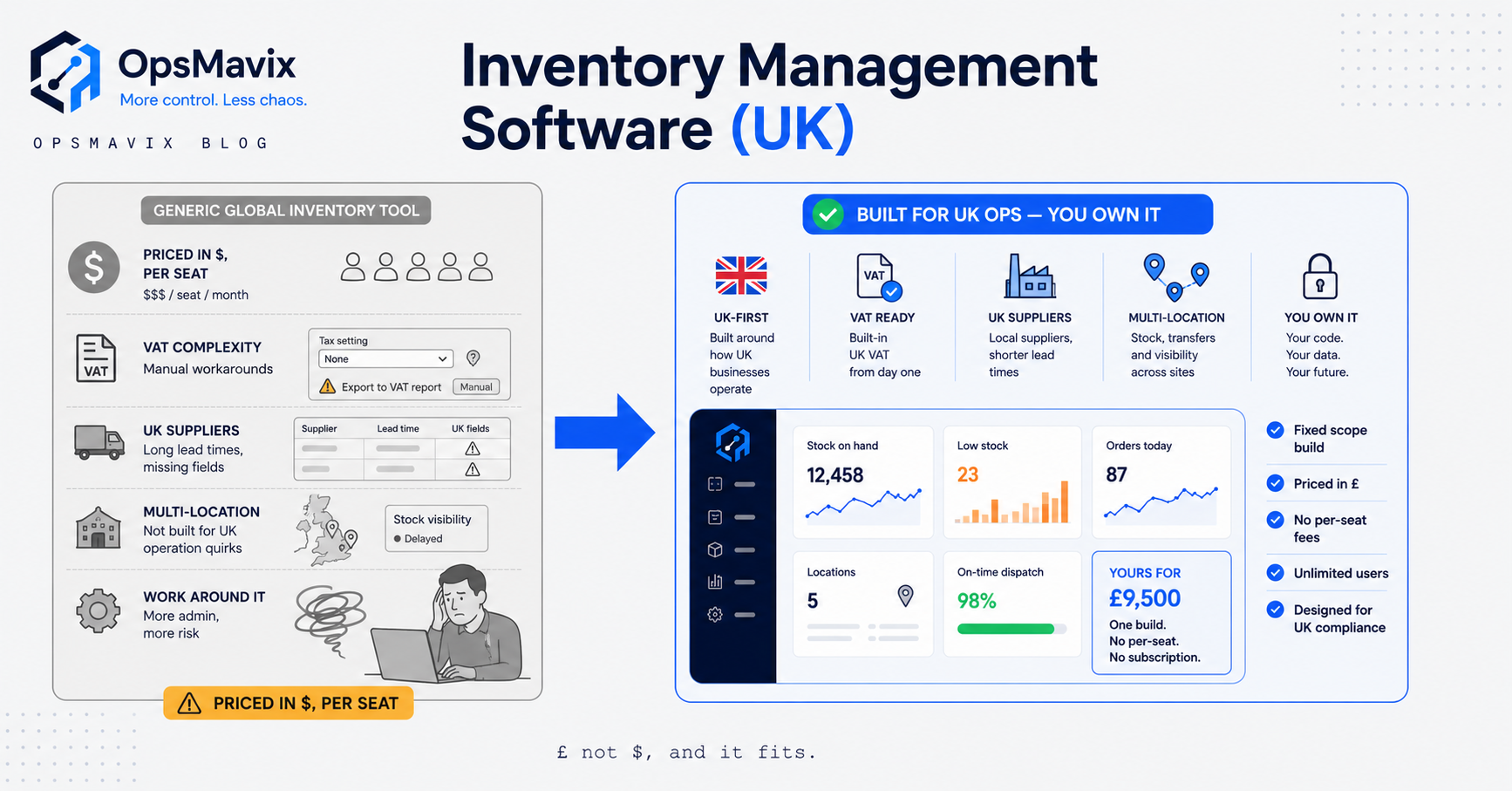
Most inventory management software sold in the UK was built somewhere else. The pricing is set in dollars, the tax logic assumes American sales tax, and the “UK support” is a help doc with the spelling changed. That works fine until the day your accountant asks for a VAT-clean export, or your 3PL wants data in a format the tool cannot produce, and you realise you are bending your operation to fit a product rather than the other way round.
If you sell physical goods in Britain, inventory management software is the system that tracks what stock you hold, where it sits, what it cost, and what is committed against open orders. The question is rarely whether you need it. You already know you do. The real question is which of three very different things you should actually buy, and how to avoid paying for a system that fights your VAT return, your integrations, and the way your business actually runs.
What inventory management software actually does
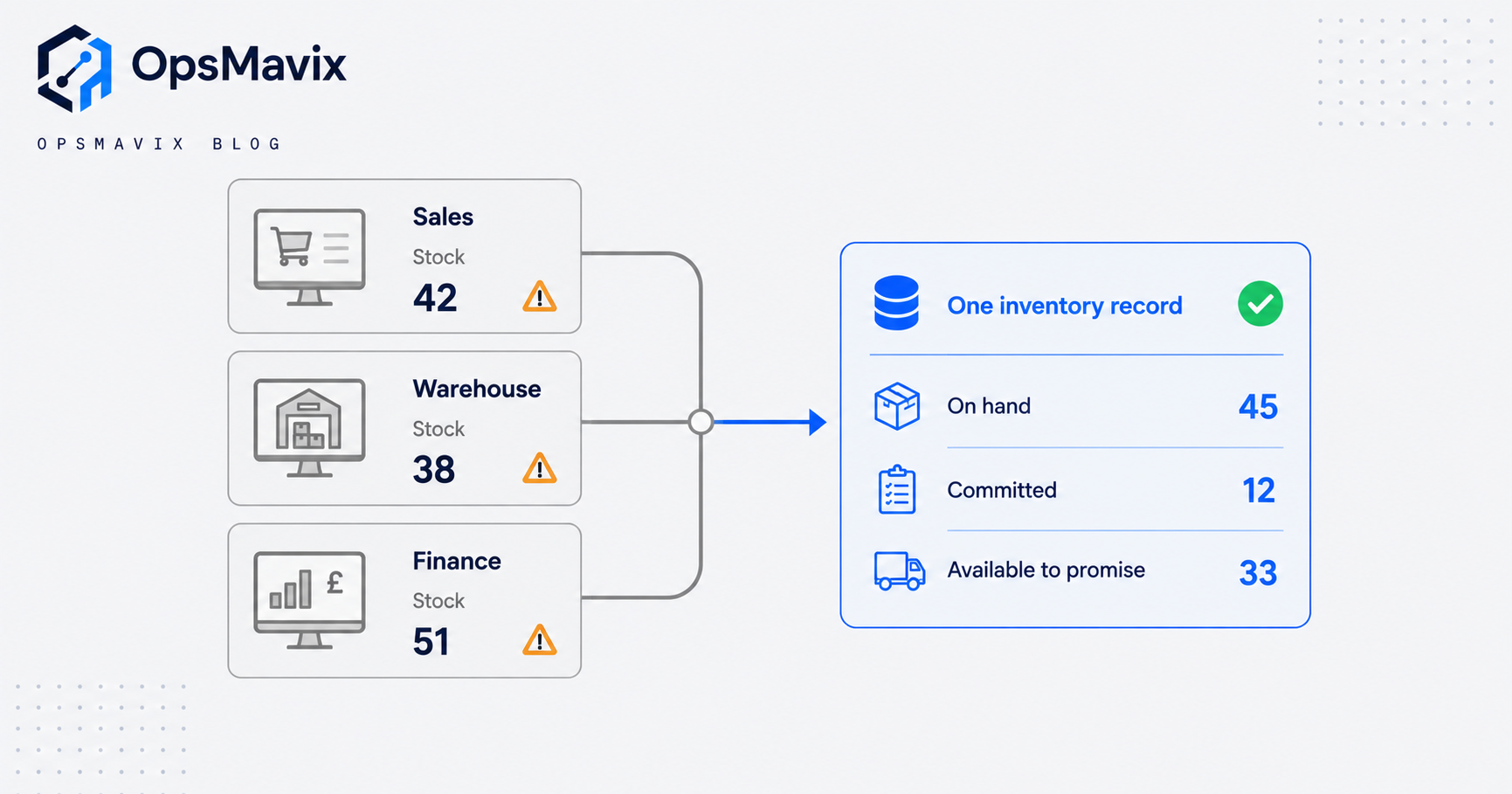
At its core the job is simple to state and hard to do well: keep one accurate number for how much of each item you hold, and keep it accurate while stock moves. Good systems track quantity on hand, quantity committed to open orders, and quantity available to promise, which is the number that actually matters when a customer asks “can you ship ten today”.
Around that spine sit the functions that separate a real system from a spreadsheet:
- Multi-location stock, so a unit in the Leeds warehouse is not accidentally sold from the Bristol shelf.
- Reorder points and purchase suggestions, so you replenish before you stock out rather than after.
- Costing, tracking what each unit cost you (FIFO, average, or landed cost including freight and duty) so your margins are real.
- Batch, lot, and expiry tracking where you need traceability, common in food, cosmetics, and anything regulated.
- Order allocation, matching incoming sales orders against available stock and flagging shortfalls.
A tool that only counts what is on the shelf is a stock counter. A system that connects those counts to purchasing, sales, and your accounts is inventory management. The gap between the two is where most UK businesses lose money.
The specific blind-spot it fixes
The leak is rarely a single wrong number. It is the delay and the disconnection between numbers. Sales sees one stock figure in the shop system, the warehouse sees another on the floor, and finance sees a third in the spreadsheet that gets updated on Fridays. Each is defensible. Together they cause oversells, panic reorders, dead stock nobody noticed, and month-end reconciliations that eat a full day.
The concrete symptoms most UK operators recognise:
- Selling stock you do not physically have because the channel count lagged the warehouse.
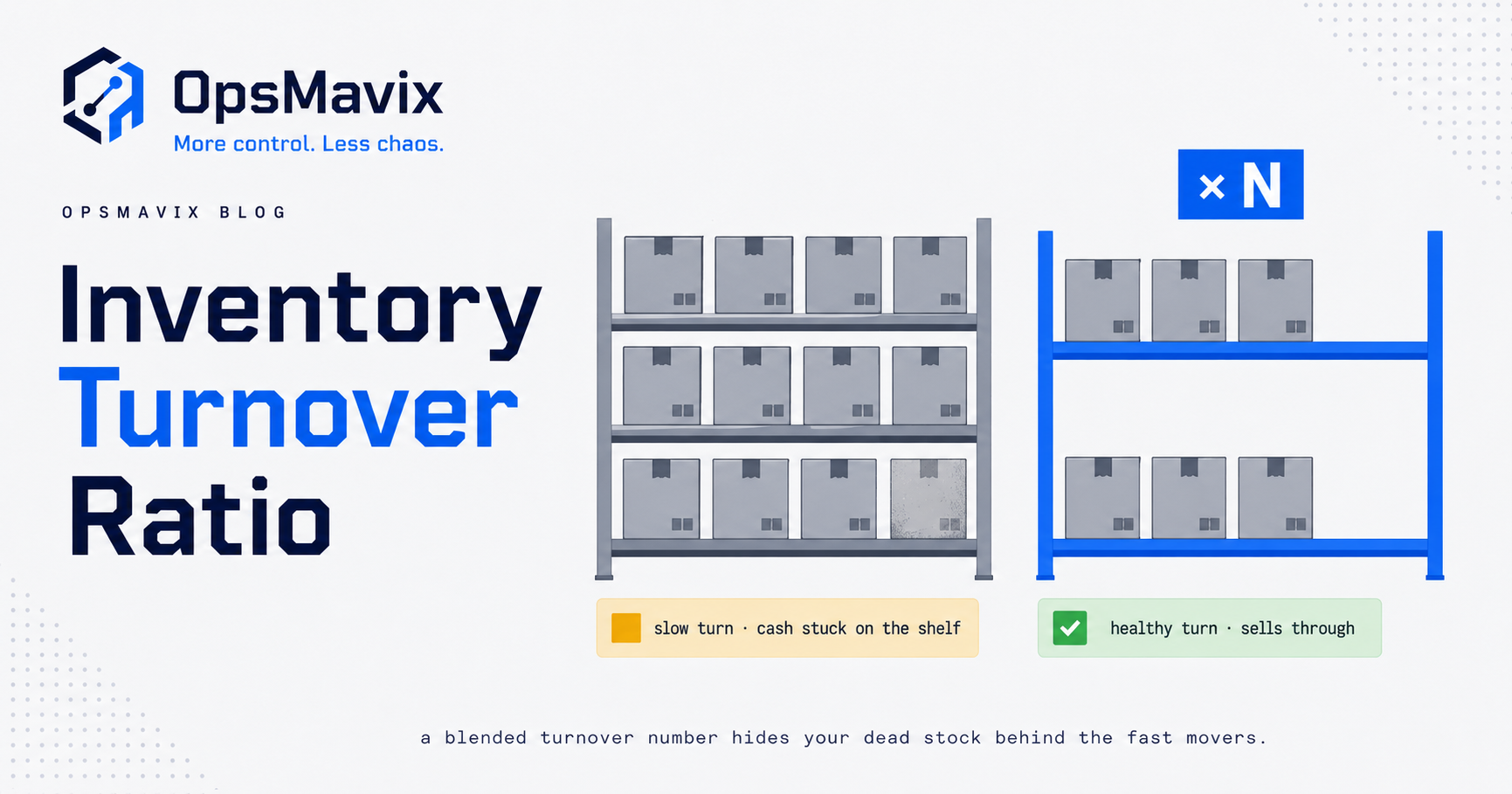
- Cash tied up in slow-moving lines because nobody has a clean view of what is actually turning.
- Reordering by memory and gut, then either stocking out on your best sellers or drowning in your worst.
- A VAT return that takes hours because stock movements and purchase costs live in three places that do not agree.
Inventory management software fixes this by making one record the truth and forcing every movement through it. The value is not the feature list. It is that everyone finally argues from the same number.
VAT and Making Tax Digital fit
This is where UK buyers get caught, and where a lot of imported SaaS quietly fails you.
If your taxable turnover crosses £90,000 over any rolling twelve months, you must register for VAT, and once registered you fall under Making Tax Digital for VAT. Under Making Tax Digital, all VAT-registered businesses must keep their records digitally and file VAT returns using compatible software; the old HMRC online portal for typing figures in by hand is closed to them.
Two points matter for inventory specifically. First, HMRC requires a digital link between the software programs that make up your VAT record. A digital link is an electronic transfer of data between programs with no manual retyping, and crucially, “cut and paste” does not count. If your inventory tool cannot pass figures to your accounting software without someone copying cells, you have a compliance problem, not just an annoyance.
Second, your inventory software does not have to be the thing that files the VAT return. It usually should not be. What it must do is hold clean, correctly categorised movement and cost data, and pass it by digital link into MTD-compatible accounting software (the Xero, QuickBooks, Sage tier) that does the filing. Many US-built inventory tools were never designed with that hand-off in mind, which is why UK teams end up rekeying, which is exactly what the rules forbid.
The practical test before you buy: can this system export or push VAT-relevant data into your accounts by a genuine digital link, with UK VAT rates and treatments intact? If the honest answer is “you’ll copy it across each quarter”, keep looking.
Integrations and why ownership matters
Inventory sits in the middle of everything. It has to talk to your sales channels (Shopify, Amazon, eBay, trade counter, EDI), your accounting software, your couriers and 3PL, and often a POS or a production system. An inventory tool that cannot integrate is a fancier spreadsheet.
Off-the-shelf tools integrate through a fixed menu of pre-built connectors. If your stack is on that menu, wonderful. If you run a slightly unusual channel, a legacy trade system, or a supplier who sends stock files in their own format, you hit the wall: the integration you need is “on the roadmap”, or it exists but maps the fields wrong, and you cannot change it because you do not own the code.
This is the argument for ownership. When you own the system, the integration bends to your business. A supplier’s odd CSV, a courier’s specific label rules, a wholesale customer’s required order format, all become a small piece of logic you control, not a feature request in someone else’s queue. You are not waiting on a vendor’s priorities, and you are not paying per seat forever for a connector you use once a day.
Ownership is not about writing everything from scratch. It is about the integrations and the awkward, business-specific rules being yours to change when the business changes, which it will.
The three ways to buy, compared
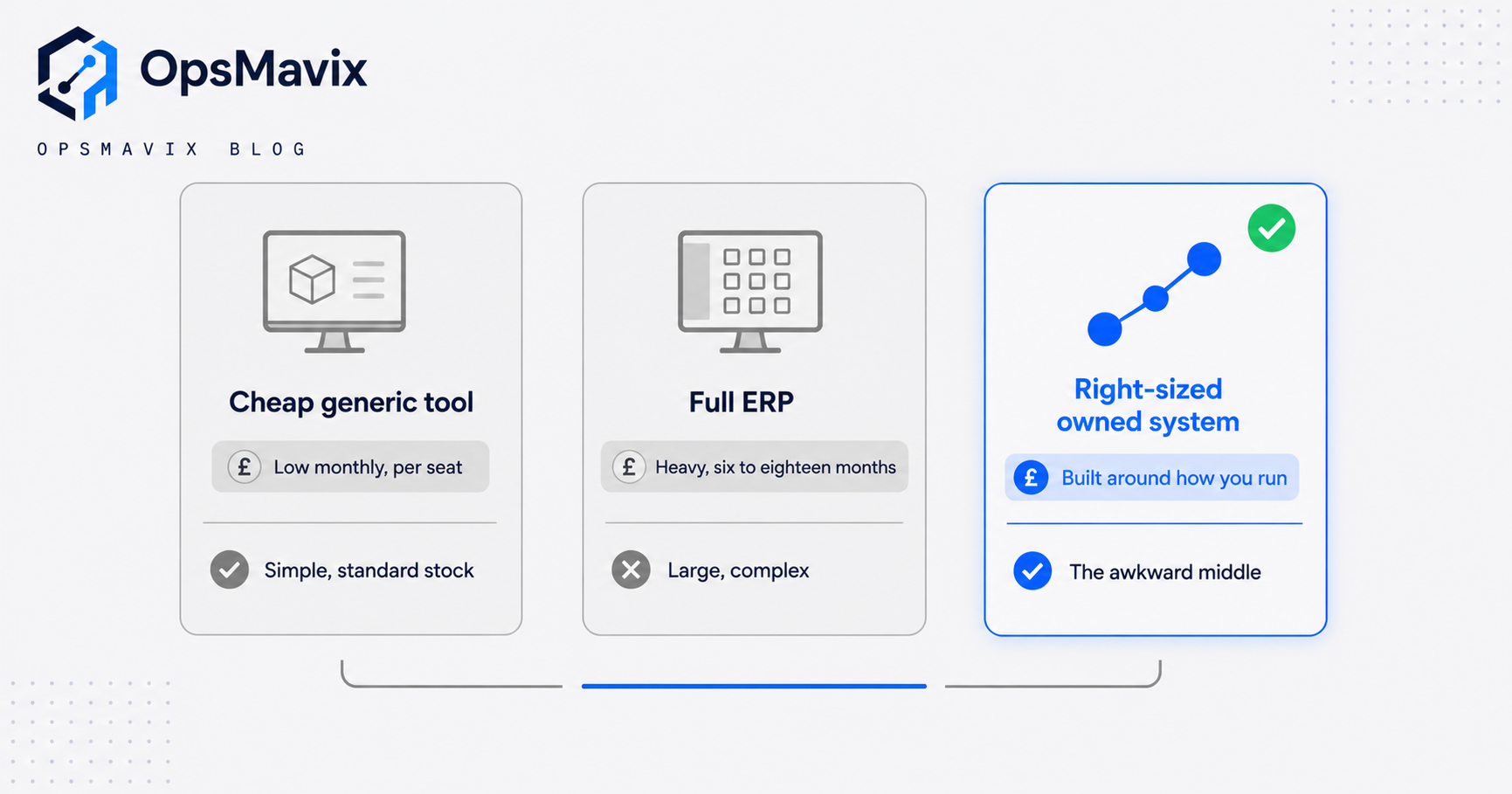
There are really three honest options, and the right one depends entirely on how standard your operation is and how much of your margin the leak is costing you.
| Cheap / generic tool | Full ERP | Right-sized owned system | |
|---|---|---|---|
| Best for | Simple, standard stock; one or two channels | Large, complex, multi-entity operations | The awkward middle: particular process, outgrowing tools, not ERP-scale |
| Setup time | Days to weeks | Six to eighteen months | Weeks to a few months |
| Cost shape | Low monthly per-seat fee | High licence plus implementation, per seat forever | Build cost, then you own it; expandable later |
| Fit to your process | You bend to the tool | You bend to the ERP, or pay to customise it | Built around how you actually run |
| Integrations | Fixed connector menu | Broad but rigid and costly to alter | Yours to change as needs change |
| VAT / MTD | Usually needs a separate accounts tool | Handles it, heavyweight | Feeds your existing MTD accounts by digital link |
| When it fails you | The day your process stops being standard | Overkill: paying for modules you never touch | If your operation is genuinely simple, this is more than you need |
The honest recommendation is to buy the cheapest thing that fully closes your real leak. If a £40-a-month tool genuinely handles your stock, buy it and stop reading. A full ERP earns its cost when you are large and complex enough to use most of it. The owned system exists for the businesses in between: too particular for the generic tool, nowhere near needing the ERP, and losing real money in the gap. OpsMavix can also grow that owned system up into a full ERP later if you get there, so choosing right-sized now is not a ceiling.
A worked example
The following is illustrative, not a claim about a specific client.
A wholesale distributor near Manchester turns over about £2.1m a year across a trade counter, a Shopify store, and an Amazon channel. Stock lives in one warehouse plus a small overflow unit. They run a cheap inventory app that syncs Shopify but not Amazon or the trade counter, so those two get reconciled by hand.
The leak, roughly costed:
- Oversells and cancellations: around 12 orders a month sold from stock that was not really available, at an average £180 order value and an estimated £30 of margin plus goodwill lost per cancellation. Call it £360 a month.
- Dead stock: roughly £48,000 of capital sitting in slow lines nobody had a clean turn-rate view of. Even at a modest cost-of-capital and storage figure, carrying that is a few hundred pounds a month of pure drag.
- Admin: one person spending around six hours a week reconciling channels and prepping VAT figures, at a loaded cost near £22 an hour. That is roughly £570 a month.
Add the recurring pieces and the operation is bleeding somewhere in the region of £1,200 to £1,500 a month, before you count the orders lost to slow stock and the odd angry customer who does not come back.
A full ERP would fix it and then some, but the quote comes back at a heavy five-figure implementation plus per-seat licences the owner does not want forever. A cheaper tool that syncs all three channels helps, but still cannot enforce their trade-counter pricing rules or push clean VAT data to their accountant by digital link. A right-sized owned system that unifies the three channels, enforces available-to-promise, flags dead lines, and feeds their existing MTD accounting software pays for itself against that £1,200-plus monthly leak inside the first year, and it is theirs to extend when they add a fourth channel. Your numbers will differ; the point is to cost the leak before you shop, then buy the smallest thing that closes it.
FAQ
Does my inventory software need to be Making Tax Digital compatible?
Not necessarily on its own. What matters is that your VAT records are kept digitally and filed through MTD-compatible software, with a digital link (not copy-paste) between programs. In most setups your inventory system holds the movement and cost data and passes it by digital link into MTD-compatible accounting software that does the actual filing. Check that hand-off exists before you buy.
What is the difference between inventory software and an ERP?
Inventory software manages stock: what you hold, where, at what cost, committed against what orders. An ERP is a much broader system that runs stock alongside accounting, HR, CRM, manufacturing, and more, as one platform. ERPs are powerful and expensive and take months to implement. Most UK SMEs need excellent inventory and order handling wired into their existing tools, not a full ERP, until they are genuinely large and complex.
Can I just use a spreadsheet or a cheap app?
For a genuinely simple operation, yes, and you should. The trouble starts when you add channels, locations, or a process rule the app cannot express, and you find yourself reconciling by hand and rekeying VAT figures, which MTD’s digital-link rule specifically does not allow. The trigger to move up is not size for its own sake; it is when the manual glue between tools starts costing more than a proper system would.
How do I know if I should buy off-the-shelf or build an owned system?
Cost the leak first. If a standard tool closes it fully, buy the tool. Build an owned system when your process is too particular for the generic apps (unusual channels, specific pricing or allocation rules, a hand-off no connector supports) but you are nowhere near needing a full ERP. The deciding factor is fit, not fashion.
Will a UK-built approach really matter versus a US SaaS tool?
It matters exactly where the money and the compliance live: VAT treatments, the MTD digital link into your accounts, and integrations with UK-specific couriers, channels, and suppliers. A capable US tool can be made to work, but if it forces manual rekeying for VAT or cannot handle a UK integration you depend on, that friction recurs every single week.
How OpsMavix can help
OpsMavix builds right-sized operations systems for UK businesses that have outgrown spreadsheets and cheap apps but do not want to bend themselves to a full ERP. We start by finding where your stock, orders, and reporting actually leak time and money, then build a system you own that closes that specific gap, keeps clean VAT-ready data flowing into your MTD accounting software by digital link, and integrates with the tools you already run. It is expandable, so it grows with you rather than being ripped out later. If you are tired of forcing an imported tool to fit a British operation, Book a Free Operations Leak Audit.
For related reading, see our guides on inventory management systems for small business, custom inventory systems, and stock management systems for small business.
Sources
- GOV.UK: VAT registration, when to register - confirms the current £90,000 VAT registration threshold and the rolling twelve-month rule.
- GOV.UK: Find software that’s compatible with Making Tax Digital for VAT - all VAT-registered businesses must keep records digitally and file returns using compatible software.
- GOV.UK: VAT Notice 700/22, Making Tax Digital for VAT - defines the digital records required and the digital-link rule, and states that cut and paste does not qualify as a digital link.
Keep reading
Getting value from OpsMavix? Add us as a preferred source on Google — you'll see more of our operations content in your AI Overviews, AI Mode and Search.