
How to Create an Online Ordering System (Step by Step)
Creating an online ordering system means assembling five parts — a product catalogue, an order flow, a live stock check, capture straight into your back-office without re-keying, and payment or account terms. Here's each step, what each part actually has to do, and the honest build-vs-buy-vs-custom call at the end.
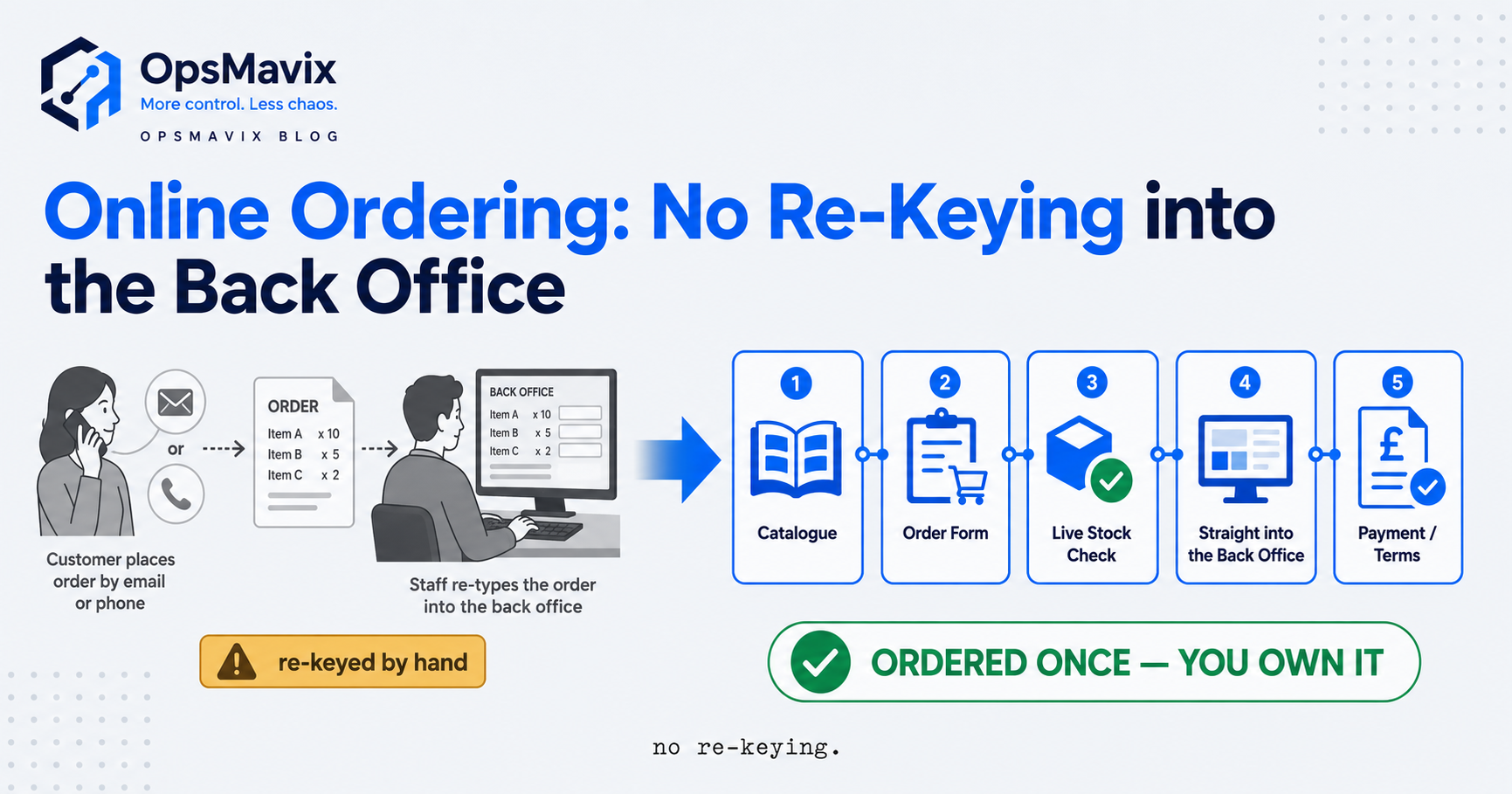
How to create an online ordering system comes down to assembling five parts that most people skip straight past: a product catalogue customers can see, an order flow they can complete (a cart for the public, or a B2B order form with account pricing), a live stock or availability check so you don’t sell what you can’t ship, capture of the finished order straight into your back-office without anyone re-typing it, and a way to take payment or run it on account terms. Get those five talking to each other and you have an ordering system. Miss one — usually the back-office capture — and you have a form that emails you, which is re-keying with extra steps.
This is the build guide, not the shopping guide — if you’re weighing up which product to buy, the companion piece on choosing an online ordering system for a small business covers that. We walk the parts in the order you’d assemble them, then the honest build-vs-buy call at the end.
Key Takeaways
- An online ordering system is five parts, not one: catalogue, order flow, live stock check, back-office capture, and payment or terms. The system is the joins between them, not any single piece.
- The back-office capture is the part everyone skips — and it’s the one that decides whether you’ve built an ordering system or just a fancy contact form that someone still re-types.
- B2C and B2B need different order flows. A public cart is a solved problem; a trade order form with per-customer price lists and account terms is where the real work lives.
- The live stock check is what stops overselling — without it the order takes fine and the problem surfaces at picking, when it’s the customer’s problem too.
- Off-the-shelf usually wins for a standard shop. Building your own earns its place when your pricing, channels or back-office are the non-standard bit that makes you money.
- Judge the finished system on re-keying removed and orders shipped right, not on how slick the front end looks.
The Five Parts an Online Ordering System Actually Needs
Every working online ordering system has the same five parts, and the mistake that wastes the most money is building one of them beautifully and bolting the rest on as an afterthought. A catalogue — what you sell, described so a customer can choose. An order flow — the path from “I want these” to “order placed.” A stock check — does this exist to sell right now. Back-office capture — the order landing where it’s worked, picked and invoiced. And payment or terms — money now, or on account.
What separates a real system from a form is how tightly those five connect. A website form can show a catalogue and take an order, but it can’t check live stock before confirming or land the order into your back-office ready to work — that’s the part a human ends up being. So through the steps, keep asking not “can I build this part” but “does it hand off cleanly to the next.” Every gap a person bridges is the leak.
Step 1 — Build the Product Catalogue
Start with what you sell, because everything downstream reads from it. The catalogue is your list of products or SKUs with the details a customer needs to choose correctly: name, code, description, unit of sale, and — the part people underestimate — the rules for how each item can be ordered: pack sizes, minimum order quantities, sold each, per case or per pallet. A catalogue that shows a product but not that it only ships in boxes of twelve just moves the confusion to the phone call afterwards.
For a small public shop this is straightforward — a handful of products, a photo and a price each. For a trade or wholesale business it’s the hardest step, because the same product is often a different price to different customers, and the “catalogue” a given buyer should see is really their catalogue: their agreed lines, their pricing, their pack rules. Bolting that onto a tool built for one public price list is the first “off-the-shelf doesn’t quite fit” moment.
Step 2 — Build the Order Flow (Cart, or a B2B Order Form)
The order flow is the path from choosing items to placing the order, and here the B2C and B2B versions diverge. For the public, it’s a cart: add to basket, review, checkout. That pattern is solved — a hosted checkout does it well and cheaply, so most of your “build” is really configuration.
For a trade or wholesale business, the order flow is where a right-sized system earns its keep. Your customers don’t browse — they reorder. They know their SKUs, buy the same lines every week, and want to place a fifty-line order in ninety seconds, not click through a consumer catalogue. That means quick-order by code, saved order templates, per-customer price lists applied automatically, and account rules (credit limit, MOQs, delivery schedule) enforced in the flow, not checked by a human afterwards. The deeper version is in what a B2B order management system should do.
The honest test is whether the customer can complete a normal order without your team touching it. If a rep still has to confirm pricing first, you’ve built a request form, not a system — a person is still the last step.
Step 3 — Add the Live Stock or Availability Check
An order flow that takes any order regardless of what you have is a promise you can’t always keep. The stock check connects the order to reality: before the system confirms, does this item exist to sell right now, in this quantity. Without it, overselling isn’t a risk you manage — it’s a certainty you discover later at picking, when a greyed-out button would have caught it painlessly.
How live it needs to be depends on how you sell. A single-channel shop with slow-moving stock can tolerate a nightly figure. A business selling the same stock across a website, a trade portal and a marketplace or two needs one real-time count every channel reads from — because the whole overselling problem is several channels each believing they own the last unit. And it only works if it reads from where your real stock number lives and updates the instant an order is placed. A check reading a spreadsheet someone updates by hand at lunchtime isn’t live — it’s yesterday’s guess with a green tick on it.
Step 4 — Capture the Order Into Your Back-Office (the Re-Keying Trap)
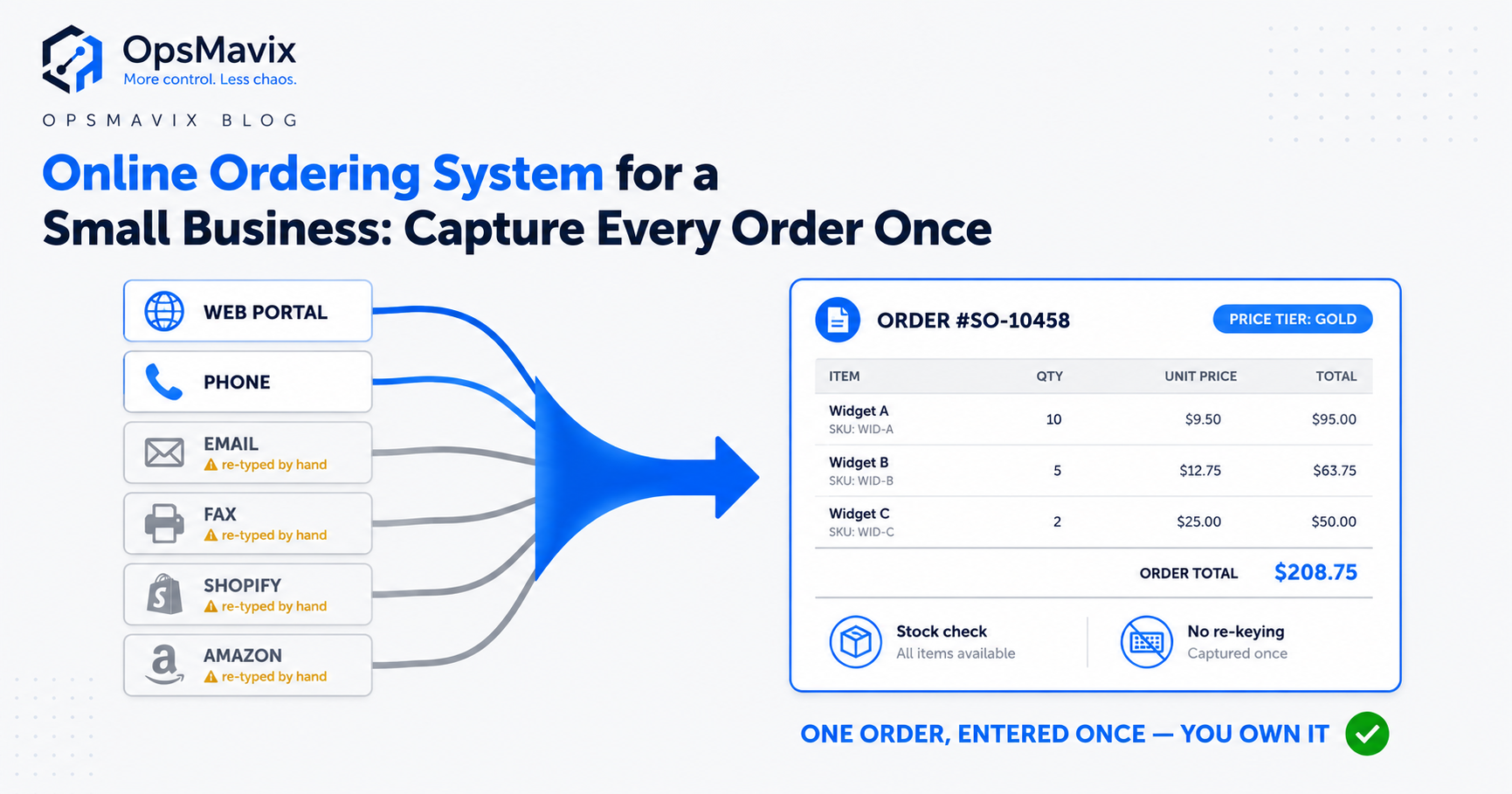
This is the step that decides whether you built a system or a form — and the one most guides skip. When a customer places an order, where does it go? If the answer is “it emails us and someone types it into Xero, Sage or the warehouse system,” you haven’t removed any work — you’ve added a nice front end to the same re-keying, plus a fresh place for the copy to go wrong. The order needs to land in your back-office ready to pick, invoice and dispatch — nobody re-typing it.
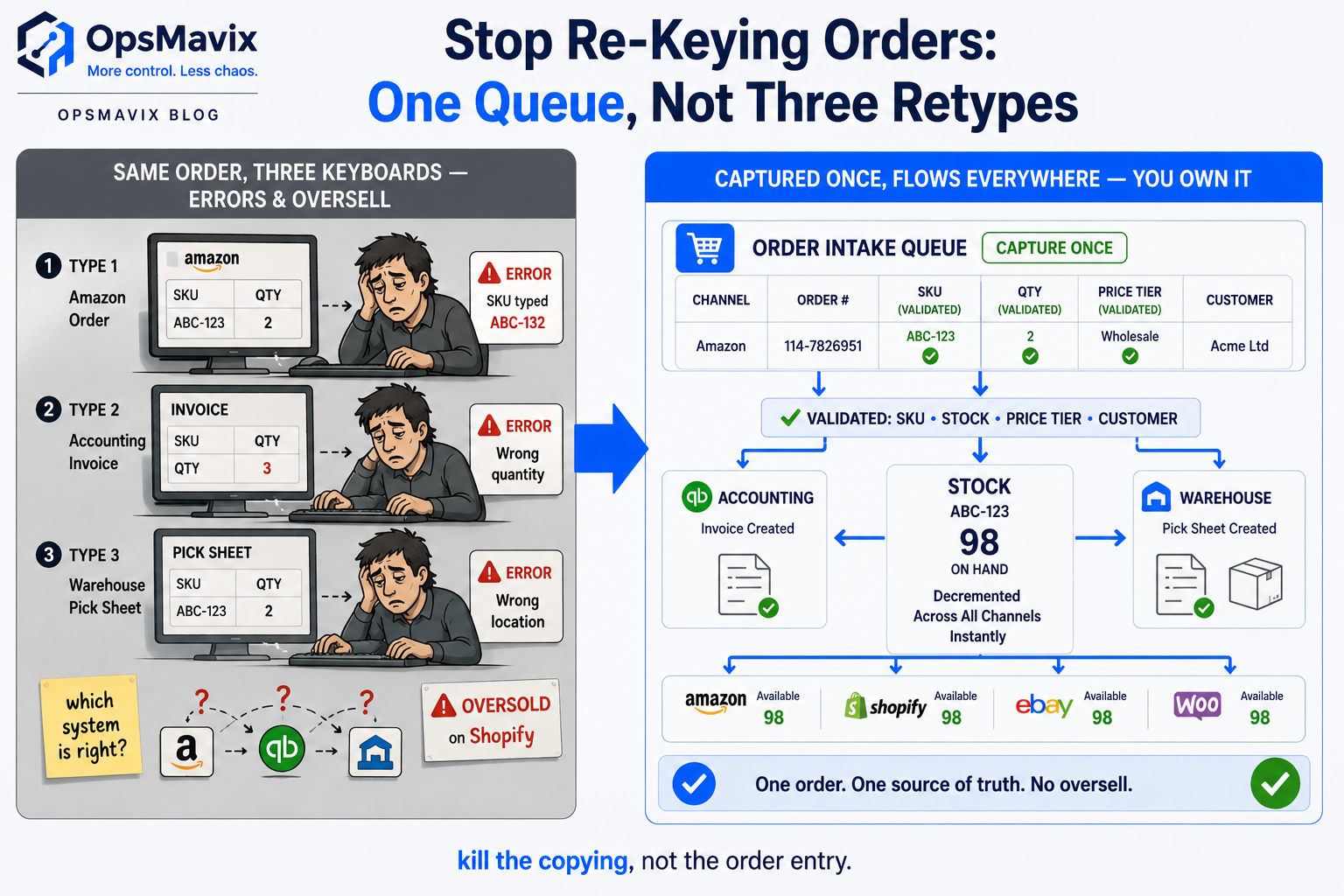
Picture the before and after. Before: an order arrives, someone keys it into the accounting system, then again into a pick list, and every keystroke is a chance to fat-finger a quantity or a code — the error ships, the customer’s cross, you’re issuing a credit. A business doing thirty orders a day this way can lose an hour or two of a person’s time to typing alone, before you count the ones typed wrong. After: the order the customer placed is the order that gets picked — the same data, entered once, at the source, which is the whole point of building an ordering system. The full anatomy of this is in why you should stop re-keying orders.
Step 5 — Handle Payment or Account Terms
The last part is money, and how you handle it splits by who you sell to. For public and one-off customers, you take payment at the point of order — a hosted payment provider handles the card, the compliance and the fraud risk, and you should never build that yourself. Plug it in and you’re done.
Trade and wholesale is the other case, and why a consumer checkout often doesn’t fit a B2B business: your customers don’t pay at checkout, they buy on account and get invoiced on terms. So the “payment” step isn’t a card form — it’s applying the customer’s account rules. Within their credit limit? On thirty-day terms? On stop? That logic belongs in the order flow, checked automatically, so an over-limit order is flagged at ordering rather than three weeks later when the invoice ages. And plenty of businesses need both routes at once — plan for pay-now and pay-on-account from the start rather than building for cards and finding later your best customers never wanted them.
Your Build Options — Off-the-Shelf or Custom
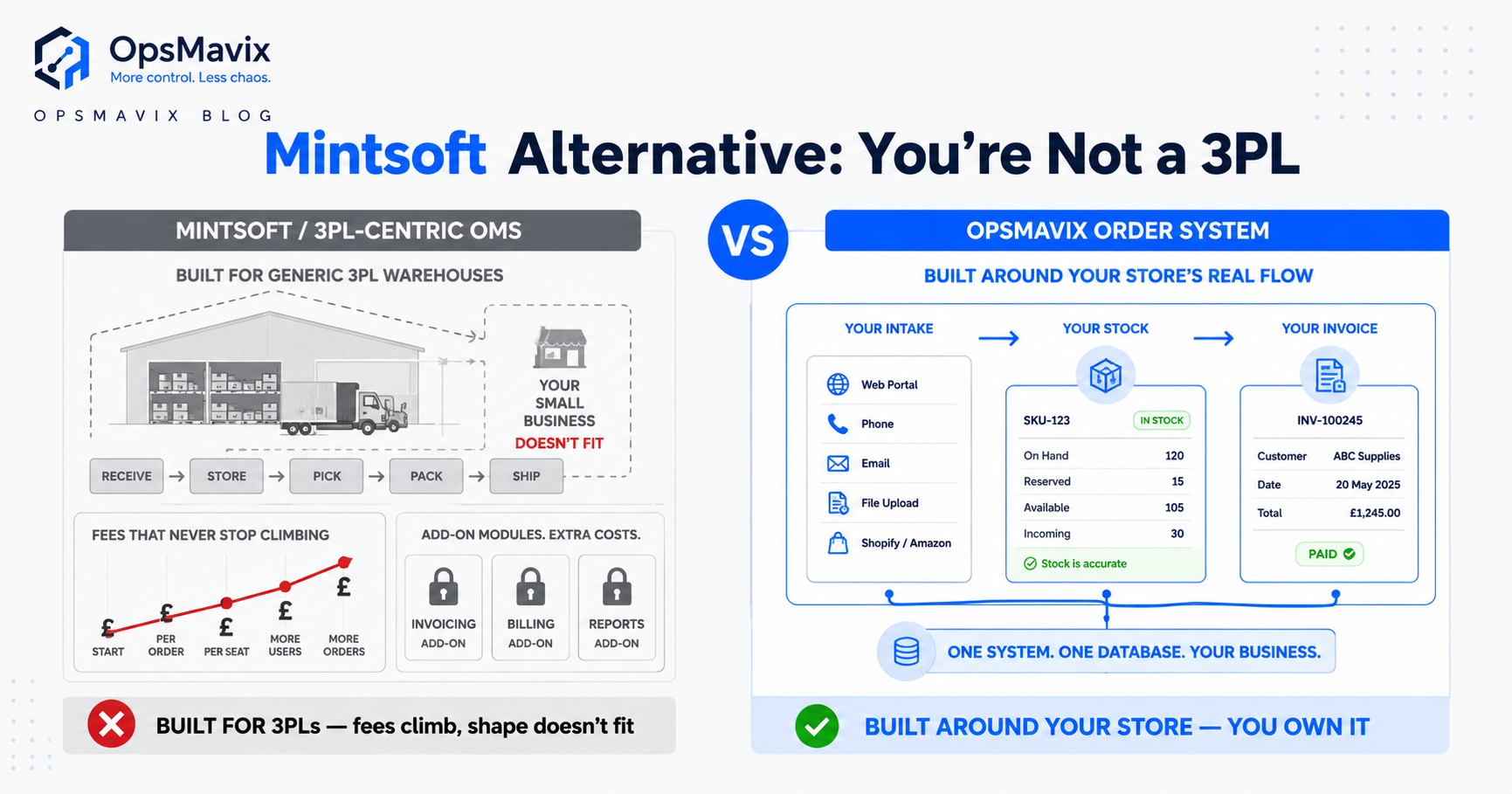
Now the honest part. For a standard shop selling standard products to the public, you do not need to build an ordering system — building one would waste money. A hosted ecommerce platform gives you all five parts out of the box, cheaply, maintained for you, and plenty bolt on a trade portal for lighter B2B needs. If your process is common, the answer is almost always buy, not build.
Building your own earns its place when one of the five parts is non-standard in a way that’s central to how you make money — and for established businesses, it usually is. Per-customer price lists an off-the-shelf tool can’t hold. A stock check that has to span channels and a warehouse the platform doesn’t integrate with. Capture into an older ERP nothing off the shelf talks to. When the platform forces you to bend your business to its one way of working, the “cheap” tool quietly costs more in worked-around time than a system built to fit. Where that trade-off tips is covered in when custom software is worth it.
A right-sized custom system is the third option between “wrestle an off-the-shelf tool” and “commission a full ERP” — the five parts assembled around how you take orders, connected to the back-office you already run, owned outright. Our view is blunt: don’t build what you can buy, but don’t buy a tool that makes a person the integration layer for life either.
The Common Mistakes When Creating an Ordering System
Four traps come up again and again. The first is building the front end and forgetting the back — a beautiful order form that still emails a human who types it in; you’ve moved the leak, not closed it. The second is treating B2B like B2C — dropping trade customers into a consumer cart with one public price and no account terms, then wondering why they keep phoning their orders in because the “system” is slower for them than the phone. The third is a stock check that isn’t live, so orders confirm against a number that’s already wrong. The fourth is maintaining two catalogues — one in the ordering system, one in the accounts — that drift apart until nobody trusts either.
Underneath all four is the same root error: thinking the ordering system is the front-end form, when it’s really the plumbing behind it. The form is the cheap part; the joins — stock to order, order to back-office, catalogue to accounts — are where the value is, and the money leaks at whichever join you left to a human.
FAQ
What are the essential parts of an online ordering system?
Five: a product catalogue (with pack sizes and order rules), an order flow (a cart for the public or a trade order form with account pricing), a live stock check, back-office capture so the order lands where it’s worked without re-typing, and payment or account terms. A build with four of these that leaves the fifth to a person hasn’t closed the leak — just relocated it.
Can I build an online ordering system myself?
For a standard public shop, you don’t build it at all — you configure a hosted ecommerce platform, faster and cheaper than anything bespoke. You genuinely build when a core part is non-standard: per-customer price lists, a stock count that spans channels, or capture into an ERP nothing off the shelf integrates with. That’s a real software project — the value is in the joins to your existing systems.
How do I stop my ordering system from creating more manual work?
Make the order the customer places the same order that gets picked and invoiced — captured into your back-office, structured, entered once. The trap is a front-end form that emails a human who then types it into your accounts and warehouse: re-keying with extra steps. If any part of your flow ends with a person copying the order somewhere, it isn’t finished.
Is an online ordering system different for B2B versus B2C?
Yes, mainly in the order flow and payment. B2C is a public cart with a card checkout — a solved, buy-don’t-build problem. B2B customers reorder known SKUs against their own price list and buy on account, so the flow needs quick-order, saved templates and per-customer pricing, and “payment” means applying credit limits and terms. Sell to both from the same stock and you need both routes.
How OpsMavix Can Help
Most businesses reading this don’t need us — if your process is standard, buy a platform and get on with it. We come in where the parts don’t fit off the shelf: trade pricing a tool can’t hold, a stock check that has to span your channels and warehouse, orders that need to land inside the ERP you already run. That’s a wholesale order management system built around how you actually take orders — a customer ordering portal plus a single structured intake for phone and email orders, your real price lists applied automatically, live stock, and capture straight through to your back-office so nothing gets re-typed. You own it outright.
If you’re not sure whether to buy or build, don’t guess — measure the leak first. Book a Free Operations Leak Audit
Keep reading
Getting value from OpsMavix? Add us as a preferred source on Google — you'll see more of our operations content in your AI Overviews, AI Mode and Search.