
B2B OMS: Do You Need a Full Order Management System or a Right-Sized One?
A B2B OMS promises to put every order — fax, phone, email, portal — on one screen, priced and validated before it ships. Most distributors don't need the enterprise version of that. Here's where the line sits between a full order management system and a right-sized one built around how you actually take orders.
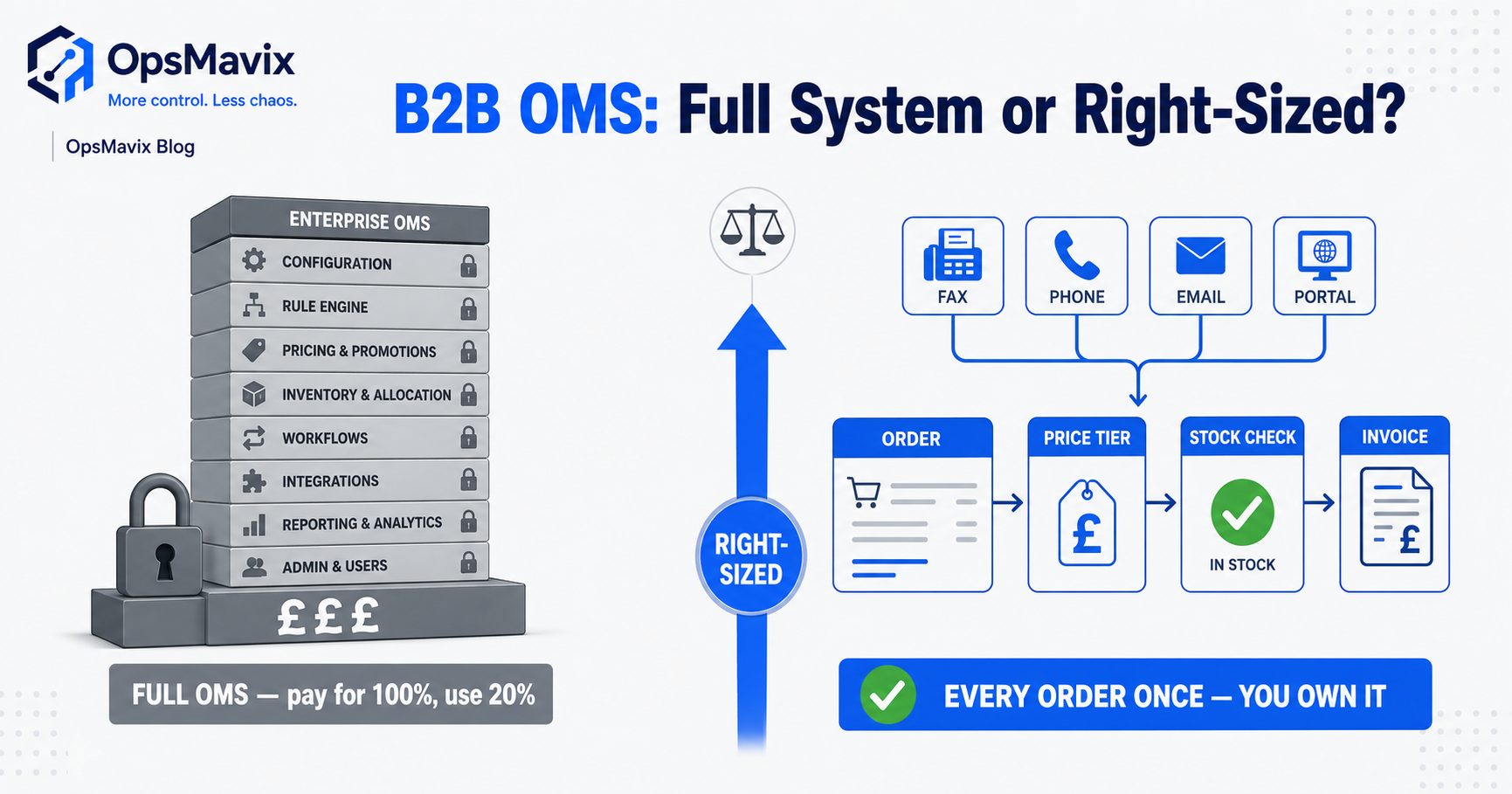
A B2B OMS, or business-to-business order management system, connects customer orders with agreed pricing, availability, fulfilment and the relevant financial handoffs. Its useful scope depends on how your customers buy and how the business delivers. A packaged product, an improved integration or a focused custom system may all be suitable.
The problem is often repeated entry and unclear decisions: an emailed order is typed twice, a customer price changes between quote and invoice, or a short line is accepted without an owned backorder route. Software helps when it captures those records and enforces the agreed policy, rather than simply adding another order screen.
This guide explains the controls to demonstrate, a customer-pricing example and the comparison between focused order management and wider ERP. The objective is a reliable order lifecycle your team can operate, without assuming enterprise software handles bespoke prices badly or that custom development automatically costs less.

The order lifecycle must connect the commercial commitment to actual warehouse fulfilment records.
Image credit: Nenad Stojković / Shixart1985, CC BY 2.0. Displayed at a reduced size; no additional edits.
Key Takeaways
- Define the complete order lifecycle, including changes, partial fulfilment and cancellation.
- Resolve customer, product and unit identity at capture, especially when orders arrive in different formats.
- Keep pricing rules and effective dates inspectable, with authority for exceptions.
- Use availability and reservation policies, rather than treating every stock total as available to sell.
- A customer portal needs access and commercial controls, not only a self-service order form.
- Compare demonstrated fit and total cost, including configuration, integration, development and full ERP.
In this guide:
- 1. Define the Order Lifecycle and Its Owners
- 2. Capture Orders Without Losing Their Meaning
- 3. Apply Customer Pricing with Clear Rules
- 4. Check Availability and Create Commitments
- 5. Handle Partial Fulfilment and Financial Handoffs
- 6. Build a Portal with Appropriate Boundaries
- 7. Compare Focused OMS, Packaged Tools and ERP
- 8. Pilot the Order Desk and Measure the Result
- Frequently Asked Questions
- How OpsMavix Can Help
1. Define the Order Lifecycle and Its Owners
Follow one order through the business
Map enquiry, quote, acceptance, allocation, picking, dispatch and invoicing. Define the event that changes each status and the person responsible for an exception.
An order may span several shipments or invoices. Its overall status should not hide an outstanding line or suggest that an unconfirmed dispatch is complete.
Separate records from decisions
| Stage | Record or decision needed |
|---|---|
| Capture | Customer, product, unit, quantity and source reference |
| Price | Applicable agreement, date and authorised exception |
| Acceptance | Commercial terms and commitment policy |
| Allocation | Eligible supply and reservation |
| Fulfilment | Actual picked and dispatched quantities |
| Invoicing | Billing basis and accepted financial record |
Decide which system owns each record. If an accounting package and OMS can independently change an order, define how amendments and conflicts are resolved. A reporting copy should not quietly become another editable order book.
2. Capture Orders Without Losing Their Meaning
Support the formats customers actually use
Email, spreadsheet, telephone entry and portals can all carry valid orders. Define how each is captured and checked before it becomes an accepted commitment.
A document-extraction tool can suggest fields, but a customer’s item reference may differ from your SKU. Keep the source order available for review and maintain approved customer-to-product mappings.
Check identity and units
Confirm the customer account, delivery location, product, quantity and selling unit. Cases, individual units and lengths should not be interpreted from an ambiguous column heading alone.
Use a stable customer order reference and duplicate-review policy. A resent attachment should not automatically become another order. Conversely, two intentional repeat orders should not be rejected merely because they look similar.
Our wholesale order management workflows page covers the connected capture and fulfilment process. The benefit comes from the controlled handoff, not the assumption that every order can be accepted without review.
3. Apply Customer Pricing with Clear Rules
Define precedence and effective dates
A customer can have contract prices, volume tiers, promotions and approved quoted exceptions. Decide which rule wins when several apply and whether the relevant date is order, quote or delivery date.
Include currency, unit basis, minimum quantity and any commercial conditions. Retain the applied rule so the team can explain the invoice later.
Work through a simple comparison
Hypothetical example: a customer orders 50 units. The list price is £10 each and an applicable contract price is £9 each. Under this simplified agreement, the goods amount is 50 × £9 = £450 before tax and any additional charges.
| Price basis | Unit price | Goods amount |
|---|---|---|
| List price | £10 | £500 |
| Applicable contract | £9 | £450 |
| Difference | £1 | £50 |
This is a pricing illustration, not a discount recommendation. If the contract applies to cases rather than units, or has expired, the result changes.
Control exceptions and amendments
An authorised override should retain its approver and reason. Define whether an amended quantity triggers a different tier or requires renewed approval. Do not silently overwrite the agreed order price because today’s price list changed.
4. Check Availability and Create Commitments
Use eligible supply for the intended date
On-hand stock can be reserved, restricted, client-owned or at an unsuitable location. A total stock figure is not necessarily the quantity available for a new order.
Use the defined available-to-promise policy where a dated commitment is required. Include the relevant receipt, preparation and transfer assumptions, and preserve earlier obligations.
Define when the order reserves stock
A quote may create a temporary hold, while an accepted order creates a firm commitment. Specify expiry and release rules so unused holds do not accumulate indefinitely.
Test simultaneous orders, changed quantities and cancelled lines. If external channels accept orders during an update delay, define the shortage and recovery route. A connected system can reduce risk but cannot guarantee every external offer is always current.
The important outcome is an explainable promise and a controlled response when the supply picture changes.

Eligible stock and reservations determine what a new order can be promised, rather than the warehouse total alone.
Image credit: FIONASUN, CC0 1.0. Displayed at a reduced size; no additional edits.
5. Handle Partial Fulfilment and Financial Handoffs
Keep outstanding lines visible
An order for ten units dispatched as six should retain the remaining four under the agreed backorder or cancellation policy. Do not mark the order fully shipped because the first delivery was completed.
Customer preferences may determine whether an order is part-shipped, held complete or split across dates. Record that decision and the associated charges or terms where applicable.
Confirm the receiving system accepted the update
A dispatch update, invoice request or ledger posting can be submitted and then rejected. Show accepted, pending and failed results separately, with the source references retained.
| Exception | Evidence to review |
|---|---|
| Short pick | Actual quantity and shortage decision |
| Partial shipment | Dispatched and outstanding lines |
| Failed invoice creation | Rejection details and corrected mapping |
| Cancellation after allocation | Released reservation and authority |
| Returned goods | Original order, inspection and disposition |
| Repeated message | Existing transaction reference |
An invoice may follow dispatch or another agreed billing milestone. Define the commercial and accounting procedure rather than assuming one timing fits every customer.
6. Build a Portal with Appropriate Boundaries
Show the information customers need
A portal can offer account-specific products, prices, order entry, documents and status. Define what each status means and whether it represents a confirmed event or an estimate.
Customers may need several users with different authority. A buyer, finance user and external delivery contact should not automatically see or change the same information.
Test access and commercial controls
Use two customer accounts and check searches, direct record links, downloads and any API access. Hiding another customer’s name from the menu is not enough if their record still opens by link.
Confirm who can change delivery addresses, approve orders, view account prices or submit a purchase against credit terms. Keep relevant limits under the defined policy.
Show source update times and pending work where the portal depends on another application. Self-service should reduce avoidable handling without creating a competing stock or pricing record.
7. Compare Focused OMS, Packaged Tools and ERP
Demonstrate the same commercial scenarios
Use a customer-specific price, an amended order, a shortage, a partial dispatch and a failed posting. Record whether each candidate supports the outcome as standard, configuration, integration or new development.
| Route | Where it can fit | What to prove |
|---|---|---|
| Configure current sales tools | Required controls already exist | Pricing, amendments and fulfilment |
| Packaged B2B OMS or portal | Standard commercial workflows fit | Customer rules, access and transaction scope |
| Integrate existing systems | Functions work but require repeated entry | Record authority, retries and reconciliation |
| Focused custom system | A valuable unsupported workflow remains | Scope, controls, support and handover |
| Full ERP | Wider purchasing, inventory, production and finance requirements justify it | End-to-end fit and migration |
Compare the full operating cost
Include project work, subscriptions, interfaces, migration, training and ongoing support. A smaller feature set does not automatically cost less, and a packaged product may support complex pricing well.
OpsMavix can build full ERPs and focused order systems. Choose from the demonstrated requirements rather than an arbitrary turnover or order-volume threshold.
8. Pilot the Order Desk and Measure the Result
Choose representative customers and products
Include different price rules, selling units, delivery preferences and order formats. Agree product and customer mappings, opening stock and outstanding commitments.
Acceptance checks should demonstrate that:
- Source orders retain their references and evidence.
- Customer and unit mappings select the intended records.
- Duplicate review handles resubmissions correctly.
- Pricing precedence and effective dates are reproducible.
- Overrides and amendments retain authority and history.
- Availability and reservations follow the policy.
- Partial shipments retain outstanding quantities.
- Portal users cannot access another account’s records.
- Failed handoffs remain visible and recoverable.
- Exports and support arrangements work in practice.
Measure effort and errors separately
Track re-keying time, corrected prices, unresolved shortages and failed handoffs. Released time is capacity unless spending falls. Do not assume every corrected price was a recoverable loss.
Expand after users can complete an ordinary busy cycle and explain exceptions without undocumented intervention. The useful result is a maintainable commercial process.
Frequently Asked Questions
What is a B2B OMS?
It manages the business order lifecycle, connecting customer identity, pricing, availability, fulfilment and relevant financial handoffs. Exact scope varies by product and implementation.
Can a packaged OMS handle customer-specific prices?
Many can. Demonstrate the actual contracts, tiers, effective dates and override rules rather than assuming packaged or custom software has a universal advantage.
Can emailed or spreadsheet orders be captured automatically?
Tools can extract candidate information, but product, customer and unit mappings still need validation and exception handling.
When should an order reserve stock?
At the stage defined by the commitment policy. Temporary quote holds, accepted orders and allocation may have different rules and release conditions.
Is on-hand stock enough to accept an order?
Not always. Check eligibility, existing commitments and the required date, including any supply or transfer assumptions.
Can customers order through a portal?
Yes, where account access, product selection, pricing and commercial authority are appropriately defined and tested.
Does a dispatched order mean the invoice was posted?
No. Dispatch and financial posting are separate events. Confirm accepted handoffs and retain pending or failed updates.
Is a focused system cheaper than full ERP?
Not inherently. Compare complete scope and operating cost. ERP may be suitable where wider connected requirements justify it.
Where should we start?
Trace a recent order with a customer-specific price and an exception. Use its records to define the required controls and a representative pilot.
How OpsMavix Can Help
OpsMavix builds wholesale order workflows connected to inventory records and finance handoffs.
We map order formats, pricing rules, commitment points and fulfilment exceptions, then assess configuration, integration and development. The scope can be focused or a full ERP where wider requirements justify it.
We can help structure customer and product mappings, retain pricing decisions, control reservations, build customer views and verify failed handoffs and exports.
If the order desk repeatedly retypes information or cannot explain prices and shortages, book an Operations Leak Audit. Bring one recent order and its supporting records.
Keep reading
Getting value from OpsMavix? Add us as a preferred source on Google — you'll see more of our operations content in your AI Overviews, AI Mode and Search.