
Stop Re-Keying Orders: One Queue Instead of Three System Retypes
Re-keying orders means typing the same order twice or three times — off the marketplace, into the accounting system, then again into the warehouse or picking sheet. Every retype is a fresh chance to fingerslip a SKU or a quantity, and the hours add up week after week. You stop it by making orders flow once: one intake queue that pushes the order downstream automatically, so no human ever copies it from one screen to another. Here's where the re-keying hides, what it costs, and how to close it.
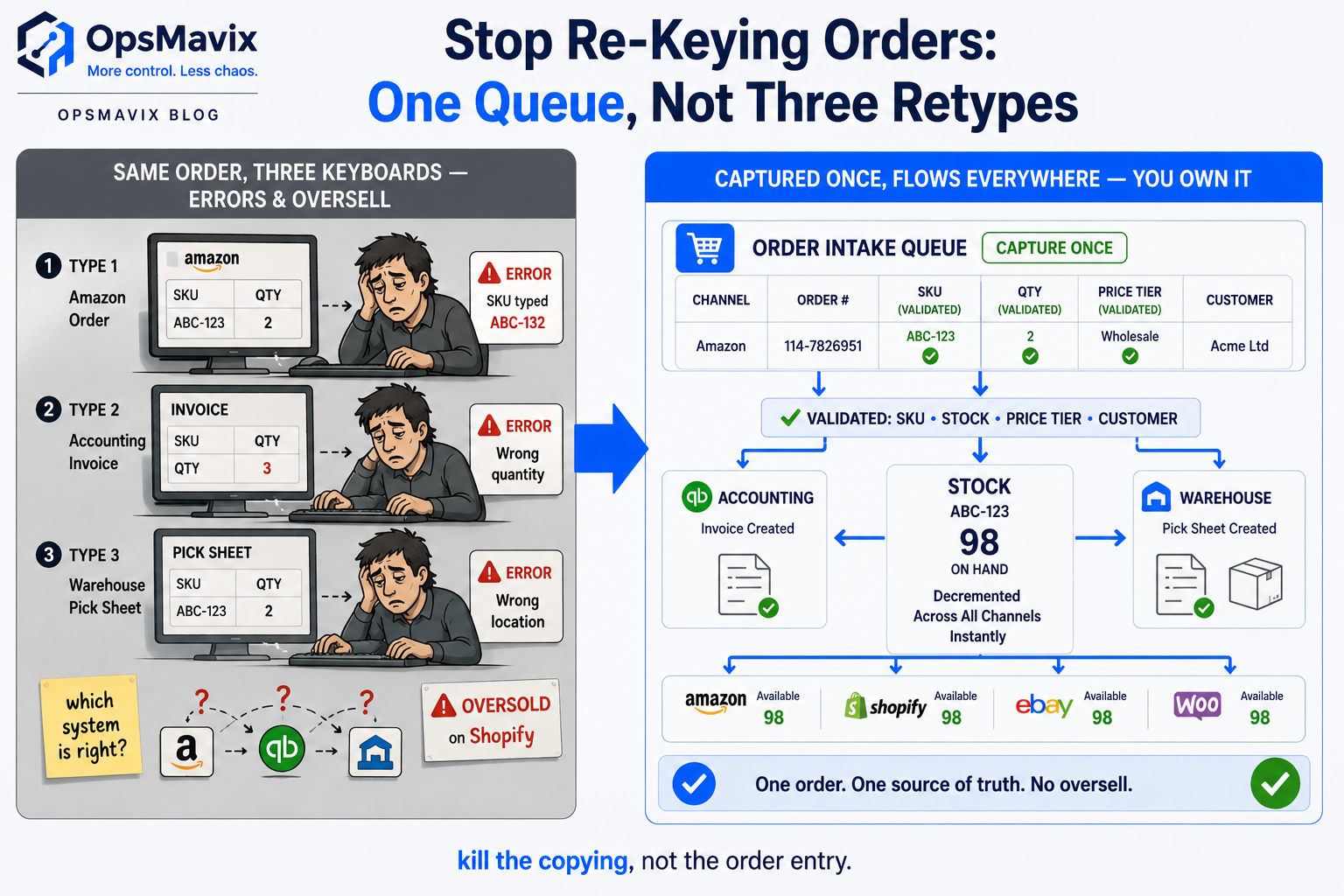
To stop re-keying orders, you make each order flow through your systems once instead of being retyped at every hop — one intake queue that captures the order and pushes it downstream to accounting and the warehouse automatically, so no person ever copies it from one screen into another. Re-keying is the specific tax of running systems that don’t talk to each other: the order lands on the marketplace, someone retypes it into Xero or QuickBooks to raise the invoice, then someone retypes it again onto a picking sheet. Same order, three keyboards. Kill the copying, not the order entry, and the errors and wasted hours go with it.
This is a narrower problem than manual order entry in general. Plenty of businesses key an order once, cleanly, and that’s fine. The leak here is the re-keying — the second and third time the same order gets typed because the marketplace, the accounts package and the warehouse each want it in their own format.
Key Takeaways
- Re-keying orders is retyping the same order from one system into the next — marketplace to accounting to warehouse — not entering an order once. The duplication is the leak.
- Every hop between systems is a fresh chance to mistype a SKU, a quantity or a customer-specific price, and the wrong one ships before anyone catches it.
- The cost is two-sided: hours of skilled staff time burned on copy-paste, plus the returns, credits and lost customers when a retyped order goes out wrong.
- Manual re-keying can’t keep pace with marketplace speed, so stock stays stale between channels and you oversell what you’ve already sold elsewhere.
- The fix isn’t a faster typist or a bigger spreadsheet — it’s one intake queue where the order is captured once and pushed downstream automatically.
- A right-sized system that connects your actual channels beats both the human-as-integration-layer status quo and a full ERP you’d half-use.
Re-Keying Is Not the Same as Entering an Order
Entering an order is unavoidable — it has to get into a system somehow. Re-keying is what happens after that, when the same order has to exist in three places that don’t share it: the marketplace has it, accounting needs it to raise the invoice, the warehouse needs it to pick and ship. If those three don’t connect, a human becomes the wire between them, retyping the order at each junction — skilled work at data-entry wages, the same order typed two or three times. And each retype is independent: nothing checks that the quantity keyed into accounting matches the quantity on the picking sheet, so the order drifts at every hop and by the time it’s wrong it’s already shipped.
Where the Same Order Gets Typed Three Times
Picture a multichannel seller running Shopify, Amazon and a couple of trade accounts. A wholesale customer emails a PO; someone reads it and types it into accounting to raise the invoice, then types it again onto a picking sheet because the warehouse works off its own list. Meanwhile the Amazon orders get pulled from Seller Central by hand into the same spreadsheet so stock can be reconciled at day’s end.
One multichannel store owner described the evening version plainly: hours every week lost to copy-pasting orders into spreadsheets, then the recurring gut-punch of overselling items that weren’t on hand because the count never caught up. Three intake formats — marketplace API, email PO, phone order — funnelling into systems that each demand a retype, with a person absorbing every mismatch.
The Card Stack: Where Re-Keying Leaks
1. Every Hop Is a Fresh Chance to Ship the Wrong Thing
A SKU mistyped from the email into accounting. A quantity fat-fingered from accounting onto the picking sheet. A customer-specific price that lives in someone’s head, keyed wrong under pressure. A wholesale operator put the source of it well: on a phone order you can still hear the wrong amount, and off a faxed or emailed PO you get inaccurate item numbers — and every retype after carries the mistake forward or adds a new one.
The fix: capture the order once in a structured intake, validate it there — real SKUs, real stock, the right price tier — and let it flow downstream unchanged. The order that reaches the warehouse is the one the customer placed, not a third-generation photocopy.
2. The £ Leak: Hours Plus Wrong Orders
Re-keying bills you twice. First in time: skilled staff spending a chunk of every week retyping orders a connected system would move for free. Second in errors: the returns, credit notes, reship costs, and the customer who quietly stops ordering after the second wrong delivery. The time cost you feel; the error cost hides in the returns pile and the churn you never traced back to a mistyped order.
The fix: the goal operators reach for is removing the vast majority of the data inputting — orders entered once, error-free. When the retype disappears, so do the hour and the wrong-item credit.
3. The Reconciliation Tax: “Which System Is Right?”
When the same order lives in three separately-typed systems, they disagree — accounting says one quantity, the warehouse sheet says another, the marketplace says a third. Now someone plays detective, working out which version is true before anything can ship or invoice. That reconciliation is pure overhead created entirely by the re-keying.
The fix: one order, one source of truth, pushed to each system rather than retyped into it. Accounting and the warehouse read the same record, so they can’t drift apart.
4. Manual Lag Can’t Keep Marketplace Pace
Here’s the multichannel sting. While a person retypes and reconciles at human speed, the marketplaces sell in real time. Stock sold on Amazon still shows available on Shopify because the count won’t update until tonight’s copy-paste. So you oversell, cancel, eat the refund, and watch your seller metrics slide — the exact fear that makes sellers pull listings entirely and lose sales they could have had. Re-keying isn’t just slow; at multichannel volume it’s dangerous.
The fix: orders flowing once, in near real time, moves the stock count the instant an order lands on any channel. You sell what you actually have, everywhere, without a nightly sweep holding the truth hostage.
Why a Faster Typist Won’t Stop Re-Keying Orders — and Neither Will the Sync Tool
Both obvious reactions miss. Hiring another person to key orders faster just buys more retyping — more hours, more hops, more chances to slip. And the off-the-shelf sync tool that promised to end all of this has burned enough operators to earn its scar tissue: phantom stock that changes for no reason, syncs too slow to trust, and tools that got sunset and invalidated years of setup overnight.
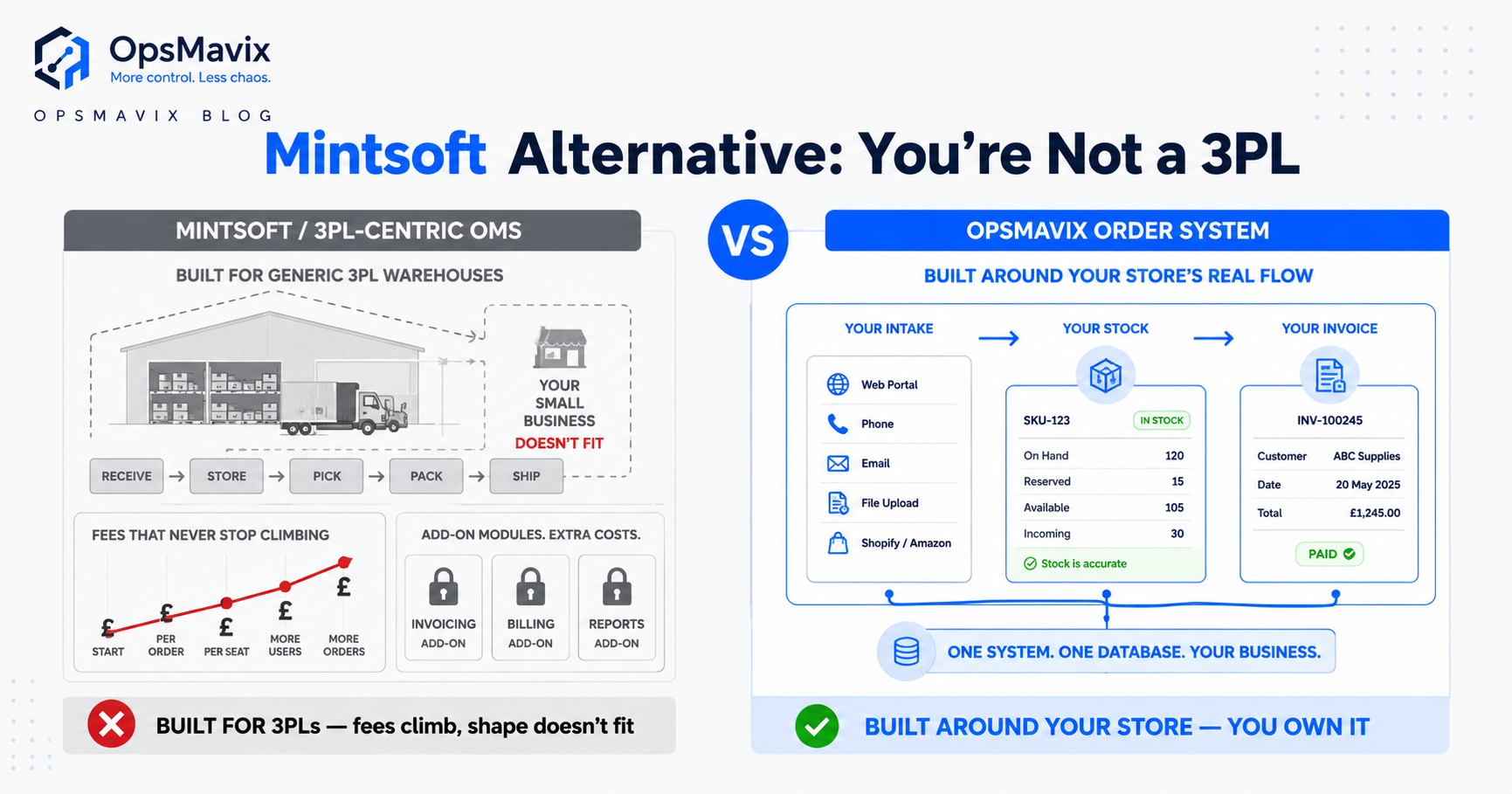
OpsMavix’s position: the problem isn’t that you lack a sync tool, it’s that your specific channels, price tiers and warehouse workflow don’t match the generic model any off-the-shelf tool imposes. You don’t need a full ERP either — that’s the too-expensive, half-used overcorrection. You need a right-sized system that connects the exact tools you already run, built around how your orders actually arrive, owned by you so no vendor can re-price or switch it off. Between the spreadsheet and the ERP, that’s where the re-keying actually dies.
How This Connects to the Rest of Your Ops
Re-keying rarely travels alone. If the deeper problem is orders entered by hand at all, start with manual order entry. If overselling across channels is the sharp edge, the root is stock visibility — see multichannel inventory. And if you’re a wholesale seller drowning in email and phone POs, a proper B2B order management system is where structured intake replaces the retype at the front door.
FAQ
What does re-keying orders mean?
Re-keying orders is typing the same order into more than one system because those systems don’t share data — reading an order off a marketplace or email, retyping it into accounting to invoice it, then retyping it again onto a warehouse picking sheet. It’s distinct from entering an order once cleanly; the leak is the duplication, where the same order gets copied from screen to screen two or three times.
Why is re-keying a problem if the staff are careful?
Careful people still slip, and every hop multiplies the odds. Each retype is an independent chance to mistype a SKU, quantity or price, and nothing cross-checks that accounting’s version matches the warehouse’s. On top of that you’re paying skilled staff to do the same entry two or three times, and at multichannel volume the manual lag means stock never keeps pace with sales — so you oversell.
How do you stop re-keying orders?
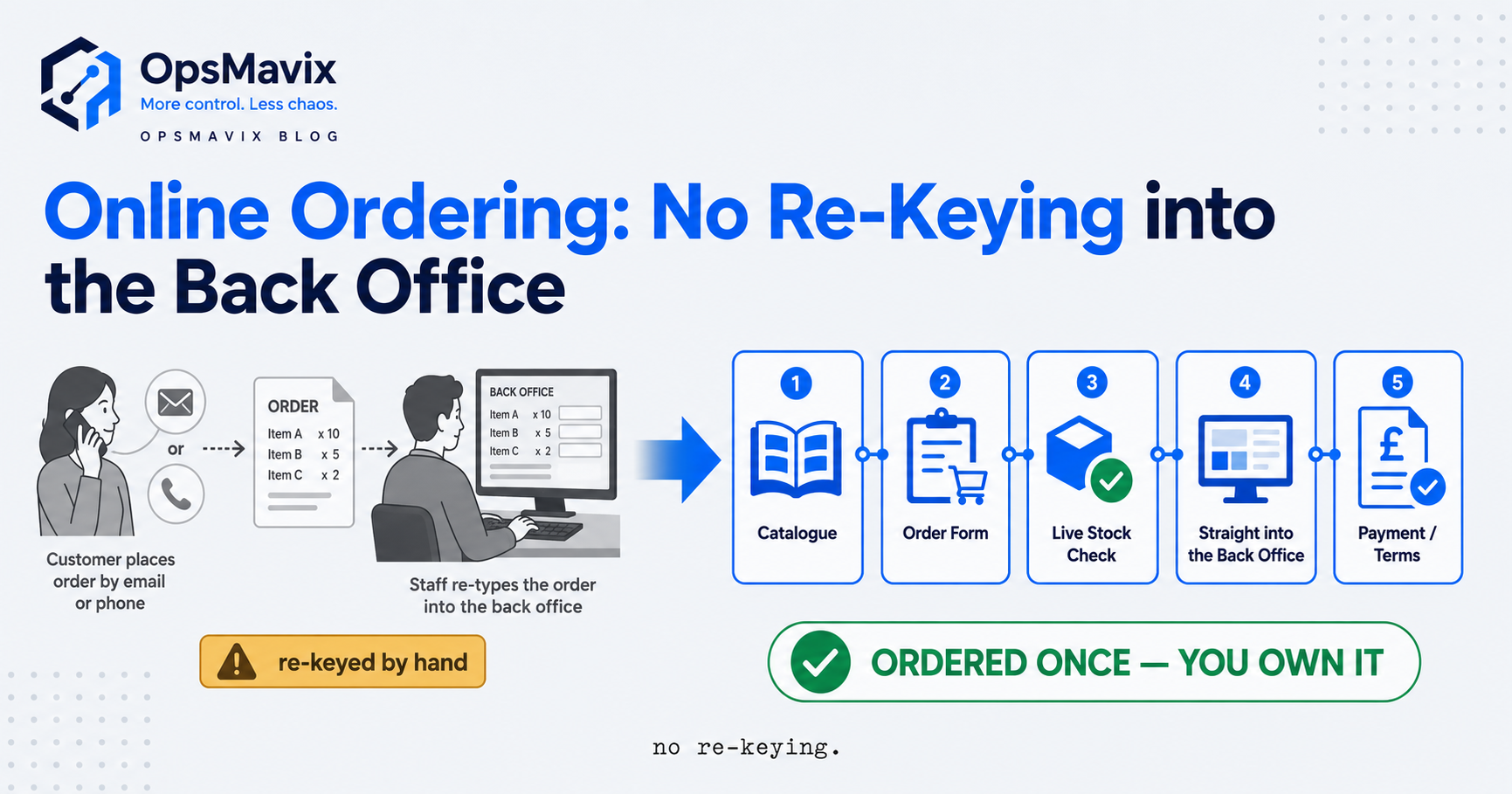
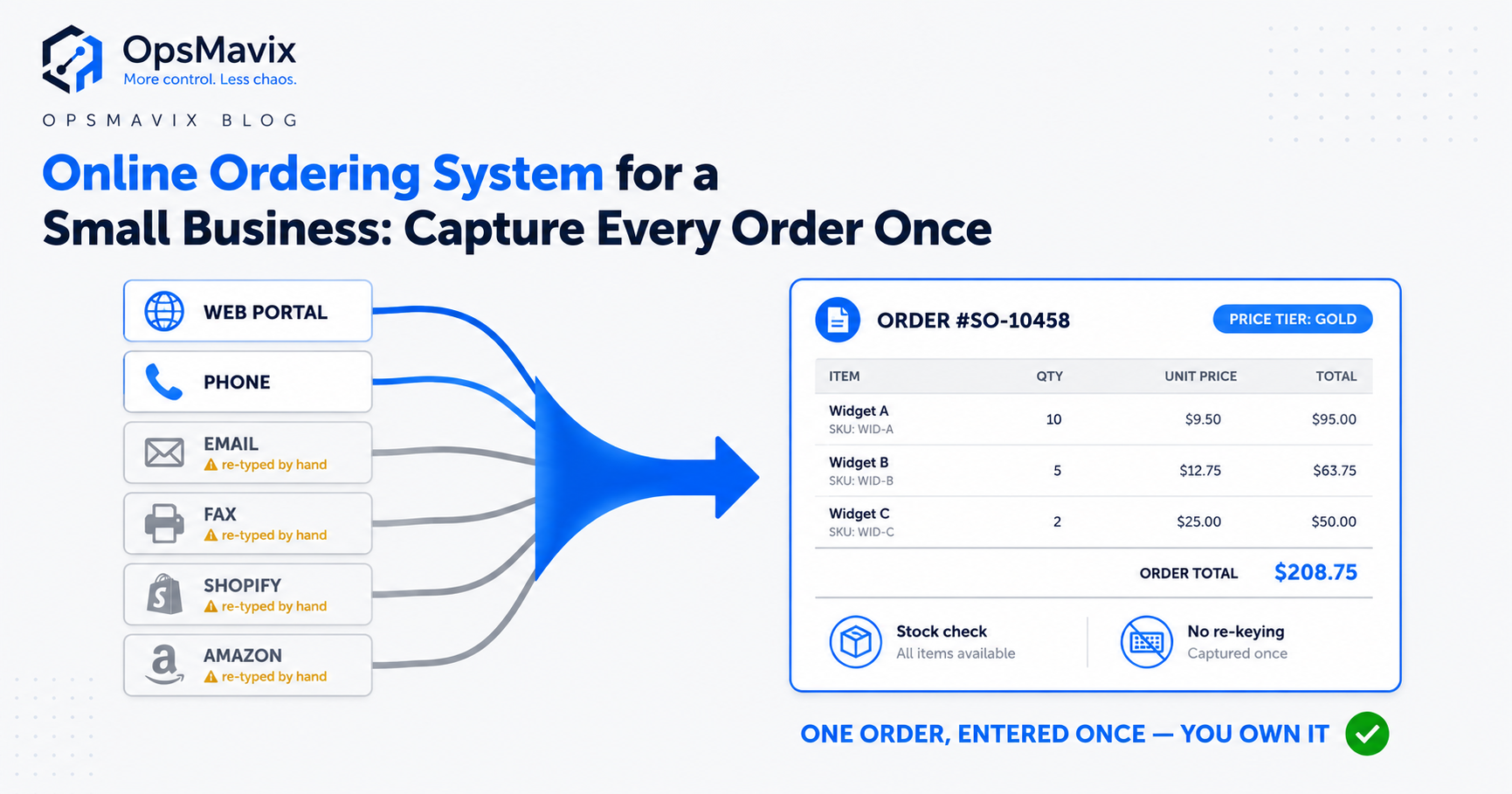
Connect the systems so each order flows through once. Capture it in a single structured intake — a customer portal, a marketplace connection, a validated order form — then push it downstream to accounting and the warehouse automatically instead of retyping it. It’s validated once at the front door against real SKUs, stock and pricing, and every system reads the same record, so there’s nothing to retype and nothing to reconcile. You don’t need a full ERP to do this — a right-sized system that connects the tools you already run is the honest middle.
How OpsMavix Can Help
OpsMavix builds right-sized order systems for businesses stuck in the gap — outgrowing spreadsheets and copy-paste, not big enough to justify a full ERP. We map exactly where your orders get re-keyed today — the marketplace pull, the email PO retyped into accounting, the second retype onto the picking sheet — and build one intake queue that captures each order once and flows it downstream automatically. Structured intake validates the SKU, quantity and customer price at the front door, so the wrong item can’t ship off a third retype. Stock moves the moment an order lands on any channel, so you stop overselling. And you own it outright: no per-seat licence, nothing a vendor can switch off.
If you’re tired of paying to type the same order three times, start by seeing where it actually leaks. Book a Free Operations Leak Audit and we’ll map every point your orders get re-keyed, what it costs in hours and wrong shipments today, and whether a right-sized system or something bigger is the honest fit for how your orders arrive now.
Keep reading
Getting value from OpsMavix? Add us as a preferred source on Google — you'll see more of our operations content in your AI Overviews, AI Mode and Search.