
Field Service Software UK: Scheduling Engineers Without the Guesswork
Field service software UK trade and maintenance firms use runs scheduling, dispatch, mobile job sheets and invoicing from one place. This guide covers what it actually does, the leak it fixes, and when a right-sized owned system beats another per-seat SaaS for a business that has outgrown spreadsheets and disconnected tools.
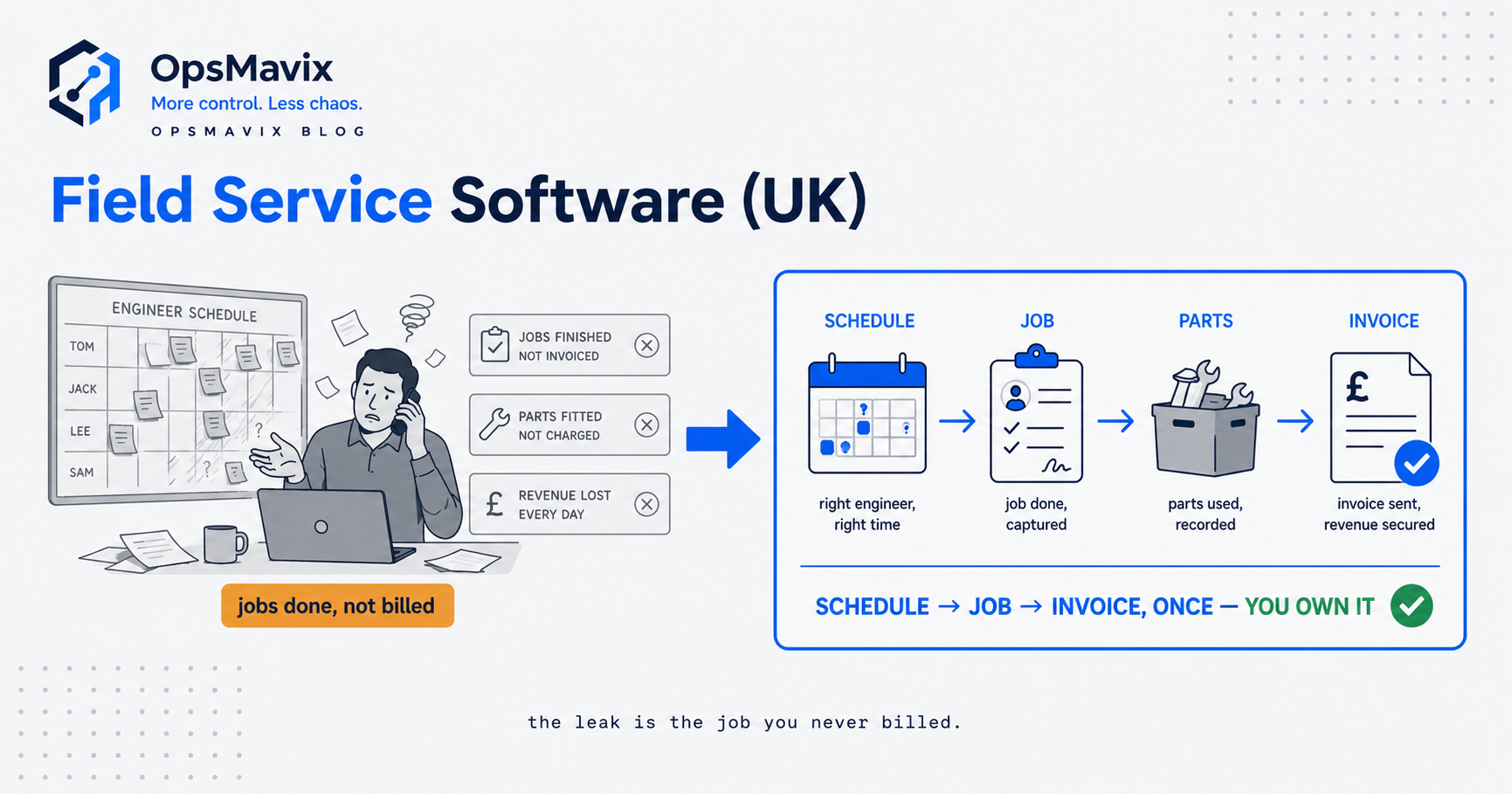
Field service software UK trade and maintenance businesses buy is the system that runs the office and the van from one place: booking jobs, putting the right engineer on each one, capturing what happened on site through a mobile app, and turning that visit into an invoice without anyone re-keying it. Plumbers, electricians, HVAC and refrigeration firms, fire and security installers, lift and gate engineers, facilities and property maintenance teams all live or die by the same loop: quote, schedule, attend, complete, bill, chase. Field service software exists to make that loop fast and hard to get wrong.
You already know you need something better than a wall planner and a WhatsApp group, so this guide skips the sales pitch for software in general. What actually matters is which parts of the loop leak, and which kind of tool plugs them without saddling you with either a toy you outgrow in a year or an enterprise suite you spend six months bending your business into. The two leaks that quietly cost the most are the same everywhere: engineers double-booked or sent to the wrong job, and paperwork from completed visits that never turns into money.
What Field Service Software Actually Does
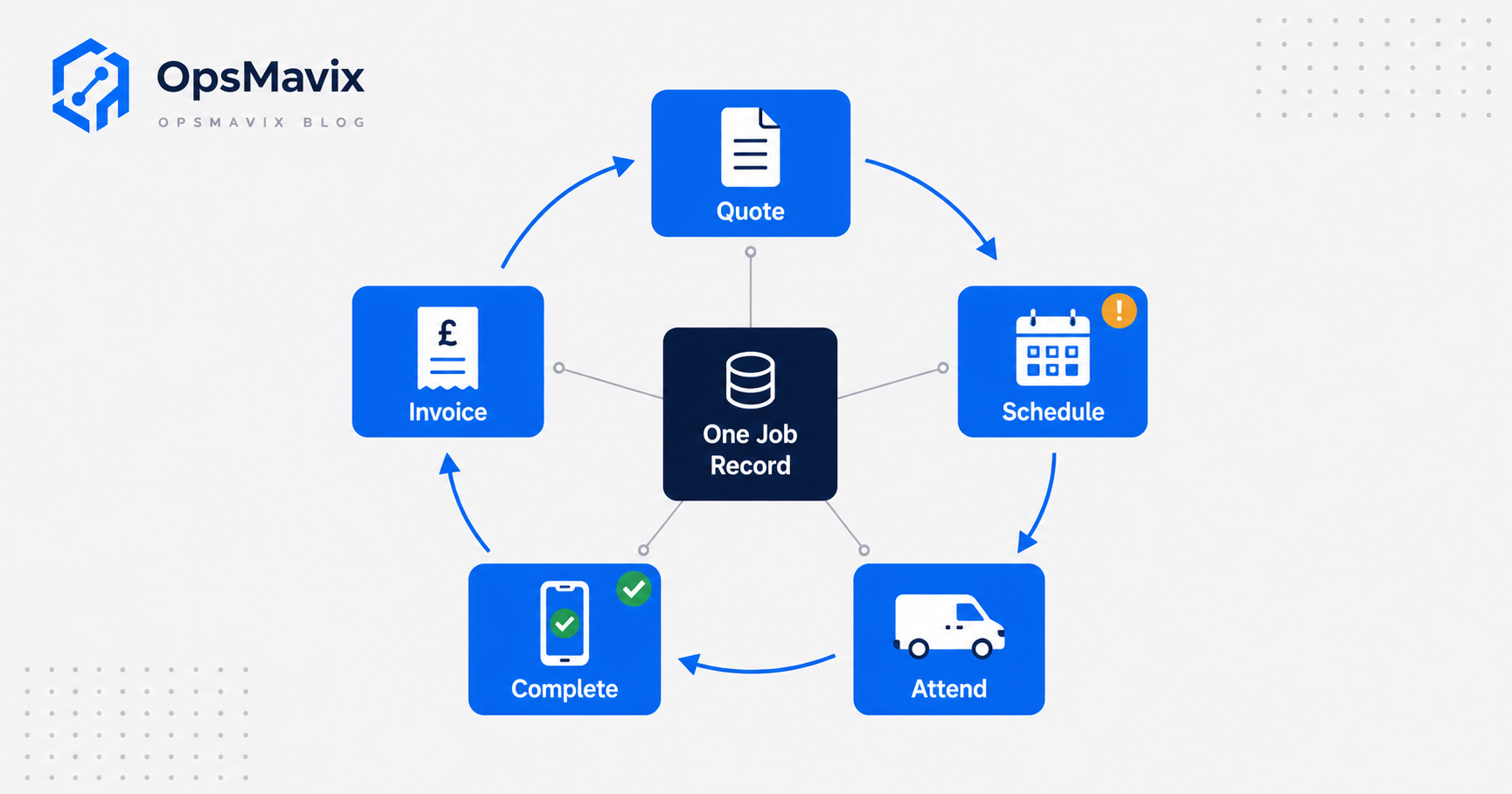
Strip away the marketing and field service software manages the full lifecycle of a job in the field. According to Comparesoft, that lifecycle covers “job management, scheduling and dispatch, mobile workforce management, invoicing, route planning, custom portals, and analytics” (Comparesoft). In plain terms, the system holds every job, decides who does it and when, tells the engineer what they are walking into, records what they did, and produces the bill.
For a UK trade or maintenance firm, the pieces that earn their keep are specific. Scheduling that matches the right engineer, with the right ticket, to the right job. A mobile app that works on a job sheet even when the site has no signal, because half of them are in a plant room or a basement. Planned maintenance (PPM) scheduling that raises recurring contract visits automatically so a service date never slips. An asset register with service history, so the engineer who attends knows what the last one found. Quoting on site, and invoicing that lands in your accounts package without a second person re-typing it.
The point is not to have all of it. It is to have the parts that stop your specific loop from leaking, running off one set of data everyone trusts.
The Real Leak: Double-Booked Engineers and Unbilled Job Sheets
Ask a services owner what actually hurts and it is almost never “we don’t have software.” It is the mess around the edges of whatever they have now. Two problems come up again and again, and both cost real money.
The first is the double-booking. One person owns the planner, someone else promises a customer a Thursday slot without checking it, a job gets moved in one place but not another, and then a two-person crew is booked on two sites fifteen miles apart. That is not one lost job. It is the wasted drive, the apology, the reschedule, and sometimes the customer. When dispatch lives in a head and a spreadsheet, a clash is invisible until the morning it lands.
The second leak is quieter and worse: work that gets done but never gets billed. An engineer finishes a job, the paper job sheet goes in the van door pocket, the parts used are on a scrap of paper, and three weeks later nobody can reconstruct exactly what was fitted or how long it took. Some gets invoiced late, some short, some not at all. Every job sheet that does not become an accurate invoice is margin you earned and then handed back, and closing that gap is where a system pays back fastest.
Scheduling and Dispatch Without the Guesswork
Scheduling is where the guesswork lives, so it is where a good system pays first. Matching an engineer to a job is not just finding a free name. The gas job needs a Gas Safe registered engineer whose card covers that appliance category, not whoever happened to be spare. A two-day install needs the same crew both days, not a different pair on day two who do not know the site. An emergency call-out needs the nearest qualified person, not a scroll through three tabs while the customer waits on the phone.
Real dispatch also has to survive the day falling apart, because it will. A morning job runs three hours over, a customer cancels at 08:00, an engineer calls in sick and their whole list has to move. On a wall planner, moving one job by hand means finding, checking and re-booking everything it collides with, live, while the phone rings. A scheduling system worth the money lets you drag the overrunning job and see instantly what it clashes with, reassign a sick engineer’s list, and flag the affected customers for a call. The deeper mechanics of getting the right people on the right jobs are the subject of resource scheduling software in its own right; field service software is that discipline applied to a van-based team with tickets, assets and contracts attached.
The productivity story here is not abstract. Comparesoft reports that field service teams using FSM software “see an increase of two to four jobs per engineer, per week” because engineers stay in the field instead of returning to the office for paperwork (Comparesoft). Across a team of ten, that is the difference between the diary and the drive time, and it compounds every week.
Mobile Job Sheets and Invoicing: Closing the Money Gap
The mobile job sheet is where the two leaks get sealed. Instead of paper, the engineer opens the job on a phone or tablet, sees the customer, the site, the asset history and the task, records labour and parts as they go, takes photos, captures a signature, and closes the job. That record is the same record the office sees, and it is the same record the invoice is built from. No re-keying, no lost dockets, no “what did we actually do on that one?”
Two metrics tell you whether this is working. The first is first-time fix rate: the share of jobs resolved on the first visit. Comparesoft cites independent benchmarks putting the average “near 75 percent” with 80 percent the most widely quoted figure, meaning roughly one job in five needs a return visit (Comparesoft). Every return visit is drive time, admin and a customer left waiting, and many come from the engineer arriving without the history or the right part, which a decent asset register prevents. The second is the billing gap: how many completed jobs turn into an accurate invoice, and how fast. A system that carries the job sheet straight into the invoice, and into your accounts package, stops earned work leaking out before it is billed. For VAT-registered firms, HMRC requires those VAT records to be kept and filed through compatible software anyway (GOV.UK), so the accounts connection is not optional.
Three Ways to Buy It Compared
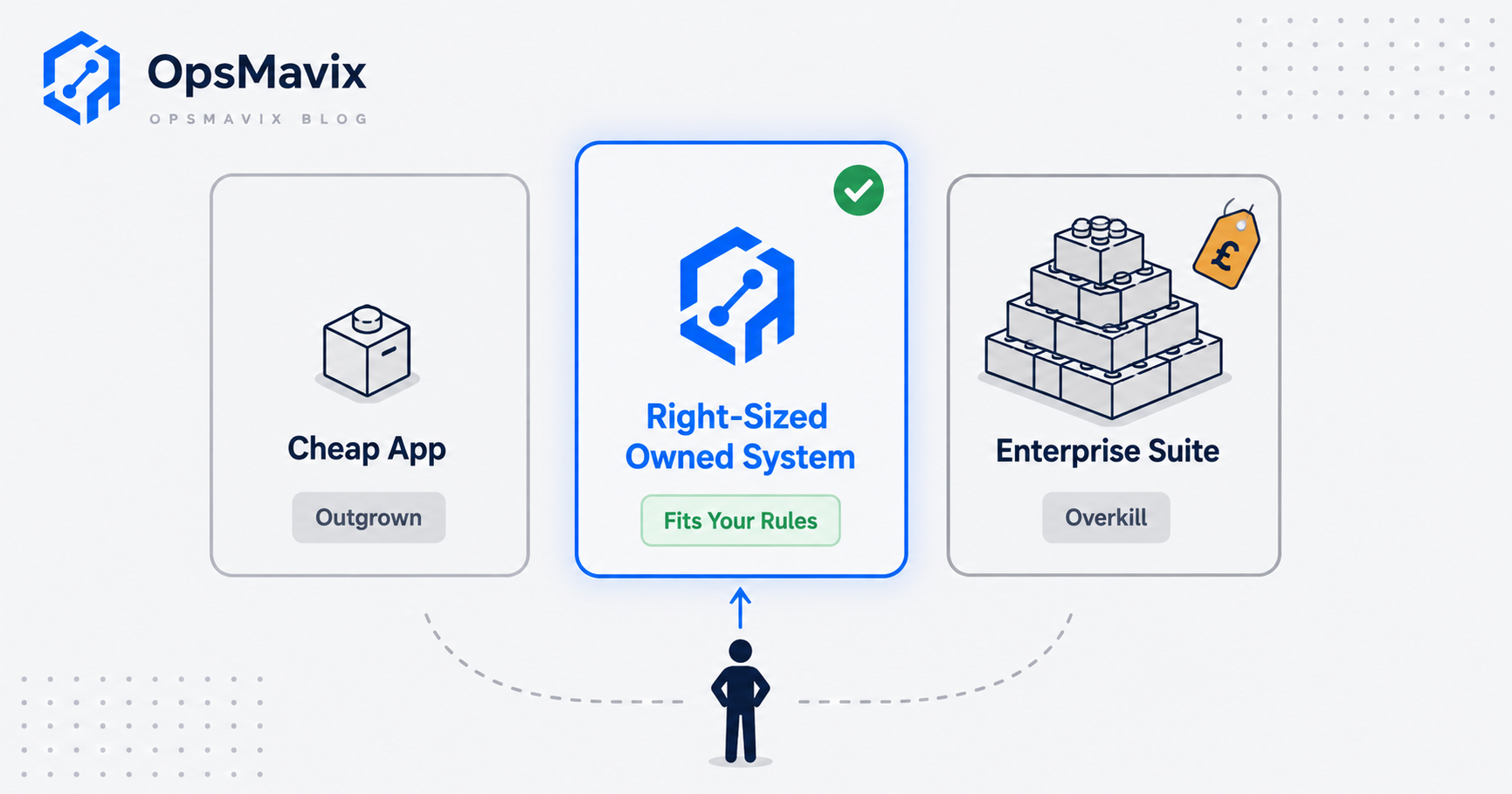
There is no single right answer, only the cheapest option that closes your leak. Broadly there are three ways to buy, and the honest trade-offs look like this.
| Cheap off-the-shelf app | Full ERP or enterprise FSM suite | Right-sized owned system | |
|---|---|---|---|
| Best for | Small teams with standard, simple jobs | Large field forces, hundreds of engineers, complex regions and SLAs | Growing firms whose scheduling or billing rules are specific and don’t fit generic software |
| Setup time | Days | Months, often six-plus | Weeks, phased |
| Cost shape | Low monthly per seat | High licence plus implementation, per seat forever | Build cost, then you own it; no per-head creep |
| Fits how you work | You bend to the app | You bend to the platform, heavily | Built around your dispatch and billing rules |
| Ceiling | Outgrown when jobs get non-standard | Rarely outgrown, but you pay for scale you may not have | Expandable as you grow; can scale up to a full ERP later |
| You own the data and logic | No, it lives in their tenant | No | Yes |
The cheap app is genuinely the right call when your jobs are standard and your volume is modest. Do not over-buy. The full ERP or enterprise suite earns every pound when you run hundreds of engineers across regions with contractual SLAs, because the routing and workforce engines are doing real work at that scale. The problem is the middle: a fifteen-van firm buying an enterprise suite gets the dashboard and the overhead but not a fix, and the same firm on a cheap app keeps hitting the wall where their actual rules do not fit. That middle is where a right-sized owned system, built around how you actually dispatch and bill, tends to win.
Integrations and Why Ownership Matters
A field service system that does not talk to your accounts is half a system. The whole value of capturing the job sheet cleanly is lost if someone re-types it into Xero or QuickBooks at the other end. So integrations are not a nice-to-have; the accounts link, the payments link, and often a customer portal are the parts that turn a job record into cash. This is also where the legal edges live: for gas work, the engineer on the job must be on the Gas Safe Register, because the Gas Safety (Installation and Use) Regulations 1998 make it an offence for anyone not “a member of a class of persons approved for the time being by the Health and Safety Executive” to carry out that work (legislation.gov.uk). A system that holds each engineer’s competences and refuses to schedule the wrong person onto a gas job is enforcing the law for you, not just tidying the diary.
Ownership is the difference that shows up in year two. With a per-seat SaaS, your scheduling logic, job history and customer data sit in someone else’s tenant, and every new hire is another monthly licence. An owned operations system flips that: you pay to build it around your rules once, then it is yours, the data is yours to export and report on, the logic matches how you run, and adding a user is not a line item. It is the right shape for a business that has outgrown spreadsheets and disconnected tools, and it can grow into a full ERP later if the business gets there. If field service is only one part of a wider operation you are trying to get under control, that broader view is the subject of operations management software, and for smaller teams specifically, field service software for small business covers where the cheapest option is genuinely the right one.
A Worked Example: a 12-Engineer Maintenance Firm
The numbers below are illustrative, not a claim about a specific client. They exist to show how the leak is sized, not to promise a result.
Take a UK building-services maintenance firm with 12 engineers, running a mix of reactive call-outs and planned maintenance contracts. Average invoice value per job is £280, and each engineer completes around 22 billable jobs a week, so roughly 264 jobs a week across the team.
The billing leak first. Suppose 4 percent of completed jobs are never invoiced or invoiced short because the paper job sheet was lost, incomplete, or reconstructed weeks later from memory. That is about 10 jobs a week, around £2,800, or close to £130,000 a year handed back. Even if the true figure is half that, it dwarfs the cost of a system.
Now the scheduling leak. Say double-bookings and wrong-engineer dispatches cost each engineer one job’s worth of productive time a week in wasted travel and reshuffling. That is 12 jobs a week at £280, roughly £160,000 a year of capacity burned. If a connected scheduling and job-sheet system recovers even the two-to-four extra jobs per engineer per week the benchmark suggests is possible, the recovered capacity alone repays the build many times over. The exact figures are not the point. Both leaks run to tens of thousands of pounds a year, which is what makes the buying decision about fit rather than price.
FAQ
What is the difference between field service software and job management software?
They overlap heavily. Job management is the core: quoting, scheduling and tracking jobs. Field service software usually means job management plus the field-specific pieces, a mobile app for engineers, PPM and asset registers, route planning and on-site invoicing. For a van-based trade or maintenance firm, you almost always want the field service version.
Do I need field service software if I only have three or four engineers?
Often a cheap off-the-shelf app is exactly right at that size, and you should not over-buy. The trigger to look further is not headcount, it is complexity: when your scheduling rules, contract types or billing steps are specific enough that generic software makes you work around it, that is when a right-sized owned system starts to pay.
Will it connect to Xero or QuickBooks?
It should, and this is the connection that matters most. The whole value of a clean mobile job sheet is lost if someone re-keys it into your accounts. Any system you consider must push invoices into your accounts package cleanly, and for VAT-registered firms that package has to meet HMRC’s Making Tax Digital requirement.
How does the software handle Gas Safe or other ticketed work?
A good system holds each engineer’s qualifications and competences and uses them when scheduling, so a job that needs a Gas Safe registered engineer for a specific appliance category can only be booked to someone who holds it. That is not just tidy, it keeps you the right side of the law, since carrying out gas work without approval is an offence.
Is a right-sized owned system more expensive than a SaaS subscription?
It costs more up front and less over time. A per-seat SaaS is cheap to start and rises every time you add a user or the vendor changes the plan, and you never own the data or logic. An owned system is a build cost once, then it is yours with no per-head creep, and it can expand as you grow. Which wins depends on your size and how specific your rules are.
How OpsMavix Can Help
OpsMavix builds right-sized operations systems for firms that have outgrown spreadsheets and generic apps but do not want to bend their business into an enterprise suite or pay per seat forever. For a field service business, that means a scheduling-to-billing system shaped around how you actually dispatch: one live board that will not let you double-book, a mobile job sheet that captures the visit and carries it straight into an accurate invoice and into your accounts, and the competence and contract rules that stop the wrong engineer landing on the wrong job. You own it, it fits the way you run, and it can grow into a fuller system when you are ready. Before any of that, we find where the money is actually leaking. Book a Free Operations Leak Audit
Sources
- Comparesoft: Field Service Management Software. UK buyer guide defining what FSM software covers, and the source of the two-to-four extra jobs per engineer per week productivity figure.
- Comparesoft: First-Time Fix Rate (FTFR). Independent first-time fix rate benchmarks (average near 75 percent, 80 percent most widely cited).
- legislation.gov.uk: Gas Safety (Installation and Use) Regulations 1998, Regulation 3. The legal requirement that gas work be carried out only by HSE-approved (Gas Safe registered) persons.
- GOV.UK: Making Tax Digital for VAT. HMRC requirement for VAT-registered businesses to keep digital records and file through compatible software.
Keep reading
Getting value from OpsMavix? Add us as a preferred source on Google — you'll see more of our operations content in your AI Overviews, AI Mode and Search.