
Operations Management Software: How to Buy the Right Size, Not the Whole ERP
Operations management software is meant to run the day-to-day flow of a product business, yet most owners get sold either a generic project-management app or a heavy ERP. This guide explains the category honestly and shows the right-sized, owned alternative for firms outgrowing spreadsheets and disconnected tools.
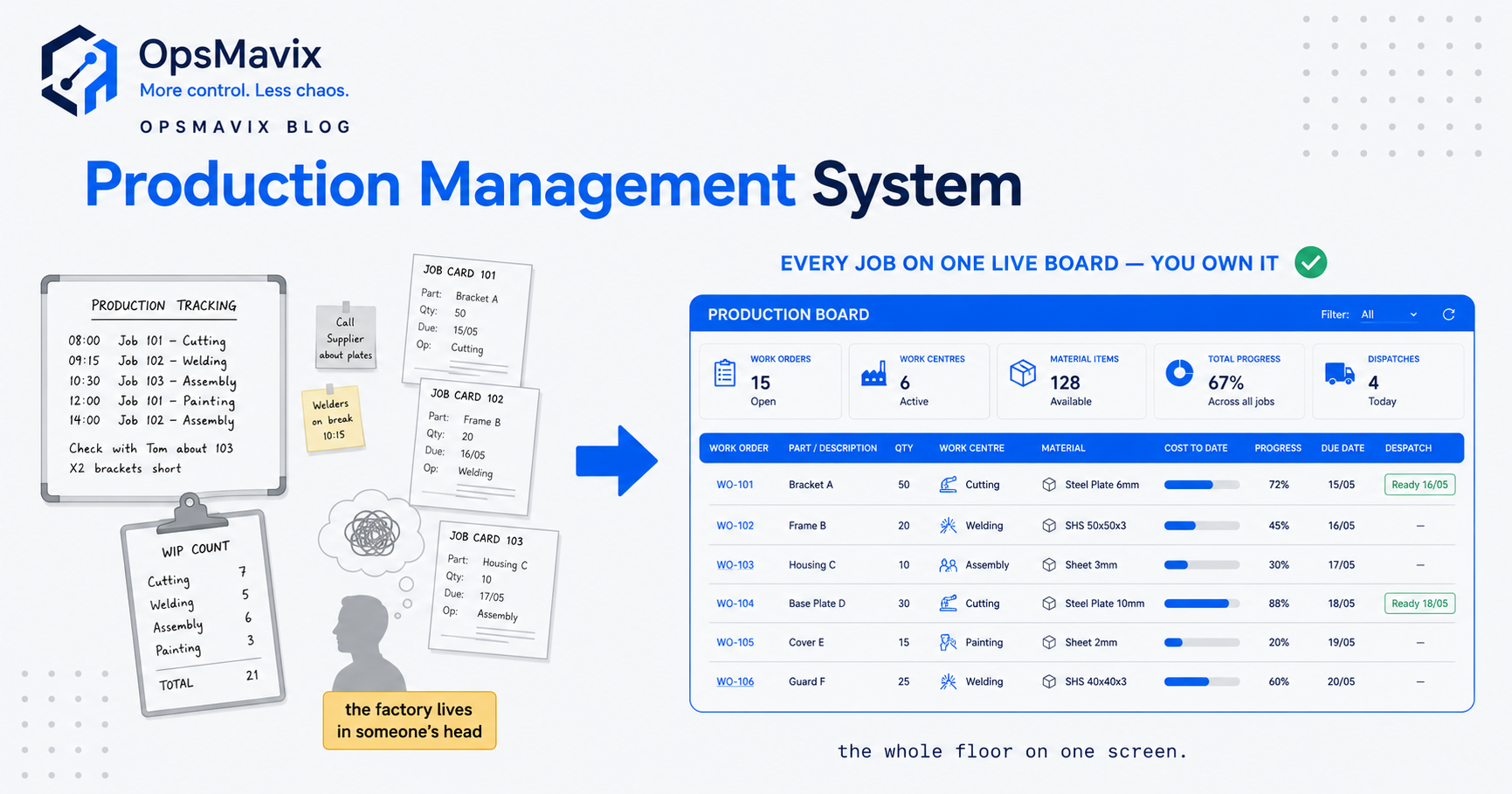
Operations management software is the technology layer that runs the day-to-day work of turning inputs into finished orders, coordinating your stock, purchasing, production, fulfilment and reporting so the whole operation runs from one connected view rather than a stack of spreadsheets, inboxes and disconnected apps. In plain terms, it is the system that answers the questions an owner asks fifty times a day: what have we got, what is on order, what is late, and what does the shop floor or the warehouse do next.
Quick summary: In 2023, 61% of UK firms had adopted specialised software and 69% had adopted cloud-based computing, yet adoption fell sharply among smaller firms and those with weaker management practices, 88% of firms in the top decile of management-practice scores had adopted at least one advanced technology, against just 51% in the bottom decile (ONS, Management practices and the adoption of technology and AI in UK firms, 2023). The gap is rarely about willingness. It is that most off-the-shelf products feel built for a bigger, more complex business than the one buying them.
Contents
- What operations management software actually is
- The three things owners get sold, and the trap in each
- Core functions of operations management software
- Generic platform vs heavy ERP vs right-sized owned system
- How to tell which one you actually need
- Signs you are over-buying
- The right-sized owned alternative
- Worked example: a £4m contract manufacturer
- How to choose without over-committing
- FAQ
What operations management software actually is
Operations management is the discipline of designing and controlling the process that converts inputs, raw materials, labour, time and information, into the goods and services a customer pays for (Operations management, Wikipedia). It covers the practical, repeatable work of a business: what you make or buy, how much, when, where it is stored, how it moves, and how you know it all happened correctly.
Operations management software is simply the tooling that supports that work. Its job is to hold one shared version of the truth, one figure for stock, one status for each order, one plan for what production or the warehouse does next, so that people stop re-keying the same numbers into different files and stop making decisions on data that was already stale by the time they opened it.
The single most important thing to grasp is that “operations management software” is not one product. It is a broad category that stretches from a light task-tracking app at one end to a global enterprise suite at the other. That breadth is exactly why the phrase is so slippery, and why so many growing businesses buy the wrong thing. What you actually need depends entirely on which specific parts of your operation are costing you money.
The three things owners get sold, and the trap in each
Search for operations management software and you will be pushed toward one of three answers. Each is right for someone, and wrong for most growing product businesses.
1. A generic project-management or work-management app. Tools built around tasks, boards and to-do lists. They are excellent for coordinating people and projects, and genuinely useless as the backbone of a stock-and-orders business. A board of cards does not know how many units you have, will not stop an oversell, and cannot reconcile a purchase order against a delivery. Owners reach for these because they are cheap and familiar, then quietly keep the real numbers in a spreadsheet alongside, so nothing actually gets fixed.
2. A heavy ERP. The full enterprise-resource-planning suite: finance, HR, operations and supply chain in one database, covering ninety functions. For a large, complex, multi-site business this is the right tool. For a £3m–£15m manufacturer or wholesaler it is usually a sledgehammer, months to over a year of implementation, per-seat licences forever, and a demand that you reshape your process to fit the software rather than the other way round.
3. A niche point solution. A standalone app for one slice, inventory only, or scheduling only, or purchasing only. These work until you have three of them that do not talk to each other, at which point you have simply rebuilt the disconnected-tools problem you started with, only now you are paying rent for it.
The trap in all three is the same: you are choosing a product before you have named the problem. The right question is never “which platform”, it is “which two or three operational workflows are actually bleeding time and money”, and none of the three default answers starts there.
Core functions of operations management software
A full operations platform typically claims to cover the areas below. It is worth knowing them by name so you can spot which ones you genuinely use, and which you are being asked to pay for and will never switch on.
- Order management. Capturing and tracking sales orders from placement through to dispatch, with one live status per order.
- Inventory management. Stock levels, locations, reorder points and valuation, across one or more sites. For anyone holding stock in more than one place, multi-location inventory management is where the hidden costs usually sit.
- Purchasing and procurement. Raising purchase orders, tracking supplier deliveries and matching what arrived against what was ordered and invoiced. A focused purchase order software workflow is often the single highest-return place to start.
- Production and scheduling. For makers, planning what gets built, in what order, on which resource, and when. This is where manufacturing scheduling software earns its keep, and where generic apps fall apart completely.
- Warehouse and fulfilment. Receiving, put-away, picking, packing and dispatch, often with barcode or scanner support.
- Supply chain coordination. Tying suppliers, stock and demand together so buying decisions reflect reality; our guide to supply chain management software covers where that becomes its own category.
- Reporting and visibility. The layer that turns all of the above into one screen of what is happening now and what is about to go wrong.
Most growing product businesses live and die by three or four of these, typically orders, inventory, purchasing and the reporting that ties them together. The rest are either handled elsewhere or simply not complex enough to justify dedicated software.
Generic platform vs heavy ERP vs right-sized owned system
Most growing firms sit awkwardly between a generic app that cannot run a stock business and a full ERP that is too much. Here is the honest comparison.
| Factor | Generic PM / work app | Heavy ERP | Right-sized owned system |
|---|---|---|---|
| Best for | Coordinating people and projects | Large, complex, multi-site businesses | SMBs “outgrowing spreadsheets and disconnected tools” |
| Understands stock and orders | No, tasks and boards only | Yes, but you fit your process to the tool | Yes, built around your actual process |
| Setup cost | Low | High (licences plus implementation) | Moderate, one-off build |
| Ongoing cost | Per-seat, forever | Per-user, per-module licences, forever | You own it; no per-seat rent |
| Time to value | Immediate, then you outgrow it | Months to over a year | Weeks, focused on the real bottleneck |
| Double entry / re-keying | Constant, numbers live elsewhere | Reduced, only if fully adopted | Eliminated for your core flow |
| Fit to your process | Poor for operations | Partial, you adapt to it | High, it is built to fit |
| Main risk | You bolt a spreadsheet on beside it | Over-scoping, low adoption, lock-in | Scoped too narrow if pain is genuinely broad |
The pattern most owners recognise: the generic app is cheap until you realise it never actually held your numbers, and the ERP solves that but charges you for ninety functions to fix three problems.
How to tell which one you actually need
A generic work-management app is the right call when your problem is genuinely about coordinating people and tasks, marketing projects, client work, internal initiatives, and stock is not central to your day. A heavy ERP is the right call when complexity is real and permanent. Strong signals for the ERP end:
- Multi-site or multi-country operations with stock, staff and finance that genuinely need to reconcile in one ledger.
- A dedicated operations and finance function, people whose full-time job is planning and control, who will actually adopt a big system.
- Deep multi-tier supplier or product complexity, thousands of SKUs, heavy seasonality, or regulatory traceability across the whole chain.
- A board-level appetite for a multi-quarter implementation and the internal project resource to survive it.
If several of these are true, evaluate a mature platform properly. The UK has over 5.5 million SMEs making up 99.8% of the business population, and the vast majority sit nowhere near that level of complexity (GOV.UK, SME Digital Adoption Taskforce final report). For most of them, the honest answer is neither the generic app nor the enterprise suite.
Signs you are over-buying
You are probably over-buying a full ERP if:
- Your pain is concentrated in two or three workflows, usually orders, stock and purchasing, but you are being sold a suite covering finance, HR and everything else.
- Most modules would sit unused. You already run payroll elsewhere, or you have fifty suppliers not five thousand.
- You are being quoted per-user, per-month licences forever for software you will use at maybe 30% of its capability.
- Implementation is measured in quarters, and the plan requires you to reshape your process to fit the tool.
- The real problem is double entry and no single source of truth, which is a process and integration problem, not a reason to rent an enterprise platform.
Over-buying is not just wasted money. Large platforms fail on adoption when the team quietly keeps using their spreadsheets alongside the new system, so you end up paying for both. The government’s own review of SME technology adoption found that off-the-shelf products “often feel built for larger enterprises” and that switching and adoption costs can be high, which is precisely how a well-intentioned ERP purchase ends up shelved.
The right-sized owned alternative
There is a middle path between “make the spreadsheets last a bit longer” and “buy the enterprise suite”. Build a right-sized system that covers only the workflows actually costing you money, and own it outright.
This is OpsMavix’s positioning, and it is worth being precise about what we are and are not. We are not an ERP vendor and we do not sell generic custom code. We build an owned operations system for firms where a full ERP is genuinely too much, focused on the outcome: one source of truth, the end of double entry, and control over your own operations. For the wider idea, see how an operations control system works in practice.
A right-sized owned system typically starts by connecting the two or three workflows where the leaks are, usually orders, inventory and purchasing, so a sales order, a stock movement and a purchase order all reference the same live data. It is built to your process rather than forcing your process into someone else’s template, it carries no per-seat licence rent because you own it, and it is scoped to weeks not quarters because it is not trying to run your whole company. That focus matters: government-cited research puts firm-level productivity improvements at 7% to 18% per technology adopted, and you capture that far faster by fixing the workflow that actually hurts than by boiling the ocean.
The trade-off is honest. If your complexity is genuinely broad and permanent, a right-sized system scoped too narrowly will leave gaps, and a full platform is the better call. The skill is telling the difference, which is exactly what a proper audit does before anyone builds anything.
Worked example: a £4m contract manufacturer
Take a contract manufacturer turning over £4m a year, roughly 30 staff, one factory, a small stores area, and around 400 active parts and materials.
The pain. Jobs are quoted in a spreadsheet, scheduled on a whiteboard, and tracked by walking the floor. Purchasing works off a second spreadsheet of reorder points that is always slightly out of date, so the factory occasionally stops because a material ran out. Sales, stock and the shop floor never share a number, so nobody can answer “is job 4471 on track and do we have the material for it” without three conversations. Two people lose most of a day each week reconciling all of it.
The generic-app option. A work-management app is trialled. It makes the whiteboard prettier and gives everyone task cards, but it still does not know how much steel is in stores, cannot flag that a job is short of material, and will not reconcile a delivery against a purchase order. The real numbers stay in the spreadsheets. Nothing structural changes.
The heavy-ERP option. A tier-one ERP is quoted. It covers finance, HR, WMS, multi-site and demand planning, almost none of which this business needs, at per-user monthly licences plus a six-figure implementation over three quarters. Most modules would never be switched on, and the team would need to relearn how they work.
The right-sized option. A system that does three things: holds one live figure for material stock that both purchasing and the floor read from, ties each job to the materials it needs so a shortage is flagged before the job starts not when it stops, and shows one screen of “what is scheduled, what is on order, what is short”. No finance module, no HR, no per-seat rent. Built in weeks, scoped to the two real leaks.
The outcome that matters. The factory stops running out of material mid-job because shortages surface early. The two lost days a week come back. And the owner can answer the “is it on track” question in one click. That is the difference between buying software and fixing the actual problem, and it is why the question is never “which platform” but “which workflows are bleeding”.
How to choose without over-committing
A simple decision path:
- Name the leak. Write down the two or three workflows where errors, delays or admin time actually cost you. Be specific and honest.
- Count the modules you would use. If a platform’s value is concentrated in a couple of areas, that is a signal you do not need the whole thing.
- Check the adoption risk. Will the team genuinely move off their spreadsheets, or run both in parallel?
- Compare total cost over three years, licences plus implementation plus internal time, not the sticker price.
- Decide breadth vs depth. Broad, permanent complexity across the whole company points to an ERP. Concentrated operational pain and a desire to own the result points to a right-sized system.
The honest headline is that management quality, not budget, tends to separate the firms that get value from technology from those that do not, which is why naming the problem clearly beats shopping for a product.
FAQ
What is operations management software?
It is the technology that runs the day-to-day flow of a business, typically orders, inventory, purchasing, production and reporting, so the whole operation works from one shared source of truth instead of scattered spreadsheets and apps. The category is broad, ranging from light task apps to full enterprise suites, so “operations management software” describes a spectrum rather than a single product.
Is operations management software the same as an ERP?
No. An ERP is one, heavyweight kind of operations software, a wide system of record covering finance, HR and operations for the whole company. Operations management software also includes lighter, more focused tools and purpose-built systems that cover only your core operational workflows. Many growing businesses need the operations part without the finance-and-HR platform wrapped around it.
Do small businesses need operations management software?
Most benefit from some system once errors, double entry and reconciliation time become one of their biggest hidden costs, but few need the full enterprise kind. The trigger to move off spreadsheets is not headcount, it is the moment when the cost of manual admin and mistakes is bigger than the cost of fixing the process. For many, a right-sized system covering two or three workflows is enough.
Why not just use a project-management app to run operations?
Because task boards do not understand stock, orders or purchasing. A generic work app is excellent for coordinating people and projects, but it cannot hold a live inventory figure, stop an oversell, or reconcile a delivery against a purchase order. Owners who try usually end up keeping the real numbers in a spreadsheet beside the app, which leaves the underlying problem unsolved.
How much does operations management software cost?
It varies enormously by route. Generic apps and point solutions charge per user per month, indefinitely. Full ERPs add a large one-off implementation on top of ongoing per-module licences. A right-sized owned system is a one-off build you then own outright, with no per-seat rent, so the total cost over three years is often lower, though the right choice depends on how broad your genuine complexity is. We never quote a price before understanding the workflows involved.
How OpsMavix Can Help
OpsMavix builds right-sized, owned operations systems for growing UK product businesses, manufacturers, warehouses, wholesalers and ecommerce firms with real stock, that are outgrowing spreadsheets and disconnected tools. We are not an ERP vendor and we do not sell generic custom code, we sell the outcome: one source of truth, the end of double entry, and control over your own operations, backed by a delivery guarantee. We start by finding out where your operation actually leaks, then build only what fixes it, connected to your real process, owned by you, with no per-seat rent. When you are ready to find the leaks in yours: Book a Free Operations Leak Audit.
Sources
- ONS — Management practices and the adoption of technology and artificial intelligence in UK firms, 2023 (adoption rates by technology, firm size and management-practice decile): https://www.ons.gov.uk/economy/economicoutputandproductivity/productivitymeasures/articles/managementpracticesandtheadoptionoftechnologyandartificialintelligenceinukfirms2023/2025-03-24
- GOV.UK — SME Digital Adoption Taskforce final report (UK SME population, productivity gains per technology, barriers to adoption): https://www.gov.uk/government/publications/sme-digital-adoption-taskforce-final-report/sme-digital-adoption-taskforce-final-report
- Operations management — definition and scope (converting inputs into goods and services): https://en.wikipedia.org/wiki/Operations_management