
Inventory Software for Small Business: UK Buying Guide
Compare the best inventory management software UK businesses can use in 2026. See leading options for stock control, warehouse management, purchasing and ERP, including when a tailored system like OpsMavix makes more sense than an off-the-shelf app.
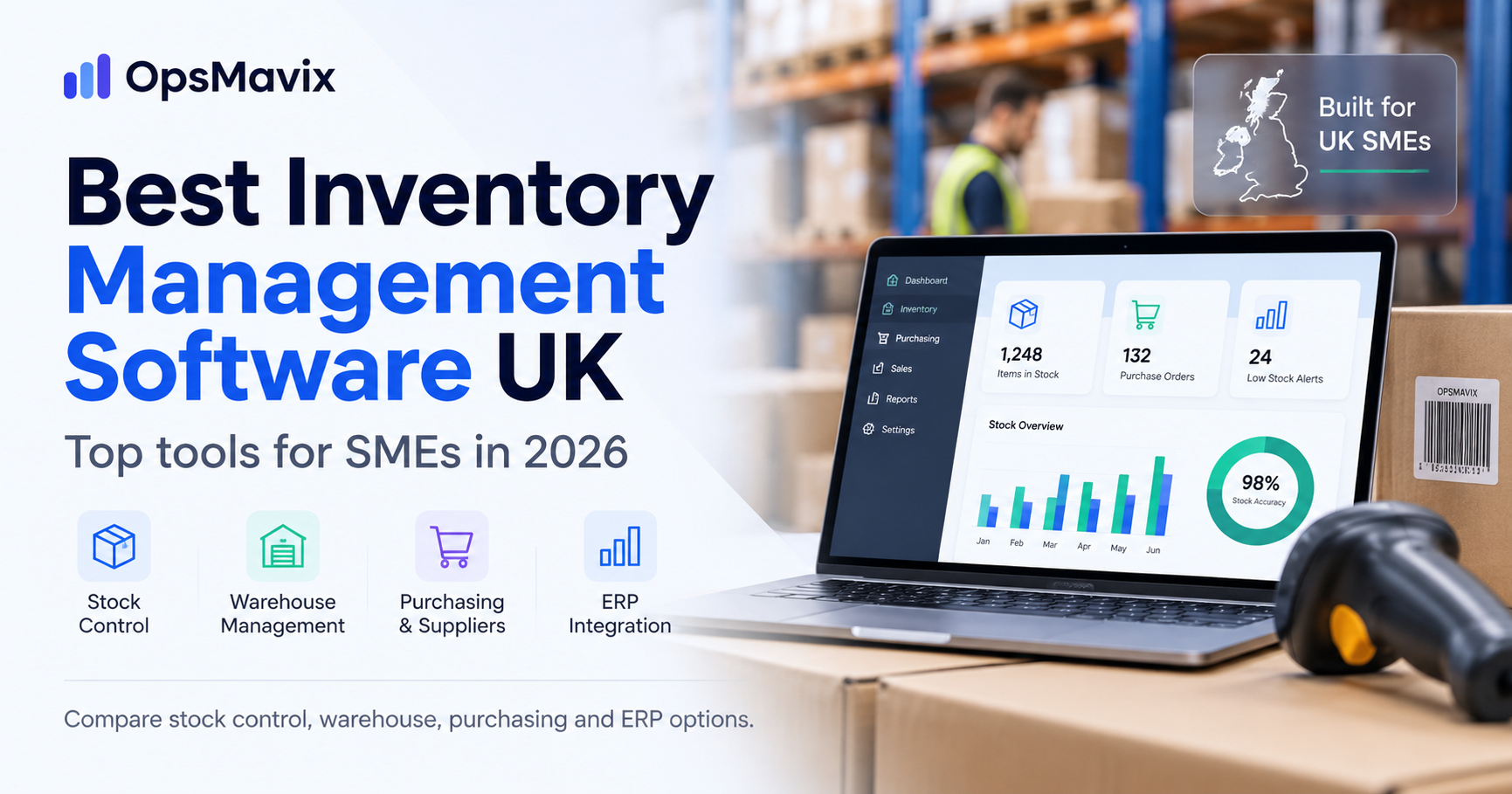
Inventory software for small business should show what stock is available, where it is and which orders need it. The best option fits your actual movements and commitments at a sustainable cost.
A distributor selling cases, a retailer selling variants and a manufacturer using components need different controls. Give each shortlisted supplier the same transactions to demonstrate.
This UK buying guide covers stock control, order and finance handoffs, total cost and a practical pilot.
UK SMEs do not all need the same scope. A distributor with case quantities, a retailer with variants and a manufacturer with component consumption have different requirements. A tool can be appropriate for one and unsuitable for another without being a bad product.
This guide gives UK buyers a practical comparison method, from product identity and receiving to financial handoffs, support and cutover. It uses documented examples without inventing prices, supplier rankings or promised savings.

A buying decision should begin with the material and order movements that need to remain accurate. Illustrative photograph, not an OpsMavix client.
Image credit: FIONASUN, CC0 1.0. Displayed at a reduced size; no additional edits.
Key Takeaways
- Define stock units, locations and availability before choosing software.
- Compare operational categories instead of assuming every inventory app is a WMS or ERP.
- Verify finance and connector requirements in the exact country edition proposed.
- Demonstrate partial receipts, returns, commitments and corrections.
- Include implementation, support and retained manual work in total cost.
- Pilot representative products and agree opening records before changing systems.
In this guide:
- Free Inventory Software for Small UK Businesses and Workshops
- 1. Define the UK Business Workflow You Need
- 2. Match the Requirement to the Software Category
- 3. Build a Documented Shortlist
- 4. Demonstrate Quantities, Units and Availability
- 5. Check Order, Channel and Finance Handoffs
- 6. Compare Complete Costs and Practical Control
- 7. Assess Ease of Use and Ongoing Ownership
- 8. Pilot and Migrate Without Losing the Baseline
- Frequently Asked Questions
- How OpsMavix Can Help
Free Inventory Software for Small UK Businesses and Workshops
A free plan is a sensible place to start if you run a small workshop, a single store room or a business with a short product list. The catch is the limits. Most free plans cap items, users or orders, and the cap tends to arrive just as the business starts to depend on the record.
The free options below were checked against each supplier’s own pages, or its software listing, on 28 October 2026. Plans change, so confirm the current limits before you commit.
| Free option | What the free plan gives you | Where it stops |
|---|---|---|
| Zoho Inventory Free | 50 orders, 1 user and 1 location, with composite items, backorders and dropshipping | Beyond those limits you need a paid plan |
| Sortly Free | 100 unique items, 1 user licence, 2 active jobs and 1 custom field | Activity history and transaction reports cover 1 month |
| Stockpile by Canvus | A free cloud app with an item catalogue, several locations, purchase orders and low-stock alerts | Its listing names the United States as the available country, so check UK fit |
| Odoo One App Free | One app, such as Inventory, free for unlimited users on Odoo Online | Installing a second app moves you to the paid Standard plan |
| ERPNext | Free, open-source ERP with a stock module, warehouses and batch tracking | You run the hosting, setup and support yourself, or pay for hosting |
What a workshop should test on a free plan
A workshop’s stock is rarely just finished goods. It is sheet, bar and fixings bought in one unit and used in another, consumables drawn against jobs, and tools that leave the store and need to come back. Before you load your whole stock list, run three checks:
- Issue parts to a job. Book materials out against a job number and see whether the job shows what it used.
- Convert a unit. Buy a box of 200 fixings, use 14, and check that the balance reads 186.
- Track a tool out and back. Record who has a tool and when it returned, if equipment control is part of the need.
If the free tool handles those, it may be all you need for now. If it does not, you have found your real requirements cheaply. Our guides to outgrowing Sortly and Stockpile by Canvus cover the usual signs.
For a workshop that has already outgrown free tools, see how we approached job and stock tracking for a metal fabrication workshop, or open the workshop control room demo.
1. Define the UK Business Workflow You Need
Follow physical work and commercial decisions
Map receiving, put-away, reservation, picking, dispatch, return and stock-count correction. Add production or assembly if material is transformed before sale. Identify which person or system records each event.
Write the decisions depending on the record: whether to accept an order, buy more stock, start a job or investigate a shortage. A company-wide quantity is not enough if the decision requires a particular location, variant or eligible lot.
Keep the requirements specific
| Business pattern | Requirement to investigate |
|---|---|
| Wholesale distribution | Customer terms, pack quantities, commitments and backorders |
| Retail | Variants, shop locations, POS sales and returns |
| Ecommerce | Shared stock, cancellations and channel-update failures |
| Manufacturing | Components, actual consumption and completed output |
| Several warehouses | Transfers, in-transit stock and receiving differences |
Separate essential requirements from useful future additions. Describe one recent failure for each essential requirement so suppliers can demonstrate what would change.
Do not assume every spreadsheet must disappear. A controlled planning calculation can remain useful alongside reliable transaction records. The gap is the unsupported work or conflicting record, not the mere existence of a workbook.
2. Match the Requirement to the Software Category
Distinguish inventory, WMS and ERP
Inventory applications generally focus on inventory control and related purchasing or order records. Warehouse management places more emphasis on execution such as receiving, locations and picking. ERP coordinates broader operational and financial processes. The boundaries vary by product, so test actual scope rather than relying on the category name.
| Route | Where it can fit | Evidence needed |
|---|---|---|
| Existing accounting or POS stock features | Straightforward stock workflow | Actual receipts, sales, returns and reporting |
| Specialist inventory application | Purchasing and stock need more coordination | Locations, commitments, movement history and connectors |
| Warehouse management system | Warehouse execution is the main gap | Receiving, put-away, picking and exceptions |
| Packaged ERP | Broader processes need coordinated records | Operational and financial end-to-end test |
| Custom system or ERP | A valuable gap remains after packaged evaluation | Defined scope, interfaces, maintenance and handover |
Test configuration before replacement
Ask the existing supplier to demonstrate unused capabilities. A missing location view or approval step may need configuration rather than migration. Conversely, a field that stores information does not necessarily control the related workflow.
Choose the smallest complete arrangement that meets the essential requirements, including exceptions and support. A limited app with several missing interfaces may be less complete than a properly scoped ERP.
3. Build a Documented Shortlist
Use primary sources as starting evidence
Cin7 Core’s inventory documentation describes transfers, stocktakes, product availability and related item records. ERPNext’s stock-entry documentation distinguishes stock transactions such as transfers and manufacturing movements.
Business Central’s overview describes a broader finance and operations platform. Intuit’s UK stock guide provides a baseline for firms already using eligible QuickBooks Online stock features.
| Candidate route | Why consider it | What remains to verify |
|---|---|---|
| Existing QuickBooks stock setup | May cover the current simple requirement | Operational fit and exact subscription |
| Cin7 Core | Documented inventory and related workflows | Country configuration, licence and connector behaviour |
| ERPNext | Configurable stock and broader ERP records | UK finance scope, hosting and support |
| Business Central | Coordinated financial and operational scope | Edition, modules, extensions and implementation |
| Focused custom build | Can target a demonstrated remaining gap | Complete cost, delivery and support |
These are examples to evaluate, not a ranked list. Other products may fit your sector or existing environment better. Keep the shortlist small enough to run a meaningful demonstration for each.
Verify UK requirements explicitly
Ask the finance owner to confirm the required tax, currency, reporting and submission arrangements. Have the supplier demonstrate them in the proposed edition and configuration. A UK website or GBP price alone does not establish suitability.
Confirm support availability during your trading hours, the responsible implementation team and any regional connector limitations. Do not present a US integration guide as proof that the same setup works unchanged in a UK account.
4. Demonstrate Quantities, Units and Availability
Use the actual purchasing and selling units
Items bought in cases and sold individually need an explicit conversion. Different supplier packs may need distinct rules. Avoid placing quantities in one field without identifying the unit.
Hypothetical receiving example: order eight cases of 12, or 96 units. Seven complete cases and one case containing 10 arrive, giving 84 plus 10, or 94 actual units. Two remain short. The software should keep ordered and received quantities distinguishable.
Show what can be promised
On-hand, reserved, held and expected quantities have different meanings. Hypothetically, 94 physical units with 20 committed and four held leave 70 immediately eligible uncommitted units. An expected receipt is not physically present yet.
Test:
- Several locations holding the same item.
- An order reserved before picking.
- A cancellation releasing the reservation.
- A partial shipment releasing only the relevant commitment.
- Goods held after a return.
- A physical count difference.
The record must explain the balance. An attractive dashboard is not sufficient if users cannot identify the transaction that caused a discrepancy.
5. Check Order, Channel and Finance Handoffs

Stock and fulfilment records need to remain linked when work crosses applications or locations. Illustrative photograph, not an OpsMavix client.
Image credit: Nenad Stojković / Shixart1985, CC BY 2.0. Displayed at a reduced size; no additional edits.
Assign ownership and timing
Document which system maintains item identity, prices, stock, orders, invoices and payments. For every connection, list the event, direction, expected delay and failure owner.
An operational order may become a financial invoice only at a later trigger. A refund does not necessarily return physical goods. These distinctions should remain explicit rather than forced into a generic two-way-sync promise.
Test failure as part of the comparison
Replay one transaction, interrupt a handoff and change a record after it has been transferred. Check that quantities and invoices do not duplicate and that rejected work remains visible.
For distributors, examine the wholesale order process. For online sellers, examine ecommerce stock updates. Where manufacturing is involved, ensure completed output and actual component issues reach the appropriate records.
A connector can reduce re-entry but still require monitoring. The supplier should show how the team finds pending work and reconciles financial totals with operational documents.
6. Compare Complete Costs and Practical Control
Obtain scoped current prices
Include setup, data preparation, migration, training, equipment, integrations, paid extensions and ongoing support. Ask which transaction or user limits affect your scope. Do not rely on a generic entry-level price or assume custom development removes recurring costs.
Work through an illustrative model
Hypothetical three-year comparison: remaining administration is valued at £25 an hour for 48 weeks a year. The allowances are illustrative, not supplier prices or OpsMavix quotations.
| Component | Improve current setup | Adopt inventory software |
|---|---|---|
| Initial work | £4,000 | £10,000 |
| Annual software and support | £1,500 | £3,000 |
| Remaining administration per week | 5 hours | 2 hours |
| Administration over three years | £18,000 | £7,200 |
| Recurring allowance over three years | £4,500 | £9,000 |
| Total modelled cost | £26,500 | £26,200 |
The options are close under these assumptions. Higher migration effort or less reduction in manual work could change the decision. Released capacity is not automatically cash, and actual quotations must replace the allowances.
Check data exports, historical references, backup and termination arrangements. For custom software, agree source-code rights, deployment information, third-party dependencies and the ability to appoint another maintainer. Control is practical only when the handover and support make it usable.
7. Assess Ease of Use and Ongoing Ownership
Let the people doing the work test it
Have receiving, picking, purchasing and finance users run representative transactions. Measure the steps they need and identify where information is unclear. A manager’s demonstration may not reveal the difficulties of scanning, selecting variants or recording a short receipt during busy work.
Define permissions for adjustment, item maintenance, purchasing approval and financial correction. A useful role design supports responsibility without giving every user authority to change every record.
Maintain the inputs that drive decisions
Assign ownership of supplier lead times, pack conversions, item status and replenishment policy. Software can apply a rule consistently while the rule itself is wrong.
Use a regular exception routine for negative stock, duplicate identifiers, overdue supply, failed connections and unexplained adjustments. Keep the owner and next action visible. Repeated exceptions can indicate configuration or training needs rather than an immediate replacement decision.
8. Pilot and Migrate Without Losing the Baseline
Choose representative stock
Include a fast-moving item, a slow mover, a pack conversion and an item requiring an additional status or identity record. Reconcile locations, units, quantities and commitments before the test.
Suggested acceptance criteria are:
- Receipts reflect actual delivered quantities.
- Transfers preserve total stock where no loss occurs.
- Commitments and unavailable stock are distinguishable.
- Returns follow the approved condition review.
- Repeated updates do not double-post.
- Financial documents follow the agreed trigger.
- A known discrepancy can be investigated and corrected.
- Exports preserve the relevant relationships.
- Staff can maintain records and recover from a failure.
Complete cutover deliberately
Agree when old entries stop, reconcile pending transactions and record the final opening position. Keep historical identifiers and access to old documents. Document temporary manual work and who checks it.
Extend after the team can operate the pilot and explain exceptions. The goal is a dependable inventory control process, whether that is a configured application, an integrated arrangement or a custom platform.
When you need a CRM inventory system
A CRM inventory system connects customer relationship records with product availability and order commitments. It is useful when sales staff need stock context while quoting or following up an opportunity.
Decide what the sales pipeline is allowed to reserve. An enquiry, a draft quote and an accepted order do not necessarily have the same claim on stock. Write that rule down before connecting CRM and inventory management.
Integrated inventory should help sales processes use one agreed availability figure. It should not create another editable stock balance inside the CRM system.
Test the customer promise
Use a hypothetical example: there are 20 units on hand, six already reserved and four awaiting inspection. If inspection stock is unavailable, only ten units remain to promise before incoming supply is considered.
Create a quote for 12 units. Ask the supplier to show the shortage, the expected receipt and the proposed delivery date. Then convert the quote into an order and check that it reserves stock only once.
That test shows whether real-time inventory supports a decision. A dashboard total of 20 is not enough when some units cannot be sold.
A practical stock-control pilot for a UK small business
Choose a product group that covers normal sales and at least one difficult transaction. Include a pack conversion, partial receipt, return and stock adjustment if those occur in your operation.
Agree the starting stock levels by location and status. Record open commitments and pending receipts. Reconcile the baseline before evaluating changes.
Run the pilot through the whole supply chain handoff: purchasing, receipt, storage, reservation, picking and finance. Identify who owns an exception at every stage. Cloud-based access should make those records easier to share, while keeping permissions clear.
Measure:
- Whether the quantity available to promise is correct.
- How many corrections are needed and why.
- How long a confirmed movement takes to reach the relevant screen.
- Whether staff can recover a failed update.
- Whether another person can explain the history.
Real-time visibility is useful when it leads to a trustworthy next action. Investigate human errors alongside screen design, unclear units and missing process steps. Use the pilot evidence to decide whether configuration, a connection or a broader replacement is justified.
If none of the packaged tools pass that pilot cleanly, an owned inventory automation system scoped to your stock flow is the alternative to compare on the same test.
Frequently Asked Questions
What is the best inventory management software for a UK SME?
It depends on stock movements, selling channels, finance needs and implementation capacity. Compare configured current tools, specialist apps and ERP options using the same transactions.
Is there free inventory software for a small UK business?
Yes. Zoho Inventory, Sortly and Odoo each offer a free plan, and ERPNext is free open-source software that you host yourself or pay to have hosted. Every free plan limits items, users, orders or apps, so test your own transactions before you rely on one.
Do we need a WMS or an inventory app?
Choose by the work needing control. Warehouse execution may need more detailed receiving and picking than a basic stock application; product scope varies, so demonstrate the requirement.
Can accounting software cover our stock needs?
Potentially. Test the configured stock functions and their operational limitations before assuming another application is necessary.
Does a UK website prove UK finance suitability?
No. Verify your tax, currency, reporting and connector requirements in the exact edition with the responsible finance adviser.
How should case quantities be handled?
Use explicit purchasing and stock units with a verified conversion. Record actual receipt quantities rather than automatically accepting the ordered number of cases.
Should all physical stock be available to sell?
No. Reservations, holds, location and condition can restrict availability. Keep those components visible and define the promise policy.
Is custom inventory software cheaper?
Not automatically. Compare equivalent scope, implementation, interfaces, support and remaining work over the same period.
What should we check about data ownership?
Request usable exports and historical references. For custom systems, confirm rights, deployment documentation, dependencies and maintenance handover.
Where should we start with a pilot?
Use a representative product group with normal transactions and exceptions. Agree opening records and acceptance criteria before moving the whole operation.
How OpsMavix Can Help
OpsMavix can review the stock decisions and manual handoffs behind your software search, then compare configuration, integration and development against the gaps.
We can build inventory automation linked to wholesale order management or production tracking. We can retain useful packaged tools or develop a full custom ERP where wider requirements justify it.
Contact OpsMavix with one stock discrepancy, its related movements and the decisions it delayed. We can define a practical test before recommending a larger change.
Keep reading
Getting value from OpsMavix? Add us as a preferred source on Google — you'll see more of our operations content in your AI Overviews, AI Mode and Search.