
Manufacturing Scheduling Software for Small Shops
You don't need a full MRP to schedule a small shop. Here's how high-mix manufacturers get a schedule that holds, without a year-long rollout or a tool the lads won't use.
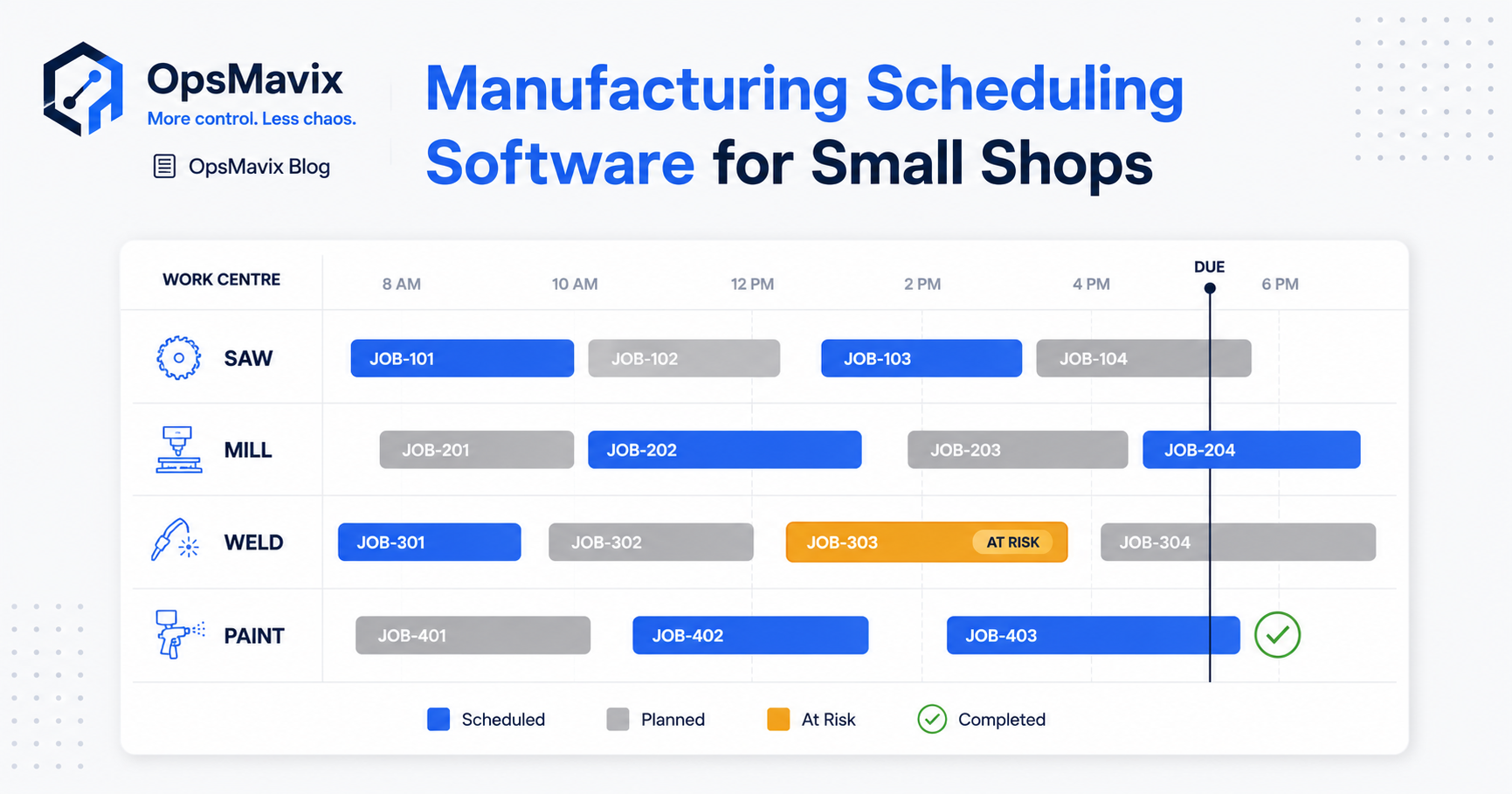
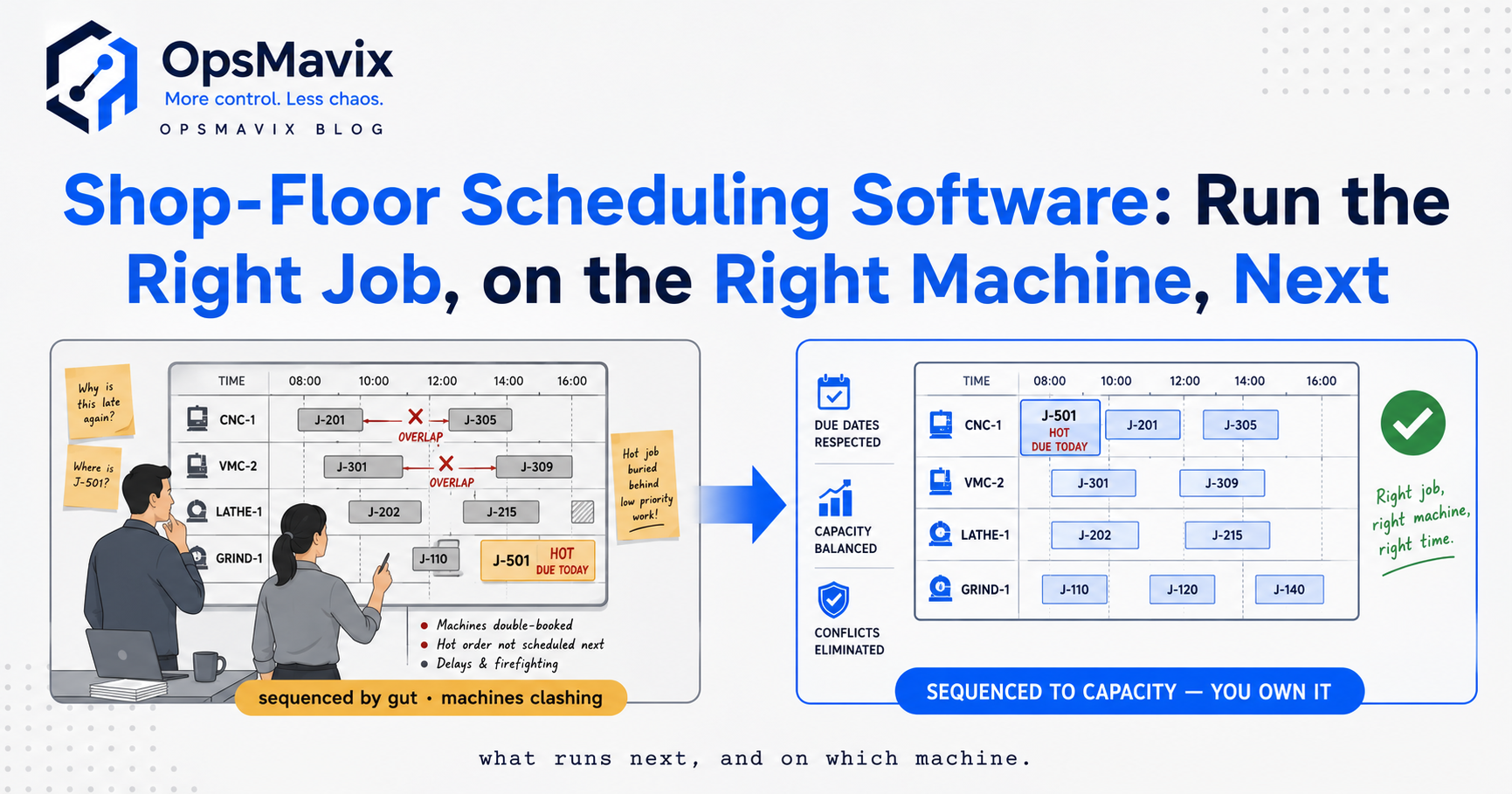
The planner moves an urgent job to the top of the machining queue. It looks like a small change until three other jobs need the same machine, one needs a shared fixture and another is still waiting for material.
The spreadsheet shows the new order. It does not show whether the revised sequence can meet the promised delivery dates.
Manufacturing scheduling software helps a small shop organise jobs against due dates, operation sequences and available resources. A useful system combines the intended order of work with recorded progress, so the supervisor can see what is ready, what is blocked and what the next change will affect.
You may not need a broad replacement of your business software to achieve that. A supported scheduling feature in your existing tools, a dedicated product or a focused custom system can each be appropriate. The right choice depends on the requirements that remain unmet and the effort needed to keep the schedule credible.
This guide explains what a small shop should ask scheduling software to do, how scheduling differs from MRP and ERP, and how to test the options using real jobs before committing.
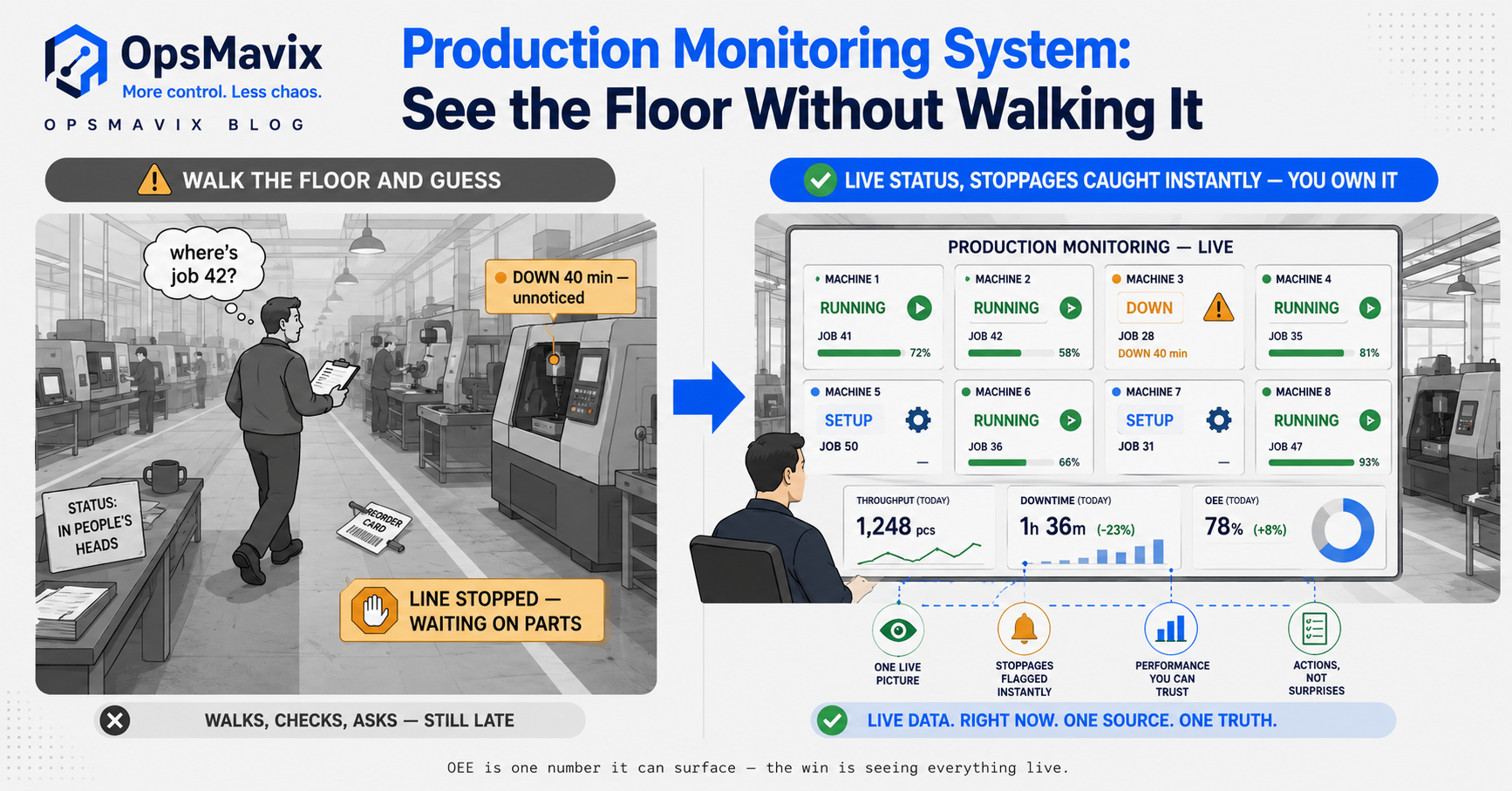
The useful question is whether the planned sequence can run with the resources, materials and progress actually available.
Key Takeaways
- Start with the recurring scheduling problem, rather than assuming a particular product category is the answer.
- Job order, due dates, readiness and work-centre load are core requirements; shared labour, tooling and downstream steps can also constrain the plan.
- MRP plans material requirements. Scheduling organises operations. ERP is a broader suite. Their functions can overlap without being interchangeable.
- Small shops can need finite-capacity checks. Headcount alone does not determine planning complexity.
- A digital schedule remains dependent on reliable updates, realistic durations and clear ownership.
- Compare configuration, standard products and custom development against the same demonstration and acceptance checks, then pilot a bounded workflow.
In this guide:
- Define what the schedule must answer
- Recognise the limits of the current process
- Scheduling versus MRP and ERP
- The minimum useful scheduling record
- A worked small-shop example
- Compare the software options
- Build trust in the schedule
- Pilot one work centre
- Frequently asked questions
- How OpsMavix can help
1. Define What the Schedule Must Answer
For a small high-mix shop, the first useful schedule may be straightforward: a running order of jobs, their required finish dates and the load on each work centre.
But that list is only meaningful if the jobs can actually run. A scheduled operation can be blocked by a missing drawing, material shortage or unavailable specialist.
Start with daily decisions
Ask the supervisor which decisions currently require walking the floor or consulting several files:
- Which job should this cell run next?
- Is the material and specification ready?
- What remains on the current job?
- Can a rush order fit without breaking another commitment?
- Which machine, operator or fixture is the constraint?
- Which customer dates need review?
These questions become the requirements. A visual board is useful when it answers them, not simply because it displays jobs as coloured cards.
Keep promised dates separate from internal targets
A customer delivery date, a dispatch cutoff and an operation finish target are different milestones.
If machining ends on Thursday but inspection and packing need Friday, the machining target cannot be treated as the delivery promise. Define the remaining steps and working calendars that connect those dates.
Match detail to the decision
You do not need minute-by-minute planning everywhere. A daily queue may be sufficient for some areas, while a constrained machine needs more detailed timing.
Choose the detail that improves decisions without creating an update burden the shop cannot sustain.
2. Recognise When the Current Process Stops Coping
Whiteboards and spreadsheets can work well with modest workloads, disciplined updates and clear ownership. Their practical limit appears when the process repeatedly loses important information or makes feasibility difficult to assess.
Look for repeatable symptoms
Useful warning signs include:
- Accepted jobs missing from the production queue.
- Different teams working from different priorities.
- Resource overload discovered only after work starts.
- Due dates left unchanged after major delays.
- Time spent asking where a job has reached.
- A schedule that nobody else can maintain when the planner is away.
A single late job does not establish a software problem. Trace several incidents to identify whether the recurring cause is record capture, scheduling rules, resource availability or supply.
Separate missing demand from a late operation
A job never entered into the plan needs reconciliation between orders and production. A planned job blocked by material needs a readiness check. A started job taking longer than expected needs progress and duration information.
Those distinctions matter when assessing a supplier demonstration. A system can show existing jobs neatly while doing nothing to catch an accepted order that never became a job.
For the wider operational case, see factory scheduling software and the whiteboard.
3. Scheduling, MRP and ERP: What Is the Difference?
These terms are often mixed together in buying discussions. Clarifying them helps you avoid paying for an unsuitable scope or dismissing a useful tool.
| Function | Main question | Typical inputs |
|---|---|---|
| Production tracking | What has happened to the job? | Starts, stops, quantities, completions and exceptions |
| Scheduling | When and where should operations run? | Sequence, duration, resources, calendars and readiness |
| Material requirements planning | What materials are needed, and when? | Production demand, bills of materials, inventory, receipts and lead times |
| ERP | How should several business functions share records and controls? | Requirements across finance, purchasing, stock, manufacturing and other areas |
MRP does not inherently mean implementing finance and HR. It is a material-planning function, often included in a broader manufacturing product or ERP.
High mix does not automatically rule out MRP
A shop assembling varied products from shared components may benefit from material requirements planning. A shop whose main problem is an overloaded job queue may need scheduling controls first.
Assess the actual constraint. Product labels such as “MRP” or “small-business software” do not establish whether the tool fits your routings and exceptions.
Finite capacity can matter even in a small shop
If two jobs need the same machine at the same time, the plan needs to resolve that conflict. The number of employees does not make the machine available twice.
Microsoft’s finite-capacity scheduling guidance explains the distinction between respecting available capacity and loading work without that same limit.
A simple manually maintained capacity check can be a sensible start. Automated finite scheduling becomes useful when the constraints and workload justify the data and setup it requires.
4. The Minimum Useful Scheduling Record
Every job should have a stable reference connected to the relevant demand, quantity, specification and required completion.
Each operation then needs enough detail to explain its place in the sequence and whether it can run.
Maintain the core fields
| Field | Practical use |
|---|---|
| Job and operation reference | Identifies the exact work being planned or updated |
| Required and remaining quantity | Distinguishes full completion from partial output |
| Predecessor operations | Prevents treating downstream work as ready too early |
| Setup and processing estimates | Provides a basis for loading the resource |
| Resource requirement | Identifies machine, labour, tooling or capability needs |
| Readiness status | Shows material, drawing or approval constraints |
| Planned timing and required finish | Makes sequencing and delivery impact visible |
| Actual progress and last update | Helps judge whether the plan reflects the floor |
| Exception reason and owner | Turns a blocked job into an actionable record |
Preserve plan and actual separately
Changing the plan should not erase what happened. Record the new sequence while retaining actual starts, delays and completions.
A job can be started but paused. An operation can be partly completed while the rest remains open. Those states should not be compressed into an ambiguous “in progress” flag if they affect dispatching decisions.
Control changes to released work
A revised drawing, changed quantity or cancellation can invalidate the schedule. Define when the change creates a hold, who approves the revised work and how the updated record reaches the floor.
A production tracking system can supply progress events to the scheduler. The connection needs reliable job and operation references rather than matching records by description alone.
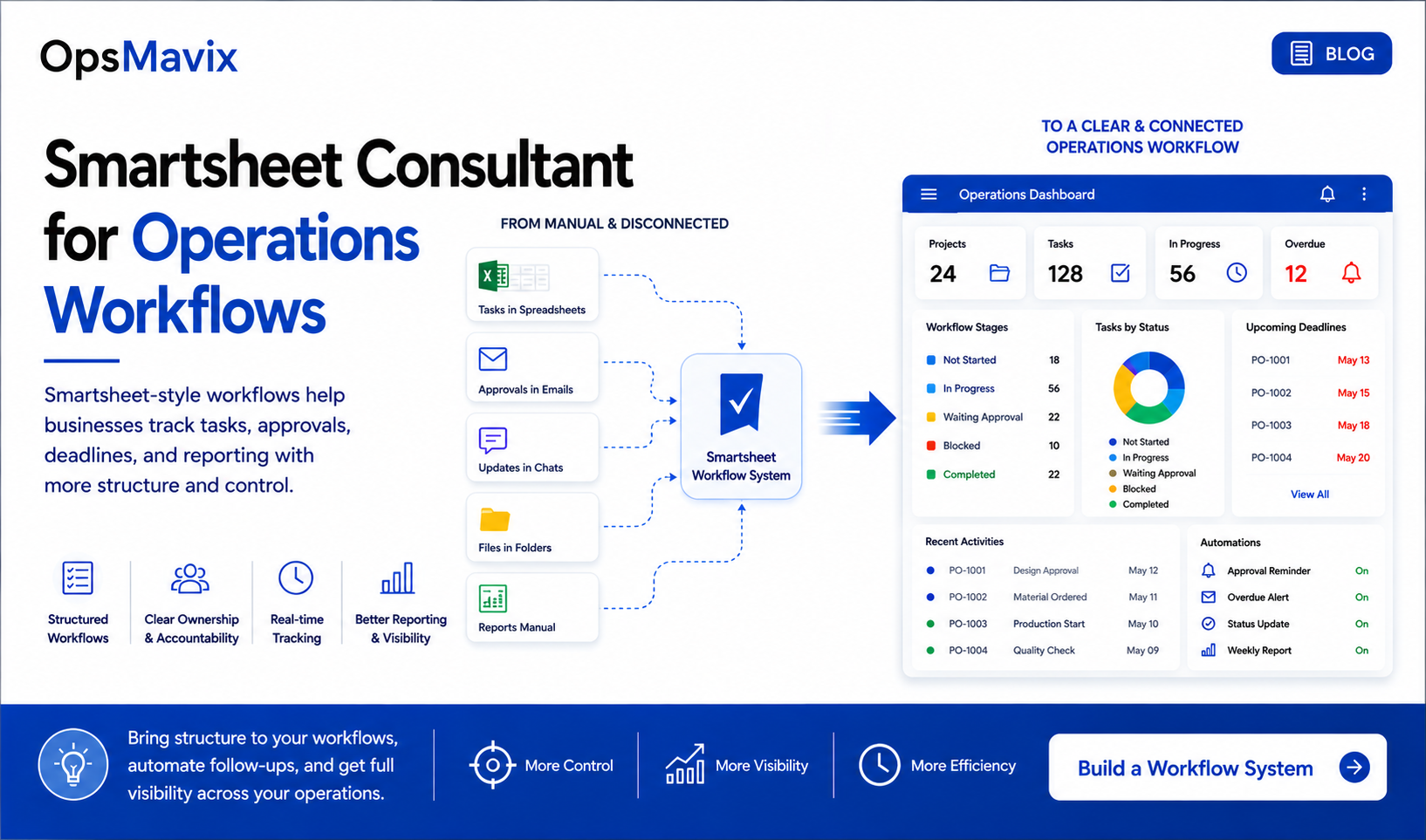
One shared view should make readiness, planned sequence and actual progress distinguishable.
5. A Worked Example: Machine Capacity and Material Readiness
Consider a hypothetical machining cell with two eight-hour working days. Four hours are unavailable for maintenance and other planned non-production activity.
Available machine time = 2 × 8 − 4 = 12 hours.
Assume one job runs at a time and all three require this machine.
| Job | Setup | Processing | Total time | Readiness |
|---|---|---|---|---|
| A | 1 hour | 3 hours | 4 hours | Ready |
| B | 1 hour | 4 hours | 5 hours | Material arrives after the planning window |
| C | 1 hour | 3 hours | 4 hours | Ready |
| Total | 3 hours | 10 hours | 13 hours |
The three jobs need 13 hours against 12 available. There is a one-hour overload before any unplanned interruption.
Capacity and readiness are separate checks
Job B cannot run during the window under the stated material assumption. Removing it from the executable queue leaves A and C with eight hours of work.
The remaining four hours are not evidence that all customer commitments are safe. Job B still needs a new material and timing decision, and its five-hour operation remains outstanding.
A useful system keeps B visible as blocked rather than deleting it from the plan or treating it as completed.
The next constraint can be shared labour
Suppose A and C require the same trained operator, who has only six hours available during the window. The machine has enough time for the eight-hour ready workload; the operator does not.
The planner must adjust the work or staffing rather than relying on machine capacity alone. The example assumes the operator is required throughout; a different attendance model would need different rules.
What a supplier should demonstrate
Ask the supplier to enter the three jobs, apply the calendars and material hold, then show:
- The machine overload with all jobs included.
- B remaining visible but blocked.
- The effect of the operator constraint.
- The revised operation finish dates.
- The downstream impact on the required job completion.
This is a better fit check than watching a board of unconstrained sample jobs move between columns.
6. Compare the Software Options Against the Same Workflow
There is a practical range of options between keeping the current file and replacing every business application. Custom is one option within that range.
| Option | Worth considering when | Main check |
|---|---|---|
| Improve the current board or spreadsheet | The workflow remains manageable and controls are missing | Can ownership and reconciliation resolve the recurring issue? |
| Configure current manufacturing software | Suitable scheduling functions already exist | Does the configured workflow handle your real constraints? |
| Buy a dedicated scheduler | Scheduling needs exceed current tools while other systems work | How does it receive demand and return progress or changes? |
| Use a broader manufacturing or MRP product | Material planning and production coordination also need improvement | Does it support the required routings, data and exceptions? |
| Build a focused custom layer | Important requirements remain unsupported by suitable products | Can scope, maintenance and handover be clearly defined? |
Test normal work and exceptions
Use recent jobs with actual routings and approximate real durations. Include partial completion, setup changes, rush work, unavailable material and downtime.
Ask who can change priorities, what history remains and how the system flags accepted demand without a production record.
Compare lifetime costs
Include setup, data preparation, licences, migration, integration, devices, training, support and future changes. Also account for the manual work that remains under each option.
Do not assume every MRP project costs six figures or every custom build launches in weeks. Scope, interfaces and data readiness materially change both cost and schedule.
For the wider decision, see operational systems vs ERP.
Define ownership where custom is chosen
Agree source access, deployment instructions, account ownership, exports and support responsibilities in writing. Custom software still needs hosting, updates and maintenance of external connections.
Ownership should reduce practical dependency, not merely provide an archive of code nobody else can deploy.
7. Build Trust Through Simple Updates and Clear Ownership
The schedule becomes trustworthy when the people using it can understand its status and see that important changes are reflected.
That takes more than matching the existing floor habits. Some habits may need improving so every team uses the same job references and completion rules.
Give operators a short, useful update path
At the cell, make it straightforward to identify the operation and record start, pause, good quantity, rejected quantity and completion where relevant.
Avoid fields that do not support a decision. Provide confirmation that the event was saved, and make a failed or delayed update visible.
A stationary terminal, tablet or scanner can each work. Test the actual device position and workflow with the intended users.
Assign responsibilities
Define who owns the daily sequence, operation estimates, resource calendars and blocked-job follow-up. Decide who approves priority changes and communicates a revised customer date.
A board with no change owner can become another competing list even when everyone can access it.
Make uncertainty visible
Show the last update and distinguish a planned finish from a recalculated estimate. If a connection is down, do not imply that its material status was verified moments ago.
Review differences between planned and actual durations. Repeated overruns may indicate poor estimates, excessive interruption or a process issue rather than operator non-compliance.
A shared operations dashboard can help management see those patterns without replacing the daily scheduling view.
8. How to Pilot One Work Centre Without Losing the Wider Job
A bounded pilot keeps the first implementation manageable. It should still preserve the upstream and downstream information needed to assess its jobs.
Choose a meaningful pilot
Select a constrained work centre or value stream with recurring priority changes, unclear status or overload. Use enough representative jobs to observe the normal exceptions.
Measure a baseline: missing jobs, status-chasing time, blocked hours, priority changes and completion against a consistently defined target.
Keep material readiness in scope
You may defer a full inventory integration, but the pilot still needs a reliable way to identify whether material is ready. A reviewed manual readiness record can be sufficient initially if ownership is clear.
Later links to an inventory system can automate appropriate updates. Do not postpone the constraint itself simply because the connection comes later.

A focused pilot can retain existing systems while using their demand and readiness information to support the schedule.
Agree acceptance checks before rollout
Verify that the pilot can:
- Account for all accepted jobs in its scope.
- Keep unscheduled and blocked jobs visible.
- Show a capacity conflict and its impact.
- Retain outstanding quantities after a partial completion.
- Apply downtime to the correct resource.
- Show the consequence of a rush-job insertion.
- Handle changed specifications and cancellations.
- Recover a failed update without duplicate records.
Expand based on evidence
Compare the pilot with the baseline, gather operator feedback and correct the biggest gaps. Confirm support and master-data ownership before adding further areas.
A simple pilot may become useful in weeks. A complex integration or poor starting data can extend the work. Agree milestones tied to working outcomes rather than promising that every small shop will follow the same timeline.
Frequently Asked Questions
Do I need a full MRP to schedule a small manufacturing shop?
Not necessarily. A focused scheduler or existing software feature may meet the requirement. MRP becomes relevant when material planning also needs improvement. Assess the functions needed rather than assuming the whole product is required or unsuitable.
What should small-shop scheduling software track?
Job sequence, required dates, remaining work, resources and readiness. Connect those planned values with recorded progress and exceptions. Shared tooling, labour and downstream steps may also matter.
Is finite-capacity scheduling overkill for a small shop?
Not automatically. A single constrained machine can make capacity checks valuable. Start with the important constraints and realistic data; add automation when the workload justifies it.
How is scheduling different from production tracking?
Scheduling sets intended timing and resource use. Tracking records what happened. Linking them helps the planner revise the sequence using current progress.
Will a focused system stay current automatically?
Only where dependable events or integrations provide updates. Operators may still need to record starts, pauses and completion. Show stale records and failed updates rather than assuming a digital screen is always current.
Will operators use it instead of the whiteboard?
Adoption depends on useful screens, accessible devices, training and consistent planning routines. Include operators in the pilot and make the update process practical. Custom design alone does not guarantee use.
Can we keep our stock and accounting tools?
Often, if they continue to meet the requirements and support suitable connections. Define which system owns each record and how changes, failures and retries are handled.
How long should implementation take?
That depends on scope, data preparation, integrations and testing. A bounded workflow may be delivered relatively quickly; broader coordination takes more work. Ask for a schedule based on your actual jobs and acceptance checks.
What is the best first step?
Choose a recent scheduling failure and trace the accepted order, readiness, sequence and progress updates. Use that evidence to create a short demonstration brief for configuration, product and custom options.
How OpsMavix Can Help
OpsMavix helps small and mid-sized manufacturers connect job planning with the information the floor needs to execute it. We start with the scheduling decisions that are difficult today, then assess what existing tools can support and where a focused build would help.
We can help you:
- Map accepted demand into a visible job queue.
- Define job stages, readiness and resource constraints.
- Connect scheduling with production tracking.
- Make overload, blocked work and unscheduled jobs visible.
- Connect relevant inventory information without duplicating record ownership.
- Pilot one work centre with clear acceptance checks.
- Provide practical training and a documented handover.
Bring a recent rush order or delayed job, along with its original sequence and what changed. We will identify which information or control was missing and what a suitable scheduling workflow needs to do.
Book an Operations Leak Audit to map where your small-shop schedule loses contact with the work and what to improve first.
Keep reading
Getting value from OpsMavix? Add us as a preferred source on Google — you'll see more of our operations content in your AI Overviews, AI Mode and Search.