
Open Source ERP for Small Businesses: How to Choose and Implement It
Open ERP systems give small businesses a practical way to connect finance, sales, inventory, purchasing, manufacturing and reporting without starting from a blank sheet of paper. This guide looks at leading open source ERP choices, where each one suits a small company best, and how to reduce the risks before you commit.
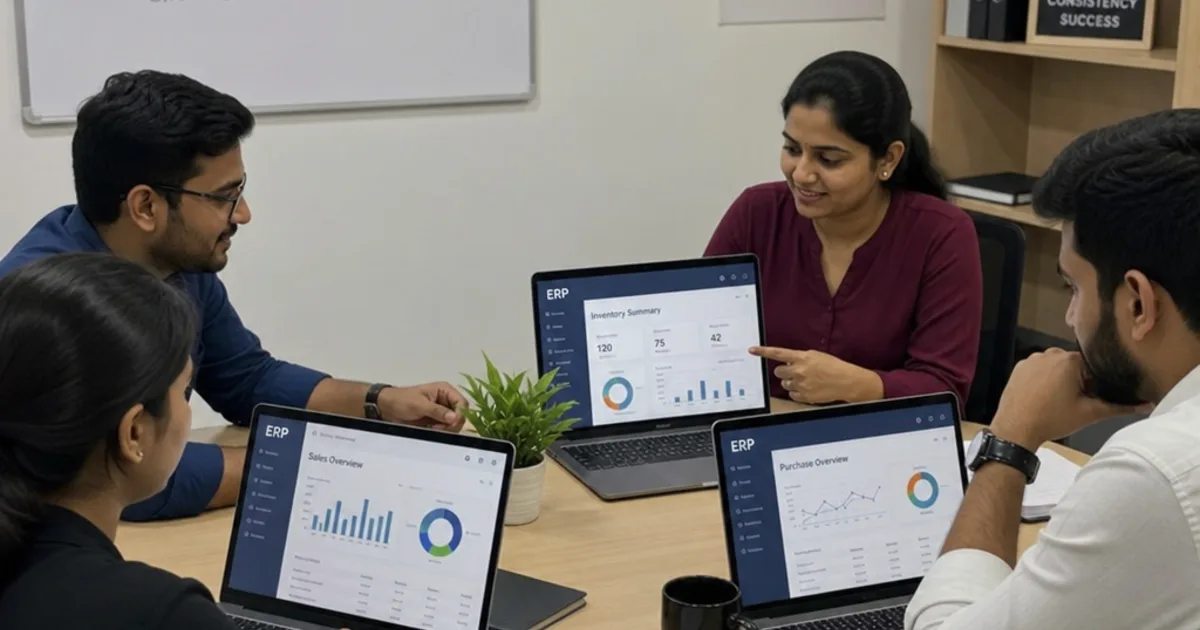
Open source ERP connects business records through software whose source code is available under its licence terms. The licence is one part of the decision. Hosting, modules, support and implementation also need to fit your business.
Start with the work you need to run. This guide compares established options and explains how to test them before committing.
What should a small business expect from open ERP?
A small business should expect open ERP to provide a central operating system for day-to-day work: customer records, quotes, orders, stock, invoices, purchasing, projects and sometimes production. The real value is not only the licence model, but the ability to adapt workflows, avoid some forms of vendor lock-in, and choose between self-hosting, managed hosting or support from open ERP partners.
That said, open source ERP is not “install today, transform tomorrow”. Data needs cleaning, processes need agreement, and people need training. The best open source ERP for a ten-person distributor may be too simple for a manufacturer with bills of materials, shop-floor steps and multi-warehouse stock. Equally, a powerful system may be more than a service firm needs.
Cloud ERP systems have become the default expectation for many buyers because they reduce the burden of server management, backups and upgrades. ERP Research’s 2026 analysis found that most tracked ERP products offer cloud deployment options, while IDC has highlighted automatic upgrades as one of the advantages of cloud ERP for mid-sized businesses. For small companies with limited IT time, that matters. (erpresearch.com)
The leading open source ERP options
Odoo Community for a broad app ecosystem
Odoo is often the first open erp software name small businesses encounter, largely because it covers a wide spread of business functions. Odoo describes its platform as a suite of open source business apps spanning CRM, ecommerce, accounting, inventory, point of sale, project management and more, with a Community edition positioned as open source and free. (odoo.com)
For a growing retailer, wholesaler or mixed service-and-product business, Odoo’s appeal is its breadth. You can begin with CRM and sales, then add inventory, purchasing, projects or manufacturing as operations become more connected. The app ecosystem is also a major advantage if you want integrations and extensions rather than heavy bespoke development.
The caution is edition fit. Some businesses start with Community and later discover they want features, support or hosting patterns associated with paid editions or third-party modules. That is not a reason to avoid Odoo; it is a reason to define must-have processes carefully before rollout.
ERPNext for an all-round open source suite
ERPNext is a strong option when a business wants many core ERP functions available in one open source package. Its official repository describes ERPNext as a 100% open-source ERP system and lists areas including order management, accounting, CRM, distribution, procurement, projects, manufacturing, HRMS, retail and support. (github.com)
For small companies moving away from spreadsheets or disconnected accounting, ERPNext can feel refreshingly complete. It is especially worth exploring where finance, stock, sales and purchasing need to share one version of the truth. Manufacturers should also shortlist it when they need bills of materials, work orders and stock movements without jumping straight into a heavier enterprise platform.
The main practical question is support. If you have internal technical confidence, self-hosting may be attractive. If not, managed hosting and implementation support are usually worth budgeting for from the start.
Dolibarr for simplicity and fast adoption
Dolibarr is well suited to small teams that want ERP and CRM without unnecessary complexity. Its own documentation describes Dolibarr ERP & CRM as modular software where businesses activate only the functions they need, with a design goal of simplicity: simple to install, simple to use and simple to develop. (wiki.dolibarr.org)
That simplicity is a business benefit. A small services company, association, freelancer-led operation or straightforward trading business may not need deep manufacturing logic or complex custom workflows. It may need contacts, quotations, invoices, orders, stock, agenda items and basic reporting in a clean system people will actually use.
Dolibarr can be installed on premise or used in cloud-style setups, and its module approach helps teams avoid overwhelming users on day one. If your priority is quick adoption over deep enterprise complexity, it deserves a serious look.
Tryton for modular control and long-term flexibility
Tryton suits businesses that value a clean, modular architecture. The project describes Tryton as business software for companies of any size and 100% open source, with integrated features including financial accounting, sales, inventory and stock, analytic accounting, CRM and purchasing. Its documentation also lists modules for areas such as production, projects, marketing and electronic documents. (tryton.org)
Tryton is not always the flashiest choice, but it can be a strong foundation for companies that want disciplined business logic and room to shape processes. It is particularly interesting where a business has technical support available and wants to avoid a messy stack of unrelated tools.
For a small business, the decision often comes down to partner availability and implementation confidence. Tryton can work very well, but you should confirm that there is enough expertise around you to configure, maintain and extend it responsibly.
metasfresh for operational and manufacturing depth
metasfresh is a good candidate for companies with stock, purchasing, sales and production needs. Its documentation describes a full-featured ERP with modules such as purchasing, goods receipt, procurement planning, manufacturing orders, bills of materials, MRP II, warehousing, shipments and contract management. (docs.metasfresh.org)
That makes it relevant to the search for open source manufacturing ERP, especially for small manufacturers or distributors that have moved beyond basic stock control. If you need procurement planning, warehouse movements and production workflows to sit together, metasfresh is worth reviewing alongside ERPNext and Odoo.
The trade-off is implementation discipline. Operational depth brings more decisions: item structures, units of measure, stock rules, approvals, roles and reporting. Treat it as a business project, not just an IT install.
Apache OFBiz for technical teams and custom platforms
Apache OFBiz is best viewed as both an ERP suite and a development framework. The Apache project describes it as a Java-based framework with ERP capabilities, including areas such as manufacturing, warehouse management, accounting and inventory. It is flexible, mature and open source, but it is usually better for teams with technical resources than for a company wanting a polished plug-and-play product. (ofbiz.apache.org)
For small businesses, OFBiz makes most sense when the ERP must become part of a broader custom system, such as ecommerce, order management, warehouse operations or internal portals. It can be powerful, but the implementation route is more technical. If you lack in-house developers or a capable partner, another system may deliver value faster.
How do you choose the best an open ERP platform?
You choose the right ERP platform by matching the system to your operating model, not by chasing the longest feature list. A simple CRM-and-invoicing firm, a multi-location distributor and a small manufacturer all need different levels of process control, reporting and implementation support.
Use this practical shortlist method before you speak to vendors, consultants or open ERP partners:
- Map your core workflows. Follow a real order from enquiry to payment, including stock checks, purchasing, delivery, invoicing and returns.
- Separate essentials from nice-to-haves. Essential means the business cannot operate properly without it; nice-to-have means it can wait until phase two.
- Check industry fit. If you manufacture, test bills of materials, work orders, routings, purchasing and stock valuation early.
- Decide your hosting model. Self-hosting may reduce licence dependency, but cloud ERP systems can reduce maintenance pressure.
- Review the community and partner network. Documentation, forums, add-ons and skilled implementers can matter as much as the software itself.
- Run a pilot with real data. Use actual products, customers, tax rules, suppliers and order types, not a tidy demo dataset.
OpsMavix, or any advisory team helping with ERP software solutions, should be judged on how well they challenge assumptions. A good partner will ask awkward questions about process ownership, reporting, data quality and change management before recommending open erp.
The benefits and risks of choosing an open ERP platform
The benefits and risks of choosing open source ERP are closely linked. The same freedom that lets you inspect code, customise workflows and choose hosting also creates responsibility for upgrades, security, support and governance.
Key benefits include:
- Lower licence barriers: Open source ERP can make experimentation and staged adoption easier, especially for smaller teams.
- Greater flexibility: Businesses can adapt screens, reports, workflows and integrations when standard processes do not fit.
- Reduced lock-in: You may have more choice over hosting, developers and support partners.
- Community innovation: Active projects often benefit from shared modules, fixes and implementation knowledge.
Key risks include:
- Hidden implementation cost: Configuration, migration, training and process redesign still require time and budget.
- Support gaps: Free community support is not the same as guaranteed commercial support.
- Over-customisation: Too many changes can make upgrades difficult and increase dependency on one developer.
- Security and compliance responsibility: Someone must manage patches, access rights, backups and audit requirements.
The healthiest approach is to budget for the whole lifecycle. Open source does not remove implementation effort; it gives you more control over where that effort goes.
A simple ERP implementation guide for small businesses
A practical ERP implementation guide starts with scope control. Do not try to replace every spreadsheet, app and manual workaround in one launch. Start with the processes that create the most rework or uncertainty, then expand once users trust the system.
A sensible first phase might include:
- customer and supplier records
- product or service catalogue
- quotations and sales orders
- purchasing and stock, if relevant
- invoicing and basic finance handover
- management reports for orders, revenue, margin or stock
After that, add more advanced workflows such as manufacturing, projects, HR, ecommerce, field service or automated approvals. Each phase should have a clear owner, test cases, training plan and go-live checklist.
Data migration deserves special attention. Clean customer names, product codes, units, tax categories and opening balances before importing them. Poor data will make even excellent open erp software feel unreliable.
What to watch in the an open ERP platform market
The open ERP market is moving towards more managed hosting, stronger partner ecosystems and more modular implementations. Current industry news also reflects a broader pattern: businesses want flexibility, but they do not want to become system administrators by accident.
For small businesses, that means the most attractive ERP software solutions will combine openness with practical support. Look for clear documentation, active releases, transparent licensing, sensible upgrade paths and partners who understand your sector. Manufacturing firms should test production flows in detail, while service firms should focus on projects, billing, CRM and reporting.
Open ERP is not about choosing the tool with the loudest community or the longest module list. It is about creating one reliable operating backbone for the business you are building. Choose carefully, implement in phases, and let the system support better decisions rather than simply digitising old confusion.
Check the software, the licence and the handover
Open source software gives access under defined terms. It does not automatically make every module free or every implementation easy to maintain. Check the licence of the core application, each extension and any code written for your project.
Choose only the modules needed for the first release. Tie them to business goals such as fewer stock corrections or faster order approval. Enterprise resource planning (ERP) can grow in scope later, after the first workflow is dependable.
Test the user interface with the people doing the work. A user-friendly demonstration should include a normal transaction, an error and a correction. For browser-delivered web applications, also check access, network requirements and support responsibilities.
A cloud-based arrangement and a self-hosted open source platform need different operating plans. In either case, name who handles backups, updates and recovery. Review the user community and documentation, but agree who is accountable for your live system.
FAQ
Is open source ERP really free?
Open source ERP lowers licence barriers, but it is not free of effort or cost. Configuration, data migration, training and process redesign still require time and budget, and free community support is not the same as guaranteed commercial support. Budget for the whole lifecycle rather than assuming the software price is the total price.
Which open source ERP suits a small manufacturer?
Small manufacturers should shortlist ERPNext, metasfresh and Odoo. ERPNext covers bills of materials, work orders and stock movements without jumping straight to a heavier enterprise platform, while metasfresh adds procurement planning, MRP II, warehousing and manufacturing orders. Test bills of materials, work orders, routings, purchasing and stock valuation early.
Should a small business self-host or use cloud ERP?
Self-hosting may reduce licence dependency, but cloud ERP systems reduce the burden of server management, backups and upgrades. For small companies with limited IT time, that matters. Decide your hosting model early, because it shapes maintenance pressure, support arrangements and how much system administration your team ends up absorbing by accident.
What should the first phase of an ERP rollout include?
A sensible first phase covers customer and supplier records, the product or service catalogue, quotations and sales orders, purchasing and stock if relevant, invoicing with a basic finance handover, and management reports for orders, revenue, margin or stock. Manufacturing, projects, HR, ecommerce and automated approvals come later.
What are the biggest risks with open source ERP?
The main risks are hidden implementation cost, support gaps, over-customisation, and security and compliance responsibility. Too many changes can make upgrades difficult and increase dependency on one developer, while someone must still manage patches, access rights, backups and audit requirements. Scope control and clear phase ownership reduce all four.
Keep reading
Getting value from OpsMavix? Add us as a preferred source on Google — you'll see more of our operations content in your AI Overviews, AI Mode and Search.