
Manufacturing Operations Management Software: What the Shop Floor Needs Before You Buy
Katana, MRPeasy, Fishbowl, monday.com and Factory compared on published prices, time per job, shared floor terminals and what happens when Wi-Fi drops.
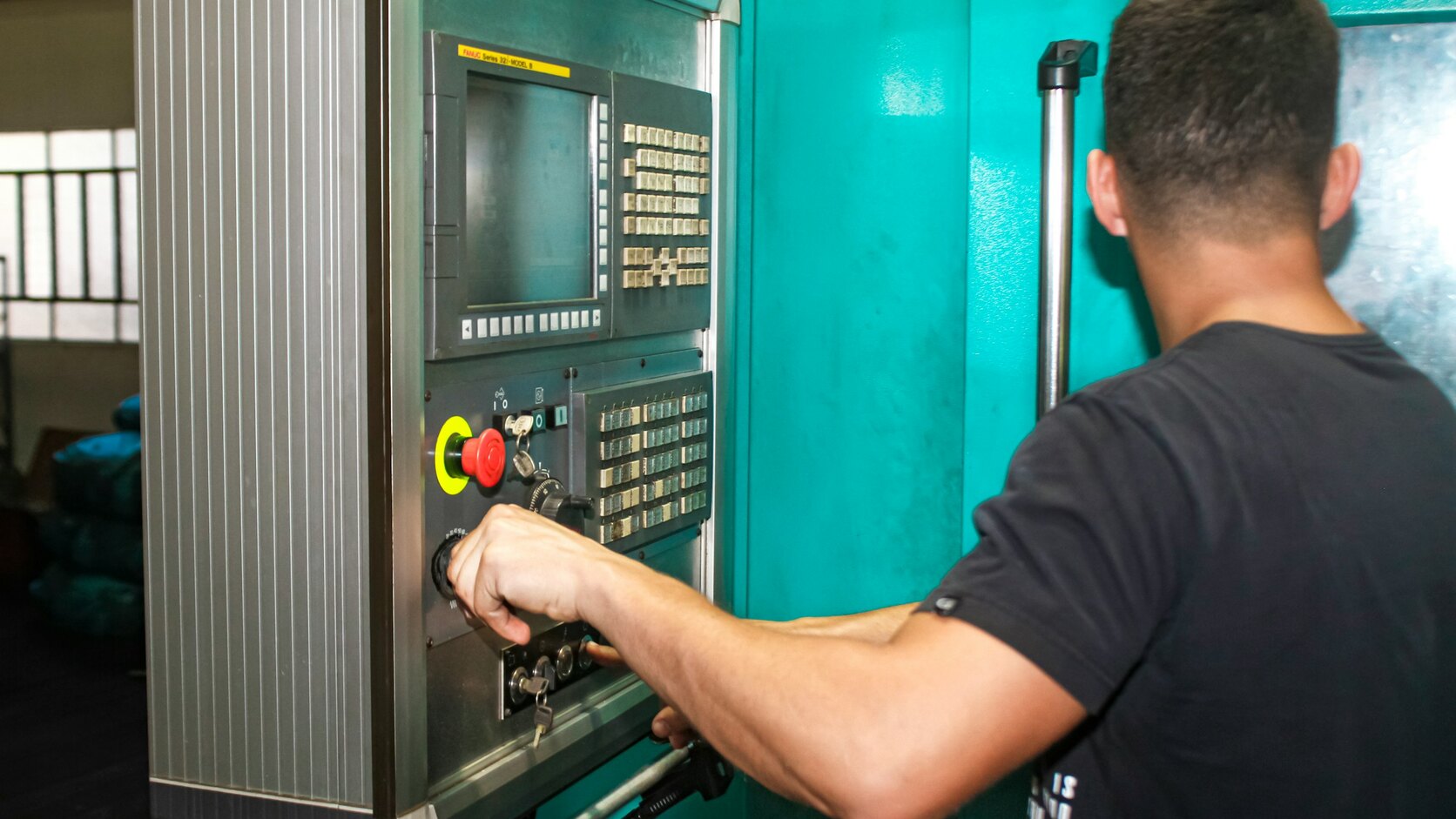
Manufacturing operations management software is the layer that runs production between the business plan and the machines: releasing work orders, recording who worked on which operation and for how long, tracking materials and quality checks, and showing every job’s live status. ISA-95 calls this Level 3, sitting between ERP and machine control.
Quick summary: For a manufacturer with 10 to 100 staff, MOM software has six jobs: live job status, time per operation, work orders, material checks, quality records and due dates. Published entry prices, checked September 2026, include MRPeasy from $49 per user a month, Katana from $299 a month and Fishbowl Advanced Manufacturing from $675 a month. Test any option on real jobs, on a shared terminal, with the network unplugged.
The definitions here follow ISA-95, developed by the International Society of Automation, which also took over MESA International’s educational programmes and content when that association stopped operating on 30 June 2026.
By Jorgo Bardho, founder of OpsMavix.
What is the difference between MOM, MES and ERP?
The difference between MOM, MES and ERP is scope: ERP runs the business, control systems run the machines, and manufacturing operations management is the layer in between, with the MES as one part of it. The ISA-95 standard places that layer at Level 3.
In ISA’s summary, Level 3 covers the systems that manage manufacturing operations, MES and SCADA among them, while Level 4 covers business planning and logistics, ERP included. The standard deals mainly with the interface between those two levels.
In practice, ERP holds the customer order, the price and the invoice. MOM takes the released work order and manages the floor: who is on which operation, what material went in, what was inspected, and what is running late.
ISA-95 Part 3 models MOM as a set of activities, and ISA says the framework puts activities ahead of technologies. Compare products the same way.
You will also see it sold as production operations management or manufacturing process management software. Treat those as labels. Our guide to what a manufacturing execution system does covers the execution slice, and ERP in manufacturing covers the business layer above it.
What a small or mid-size manufacturer needs from MOM software
The ONS reported in March 2025 that 61% of UK firms with at least 10 employees in the sectors surveyed used specialised software in 2023, and manufacturers led adoption of specialised equipment, such as CNC machinery, at 64%.
When a manufacturer with 20-plus staff asked us about MOM software, their brief came down to control of the workflow and a record of the time spent on each process and each job. A shop that size rarely needs all of ISA-95, just a short list done properly:
- Live job status by stage. Every job shows its current operation. The test is whether the office can answer “where is job 1042?” without walking the floor.
- Time on each process. Start, pause and finish for each operation and operator, with setup kept separate from run time.
- Work orders. A released order carrying its routing, drawings and quantities, so the floor works from one current revision.
- Material availability. Before release, the system checks material is in stock or on order, so jobs do not stall at the first operation.
- Quality and traceability records. Inspections, non-conformances, batch or serial numbers and material certificates, tied to the job.
- Due-date visibility. Promised dates against remaining work, so a late job shows up while there is still time to act.
Finite scheduling, machine data collection and maintenance management can wait until a real problem demands them. Our shop floor tracking guide goes deeper on status, and our production tracking page has a live demo, on sample data, of what we build for this: every job’s stage and due date on one screen, with each operation logged to a station, a person and a time.
Time on every process and job: what good capture looks like
Good time capture records four things at the moment work happens: which job, which operation, which operator, and when it started, paused and finished. Anything rebuilt from memory at the end of a shift is an estimate, and estimates are what make quotes drift.
The better tools reduce this to a button at the work centre. MRPeasy’s Internet-kiosk manual describes Start, Pause and Finish buttons for each operation, with the software asking how many items were completed at each pause or finish.
Keep attendance and job time as two separate clocks. Attendance says someone was on site from 07:30 to 16:00. Job time says which jobs those hours went to. The gap is indirect time: waiting for material, hunting for a drawing, cleaning down. It is rarely quoted for.
Log setup separately from run time, or you cannot tell whether a job overran because the machine ran slowly or because setting it took an hour. Then ask to see estimated against actual hours per operation, per job, by the next morning.
What are the main manufacturing operations management software options?
The main options for smaller manufacturers are MRP systems with shop floor features, such as Katana, MRPeasy and Fishbowl, and job shop platforms such as JobBOSS2 and ProShop. Full MOM suites from Siemens and Rockwell Automation sit above them. monday.com and Factory, covered further down, complete the table. Prices are in US dollars as published on each vendor’s page when checked in September 2026.
| Product | Published price | Shop floor coverage, as stated | Deployment, as stated |
|---|---|---|---|
| Katana | Core from $299/month, unlimited users, add-ons and usage extra | Shop Floor app add-on | Browser app, tablets recommended |
| MRPeasy | $49 to $149 per user per month | Internet-kiosk in every plan | Browser kiosk |
| Fishbowl Advanced | Manufacturing from $675/month, by quote | Time tracking and labour costing | Cloud-hosted or self-managed |
| JobBOSS2 | On request | Mobile time tracking, MES add-on | SaaS, private cloud or on-premise (US) |
| ProShop | On request, based on users | MES in product menu | Not stated on pricing page |
| Siemens Opcenter | Not shown on page | MES within the portfolio | Opcenter X is SaaS |
| Plex | Not shown on page | Cloud MES | Cloud, with edge options |
| monday.com | Per seat, set by billing country | Time tracking from Pro plan up | Web and mobile, offline mode on mobile |
| Factory | Flat rate by team size, not published | Attendance clock, job time, timesheets | Native iOS and Android apps |
Katana
Katana’s pricing page lists a Core plan from $299 a month with unlimited users. Manufacturing Management adds routings and manufacturing insights for $199 a month, and Traceability adds batch and serial numbers for $249 a month, so Core with both starts at $747 a month before the Shop Floor app, which shows no price and tracks operator tasks as in progress, blocked or done. Usage is also billed on sales orders delivered and extra locations.
MRPeasy
MRPeasy’s pricing page charges per user: $49, $69, $99 or $149 a month across its Starter, Professional, Enterprise and Unlimited plans, with users beyond the tenth sold in bundles of 10 for $79. On the page’s own example, 12 users on Enterprise cost $1,069 a month. Every plan lists reporting via the Internet-kiosk among its main functions.
Fishbowl
Fishbowl’s pricing page splits its range in two. Its cloud Inventory plans, from $229 a month billed annually, state that they “do not include manufacturing (BOMs, work orders, MRP)”. Manufacturing sits in Fishbowl Advanced, where Advanced Manufacturing starts at $675 a month, priced by users and deployment and confirmed by quote, with work orders, lot and batch traceability, and cloud-hosted or self-managed deployment.
JobBOSS2
ECI’s JobBOSS2 page describes a job shop ERP covering quoting, job costing, shop floor scheduling and inventory, with modular add-ons including MES and CRM, and time tracking through a mobile app. Pricing is on request. Its FAQ lists three deployment models for US customers, including “traditional on-premise installation for shops with specific local network requirements”. UK buyers should confirm which apply here.
ProShop
ProShop’s pricing page publishes no figures. It says pricing “is customized to match the unique needs of your shop” and is based on users, with standard and government editions. Its product menu lists ERP, QMS and MES, and the site is aimed at precision manufacturing. Ask for the per-user rate in writing.
Siemens Opcenter
Siemens describes Opcenter as “a unified manufacturing operations management (MOM) solutions portfolio”, covering execution, quality, planning and scheduling, and manufacturing intelligence. For smaller firms it lists Opcenter X, a software-as-a-service product with “a modular approach to manufacturing operations management (MOM) for the SMB market”. Scope it module by module.
Plex by Rockwell Automation
Plex’s MES page says that because the platform is in the cloud, you can reach your production lifecycle “from anywhere, at any time, on any connected device”. It offers deployment “from being 100% cloud-native to having a fully resilient edge”, pitched “to keep operations running, even during disruptions”.
Can monday.com or Factory run your shop floor?
monday.com can run a shop floor where tracking a job means moving an item and changing a status. It works in boards, items and columns, so routings, operations and material usage have to be modelled on top. Factory is a job shop app built by fabricators. If both are on your shortlist, test each on time per operation and on a dropped connection.
monday.com
monday.com’s pricing page charges per seat, with the price set by your billing country, and lists time tracking from the Pro plan up. Read its offline mode article before a floor trial. Offline mode is a mobile app feature, and changes are held and uploaded on reconnection. The article warns: “If someone else has made changes to the same item, your change will override theirs as soon as you are connected to a server.” It also says: “At this time, there is no indication that lets you know you are working offline.” On iOS, the listed offline action is changing a column’s value. On a floor that bans phones, offline mode only helps if the shared terminal runs the mobile app.
Factory
Factory was built by people from a family fabrication shop and describes itself as a way to “quote, schedule, run the floor, and get paid, in one place”. It offers clocking on and off for attendance, time against each job, and timesheets that flow to your accounting package. Its FAQ says there are native apps for iOS and Android. Pricing is a flat rate set by the number of people on your team, with no figure published. Its region selector includes the United Kingdom.
Does the software still work if the internet goes down?
Whether the software still works if the internet goes down depends on how it was built and deployed: a cloud system needs a connection unless the vendor provides an offline mode or a local deployment. Ask each vendor what happens to a half-finished operation when the connection drops, then make them show you.
Katana’s device guidance recommends a stable connection for logging in and updating tasks. Fishbowl Advanced and JobBOSS2 list self-managed or on-premise options, and Plex sells an edge layer. Factory’s homepage does not mention offline use, so ask. On-premise brings its own work: you then own the server, the backups and the updates.
A browser-based system can be built to cope. Service workers, a standard browser technology, are “intended, among other things, to enable the creation of effective offline experiences”. A floor app built that way can store start and finish events locally and send them when the connection returns, if it is designed and tested for that.
Two cheap measures reduce the risk whatever you buy: a 4G or 5G backup router, and a paper fallback sheet at each work centre that someone keys in afterwards. OpsMavix systems run in the cloud too and need a connection like any other. If your floor must keep logging through an outage, write that into the scope as a requirement for any supplier, us included, and test it: pull the cable mid-shift, record ten operations, reconnect, and check nothing was lost or doubled.
No phones on the floor: shared terminals operators will use
A no-phones rule still leaves a workable answer: a shared terminal at each work centre, such as a mounted tablet or small PC, where operators identify themselves with a badge or QR code, then scan the job.
Katana’s device guidance names tablets as the best option, partly because they are easy to mount at workstations, and says devices need a working camera to scan QR codes for operator login. MRPeasy’s manual says several workers can use one device for the kiosk. Factory’s homepage shows a kiosk-style clock screen next to its iOS and Android apps, and JobBOSS2 lists time tracking via a mobile app, so ask both to show operator login on a fixed, shared screen.
Design the terminal for gloves, noise, dust and a queue at shift change: one tap to start, one to stop. If logging an operation is slower than walking past, people stop doing it and the numbers drift. Put the attendance clock by the entrance and job terminals at the work centres.
Buy a package, buy a suite, or own the system
Owning the system beats buying when your process is what sets you apart, when per-user pricing grows faster than the value, or when you need a handful of functions shaped closely to your floor.
You do not need OpsMavix if Katana, MRPeasy or Fishbowl matches how work moves through your building in a trial on real jobs. They are documented and quick to start. Buy a full suite for regulated, high-volume lines that need validated quality processes. And if a whiteboard and one spreadsheet still answer “where is job 1042?” every time, keep them.
Consider owning the system when the trial keeps producing workarounds: a spreadsheet beside the software, a whiteboard for jobs it cannot show, a supervisor re-keying times. Those workarounds mark where your process differs from the product’s assumptions.
That is the work OpsMavix does. We build owned operations systems and full ERPs around how a manufacturer already runs, with the work order, the routing and the time clock shaped to the floor. The production tracking page shows the shape of it. Prices are fixed before the build in three bands: Starter £3k to £10k, Growth £10k to £25k and Platform from £25k. You own the result and nobody bills you per user afterwards. Owning still has costs: hosting, maintenance and a supplier relationship to manage.
If you are in the workaround camp, the free audit is a call where we map where your jobs and hours leak, with no commitment. If a package is the better answer, we will say so.
Frequently Asked Questions
Is MOM software the same as an MES?
No. An MES is part of manufacturing operations management. ISA-95 places execution systems at Level 3, and MOM portfolios such as Siemens Opcenter add quality management, production planning and manufacturing intelligence around execution. Vendors use the terms loosely, so check the activities each product covers.
How much does manufacturing operations management software cost?
Published prices in US dollars, checked September 2026: Katana Core from $299 a month plus add-ons and usage, MRPeasy from $49 to $149 per user per month, and Fishbowl Advanced Manufacturing from $675 a month by quote. JobBOSS2, ProShop and Factory price on request, monday.com charges per seat by billing country, and Opcenter and Plex show no price. OpsMavix builds are fixed-price: Starter £3k to £10k, Growth £10k to £25k, Platform from £25k.
Can MOM software work without internet?
Only if it was built or deployed for it. Cloud systems need a connection unless the vendor offers an offline mode, an edge layer or on-premise installation. Ask for a demonstration with the network unplugged, and check whether offline entries are kept, merged or overwritten on reconnection.
Do shop floor operators need their own phones?
No. Katana and MRPeasy both document shared-device setups: Katana recommends tablets and uses QR codes for operator login, and MRPeasy lets several workers use one kiosk device. Check how each product licenses those users, because per-user pricing can turn every operator into a paid seat.
What is an integrated manufacturing operations management system?
It is a MOM system that shares data with the business layer instead of standing alone. Work orders arrive from sales or ERP, and completions, times and material usage flow back to costing and invoicing. A link to your accounting package is often the first integration worth building.
Final takeaway
Test any manufacturing operations management software on real jobs, on the device operators will use, with the network unplugged at least once. If a packaged MRP passes, buy it. If it keeps needing workarounds, own a system built around how you run.