
A Generix Solochain Alternative for Teams That Want Warehouse Control Without the Enterprise Weight
The best Generix Solochain alternative for a growing operation is usually not another enterprise WMS/MES, but a right-sized operations system you own. Solochain is strong software built for factories and 3PLs with deep logistics needs. If that's heavier than your warehouse actually runs, here's the middle ground.
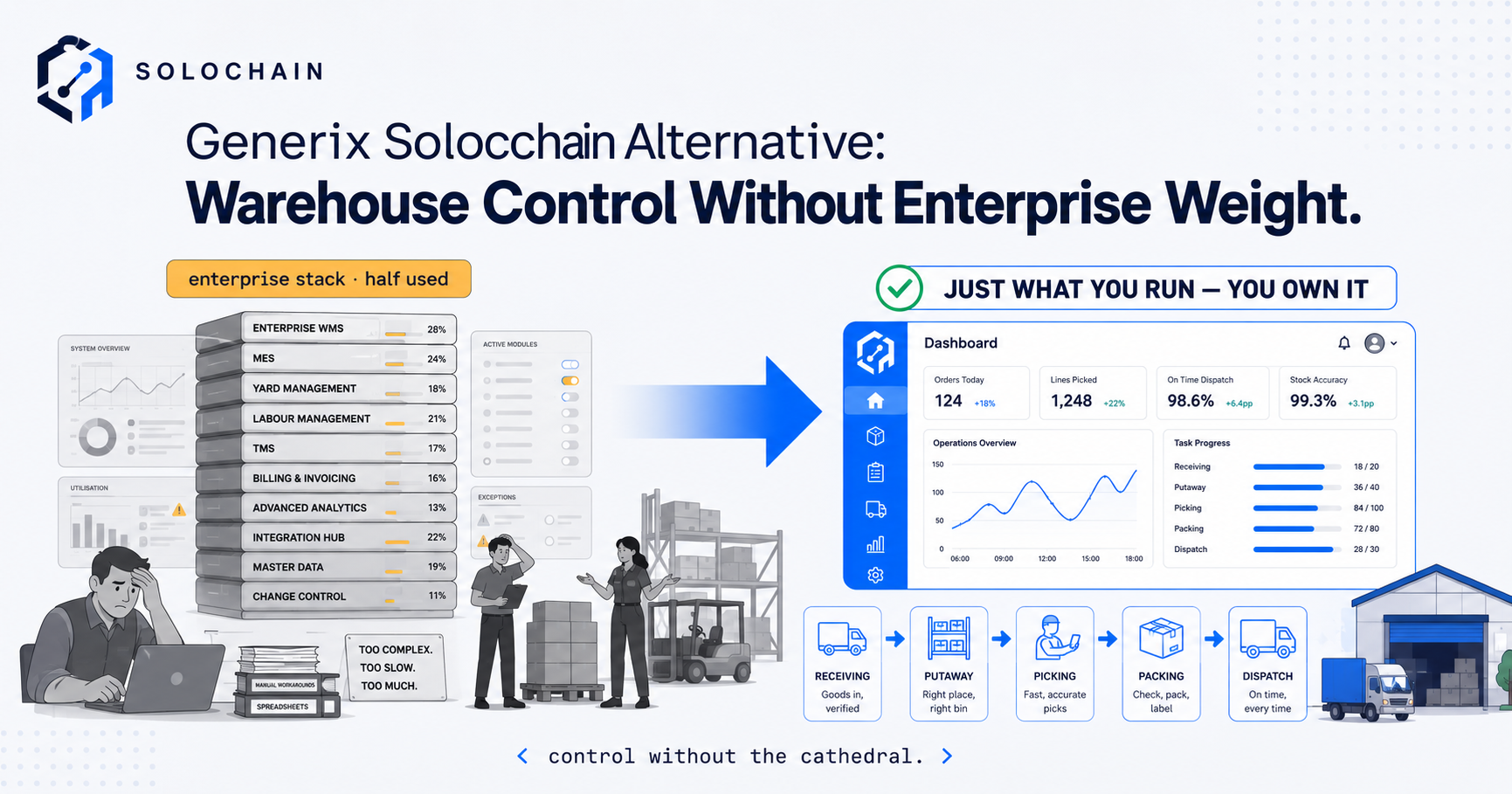
A Generix Solochain alternative should be chosen by the warehouse requirements it can demonstrate, rather than by assuming another platform will be lighter, cheaper or easier. If receiving, locations, picking and traceability are the immediate gap, compare those workflows first. If manufacturing execution or broader warehouse automation is needed, keep those requirements in the comparison too.
Solochain is capable packaged software. Generix’s current material describes a configurable SaaS WMS, with manufacturing execution available for operations that need it. A team looking elsewhere may need a different workflow, commercial model or delivery approach, but the reason should be specific and evidenced.
This guide shows how to define that gap, compare the available routes and plan a migration without losing the controls already working. A focused custom system is one option. Configuring Solochain, connecting a missing process or choosing another packaged product can also be the better answer.

Compare warehouse workflows using your actual stock, locations and exceptions.
Key Takeaways
- Identify the unsupported workflow before replacing the platform. A configuration or training issue may not require migration.
- Solochain’s published positioning includes configurable warehouse execution. Its native MES can be enabled where product transformation requires it.
- Compare the same operational tests across all candidates, including shortages, partial deliveries, returns and traceability.
- A narrower feature list does not guarantee lower total cost. Include implementation, support, integration and migration.
- Custom development and full ERP are both possible routes, with scope determined by the wider business requirements.
- Preserve identifiers, opening balances and history during cutover, and demonstrate recovery before expanding.
In this guide:
- 1. Understand What Solochain Offers
- 2. Identify the Reason for Considering an Alternative
- 3. Define the Warehouse Controls You Need
- 4. Test Production, Traceability and Automation
- 5. Compare the Available Routes
- 6. Calculate Total Cost and Ownership
- 7. Plan Migration and a Limited Pilot
- 8. Decide Using Demonstrated Results
- Frequently Asked Questions
- How OpsMavix Can Help
1. Understand What Solochain Offers
Use current product information
Generix’s Solochain product page describes a configurable SaaS WMS. Its product-sheet introduction explains that native manufacturing execution can be enabled for product transformation, including manufacturing and kitting.
That matters because a comparison should not assume every warehouse must run a manufacturing layer it does not need. Confirm the proposed modules and deployment with the supplier rather than treating every advertised capability as mandatory scope.
Separate product capability from project delivery
A capable WMS still needs suitable master data, device setup, interfaces, operating procedures and trained users. The project must translate the capability into your receiving and dispatch process.
Conversely, a difficult implementation is not proof that the product cannot support the requirement. Establish whether the obstacle is configuration, incomplete data, an interface failure or a genuinely unsupported workflow.
Treat advertised timescales as conditional
The Solochain page advertises a preconfigured Solochain Now package with deployment in as little as 16 weeks. That is vendor positioning for a defined package, not a guaranteed timescale for every warehouse or a valid comparison with an unspecified custom build.
Ask each candidate for a scoped plan with dependencies, customer tasks, acceptance criteria and contingency. Compare those plans rather than contrasting a vendor’s fastest advertised case with another supplier’s general promise.
2. Identify the Reason for Considering an Alternative
Capture one recent failure
Bring a specific example: a short pick, a report requiring manual reconstruction, a client charge that cannot be represented, or a production movement whose lot link is missing.
Record what the user tried, which information was available and why the result was unsuitable. Screenshots and transaction references help distinguish a missing feature from an unfamiliar screen or an incomplete setup.
| Symptom | Possible cause | First investigation |
|---|---|---|
| Stock differs between two systems | Missed transaction or failed connection | Reconcile movement history |
| A new pick zone needs assistance | Configuration or permissions | Demonstrate approved administrator changes |
| A report is rebuilt in a spreadsheet | Reporting gap or unclear definitions | Specify fields, filters and reconciliation |
| Operators struggle with the screen | Training or workflow design | Observe a representative task |
| Client charges need manual changes | Rate setup or unsupported contract rule | Run a sample contract through billing |
Distinguish inconvenience from an essential gap
A screen taking two extra clicks is different from failing to enforce lot restrictions. Prioritise by the consequence, frequency and available workaround.
Use measured task times and documented errors. Avoid assuming every unpopular feature is costly or that a simpler interface will resolve inaccurate source records.
Give the existing supplier a testable question
Ask how the required outcome can be achieved in the current platform and which additional costs or modules apply. Request a demonstration with your example.
If configuration closes the gap, migration may be unnecessary. If it cannot, the same example becomes an acceptance test for alternatives.
3. Define the Warehouse Controls You Need
Cover the complete movement
Receiving, putaway, replenishment, allocation, picking, packing and dispatch should retain a consistent product and quantity trail. Include locations, units of measure, ownership and statuses where relevant.
Our warehouse slotting guide considers physical placement. The system also needs to distinguish stock in a reserve location from stock ready to pick, and stock held for inspection from stock available to promise.
Test exceptions deliberately
A clean order is easy to demonstrate. Use a short receipt, a damaged item, a partial pick and a cancellation after reservation. Ask what changes, what stays pending and who must act.
Hypothetical example: an order requests 20 units and the selected location contains 17. The system should record the 17 confirmed units and explain the remaining three through the agreed shortage or replenishment process. It should not manufacture availability by overwriting a balance.
Write a compact control checklist
| Requirement | Evidence to request |
|---|---|
| Receiving | Actual quantities and discrepancy record |
| Putaway | Correct destination and recorded movement |
| Allocation | Eligible stock and transparent reservations |
| Picking | Item and location confirmation with shortage handling |
| Packing | Contents checked under the agreed procedure |
| Dispatch | Shipment status, quantities and external references |
| Counting | Movement cutoff, recount and approved adjustment |
| Reporting | Quantities reconciled to underlying transactions |
A barcode identifies an item or record. It does not independently measure the contents of a carton or prove a physical movement occurred as expected.
4. Test Production, Traceability and Automation
Decide whether transformation is in scope
Buying, storing and reselling goods differs from converting components into a new product. Kitting may be a virtual bundle, a physical assembly or a manufacturing operation with work in progress.
Define whether the system must record planned requirements, actual component consumption, finished output, scrap and unused material returns. A product field called “kit” is not proof of those controls.
Follow a lot through the operation
Where traceability matters, demonstrate receipt of an input lot, its movement or consumption, the resulting output and its shipment. Then query in both directions.
A report listing a lot number is useful only if the transactions reliably link the actual inputs and outputs. Include corrected entries, mixed lots and held stock in the test.
Treat equipment interfaces as operational dependencies
If conveyors, automated storage or labelling equipment are involved, specify commands, confirmations, failure states and recovery. The warehouse and equipment records must agree about whether work completed.
Avoid an alternative that removes an integration your operation relies on simply to reduce the software’s apparent scope. Include that dependency in cost, delivery and support responsibilities.
5. Compare the Available Routes
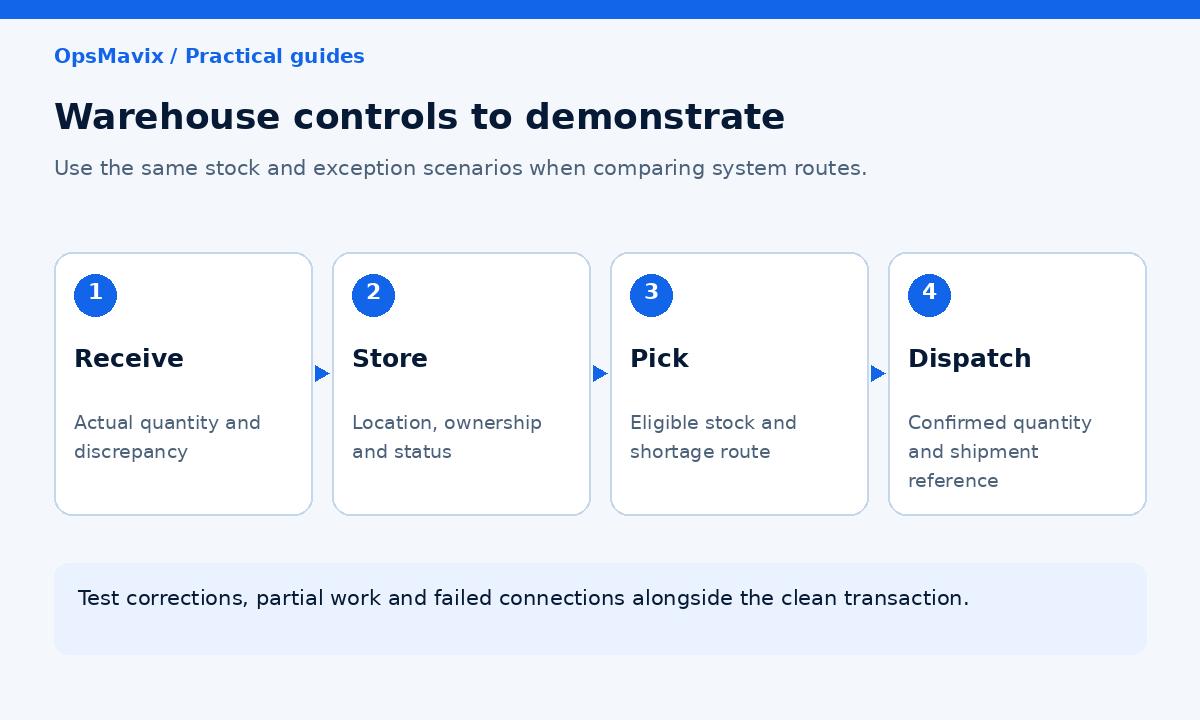
Compare the full transaction and exception workflow, including the systems that remain in use.
Consider changes before complete replacement
| Route | Where it can fit | What to establish |
|---|---|---|
| Configure Solochain | Required controls exist but are not being used effectively | Supported settings, training and delivery cost |
| Integrate a missing workflow | Warehouse execution works; another process remains disconnected | Interfaces, ownership and failure handling |
| Another packaged WMS | Standard requirements fit a different product or delivery model | Demonstrated controls, support and exports |
| Focused custom warehouse system | A specific valuable workflow remains unsupported | Scope, validation, maintenance and handover |
| Full ERP | Wider purchasing, manufacturing, finance and warehouse needs justify it | End-to-end requirements and implementation plan |
Keep the comparison fair
The same test data and scenarios should be used for every candidate. Record whether each outcome is standard, configured, integrated, custom-developed or unavailable.
“Can be built” is different from “available now”. Include the effort and support implications of promised development, regardless of which supplier proposes it.
Include the ERP route when warranted
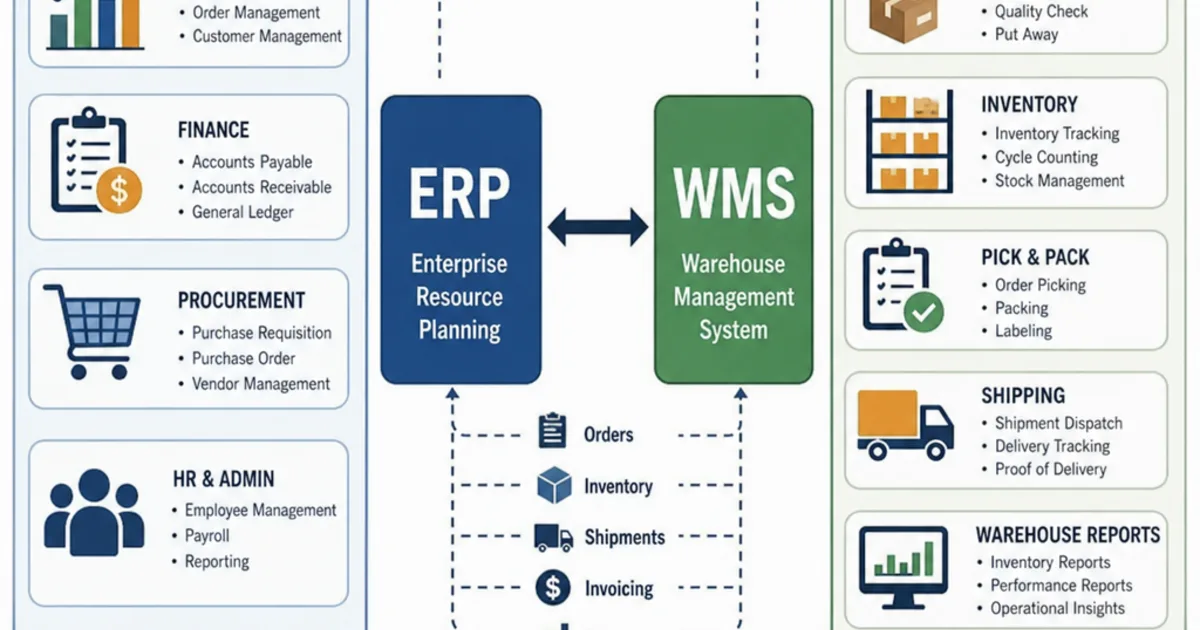
A warehouse-only replacement may leave the main problem untouched if purchasing, production and finance records are also fragmented. OpsMavix can build full ERP systems as well as focused operational software.
Broader scope is justified by connected requirements, rather than an assumption that every growing warehouse needs ERP or that ERP always carries unnecessary weight.
6. Calculate Total Cost and Ownership
Request comparable scoped quotations
Ask for licences, modules, implementation, interfaces, migration, devices, training, support and future changes. Confirm user, site or transaction assumptions and which charges can change over time.
Do not use unverified third-party price ranges as a Solochain quotation. A supplier proposal for your defined scope is the appropriate basis for a buying decision.
Use a transparent cost model
Hypothetical three-year comparison: the following allowances illustrate the calculation only. They are not Solochain pricing, another vendor’s prices or an OpsMavix offer.
| Component | Configure current system | Replacement project |
|---|---|---|
| Initial project allowance | £8,000 | £24,000 |
| Annual software and support allowance | £6,000 | £5,000 |
| Three years of recurring costs | £18,000 | £15,000 |
| Modelled three-year total | £26,000 | £39,000 |
The replacement needs additional evidenced value to justify its £13,000 higher modelled total. Add devices, migration work or internal effort if excluded from the allowances. Do not count the same saving twice.
Define what ownership gives you
For custom software, confirm source-code rights, data access, deployment documentation, credentials and the ability to appoint another maintainer. Identify third-party licences and services.
For packaged software, confirm export coverage, retention and termination arrangements. Both routes need maintenance, backups, recovery and a clear support owner.
Ownership can increase control when handover is usable. It does not guarantee that external platforms remain available or that future change costs disappear.
7. Plan Migration and a Limited Pilot
Map records before moving quantities
Prepare products, units, locations, lots, serials, stock statuses and ownership where applicable. Map old identifiers to new ones so historical transactions remain understandable.
Agree how outstanding receipts, reservations, picks, returns and work in progress will be handled. An opening-stock file alone does not carry those relationships.
Pilot representative work
Choose a manageable area that includes real exceptions. A zone containing only simple products will not prove a lot-controlled production workflow elsewhere in the warehouse.
Suggested acceptance criteria include:
- Opening quantities reconcile by the required stock identity.
- Receipts, moves and dispatches retain transaction references.
- Restricted goods follow the agreed selection rules.
- Partial operations leave clear outstanding quantities.
- Lot or serial queries return known expected results.
- Failed connections cannot silently appear complete.
- Counts and corrections retain approval and reasons.
- Users can complete tasks on the actual devices.
- Required documents and history remain accessible.
- Recovery and exports work in practice.
Define the cutover boundary
Specify when the old system stops accepting movements, how pending work is reconciled and who authorises the new opening position. Keep a practical recovery plan.
Avoid two systems independently changing stock during transition. If parallel testing is used, define its boundaries and how differences will be resolved.
8. Decide Using Demonstrated Results
Record fit and unresolved work
Score essential controls separately from useful extras. Note unresolved assumptions, promised development and dependencies on another supplier.
Include operator feedback, but tie it to observed tasks. A clean demonstration interface may still fail your busiest order profile or a necessary exception.
Measure the improvement you need
Useful measures include time to receive, short-pick investigation time, unresolved discrepancies, missed updates and reporting preparation. Compare a defined baseline with pilot results.
Released staff time is capacity unless expenditure actually falls. Better visibility is valuable, but it should not be presented as a guaranteed reduction in stock losses.
Make the scope decision explicit
Stay with Solochain where the scoped configuration meets the requirement. Choose another packaged platform where it demonstrates stronger fit. Consider a focused build or full ERP where a valuable gap remains and the implementation is justified.
The outcome should be a process your team can run and support, with evidence behind its stock figures. The product label comes after that test.
Frequently Asked Questions
What is the best Generix Solochain alternative?
There is no universal choice. Compare the required warehouse, production and integration workflows. Configuration, another packaged WMS, custom development or full ERP may be appropriate depending on demonstrated fit.
Does every Solochain deployment require MES?
Generix’s published product-sheet introduction says its native MES can be enabled for product transformation. Confirm the modules proposed for your project rather than assuming manufacturing scope is mandatory.
Is Solochain only for large enterprises?
Its current positioning includes fast-growing companies and a configurable WMS. Company size alone does not determine fit; compare workflow complexity, project scope and commercial terms.
Is a custom warehouse system always cheaper?
No. Include development, migration, maintenance, support and interfaces. A packaged or configuration route may cost less when it already supports the requirement.
Can we keep Solochain and add reporting?
Potentially. Define report fields and reconciliation, then confirm the supported access route. Avoid creating a second editable inventory balance merely to improve visibility.
Can a focused system handle lot traceability?
It can be designed to, but the actual input, output and shipment relationships must be demonstrated. A lot-number field alone is insufficient evidence.
Do we need ERP rather than WMS?
ERP may be suitable when warehouse requirements are inseparable from purchasing, manufacturing and finance changes. Define those wider requirements before deciding scope.
How long will migration take?
That depends on records, interfaces, devices, operational scope and testing. Obtain a scoped plan. A vendor’s fastest advertised package is not a guarantee for your project.
Where should the comparison start?
Use one recent warehouse problem and a representative transaction set. Ask the current supplier and alternatives to demonstrate the desired outcome with the same evidence.
How OpsMavix Can Help
OpsMavix builds inventory and warehouse systems and manufacturing workflows around the controls a team needs to operate reliably.
We map the failed workflow, assess existing configuration and integration options, and define any remaining development requirement. The result may be a focused system or a full ERP where the wider scope is justified.
OpsMavix can help you:
- Specify receiving, location, picking and dispatch controls.
- Connect production consumption and traceability records.
- Surface failed updates and outstanding exceptions.
- Compare requirements against demonstrations and scoped quotations.
- Plan identifier mapping, pilot checks and cutover.
- Define exports, recovery and practical handover.
If your warehouse keeps rebuilding information outside its current platform, book an Operations Leak Audit. Bring a recent example and the records behind it so we can assess what change is justified.
Keep reading
Getting value from OpsMavix? Add us as a preferred source on Google — you'll see more of our operations content in your AI Overviews, AI Mode and Search.