
Wholesale Inventory Management Software UK: Costs & Buying Guide
Compare wholesale inventory software using a practical order test covering pricing, pack sizes, partial deliveries, returns and total cost.
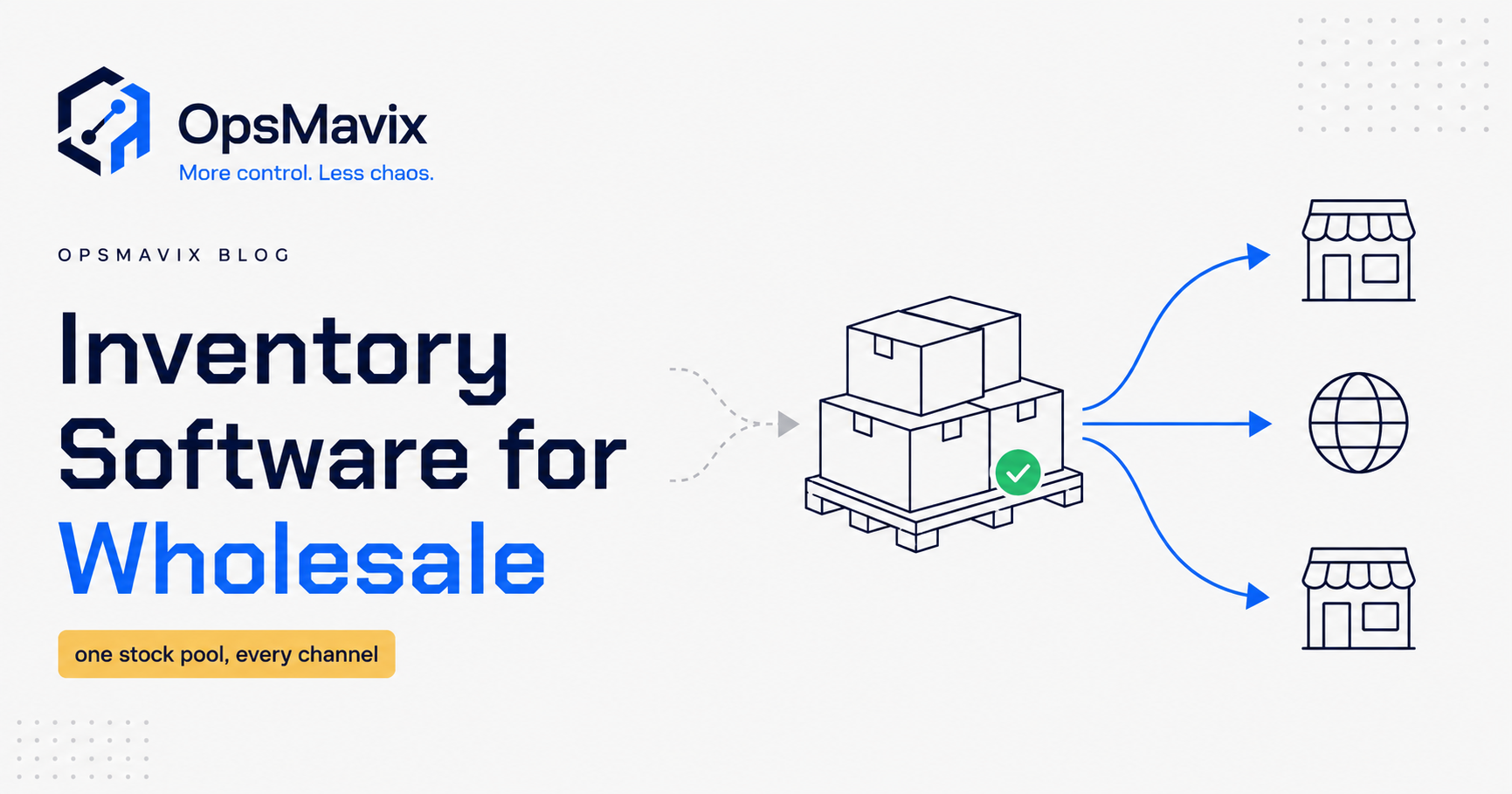
A customer orders 120 units. You have 80 available, another 40 due tomorrow, and a price agreed specifically for their account. Can your system ship the first delivery, keep the balance on backorder and raise the correct invoices without someone rebuilding the order in a spreadsheet?
That is a useful test of wholesale inventory management software.
For UK wholesalers, the right system needs to connect stock with customer pricing, purchasing, despatch and accounts. A stock total alone does not tell your team what they can promise or what still needs to happen.
This guide compares six options, explains the costs to check and gives you a worked order you can take into any software demonstration.
About this comparison: OpsMavix builds custom operations systems and is included below. Product comparisons use public vendor documentation, rather than a hands-on benchmark. Business-fit recommendations are our assessment. The worked examples are illustrative, and the images are explanatory graphics, not customer results or product screenshots.
Wholesale inventory software: a quick comparison
Start with the row that resembles your operation, then test the actual configuration you would buy.
| Software | Worth considering when… | Published starting price or pricing approach | Important buying detail |
|---|---|---|---|
| Zoho Inventory | Your requirements are relatively straightforward and your budget is limited. | Standard: £25 per organisation/month, billed annually, excluding local taxes. | Standard includes 500 orders/month, two users and two locations. Some wholesale features require higher plans. |
| Unleashed | Purchasing, stock control and sales need to work together alongside your accounting system. | Core: US$399/month, paid monthly, excluding applicable taxes, on the global page checked. | Core includes three users and 100 sales orders/month; higher order allowances and optional modules change the cost. |
| Cin7 Core | You need inventory connected with several selling channels and other applications. | Standard: US$349/month, excluding taxes. | Five users, two ecommerce/app integrations and 6,000 sales orders/year are included. The B2B portal is an add-on. |
| Orderwise | Warehouse processes and distribution requirements are central to your buying decision. | Request a scoped quote. | Have the supplier demonstrate the warehouse, traceability and order processes included in your proposal. |
| Fresho | You are a food supplier assessing connected ordering and fulfilment. | Tailored pricing starts from £249/month; a setup fee also applies. | Price depends on average order volume and selected solutions. Confirm whether your quote includes Fresho Operations. |
| OpsMavix | Your established workflow needs a system built around it, with ownership of the delivered build. | A one-off build scoped around your requirements. | Define the exact workflows, integrations, handover and ongoing running costs before comparing the quote with a subscription. |
These are entry prices and pricing approaches, not equivalent quotes for the same wholesaler. Keep dollar prices in dollars until you have a UK quote or a dated exchange-rate assumption. Annual billing, setup, support, add-ons and tax can materially change the comparison.
What to check in each shortlisted system
Zoho Inventory: check the plan your workflow actually needs
The entry plan is useful for an initial budget check, but the feature that matters to your warehouse may sit higher up the range.
Zoho lists batch and serial tracking in Professional, at £65/month with annual billing. Unit-of-measure conversion appears in Premium, at £105/month with annual billing. Both prices exclude local taxes. A wholesaler buying cartons and selling individual units should therefore investigate the relevant plan before budgeting around Standard. Zoho plan details.
Take your actual pack sizes, users and peak order volume into the trial. Ask how those requirements affect the subscription.
Unleashed: include capacity and optional modules
Unleashed documents inventory, sales orders, purchasing and connections to Xero and QuickBooks Online. Its pricing separates the base plan from additional capacity and functionality. Unleashed features and pricing.
For a wholesale proposal, ask for the required order allowance, users, warehouse functionality, B2B ordering, onboarding and support together. A base subscription alone may not represent the system your team will use.
Use the demo to follow a purchase receipt into available stock and then into a customer delivery. That will reveal more than an isolated dashboard tour.
Cin7 Core: separate inventory locations from warehouse functionality
Cin7’s pricing lists unlimited inventory locations on Standard, but its Standard warehouse application supports one warehouse location. Advanced warehouse management is treated separately. Those descriptions refer to different capabilities, so ask which workflow your quoted plan supports. Cin7 plan comparison.
Also count the applications you need to connect. Your storefront, marketplace, shipping service and other tools should be checked against the package rather than assumed to be included because an integration exists.
Orderwise: make the warehouse demonstrate the decision
Orderwise describes multi-location inventory, allocation, batch and serial traceability, and stock-control processes for distribution. That makes it a candidate when the physical movement of goods is a major part of the problem. Orderwise inventory capabilities.
Ask for a demonstration using your goods-in, picking, transfers and returns process. Get clarity on implementation responsibilities, devices, modules and training. Your assessment should cover how warehouse staff complete a normal shift as well as what managers see in reports.
Fresho: assess the food-supplier workflow
Fresho’s UK offering is aimed at food suppliers and combines different solutions for order intake, online ordering and operations. Its pricing is based on the mix selected and average order volume. Fresho UK pricing.
For your demo, bring the difficult food orders: substitutions, changing quantities, different selling units and products with shelf-life requirements. Ask the supplier to show which requirements the proposed configuration handles. A general feature label does not establish how your particular exception will work.
OpsMavix: define the build and the handover
OpsMavix’s wholesale offering centres on connected order capture, customer pricing, stock checks and the handoff to purchasing, despatch and invoicing. The delivered build is owned by the client. OpsMavix wholesale systems.
It is worth considering when a clearly defined process needs custom behaviour. It is less compelling when an existing application already handles your requirements at an acceptable total cost.
Ownership still needs a practical handover: access, documentation, backups, hosting arrangements and an agreed route for support and changes. Put those responsibilities in the scope.
The wholesale features that deserve a real test
Available stock, reserved stock and incoming stock
Ask the system to show these quantities separately.
If 100 units are physically present and 20 are already reserved for another customer, only 80 are free for a new order before any additional holds or buffers. Another 40 on a purchase order are expected supply; they are not ready to pick.
Also check whether damaged, quarantined or inaccessible stock is excluded from the availability shown to sales staff.
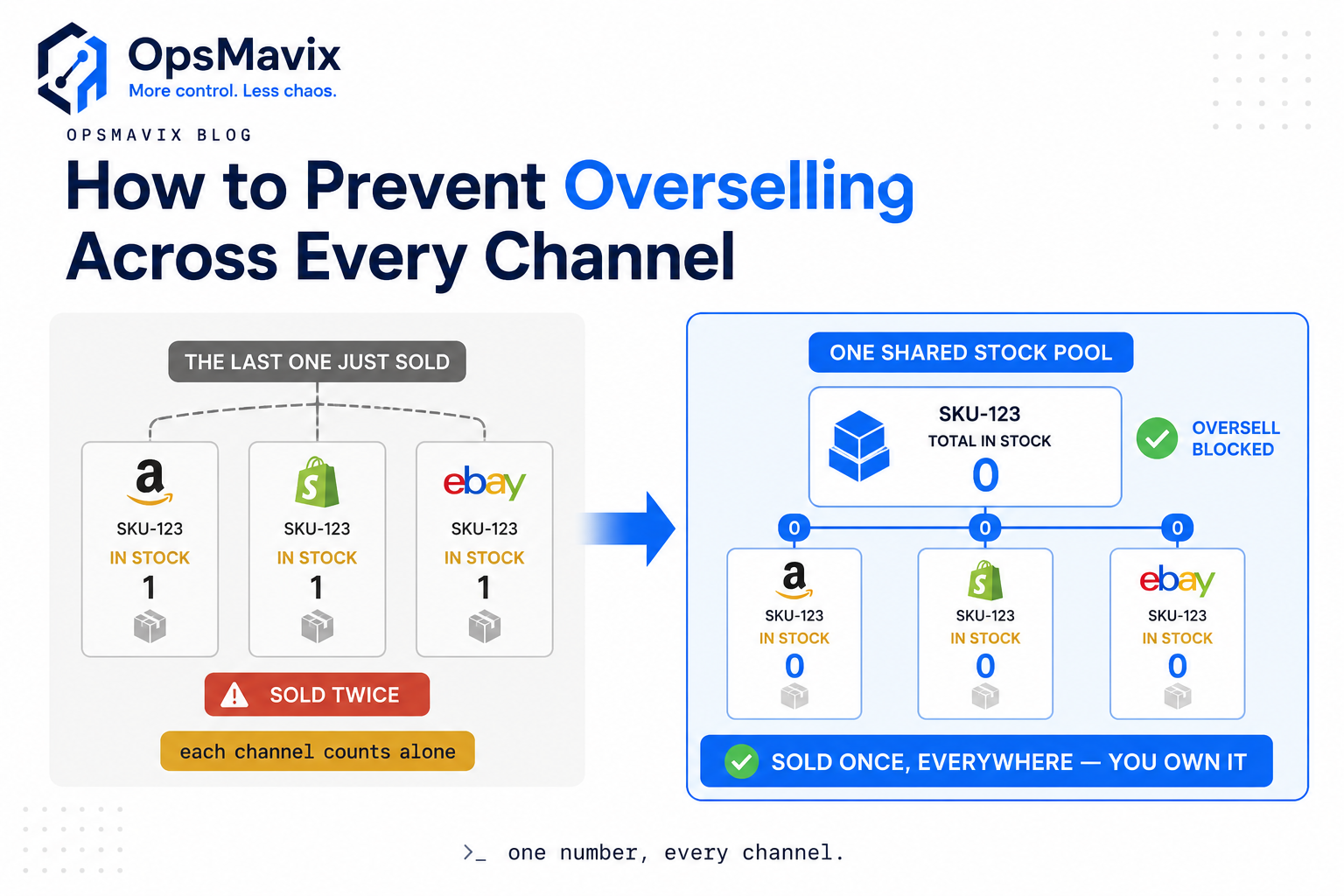
A shared stock record helps coordinate availability. Integration timing, reservations and safety buffers still need to be tested.
Customer prices, terms and approval rules
Use two customers buying the same item at different agreed prices. Then change the quantity, delivery address and payment terms.
Check who can override a price or release an order on hold, and whether the change is recorded. If the account manager still has to consult a private spreadsheet, an important part of the process remains outside the system.
Buying cartons and selling units
Receiving eight cartons containing ten units each should increase stock by 80 units. Selling five individual units should reduce it by five.
Test the purchase price, sales price and barcode used at each step. A pack-size mistake can affect both stock and margin while the order still appears to have processed successfully.
Partial deliveries and backorders
Show what is ordered, allocated, shipped, invoiced and still outstanding at line level. Agree the invoicing policy for the test; some businesses invoice on despatch, while others use different agreed arrangements.
A backorder should have a visible owner and next action. It should not depend on someone remembering to check tomorrow’s goods-in report.
Accounting integration, including failures
An integration logo is the start of the conversation. Demonstrate a partial invoice, a return and a credit note reaching your accounting system correctly.
Then ask what happens if the connection fails: who sees the error, how it is retried and how duplicate invoices are prevented. Include your accountant in the check of tax codes, account mapping and reconciliation.
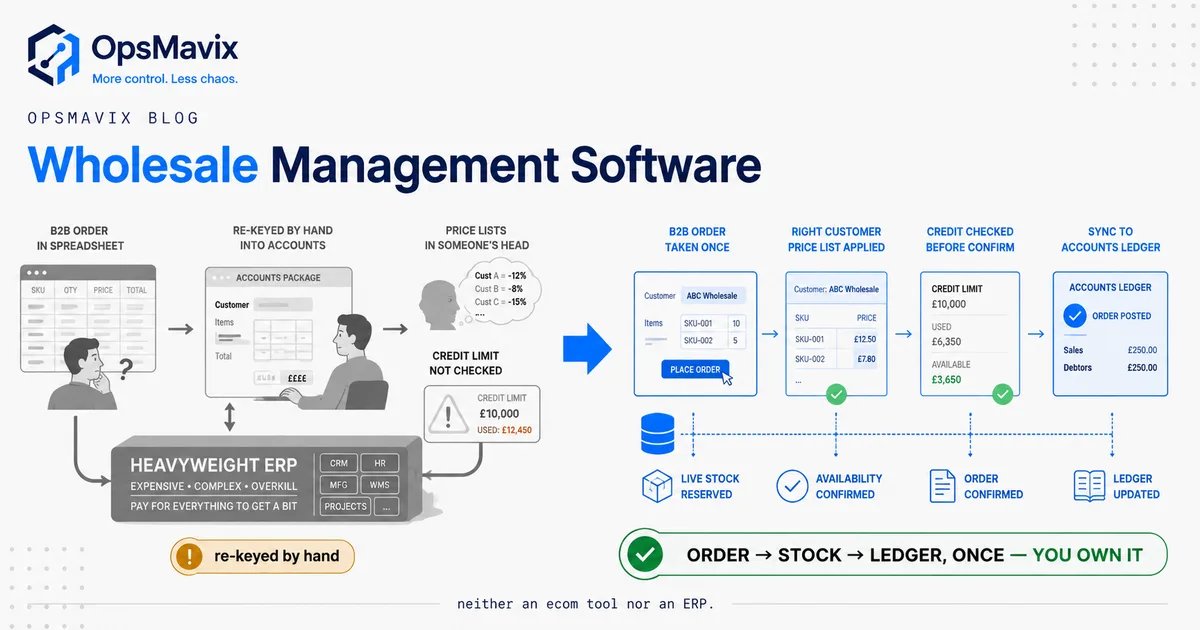
For a closer look at the connected process, see our wholesale management software guide.
A worked wholesale order to use in your demo
Use this example with every supplier on your shortlist. It is an illustrative acceptance test, not a claim that every product above passes it.
Starting position: A customer orders 120 units at an agreed price of £12.50 each. There are 80 available units and 40 expected from a supplier. For this example, invoice only what has shipped. All values below exclude VAT, freight and other charges.
| Step | Action | Expected result |
|---|---|---|
| 1. Enter the order | Record 120 units for the trade customer. | The customer’s agreed price applies; the total goods value is £1,500. |
| 2. Allocate stock | Reserve the 80 available units. | The order shows 80 allocated and 40 outstanding. Those reserved units are unavailable to other orders. |
| 3. Despatch the first delivery | Ship 80 units. | The shipment is recorded against the original order; 40 remain on backorder. |
| 4. Raise the first invoice | Invoice the shipped quantity. | The invoice is £1,000, linked to the 80-unit shipment. |
| 5. Receive the supplier delivery | Receive four cartons of ten units. | Goods-in records 40 units. The team can see that they are needed for the outstanding order. |
| 6. Complete the backorder | Allocate, ship and invoice the remaining 40 units. | The second invoice is £500; nothing remains unfulfilled on the original order. |
| 7. Process a return | Receive five units and approve a full goods credit at the original unit price. | The credit note is £62.50. Returned stock stays unavailable until its condition and disposition are recorded. |
| 8. Reconcile | Check the order, shipments, return and accounting entries. | Net goods invoiced are £1,437.50, representing 115 units retained by the customer. |
At the end, ask the demonstrator to find the order from the customer record, show both shipments and explain the credit note without opening a spreadsheet.
Repeat the exercise with an exception: a supplier short-delivers, the customer changes the second delivery address, or a returned unit is damaged. Record whether each action is standard, configured, an add-on, custom work or unverified.
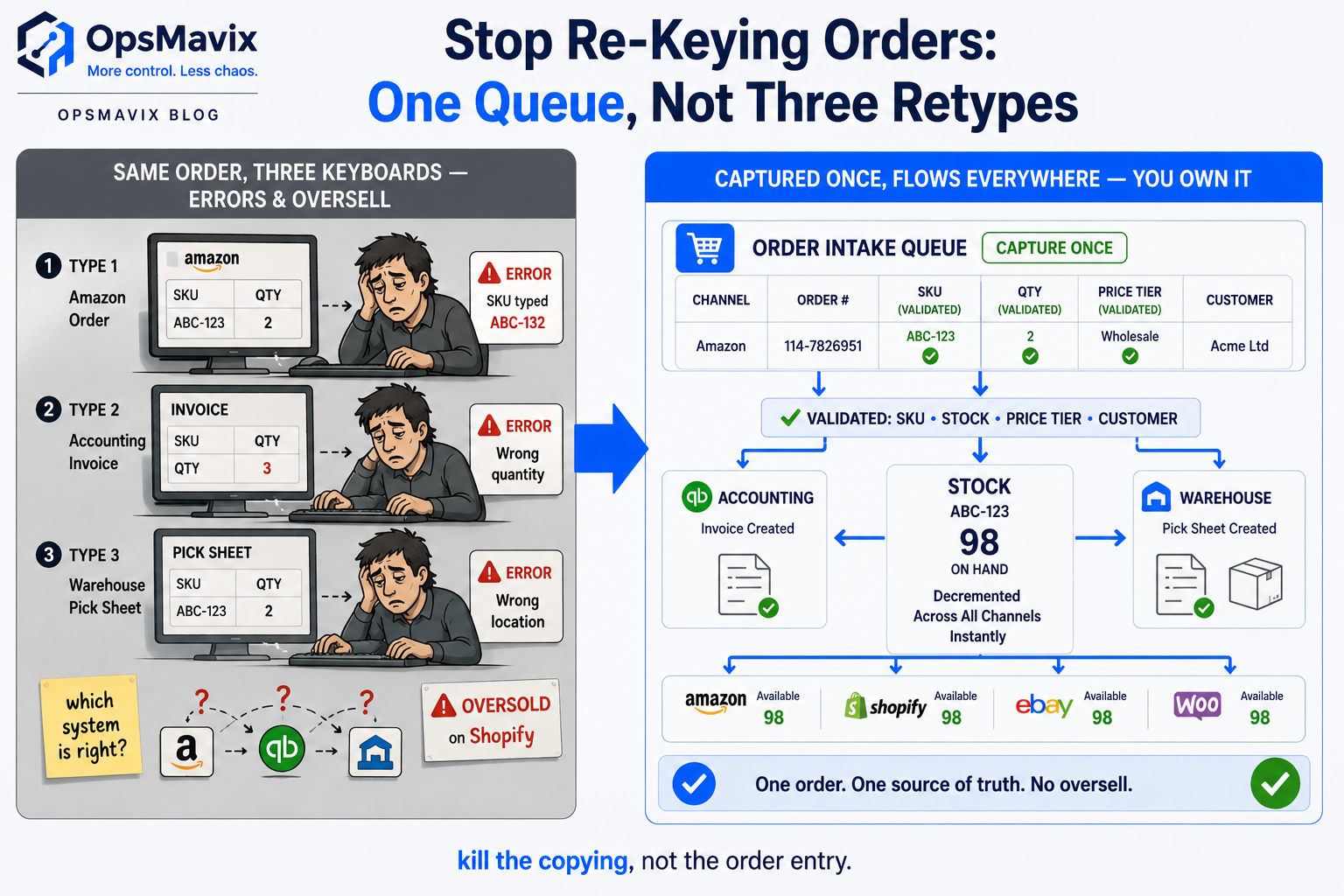
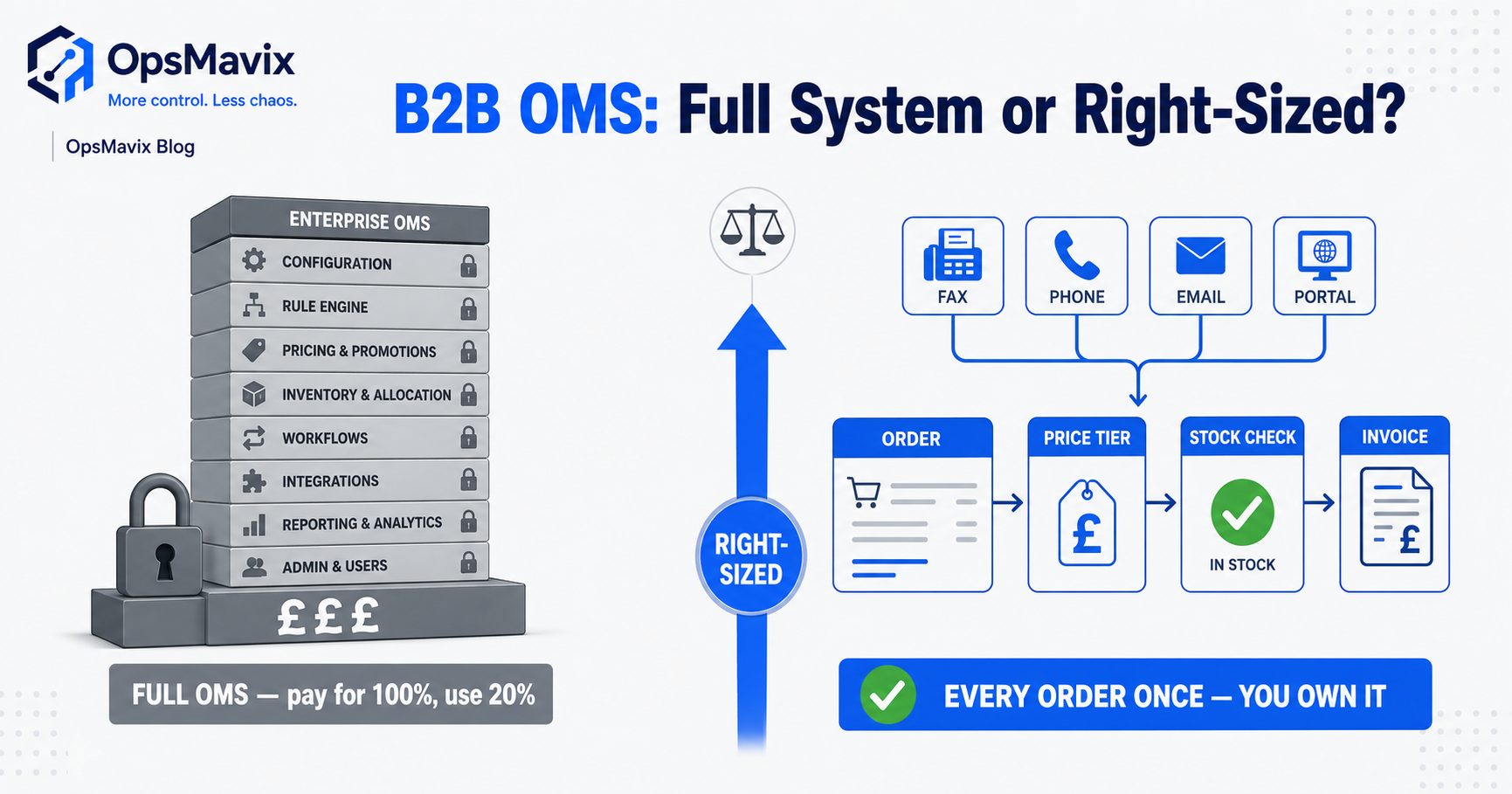
The aim is a traceable order record across the process. This graphic illustrates the flow; the table above provides the specific quantities and checks for your demonstration.
Compare the full three-year cost
Ask every supplier to price the same operating assumptions: users, locations, order volume, sales channels, integrations, required modules and support coverage.
Include migration and training. For an owned build, include hosting, maintenance and future changes. For a subscription, include the required tier, add-ons and expected growth in usage.
The following comparison uses invented budgets to show the method. These are not vendor quotes, market averages or assumed equivalent products.
| Cost over three years | Illustrative subscription option | Illustrative owned-build option |
|---|---|---|
| Setup, migration and training | £2,000 | £9,600 |
| Base subscription | £250 × 36 = £9,000 | £0 |
| Required add-ons | £60 × 36 = £2,160 | Included in the assumed build scope |
| Support and running costs | £90 × 36 = £3,240 | £150 × 36 = £5,400 |
| Allowance for later changes | £0 assumed | £1,500 |
| Illustrative three-year total | £16,400 | £16,500 |
The example assumes flat prices and excludes VAT, financing, internal staff time and any costs not listed. Replace every assumption with a quote or your own estimate.
A small difference in total cost is unlikely to settle the decision if one option needs daily workarounds. Equally, ownership alone does not make a custom build better value. Compare the agreed capability, operating effort and responsibilities alongside the total.
Calculate the benefit without mixing up different numbers
Keep these three measures separate:
- Staff capacity: Saving six hours a week at an assumed loaded cost of £25/hour across 48 working weeks represents £7,200 of annual time value. It becomes cash savings only if actual spending falls; otherwise it is capacity available for other work.
- Contribution from retained sales: If you genuinely retain £20,000 of sales that would otherwise be lost, and the relevant contribution margin is 30%, the contribution is £6,000 before other changes. The sales amount itself is not profit.
- Cash tied up in stock: Reducing average stock by £12,000 may release that amount of working capital. It is not automatically a £12,000 saving every year. Any recurring storage, financing or write-off benefit needs a separate calculation.
Do not count the same improvement twice, and do not assume software will remove every error. Use a measured baseline and check the results after the new process is operating.
A buyer’s checklist you can take into a meeting
Copy this table into your evaluation notes. For every mandatory requirement, record the proposed plan or module and the evidence shown.
| Requirement | What to ask the supplier to demonstrate |
|---|---|
| Stock availability | Separate physical, reserved, incoming and quarantined quantities. |
| Trade pricing | Apply two customers’ agreed prices to the same SKU. |
| Units of measure | Receive cartons and sell individual units without manual conversion. |
| Partial deliveries | Ship part of an order while keeping the remainder visible. |
| Credit control | Show the agreed hold and approval process, including who can override it. |
| Traceability | Find the relevant batch or serial history where your products require it. |
| Returns | Separate a credit decision from the decision to return goods to saleable stock. |
| Accounts connection | Reconcile invoices and credits; show how failed transfers are resolved. |
| Growth | Price the system at your expected peak volume and next year’s user count. |
| Exit and handover | Export records and attachments, and explain access and ongoing responsibilities. |
Treat a missing mandatory capability as an unresolved requirement. A long list of optional features does not make that requirement disappear.
Move from spreadsheets in a controlled sequence
Start by cleaning the records the new process depends on: SKU codes, pack sizes, customer prices, supplier details, locations and opening quantities.
Next, reconcile open sales orders and purchase orders. Decide which system owns each record during the transition, and set a clear cut-off for the opening stock position.
Run the worked order with the people who will use the system: the order desk, warehouse and accounts team. Include an exception and a failed integration, then agree who handles each problem.
Keep the pilot small enough to investigate discrepancies. Before expanding, confirm that stock balances, outstanding orders, invoices and credits agree, and that staff can complete the routine work confidently.
Frequently asked questions
What is the best wholesale inventory management software in the UK?
The strongest choice is the one that passes your mandatory workflows within an acceptable total cost. Use the shortlist above to identify candidates, then compare the configuration you would actually buy. There is no single best product for every wholesaler.
Can we keep Xero, Sage or QuickBooks?
Make your existing accounting package an explicit requirement. Check the exact product edition, connector, records transferred and failure-handling process. Demonstrate invoices and credits reaching the ledger correctly before assuming the integration fits. If the ledger itself is the open question, our guide to the best accounting software for a distribution business covers what the accounts package should and should not own.
Do we need an ERP or a dedicated inventory system?
An inventory system may suit a business whose main needs concern stock, purchasing and fulfilment. Assess a broader ERP when the project also needs tightly connected finance, production, multiple entities or other substantial processes. Choose against requirements rather than turnover alone.
Will software completely prevent overselling?
It can reduce the risk, but results depend on accurate quantities, reservation rules, channel updates, buffers and reliable integrations. Ask how the proposed setup handles simultaneous orders and temporary connection failures. Our guide to preventing overselling explores the underlying stock-flow problem.
Is custom software cheaper than a subscription?
It depends on the scope and running costs. Compare three years of required functionality, implementation, support and changes. An owned system still needs upkeep; a subscription may still need configuration and additional applications.
See what OpsMavix would build for your wholesale business
Bring one difficult order, your current tools and the points where your team has to retype or reconcile information.
We can use that process to define what a connected wholesale system would need to do, which existing tools it should work with and what belongs in the first build.
See what we’d build for your business
How OpsMavix Can Help
OpsMavix builds owned operations systems for UK and US product businesses: stock, orders, production and reporting in one place, fixed price, no per-seat fees. See the wholesale order management system and inventory automation pages for what an owned build covers.
Contact OpsMavix with one end-to-end transaction and the handoffs that currently break. We will tell you plainly whether a focused build fits.
Keep reading
Getting value from OpsMavix? Add us as a preferred source on Google — you'll see more of our operations content in your AI Overviews, AI Mode and Search.