
Outgrowing PowerApps for Inventory Management
A PowerApps inventory app is the Microsoft build-it-yourself route — until per-user licensing, data integrity and the one maker who owns it hit a ceiling. Here's when it's the right call, when you've outgrown it, and what a custom system changes.
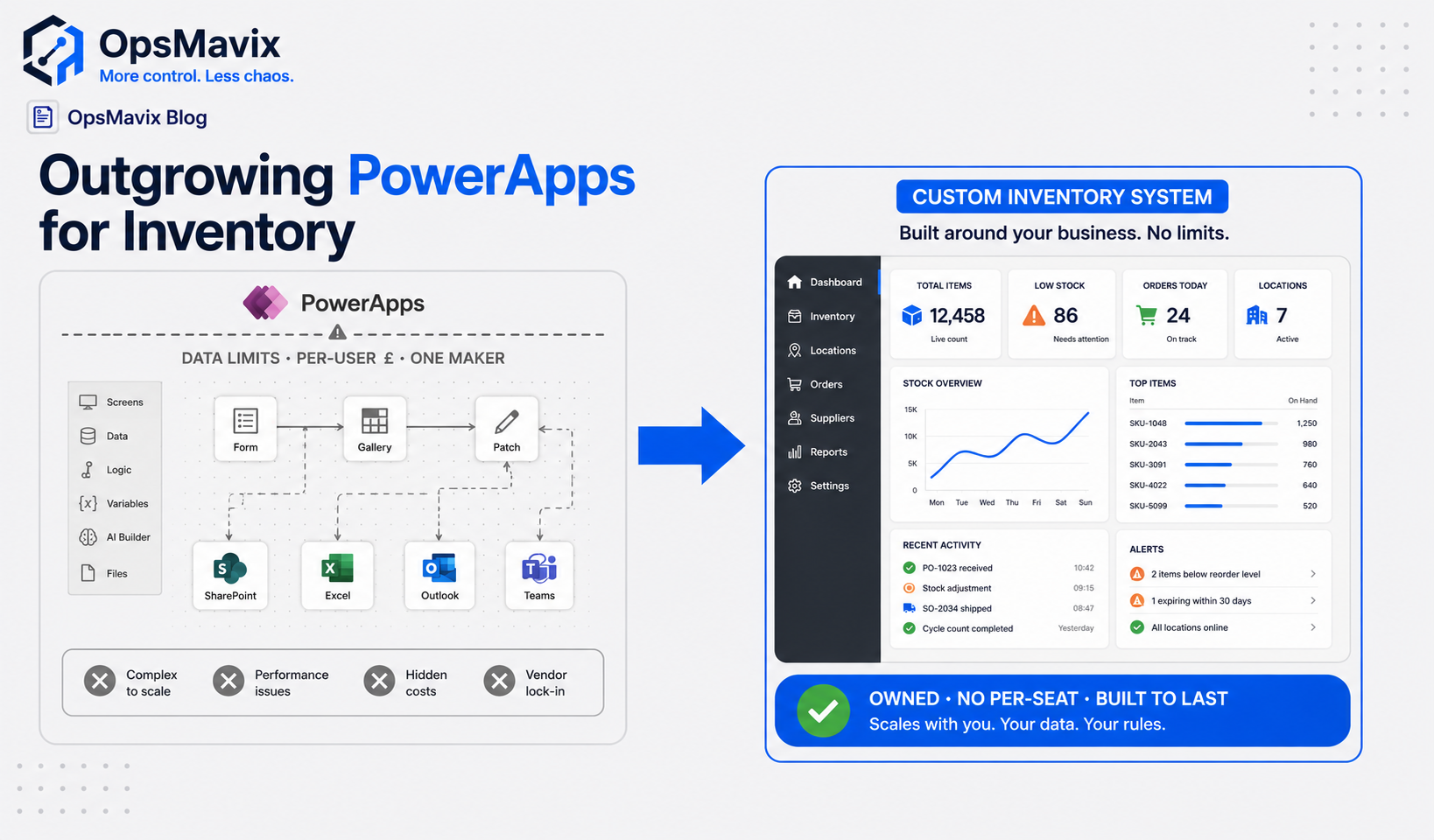
PowerApps inventory management is a solid place to start and a hard place to scale. It’s the Microsoft low-code route: build a stock app yourself on top of SharePoint or Dataverse, share it across Office 365, done in a weekend. It works until three things bite at once — per-user licensing, data integrity, and the fact that one person built it and only that person understands it. When those hit, the alternative isn’t a better low-code app. It’s a custom inventory system built around how your stock actually moves, that the whole team can run and you own outright.
If you’re searching this, you’ve probably already built the app and it’s already creaking. This post covers when PowerApps inventory management is genuinely the right call, the exact ceiling people hit, and what a built-for-you system does that a low-code template can’t.
Key Takeaways
- PowerApps is the Microsoft build-it-yourself route — great for a small, single-maker stock app inside an existing Office 365 estate.
- The ceiling is three-part: per-user licensing that creeps as the team grows, data integrity limits when SharePoint is the backend, and a single-maker dependency that makes the builder a point of failure.
- A counting app fixes the count. PowerApps fixes the form. Neither fixes the workflow around the stock — channels, reorder logic, returns, dispatch.
- A custom system is shaped to your flow and is owned by you — no per-user premium, no one-person bus factor.
- Don’t rebuild a working app on principle. Switch only when the maintenance and licence drag costs more than building it right once.
1PowerApps Inventory Management Is the Microsoft DIY Route — and That’s Its Strength
Before the criticism, the fair bit. PowerApps earns its place. If your business already lives in Office 365, your stock data sits in SharePoint or Excel, and one capable person can build a tidy app to log receipts, scan barcodes and check counts, you can have something usable fast and at low marginal cost. For a single location with a handful of users, that’s a genuinely good answer.
It’s the same instinct a lot of capable owners have — the “I’ll just build it myself” route. As one founder who went that way put it plainly: “Honestly? I built the whole thing myself and I was proud of it.” That pride is earned. The problem isn’t the decision to build. It’s that the low-code ceiling arrives quietly, and by the time you notice it, the app is load-bearing.
2The First Wall: Per-User Licensing That Grows With Your Team
The “free” part of low-code rarely stays free. Basic PowerApps capabilities ride along with some Microsoft 365 plans, but the moment your app needs premium connectors, Dataverse, or standalone access for warehouse staff who aren’t full Office users, you’re into per-user or per-app licensing — and that bill scales with headcount, not value.
This is the exact trap capable builders describe with every low-code tool. The complaint is always the same shape: a stack that started cheap ends up “costing a hand and a leg,” with people asking the community whether “everyone use[s] hacks to bypass” the pricing. Every floor worker who needs to scan stock becomes a line item. Compare that to a system you own outright: no per-user premium, no “you’ve hit a tier, now pay for the next one.” For a growing warehouse team, that difference compounds every month.
3The Second Wall: Data Integrity When SharePoint Is the Backend
Most quick PowerApps inventory builds sit on SharePoint lists. That’s fine for hundreds of rows and falls apart at scale. SharePoint lists throttle once a view passes the 5,000-item list-view threshold, struggle with relational data, and don’t enforce the validations a stock system needs — so the moment you have multi-location transfers, kits, batches or reorder logic, you’re patching integrity by hand.
This is the precise wall capable builders hit on every no-code backend: you “quickly outgrew the capabilities… needed more advanced datatypes and validations,” and the result is “base and field bloat… fragmented data… difficult to oversee.” Swap “base” for “SharePoint list” and it’s the same story. And for stock specifically, weak integrity has a name on the warehouse floor — phantom stock. As one inventory manager put it, “the stock never matches the system, and I’m running a million messy spreadsheets for the warehouse.” A form on top of a list that can’t enforce the rules will let the number drift. A custom system enforces the data model so the figure the picker sees is the figure that’s true. This is the same integrity question behind why stock never matches the system.
4The Third Wall: One Maker Owns It, and That’s a Risk
This is the quiet one. A PowerApps inventory app is usually built by one person — the ops lead, the IT-literate founder, the keen analyst. It works because they hold the whole thing in their head. Then they’re on holiday, or they leave, and nobody can change a screen or fix a broken connector. The app that saved time becomes a single point of failure wearing a friendly logo.
You hear the risk in how builders talk about their own tools: “only she understands her own tangled base.” A maker-owned app is brittle by design — undocumented logic, formulas nobody else reads, a Microsoft tenant tied to one account. A custom system is built to be handed over: documented, team-runnable, not dependent on the one person who built it. You stop being your own unpaid in-house developer, and the business stops betting its stock accuracy on a single maker’s availability. This is part of the broader case for what an operations system actually is versus an app one person maintains.
5PowerApps vs a Custom Inventory System
| PowerApps inventory app | Custom inventory system | |
|---|---|---|
| Best for | Single maker, single location, existing O365 estate | Multi-location, multi-channel, team-run stock ops |
| Licensing | Per-user / per-app premium that scales with headcount | Owned outright — no per-user premium |
| Data backend | SharePoint / Dataverse; integrity limits at scale | Purpose-built data model with enforced validation |
| Who can maintain it | Usually the one maker who built it | Documented, handed over, team-runnable |
| Fit to your workflow | Bend your process to the template | Built around receiving, pick, transfers, dispatch |
| Lock-in risk | Tied to Microsoft tenant + maker | You own it; no tenant or vendor dependency |
A custom system isn’t “PowerApps but bigger.” It’s a different category: one owned figure that every channel and location moves against, a backend that enforces the rules instead of hoping you do, and a build the team can run without the original maker in the room.
6When NOT to Move Off PowerApps (the Honest Bit)
Don’t rebuild a working app on principle. Migration costs real money and time, and complexity you don’t need is its own leak. If a single person comfortably maintains your app, your stock lives in one place, your team is small and inside Office 365, and nothing important is being patched by hand — keep it. PowerApps is doing the job you actually have, and that’s the whole point of building it.
The move earns its place when the maths tips: when per-user licensing, the data-integrity patching, and the one-maker risk together cost you more, month after month, than building the right thing once. That’s the OpsMavix line on every comparison — switch when staying the same costs more than the fix, not before. If you’re weighing the broader build-vs-buy question across no-code generally, not just Microsoft, that’s covered in custom inventory systems; this post is specifically about the PowerApps ceiling.
FAQ
Is PowerApps good for inventory management?
For a single location, a small team already inside Office 365, and one capable person to build and maintain it, yes — PowerApps is a reasonable, low-cost way to log receipts, scan barcodes and check stock. It struggles when you add multiple locations or channels, when SharePoint can’t enforce the data integrity stock needs, and when the one maker who built it becomes a bottleneck.
Why do PowerApps inventory apps break at scale?
Three things compound. Per-user and premium-connector licensing grows with headcount, so every warehouse scanner becomes a cost. SharePoint-list backends hit item limits and can’t enforce relational rules, so phantom stock creeps in. And the app is usually maker-owned, meaning one person’s absence freezes it. None of these are bugs — they’re the ceiling of the low-code approach.
Is a custom inventory system better than PowerApps?
“Better” depends on where you are. If you’re a single maker with one location, PowerApps is likely the right call. If you’re running multiple locations or channels, growing the team, patching data by hand, or depending on one person to keep the app alive, a custom system built around your actual stock flow — and owned by you — addresses the cause rather than the form.
How much does PowerApps inventory management really cost?
The app build can be near-zero in cash if you do it yourself, but the true cost shows up later: per-user or per-app licensing as the team grows, the hours one person spends maintaining it, and the risk when that person leaves. The honest comparison isn’t licence vs build price — it’s total cost over time, including the leak the workarounds are hiding.
Can a custom system replace our existing PowerApps app?
Yes. The data you’ve collected migrates, and the workflow you’ve already proven in PowerApps becomes the blueprint for a system that enforces the rules, scales past SharePoint’s limits, and is documented so the whole team can run it. You don’t lose the thinking you put in — you stop having to prop it up by hand.
How OpsMavix Can Help
OpsMavix builds custom inventory systems shaped to how your stock actually moves — receiving, picking, transfers, returns, dispatch — so every movement updates one live figure the shelf and the screen both agree on. No per-user licence creep, no SharePoint integrity patching, and no dependence on the one maker who built it, because it’s documented, team-runnable, and yours.
If your PowerApps inventory app got you started but you’ve hit the licensing, data-integrity or key-person wall — and you’re not ready for a six-figure enterprise WMS — that middle ground is exactly what we build. Book an Operations Leak Audit and we’ll map where your stock accuracy breaks down today, what the low-code ceiling is costing you, and whether moving to a custom system is genuinely worth it.