
6 Operational Systems Every Growing Business Should Have
Operational systems" sounds abstract until you see the six concrete ones a growing business actually runs on. Here's each, and what it fixes.
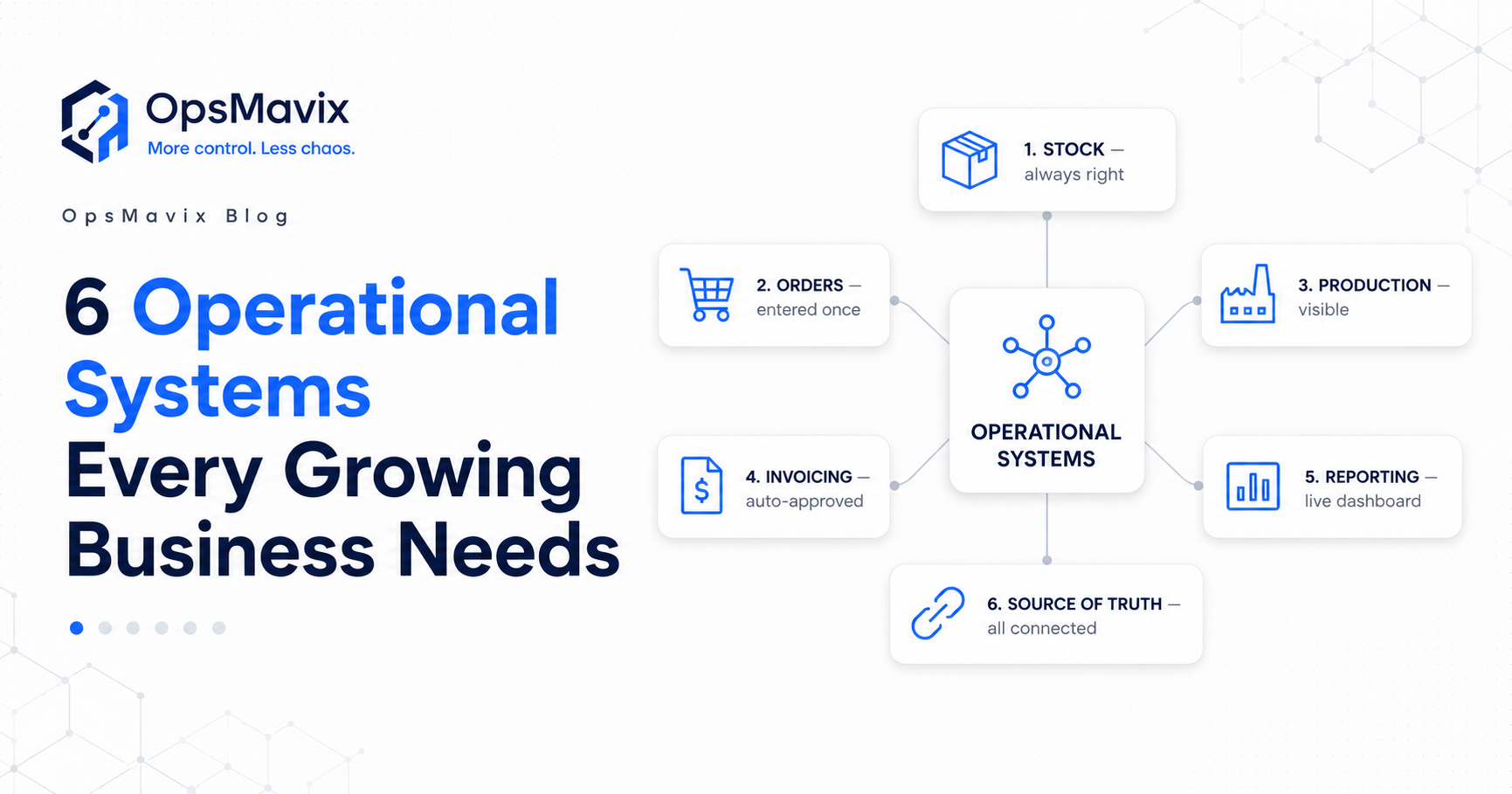
“Operational systems” sounds abstract until you break it into the concrete pieces a business actually runs on. Underneath the jargon, it’s simple: the handful of systems that keep stock right, orders moving, production visible, bills approved, and the whole thing readable at a glance — without spreadsheets, manual admin, and a dozen disconnected tools.
Most growing businesses already do all of this. They just do it by hand, across tabs and inboxes, held together by a few people’s memory. The point of operational systems is to take those same jobs and make them connected, reliable, and visible — so the business runs the work instead of the work running you.
Here are the six operational systems every growing business should have, what each one fixes, and how they connect. (For the concept itself, see what an operations system is.)
Key Takeaways
- Operational systems are the connected tools that run stock, orders, production, invoicing and reporting.
- The six below cover the operational backbone of most growing businesses.
- Their real power isn’t each one alone — it’s that they share one source of truth.
- You don’t need all six at once; start with the one plugging your biggest leak.
- Built around how you work, they replace spreadsheets and manual admin — not your team.
1Inventory & Stock Control
The foundation for anyone who holds product. A real stock system keeps one live figure that updates on every movement — sale, receipt, transfer, return — so the shelf and the system actually agree. It ends the overselling, stockouts, and “let me check and call you back” that come from numbers nobody trusts. (See why stock never matches the system.)
2Order Management
Where orders are captured once and flow through to fulfilment, accounting and stock — instead of being re-typed from emails, PDFs and phone calls into three different tools. It kills the double-entry, the wrong item numbers, and the hours your best people lose to typing. One order, entered once, moving cleanly to dispatch. (More on ending re-keying.)
3Production & Job Tracking
For anyone who makes or assembles: a system that shows where every job is without walking the floor or asking around. It replaces the whiteboard and the “it’s in someone’s head” plan with a live view of what’s in progress, what’s due, and what’s slipping — so jobs stop falling off the plan and surfacing only when a customer calls.
4Invoice Approval & Finance Ops
The system that routes every invoice to the right approver, chases it automatically, and records each sign-off — instead of approvals dying in inboxes until a supplier complains. It turns month-end from a hunt into a report and gives finance a clean audit trail. (How to speed up invoice approvals.)
5Reporting & the Operations Dashboard
One screen that shows the real state of the business — stock, orders, production, cash — pulled from the systems above, live. No more rebuilding the same spreadsheet report every month or stitching numbers from five tools. You open one view and know where things stand. (What a real operations dashboard shows.)
6One Source of Truth (the Layer That Connects Them)
The most important one, and the one spreadsheets can never provide: a single place where all of the above share the same data, so a sale updates stock, an order creates an invoice, and the dashboard reflects it all without anyone re-typing a thing. Five disconnected tools aren’t operational systems — they’re more spreadsheets with nicer logos. The connection is what makes it a system.
How They Fit Together
You don’t buy these six off a shelf and bolt them on. They work because they’re built around how your business actually runs and they share one source of truth — so the whole operation moves as one instead of as a pile of tools you reconcile by hand. Start with the system plugging your biggest leak today, then connect outward; each one you add makes the others more valuable.
FAQ
What are operational systems?
They’re the connected tools and processes that run a business’s day-to-day operations — inventory, orders, production, invoice approvals and reporting — sharing one source of truth instead of living in separate spreadsheets and apps.
What operational systems does a small business actually need?
Most growing businesses need some mix of the six above: stock control, order management, production/job tracking, invoice approvals, reporting, and the connecting source of truth. Which to build first depends on where you’re losing the most time and money.
Do I need all six at once?
No. Start with the one plugging your biggest leak — usually stock, orders, or visibility — and connect outward from there. Adding each system makes the others more useful.
Are operational systems the same as an ERP?
No. An ERP is one giant suite you bend to; operational systems are focused tools built around how you work, sized to your business, and owned by you. See operational systems vs ERP.
Can these connect to my existing tools?
Yes — they’re built to connect to what you already use (Shopify, Xero, QuickBooks, Stripe, suppliers) so data syncs automatically instead of being re-typed.
How OpsMavix Can Help
OpsMavix builds custom operational systems — stock, production, orders, approvals and one live dashboard — connected around how your business already works, sized to now, live in weeks, yours to own. Not an ERP you bend to; the practical layer in between.
Not sure which of the six to build first? That’s exactly what an Operations Leak Audit answers — we map where your operation leaks and what to fix first.