
Microsoft ERP: A Buyer's Guide to Dynamics 365
Microsoft ERP is not one product but a family of them, and the difference between Business Central, Dynamics 365 Finance and Supply Chain Management decides how well the system fits. This guide explains what each one is for, how to shortlist honestly, and what to settle before the first demo.
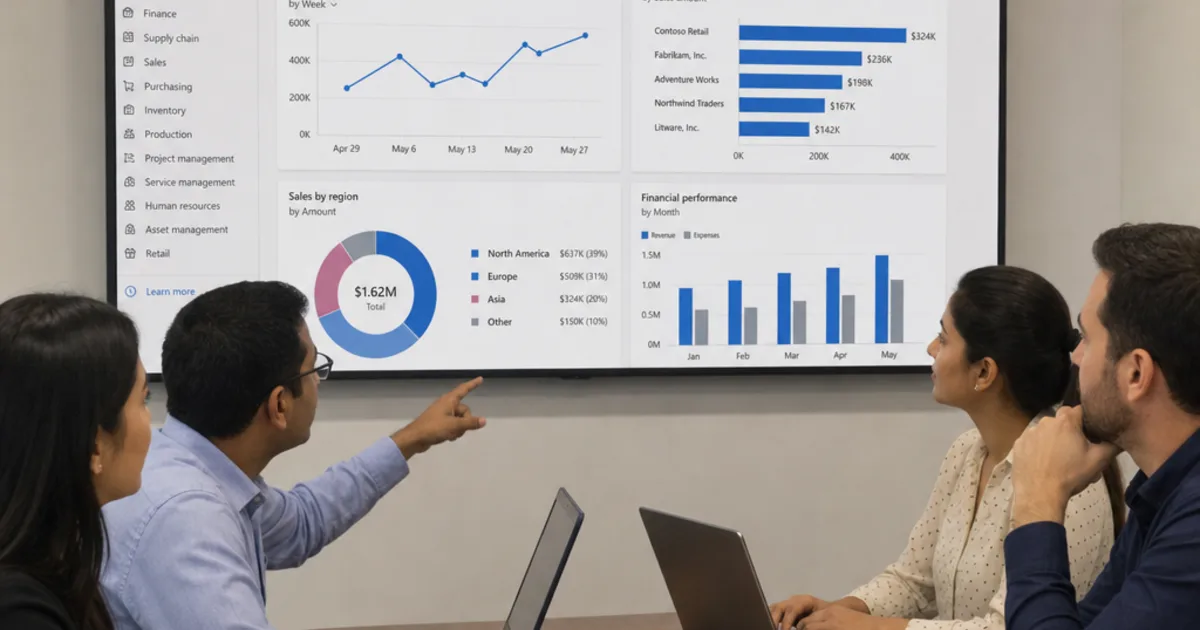
Microsoft ERP covers several Dynamics 365 applications for finance and operations. The first buying decision is which product fits your processes.
Start with the records your teams need to share: orders, stock, costs and financial results. Then test reporting, approvals and integration using your own examples. This guide explains the main options and the questions to ask.
What should a Microsoft ERP system help your business do?
A Dynamics 365 system should help your business manage core processes with clearer data, fewer manual hand-offs and stronger control across departments. In practice, that means connecting finance, purchasing, inventory, sales, projects, service and reporting so leaders can see what is happening without waiting for disconnected reports to be reconciled.
The strongest use case for Microsoft’s ERP products is not “one big software change”. It is a series of operational improvements that compound: invoices are easier to trace, stock decisions are based on cleaner information, project costs are visible earlier, and managers can analyse performance by department, location, product line or legal entity.
Microsoft’s Business Central documentation, for example, describes dimensions as a way to group posted entries for reporting and analysis, with two global dimensions and up to eight shortcut dimensions available for common filtering and entry scenarios.
For larger organisations, Dynamics 365 Finance provides more advanced financial dimension design, including custom and entity-backed dimensions, legal entity considerations and financial tags for additional transaction categorisation. That matters when reporting structures are complex and a simple chart of accounts cannot carry all the analysis the business needs.
Which features matter most when assessing Microsoft ERP tools?
The features that matter most when assessing the Microsoft suite are financial management, supply chain control, sales and service workflows, project tracking, reporting dimensions, governance and integration. Score them explicitly rather than absorbing whatever a demo chooses to show.
The Dynamics 365 portfolio is broad, so features vary by product, licence and configuration. Still, most organisations evaluating the ERP systems Microsoft offers will care about a similar set of practical capabilities.
Key features to assess include:
- Financial management: general ledger, accounts payable, accounts receivable, budgeting, cash management, fixed assets and financial reporting.
- Supply chain control: inventory, purchasing, warehouse activity, order processing and demand planning, depending on the selected application.
- Sales and service workflows: quotes, orders, customer records, customer service activity and hand-offs between front-office and back-office teams.
- Project and job tracking: budgets, costs, milestones, resources and profitability analysis for project-led businesses.
- Reporting dimensions: the ability to analyse transactions by department, region, product, customer group, project or other business-specific categories.
- Security and governance: role-based access, approval flows, audit trails and configuration controls.
- Integration options: connections with Microsoft 365, Power Platform, analytics tools, sector applications and third-party reporting platforms.
This is where Dynamics 365 tools become more than accounting software. They give teams a structured way to run processes consistently, while still allowing configuration for the realities of the business. If your month-end close depends on exporting files, manually adjusting data and re-keying numbers elsewhere, the right Microsoft cloud ERP design can reduce friction by keeping more of that activity inside controlled workflows.
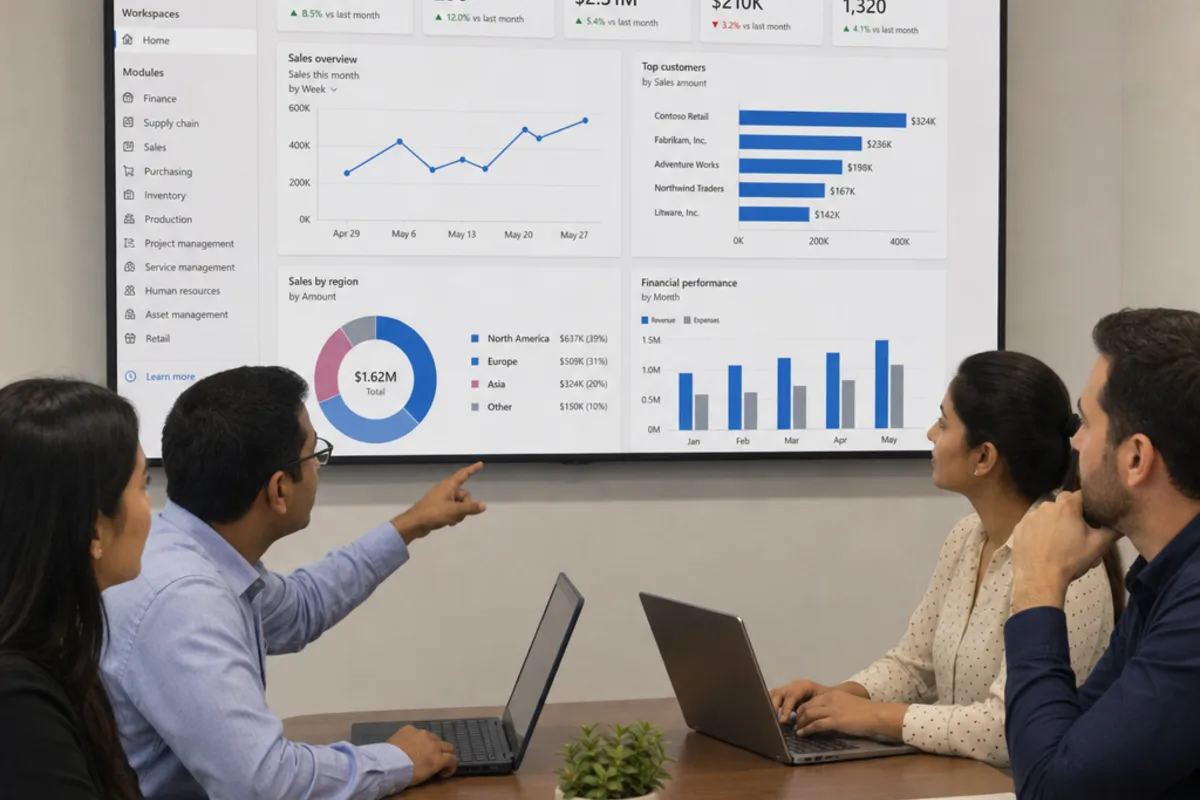
How do connected cloud workflows and automation help?
Connected cloud workflows help by putting approvals, data entry and reporting where people already work, so operational activity stops depending on somebody remembering to update a second system. That is the real advantage of the Microsoft ecosystem.
One of the major advantages of the ERP software Microsoft provides is the surrounding ecosystem. Dynamics 365 applications are designed to work alongside Microsoft 365, Power Platform, Power BI and Azure services, so organisations can connect everyday productivity with operational systems. Microsoft describes Business Central as running on the Microsoft Cloud, with role-based experiences, guided onboarding and access across desktop, tablet and mobile devices.
That ecosystem is valuable because ERP rarely lives alone. Finance might need approvals in Teams, operations may need mobile warehouse input, sales teams may need order visibility, and leaders may want Power BI dashboards. A well-planned Microsoft Dynamics ERP project looks at these touchpoints from the start rather than treating integration as an afterthought.
AI is also becoming part of the ERP conversation. Microsoft documentation for Dynamics 365 describes Copilot, AI agents and built-in AI capabilities across ERP and CRM, including support for analysing data, automating tasks and guiding decisions across finance and supply chain processes. Business Central guidance also describes Copilot capabilities for areas such as finance, inventory and company setup.
Business Central or Finance and Operations: which fits?
Business Central is generally the better fit for small and midsized organisations that need strong finance, sales, purchasing, inventory, projects and service management without the complexity of a large enterprise deployment. Finance and Operations, often discussed through Dynamics 365 Finance and Dynamics 365 Supply Chain Management, is usually a better fit for larger or more complex organisations with multi-entity finance, advanced manufacturing, sophisticated logistics, global compliance needs or high transaction volumes.
The choice should not be made by company size alone. A smaller specialist manufacturer may have more operational complexity than a larger services firm. Likewise, a fast-growing company may begin with Business Central but design its processes with future scale in mind.
A practical evaluation should consider:
- Process complexity: Are your finance, production, warehouse and compliance requirements standard, specialised or heavily customised?
- Entity structure: Do you operate across multiple companies, countries, currencies or tax regimes?
- Reporting depth: Do you need simple departmental reporting or detailed analysis across many operational dimensions?
- Integration pressure: How many external systems must connect to the ERP, and how business-critical are they?
- Change readiness: Can your team adapt to standard processes, or will extensive redesign and training be needed?
- Long-term roadmap: Will the system still fit after acquisitions, new plants, new product lines or international expansion?
For organisations moving from Microsoft Dynamics NAV, the evaluation also includes migration strategy. Microsoft guidance explains that migrating Dynamics NAV to Business Central online involves supported upgrade paths, preparation, data decisions and customisation considerations, including conversion of certain legacy customisations to extensions where required.
How does your industry shape the right ERP design?
Your industry shapes the right ERP design by deciding which processes carry the risk, and therefore which parts of the system must be strong rather than merely present.
Industry context should influence your Dynamics 365 design from day one. A distributor cares about stock accuracy, order fulfilment and pricing controls. A project services firm cares about resource utilisation, billing milestones and margin leakage. A regulated manufacturer may care most about traceability, quality checks, documentation and approval discipline.
A metals stockholder or fabricator, for example, may need to support variable product attributes, production planning, inventory visibility, subcontracting, pricing complexity and margin analysis. In regulated sectors such as aerospace and defence, the conversation may involve contract control, engineering change processes, compliance documentation and lifecycle management.
Translate those needs into practical questions: can the chosen platform, partner and extensions support controlled change, auditability, documentation and integration with the tools your engineers and compliance teams already use?
This is also where third-party and reporting connections matter. Some organisations need controlled financial and compliance reporting beyond the ERP screen. The right question is not only “Can it integrate?” but “Which data will move, who owns it, how will it be validated, and what happens during close, audit or regulatory reporting?”
How do Microsoft ERP consulting services improve implementation?
Dynamics 365 consulting services improve implementation by translating business requirements into a workable solution design, then guiding configuration, migration, testing, training and support. A capable Dynamics consultant does not simply switch on modules; they help the organisation decide which processes to standardise, which exceptions genuinely need customisation, and which risks must be solved before go-live.
This matters because ERP projects fail most often in the gaps between software capability and business reality. Legacy data may be messy. Departments may describe the same process differently. Custom reports may be relied upon but poorly documented. A consultant brings structure to that uncertainty.
A typical consulting engagement may include:
- discovery workshops with finance, operations, sales, procurement and leadership teams
- current-state process mapping and pain-point analysis
- fit-gap assessment against Dynamics 365 ERP capabilities
- solution architecture, integration planning and security design
- migration planning for customers, vendors, items, open transactions and historical data
- configuration, testing, user acceptance and training
- cutover planning, go-live support and post-launch optimisation
How do you choose partners with less risk?
You choose partners with less risk by assessing business judgement alongside technical skill, and by establishing exactly who owns which part of the delivery before anything is signed. Ambiguity there is the expensive kind.
When you engage Dynamics implementation consultants, evaluate both technical skill and business fit. Microsoft’s Cloud Solution Provider programme includes indirect and direct-bill models, and Microsoft notes that indirect resellers can work with distributors that provide support, billing and technical assistance, while direct-bill partners own more of the end-to-end customer relationship.
For the buyer, the important point is simple: understand who is responsible for what. The partner selling licences may not be the same team doing process design, development, data migration or long-term managed support. Ask direct questions before signing.
Use this checklist during selection:
- Relevant experience: Have they delivered projects for companies with similar operational complexity?
- Product clarity: Can they explain why Business Central, Finance, Supply Chain Management or another route is the right fit?
- Integration discipline: How will they handle Power Platform, reporting, warehouse, ecommerce or sector-specific connections?
- Data migration approach: Will they run test migrations and validate balances, master data and open transactions before cutover?
- Training plan: How will users learn new processes, not just new screens?
- Support model: What happens after go-live, and how are issues prioritised?
- Licensing guidance: Can they explain base and attach licensing in plain English?
On licensing, Microsoft’s Dynamics 365 guidance says that once a user has a base licence, they may be eligible to purchase additional Dynamics 365 apps at attach pricing. This can influence cost planning when a user needs access to more than one application, but the right combination should always be checked against current Microsoft licensing guidance.
A practical way to start your ERP evaluation
Before comparing demos, build a clear internal picture of what needs to improve. Gather the recurring pain points: slow close, unreliable inventory, duplicate data entry, disconnected sales and finance, weak project margin visibility, or reporting that depends on one person’s spreadsheet. Then decide which outcomes matter most in the first phase.
A simple starting plan is:
- List the processes that cause the most delay, cost or risk.
- Identify which systems currently hold customer, vendor, item, finance and transaction data.
- Decide which reports leadership cannot run confidently today.
- Separate must-have requirements from preferences.
- Map those needs to realistic product options before booking demos.
- Review implementation effort, integrations, licensing and support before committing.
The best ERP decision is rarely the flashiest demo. It is the option that fits your operating model, can be adopted by your people and gives the business room to grow.
If the shortlisting stage is where you get stuck, OpsMavix can help a business work out what it actually needs first, then weigh a platform such as Dynamics 365 against a purpose-built system on the same set of requirements.
Final takeaway
Dynamics 365 systems can give organisations a more connected, intelligent and controlled way to run finance and operations. Business Central, Dynamics 365 Finance, Supply Chain Management and related Microsoft applications each have a place, but the right choice depends on complexity, integrations, reporting needs and industry requirements.
If you are evaluating a new Dynamics 365 system or modernising from Dynamics NAV, start with the business outcomes first. With a clear scope, Dynamics 365 ERP can become a platform for better decisions, cleaner processes and more confident growth.
Define the scope beyond finance
Enterprise resource planning can cover many business processes, but the proposed licence and configuration decide what is actually included. List finance, inventory, production, project management and human resources separately. Ask the supplier to identify the application or extension responsible for each requirement.
For a cloud-based ERP project, confirm hosting, update responsibility and integration support. Access through a browser does not prove that every department is working from the same current record.
Test real-time data with a known event. Receive stock, record a cost or amend an order, then check the relevant report. Real-time insights should show when the source changed and what remains pending. That makes the report useful for a decision.
FAQ
What is Microsoft ERP, and is it one product?
Dynamics 365 is a family of business applications rather than a single product. It includes Dynamics 365 Business Central for small and midsized organisations, Dynamics 365 Finance for complex accounting, and Dynamics 365 Supply Chain Management for manufacturing and distribution operations. Dynamics NAV is the legacy predecessor to Business Central, now treated as a migration starting point.
Should we choose Business Central or Dynamics 365 Finance?
Choose Business Central when you need connected finance, sales, purchasing, inventory, projects and service without enterprise-scale complexity. Choose Dynamics 365 Finance when you run multiple legal entities, several currencies or tax regimes, or reporting structures a standard chart of accounts cannot carry. Decide on process complexity rather than headcount, because the two frequently disagree.
What happens to a business still running Dynamics NAV?
Dynamics NAV is the on-premise predecessor to Business Central, so the practical route is migration rather than a fresh selection. Microsoft documents supported upgrade paths, preparation steps, data decisions and customisation considerations, including converting certain legacy customisations into extensions. In most projects it is the accumulated bespoke code, not the data volume, that sets the timeline.
Does AI in Dynamics 365 remove the need for clean data?
No. Copilot and related AI features in Dynamics 365 can summarise information, draft content and suggest next actions, but they depend entirely on the records and rules underneath them. If stock figures are unreliable or approval routes are ambiguous, automation produces the wrong answer faster and makes it harder to trace. Fix the foundations first.
How should we compare a Microsoft ERP platform against a custom system?
Compare both against one written set of requirements drawn from your own processes, not from a vendor’s demo script. Ask which parts of your operation would have to change to fit standard functionality, and whether that change is an improvement or a compromise. Then weigh implementation effort, integrations, ongoing support and how easily each option adapts later.
How OpsMavix Can Help
OpsMavix builds owned operations systems for UK and US product businesses: stock, orders, production and reporting in one place, fixed price, no per-seat fees. If a Dynamics licence is more than the work needs, a right-sized system built around inventory or production tracking is the comparison worth running.
Contact OpsMavix with one end-to-end transaction and the handoffs that currently break. We will tell you plainly whether a focused build fits.
Keep reading
Getting value from OpsMavix? Add us as a preferred source on Google — you'll see more of our operations content in your AI Overviews, AI Mode and Search.