
ERP Implementation: How to Plan One That Actually Lands
Most ERP projects do not struggle because the software is wrong. They struggle because planning, data, integration and adoption were treated as afterthoughts. This guide sets out the risks that recur, the rollout approaches worth comparing, and how to keep an ERP implementation grounded in the business.
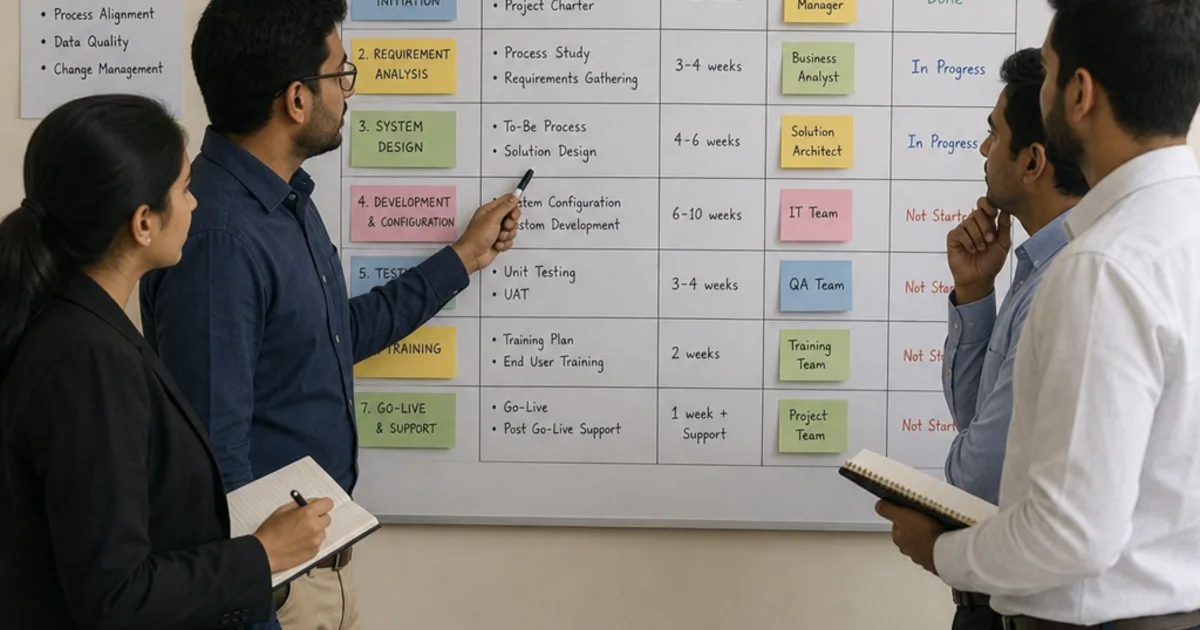
ERP implementation is the work of turning an agreed set of business processes into a configured, tested and adopted system, then moving the organisation onto it without losing control of orders, stock or money. It runs through recognisable phases: discovery, design, configuration and build, data migration, testing, training, cutover and hypercare.
The practical problem is that most of the risk sits between those phases. Requirements that nobody signed off become build rework. Data that nobody owned becomes a failed trial load. Tests written around the happy path miss the credit note, the part delivery or the closed period that real users hit in week one. This guide sets out a country-neutral method you can apply with any platform, including the roles, documents and checks that keep each phase honest.
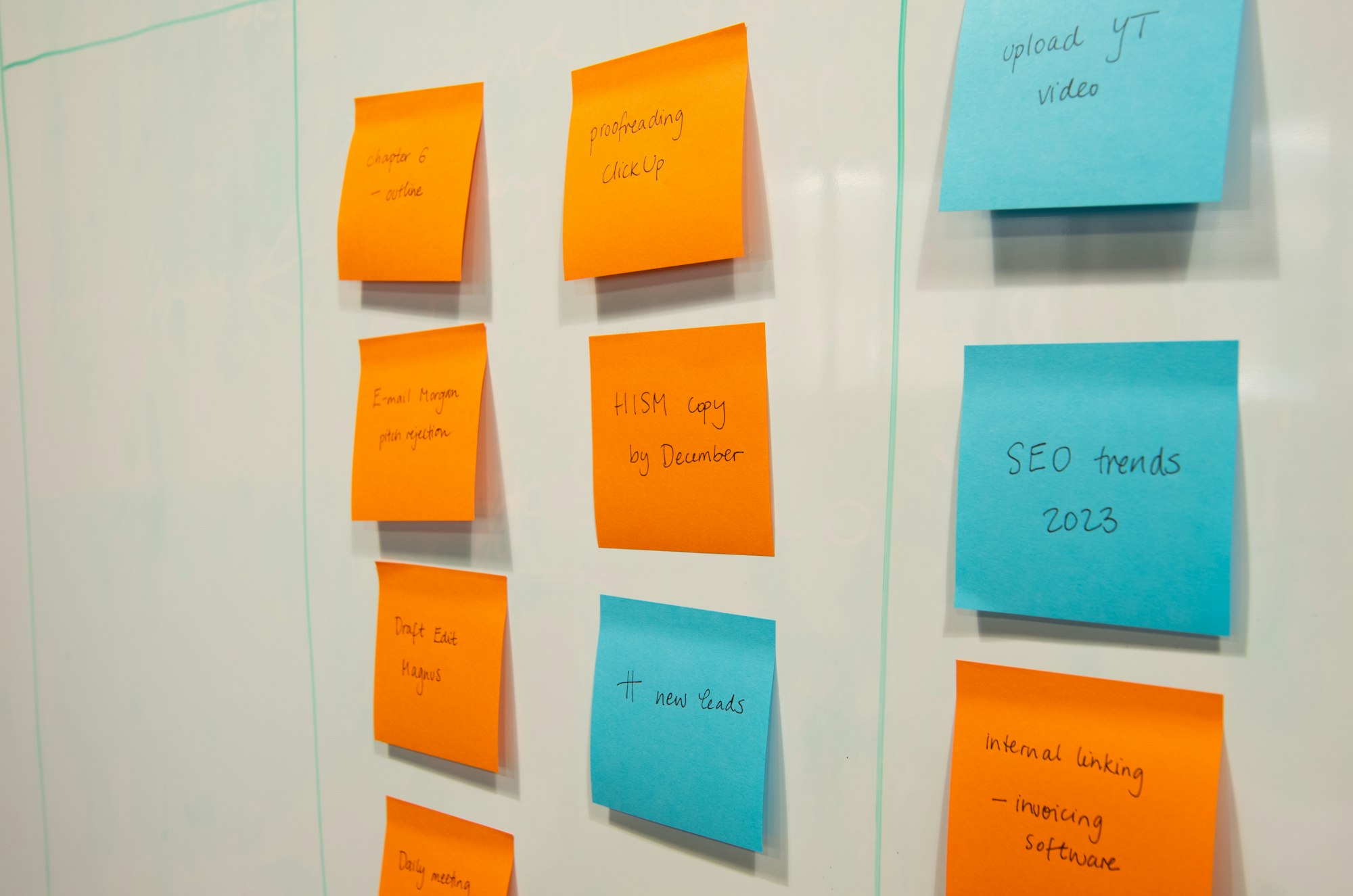
An implementation plan works when every task has an owner, a phase and an acceptance test. Illustrative photograph, not an OpsMavix project.
Image credit: Paymo, Unsplash License. No edits.
Key Takeaways
- Name a business owner, a project manager and process owners before discovery begins.
- Classify every requirement as standard, configured, extended or out of scope.
- Choose phased or big-bang rollout from process dependency, not preference.
- Reconcile every trial data load by record count and value before cutover.
- Write test scripts with expected results, including exceptions and reversals.
- Budget for internal time and contingency, not only external fees and licences.
In this guide:
- 1. Set Up Roles and Governance Before Discovery
- 2. Run Discovery and Design Against Real Processes
- 3. Configure and Build in Controlled Iterations
- 4. Choose Between Phased and Big-Bang Rollout
- 5. Migrate and Reconcile Data in Trial Loads
- 6. Write Testing Scripts That Prove the Process
- 7. Train Users, Cut Over and Run Hypercare
- 8. Keep a Risk Register and a Realistic Budget
- Frequently Asked Questions
- How OpsMavix Can Help
1. Set Up Roles and Governance Before Discovery
Understand what you are implementing
ERP connects processes and data across functions such as finance, purchasing, inventory, production and sales. Oracle’s ERP overview describes that general software category. The implementation is the change to how those functions work together, not just the installation.
Vendors publish their own methods. SAP Activate runs from Discover through Prepare, Explore, Realize and Deploy to Run. Microsoft describes Success by Design as guidance that sits alongside the project team’s chosen methodology. The names differ, but the underlying work is similar to the phases in this guide.
Name the roles that make decisions
| Role | Responsibility | Typical failure when missing |
|---|---|---|
| Executive sponsor | Owns the business case, resolves priority conflicts, approves scope changes | Decisions escalate with nowhere to land |
| Project manager | Runs the plan, risk register, status reporting and dependencies | Phases overlap without anyone tracking readiness |
| Process owners | Decide how each process should work and sign off design and tests | Consultants guess, then users reject the result |
| Data owners | Define cleansing rules, approve mappings and validate trial loads | Migrated data is loaded but not trusted |
| Key users or superusers | Test scenarios, help train colleagues and support hypercare | Training is generic and support queues overflow |
| Implementation team | Configure, build integrations, migrate data and fix defects | Internal staff absorb technical work they cannot sustain |
One person can hold more than one role in a smaller business. What matters is that each responsibility has a name against it and that the person has protected time.
Agree governance routines
Set a weekly working meeting, a fortnightly or monthly steering review and a written change control process. Every change request should record the requester, the reason, the effect on cost and timeline, and the decision. Keep a decision log so later phases can see why something was designed the way it was.
2. Run Discovery and Design Against Real Processes
Map the current process, including the workarounds
Discovery should document how work actually happens today: who creates a sales order, how stock is reserved, who approves a purchase, how month-end is closed. Collect real documents such as a recent order, a goods receipt, a supplier invoice and a stock adjustment. The spreadsheets people keep on the side are often the clearest evidence of a requirement the current system does not meet.
Classify every requirement
A fit-gap analysis turns a long wish list into decisions. Classify each requirement before build starts.
| Classification | Meaning | Design question |
|---|---|---|
| Standard | The packaged process already does this | Can the business adopt the standard flow? |
| Configured | Achievable through settings, workflows, fields or reports | Who maintains the configuration after go-live? |
| Extended | Needs an integration, script or custom application | Is the value worth the build, testing and upkeep? |
| Out of scope | Deferred or handled outside the ERP | Where will it live, and who owns it? |
Packaged ERP platforms bring established processes that many businesses can adopt with modest change. Extensions are sometimes justified, for example where a production or pricing process is a genuine differentiator. Each one adds testing and upgrade work, so record the reason.
Produce design documents that can be tested
The output of design should be specific enough to test against: process flows, data definitions, approval rules, report specifications, integration specifications and role permissions. If a design statement cannot be turned into a test with an expected result, it is not finished.
3. Configure and Build in Controlled Iterations
Build in short cycles with demonstrations
Split configuration and development into short iterations, each ending with a demonstration to process owners using realistic data. Early demonstrations surface misunderstandings while they are still cheap to correct.
Separate environments and control releases
Keep at least a development or configuration environment, a test environment and production. Changes should move between them through a recorded release, so that what was tested is what goes live. Uncontrolled changes made directly in a test environment are a common cause of defects that reappear after cutover.
Treat integrations as their own workstream
Each interface needs a specification: which system owns the record, what triggers a transfer, how often it runs, what happens on failure and who monitors it. For a deeper look at one common interface, see ERP and WMS integration.
Build checklist
- Every configured process maps to a signed design document.
- Every extension has a recorded business reason and an owner.
- Integration failures produce a visible error that someone is responsible for clearing.
- Role permissions match the agreed segregation of duties.
- Reports show their filters, cutoff and source records.
- Configuration and code changes are released through a controlled path.
4. Choose Between Phased and Big-Bang Rollout
Compare the two approaches
| Factor | Phased rollout | Big-bang rollout |
|---|---|---|
| How it works | Go live by module, site or business unit in stages | Move the whole organisation on one date |
| Risk profile | Risk is spread across smaller events | Risk is concentrated on one event |
| Temporary interfaces | Often needed between new and legacy systems | Usually avoided |
| Overall duration | Longer, with repeated cutovers | Shorter elapsed timeline |
| Learning | Each stage informs the next | Limited chance to learn before full exposure |
| Support demand | Spread over several hypercare periods | One intense hypercare period |
| Best suited to | Separable sites or modules, limited support capacity | Tightly connected processes, short-lived legacy |
Decide from process dependency
Ask how tightly the processes are linked. If sales orders, stock, purchasing and finance share the same records every hour, splitting them across two systems may need fragile temporary interfaces. If two sites operate independently, a pilot site can prove the design before the second goes live.
Also consider whether the legacy system can safely run in parallel, how much support capacity is available at launch, and how reporting will work while some areas are on the new system and others are not.
5. Migrate and Reconcile Data in Trial Loads
Decide what moves
Separate master data (customers, suppliers, items, chart of accounts, bills of materials) from open transactions (unpaid invoices, open orders, stock on hand) and history. Many projects migrate opening balances and open items, then keep the legacy system or an archive available for historic look-up. Data owners should approve the scope in writing.
Cleanse, map and load in rehearsals
Agree mapping rules for every field, including codes, units of measure and mandatory values. Then run trial loads into the test environment. Each trial should be timed, because the final load must fit inside the cutover window.
Work through a hypothetical reconciliation
Assume a hypothetical distributor migrates open customer invoices and stock on hand in a first trial load.
| Data set | Legacy count | Loaded count | Legacy value | Loaded value | Difference |
|---|---|---|---|---|---|
| Open customer invoices | 1,284 | 1,279 | £412,350 | £409,870 | 5 records, £2,480 |
| Stock on hand (SKUs) | 3,412 | 3,409 | £286,940 | £286,515 | 3 records, £425 |
The five missing invoices and three missing SKUs must be explained before the next trial. Typical causes include a customer code that failed mapping, a unit of measure not set up in the new system or a record excluded by an over-broad filter. Fix the cause in the mapping rules, not by editing the loaded data by hand.
A trial load passes only when counts and values match, or every difference is explained and accepted by the data owner. Keep the reconciliation as evidence for go/no-go.

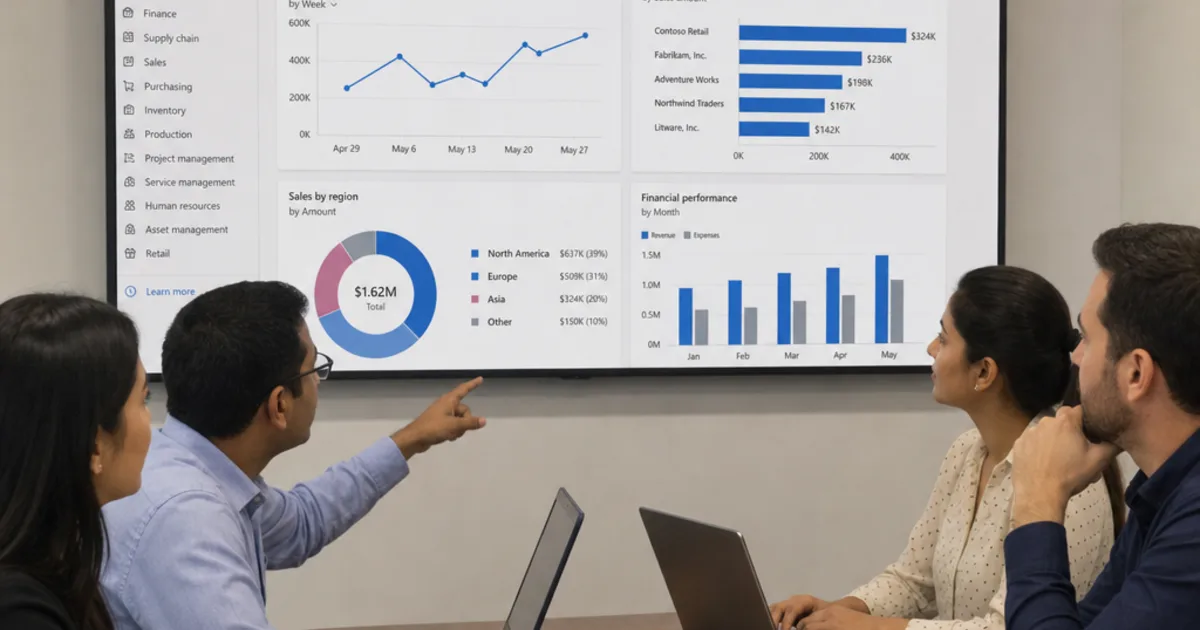
Trial loads and user acceptance tests need process and data owners in the room together. Illustrative photograph, not an OpsMavix client meeting.
Image credit: Paymo, Unsplash License. No edits.
6. Write Testing Scripts That Prove the Process
Use distinct test levels
| Test level | What it proves | Who runs it | Exit criterion |
|---|---|---|---|
| Unit or configuration test | One setting, rule or development behaves as specified | Implementation team | Specified behaviour confirmed |
| System integration test | End-to-end processes and interfaces work together | Implementation team with key users | No open critical defects |
| User acceptance test | Real users can complete real scenarios | Process owners and key users | Process owners sign off |
| Cutover rehearsal | The go-live sequence fits the window | Project manager and team | Timed runbook completed |
Write scripts with expected results
A useful test script names the scenario, the starting data, each step, the expected result and the evidence to keep. Here is a hypothetical example for a part delivery.
| Step | Action | Expected result |
|---|---|---|
| 1 | Raise purchase order for 100 units at £8.50 each | Order total £850, status approved |
| 2 | Receive 60 units against the order | Stock rises by 60, 40 remain on order |
| 3 | Post supplier invoice for 60 units | Invoice £510 matches receipt, ready for payment |
| 4 | Cancel the remaining 40 units | Order closed, no outstanding commitment |
| 5 | Run the open purchase order report | The order no longer appears |
The arithmetic matters: 60 units at £8.50 is £510, and 40 units at £8.50 (£340) should disappear from commitments when cancelled. A test that checks only that the invoice posted would miss a commitment left open.
Include the exceptions
Add scripts for credit notes, returns, price differences, duplicate interface messages, closed accounting periods and permission failures. Real users meet these cases in the first weeks, and they are where untested configuration usually breaks.
7. Train Users, Cut Over and Run Hypercare
Train by role, close to go-live
Train each group on the tasks it performs, using the test environment and migrated data. Short role-based guides for frequent tasks are more useful than a long manual. Superusers should be trained first so they can support colleagues.
Write and rehearse a cutover runbook
A cutover runbook lists every step from the legacy freeze to the first live transaction, with an owner, a start time, a duration and a check. Typical steps include freezing legacy transactions, extracting final data, loading, reconciling, switching integrations on and confirming access. Rehearse it at least once so the timings are evidence, not estimates.
Hold a go/no-go review
Before cutover, check the agreed criteria: user acceptance signed off, no open critical defects, the latest trial load reconciled, users trained, support rota confirmed and a fallback plan agreed. If a criterion is not met, the review should be able to delay go-live without blame.
Run hypercare as a defined period
Hypercare is the period of heightened support straight after go-live. Set its length in advance, staff a visible help channel, triage issues daily by business impact and track them to closure. Exit hypercare when issue volumes and severity have fallen to an agreed level and ownership passes to normal support.
8. Keep a Risk Register and a Realistic Budget
Score and own each risk
A simple register scores likelihood and impact from 1 to 5 and multiplies them. Review it at every steering meeting.
| Risk | Likelihood | Impact | Score | Owner | Mitigation |
|---|---|---|---|---|---|
| Key users unavailable for testing | 4 | 4 | 16 | Executive sponsor | Book test weeks and backfill in advance |
| Legacy data quality worse than expected | 3 | 5 | 15 | Data owner | Profile data in discovery, add a trial load |
| Integration partner slips delivery | 3 | 4 | 12 | Project manager | Contractual dates and an early interface test |
| Cutover overruns the window | 2 | 5 | 10 | Project manager | Timed rehearsal and a fallback decision point |
| Scope growth during build | 3 | 3 | 9 | Executive sponsor | Change control with cost and timeline impact |
Work through a hypothetical budget and timeline
Assume a hypothetical business of about 60 users replacing separate accounts, stock and order tools. All figures are illustrative assumptions for planning, not quotations or market prices.
| Phase | Weeks | External cost |
|---|---|---|
| Mobilise, discovery and design | 1 to 8 | £18,000 |
| Configuration, build and integrations | 9 to 18 | £42,000 |
| Data migration (three trial loads and final load) | 12 to 26 | £12,000 |
| System integration and user acceptance testing | 19 to 24 | £15,000 |
| Role-based training | 23 to 25 | £6,000 |
| Cutover (week 26) and hypercare | 26 to 30 | £9,000 |
| External services subtotal | £102,000 |
Phases overlap, so the plan runs to 30 weeks rather than the sum of each phase’s duration.
| Budget line | Assumption | Amount |
|---|---|---|
| External services | From the table above | £102,000 |
| Licences or hosting, first year | Hypothetical allowance | £30,000 |
| Internal time | 4 people at 40% for 30 weeks, £1,000 per person-week | £48,000 |
| Subtotal | £180,000 | |
| Contingency | 15% of subtotal | £27,000 |
| Total budget | £207,000 |
The internal time line is 4 × 0.4 × 30 = 48 person-weeks, which at £1,000 each is £48,000. Many budgets leave this out, then compress testing when people cannot be released. If a fourth trial load costs a hypothetical £4,000, contingency falls to £23,000, which is exactly why it exists. For what moves real quotes, see what drives ERP price. For UK-specific planning, partners and compliance points, see our ERP implementation UK guide.
Frequently Asked Questions
What are the main phases of ERP implementation?
Discovery, design, configuration and build, data migration, testing, training, cutover and hypercare. Data migration and training usually run alongside build and testing rather than after them.
How long does an ERP implementation take?
It depends on scope, number of integrations, data quality, testing effort and the time key users can give. Build the timeline from those inputs and agreed acceptance criteria rather than a generic duration.
Who should own an ERP implementation?
The business should. An executive sponsor owns the outcome and priorities, process owners own design and acceptance, and the implementation team owns delivery of the agreed scope.
Is a phased rollout safer than big-bang?
Not automatically. A phased rollout spreads risk but can require temporary interfaces and repeated cutovers. Big-bang suits tightly connected processes if testing, data and training are genuinely ready.
How many trial data loads should we run?
Enough that a load reconciles fully and fits inside the cutover window. Many projects plan several rehearsals, adding another when a trial reveals new mapping problems.
What is hypercare?
A defined period of heightened support immediately after go-live, with a visible help channel, daily triage and agreed exit criteria before handing over to normal support.
What belongs in a test script?
The scenario, starting data, each step, the expected result and the evidence to keep. Include exceptions such as credits, returns, part deliveries and permission failures.
Should we customise the ERP to match our processes?
Adopt standard processes where they fit, configure where settings allow, and extend only where the value justifies the build, testing and upkeep. Record the reason for every extension.
Can OpsMavix build a full custom ERP?
Yes. OpsMavix can build focused applications or a full custom ERP, and can configure or integrate suitable existing tools where those approaches fit the requirements.
How OpsMavix Can Help
OpsMavix can map your current order, stock, production and finance processes, classify the gaps, and define the scope that each implementation phase needs to deliver.
That may mean connecting the tools you already use, adding an inventory automation system, wholesale order management, manufacturing production tracking or a project operations dashboard, or building a full custom ERP.
Contact OpsMavix with your current process maps or spreadsheets, a sample of the data you would migrate and the handoffs that cause the most rework. We can use that evidence to define requirements and a practical pilot.
Keep reading
Getting value from OpsMavix? Add us as a preferred source on Google — you'll see more of our operations content in your AI Overviews, AI Mode and Search.