
ERP Benefits: How One Connected System Removes Everyday Friction
The real value of an ERP is not new software. It is removing the friction caused by disconnected spreadsheets, duplicated work and unclear ownership. This guide covers where the benefits actually come from, which teams feel them first, and what has to be true for them to arrive.
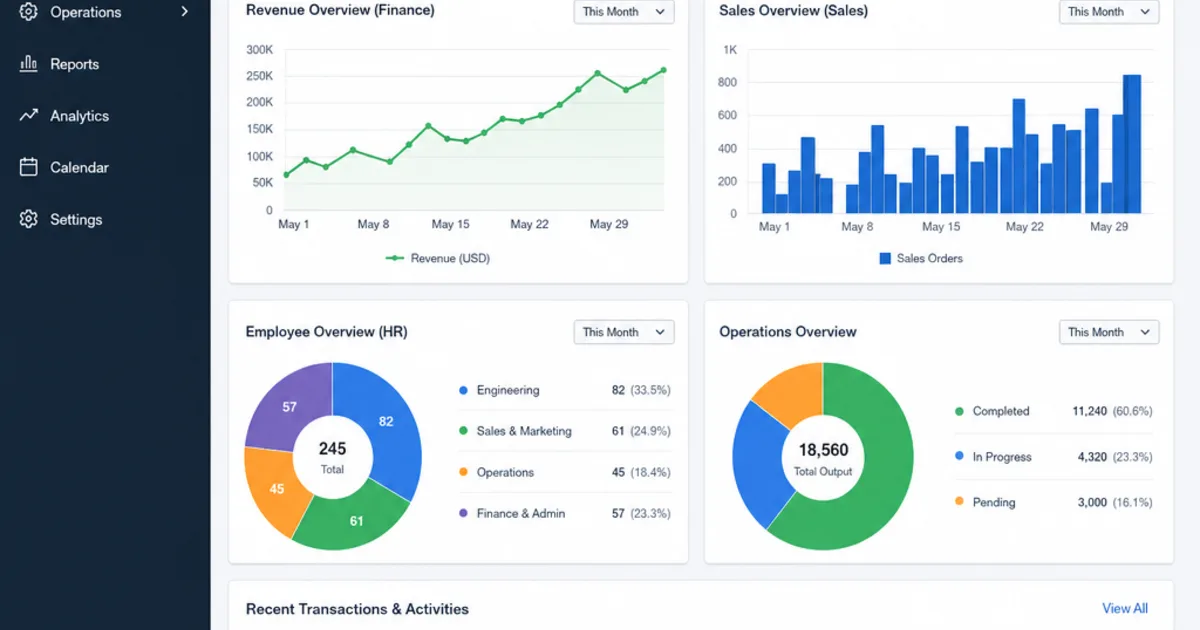
An ERP platform brings core business functions into one connected environment, helping teams work from the same data, follow consistent processes and make faster decisions. The real value is not simply having new software; it is removing the everyday friction caused by disconnected spreadsheets, duplicated work and unclear ownership. For growing organisations, the strongest ERP benefits usually appear when finance, operations, sales, HR and leadership can see what is happening across the business without waiting for manual updates.
What makes ERP so valuable for business efficiency?
ERP improves business efficiency by unifying information, automating routine tasks and standardising how work moves between departments. Instead of each team relying on separate tools or local files, an enterprise resource planning system creates a shared source of truth for transactions, stock, customer records, employee data, reporting and operational workflows. That means fewer handovers, fewer errors and less time spent checking whether the numbers are correct.
This matters because inefficiency is often hidden in small delays. A sales order needs finance approval. Finance needs stock information from operations. Operations needs customer details from sales. When these steps happen in separate systems, people chase updates, rekey information and make decisions with partial visibility. ERP reduces that drag by linking the process end to end.
How does a single source of truth reduce errors and delays?
A single source of truth removes the gap between what one team believes and what another team recorded, so there is nothing left to reconcile and no stale copy to act on by mistake.
One of the main advantages of enterprise resource planning is the way it consolidates data across the organisation. When everyone uses the same platform, records are easier to maintain, reports become more consistent and teams spend less time reconciling conflicting information. This is especially useful for businesses that have outgrown standalone accounting software, spreadsheets or departmental apps.
For example, if a customer order is entered into the system, it can automatically affect stock availability, invoicing, fulfilment and revenue forecasting. That is far more efficient than asking each team to update its own records separately. The benefits of ERP system adoption become clearer when employees no longer have to ask, “Which version of this data is correct?”
Reliable information also supports better accountability. Managers can see bottlenecks, overdue tasks and process gaps earlier. Rather than waiting for month-end reporting or informal status updates, leaders can respond while the issue is still manageable.
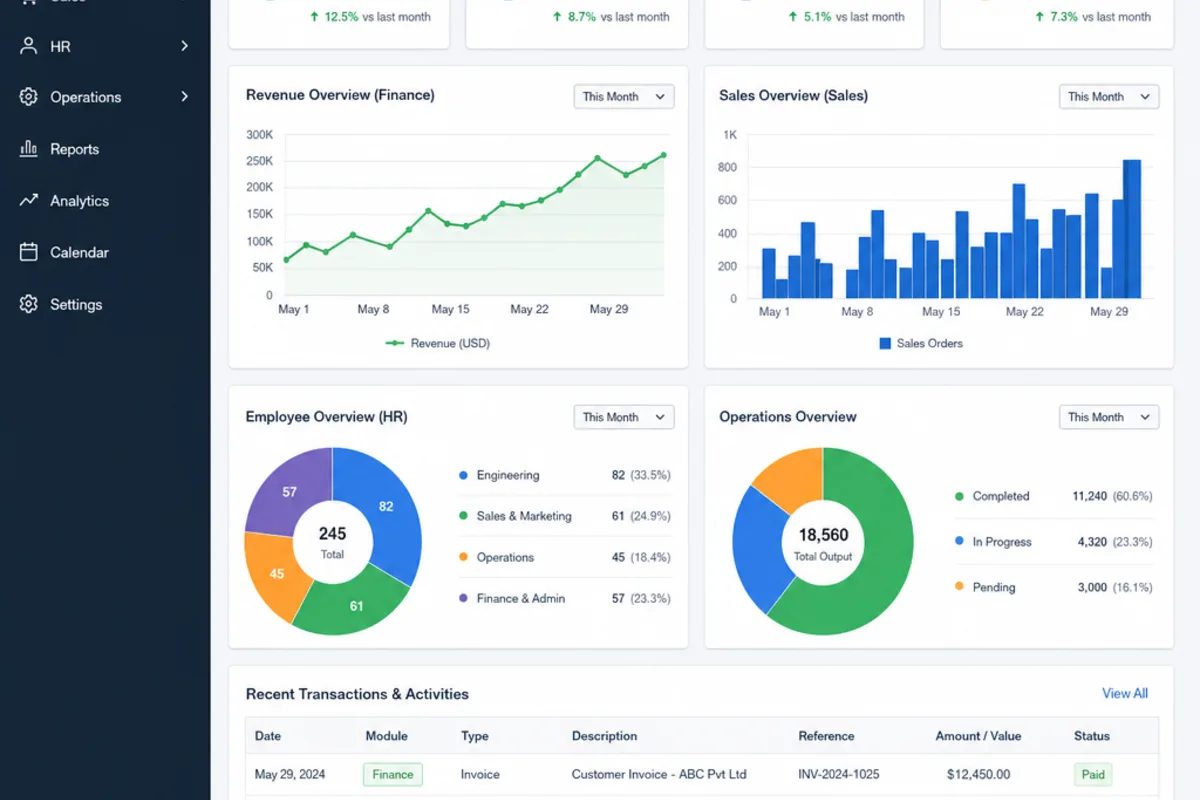
How does ERP automation reduce admin work?
ERP automation reduces admin work by performing the repeatable steps that currently depend on someone remembering to do them: copying data between records, generating documents from existing information and moving items through defined approval routes.
Many businesses lose hours each week to repetitive manual tasks: entering the same data twice, creating invoices from order details, updating stock records, matching purchase orders, preparing payroll files or compiling reports. ERP can automate many of these steps, reducing manual effort and improving consistency.
Automation does not remove the need for skilled employees. It gives them more time for higher-value work, such as analysing trends, improving customer service, negotiating with suppliers or planning capacity. This is one of the practical advantages of using ERP: people can focus on judgement and improvement rather than administration.
Common areas where ERP automation improves efficiency include:
- Order processing: Sales orders can trigger checks for stock, credit limits, fulfilment status and invoicing.
- Finance workflows: Approvals, journal entries, reconciliations and reporting can become more structured and less dependent on manual follow-up.
- Inventory management: Stock movements can update automatically as goods are received, picked, shipped or returned.
- HR and payroll: Employee records, absence tracking, timesheets and payroll inputs can be managed with fewer disconnected files.
- Procurement: Purchase requests, supplier approvals and purchase orders can follow defined workflows.
The best results come when automation is designed around real business processes rather than simply copying old manual habits into a new system.
Better collaboration across departments
A business process rarely belongs to one team from start to finish. A product launch might involve purchasing, warehousing, marketing, sales, finance and customer support. A hiring decision might affect HR, payroll, IT access, department budgets and workforce planning. ERP makes these cross-functional processes easier to manage because teams are working from connected information.
This is where the merits of ERP go beyond basic productivity. A shared system encourages standardised processes, clearer responsibilities and smoother handovers. When a task changes status, the next person in the workflow can act without waiting for an email chain or a spreadsheet update.
Collaboration also improves because ERP reduces the need for informal workarounds. If employees trust the system, they are less likely to build side spreadsheets, duplicate customer lists or private trackers. That strengthens data quality and helps the organisation behave as one business rather than a collection of separate departments.
How does ERP improve decision-making?
ERP improves decision-making by giving leaders more timely, complete and consistent information about performance. Instead of relying on delayed reports or manually assembled figures, managers can monitor sales, costs, inventory, cash flow, production activity and workforce information in one environment. This makes it easier to identify trends, compare options and act with confidence. Strictly, that reporting job belongs to the management information layer that sits on the ERP’s records; our ERP vs MIS guide shows where one ends and the other starts.
The enterprise resource planning system benefits are especially clear when business conditions change quickly. If demand rises, leaders can assess stock levels, supplier lead times and capacity. If margins are under pressure, finance and operations can examine cost drivers more quickly. If customer service issues increase, teams can trace whether the cause sits in fulfilment, product availability, billing or communication.
Good ERP reporting also supports forecasting. Historical data, live operational information and standardised reporting structures can help teams plan budgets, procurement, staffing and production more effectively. The system does not make decisions on its own, but it gives people a stronger foundation for making them.
Functional benefits across the business
The advantages of ERP are easier to understand when you look at the impact on specific teams. While every implementation is different, the following examples show how a connected system can improve everyday work.
Finance gains control and visibility
Finance teams often benefit from automated accounting workflows, clearer approval trails, faster reconciliations and more consistent reporting. ERP can help reduce reliance on manual spreadsheet consolidation, especially where the business has multiple departments, locations, entities or currencies. The result is better financial control and fewer delays in producing management information.
Sales and marketing see the customer journey more clearly
When ERP connects with customer relationship management, sales teams can see account history, order status, pricing information and fulfilment updates more easily. Marketing can plan campaigns with a better understanding of customer behaviour and product availability. This joined-up view can improve responsiveness and reduce the risk of promising what the business cannot deliver.
HR manages people processes more consistently
For HR teams, ERP can support employee records, payroll inputs, absence tracking, training information and workforce planning. A centralised approach reduces duplicated records and helps managers follow consistent processes. This is particularly valuable as teams grow and informal people-management methods become harder to sustain.
Operations and manufacturing track work from demand to fulfilment
Operational teams can use ERP to connect planning, procurement, production, stock and fulfilment. In manufacturing or distribution environments, this can improve visibility over materials, work in progress, delivery commitments and capacity constraints. Better visibility helps teams prioritise work and respond earlier when supply or production issues arise.
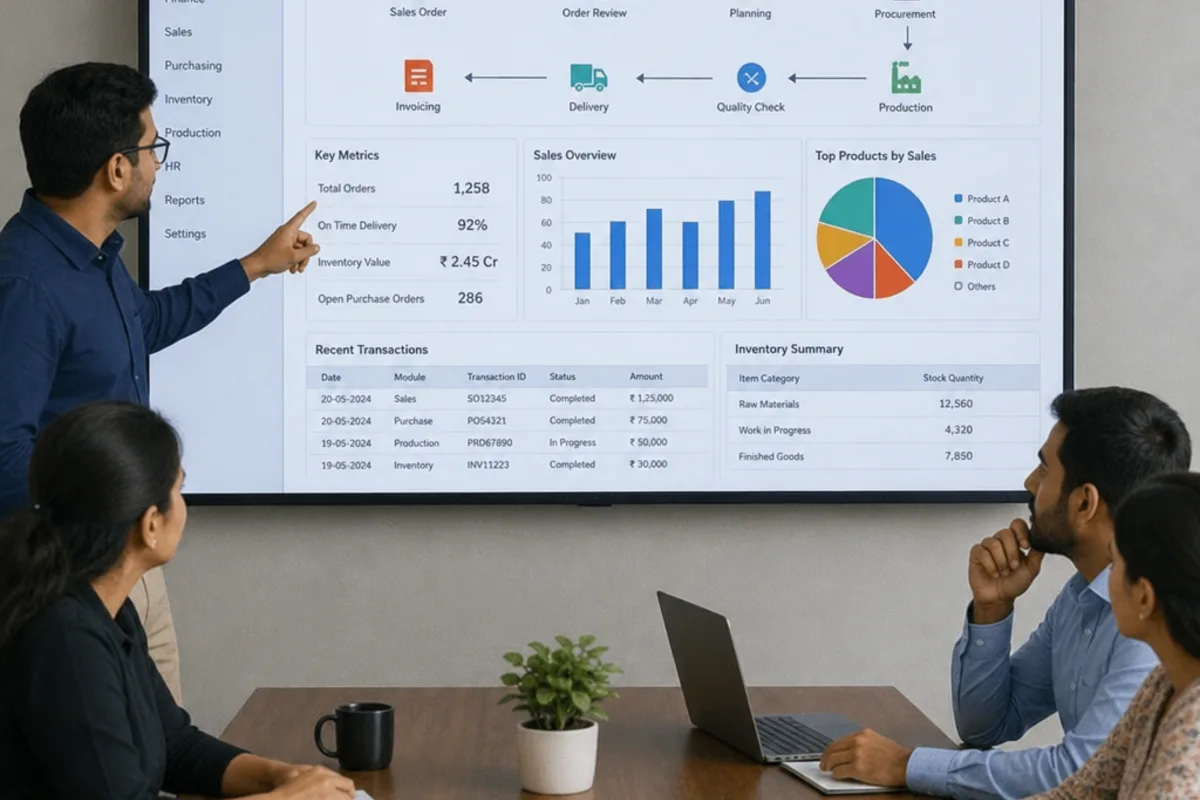
Scalability and adaptability support growth
One of the long-term benefits of using ERP is that it can create a more scalable operating model. As a business grows, informal processes often become fragile. What worked for a team of ten may not work for several departments, multiple sites or a larger customer base.
Modern ERP platforms are often modular, allowing businesses to expand functionality over time. A company might begin with finance and inventory, then add procurement, HR, manufacturing, CRM or advanced reporting when the need is clear. Cloud-based ERP can also make it easier to support remote teams, additional locations and changing transaction volumes without rebuilding the operating model from scratch.
Scalability is not just technical. ERP encourages process discipline. When roles, approvals and workflows are documented in the system, new employees can follow a clearer structure and managers can maintain control as complexity increases.
Integration determines how much value ERP delivers
ERP works best when it connects with the wider tools a business depends on. For some organisations, that might include eCommerce platforms, fulfilment systems, payment tools, customer portals, warehouse technology or specialist industry software. If those connections are weak, employees may still need to copy data between systems, which limits the benefits of using ERP.
Before selecting or redesigning an ERP environment, businesses should map where information enters, moves and leaves the organisation. This helps reveal where integration matters most. For example, an online retailer may need orders from its website to flow into stock, fulfilment and finance processes. A service business may need project, billing and resourcing data to connect cleanly.
Useful integration questions include:
- Which systems create the most important business data?
- Where do employees currently re-enter the same information?
- Which manual handovers cause delays, errors or customer complaints?
- Which reports take too long because data sits in different places?
- Which external partners, portals or platforms need reliable data exchange?
Answering these questions early can prevent an ERP project from becoming just another isolated system.
What challenges should businesses expect with ERP?
ERP implementation can be expensive, time-consuming and disruptive if it is not planned carefully. Common challenges include upfront costs, data migration, process redesign, user training, change management, integration complexity and ongoing system maintenance. These challenges do not remove the advantages of using ERP, but they do affect timing, return on investment and adoption.
The biggest risk is treating ERP as a purely technical project. In reality, it changes how people work. If teams do not understand the reason for the change, or if the new processes feel harder than the old ones, employees may resist adoption or create workarounds. That can weaken data quality and reduce the expected efficiency gains.
Data migration also needs attention. Old systems often contain duplicate, incomplete or inconsistent records. Moving poor-quality data into a new platform can create problems from day one. Businesses should allow time to clean, standardise and validate key information before go-live.
To reduce risk, focus on these practical steps:
- Define the business case clearly: Link the project to specific problems, such as slow reporting, stock inaccuracies or duplicated administration.
- Prioritise processes before features: Decide how work should flow before configuring the system.
- Involve real users early: Ask the people who run daily processes where delays and exceptions occur.
- Plan training by role: Finance, sales, operations and HR teams need guidance that reflects their actual tasks.
- Clean data before migration: Remove duplicates, fix incomplete records and agree naming conventions.
- Phase the rollout where sensible: A staged approach can reduce disruption and give teams time to adapt.
- Measure outcomes after launch: Track whether reporting, processing time, accuracy or visibility has improved.
When does ERP deliver the strongest return?
ERP delivers the strongest return when a business has enough complexity for disconnected systems to have become genuinely costly, and enough commitment to standardise its processes rather than rebuild the old ones inside new software.
ERP is most valuable when a business has enough complexity for disconnected systems to become costly. If teams are already struggling with duplicated data, slow reporting, manual approvals or poor visibility, ERP may offer a strong foundation for improvement. The return is usually strongest when the organisation is ready to standardise processes, invest in adoption and use the system as a management tool rather than only an IT upgrade.
Businesses may be ready for ERP when they notice signs such as:
- Teams rely on spreadsheets to bridge gaps between systems.
- Managers wait too long for accurate operational or financial reports.
- Employees enter the same information into multiple tools.
- Stock, order or customer data is frequently questioned.
- Growth is creating more exceptions, approvals and process variation.
- Leaders cannot see performance clearly across departments or locations.
The decision should balance cost and complexity against the operational pain ERP can solve. Smaller organisations with simple processes may not need a full system immediately. Larger or fast-growing businesses, however, may find that delaying ERP increases hidden costs through errors, delays and missed opportunities.
A more efficient business starts with better connected work
The main ERP benefits come from connection: connected data, connected teams and connected decisions. By bringing finance, sales, HR, operations and reporting into one system, ERP can reduce manual work, improve visibility and give leaders stronger control over performance.
The benefits of ERP system adoption are not automatic. They depend on clear goals, good data, thoughtful integration and people who are supported through change. When those foundations are in place, the advantages of ERP become practical and measurable in everyday work: fewer delays, cleaner information, faster decisions and a business that is better prepared to grow.
FAQ
What is the main benefit of an ERP system?
The main benefit is connection. Bringing finance, sales, HR, operations and reporting into one environment means teams work from the same data, follow consistent processes and stop reconciling conflicting records. That produces fewer delays, fewer errors and faster decisions, because the overhead wrapped around the work shrinks even though the work itself remains.
How does ERP reduce manual administration?
ERP automates the repeatable steps that currently depend on someone remembering them, such as copying data between records, generating invoices from order details, updating stock as goods move and routing approvals. That does not replace skilled employees. It returns hours each week for analysis, customer service, supplier negotiation and capacity planning instead of rekeying.
Does ERP actually improve decision-making?
Yes, by giving leaders timely, complete and consistent performance information rather than delayed or manually assembled figures. Managers can monitor sales, costs, inventory, cash flow, production and workforce data together, which makes trends easier to spot. The system does not decide anything itself, but it gives people a stronger foundation for judgement.
What is the biggest risk in an ERP implementation?
Treating it as a purely technical project. ERP changes how people work, so if teams do not understand the reason for the change, or the new process feels harder than the old one, they resist adoption or build workarounds. Poor-quality migrated data is the other common failure, damaging trust from day one.
When is a business ready for ERP?
When complexity has made disconnected systems costly. Typical signs include spreadsheets bridging gaps between tools, slow reporting, the same information entered into several systems, data that gets questioned rather than trusted, and leaders who cannot see performance across departments or locations. Readiness also means willingness to standardise processes.
Keep reading

Getting value from OpsMavix? Add us as a preferred source on Google — you'll see more of our operations content in your AI Overviews, AI Mode and Search.