
Ecommerce Order Management Process Flow: From Click to Dispatch
A clear, step-by-step map of the ecommerce order management process flow, from order received to payment, inventory check, pick and pack, ship and returns. It shows exactly where manual handoffs and overselling creep in across channels, and how to close each gap with a right-sized owned system for a business that has outgrown spreadsheets and disconnected tools.
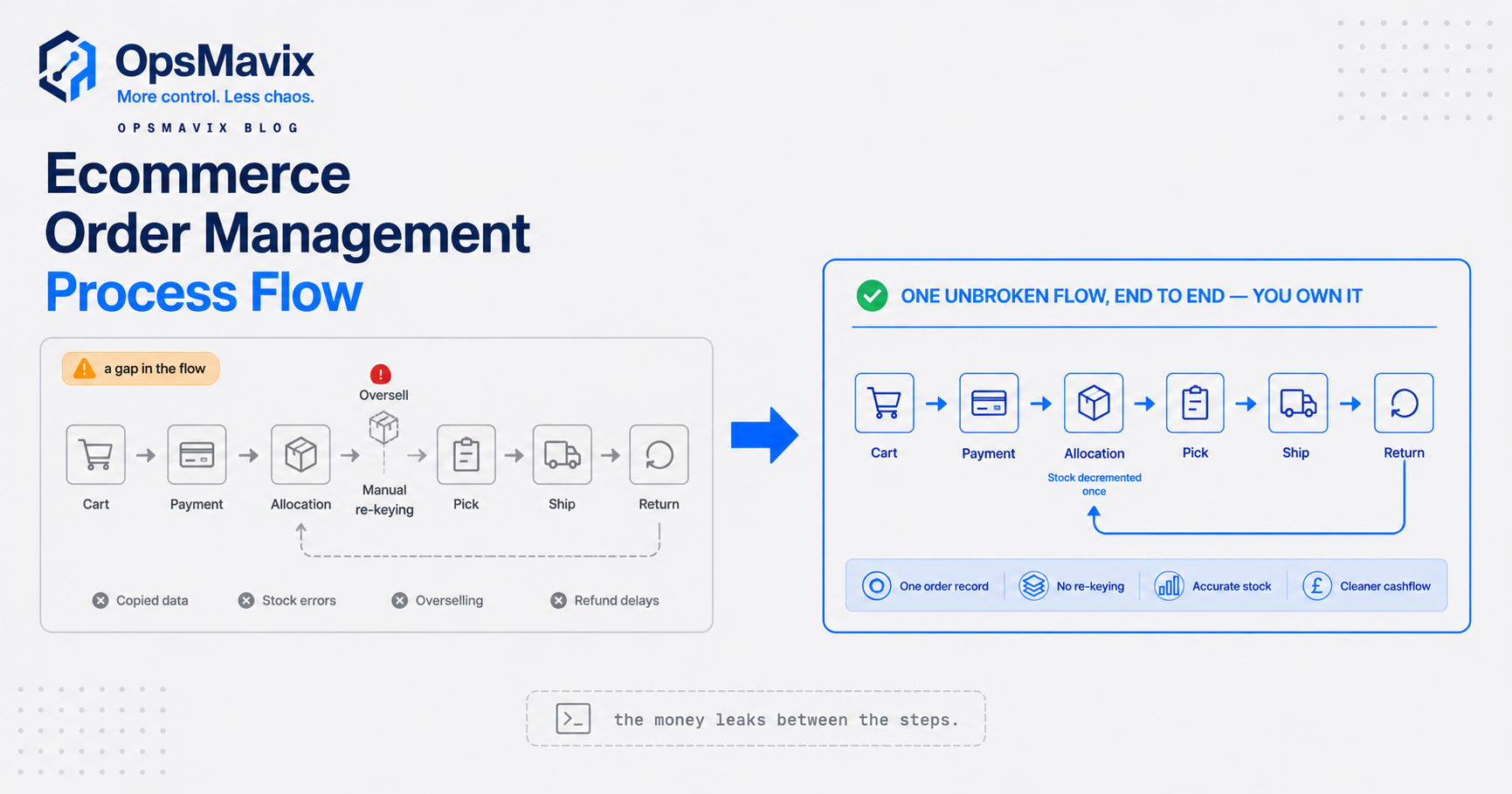
The ecommerce order management process flow is the path a single order takes from the moment a customer clicks “buy” to the moment the parcel leaves your door, and then back again if it comes as a return. On paper it looks tidy: order in, stock checked, item picked, box shipped. In a real operation running across a website, Amazon, eBay and maybe a wholesale line, it is rarely that clean. Orders arrive in five different inboxes. Someone re-types them into the courier tool. Stock numbers on one channel lag behind the warehouse by a few hours, and by the time anyone notices, you have sold three of something you have one of.
Most guides draw the flow as a neat diagram and stop there. That is not useful when you are the one deciding whether to keep patching it with spreadsheets, buy a bigger tool, or build something around how you actually run. This guide maps the full flow step by step, then does the thing the diagrams skip: it shows you exactly where the handoffs break, what each break costs, and the honest options for closing the gap.
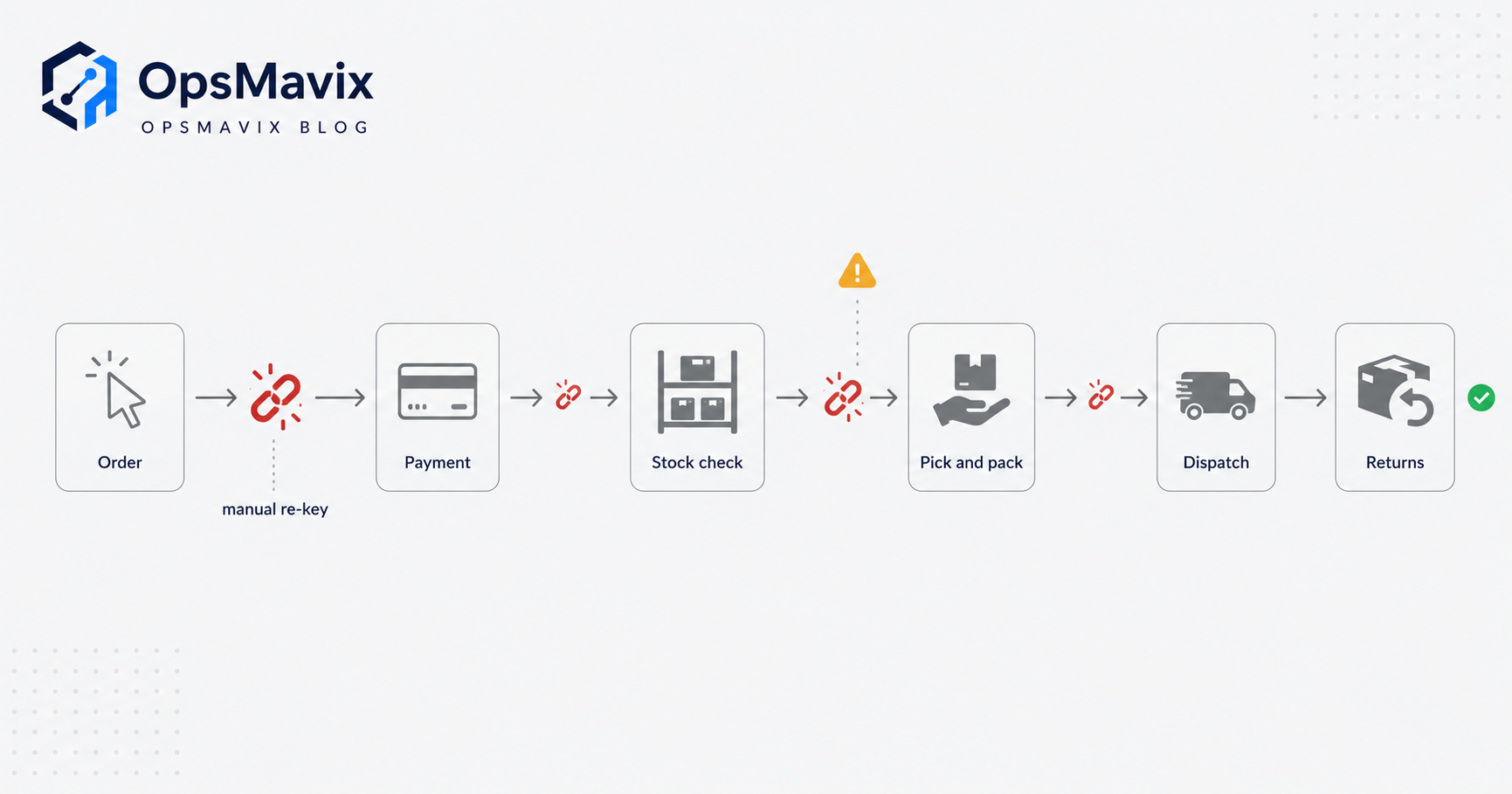
What the process flow actually is
Order management is the coordination layer that sits between your sales channels and your warehouse. It receives an order, confirms you can actually fulfil it, reserves the stock, tells the warehouse what to pick, produces a shipping label, and keeps the customer and your accounts in the loop the whole way. The process flow is simply that sequence written down as steps, with clear owners and clear triggers between each one.
The reason it matters more for ecommerce than for a single-shopfront business is volume and fragmentation. A shop takes one order at a time at one till. An online operation takes orders around the clock, from several channels that each have their own format, their own status codes and their own idea of what your stock level is. The flow is the thing that stops those channels from contradicting each other. When it is tight, an order placed at 2am on eBay is picked, packed and tracked without anyone touching a keyboard. When it is loose, the same order sits in a queue until someone spots it, copies it somewhere, and hopes the stock is still there.
You are almost certainly already sold on the idea that this should be organised. The real question is how tight the flow needs to be for your volume, and what happens at the joints between steps. That is where the cost lives.
The full flow, step by step
Here is the flow most ecommerce operations run, whether they have named it or not. UK logistics firm Uniserve breaks the same journey into seven stages from receiving stock through to returns, and the shape below matches that in the parts a seller controls day to day (Uniserve).
1. Order received (capture). An order lands from your website, a marketplace or a wholesale channel. The system captures the SKU, quantity, delivery address, chosen service and payment reference. In a joined-up flow this happens automatically into one place. In a manual flow it means someone checking several inboxes and dashboards.
2. Payment verification. The order is only real once payment is confirmed or, for trade accounts, credit terms are approved. Card orders usually clear in seconds; manual invoicing, PayPal disputes and fraud checks are where this step drags. An order that jumps ahead of a cleared payment is a refund and a wasted pick waiting to happen.
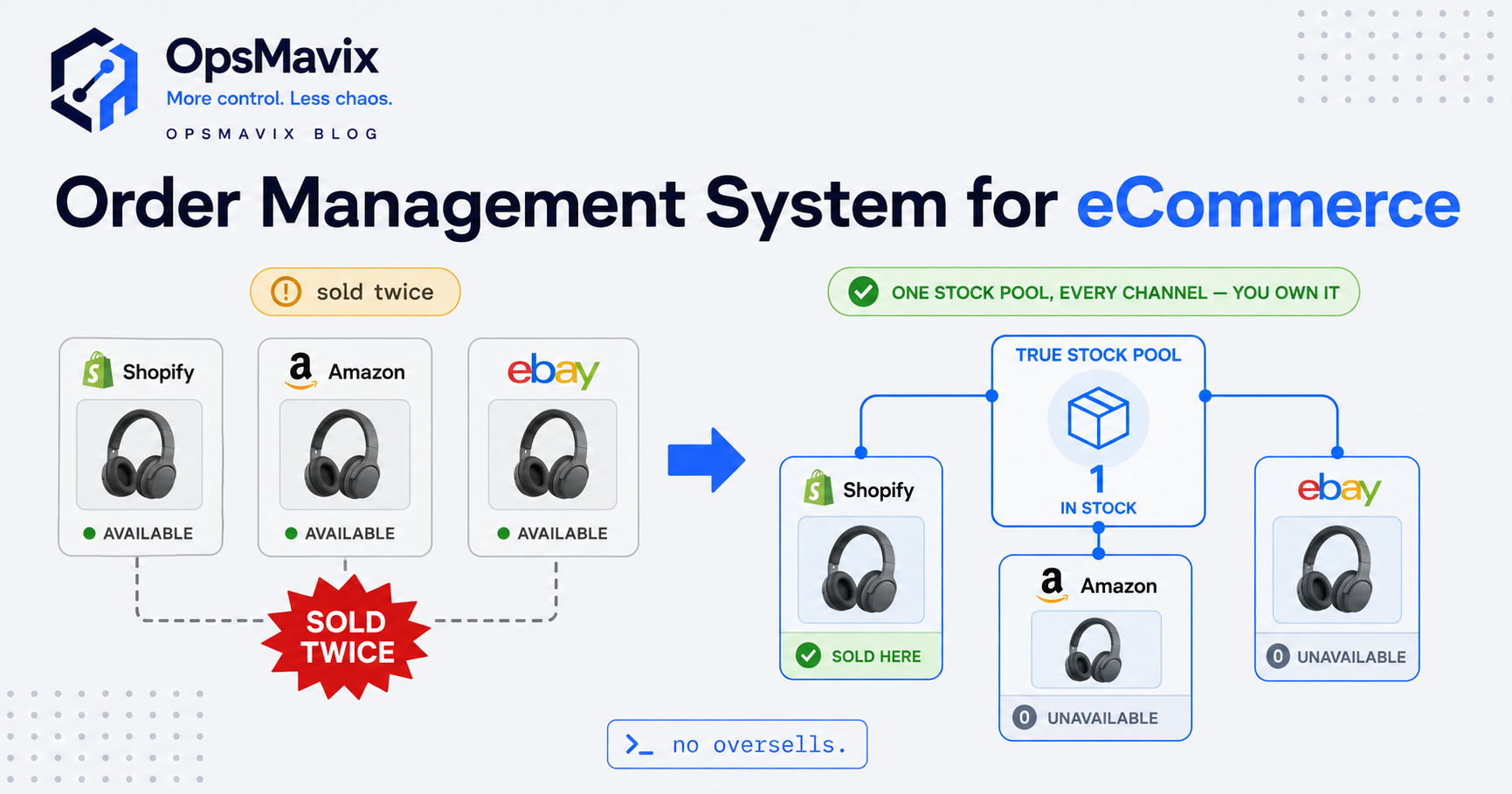
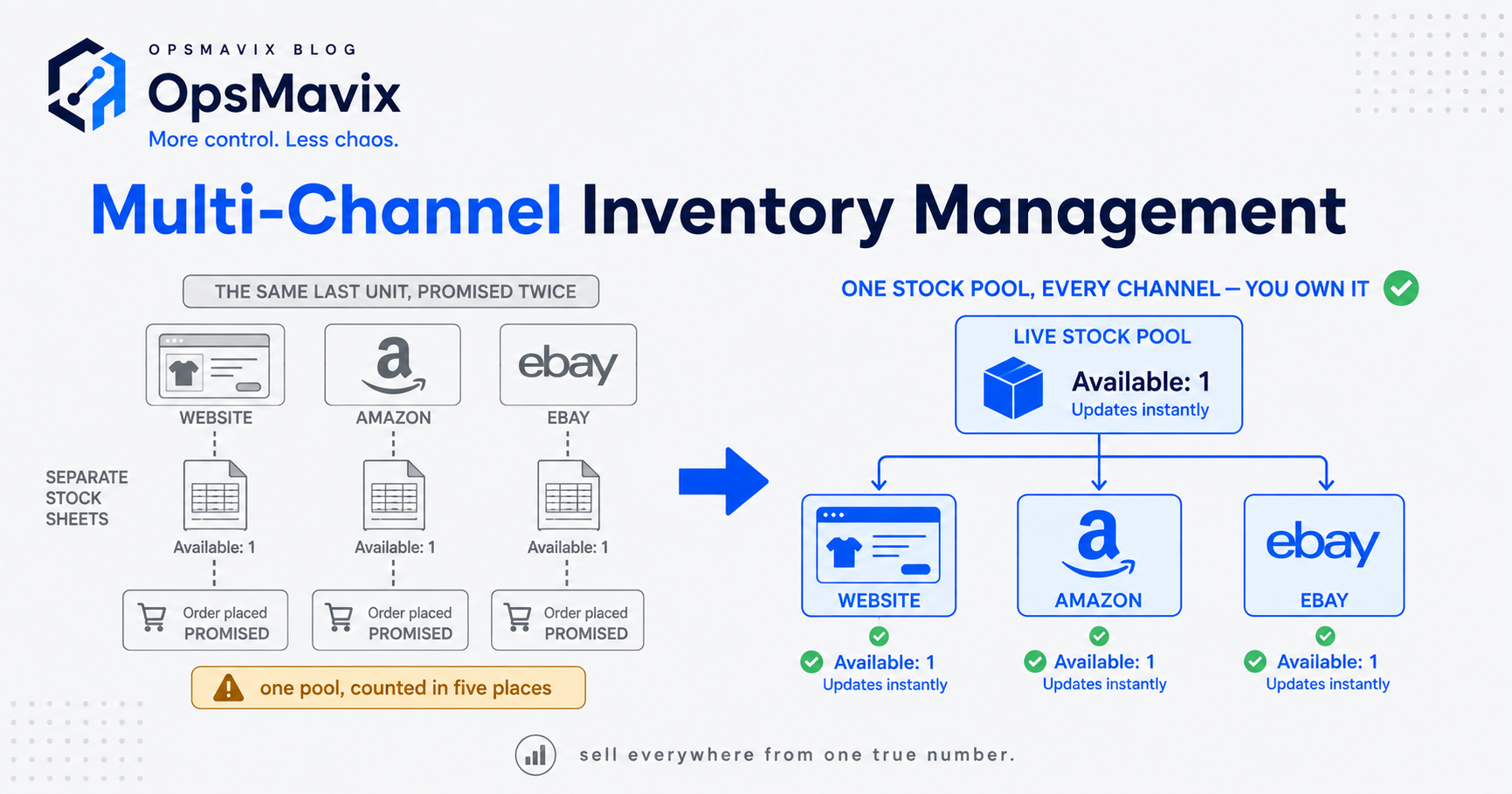
3. Inventory check and allocation. The system confirms the item is physically available, then reserves (allocates) it against that order so nothing else can claim the same unit. This is the single most important step for multichannel sellers, because it is the one that fails silently. If allocation is not shared across channels in real time, two channels can both “sell” the last unit.
4. Pick and pack. The warehouse gets a picklist, retrieves the items, and packs them with the right documents and label. At scale this is done in batches or waves rather than one order at a time. Correct labelling and tracking data are what make a delivery traceable; get the label wrong here and the parcel becomes a support ticket.
5. Dispatch (ship). The parcel is handed to the carrier, the tracking number is written back against the order, and the customer is notified. The system should pick the right service by cost, speed and destination, then mark the order shipped so it stops showing as open.
6. Returns. A share of orders come back. The return is authorised, the item inspected, stock either put back or written off, and the refund or exchange processed. Returns are a full flow of their own, and the one most sellers bolt on as an afterthought.
Each arrow between those steps is a handoff. In a tight system the handoff is a trigger the software fires by itself. In a loose one, it is a person, a copy-paste, and a chance to get it wrong.
Where the flow leaks: handoffs and overselling
The diagram makes every step look equal. They are not. Two joints cause most of the pain.
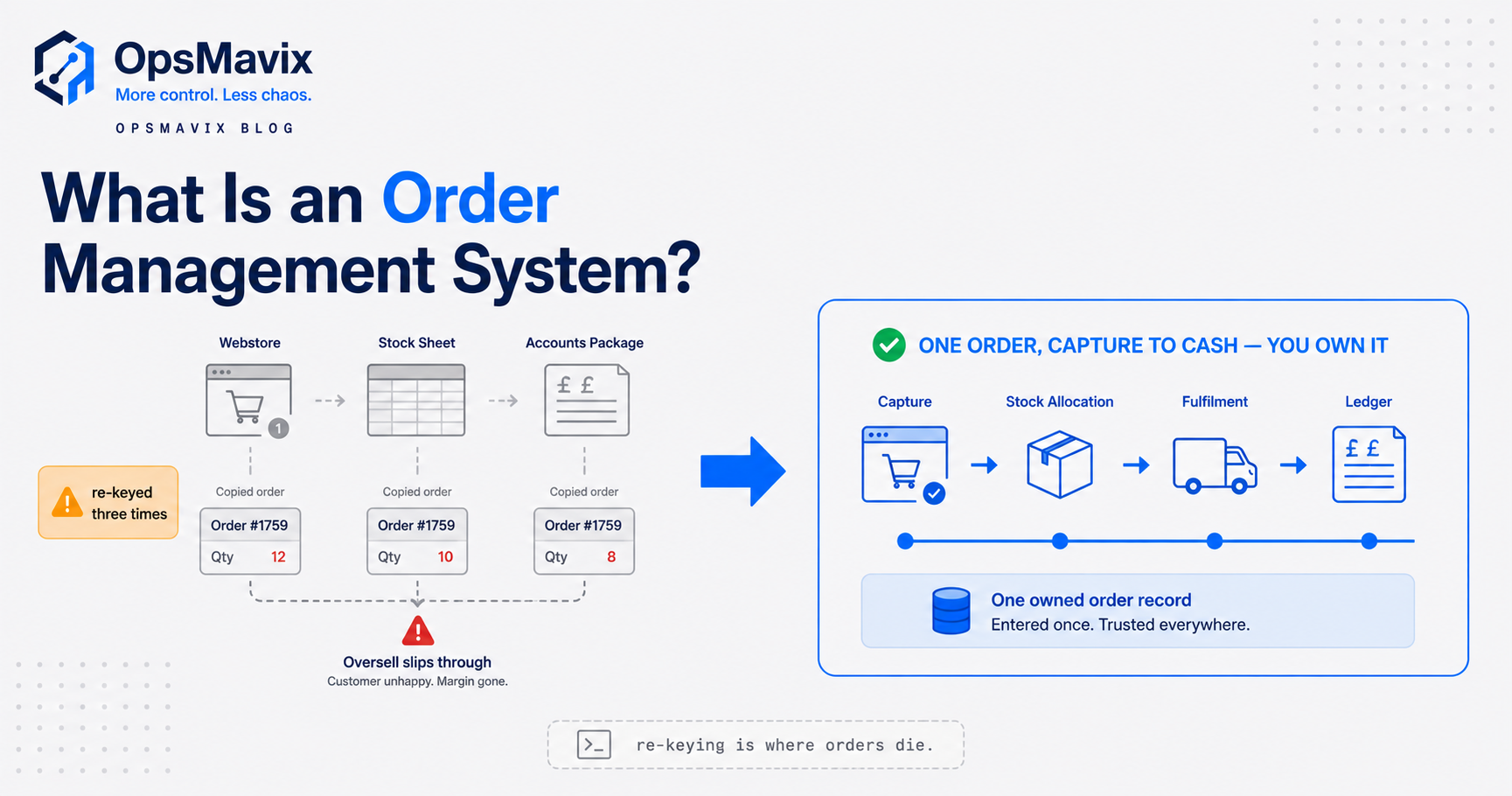
The re-keying joint. When orders are not captured into one system, a human bridges the gap by re-typing them, from a marketplace dashboard into the courier tool, from an email into a spreadsheet, from the spreadsheet into the accounts package. Every re-key is a chance to fat-finger a SKU, a quantity or a postcode. At low volume it is annoying. At a few hundred orders a week it is a steady drip of wrong parcels, each one a return, a refund and an apology. This is the exact leak covered in stop re-keying orders, and it compounds quietly because the errors are individually small.
The allocation joint (overselling). This is the expensive one. If the stock figure a channel shows is not updated the instant a unit is allocated elsewhere, you sell things you do not have. During a busy period even a short sync delay lets several channels claim the same units. On a marketplace the consequence is not just an awkward email. Amazon expects sellers to keep their pre-fulfilment cancel rate below 2.5%, and an account that goes over risks losing the ability to fulfil its own orders or being deactivated (RetailDogma). So a stock-sync gap does not only cost you the sale you cancel; it chips at the account health that lets you sell there at all.
Returns are the third, quieter leak. UK research from IMRG and nShift found that 85.6% of shoppers say a retailer’s returns policy is important to their decision to buy, and 42.3% would be much less inclined to shop with a retailer again after a poor returns experience, with 28.8% saying they would stop altogether (nShift). A returns step that loses parcels or drags on refunds does not just cost the reverse postage. It costs the next order that customer would have placed.
Name these three joints in your own operation and you have found where the money is going.
Three ways to close the gaps
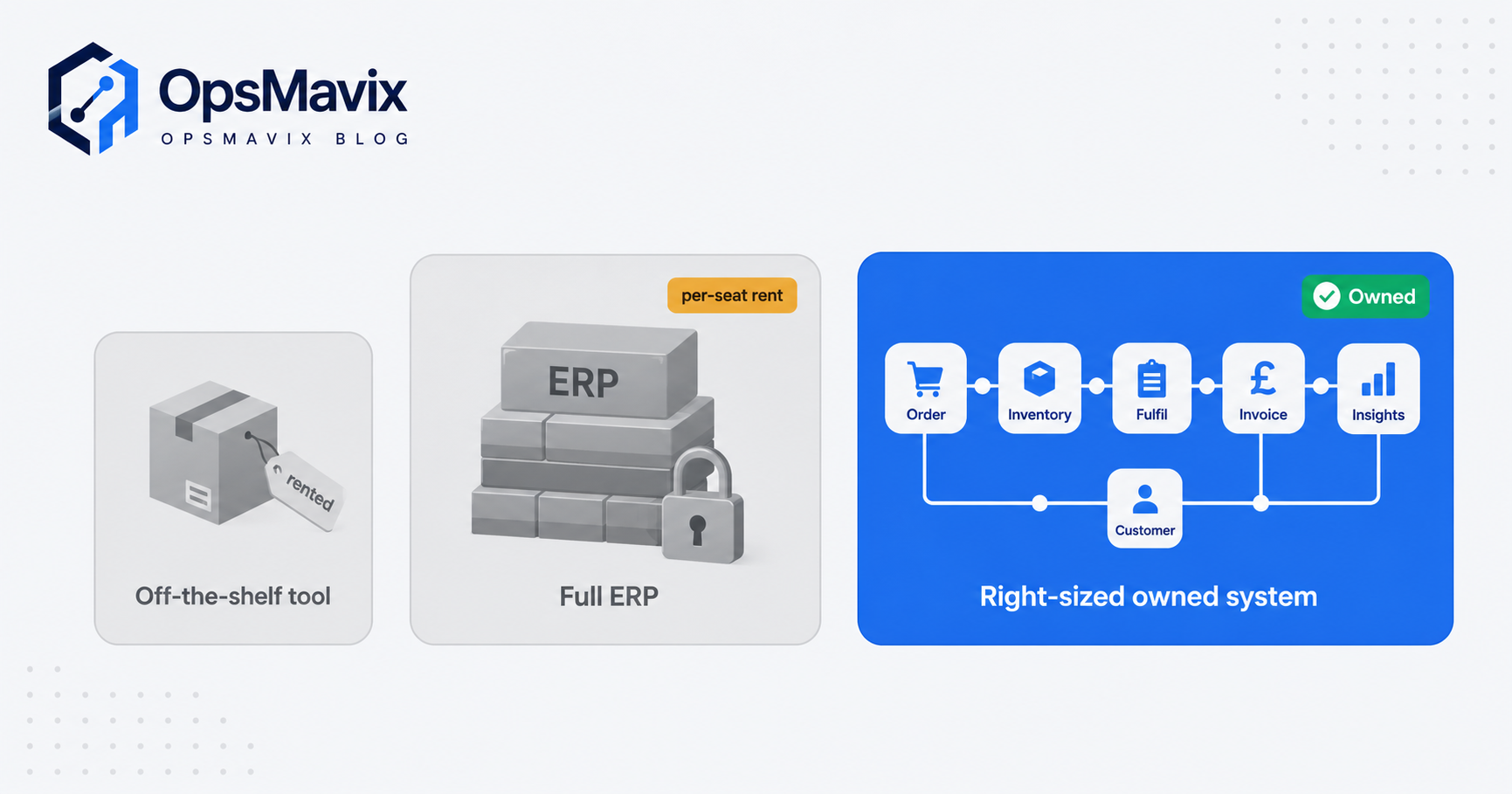
Once you can see the leaks, you have three honest options. None is automatically right. The correct choice is the cheapest one that actually closes your real leak.
The first is a generic off-the-shelf tool, a channel manager or a standard order-management app. If your flow is standard and your volumes fit its template, this is often the right call. It is fast, cheap and covers the common cases. You adapt to how it works, and you accept that anything unusual about your operation either does not fit or lives in a spreadsheet beside it.
The second is a full ERP. It does genuinely everything, orders, stock, accounting, purchasing, manufacturing, and it makes sense at real scale and complexity. The costs are a long implementation, a per-seat licence you pay forever, and the fact that you reshape the business to fit the system rather than the other way round.
The third is a right-sized owned system, built around how your operation actually runs and owned by you outright. It fits the messy middle: too complex for a single off-the-shelf box, not big enough to justify an ERP rollout. You pay more to build than a monthly app, but there is no per-seat rent, and it can grow into a full ERP later if you get there.
| What matters | Generic off-the-shelf tool | Full ERP | Right-sized owned system |
|---|---|---|---|
| Process fit | Great if your flow matches the template; you bend to it | Broad, but you reshape the business to fit it | Built around your actual channels and steps |
| Overselling control | Good for standard channels; edge cases slip | Strong, once fully implemented and configured | Real-time allocation wired to your exact channels |
| Cost shape | Low monthly, creeps with seats and add-ons | High: licence, implementation, annual per-seat | Higher build, no per-seat, flattens over time |
| Time to live | Days to weeks | Months to a year or more | Weeks, scoped in stages |
| Ownership | Rented; vendor roadmap rules | Rented; deep lock-in | Owned by you, changed on your schedule |
| Room to grow | Hit a ceiling, then migrate | Vast, if you can afford it | Expand as needed, up to a full ERP |
If a cheap channel manager genuinely closes your overselling problem, buy it and move on. The owned route earns its keep when your flow has real quirks, several channels, trade and retail side by side, kitting, or made-to-order lines, that keep breaking the template.
A worked example: a UK homeware seller
The following is illustrative, not a claim about a specific client. The numbers are realistic for a mid-sized UK operation and are there to show the shape of the maths, not to promise a result.
A homeware brand sells through its own Shopify site, Amazon and eBay, doing roughly 600 orders a week at an average order value of about £42. Two people manage orders. Their flow is loose: orders are pulled from three dashboards, re-typed into the courier tool, and stock is updated by hand at the end of each day.
The re-keying joint costs them mistakes. Say 1.5% of orders go out wrong because of a mistyped SKU, quantity or address. That is roughly 9 orders a week. Each one costs a return, a re-ship and support time, call it £18 all in. That is about £162 a week, near £8,400 a year, before the reputational drag.
The allocation joint costs them more. Because stock only syncs once a day, they oversell during busy weeks and cancel orders. Even at a modest 1% cancel rate, that is 6 cancelled orders a week, roughly £252 of sales a week that evaporate, plus the standing risk to their Amazon account health every time the cancel rate creeps toward the 2.5% line. Add the two staff spending perhaps two hours a day each on manual capture and stock updates, and you have around 20 hours a week of paid time doing work the software should trigger by itself.
Total drag: order errors near £8,400 a year, cancelled-order sales near £13,000 a year, plus about 20 hours a week of labour and an account-health risk that is hard to price until it bites. Against that, a right-sized owned system that captures all three channels into one place and shares stock allocation in real time closes the two biggest joints directly. Whether that build pays back in months or a couple of years depends on the scope, but the leaks are large enough to make the sum worth doing properly rather than guessing.
Integrations and why ownership matters
An order-management flow is only as good as its connections. The system has to talk to your sales channels, your courier accounts, your accounting package and, if you use one, your warehouse tools. A tidy flow on its own means nothing if the three integrations you actually depend on are missing or held together with a brittle middle layer you end up babysitting.
This is where ownership stops being a philosophical point and becomes practical. When you rent a tool, your integration priorities queue behind a roadmap set by a company you have never met. The connector you need most might arrive next quarter, or never, and the stock-sync frequency is whatever they decided. When you own the system, the connections are built to fit your exact stack, and the allocation logic that prevents overselling runs at the frequency your business needs, not the frequency a vendor found convenient to ship. The UK ecommerce market is projected to reach around £286 billion in 2025 (Netguru), and the operations that hold up at that scale are the ones whose order flow bends to the business rather than the reverse.
The same logic runs through how you set up the wider system. If you are still deciding on the backbone, order management system for ecommerce covers what to look for, and how to create an online ordering system walks through building the flow from the ground up rather than buying a box you will outgrow.
FAQ
What are the main steps in an ecommerce order management process flow?
Order received (capture), payment verification, inventory check and allocation, pick and pack, dispatch, and returns. Across multiple channels, each step needs a shared view of stock so two channels cannot sell the same unit.
Where does the process flow usually break?
At the handoffs between steps. The two costly ones are re-keying orders between systems by hand, which causes picking and address errors, and out-of-sync stock between channels, which causes overselling and cancelled orders.
How does overselling actually happen?
Stock allocation is not shared across channels in real time. When a unit sells on one channel but the others do not see the reduction for minutes or hours, they keep offering stock you no longer have, and you cancel orders you cannot fulfil.
Do I need a full ERP to fix this?
Not usually. A generic channel manager fixes it if your flow is standard. A full ERP fits genuine scale. Many mid-sized sellers sit in between, where a right-sized owned system closes the specific leaks without the cost and lock-in of an ERP.
How do returns fit into the flow?
Returns are their own sub-flow: authorise the return, inspect the item, put stock back or write it off, then refund or exchange. Because returns strongly affect whether a customer buys again, a slow or lossy returns step costs future orders, not just reverse postage.
How OpsMavix can help
OpsMavix builds right-sized operations systems for businesses outgrowing spreadsheets but not looking to bend themselves around a full ERP, and order flow is exactly the kind of leak they are built to close. Instead of re-typing orders between channels and syncing stock once a day, you get a single capture point, real-time allocation that stops overselling across your website and marketplaces, and clean handoffs into picking, dispatch and accounts, owned by you and expandable as you grow. We start by finding where the money actually leaks before anyone talks about building. Book a Free Operations Leak Audit
Sources
- Uniserve: understanding the e-commerce order fulfilment process UK logistics firm’s seven-stage breakdown of the fulfilment flow from receiving stock to returns.
- RetailDogma: pre-fulfilment cancel rate Amazon’s 2.5% cancel-rate target and the deactivation risk of exceeding it.
- nShift and IMRG: ecommerce returns research UK shopper attitudes to returns policies, including the 85.6%, 42.3% and 28.8% figures.
- Netguru: UK ecommerce statistics 2025 projected UK ecommerce market size of around £286 billion for 2025.
Keep reading
Getting value from OpsMavix? Add us as a preferred source on Google — you'll see more of our operations content in your AI Overviews, AI Mode and Search.