
Cloud Based ERP Software for Small Business: What You Actually Need
Cloud based ERP software for small business is a hosted, subscription platform that runs your core operations from a web browser instead of a server in a cupboard. This guide covers what it actually does, the modules a growing business almost never switches on, the per-seat overbuy trap, and the right-sized owned system option for a business outgrowing spreadsheets but not always ready for a full ERP.
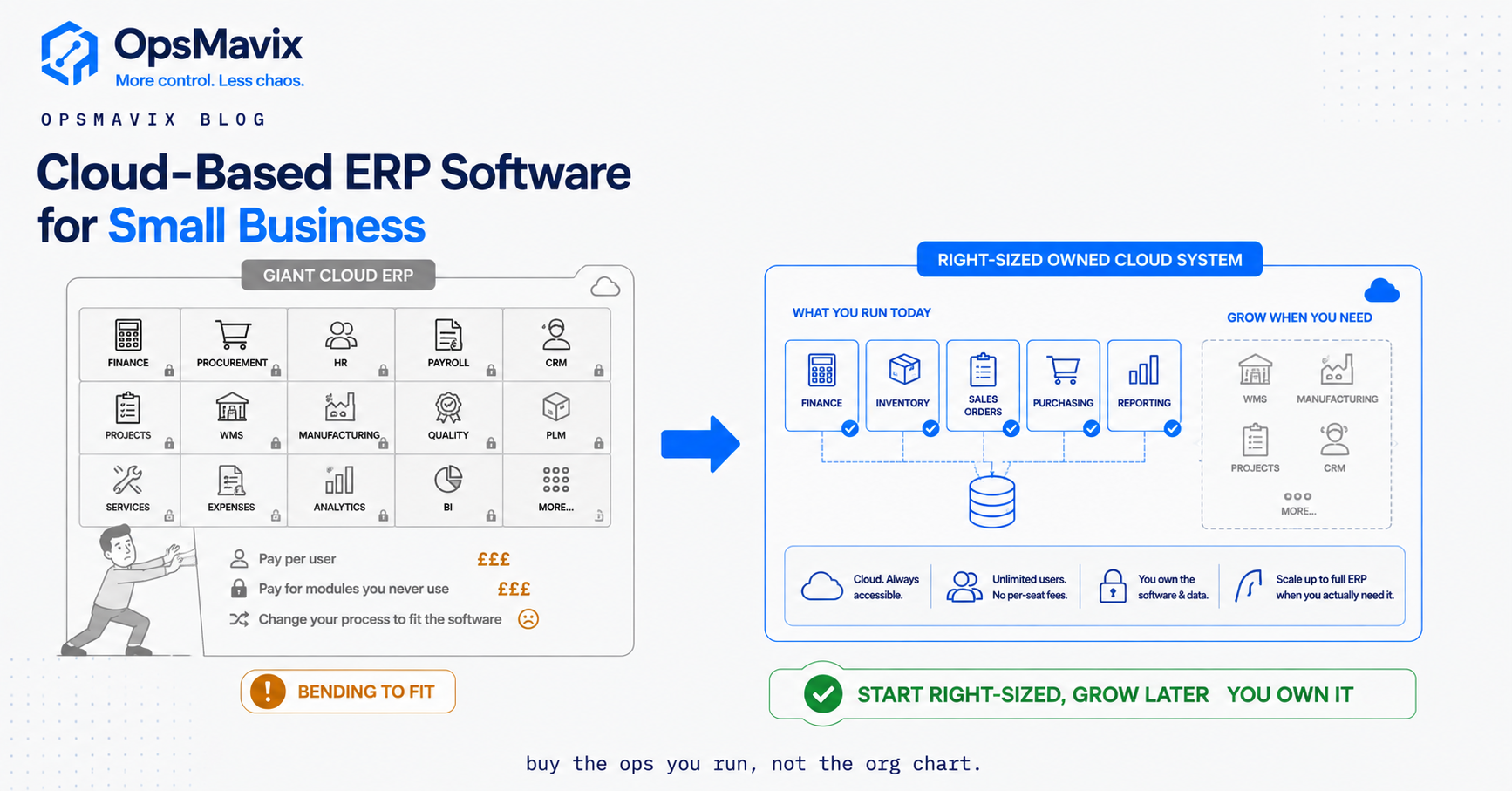
Cloud based ERP software for small business connects selected business processes through an application hosted outside the office’s own server environment. A useful ERP design gives purchasing, stock, orders, production or projects and finance consistent records and clear transaction ownership. Hosting makes the application accessible; it does not decide which processes should share a system or correct weak operational data.
The buying question is therefore about scope before subscription or ownership. You may need better configuration, one integration, a focused operations system or a full ERP. This guide shows how to assess those routes fairly, budget for the whole arrangement and test a change without losing stock or open work. All numerical scenarios are hypothetical.

ERP scope should follow the decisions and handovers that the business needs to coordinate. Illustrative photograph, not an OpsMavix client.
Image credit: Breather, CC0 1.0. Displayed at a reduced size; no additional edits.
Key Takeaways
- Define the operational problem before choosing modules or a deployment model.
- Distinguish SaaS, hosted packaged software and custom cloud applications.
- Assign an authoritative record and transaction owner for each core process.
- Compare implementation, migration, support, hosting and future change alongside licence costs.
- Pilot real exceptions and reconcile open records before cut-over.
- A full ERP is appropriate when the breadth and value of the requirement justify it.
In this guide:
- 1. Define the Process Gap Before the ERP Scope
- 2. Understand What Cloud ERP Means in the Proposal
- 3. Choose Modules Around the Work You Actually Perform
- 4. Define One Authoritative Record for Each Decision
- 5. Test Integration and Shared Responsibilities
- 6. Compare Total Cost and Practical Ownership
- 7. Migrate Records and Open Work Deliberately
- 8. Run a Pilot and Decide the Wider Scope From Evidence
- Frequently Asked Questions
- How OpsMavix Can Help
1. Define the Process Gap Before the ERP Scope
Follow one difficult order
Take an order that required people to re-enter details, chase a stock balance or repair an invoice. Map the records and decisions from enquiry through purchase, fulfilment and finance. Identify the step that fails and the evidence behind the failure.
| Symptom | First questions |
|---|---|
| Stock differs across applications | Which movements are missing, delayed or duplicated? |
| Purchasing reacts too late | Is demand visible alongside usable stock and open supply? |
| Job margin is unclear | Are estimated, committed and actual costs distinguished? |
| Finance re-enters orders | Which approved transaction should create the financial record? |
| Managers maintain a side report | Is it a calculation, a missing view or another editable master? |
A spreadsheet can be a useful working tool rather than evidence of failure. The concern is whether it maintains essential records independently, without reliable ownership or reconciliation.
State an outcome users can test
For example, an authorised customer amendment should reach the fulfilment process once, with the right history and without duplicating an invoice. That is more useful than a requirement simply saying integrate everything.
2. Understand What Cloud ERP Means in the Proposal
Deployment and ownership are separate choices
| Arrangement | What it generally means | Questions to confirm |
|---|---|---|
| SaaS ERP | A supplier operates a packaged application as a service. | Included functions, configuration, updates, exports and terms. |
| Hosted packaged ERP | Packaged software runs in an agreed hosting arrangement. | Who manages infrastructure, application updates and support? |
| Custom cloud system | A developed application runs on hosted infrastructure. | Rights, documentation, maintenance and third-party dependencies. |
| Hybrid arrangement | Cloud and other applications share defined records. | Boundaries, authentication, transactions and failure recovery. |
These descriptions do not establish the terms of any particular contract. Source-code ownership, data access and hosting responsibility need explicit agreement. A hosted custom system is still a cloud application, and a packaged system can offer substantial configuration and integration.
Do not mistake browser access for a connected operation
Staff may be able to open several cloud products while still maintaining conflicting stock or customer records. The architecture needs clear authoritative data and a reliable transaction flow, regardless of where the applications run.
3. Choose Modules Around the Work You Actually Perform
Start with shared records and dependencies
| Process | Core questions |
|---|---|
| Sales and orders | What was agreed, amended, allocated and fulfilled? |
| Purchasing | What is required, ordered, received and still outstanding? |
| Inventory | What exists, where, in which units and under what status? |
| Production | What structure, route, capacity and actual consumption apply? |
| Projects | What scope, resource, commitment and remaining work exist? |
| Finance | Which approved documents reach the ledger and reconcile? |
Your business may need only some of these processes in the first phase. An established finance tool may remain while a stock workflow is improved. Alternatively, a wider ERP may be justified where several tightly linked functions need a shared design.
Assess existing capability before adding another module
Check whether the current application already supports the necessary fields, permissions and workflow. Missing implementation or training can look like missing product functionality. Demonstrate the gap before paying to rebuild it elsewhere.
4. Define One Authoritative Record for Each Decision
Consistency requires rules, not just a dashboard
Agree where products, customers, prices, orders, stock movements and financial documents are maintained. Other applications may display or consume those records, but should not become competing independently editable masters without a clear design.
An order reservation is different from a physical shipment. An expected purchase receipt is different from stock on hand. Those distinctions must survive the integration and reporting layers.
Hypothetical stock example
Suppose an item has 100 units physically held, of which ten are quarantined. Existing orders commit 25 of the usable units. Under this simplified policy, usable uncommitted stock is 100 - 10 - 25 = 65 units.
The ERP should represent those dimensions consistently. It should not show a purchase order for another 50 units as though those units have already arrived. Planning may consider the expected supply separately by date and status.
If a new order commits 20 units, the remaining uncommitted amount is 45. The physical total need not change until an actual movement occurs.
5. Test Integration and Shared Responsibilities
Interfaces need an operational owner
Document identifiers, field mappings, events, timing and the authority to amend a record. Include an error queue, duplicate handling, retries and reconciliation. A connector listed in a catalogue is not proof that your return, cancellation or partial-shipment workflow is supported.

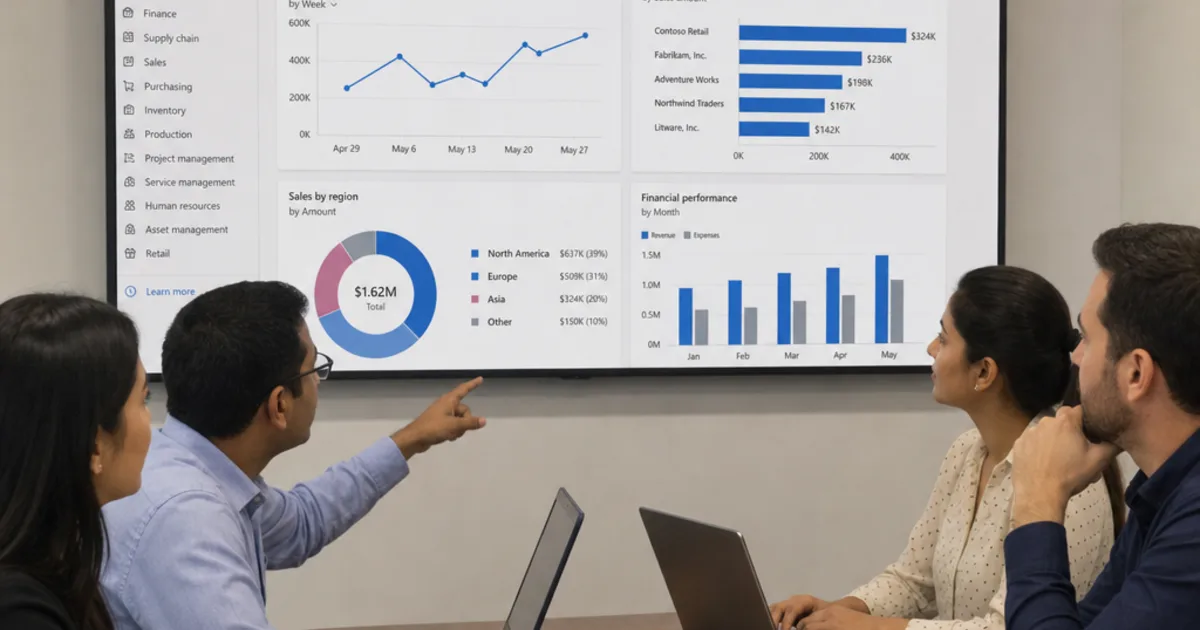
A connected ERP needs tested interfaces and visible recovery when an update fails. Illustrative photograph, not an OpsMavix client.
Image credit: Tirza van Dijk, CC0 1.0. Displayed at a reduced size; no additional edits.
Cloud security is part of the operating model
Microsoft’s shared-responsibility guidance explains the difference between cloud service models and retained customer responsibilities. The exact division depends on the arrangement. Accounts, permissions, data and configuration cannot be ignored simply because the application is hosted.
Ask who provides backups, which records they cover, how restoration is performed and who tests it. Agree supported recovery and continuity arrangements. Data exports are useful, but do not automatically constitute a complete restorable application backup.
6. Compare Total Cost and Practical Ownership
Use equivalent scope
Include implementation, configuration, integration, migration, testing, devices, training, support, hosting and future changes. For subscriptions, check users, modules, volumes, storage and contract terms. For custom work, include handover, maintenance and third-party licences.
Hypothetical three-year model
The figures below are invented planning allowances, not vendor prices or an OpsMavix quotation. They exclude tax and assume no price changes.
| Cost | SaaS configuration | Hosted custom scope |
|---|---|---|
| Initial implementation and migration | £8,000 | £22,000 |
| Integration | £3,000 | £3,000 |
| Annual recurring allowance | £7,200 × 3 | £4,000 × 3 |
| Three-year total | £32,600 | £37,000 |
In this model, the SaaS route costs less if it delivers equivalent required work. Neither total proves suitability. Add any necessary change, equipment or exit work and assess uncertainty before deciding.
Make ownership usable
For a custom system, agree source rights, documentation, deployment instructions, exports and the ability to appoint another maintainer. For packaged tools, test export coverage and termination arrangements. Both routes need an accountable support model; ownership alone is not a performance guarantee.
7. Migrate Records and Open Work Deliberately
An opening total is not enough
Map identifiers, units, locations, statuses and relationships. Reconcile customers, products, opening stock, reservations, purchases, customer orders and relevant finance records. Decide which history moves and which remains accessible through a controlled archive.
| Migration area | Check |
|---|---|
| Product data | Stable identity, units, barcodes and variant relationships. |
| Inventory | Quantities by the dimensions the operation actually uses. |
| Open supply | Ordered, received and outstanding positions. |
| Customer work | Remaining quantities, commitments and staged goods. |
| Finance | Agreed balances, documents and reconciliation basis. |
Rehearse before cut-over
Run an import on a representative test scope and compare it with the source records. Agree the transaction cut-off, handling of late messages and who can stop the launch. Avoid uncontrolled double entry that creates two authoritative balances.
Keep a practical continuity plan and test the supported recovery process. Migration should preserve explainable records, not merely produce a successful import message.
8. Run a Pilot and Decide the Wider Scope From Evidence
Include the awkward cases
Test a short receipt, a stock hold, an amended order, a partial shipment, a return and a duplicate interface message. Include a production or project example if those functions are in scope. Let operational users perform their own tasks.
Record each requirement as standard, configured, additional work or unverified. Confirm that records reconcile after the exceptions and that users can retrieve the history and exports they need.
Expand when the operating model is ready
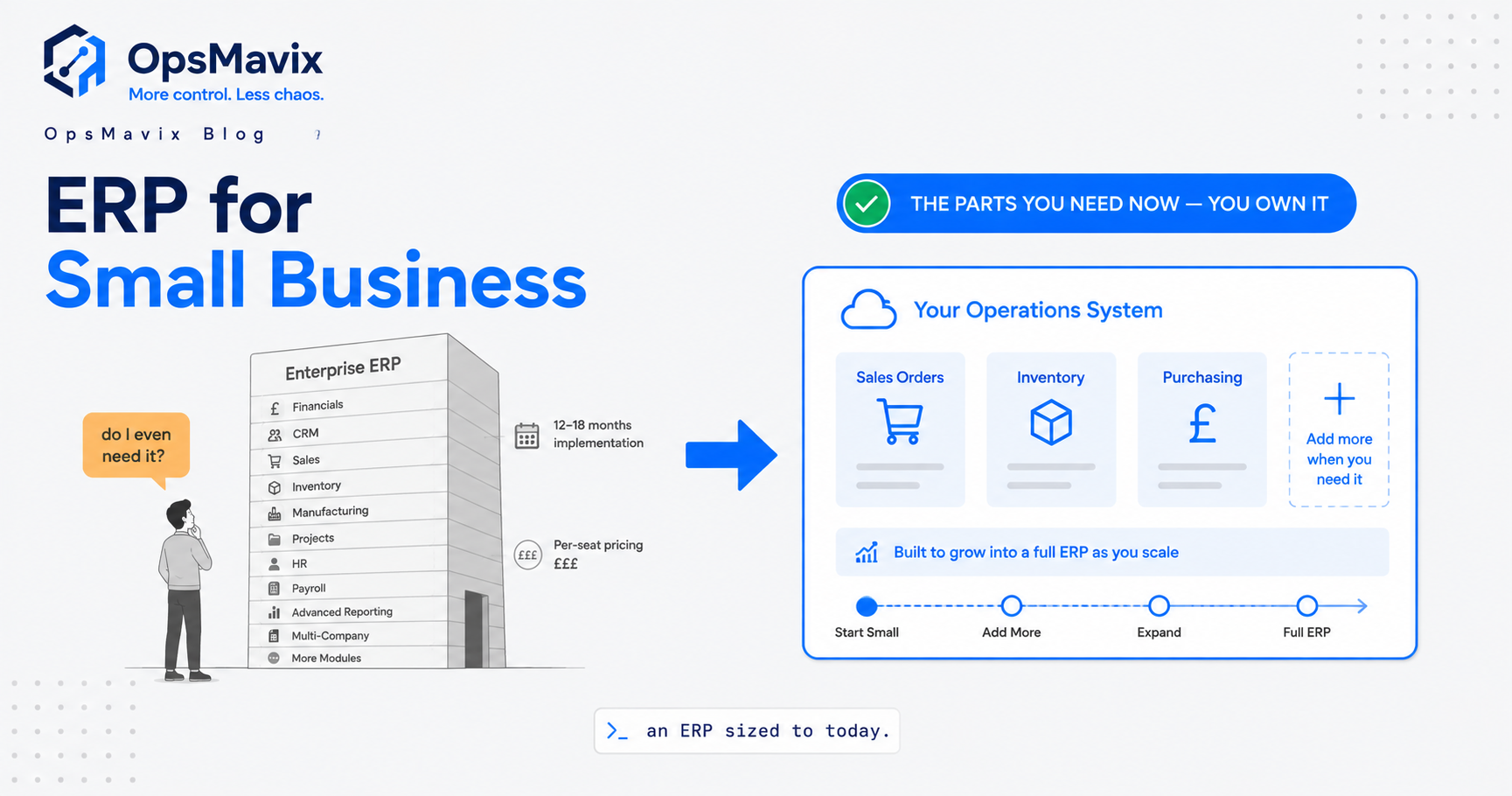
Configuration or one integration may solve the problem. A focused custom system may close a documented gap. A full ERP can be the right choice when several core processes need coordinated change and the business can own that programme.
Choose the scope that provides the required control at a supportable total cost. Avoid buying a broad suite merely because its modules are available, and avoid artificially restricting a project when a broader design is genuinely needed.
Frequently Asked Questions
What is cloud based ERP software for small business?
It is a hosted application or connected arrangement supporting core business records and processes. The included functions, hosting responsibilities and commercial terms vary by solution.
Does a cloud ERP have to be rented SaaS?
No. SaaS is one arrangement. Packaged or custom software can also run on hosted infrastructure, with responsibilities and rights defined in the agreement.
Do we need every ERP module?
No. Scope follows the work and dependencies that need control. Some businesses need a limited first phase; others justify a wider ERP implementation.
Will one ERP automatically create one true stock figure?
No. Units, status, movement timing, reservations and transaction ownership still need a clear design. Users must also follow the agreed process.
Can we retain our accounting application?
Often, if required operational and financial transactions can be integrated and reconciled. Confirm the actual interface coverage and who owns each record.
Is custom ERP always cheaper?
No. Compare equivalent functionality and all implementation and running obligations. A packaged product can be the more economical option when it fits the requirement.
Who handles cloud backups and recovery?
The agreement must specify that responsibility and the supported scope. Test restoration and continuity rather than assuming hosted access guarantees recoverability.
What should be checked during migration?
Check identities, units, relationships, opening positions and open work, with the relevant operational and financial reconciliation. Preserve access to required history.
When is a full ERP appropriate?
When broader shared-process requirements and their value justify the scope, and the business can support ownership, migration, testing and ongoing operation.
How OpsMavix Can Help
OpsMavix can assess requirements, configure suitable products, connect existing applications, build focused custom systems or design a full ERP. The scope should follow the processes that need to work together and the evidence from a practical pilot.
Explore OpsMavix ERP systems and our inventory automation offering. Contact OpsMavix with one difficult order or reconciliation problem so we can define the real gap and a testable first phase.
Keep reading
Getting value from OpsMavix? Add us as a preferred source on Google — you'll see more of our operations content in your AI Overviews, AI Mode and Search.