
BOM Levels Explained: Indenture, Parents, Children and How Deep to Go
BOM levels are the indenture of a product structure: level 0 is the finished good, and every level below it is something that goes into the level above. This is how the numbering works, how to read an indented BOM without misreading the quantities, and how to decide how deep to nest before the structure costs more to maintain than it returns.
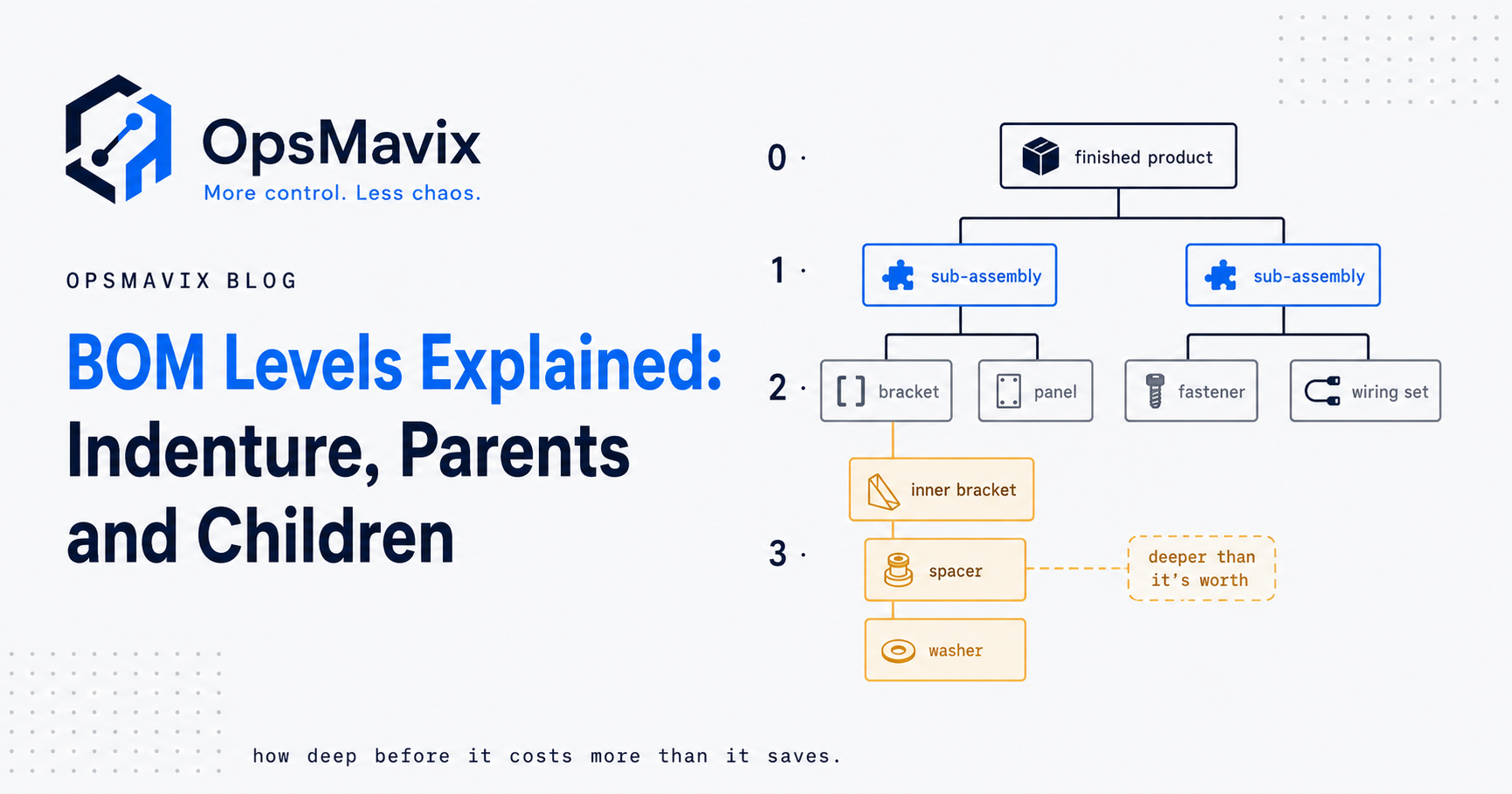
BOM levels describe how far a component sits below the top item in a product structure. Using the convention in this guide, the finished item is level 0, its direct components are level 1, their components are level 2, and the pattern continues down each branch.
The important distinction is between position and quantity. A component quantity is usually stated against its parent or another defined output basis; it is not automatically the requirement for one finished product. This guide explains parents, children, indenture, quantity multiplication and the decision to keep a sub-assembly as a real stocked item. All examples are hypothetical and do not specify a real product design.

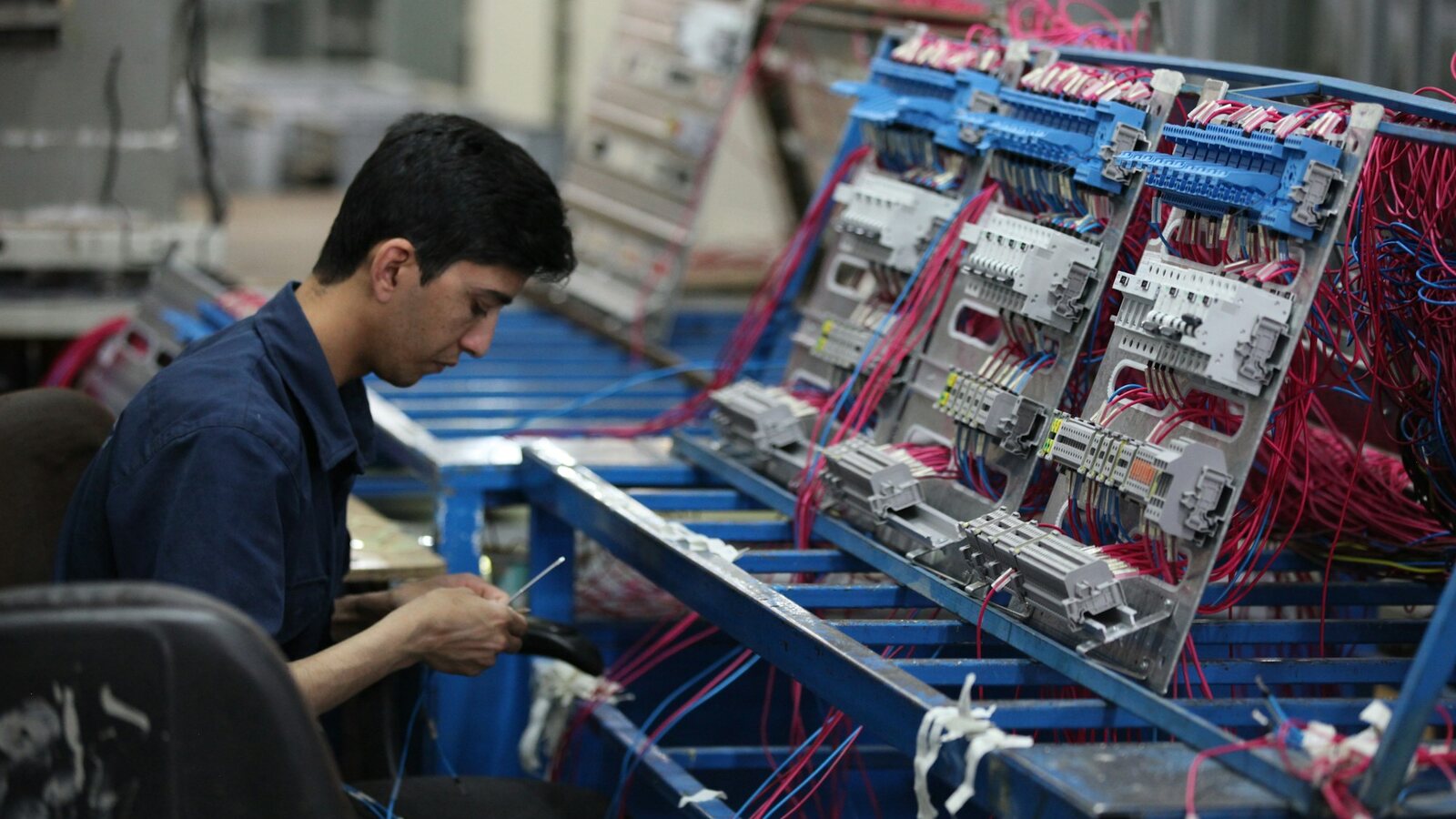
A product structure should reflect meaningful assemblies and the way components are supplied and used. Illustrative photograph, not an OpsMavix client.
Image credit: Nenad Stojković / Shixart1985, CC BY 2.0. Displayed at a reduced size; no additional edits.
Key Takeaways
- A BOM level is a position in a particular structure, rather than a permanent attribute of a part.
- Distinguish quantity per parent from extended quantity per finished item.
- Keep shared item identities consistent even when components appear at different depths.
- Give a sub-assembly its own operational record when it needs separate planning, stock or traceability.
- Use phantom groupings deliberately and verify the application’s behaviour.
- Choose depth around operational needs, with no universal ideal number of levels.
In this guide:
- 1. Read Levels as Distance From the Top Item
- 2. Understand Parents, Children and Shared Components
- 3. Distinguish Per-Parent and Extended Quantities
- 4. Work Through a Hypothetical Multi-Level Assembly
- 5. Distinguish Display Levels From Planning Codes
- 6. Choose Real Sub-Assemblies and Phantoms Deliberately
- 7. Choose Depth Around the Decisions You Need
- 8. Validate the Structure Before Using It to Plan Work
- Frequently Asked Questions
- How OpsMavix Can Help
1. Read Levels as Distance From the Top Item
Follow one relationship at a time
An indented display makes each child sit beneath its parent. Under the level-0 convention, moving down one relationship increases the level by one. Some applications use a different display convention, so confirm what their labels mean before comparing reports.
| Position | Meaning in this guide |
|---|---|
| Level 0 | The top assembly whose structure is being viewed. |
| Level 1 | Components directly required by that assembly. |
| Level 2 | Components required by a level-1 assembly. |
| Level 3 | Components required by a level-2 assembly. |
Each branch can stop at a different depth. A finished assembly can use both a purchased packaging set directly and a made module with several nested components. The packaging line need not gain extra levels just to make the diagram symmetrical.
Keep make-or-buy scope clear
Where a complete assembly is purchased, its supplier’s detailed design may not belong in your production demand structure. You may still need technical or service documentation beneath it. Distinguish that reference information from components your business actually procures or manufactures.
2. Understand Parents, Children and Shared Components
| Term | Practical meaning |
|---|---|
| Parent | An item whose BOM contains components. |
| Child | An item used by that parent. |
| Sub-assembly | An item that is a child in one structure and has its own components. |
| Indenture | The nested relationships displayed as levels. |
| Explosion | Following the structure down to component requirements. |
| Where-used | Finding assemblies that use a component, directly or indirectly. |
The same part can occupy different levels
A bracket can be a level-1 component in one product and a level-3 component inside another product’s module. It should retain a stable item identity where it is technically the same interchangeable item. Creating new part numbers just because the displayed depth changes fragments stock and purchasing information.
The overall data is therefore more than a single neat tree: several product structures can reference the same item. That shared identity makes where-used queries valuable when a supplier changes a component or engineering proposes a revision.
Prevent circular relationships
An assembly must not become its own descendant. Test cycle detection during editing and import. A circular structure cannot produce a sensible finite material explosion and should be resolved before release.
3. Distinguish Per-Parent and Extended Quantities
Multiply through the path
Suppose one cabinet requires two frame modules. Each module requires four spacers. The spacer line quantity of four is per module; the cabinet requires 2 × 4 = 8 spacers. For a batch of 50 cabinets, the gross requirement is 50 × 8 = 400.
| Quantity view | Spacer quantity | Basis |
|---|---|---|
| Component line | 4 | Per frame module. |
| Extended product requirement | 8 | Per cabinet, using two modules. |
| Gross batch requirement | 400 | For 50 cabinets. |
These calculations assume the parent BOM output is one unit. If a recipe or BOM is defined for a larger output quantity, normalise against that basis before multiplying. Units and conversions must also remain explicit.
Gross requirement is not automatically a purchase order
Purchasing also needs usable stock, reservations, open supply, timing and any approved allowances. A flattened explosion answers a structural requirement question. It does not by itself establish what should be bought today.
Show both indented and flattened views so engineering can check relationships and planning can check accumulated quantities. When a shared component is reached through several branches, combine the relevant requirements without counting a separately stocked assembly’s contents twice.
4. Work Through a Hypothetical Multi-Level Assembly
The following simplified cabinet exists only to illustrate structure and arithmetic. It is not an engineering specification, supplier quotation or client case.
| Level | Item | Quantity per parent | Make or buy |
|---|---|---|---|
| 0 | Cabinet | 1 | Make |
| 1 | Frame module | 2 | Make |
| 2 | Spacer | 4 | Buy |
| 2 | Rail | 2 | Buy |
| 1 | Control module | 1 | Make |
| 2 | Wiring loom | 1 | Make |
| 3 | Connector | 2 | Buy |
| 3 | Cable | 0.5 m | Buy |
| 1 | Packaging set | 1 | Buy |
Expand to 50 cabinets
| Component | Quantity per cabinet | Batch requirement | Hypothetical unit cost | Extended allowance |
|---|---|---|---|---|
| Spacer | 8 | 400 | £0.25 | £100 |
| Rail | 4 | 200 | £3.00 | £600 |
| Connector | 2 | 100 | £0.80 | £80 |
| Cable | 0.5 m | 25 m | £2.00/m | £50 |
| Packaging set | 1 | 50 | £1.50 | £75 |
| Listed materials total | £905 |
The spacer requirement follows 50 × 2 × 4. The connector follows 50 × 1 × 1 × 2. The total excludes other parts, labour, scrap, freight and any costs of making the modules. It is a checked teaching calculation, not the complete cost of a cabinet.
Consider existing module stock
If usable completed modules already exist, planning may allocate them instead of creating new supply for their components. Establish how the chosen system nets assembly stock and explodes remaining make requirements. Do not procure every exploded component as though all modules must always be made from scratch.
5. Distinguish Display Levels From Planning Codes
A displayed level belongs to one structure
The depth seen in the cabinet report is not necessarily the planning sequence for all products. Some MRP applications use low-level codes representing the deepest relevant use of an item across structures, allowing component demand to be considered in the appropriate order.
If a connector is level 3 in the cabinet but level 1 in a separate purchased-parts kit, its two displayed positions do not contradict one another. The application’s planning treatment needs to account for all relevant demand, not just the first view a user opened.
Let the system calculate derived structure information
Confirm how the application updates planning codes when BOMs change and how make-or-buy and phantom rules affect explosion. Avoid maintaining derived depths manually across many products.
Microsoft’s BOM documentation describes structures and version relationships in Dynamics 365. It is useful evidence that operational behaviour depends on the application’s records and configuration, not simply the indentation in a printout.
6. Choose Real Sub-Assemblies and Phantoms Deliberately
A real assembly supports a separate operational decision
Keep an assembly as an operational item when it needs its own stock balance, production supply, cost, service identity, subcontract process or traceability. These needs can justify depth even for a low-value component group.
| Question | Reason to consider a real assembly |
|---|---|
| Is it made and stocked ahead? | It needs separate supply and inventory visibility. |
| Is it sold or serviced separately? | It needs an identifiable orderable item. |
| Is its batch or serial tracked? | Its own traceability must survive later assembly. |
| Is it a constrained production stage? | Planning may need visibility of its work and queue. |
A phantom can organise a grouping without separate stocking
Some applications support phantom assemblies whose components are expanded into the parent work rather than creating ordinary separate supply for that grouping. This can preserve a useful design grouping while avoiding unnecessary operational transactions.
Microsoft’s phantom-item guidance provides a specific implementation example. Check material and routing behaviour in your actual application; a phantom setting is not a universal shortcut with identical meaning in every product.

Stocked sub-assemblies need their own identifiable locations and balances; a phantom grouping is treated differently. Illustrative photograph, not an OpsMavix client.
Image credit: FIONASUN, CC0 1.0. Displayed at a reduced size; no additional edits.
7. Choose Depth Around the Decisions You Need
There is no universal optimum of three, five or any other number of levels. Complex products may need considerable depth. Simpler operations can suffer when imported engineering groupings become stocked assemblies without an operational purpose.
Balance visibility with maintenance
Each operational assembly can require an identity, BOM, release history, transactions, costing and counting. That effort is justified when the assembly supports a real planning or traceability need. Evaluate it product by product.
- Preserve levels needed for stock, supply, service or traceability.
- Separate reference engineering detail from operational demand where appropriate.
- Review groupings that never exist independently in production.
- Retain low-value parts when they can cause shortages or control problems.
- Apply consistent rules across product families.
Avoid changing structure only to simplify a report
If users need a flatter purchasing view, provide a controlled explosion report instead of deleting useful assembly records. If engineering needs more detail than production, define linked views and responsibilities rather than forcing one display to serve every decision.
8. Validate the Structure Before Using It to Plan Work
A practical review checklist
- Confirm unique item identities and units.
- Identify the output quantity behind each BOM.
- Check parent-child quantities against approved requirements.
- Recalculate one nested path manually.
- Confirm make-or-buy and phantom treatment.
- Check shared components and reverse where-used queries.
- Reject circular relationships and missing references.
- Release the correct revision and retain its effective use on jobs.
Test changes with a product that has both existing assembly stock and open work. Verify that a new release does not silently rewrite jobs already authorised under an older structure.
Use software proportionately
Existing ERP or manufacturing tools may already hold and expand the structure after suitable configuration. An integration can connect design data and operations; a focused custom system can fill a documented gap. A full ERP is appropriate where broader planning, inventory and finance needs justify it, rather than because a diagram has several levels.
Once the structure is validated, a production tracking system that consumes materials against the BOM per job is what keeps planned and actual in step.
Frequently Asked Questions
What are BOM levels?
They describe a component’s depth below the top item in a particular product structure. In this guide, the top item is level 0 and each parent-child step adds one level.
Is level 0 always used for the finished item?
It is a common convention and the one used here. Check the numbering in your application’s reports, because displays can use different labels or starting points.
Is component quantity always per finished product?
No. It may be per parent or per defined BOM output. Read that basis and multiply through the path, applying units and conversions correctly.
Can the same item appear at different levels?
Yes. The item’s position depends on the product structure being viewed. Retain a shared item identity where it is the same technically interchangeable component.
What is an extended quantity?
It is the component requirement after quantities are multiplied through the relevant parent path and output basis. For batch demand, multiply further by the required finished quantity.
What is a low-level code?
In some planning systems it represents the deepest relevant use of an item across structures and helps sequence material planning. It is distinct from the displayed depth in one BOM.
Does every sub-assembly need separate stock?
No. Some groupings are made within parent work and may be treated as phantoms or another supported structure. Choose the treatment around planning, costing and traceability needs.
How many levels should a BOM have?
As many as the product and operational decisions require. There is no universal ideal depth; evaluate the visibility gained and the records and transactions needed to maintain it.
Does a deeper BOM require a full ERP?
Not automatically. Existing tools, integration or focused software may be sufficient. A full ERP is a broader operating-model decision involving more than structural depth.
How OpsMavix Can Help
OpsMavix can review one product’s real structure, configure existing BOM tools, integrate design and production records or build a custom system with controlled revisions and quantity views. We can also scope a full ERP when broader manufacturing, stock and finance requirements warrant it.
See our manufacturing and production tracking systems. Contact OpsMavix with a nested product and a difficult planning example so we can define the structure and controls you need.
Keep reading
Getting value from OpsMavix? Add us as a preferred source on Google — you'll see more of our operations content in your AI Overviews, AI Mode and Search.