
Blind Count Inventory: What It Is and When to Use It
A blind count is a stock count where the person counting cannot see the system's expected quantity, so they record what's physically on the shelf rather than confirming a number. This guide explains blind vs standard counts, when each is right, and how to run blind counts without drowning in recounts.
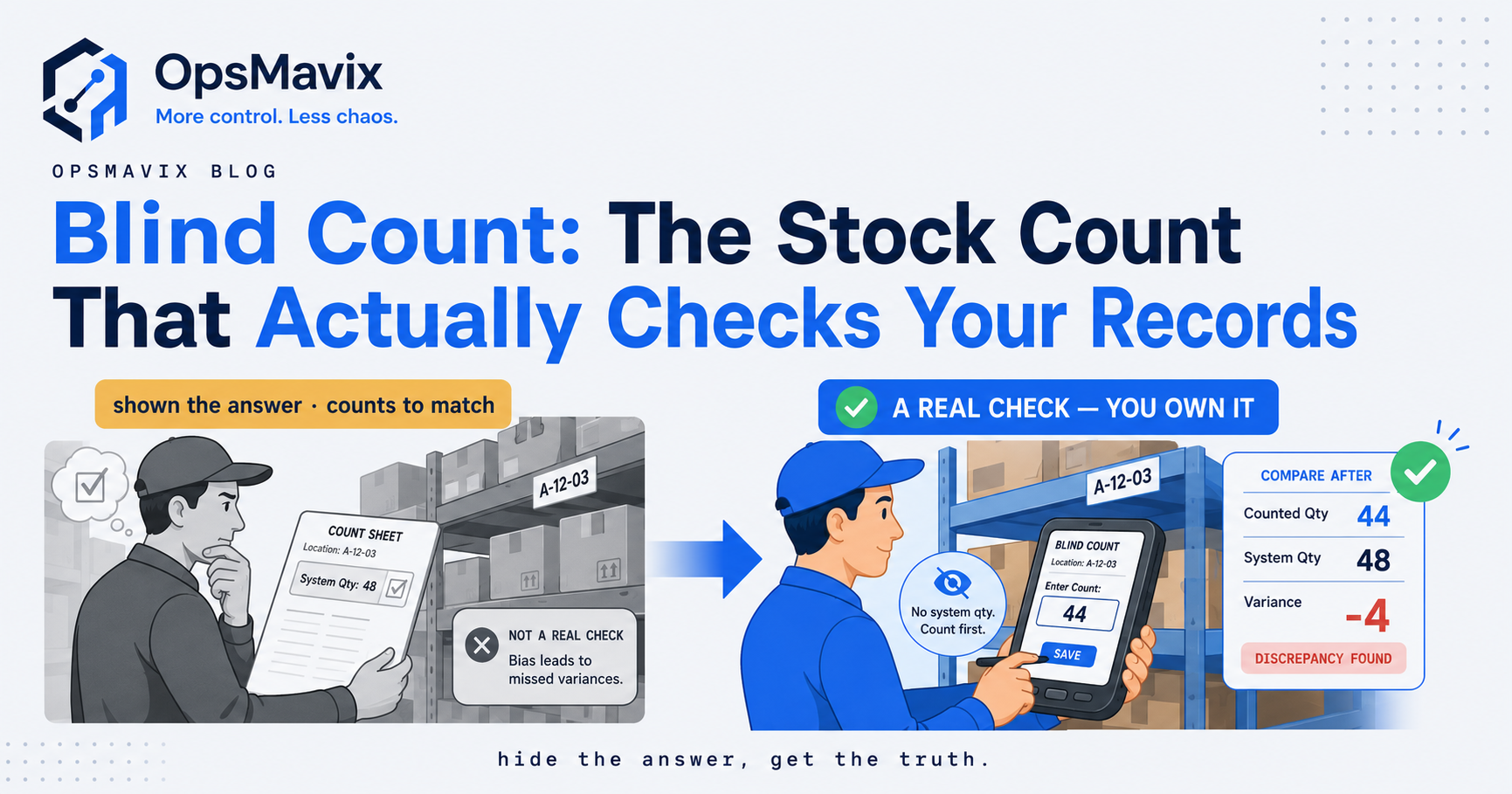
A blind count is an inventory count in which the person counting cannot see the expected system quantity. They record what is physically present before a reviewer compares the result with the stock record. The aim is to obtain an observation that is less influenced by the number the system expects.
Blind counting is useful when you need an independent check of stock, particularly where repeated exact matches do not fit the warehouse’s day-to-day experience. It is a method of counting, not a different stock valuation system or a guarantee of accuracy. This guide explains when to use it, its limitations and the controls that make the result meaningful. All numerical examples are hypothetical.

A blind count starts with the physical stock and its location, rather than a prefilled expected quantity. Illustrative photograph, not an OpsMavix client.
Image credit: FIONASUN, CC0 1.0. Displayed at a reduced size; no additional edits.
Key Takeaways
- Hide expected quantities while keeping item, location and unit information clear.
- A blind count can be used within a cycle count or a full physical count.
- Control movements so the observation and system balance refer to the same stock position.
- Record unexpected stock and empty locations, rather than only counting listed items.
- Investigate discrepancies and obtain approval before adjusting inventory.
- Fix transaction and location problems revealed by the count, not just the final balance.
In this guide:
- 1. Understand What Makes a Count Blind
- 2. Separate the Method From the Count Schedule
- 3. Decide When Blind Counting Is Useful
- 4. Know What Blind Counting Cannot Prove
- 5. Make the Cut-Off and Stock Scope Comparable
- 6. Work Through a Hypothetical Discrepancy
- 7. Use Software to Protect the Observation
- 8. Turn Count Findings Into Better Stock Control
- Frequently Asked Questions
- How OpsMavix Can Help
1. Understand What Makes a Count Blind
Observation before comparison
The counter receives enough information to identify the work: a location, item, unit and relevant batch or serial requirements. The expected quantity is withheld. After submission, an authorised reviewer compares the observation with the corresponding system balance.
For example, a count sheet can list item BRK-10 in bin A-03 and leave the quantity field blank. A mobile application can present the same task without showing on-hand stock. Merely hiding one column is insufficient if another screen or report reveals the target number during the count.
Oracle PeopleSoft’s count documentation distinguishes blind events from those showing expected quantities. It is a product-specific example of the method, rather than a rule about every inventory application.
Blind does not mean anonymous
Keep the counter identity, time, location and observation. The reviewer needs an audit trail, even though the counter does not need the book quantity. Clear instructions and accountability remain part of the process.
2. Separate the Method From the Count Schedule
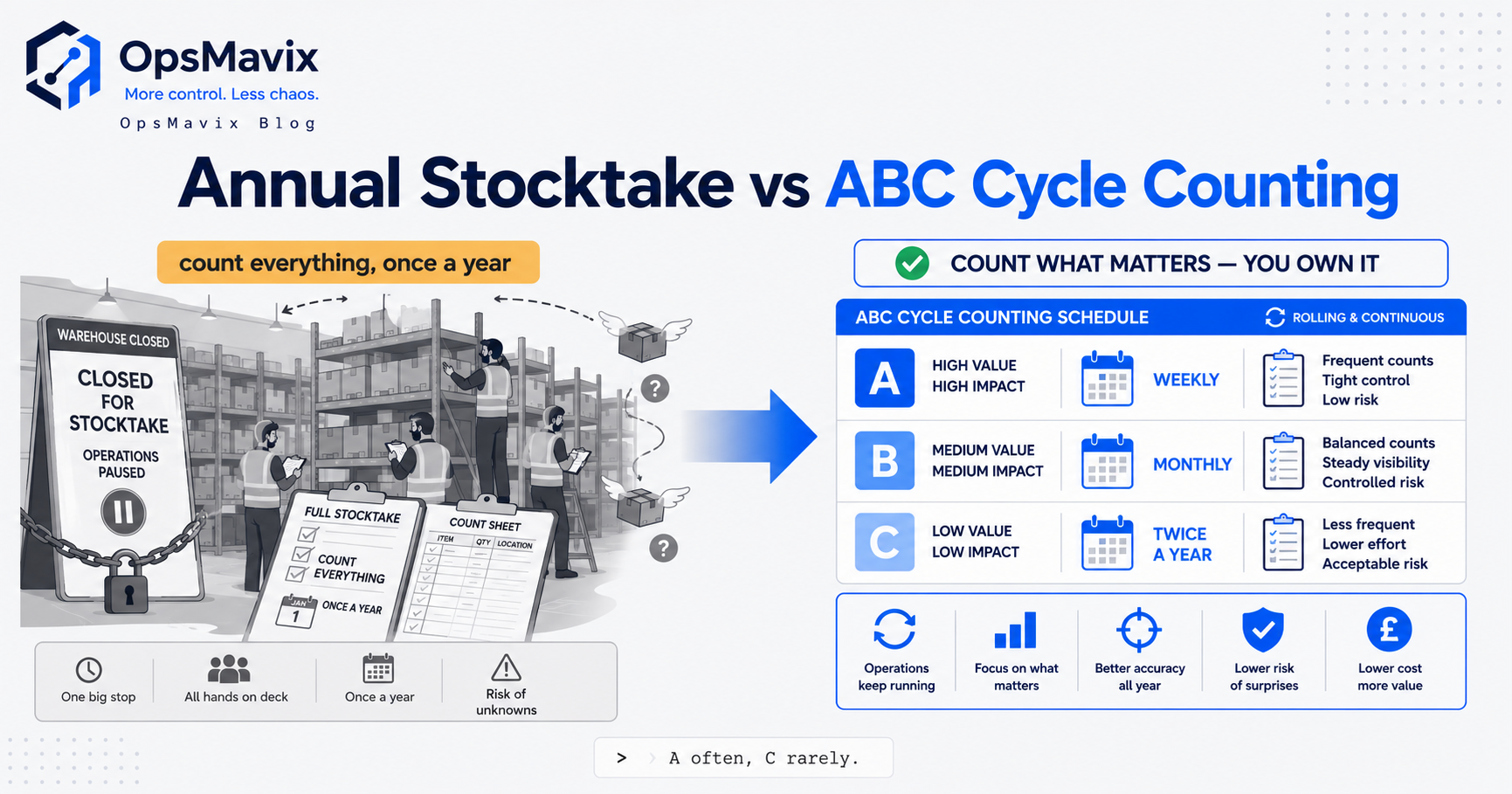
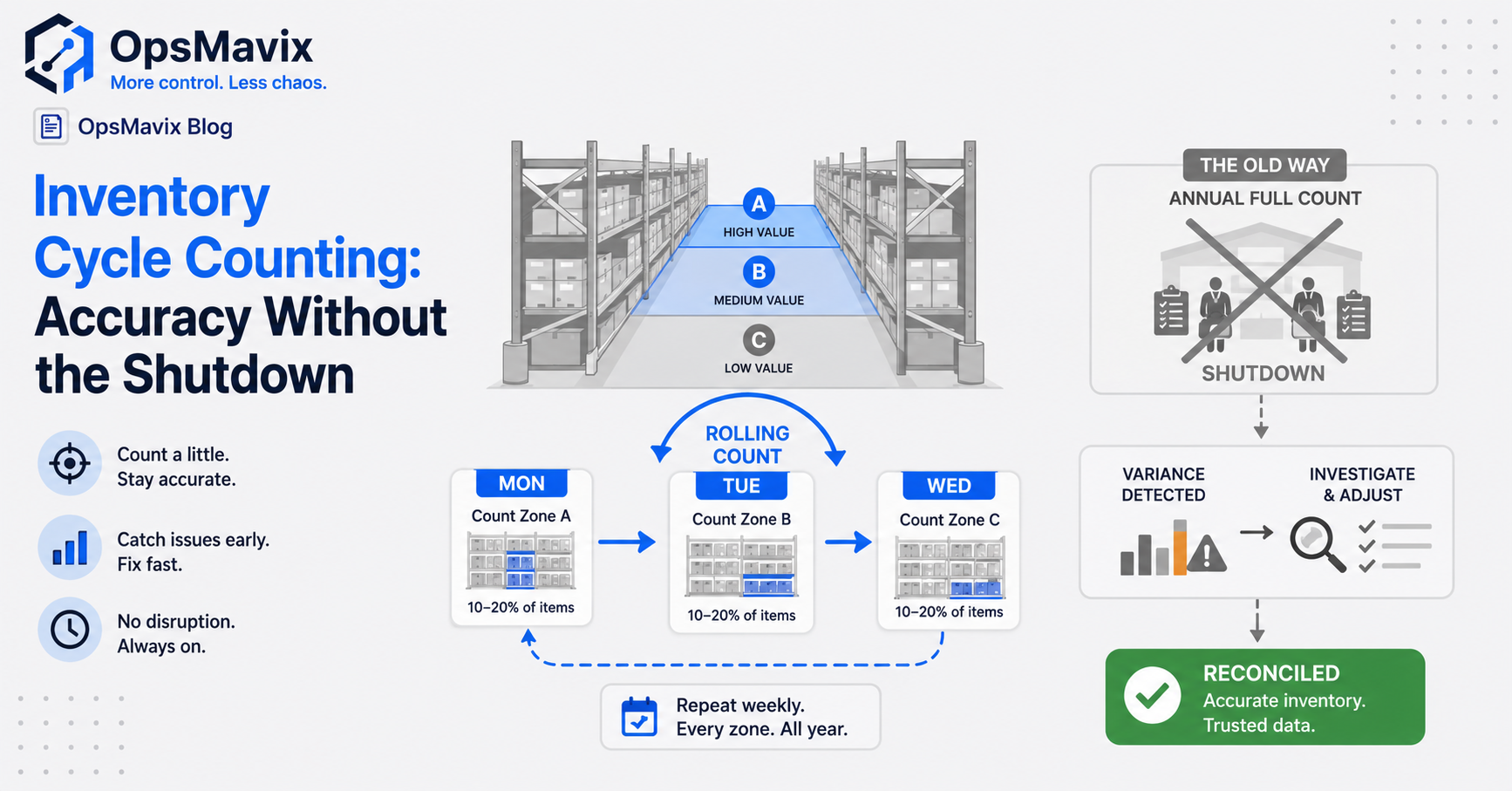
Blind versus known-quantity describes what information the counter sees. Cycle counting versus a full stocktake describes the scope and timing. These choices can be combined.
| Approach | What it describes | Example |
|---|---|---|
| Blind count | Expected quantities withheld. | A picker counts a bin without seeing its book balance. |
| Known-quantity count | Expected quantities visible. | A reviewer checks a discrepancy against a displayed balance. |
| Cycle count | Selected stock counted over a recurring programme. | High-risk locations counted more frequently. |
| Full physical count | A defined complete inventory scope counted at a cut-off. | All owned stock in a site and its relevant statuses. |
| Spot count | A targeted check prompted by an event. | Checking a location after a failed pick. |
Use the combination that answers the question
A warehouse can run blind cycle counts throughout the year and use a full count when required by its accounting or assurance process. A known-quantity review may then help investigate a variance. The essential point is that the original observation remains preserved rather than being overwritten to match the expectation.
3. Decide When Blind Counting Is Useful
Blind counting can reduce the risk that staff stop looking once they find the expected amount or assume a prefilled figure is correct. This is an operational reason to consider the method, not a claim that every visible-quantity count is unreliable.
Situations worth investigating
- Stock records show exact matches, but pickers repeatedly report shortages.
- Similar items share storage space and are sometimes confused.
- Several pack sizes or units create conversion errors.
- A new stock process needs an independent baseline check.
- High-value or critical stock needs a stronger verification process.
- An adjustment or suspected process failure warrants a controlled recount.
Cases that need more preparation
If goods are unidentified, containers are inaccessible or movement control is absent, hiding the expected number will not make the count reliable. First make the stock identifiable and safely countable. Keep required product, batch, serial and unit information available; blindness applies to the expected balance.
4. Know What Blind Counting Cannot Prove
It does not eliminate ordinary counting errors
A counter can still miss a carton, count the same pallet twice or read a pack size incorrectly. Training, location boundaries and a consistent method are needed. For sealed packs, define when label quantities may be accepted and when a pack should be opened or independently checked.
The absence of a displayed quantity also does not prove that the counter has never seen the record elsewhere. Restrict relevant access during the task where appropriate and make the instruction explicit.
A variance does not automatically identify its cause
| Observation | Possible explanations to investigate |
|---|---|
| Stock physically below book quantity | Unposted issue, wrong-bin movement, unit error, damage or loss. |
| Stock physically above book quantity | Unposted receipt, duplicate identification, return or incorrect original balance. |
| Site total correct but bins wrong | A transfer not recorded or stock returned to a different location. |
| Sellable stock wrong but total correct | Incorrect quarantine, damaged or reserved-status handling. |
A count establishes an observation within its scope. It does not by itself prove theft, explain a margin change or authorise an adjustment.
5. Make the Cut-Off and Stock Scope Comparable
Count the right dimensions
Define whether the record is item-by-location, item-by-bin, batch, serial, stock owner or status. A site-wide quantity can look correct while the picking bin is short. Stock owned by another party must not be merged into your owned balance simply because it is in the same building.
Separate on-hand stock from available-to-sell quantities. Reserved goods can still be physically present, while damaged or held goods may be on hand but unavailable. Count according to the agreed record definition.
Control movements during the observation
For a small area, pausing receipts, issues and transfers may be feasible. An active warehouse may need a timestamped snapshot and complete movement log instead. In either case, the comparison must refer to the same time and stock scope.
Record stock in receiving, staging, returns and quarantine. Agree how in-transit goods and off-site stock are handled. Missing these boundaries can create a false discrepancy even when the counter counted the assigned shelf correctly.

Picking, staging and replenishment movements must be accounted for when comparing a physical count with the system. Illustrative photograph, not an OpsMavix client.
Image credit: Nenad Stojković / Shixart1985, CC BY 2.0. Displayed at a reduced size; no additional edits.
6. Work Through a Hypothetical Discrepancy
Suppose the book record for a controlled bin is 120 units. The counter does not see that figure and records nine full cartons of 12 plus three loose units.
| Count element | Calculation | Units |
|---|---|---|
| Full cartons | 9 × 12 | 108 |
| Loose stock | Direct count | 3 |
| Physical observation | 108 + 3 | 111 |
| Book position at the same cut-off | Stated hypothetical balance | 120 |
| Variance | 111 - 120 | -9 |
Compare the same point in time
If a legitimate nine-unit issue occurred after the book snapshot but before the observation, 111 may be the correct later position. If movements were controlled and no such transaction exists, the nine-unit difference needs investigation and a recount under the agreed policy.
Keep the first observation. A second counter should record their own count without being told that 111 or 120 is the desired answer. If the recount confirms 111, check unit mappings, adjacent bins and relevant transactions before an authorised adjustment.
Put value in context
At an assumed £8 cost per unit, nine units represent £72. This is an invented valuation input. It is not evidence of a £72 theft or a realised financial loss; timing and accounting treatment still need to be established.
7. Use Software to Protect the Observation
Separate counting from approval
The counter should submit a quantity; the reviewer should see the variance and supporting history; the authorised approver should decide the adjustment. Small teams may combine roles, but permissions and responsibilities should reflect the risk.
Useful controls include a task identifier, blank quantity field, positive zero entry, counter and timestamp, retained recounts, attachments where helpful and adjustment approval. An empty field must not silently mean zero or expected quantity.
Microsoft’s cycle-count scenarios provide examples of guided, blind and spot counting in an existing warehouse application. Assess your current system’s supported workflow and configuration before adding another tool.
Test the difficult records
Check unexpected items, empty bins, damaged stock, duplicate submissions and a lost connection. Confirm that a retried submission cannot create a second adjustment. If a mobile device works offline, establish the supported tasks and reconciliation rules rather than assuming every function does.
8. Turn Count Findings Into Better Stock Control
A balance correction closes the immediate difference. A root-cause action reduces the chance of repeating it. Review discrepancies by process, location, unit and transaction type, rather than judging staff solely by whether their count matches the system.
Practical review checklist
- Confirm the task scope, units and observation time.
- Preserve the first count and any independent recount.
- Reconcile movements around the cut-off.
- Check receipts, issues, returns, transfers and status changes.
- Approve any adjustment under the relevant policy.
- Assign an owner to the identified process problem.
- Check that the correction works on a later sample.
Measure what the result means
If 48 of 50 counted item-bin records match exactly, record accuracy for that sample is 48 ÷ 50 = 96%. That does not mean 96% of units or inventory value is correct. Use consistent definitions and compare similar scopes before claiming an improvement.
Blind counting is most useful as part of a controlled inventory process. Labels, reliable movements and clear stock statuses still do much of the work.
Frequently Asked Questions
What is a blind count in inventory?
It is a count where the counter records physical stock without seeing the expected book quantity. A reviewer compares the observation with the corresponding system balance afterwards.
Is a blind count the same as a cycle count?
No. Blind describes the information shown to the counter; cycle counting describes a recurring selected scope. A cycle count can be performed blind.
Why hide the expected quantity?
It encourages an observation based on what is present and reduces the risk of counting towards a displayed target. Other counting and process controls are still necessary.
Should item and location details also be hidden?
Usually not. Staff need enough information to identify the task, units and relevant tracking dimensions. Some location-based methods ask the counter to identify all contents, but the scope must be explicit.
Can we do a blind count on paper?
Yes. Use controlled sheets with blank quantity fields, clear units and task identifiers. Preserve submissions and compare them afterwards without overwriting the original observations.
Can a warehouse keep moving stock during a count?
It can where the process reliably reconciles timestamped movements against the observation. Otherwise pause movement in the counted area to make the cut-off unambiguous.
Does a blind count prevent fraud?
It can strengthen verification but is not a guarantee. Permissions, independent review, retained evidence and investigation are still required. A discrepancy alone is not proof of wrongdoing.
Should a discrepancy automatically adjust stock?
Follow the approved policy. Significant or unusual differences normally need review, and often a recount, before an adjustment. Preserve the reason and authorisation.
Do we need new software for blind counting?
Not necessarily. Existing count workflows or controlled paper records may be adequate. Configuration, an integration or a focused custom tool can address specific gaps without replacing the whole operation.
How OpsMavix Can Help
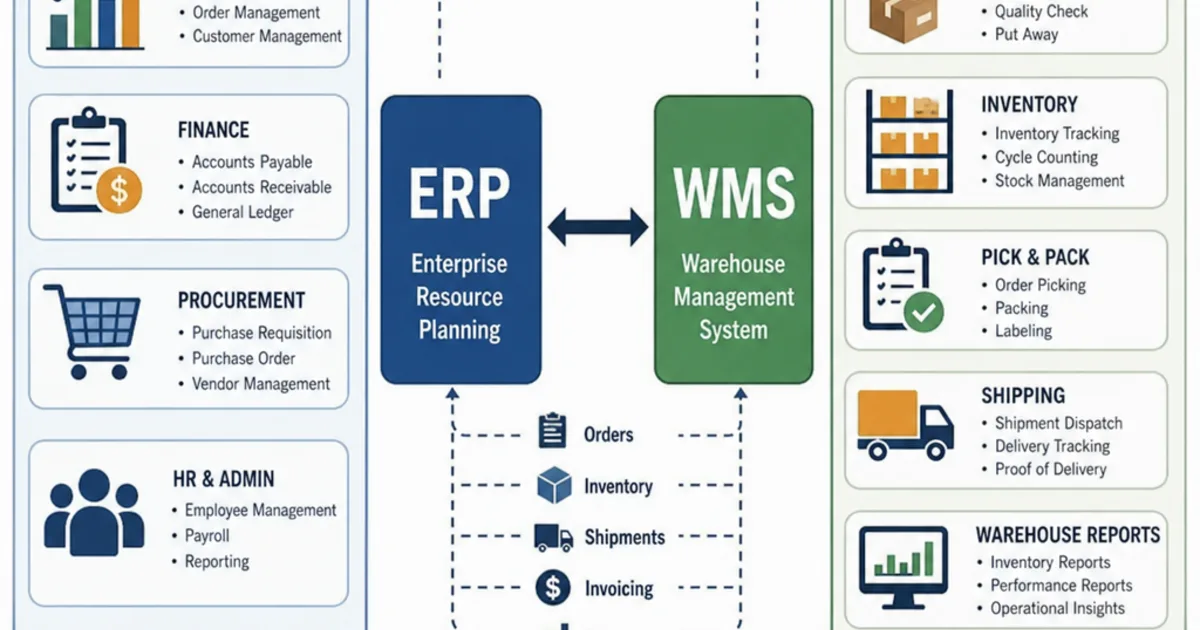
OpsMavix can assess count scope, stock movements and approval controls, configure existing applications, connect warehouse records or build a custom counting workflow. A full ERP can also be considered where broader inventory, purchasing and production requirements justify it.
Explore our inventory automation systems. Contact OpsMavix with a recent discrepancy and your current count process so we can define the smallest reliable improvement.
Keep reading
Getting value from OpsMavix? Add us as a preferred source on Google — you'll see more of our operations content in your AI Overviews, AI Mode and Search.