
Building a SKU Tracker You Can Actually Trust
A SKU tracker keeps a live count for every variant across locations and channels. Here's how to build one whose numbers match the shelf — so you stop overselling.
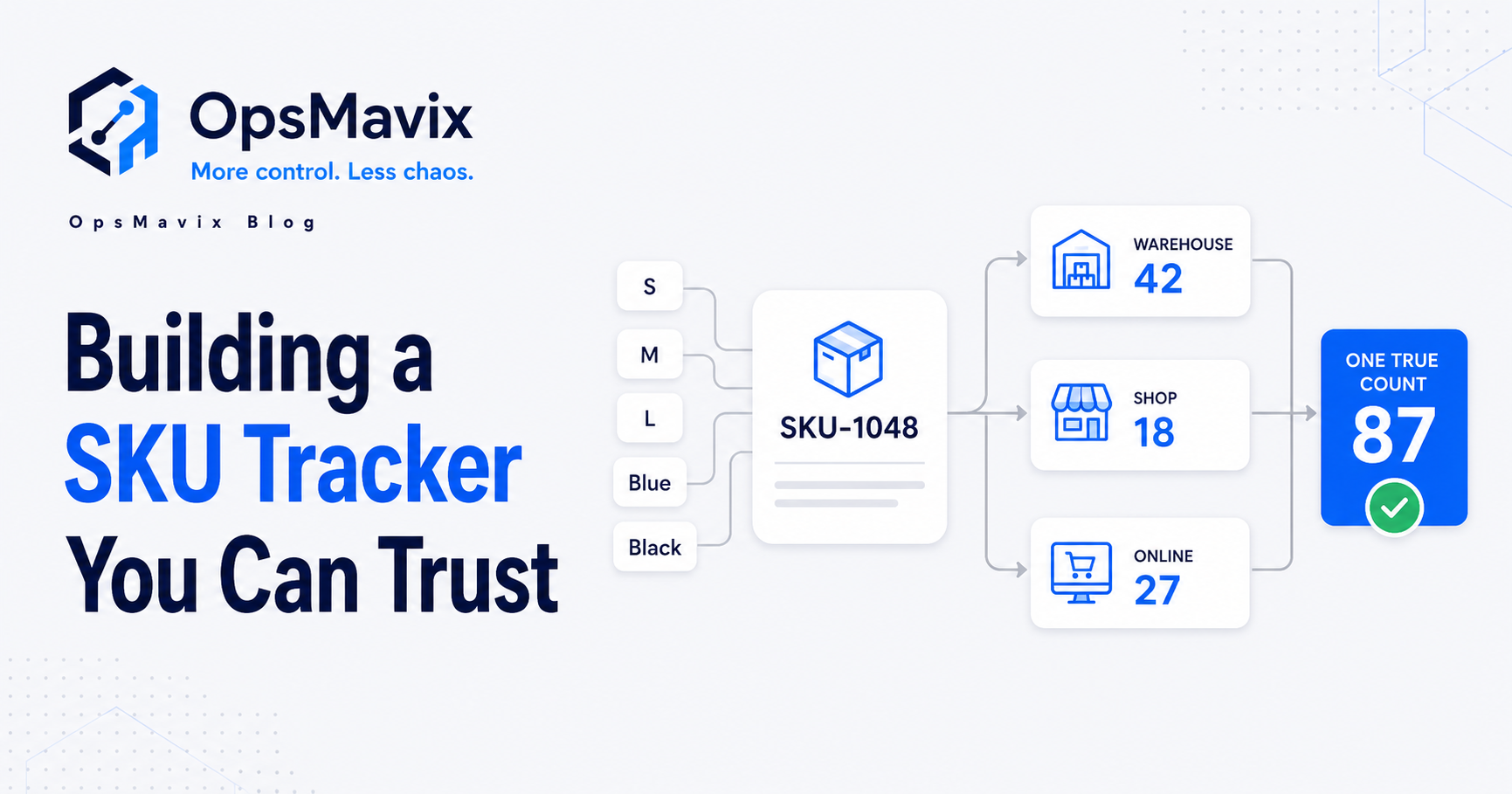
A SKU tracker is a live, per-variant count of what you actually hold: every size, colour and pack, in every location and on every channel, on one screen. Build it right and “do we have that in stock?” gets answered in seconds, not by phoning the warehouse or refreshing three seller dashboards. The screen is the easy part. The whole job is making the count match the shelf so you stop overselling things you don’t have.
This is the level above the scan. A barcode inventory system is the mechanism that captures a movement when someone scans it. A SKU tracker is the live tally those scans feed: broken out by variant, summed across locations and channels, and trustworthy enough to sell against. You can have one without the other, but they’re strongest together.
Key Takeaways
- A SKU tracker is only worth building if you can trust the per-variant count on one screen. If you still walk the floor to confirm it, it’s decoration.
- The leak it kills: overselling a variant you don’t actually hold, then cancelling the order and eating the refund.
- Track at the variant level, not the parent product. “The blue medium in the Leeds unit” is the number that matters, not “the t-shirt.”
- Net the count from real movements (receive, pick, dispatch, return), not from someone retyping a figure after the fact.
- The barcode scan is the input; the SKU tracker is the live tally. Get the scan right first, then trust the count.
1What a SKU Tracker Actually Is (and Isn’t)
A SKU tracker keeps one authoritative number for every distinct sellable unit: the variant, in the location, available to a channel. That’s narrower and more useful than “inventory software.” It is not your accounts package guessing a stock figure, and it is not a barcode scanner. The scanner records a movement; the tracker maintains the running count those movements net out to.
The distinction matters because most overselling happens at the variant level, not the product level. Your parent SKU can show “42 in stock” while the specific blue-medium a customer just ordered is actually zero. If your tracker only counts parents, it will lie to you with confidence. Track every variant separately, in every place it physically sits, or the number on the screen is fiction.
2The Leak a SKU Tracker Plugs
There’s one specific, expensive failure this is built to stop, and inventory operators describe it the same way every time: “we would consistently oversell items we didn’t even have on hand.” The system says yes, the shelf says no, and the customer finds out after they’ve paid.
For a multichannel seller it’s worse, because the same unit shows “available” in three places at once. One store owner put the trap plainly: “It’s either switch FBM off or risk the account! Losing so many sales.” When your stock isn’t truly synced per variant, your only defences are overselling or pulling listings: two ways to lose money. A real SKU tracker holds one count that every channel draws down from, so selling on Amazon decrements the same number Shopify sees. That’s the difference between confident selling and a nightly reconciliation panic. If overselling across marketplaces is the pain you feel most, stopping overselling across Shopify, Amazon and eBay is the same problem viewed from the channel side.
3Track the Variant, in the Location, on the Channel
The unit of truth is not the product. It’s the variant in a place, exposed to a channel. Build the count around that and most overselling disappears. The fields that earn their keep:
- Variant identity: the exact size/colour/pack, with its own SKU, not rolled up under a parent.
- Location: which unit, shelf or bin the count sits in, so a transfer shows as a move, not a vanish.
- On-hand vs available: what’s physically there minus what’s already committed to open orders.
- Channel mapping: which listings draw from this count, so one sale decrements every channel at once.
Get those right and you can answer “do we have the blue medium, and where, and is any of it already promised?” instantly. Skip the location and channel layers and you’re back to the parent-product lie from section 1.
4Make the Count Net Itself From Real Movements
A SKU tracker you update by hand is a SKU tracker that’s wrong by lunchtime. The count has to be the result of movements (goods received, picked, dispatched, returned, transferred), not a figure someone retypes when they remember. Trust comes from capturing the change at the moment it happens, ideally at the scan, so the number is always a sum of real events you can audit line by line.
This is exactly where the off-the-shelf tools burn people. Operators report “inventory numbers change for no reason — phantom stock” and even “an $80k value difference that cannot be explained.” That’s what a black-box count with no auditable movement trail produces. A tracker built on logged movements never drifts mysteriously: every change ties to a receive, a pick, a dispatch or a correction, with a name and a timestamp on it. When the count looks wrong, you can prove why instead of guessing. Fixing the underlying accuracy is its own job; see why your stock never matches the system.
5Pair It With the Scan, Don’t Replace It
The SKU tracker and the barcode scan do different jobs and need each other. The scan is the cheapest, most reliable way to feed accurate movements into the count: a picker scans the variant as it leaves the bin, and the tracker decrements the right number with no transcription error. Build the tracker first and feed it by hand and you’ll get drift. Build the scanner first with no live per-variant tally behind it and you’ve got events with nowhere trustworthy to land.
Our view at OpsMavix: most stock-holding SMBs should sort the count logic and the variant model first, then wire the barcode inventory system in as the input layer. Sequence it that way and each scan immediately makes the on-screen count more accurate, instead of dumping scans into a tally you still don’t trust.
6Spreadsheet vs SKU Tracker
| Multi-tab spreadsheet | Live SKU tracker | |
|---|---|---|
| Granularity | Often parent-level; variants get rolled up | Per variant, per location |
| Channels | Each channel reconciled by hand at night | One count every channel draws down |
| Source of the number | Retyped after the fact | Netted from logged movements |
| Explaining a change | “It just looks off” | Tied to a receive/pick/dispatch, with a timestamp |
| Overselling risk | High; the count lags reality | Low; available reflects open orders |
The spreadsheet feels cheap. But operators describe being “drowning in spreadsheets… losing money and my sanity” through a peak season, and the lost sales, refunds and cancelled orders are a real cost you only tally up when it’s already hurt. Start with one part of the catalogue, prove the count matches the shelf, then extend it across the rest. A focused build lands trustworthy numbers in weeks, not the year a full ERP rollout demands.
FAQ
What is a SKU tracker?
A SKU tracker is a live count of every distinct sellable unit (each variant, in each location, exposed to each channel) held on one screen. It tells you what you actually have and what’s safe to sell, without phoning the warehouse or cross-checking seller dashboards. The point is one number per variant you can trust.
How is a SKU tracker different from a barcode inventory system?
The barcode system is the scanning mechanism that captures a movement when someone scans an item. The SKU tracker is the live, per-variant count those scans feed into. The scan is the input, the tracker is the answer. They work best together; see barcode inventory system for the input side, and run them as a pair.
Should I track at the product level or the variant level?
The variant level, always. Overselling happens because a parent product shows stock while the specific size/colour the customer ordered is actually zero. Tracking each variant in each location is the only way the count reflects what’s really on the shelf.
How does a SKU tracker stop overselling across channels?
By holding one count that every channel draws down from. A sale on Amazon decrements the same number Shopify and eBay see, so the same unit can’t show “available” in three places at once. That removes the choice between overselling and pulling listings, the trap many multichannel sellers know well.
Why do off-the-shelf tools end up with “phantom stock”?
Because the count is a black box with no auditable movement trail, so it drifts and changes for no visible reason. A tracker built on logged movements ties every change to a receive, pick, dispatch or correction with a name and timestamp, so you can always explain the number instead of guessing.
How OpsMavix Can Help
OpsMavix builds custom inventory automation systems for stock-holding SMBs: a live per-variant SKU tracker that nets its count from real movements, sums across every location, and keeps one number that every channel draws down from. That includes a tailored ecommerce inventory setup for Shopify, Amazon and eBay sellers. Built around your catalogue and your channels, and yours to own outright. No £100k ERP, no black-box drift.
If you’re still overselling variants you don’t have, or reconciling channel stock by hand every night, that’s a leak costing you refunds, cancelled orders and lost trust. Book an Operations Leak Audit and we’ll map where your stock count and reality come apart.