
Invoice Approval Workflow: Why Approvals Get Stuck
An invoice arrives, gets forwarded, and quietly dies in someone's inbox until a supplier chases it. Here's why approvals stall — and how to unblock them.
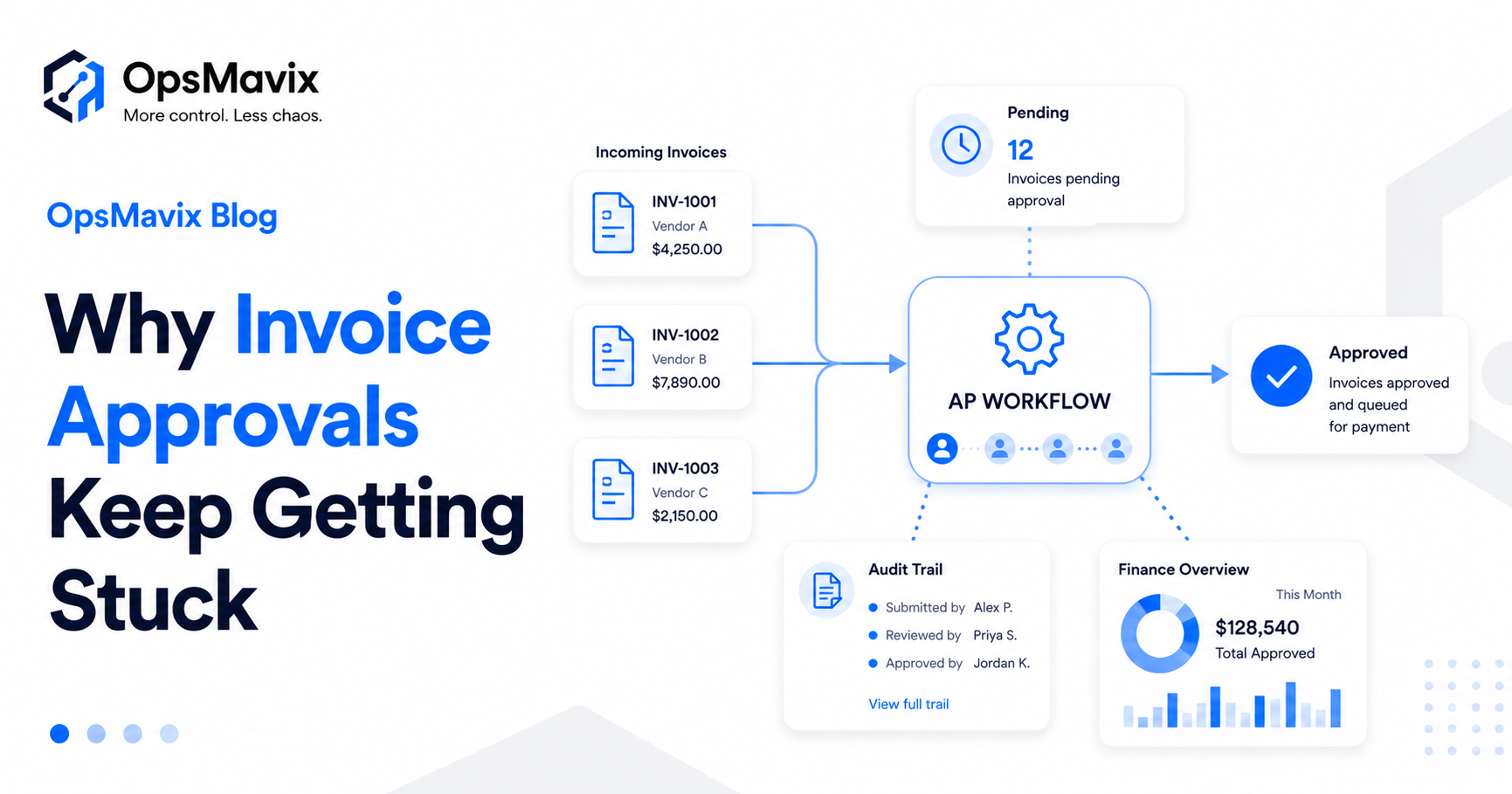
An invoice arrives by email. Someone forwards it to the person who needs to approve it. That person is busy, so it sits. A week later the supplier chases, nobody can find the thread, and the invoice gets approved in a panic — late, unchecked, and with no record of who signed it off.
If that sounds familiar, you’re not running a broken team. You’re running a normal one without a system. Approvals over email feel flexible, but they have no memory, no order, and no way to show you where anything is stuck. As a business grows, that flexibility turns into a permanent bottleneck.
This piece walks through why an invoice approval workflow breaks down when it lives in inboxes — and what a real one looks like, so bills get checked, approved and recorded without the chase.
Key Takeaways
- Approvals stall because email has no owner, no queue and no reminders — not because people are slow.
- A stuck invoice quietly costs late fees, lost early-payment discounts and a missing audit trail.
- A real invoice approval workflow follows one recorded path: capture, route, approve, log.
- Routing, chasing and record-keeping happen automatically, so finance always sees what’s pending and with whom.
- If you can’t say who approved a payment and when, you have a habit, not a process.
For the specific root causes, see 5 reasons invoice approvals get delayed; for the hands-on fixes, see how to speed up invoice approvals.
1Why Approvals Stall
Approvals don’t stall because people are lazy. They stall because email was never built to route work:
- No clear owner — the invoice lands with whoever happened to receive it, not whoever should approve it.
- No queue — it sits in an inbox alongside a hundred other emails, with nothing marking it as urgent or pending.
- No chasing — nothing reminds the approver, so it waits until a supplier complains.
- No handoff — when the right approver is away, the invoice simply stops.
Every one of these is invisible. You only discover the bottleneck when the damage — a late fee, an annoyed supplier, a missed discount — has already landed.
2The Hidden Costs of “Approval by Inbox”
A stuck invoice looks like a minor delay. The real costs run deeper:
- Late fees and lost early-payment discounts — money left on the table every month.
- No audit trail — when the year-end review asks who approved a payment, the answer is buried in a forwarded email, or gone.
- Month-end scramble — finance spends days chasing approvals and reconstructing what happened instead of closing the books.
- Fraud and error risk — with no checks and no record, a wrong or duplicate invoice can sail straight through.
3What a Real Invoice Approval Workflow Looks Like
An invoice approval workflow replaces the inbox with a clear, recorded path every bill follows — capture, route, approve, log:
- Capture — the invoice is logged in one place the moment it arrives, with its key details.
- Route — it goes automatically to the right approver, based on amount, supplier or department.
- Approve — the approver gets a clear, chase-free prompt, and approves or queries in a click.
- Log — every action is timestamped, so there’s a permanent audit trail without anyone keeping one by hand.
The result isn’t more bureaucracy. It’s less — because the routing, reminding and record-keeping happen on their own, and finance can see at a glance exactly which invoices are pending and with whom.
4Email/Spreadsheet vs an Approval Workflow
| Email / spreadsheet | Invoice approval workflow | |
|---|---|---|
| Who approves | Whoever got the email | Routed by rule, automatically |
| Visibility | None — it’s in an inbox | Live status of every invoice |
| Chasing | Manual, or not at all | Automatic reminders |
| Audit trail | Scattered or missing | Timestamped, complete |
| Month-end | Days of reconstruction | Already recorded |
| Cover for absences | Stops dead | Reroutes to a backup |
5Signs You Need One
It’s time to put a workflow in place when:
- Suppliers chase you for payment more often than you’d like to admit.
- Nobody can tell you, right now, which invoices are awaiting approval.
- Month-end close is a recurring fire drill.
- You’ve paid a late fee — or a duplicate invoice — in the last year.
- An auditor’s “who approved this?” would send you digging through email.
FAQ
Isn’t an approval workflow overkill for a small business?
The opposite — small finance teams feel a stuck invoice hardest because there’s no slack to absorb it. A lightweight workflow removes the chasing and the month-end scramble without adding heavy software.
Do we have to change our accounting software?
No. A workflow sits around your existing tools, feeding clean, approved data into whatever you use for bookkeeping rather than replacing it.
How does this help at audit or year-end?
Every approval is timestamped and stored automatically, so “who approved this and when?” is answered in seconds instead of a search through inboxes.
Can it connect to the rest of our operations?
Yes. Approved costs can flow straight into reporting and into a project operations dashboard, so spend ties back to the projects and budgets it belongs to.
How OpsMavix Can Help
OpsMavix builds custom invoice approval workflows that capture every bill, route it to the right approver, chase it automatically and keep a complete audit trail — so approvals stop dying in inboxes and month-end stops being a scramble.
If invoices keep getting stuck and nobody can see where, that’s a textbook operational leak. Book an Operations Leak Audit and we’ll map where your finance workflow is losing time and money.