
Grainger KeepStock Alternative: Own Your Inventory
Grainger KeepStock keeps your MRO bins full — as long as you keep buying from Grainger. Here's the Grainger KeepStock alternative that gives you auto-reorder across every supplier, owned by you.
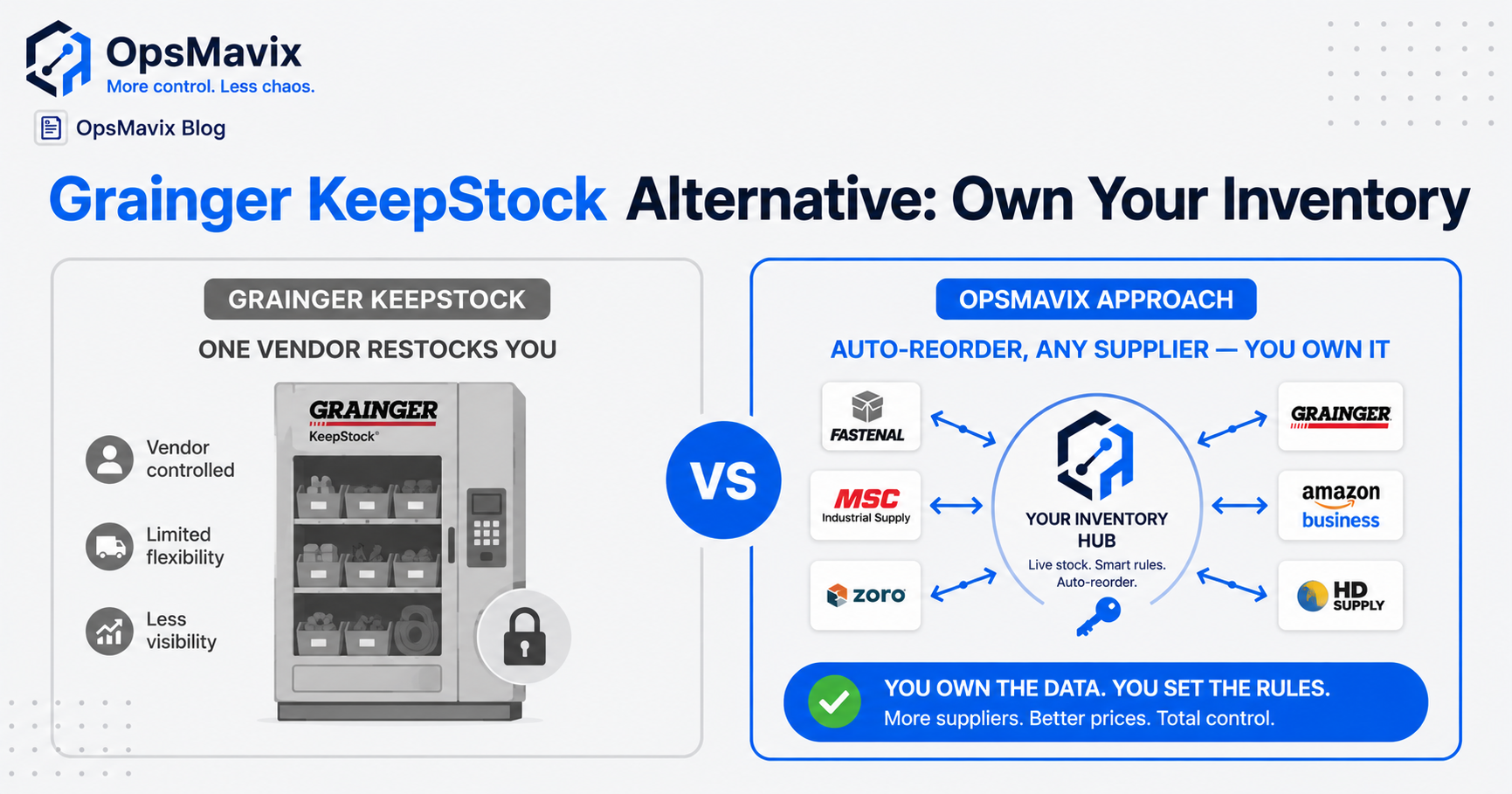
The honest Grainger KeepStock alternative depends on whether you want your bins filled or your inventory owned. KeepStock is vendor-managed inventory: Grainger watches your MRO and supply levels and restocks them — which works well, as long as the items live in Grainger’s catalogue and you’re happy buying from Grainger. The alternative most people are actually after is a custom system that does the same auto-reorder job across all your suppliers, on your reorder rules, owned by you and tied to no single vendor.
That distinction is the whole post. KeepStock isn’t bad — for a slice of your stock, it’s genuinely convenient. But the moment “auto-reorder” only covers what one supplier sells, you’ve handed a piece of your operation to that supplier’s pricing and catalogue. Below: when KeepStock is the right call, when it isn’t, and what a built-for-you system changes.
Key Takeaways
- KeepStock is vendor-managed inventory — convenient, but the auto-reorder only covers items you buy from Grainger.
- The real Grainger KeepStock alternative isn’t another VMI program. It’s a system that does VMI-style auto-reorder across every supplier, on your rules.
- You’ve outgrown vendor-managed when stock you can’t see lives across multiple suppliers, sites, and a production floor.
- The deeper win is ownership: no catalogue lock-in, no per-vendor pricing leverage, no number you can’t audit.
- Don’t rip out KeepStock for the sake of it — switch when single-vendor reorder is costing you more than building your own would.
1Grainger KeepStock Alternative: VMI Without the Vendor Lock-In
The reason KeepStock works is also the reason people search for an alternative. It keeps your fast-moving MRO and consumables topped up automatically — but the auto-reorder is anchored to Grainger’s catalogue and Grainger’s pricing. Anything you source elsewhere sits outside the program, tracked by hand, the way it always was.
A custom system flips the anchor. It applies the same min/max reorder logic to every line you stock, regardless of who supplies it — Grainger, a local distributor, three regional vendors, a parts manufacturer with a clunky order portal. When a bin hits its reorder point, the system fires the order to whichever supplier you’ve set, at whatever price you’ve negotiated. That’s the difference between vendor-managed inventory and inventory you manage with a vendor: one keeps you buying, the other keeps you stocked.
2The Items That Fall Outside the Program
Every business running KeepStock has a second list — the stuff Grainger doesn’t supply or doesn’t supply competitively. Raw stock, bespoke parts, packaging, a specialist consumable a single regional vendor sells. That list gets tracked the old way, which means it gets tracked badly.
This is exactly the wound the inventory managers we build for describe: “We would consistently oversell items we didn’t even have on hand — the stock never matches the system, and I’m running a million messy spreadsheets for the warehouse.” VMI tidies one shelf and leaves the rest in spreadsheets. The leak doesn’t close; it just moves to the items the program can’t see, the same way stock discrepancies creep in when inventory lives across disconnected places. A system built around all your stock has no “second list.”
3Your Reorder Rules, Not the Vendor’s
Vendor-managed inventory means the supplier sets the cadence that suits the supplier. That’s fine when the goal is “never run out of gloves.” It’s a problem when your reorder logic actually needs to be yours: different min/max by season, by job pipeline, by lead time you know and they don’t.
A custom system puts the reorder brain on your side. You set the points, the safety stock, the preferred supplier per line, the fallback when the first is out. For manufacturers especially, reorder can’t be generic — it has to track against work in progress. As one shop owner put it, “the entire shop is run from my head — and the first I hear a job’s slipped is when the customer phones.” Tie reorder to the production schedule and the parts arrive because a job is coming, not because a bin looked low last Tuesday. That logic is closer to an electronic kanban pull system than a vendor restock run.
4The Hidden Cost Is Catalogue Lock-In, Not the Bins
KeepStock costs little up front — the bins, scanners, and labels are part of the deal because the deal is that you keep buying. That’s the real price, and it’s invisible until you try to leave. Your reorder data, your usage history, and your stock visibility live inside the vendor’s program, tuned to the vendor’s catalogue.
Many inventory managers have been burned by lock-in before — a previous tool sunset “by a banner on the vendor’s website,” which “invalidates two years worth of work.” A system you own doesn’t have that exit cost. Your usage history is yours, your supplier list is swappable, and nobody can reprice the catalogue your operation depends on. That ownership is the same reason the honest question is usually whether you need an operations system or a full ERP, not which vendor program to enrol in.
KeepStock vs a Custom Inventory System
| Grainger KeepStock | Custom inventory system | |
|---|---|---|
| Auto-reorder coverage | Items in Grainger’s catalogue | Every line, every supplier |
| Reorder rules | Set to suit the vendor | Your min/max, your lead times |
| Who you buy from | Grainger | Any supplier, swappable |
| Multi-site / production link | Limited to stocked bins | Tied to sites + work-in-progress |
| Data & usage history | Lives in the vendor’s program | Yours, owned outright |
| Cost model | Low up front, tied to spend | Fixed build, no per-vendor lock-in |
| Best for | Fast-moving MRO from one supplier | Mixed-supplier stock you must trust |
5When KeepStock Is the Right Call (the Honest Bit)
KeepStock is a genuinely good fit for one job: keeping high-volume MRO and consumables topped up when you already buy most of it from Grainger. If your stock headache is “the floor keeps running out of safety gloves, abrasives, and fasteners,” and those come from Grainger anyway, a vendor-managed bin wall solves it cheaply and you should use it. Building a custom system to replace that alone would be over-engineering.
The switch earns its place when the items that don’t fit the program start costing you — when overselling, stockouts on non-Grainger lines, manual reconciliation, and the slow creep of catalogue lock-in add up to more than building the right thing once. Our view is plain: move when staying single-vendor costs more than owning the system, not before. And it’s not all-or-nothing — plenty of operations keep KeepStock for the MRO bins and run a custom inventory system for everything else.
FAQ
What is the best Grainger KeepStock alternative?
It depends on what you’re trying to replace. If you only need fast-moving MRO topped up from one supplier, another vendor-managed program may be fine. If you need VMI-style auto-reorder across all your suppliers — on your own reorder rules, with stock you can audit and own — the alternative is a custom inventory system built around how your stock actually moves, not tied to a single catalogue.
Can a custom system do auto-reorder like KeepStock?
Yes — that’s the point of building one. A custom system applies min/max reorder logic, safety stock, and preferred-supplier rules to every line you stock, then fires the purchase order to whichever supplier you choose. The difference from KeepStock is coverage and control: it works across all your vendors, not just one catalogue, and you set the rules.
Is KeepStock actually bad?
No. For keeping high-volume MRO and consumables stocked when you already buy them from Grainger, it’s convenient and cheap to start. The limitation is scope: the auto-reorder only covers Grainger’s catalogue, so any stock you source elsewhere falls outside the program and gets tracked by hand. The trouble starts when that second list grows.
What does “vendor-managed inventory” lock me into?
The catalogue and the pricing. Because the program is built around you continuing to buy from that vendor, your reorder data, usage history, and stock visibility live inside their system, tuned to their products. Leaving means rebuilding that visibility elsewhere. A system you own keeps the data and the supplier list on your side, swappable at will.
Can I keep KeepStock and add a custom system?
Often that’s the smartest move. Many operations leave KeepStock running for the MRO bins it fills well and build a custom system for the mixed-supplier stock, raw materials, and production parts the program can’t see. The custom system becomes the single number you trust; KeepStock just keeps a few bins full underneath it.
How OpsMavix Can Help
OpsMavix builds custom inventory systems that do VMI-style auto-reorder across every supplier you use — your min/max rules, your lead times, your preferred vendor per line — so the right parts arrive automatically without tying you to one catalogue. Every line lives on one figure the shelf and the screen agree on, and you own it outright: no catalogue lock-in, no per-vendor pricing leverage, nothing a vendor can switch off.
If KeepStock keeps your MRO bins full but everything outside Grainger’s catalogue still runs on spreadsheets and guesswork, that’s the gap we close. Book an Operations Leak Audit and we’ll map where your reorder breaks down today, what the non-vendor stock is costing you, and whether owning the system is genuinely worth the move.