
Running FIFO Stock Rotation Without Losing Track
FIFO only saves money if the oldest stock actually ships first. Here's how to enforce first-in-first-out in your stores, and stop quietly writing off expired stock.
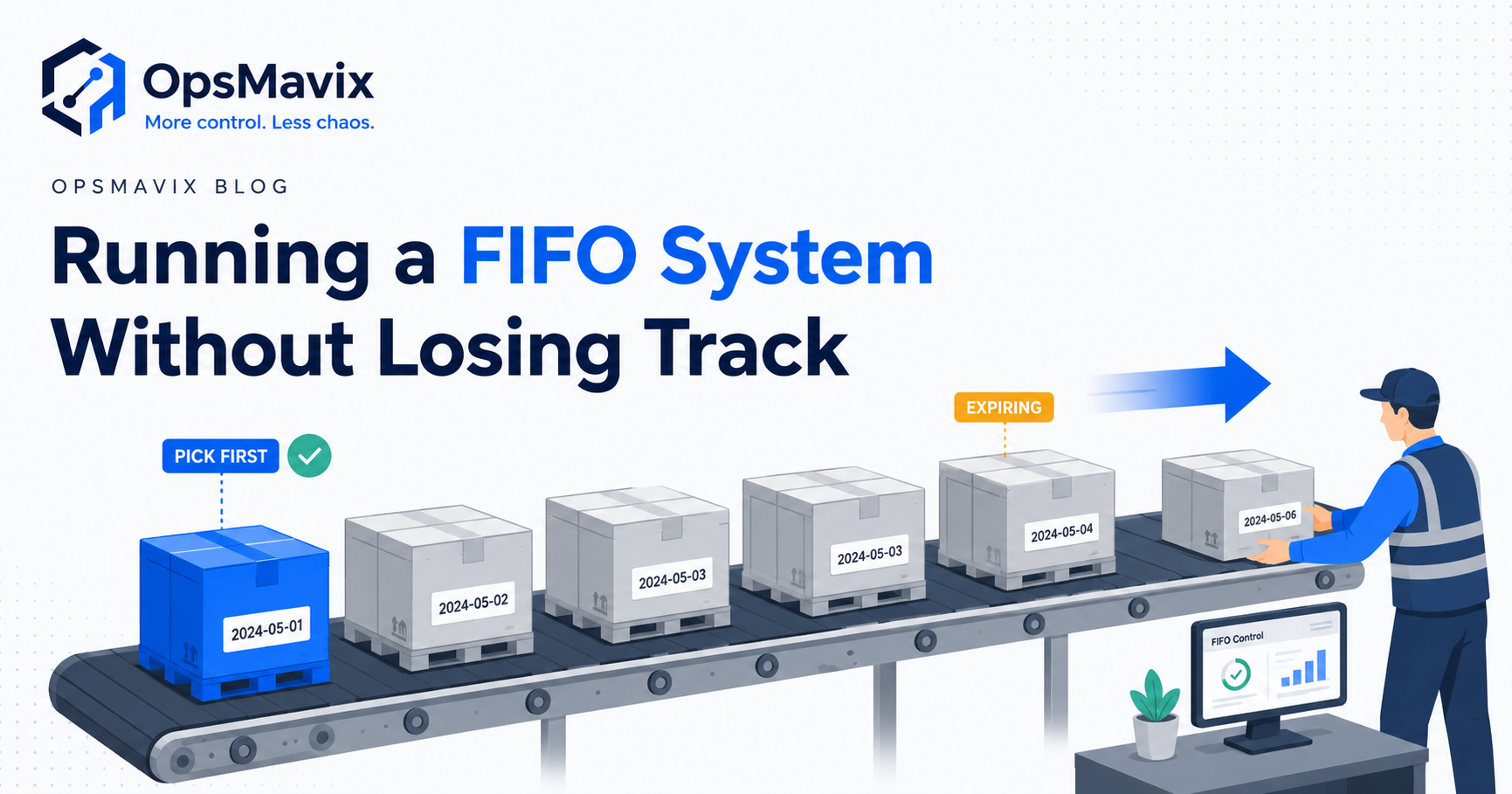
A fresh delivery goes into the easiest space on the rack. Yesterday’s stock sits behind it. The next picker takes what is nearest, and the older batch remains untouched until someone notices it during a count.
The store has a FIFO policy. The physical flow and picking records tell a different story.
A FIFO system in stores uses first-in, first-out rotation to prioritise older eligible stock before newer receipts. It needs a reliable way to identify receipt order, locate the stock and confirm what actually leaves. A sign on the racking can support that process, but it cannot check the selected batch.
For products with expiry dates, receipt order may not be the right priority. A later delivery can expire sooner than an earlier one. In that situation, first-expiry, first-out, or FEFO, is usually the more relevant rotation rule, subject to quality status and customer shelf-life requirements.
This guide explains how to run FIFO in a store or warehouse, where FEFO differs, and how to connect receiving, picking and write-offs without losing the batch history.

Stock rotation depends on the physical layout as well as the records that identify which goods should leave next.
Key Takeaways
- FIFO prioritises receipt order. FEFO prioritises the relevant expiry or removal date. They can select different batches.
- Rotation needs accurate quantities, locations and date records, with batch identification where traceability is required.
- Guided picking and scan validation can reduce incorrect selections, but the physical workflow and exception rules still matter.
- Held, damaged, expired or otherwise unsuitable stock should be excluded under clearly defined eligibility rules.
- Receipts, transfers, returns, samples and write-offs need traceable movement records; stock totals alone cannot explain rotation.
- Pilot one product group, measure rotation exceptions and investigate write-off causes before expanding.
In this guide:
- What FIFO means in stores
- FIFO versus FEFO
- Capture the right information at receipt
- Guide and validate the pick
- A worked batch-selection example
- Record movements without losing history
- Make write-offs actionable
- Pilot a reliable rotation process
- Frequently asked questions
- How OpsMavix can help
1. What a FIFO System in Stores Actually Means
FIFO means the stock received first is selected before later receipts, within the eligible stock pool. The rule needs an agreed scope: a picking location, a warehouse or a wider fulfilment network.
“Oldest” should have a defined meaning. Original receipt date, manufacturing date and the date stock entered its current bin are not necessarily the same thing.
Physical rotation and software selection work together
A team can organise FIFO physically by placing new deliveries behind older stock or using a layout that separates loading and picking. That reduces the effort needed to select the intended goods.
Software can then propose the correct stock and retain the movement record. If the recommended batch is inaccessible behind several newer pallets, the process encourages shortcuts even when the screen is correct.
Review the rack layout, replenishment route and pick-face arrangement alongside the system settings.
FIFO picking is different from FIFO costing
A warehouse removal rule determines which physical goods are selected. A costing method determines how inventory cost is assigned in the records.
Using FIFO valuation does not prove that pickers physically selected the oldest goods. Review the picking configuration and actual batch movements separately from the costing setup.
Odoo’s FIFO removal documentation illustrates a removal strategy based on arrival dates. Other products need their own configuration review.
Batches help, but the required detail varies
Some non-perishable stores can rotate at pallet, package or receipt level. Products requiring batch traceability need the lot recorded across the relevant movements.
Choose the detail needed to distinguish stock reliably. A single total of 200 units cannot show which receipt those units belong to or which location holds the older stock.
2. FIFO vs FEFO: Choose the Right Rotation Rule
FIFO can help prevent older goods from being repeatedly bypassed. It does not necessarily send the soonest-expiring goods first.
If a supplier sends a short-dated batch after a longer-dated one, following receipt order alone can leave the more urgent stock behind.
| Question | FIFO | FEFO |
|---|---|---|
| Main ordering basis | Earliest receipt under the agreed rule | Earliest relevant expiry or removal date |
| Useful when | Receipt age is a meaningful rotation priority | Remaining shelf life determines urgency |
| Required date information | Reliable receipt chronology | Reliable expiry or configured removal dates |
| Later receipt expires sooner | Earlier receipt may still be selected | Later receipt may take priority |
| Main limitation | Receipt order does not establish shelf life | Dates and eligibility checks must be trustworthy |
Odoo’s FEFO documentation provides an example of expiry-related lot selection. Confirm exactly which date the chosen software uses and how that date is maintained.
Apply eligibility before ranking the stock
Neither FIFO nor FEFO should mean shipping an unsuitable batch simply because it sorts first.
Eligibility can depend on:
- Quality release or quarantine status.
- Damage or other stock holds.
- Expiry and internal removal rules.
- Required remaining shelf life at the expected delivery date.
- Customer-specific batch or product requirements.
- The location permitted to fulfil the order.
Define those checks explicitly. An expiry field does not, by itself, prove that the system blocks an expired batch.
Rotation cannot solve every form of obsolescence
Older electronics, seasonal goods or changed product versions may need a separate commercial decision. A customer may require the latest revision rather than the oldest receipt.
Use FIFO where age is the appropriate priority, and combine it with product suitability rules rather than treating it as a universal instruction.
3. Capture the Right Information at Receipt
Picking can only use information that receiving captured correctly. A later correction is harder when several deliveries have already been mixed together.
Define the receipt record
For tracked stock, record:
- Product and variant.
- Quantity and unit of measure.
- Supplier and receipt reference.
- Supplier lot or internal batch identifier.
- Receipt date and any required manufacturing or expiry dates.
- Storage location.
- Quality status and relevant holds.
If the same supplier batch arrives in separate deliveries, preserve both the lot identity and the receipt events where needed. One batch label may not be enough to distinguish receipt chronology.
Validate before put-away
Check quantities against the physical delivery. Resolve unit conversions, illegible labels and missing dates before treating the stock as available.
If a supplier date differs from an expected date calculated by software, identify which value should govern the record. An automatic default should not silently replace a verified supplier date.
Short-dated receipts need a clear acceptance or review process. Rotation software cannot restore shelf life that was already lost before delivery.
Keep labels usable
Labels should make product, lot and location identification practical at the shelf. Where scanning is used, test the labels on the actual devices and packaging.
A barcode can identify a product without identifying its batch. Confirm what the scan captures and whether the operator must also select or scan the lot and quantity.
For broader inventory symptoms, see why stock never matches the system.
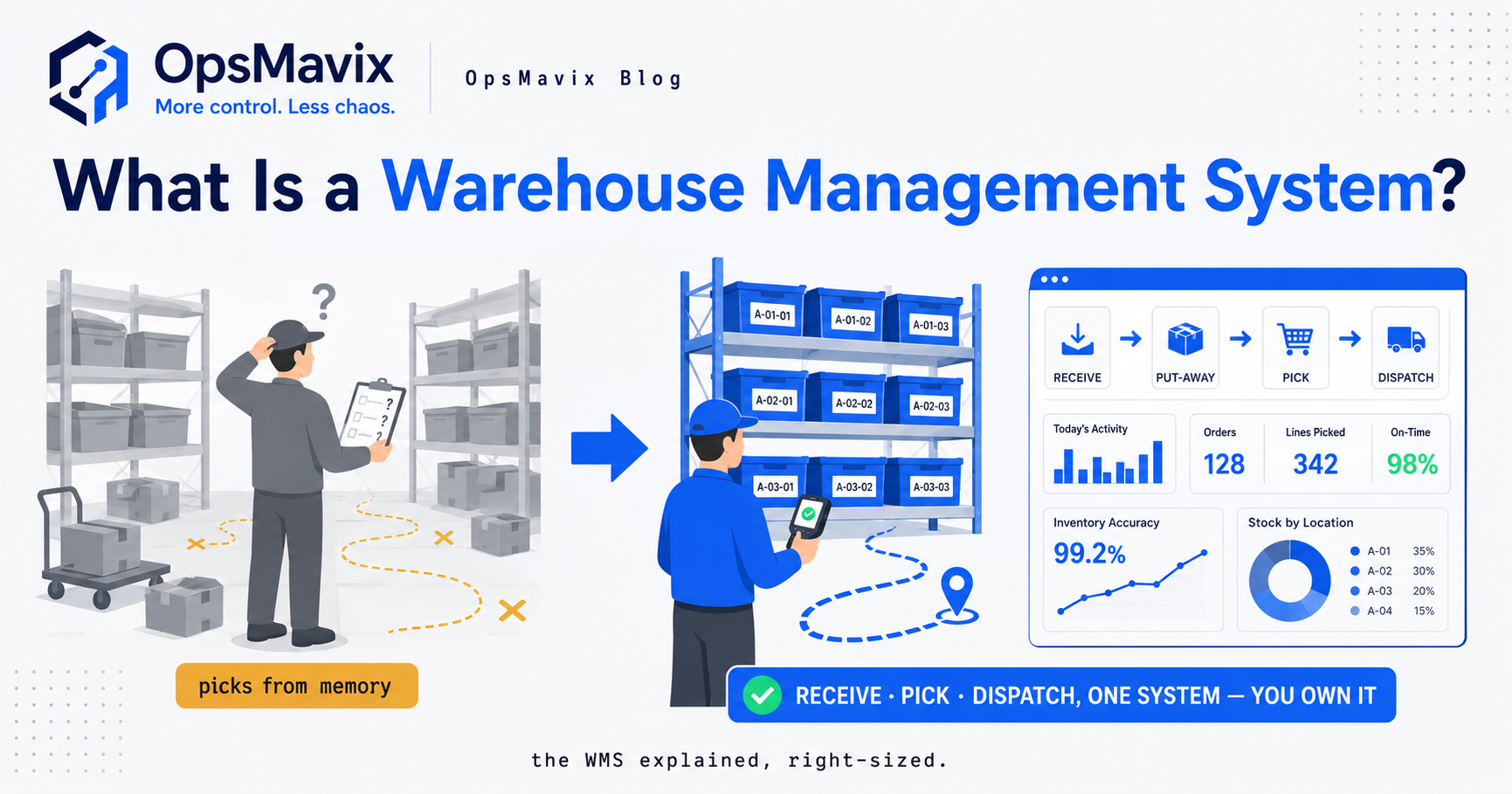
Product identification, batch identification and quantity confirmation are separate controls. The scanning workflow needs to capture the right combination.
4. Guide and Validate the Pick
The strongest practical improvement is to make the intended selection visible and check the selection actually made.
A pick instruction should identify the product, quantity, location and relevant batch or package. Display dates where they help the operator resolve an exception.
A recommendation is not the same as enforcement
A system might suggest an older batch while allowing the user to replace it freely. That is guided selection, not a strict control.
Decide what should happen when the operator scans a different batch:
- Reject the selection if it is not eligible.
- Require an authorised override for a permitted exception.
- Record the reason and the batch actually used.
- Recalculate the remaining allocation where necessary.
Appropriate exceptions include an inaccessible pallet, a quantity discrepancy or a newly discovered quality concern. Hiding them behind a forced confirmation can make the record less truthful.
Include the order lifecycle
Reservation and physical picking are different events. Reserving stock should reduce the relevant available quantity without implying that goods have already left.
Cancelled orders, partial picks and reassignment need to release or adjust the correct allocation. Two pickers should not be directed to consume the same unallocated balance independently.
Make the older stock easy to reach
Review replenishment into the pick face. If staff refill it with newer stock while older stock remains elsewhere, rotation can fail before the final pick begins.
A system should highlight older eligible stock outside the pick face and support an appropriate replenishment instruction. Physical access and staff responsibilities still determine whether the instruction is followed.
5. A Worked Example: Receipt Order and Expiry Order
Consider the following hypothetical records for one product at one warehouse. Assume all three batches are released, unreserved and eligible for the example order on 10 October.
| Batch | Received | Expiry date | Available quantity |
|---|---|---|---|
| A | 1 October | 30 November | 40 |
| B | 5 October | 31 October | 30 |
| C | 8 October | 15 December | 50 |
| Total | 120 |
The order requires 50 units.
FIFO selection
Based on receipt order, the instruction is:
- Pick 40 units from batch A.
- Pick 10 units from batch B.
Remaining stock is A: 0, B: 20 and C: 50, for a total of 70 units.
FEFO selection
Based on expiry priority, the instruction is:
- Pick 30 units from batch B.
- Pick 20 units from batch A.
Remaining stock is A: 20, B: 0 and C: 50, again totalling 70 units.
Both methods produce the same overall quantity. They leave different stock behind. FEFO clears the batch with the nearest expiry in this example.
Add a customer shelf-life requirement
Now suppose the customer requires at least 30 days of remaining shelf life at delivery on 12 October. Batch B does not meet that requirement.
The system should exclude B for that order rather than shipping it because it expires first. Under the example assumptions, it can select 40 units from A and 10 from C.
Batch B remains available only for another permitted use or customer whose requirements it meets. It needs an action plan before its usable window closes.
Add a quality hold
If batch A is placed on hold, it must also be excluded until released. The system should then assess the remaining eligible stock and show a shortage if it cannot fulfil the order.
Selection rules reduce risk when the underlying dates, statuses and quantities are accurate. They do not replace the decisions that establish eligibility.
6. Record Every Movement Without Losing the History
A trusted inventory view should retain balances by product, lot, location and status where those distinctions matter. It should not flatten everything into one supposedly available total.
Different movements have different effects
| Event | Quantity effect | Rotation or traceability detail |
|---|---|---|
| Receipt | Adds stock | Lot, date, quantity and status |
| Reservation | Commits availability | Order and allocated batch |
| Internal transfer | Changes location | Source, destination and retained history |
| Dispatch | Removes shipped quantity | Order, lot and actual quantity |
| Customer return | Adds received return stock | Original reference where known and inspection status |
| Sample or internal use | Removes consumed quantity | Lot, purpose and responsible record |
| Damage or expiry disposal | Removes written-off quantity | Lot, reason, quantity and approval |
Do not make a transfer rejuvenate old stock
Moving an older batch to another bin does not make the goods physically new. Decide which date governs rotation and test what the software does after internal transfers.
Returns need similar care. Do not automatically treat returned goods as a fresh, released receipt. Establish condition, identity and suitability before returning them to the eligible stock pool.
Confirm changes at the relevant event
Record movements close to when they occur. If updates are delayed or a device is offline, the system should make that uncertainty visible and define reconciliation steps.
Integrations should handle retries without creating duplicate receipts or dispatches. A failed connection needs a visible owner and recovery action.
A connected inventory system can support these records, but automatic FIFO selection still requires the rotation strategy and picking controls to be configured.
7. Make Ageing Stock and Write-Offs Actionable
An expiry write-off is not always a picking failure. Overbuying, weak demand, short-dated supply, damage and storage problems can produce the same outcome.
Capture enough information to distinguish those causes.
Show stock before it becomes a loss
Useful views include:
- Older eligible stock repeatedly bypassed during picking.
- Near-expiry quantities by product, lot and location.
- Stock on hold approaching its usable deadline.
- Receipts with less remaining shelf life than expected.
- Open orders that could use suitable ageing stock.
- Products whose available quantity exceeds likely use within the remaining window.
Assign actions to named owners. A near-expiry dashboard does not reduce waste if nobody decides whether to transfer, return, sell through or dispose of the goods under the applicable process.
Record the write-off precisely
Keep product, batch, quantity, location, date and reason, with the relevant approval and valuation record. Separate expiry from damage, quality rejection and unexplained count variance.
For a hypothetical batch, writing off 24 units at a recorded unit cost of £8 gives 24 × £8 = £192 of stock cost. It does not automatically establish £192 of lost sales or cover disposal costs.
Use a consistent basis when comparing periods. Cost value, selling value and quantity answer different questions.
Review the cause, not just the total
If a supplier repeatedly sends short-dated stock, receiving controls may need changing. If pickers bypass inaccessible older pallets, layout may be the issue. If demand is lower than purchasing assumptions, adjust replenishment decisions.

Receiving, inventory, picking and reporting need shared batch references so rotation exceptions can be traced across the operation.
8. How to Pilot a Reliable Stock Rotation Process
Start with one product group where older stock or expiry losses create a recurring problem. Choose a manageable number of lots and locations that includes realistic receiving and picking exceptions.
Establish a reliable starting position
Count the selected stock by the required lot and location detail. Check labels, dates and holds. Quarantine unidentified goods for review rather than inventing receipt or expiry dates.
Agree the rotation rule, eligibility checks and override permissions before activating guided selection.
Check existing software first
Many inventory and warehouse products already support removal strategies, lots and expiry fields. Determine whether configuration, cleaner data or a better picking workflow will resolve the problem before replacing the system.
If a custom layer is appropriate, define how it connects to the inventory records and who maintains the integration. Ownership, documentation and support should be explicit.
Test the exceptions
Verify that the pilot can handle:
- An order spanning more than one batch.
- A newer receipt with an earlier expiry.
- A held or damaged oldest batch.
- A customer shelf-life requirement.
- An internal transfer that preserves the intended history.
- A returned batch requiring inspection.
- A partial pick and cancelled reservation.
- A different scanned batch and authorised override.
- A failed update or retry without duplicated movement.
Measure whether the process improves
Track missing date records, rotation overrides, picking discrepancies and ageing quantities. Review expiry losses over a period meaningful for the products’ shelf lives.
Do not claim an immediate reduction in write-offs from a pilot that has not run through a relevant ageing cycle. Early evidence may instead be better date capture and fewer unexplained selection exceptions.
Expand once the team can use the process consistently and the records explain what happened.
Frequently Asked Questions
What is a FIFO system in stores?
It is a stock-rotation process that selects earlier receipts before later eligible stock. It connects receipt chronology, physical locations and picking records so the team can identify and confirm the intended selection.
Is FIFO the best method for products with expiry dates?
Not always. FEFO prioritises the relevant expiry or removal date, which can differ from receipt order. Use eligibility checks for quality, expiry and customer shelf-life requirements before ranking the batches.
How do I enforce FIFO at picking?
Provide a specific location and stock instruction, then validate the selected batch or package. Define what happens when a different selection is scanned and record authorised exceptions. Also make the recommended stock physically accessible.
Do I need a batch number for every product?
The required detail depends on the product and traceability needs. Batch-tracked goods need lot records; some other stock can be rotated by package or receipt. The identification must be detailed enough to distinguish the stock being selected.
Does scanning a barcode automatically confirm FIFO?
No. A product-only scan may identify the SKU without identifying its lot. The workflow must capture or validate the relevant batch, location and quantity against the allocation.
Why do we still write off stock when we follow FIFO?
Receipt order may not match expiry order, or the stock may be overbought, damaged, short-dated or unsuitable for available demand. Check actual selections and loss reasons rather than assuming every write-off comes from poor picking.
Can we introduce FIFO with an unreliable count?
Start by reconciling the chosen product group and establishing the required dates and locations. Guided rotation cannot reliably select stock that the records identify incorrectly. A bounded pilot can improve the process without waiting to redesign the entire warehouse.
Is FIFO valuation the same as FIFO picking?
No. Valuation assigns inventory costs; picking selects physical goods. Verify both independently rather than assuming the accounting setting controls what leaves the shelf.
Do we need custom software to run FIFO?
Not necessarily. Existing inventory tools may already support the required rotation and traceability. Assess configuration, data capture and floor procedures first. Custom development is useful when an important workflow remains unsupported.
How OpsMavix Can Help
OpsMavix helps growing businesses connect stock records with practical receiving and picking controls. We start by tracing where the batch history or rotation rule breaks down, then assess what the existing tools can support.
We can help you:
- Map receipt, put-away, picking and return workflows.
- Define FIFO or FEFO rules for the relevant product groups.
- Capture batch, date, location and status information.
- Build guided picking with visible exceptions and appropriate permissions.
- Connect movements through a practical inventory system.
- Make ageing stock and write-offs visible in operations reporting.
- Pilot the change with clear acceptance checks and team training.
Bring a recent write-off or a batch that was repeatedly left behind. We will trace its receipt, movements and picking history to identify whether the gap is rotation, stock accuracy, purchasing or another cause.
Book an Operations Leak Audit to map where your stock rotation breaks down and what to improve first.
Keep reading
Getting value from OpsMavix? Add us as a preferred source on Google — you'll see more of our operations content in your AI Overviews, AI Mode and Search.