
Duplicate Invoice Approval Controls: US Buyer Guide
Catch suspected duplicate bills before approval. A US guide to invoice checks, review holds, accounting handoffs and practical USD examples.
Duplicate invoice approval controls identify a possible second copy of a supplier bill, hold it for review and record which invoice should continue. For a US accounts payable team, the important outcome is a traceable decision before approval or payment preparation, rather than another warning that staff learn to dismiss.
An invoice can arrive through a shared mailbox, an upload and a purchasing contact on the same day. The files may look different even though they describe the same obligation. If that is happening in your business, start with the workflow requirements below and the OpsMavix invoice approval and finance workflow solution. Duplicate checks, review permissions and the accounting handoff need to be agreed explicitly in the implementation scope.
What counts as a duplicate invoice?
A duplicate is another submission or record for the same supplier obligation. It is not simply two documents with the same amount.
A monthly service invoice can legitimately repeat last month’s charge. Two different suppliers can use the same invoice number. A corrected invoice may replace an earlier version, while a credit memo has a different purpose from another request for payment.
Use the term suspected duplicate until the evidence supports a decision. The workflow should help a reviewer distinguish repeated submission, corrected document, separate legitimate charge and unresolved exception.
| Situation | Useful question | Sensible review outcome |
|---|---|---|
| Same supplier and invoice number, submitted twice | Do both copies refer to the same obligation? | Keep one active record and link the duplicate submission |
| Same supplier and amount, different reference | Is this recurring billing or a second claim for the same work? | Investigate the period, lines and supporting evidence |
| Corrected invoice received | Does the supplier say it replaces the earlier document? | Link the versions and follow the appropriate accounting process |
| Credit memo received | Which original charge does it adjust? | Route through the correct credit process |
| One PDF containing several invoices | Did capture create separate records correctly? | Confirm document boundaries before matching |
Do not delete the evidence just to make the queue look clean. The team should be able to explain why a submission was stopped and which record remained active.
Why invoice-number checking is necessary but limited
Invoice number is a valuable matching field, but data entry and document capture can change its appearance. Spaces, punctuation, letter case and misread characters can produce different recorded values for the same printed reference.
Retain the original reference alongside any normalized comparison value. Agree the normalization rules with finance. Removing every nonnumeric character may create collisions between legitimate supplier references.
A useful comparison can consider supplier identity, invoice reference, currency, amount, date and supporting order or receipt references. These are review signals, not independent proof that two bills are identical.
The supplier record matters too. If the same vendor exists twice in your master data, checking only within one vendor account may miss related submissions. Conversely, combining unrelated suppliers because their names look similar can block legitimate bills. Define how supplier aliases and duplicate vendor records are investigated.
Microsoft’s Dynamics 365 Finance documentation describes a configurable control that can alert on submission when an invoice number matches a posted invoice and the relevant duplicate-rejection settings are enabled. This is a product-specific example. Buyers should verify which records, entities and workflow stages their own configuration actually covers.
Build a controlled review workflow
Capture submissions before routing approval
Give every incoming submission a stable intake reference. Record the received time, source channel, supplier identity and document reference. Link the original file so that a reviewer can compare the actual documents rather than relying entirely on extracted fields.
Where several channels feed the process, define whether they share one comparison pool. A duplicate check in a mailbox tool cannot see another bill sitting only in an accountant’s desktop import unless that information is available to it.
Search the relevant invoice states
Ask which states are included: newly captured, pending review, approved, posted, paid, canceled or superseded. An invoice need not be posted yet to have a second copy elsewhere in the approval queue.
Set the historical search scope deliberately. Invoice references can recur under some supplier numbering practices, and a narrow date window can miss a delayed resubmission. The appropriate comparison depends on your vendor data and accounting setup.
For a US business with several legal entities, establish whether review is entity-specific or cross-entity. Similar invoices across entities may be legitimate. A cross-entity signal should explain the possible relationship without automatically treating separate companies’ bills as one obligation.
Hold and assign the suspected duplicate
Show the reviewer both records, the matching fields, the differing fields and each record’s current status. Make the hold visible to downstream users.
Define what the hold prevents. Does it block approval, posting, export to accounting, inclusion in a payment batch, or only one of these? A warning in an intake screen is insufficient if a separate route can still prepare the same bill for payment.
Assign a named owner and a review due date. Urgency can justify escalation; it should not quietly erase the hold.
Record the disposition and evidence
The reviewer might confirm a duplicate, confirm a legitimate separate invoice, identify a correction or request supplier clarification. Record the reason and supporting evidence, not just “override approved.”
If a genuine invoice is released, retain the comparison and decision history. If the second copy is stopped, link it to the active record. Where an invoice has already been posted, finance should use the appropriate accounting correction process rather than an intake administrator editing history.
Recheck at the accounting handoff
A clear approval record does not prove that an export or posting instruction was applied once. Retain the destination reference and distinguish approved, exported and posted states.
Test what happens if the receiving system succeeds but the connection times out before acknowledging success. A retry should identify the existing result rather than create another invoice blindly. The technical implementation depends on the connected platform, so require a demonstrated recovery route.
Duplicate review is different from three-way matching
Three-way matching compares invoice, purchase order and receipt evidence. Duplicate review asks whether the same obligation already exists in the process.
A bill can match a valid order and receipt and still be entered twice. It can also be unique while containing an incorrect quantity. Passing one check does not settle the other question.
The OpsMavix invoice approval workflow guide explains the broader path from receipt through review and handoff. Put duplicate controls inside that path while keeping their decision and evidence identifiable.
| Control | Main question | What it does not establish alone |
|---|---|---|
| Duplicate review | Is this obligation already represented? | Whether the goods or services were received |
| Order and receipt matching | Does the bill agree with supporting purchasing evidence? | Whether another copy is elsewhere in the queue |
| Commercial approval | Is the charge accepted by the appropriate business owner? | Whether payment has been authorized |
| Payment authorization | May this payment instruction proceed? | Whether upstream data capture was accurate |
A worked US example
Hypothetical example, all amounts in USD. A distributor receives invoice INV-4817 for $4,800 by email. A purchasing manager later uploads a scanned copy showing the same supplier, reference and line details. Capture reads the second reference as “INV 4817.”
An exact comparison of the unmodified reference strings may not identify the pair. A comparison using agreed normalization flags it for review. The reviewer compares the originals and confirms that the second submission is another copy.
The intake view should retain two submissions but only one active payable record. The stopped submission links to the $4,800 invoice that continues through the normal checks. This example illustrates a control outcome, not a claim that a particular tool will detect every similar case.
For a separate hypothetical cost assessment, assume staff investigate 30 alerts each month, taking eight minutes per alert. At an internal labor cost of $36 per hour, review effort is 30 × 8 ÷ 60 × $36 = $144 per month.
If a proposed enhancement has $1,200 of setup cost and $90 of monthly operating cost, its first six months cost $1,740, before internal review effort. These invented figures are not OpsMavix pricing or market benchmarks.
The business cannot call every held invoice a saving. Some would have been caught by existing checks, and some alerts are legitimate invoices. Compare measured investigation effort, confirmed duplicate outcomes and downstream exceptions with a baseline before claiming a financial return.
Compare configuration, an AP platform and a connected workflow
| Approach | Consider it when | Check before buying |
|---|---|---|
| Configure the current accounting system | Relevant checks already exist but are not enabled or consistently used | Coverage of pending records, entity boundaries and override permissions |
| Use an AP capture and approval platform | Intake and approval need stronger coordination | What the comparison can see before and after accounting export |
| Add a focused connected workflow | Existing systems work individually but leave cross-channel gaps | Record ownership, repeat-safe handoff and recovery visibility |
| Adopt a broader ERP | The requirement is part of a wider justified operational change | Total scope, adoption effort and whether this specific control is demonstrated |
Do not replace a working finance system solely because a control is poorly configured. Equally, a custom warning screen adds little if authorized users can bypass it through another route.
Include data cleanup, workflow design, integration, permissions, testing, training, support and exports in the quote. Clarify who maintains comparison rules as supplier practices and connected applications change.
What to test in a demonstration
Use anonymized examples and agree the expected result before the demonstration:
- Submit the same document through two intake channels.
- Enter a reference with different spacing and preserve both originals.
- Submit two legitimate recurring charges for different periods.
- Create two pending records before either is posted.
- Compare a corrected invoice with its earlier version and related credit memo.
- Repeat an accounting export after an interrupted response.
- Override an alert with permission and retrieve the recorded explanation.
Measure confirmed duplicates, false alerts, review age, review time and unresolved handoffs separately. A growing alert count can indicate better detection, noisier rules or worsening intake quality; it does not explain itself.
Frequently asked questions
Can duplicate checks guarantee that we never pay twice?
No. Their effectiveness depends on coverage, data quality, permissions and the surrounding payment process. Ask for evidence of the configured checks and test the exception routes.
Should every equal invoice amount be blocked?
No. Equal amounts are common in legitimate recurring billing. Use them as one comparison signal alongside supplier, reference, period and supporting documents.
Is OCR enough to identify duplicates?
Document extraction can help populate fields, but the workflow must handle extraction errors and preserve the source document. A captured value is not proof of a unique obligation.
What should happen to a confirmed duplicate submission?
Retain it with a clear disposition and a link to the active record. If accounting entries already exist, finance should decide and execute the appropriate correction.
Does invoice approval also authorize payment?
It should be explicitly defined. Many businesses separate commercial approval, accounting posting and payment authorization. The software should reflect those responsibilities rather than infer one from another.
Keep the evidence attached to the decision
A useful control shows what was compared, why the reviewer decided, which invoice continued and what reached accounting. Prove that chain before adding more automation.
Discuss invoice approval workflow automation with OpsMavix if intake, approvals and accounting handoffs are fragmented. Bring a real anonymized duplicate pair and your current review procedure. Send an enquiry to scope the controls and integrations your team needs.
Sources and further reading
- Microsoft Learn: Vendor invoices overview — primary documentation for a configurable duplicate-number workflow control; reviewed 20 October 2026.
- OpsMavix: Invoice approval workflow — related context on intake, decisions and handoff.
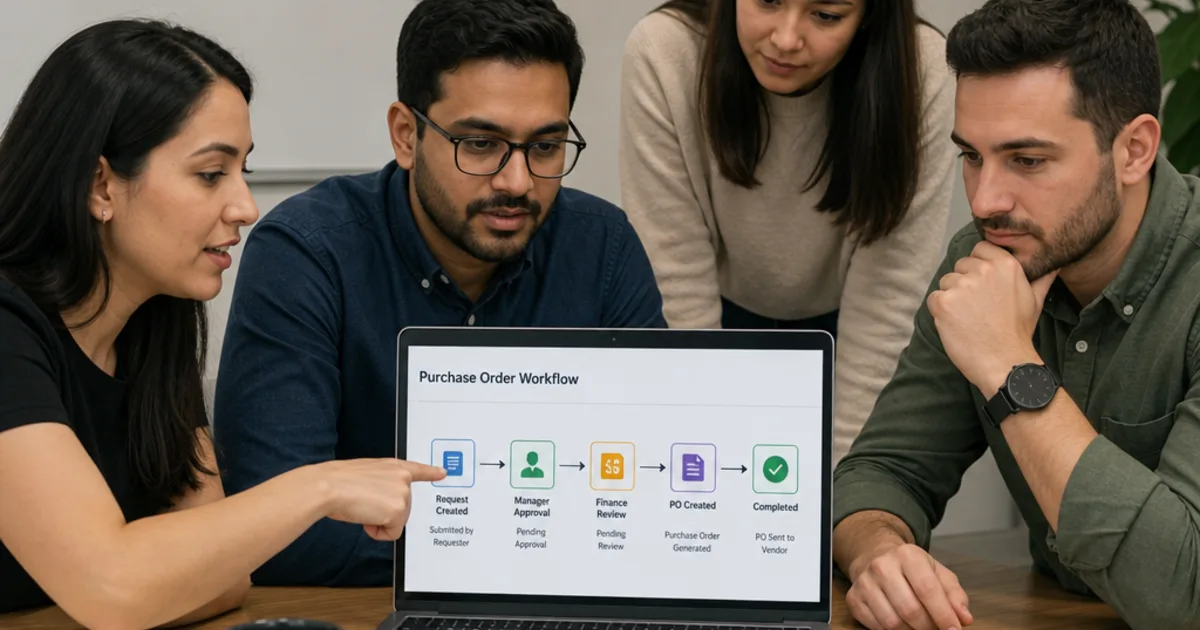
The workflows and USD figures are practical suggestions and hypothetical calculations, not client results. The cover is an illustrative approval discussion from the OpsMavix media library, not a client photograph or a duplicate-detection product screenshot.
Keep reading
Getting value from OpsMavix? Add us as a preferred source on Google — you'll see more of our operations content in your AI Overviews, AI Mode and Search.