
Cloud Based CRM: How to Choose One Your Team Will Actually Use
A cloud based CRM helps your team manage customer relationships, sales activity, service conversations and everyday follow-ups in one accessible place. The right choice should make work clearer, not more complicated, by connecting your people, data and processes through practical cloud solutions.
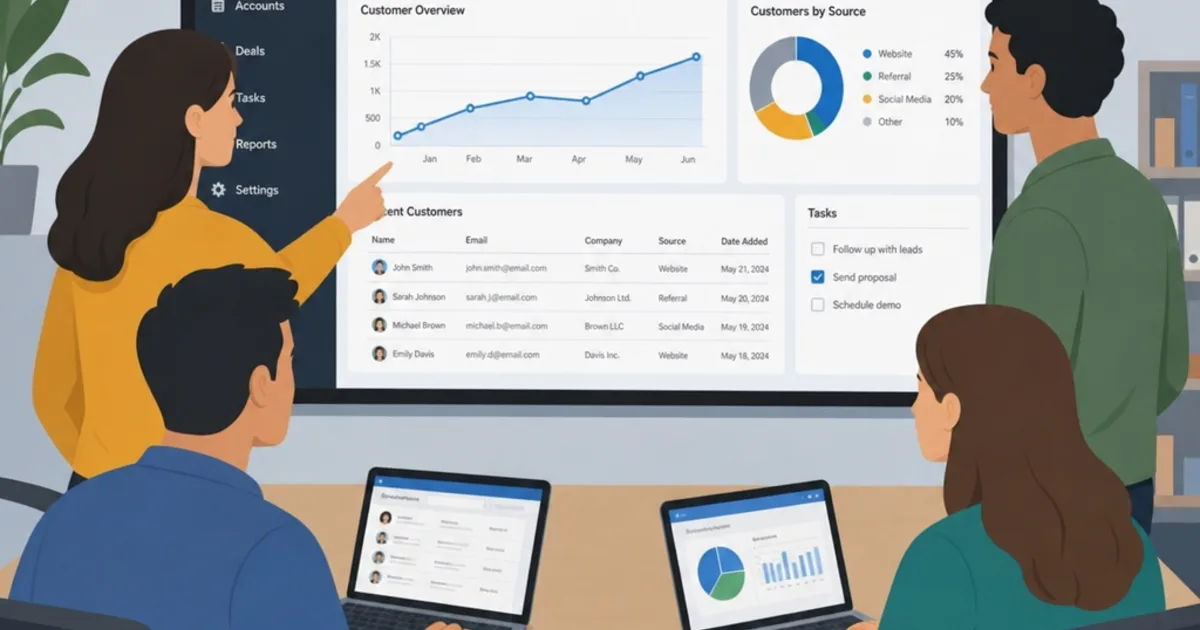
A cloud based CRM stores and serves customer relationship records through a hosted application, usually accessed through a browser or supported mobile app. The right choice helps your team capture enquiries, find relevant history and complete follow-ups. Internet access to a contact list is useful, but it does not by itself make a sales or service process reliable.
Choose around the work users must complete and the applications that already hold orders, delivery and finance information. This guide explains what to compare, how to test integration and how to pilot adoption without creating another competing database. All examples and cost allowances are hypothetical, rather than vendor prices or client results.

A CRM demonstration should follow the conversations and handovers your team actually manages. Illustrative photograph, not an OpsMavix client.
Image credit: Breather, CC0 1.0. Displayed at a reduced size; no additional edits.
Key Takeaways
- Define the client journey and mandatory tasks before comparing cloud CRM products.
- Test usability with the people who will maintain the records every day.
- Assign an authoritative system for contacts, orders and operational status.
- Check permissions, exports, recovery and the responsibilities retained by your business.
- Compare the full configuration, integration and support scope over a realistic period.
- Pilot a limited workflow before migrating all records or replacing capable tools.
In this guide:
- 1. Define the Work the CRM Must Support
- 2. Compare the Published Product Scope Fairly
- 3. Test Usability and Data Quality Together
- 4. Design Integrations Around Record Ownership
- 5. Check Security, Recovery and Practical Data Access
- 6. Compare Total Cost With a Transparent Model
- 7. Migrate a Useful Scope and Run a Pilot
- 8. Choose the Smallest Scope That Meets the Need
- Frequently Asked Questions
- How OpsMavix Can Help
1. Define the Work the CRM Must Support
Follow an enquiry through to the next commitment
List the steps from enquiry capture to qualification, proposal, handover and ongoing service. Identify where information or ownership is lost today. A missing reminder and a missing integration need different solutions, even when both cause a late response.
| Requirement | Evidence to demonstrate |
|---|---|
| Capture enquiries | A request creates the right record without an unnoticed duplicate. |
| Assign responsibility | An accountable owner and next action are visible. |
| Retrieve history | Another colleague can prepare a useful reply. |
| Track opportunities | Stages mean defined decisions, rather than decorative labels. |
| Support handovers | Delivery or service receives the agreed scope and open questions. |
Separate mandatory requirements from preferences. A familiar screen is helpful, but a feature that prevents an essential handover from being lost deserves a higher priority than a preferred dashboard colour.
Avoid buying around an unclear process
If nobody agrees what qualified means or who owns a proposal, the CRM cannot resolve the disagreement automatically. Establish those rules before turning them into mandatory fields and workflow conditions.
2. Compare the Published Product Scope Fairly
Use vendors as candidates, not automatic answers
Salesforce, HubSpot and Dynamics 365 Sales publish CRM offerings that are reasonable candidates to investigate for different requirements. Their exact packages, connected products and implementation arrangements matter more than a generic best-CRM label.
This is not a hands-on ranking. Use the same sample workflow with each shortlisted supplier and identify what is standard, configured, an additional product or custom development. A feature being available somewhere in a platform does not prove that it is included in the proposal you are considering.
Check your intended use of marketing and service tools
If marketing automation or customer support is part of the scope, test it as a separate workflow. Confirm how contacts, communication preferences, cases and account history are shared. Avoid assuming that a sales licence includes every service or campaign function.
3. Test Usability and Data Quality Together
Let users operate the demonstration
Give a salesperson, account manager and service colleague tasks they recognise. Ask them to capture a conversation, assign follow-up, find the last commitment and hand an issue to another person. Record the steps and workarounds rather than relying only on a supplier-led tour.
Keep required data proportionate
| Data choice | Useful control | Risk to avoid |
|---|---|---|
| Contact identity | Stable identifier and duplicate review. | Several records for the same person. |
| Company relationship | Clear links between organisations, sites and contacts. | Assuming every contact belongs to only one simple account. |
| Opportunity stage | Defined entry and exit criteria. | Stages updated purely to satisfy reporting. |
| Next action | Owner, outcome and review point. | A due date with nobody responsible. |
| Notes | Concise factual context with appropriate access. | Unnecessary personal detail or unsupported assumptions. |
Agree who corrects duplicates and obsolete records. The ICO’s accuracy guidance provides a primary UK reference for personal-data accuracy. The CRM also needs appropriate access and retention arrangements for its actual purpose.
4. Design Integrations Around Record Ownership
A connector name is the beginning of the check
Your CRM may connect to email, forms, a website, an order system, project delivery and accounts. Determine which application creates and maintains each record, how identifiers match and when updates should be sent.
| Record or event | Decision to make |
|---|---|
| Contact change | Which system owns identity and approved contact details? |
| New opportunity | Where is it created and how are duplicates detected? |
| Accepted order | Which system owns the commercial commitment? |
| Delivery status | Which operational event is displayed to the account manager? |
| Financial query | What detail should the CRM show, and who can access it? |
Test failures before launch
Submit a request twice, amend a record and interrupt the connection. Show users what failed, who investigates and how a retry avoids duplicating the action. A dashboard should distinguish a current status from an old cached update where that distinction affects the reply to a client.

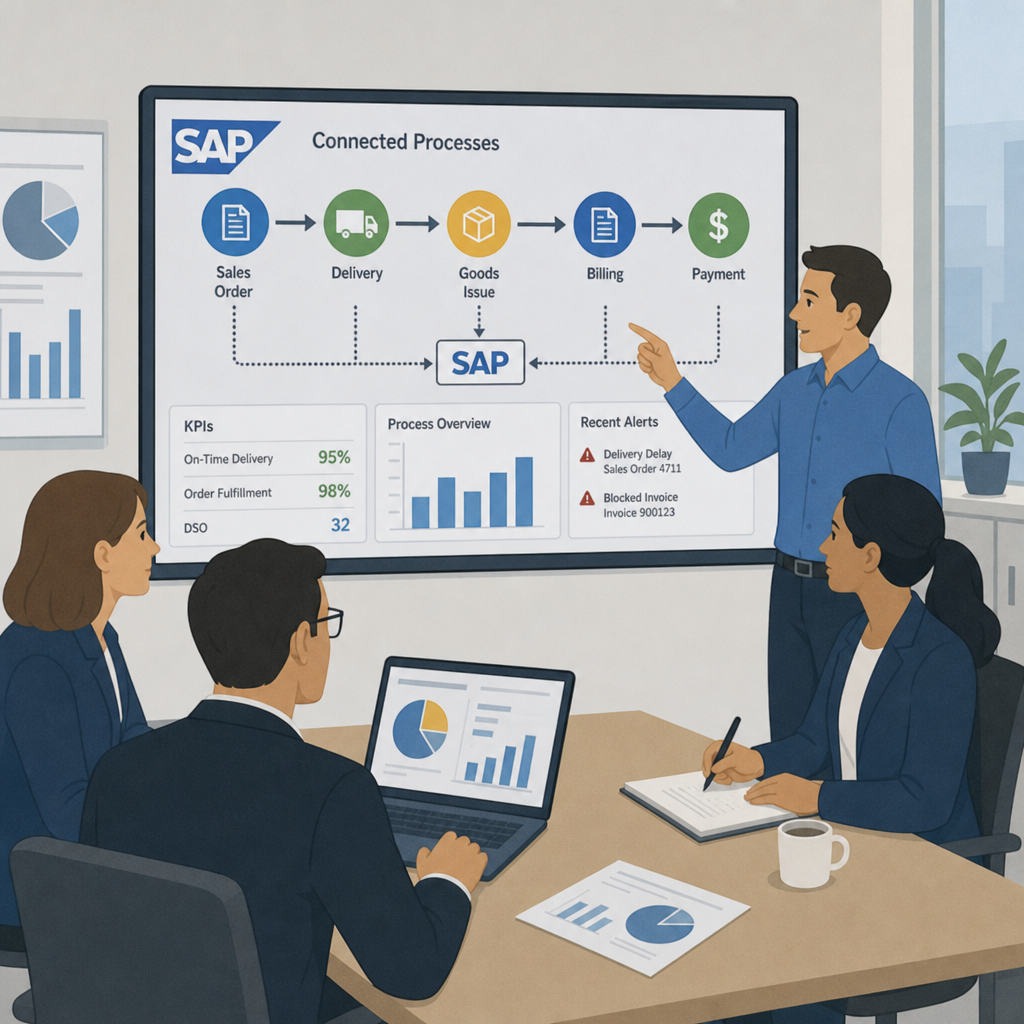
Cloud CRM integration still needs explicit mapping, monitoring and recovery when connected applications disagree. Illustrative photograph, not an OpsMavix client.
Image credit: Tirza van Dijk, CC0 1.0. Displayed at a reduced size; no additional edits.
5. Check Security, Recovery and Practical Data Access
Cloud hosting does not transfer every responsibility
Ask about user authentication, access by role, audit history, backup scope, restoration and the handling of departures from the business. Your responsibilities depend on the service and contract. Microsoft’s shared-responsibility guidance explains why customer data, accounts and configuration remain part of the cloud operating model.
Do not treat a security feature list as proof that permissions are correct for your users. Test the difference between a salesperson, manager, administrator and external collaborator where relevant.
Demonstrate an export
Export contacts, relationships, notes, tasks, attachments and the history you need. Check whether identifiers and links remain usable outside the application. A contacts-only CSV is not equivalent to a complete relationship archive.
Agree recovery objectives and test the supported process. An export and a restorable application backup serve different purposes, so clarify which each party provides.
6. Compare Total Cost With a Transparent Model
Include implementation and administration
Users, feature packages, automation, storage, connected products and support can affect the total. Add migration, data cleaning, configuration, integration, training and exit work. Confirm actual prices and terms with suppliers for the configuration being quoted.
Hypothetical three-year allowance
Suppose a planning exercise assumes 12 users at £35 per month, a £4,000 implementation allowance, £2,000 integration work and £1,000 a year for additional administration/support. These are invented inputs, not market averages or vendor quotations. Tax and price changes are excluded.
| Component | Calculation | Three-year allowance |
|---|---|---|
| User subscriptions | 12 × £35 × 36 | £15,120 |
| Implementation | One-off | £4,000 |
| Integration | One-off | £2,000 |
| Additional support/administration | £1,000 × 3 | £3,000 |
| Total | £24,120 |
Only include additional support where it is genuinely outside the package. Do not count bundled services twice. Model growth and peak users separately, and compare equivalent scope when considering a custom system or another platform.
Released staff time may create capacity rather than a cash saving. Measure the actual effect before presenting an assumed payback.
7. Migrate a Useful Scope and Run a Pilot
Start with active relationships
Decide which contacts, opportunities, tasks, attachments and history need to move. Remove or resolve duplicates under an agreed policy and retain a cross-reference to old identifiers. Do not discard records merely because they are inconvenient to migrate.
Use a pilot group that includes normal work and exceptions: a duplicate enquiry, an absent owner, a reopened opportunity and a failed update from delivery. Test permissions and exports alongside day-to-day tasks.
Hypothetical pilot acceptance criteria
- Every test enquiry has an accountable owner and next action.
- Users can retrieve the agreed historical context.
- Duplicate submissions do not create conflicting work.
- A handover includes the scope and unresolved points.
- Failed integrations are visible and recoverable.
- Departing users can be removed without losing relationship ownership.
- Required records can be exported and retrieved.
Record the result against each requirement. Preparation or a completed import is not proof that the process works for the team.
8. Choose the Smallest Scope That Meets the Need
Compare routes before replacement
| Route | When it can fit | What remains to manage |
|---|---|---|
| Configure the current CRM | Core capabilities exist but the workflow is poorly set up. | Ownership, administration and training. |
| Add an integration | Reliable context exists in another application. | Mapping, monitoring, retries and upgrades. |
| Adopt another packaged CRM | Standard workflows fit another maintained product better. | Migration, licences and ongoing administration. |
| Build focused custom software | A valuable gap remains after testing alternatives. | Maintenance, documentation and continuity. |
| Implement a full ERP | Wider sales, operations and finance need a shared design. | Broader process ownership and phased rollout. |
Make the decision reviewable
Keep a record of demonstrated fit, total obligations and unresolved risks. Confirm who will own the system after launch. A cloud product may be easy to access while still requiring considerable administration, and custom ownership does not remove hosting or maintenance work.
Choose the arrangement that the team can operate reliably, rather than the broadest feature list or the lowest entry price.
Frequently Asked Questions
What is a cloud based CRM?
It is a hosted application for managing relationship records and related work, accessed through supported online interfaces. The service model and features depend on the product and contract.
Is cloud CRM automatically easier to use?
No. Ease of use depends on configuration and the tasks users perform. Test normal work on the intended devices with the people who will maintain the records.
Which cloud CRM should a small business choose?
Choose from demonstrated requirements and a scoped proposal. Compare the same enquiry, follow-up, handover and reporting tasks rather than relying on a universal ranking.
Does a named integration cover every workflow?
Not necessarily. Verify fields, identifiers, events, limits and error handling. Amendments, duplicate submissions and failed updates often reveal the practical boundaries.
Who is responsible for data in a cloud CRM?
The responsibilities are shared according to the service and agreement. Your business still needs appropriate access, account management, data quality and configuration decisions.
Can we export everything when leaving?
Check the supported export scope and contract. Ask for a demonstration covering relationships, tasks, attachments and required history, not just contact names.
Is cloud CRM cheaper than custom software?
Not automatically. Compare implementation, users, integrations, support, administration and exit work over a realistic period. Custom systems also carry ongoing obligations.
How much data should we migrate first?
Use an agreed operational and retention scope, often starting with active relationships for the pilot. Retain access to required history and preserve identifier mappings.
Does moving CRM mean implementing a full ERP?
No. A configuration change or focused connection may be enough. A full ERP is relevant when wider operational and financial processes justify a shared design.
How OpsMavix Can Help
OpsMavix can assess CRM requirements, configure suitable products, connect sales and operational records or build a focused custom application. We can also scope a full ERP where the broader business workflow warrants it.
See our project operations dashboards. Contact OpsMavix with one enquiry and a difficult handover so we can define a limited pilot and clear acceptance tests.
Keep reading
Getting value from OpsMavix? Add us as a preferred source on Google — you'll see more of our operations content in your AI Overviews, AI Mode and Search.