
Client Relationship Management: Using a CRM to Communicate Better
Strong client relationships are built through clear, timely and thoughtful communication. A well-used CRM can support that work by keeping conversations organised, making follow-ups easier and helping teams understand what each client needs next.
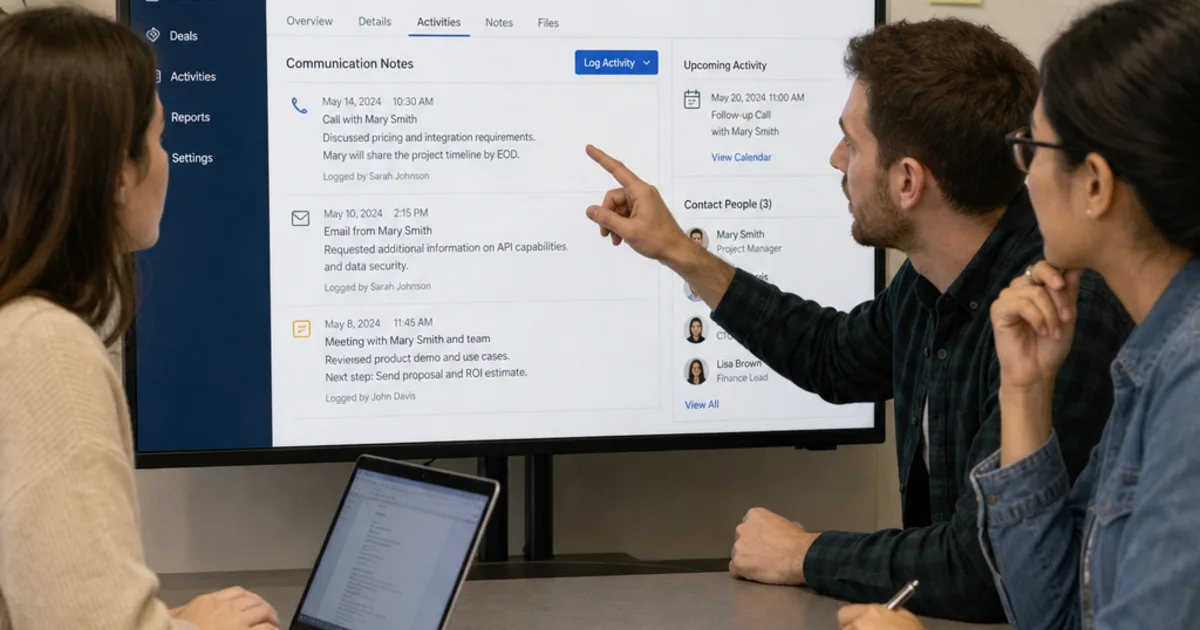
Client relationship management is the discipline of keeping client conversations, commitments and follow-up connected. A CRM supports it by recording relevant history, assigning the next action and giving colleagues enough context to continue the relationship. The software is useful when those records change how people respond, rather than becoming another database nobody trusts.
For a growing business, the practical problem is often a handover: sales agreed one thing, delivery knows another and the client has to explain the situation again. This guide shows how to organise that information, communicate clearly and test whether your existing CRM needs better use, integration or a different design. Examples are hypothetical, not client stories.

Useful preparation gives each client conversation a clear purpose and a record of earlier commitments. Illustrative photograph, not an OpsMavix client.
Image credit: Breather, CC0 1.0. Displayed at a reduced size; no additional edits.
Key Takeaways
- Record the request, commitment, owner and next action in a place colleagues can find.
- Keep relationship history connected to delivery and service records without duplicating their authority.
- Use concise factual notes and maintain accurate contact and preference information.
- Automate reminders and routing while retaining review for messages requiring judgement.
- Measure overdue promises and handover quality alongside activity volume.
- Improve configuration and integration before assuming the CRM needs replacement.
In this guide:
- 1. Define What Client Relationship Management Should Achieve
- 2. Keep a Small Set of Useful Client Records
- 3. Turn Follow-Up Into a Managed Commitment
- 4. Make Handovers Work Across Departments
- 5. Use Automation Without Losing Judgement
- 6. Work Through a Hypothetical Client Update
- 7. Measure Communication Quality With Defined Signals
- 8. Improve the Workflow Before Replacing the CRM
- Frequently Asked Questions
- How OpsMavix Can Help
1. Define What Client Relationship Management Should Achieve
Start with a communication outcome
The objective might be fewer missed follow-ups, clearer project updates or more reliable cover when an account manager is away. Specify that outcome before adding fields and dashboards. A complete contact database does not prove that clients receive useful answers.
Salesforce’s CRM explanation describes managing customer interactions and related information. That definition is a starting point; the communication process and responsibilities still belong to your business.
Separate the relationship from one transaction
A client can have an active opportunity, an open project and a service issue at the same time. A single label such as active can conceal those different conversations. Keep the relationships between records visible while allowing each process to retain its own status and owner.
The person replying should be able to answer: what does this client need now, what have we already promised and what can we say confidently?
2. Keep a Small Set of Useful Client Records
Capture information that supports the next interaction
| Record | Useful content | Avoid |
|---|---|---|
| Contact | Name, role, current contact details and relevant preferences. | Duplicate identities and unnecessary personal details. |
| Conversation | Date, factual request, decisions and unresolved points. | A long transcript with no usable summary. |
| Commitment | Deliverable, owner, due date and conditions. | A promise hidden inside a private inbox. |
| Next action | Specific task, responsible person and review point. | An unassigned reminder called follow up. |
| Delivery or service link | Reference to the authoritative operational record. | A second independently maintained project status. |
Write notes another colleague can use
Instead of client unhappy, record the specific concern and what was agreed. For example: the client asked for a revised delivery estimate; operations will confirm material availability before a date is offered. This is an illustrative note, not a real customer interaction.
Distinguish confirmed facts from assumptions and opinions. Correct outdated details and make important changes traceable. The ICO’s accuracy guidance is a useful primary reference for handling personal-data accuracy in a UK context. Access, retention and permitted communication also need appropriate organisational rules.
3. Turn Follow-Up Into a Managed Commitment
Define a clear next step
A useful action states what must happen, who owns it and when it will be reviewed. The action may be internal before it becomes a client message: obtaining a stock position, checking a specification or resolving an invoice query.
- Capture the request in plain language.
- Confirm the person responsible for the response.
- Record any dependency or approval needed.
- Agree a realistic next-contact point.
- Send a concise confirmation where appropriate.
- Record the outcome and close or replace the task.
Separate an update date from a delivery promise
Promising to provide an update on Friday is different from promising completion on Friday. Make that distinction in both the task and the message. If a dependency remains uncertain, say what is being checked and when the client will hear again.
Escalation should be practical. An overdue action needs a named reviewer and a decision about the next response, rather than another reminder that repeats indefinitely.
4. Make Handovers Work Across Departments
Transfer context as well as ownership
| Handover | Information the next person needs |
|---|---|
| Sales to delivery | Agreed scope, exclusions, dates, conditions and unresolved questions. |
| Delivery to service | What was supplied, known issues and relevant instructions. |
| Account manager to cover | Current commitments, stakeholders and next-contact dates. |
| Operations to client-facing team | Verified progress, blockers and what can be communicated. |
| Finance to account owner | The specific query and relevant document references. |
Do not assume that sharing every internal note is the answer. Use permissions and concise summaries so people see the information they need for their role.
Keep the authoritative status clear
The CRM may show a linked project or order status, but operations should still own the underlying delivery event. If updates are delayed or an interface fails, display that exception instead of presenting an old status as current.
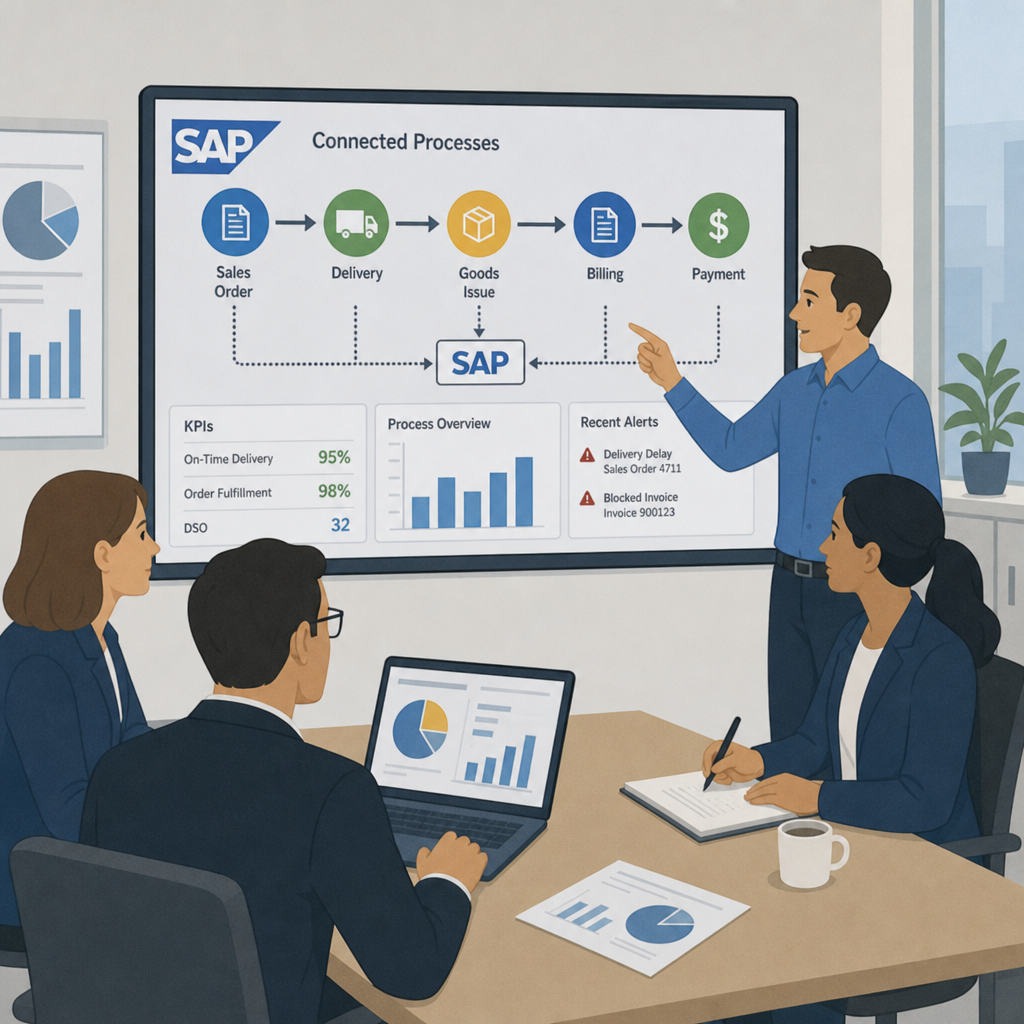
A connected operations dashboard can help expose those hand-offs. The design should reduce duplicate editing rather than create another place to maintain the same promise.
5. Use Automation Without Losing Judgement
Automate preparation and routing
Useful candidates include assigning an enquiry, creating a follow-up task, prompting an overdue review and preparing a message template. Templates should help users state the outcome and next step clearly, rather than hide a lack of current information behind polished wording.
Put conditions around external messages
Before automatically sending an update, establish the event that triggers it, the recipient, required checks and the way exceptions are handled. A shipment label being created is not necessarily proof that goods have left. A project task changing colour is not necessarily permission to promise completion.

Integration work should connect verified operational events to the CRM without creating duplicate commitments or messages. Illustrative photograph, not an OpsMavix client.
Image credit: Tirza van Dijk, CC0 1.0. Displayed at a reduced size; no additional edits.
Test a duplicate event, a cancelled action and a failed connection. Keep a visible record of what happened and who can recover the process. Sensitive, disputed or commercially important replies may require a person’s review even when routine notifications are automated.
6. Work Through a Hypothetical Client Update
Suppose a client asks on Tuesday whether an order can arrive the following week. Sales has a requested date, while operations is waiting for a supplier confirmation. No firm delivery commitment has yet been authorised.
| Step | CRM record | Communication decision |
|---|---|---|
| Request received | Link the enquiry to the order and client contact. | Acknowledge the question without inventing a date. |
| Check assigned | Operations owns supplier confirmation, with a review on Thursday. | Explain what is being checked if an update is needed. |
| Evidence received | Record the confirmed supply position and authorised delivery assessment. | Provide a date only when the relevant decision is supported. |
| Follow-up completed | Retain the message and replace or close the task. | Make the next action and contact point clear. |
Keep one accountable response owner
Several people may contribute evidence, but one person should coordinate the reply. This reduces conflicting messages without preventing colleagues from doing their own work.
If Thursday arrives without confirmation, the next action is an honest status update and escalation. The CRM should not treat silence as task completion or automatically convert a requested date into a promise.
7. Measure Communication Quality With Defined Signals
Look beyond calls and emails sent
Activity counts can show workload but do not establish whether clients received clear, useful responses. Review overdue commitments, incomplete handovers, repeated questions and unresolved requests alongside response times.
For a hypothetical sample, if 18 of 20 follow-up commitments were completed by their agreed review point, that is 90% under that definition. It does not mean 90% of clients are satisfied or that revenue improved. Preserve the denominator and distinguish cancelled or legitimately rescheduled commitments.
Review a sample of actual messages
Check whether the message states the result, what remains open and the next action. Ask whether a colleague could continue from the record without making the client repeat the issue. Use the findings to improve templates, ownership and information flow.
Avoid ranking people solely by how quickly they close tasks. A prematurely closed unresolved request can make the dashboard look better while making the relationship worse.
8. Improve the Workflow Before Replacing the CRM
Compare proportionate routes
| Route | Appropriate reason | What to prove |
|---|---|---|
| Better use and configuration | Required fields, tasks and permissions already exist. | Staff can follow a usable process consistently. |
| Integration | Reliable operational context is held elsewhere. | Status mapping, failure visibility and ownership. |
| Another packaged CRM | Standard relationship workflows fit another product better. | Data migration, usability, support and full cost. |
| Focused custom system | A valuable documented gap remains. | Scope, maintenance, export and handover. |
| Full ERP | Wider sales, operations and finance need a shared design. | Broader process ownership and phased migration. |
Pilot a limited client journey
Use one enquiry, one delivery handover and one service issue. Check that the team can identify the client, retrieve history, assign actions, cover absence and explain an overdue commitment. Test export and permissions as well as the normal screen.
Expand once the team can operate and maintain the process. Adding more data fields is useful only where the information supports a decision or responsibility.
Frequently Asked Questions
What is client relationship management?
It is the organised management of client interactions, needs and commitments. A CRM supports the discipline through shared records, actions and relevant history.
Is client relationship management just CRM software?
No. Software supports a process that still needs ownership, accurate information and thoughtful communication. Installing a tool does not establish those habits automatically.
What should a useful client note include?
Record the factual request, relevant context, decision, unresolved point and next action. Keep it concise and professional, with access appropriate to the information.
How should follow-up tasks be assigned?
Give each task a clear outcome, accountable owner and review date. Record dependencies and distinguish an update commitment from a promise to complete the underlying work.
Should every email be copied into the CRM?
Use a defined policy around relevance, access and retention. The record needs enough context to continue the relationship, rather than an indiscriminate archive without usable summaries.
Can reminders replace an account manager?
No. They can prompt action and highlight exceptions. People still need to interpret the situation, listen and make supported commitments.
How do we handle conflicting department updates?
Identify the authoritative operational record and a response owner. Resolve the difference before presenting an uncertain status as confirmed to the client.
What should we measure first?
Start with overdue commitments, handover completeness and unresolved requests using clear definitions. Add message review so activity volume is not mistaken for communication quality.
Does improving client communication require a new CRM?
Not necessarily. Configuration, training or integration may be sufficient. A replacement or custom system should follow a demonstrated gap and a practical pilot.
How OpsMavix Can Help
OpsMavix can map client handovers, configure suitable CRM tools, connect delivery and service records or build a focused custom workflow. We can also design a full ERP where wider sales, operations and finance requirements justify it.
Explore our project operations dashboards and wholesale order management systems. Contact OpsMavix with one recent missed follow-up or difficult handover so we can identify the information gap and define a workable first phase.
Keep reading

Getting value from OpsMavix? Add us as a preferred source on Google — you'll see more of our operations content in your AI Overviews, AI Mode and Search.