
ChemInventory Alternative: A Chemical Inventory Built Around Your Lab
A packaged lab tool catalogues your chemicals. It rarely fits the batch, expiry and compliance reality around them. Here's when ChemInventory is the right call, when you've outgrown it, and what a built-for-you chemical inventory does that a template can't.
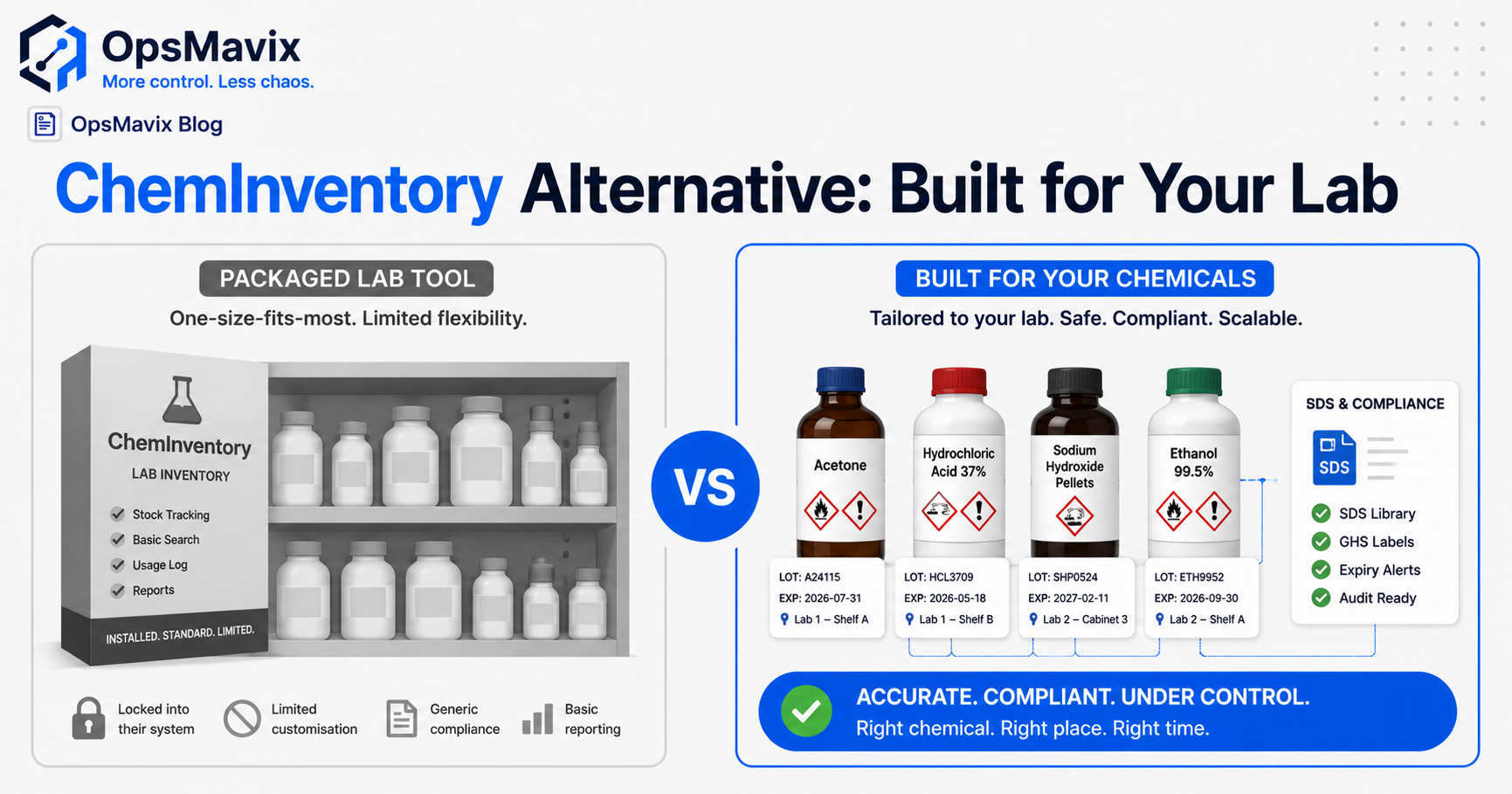
The best ChemInventory alternative depends on the work your chemical inventory needs to support. A laboratory may need searchable containers, locations and safety documents. A production operation may also need material issues, lot genealogy, quality status and connections to finished batches. Start with those requirements before deciding whether to configure, connect or replace your current tool.
A chemical register can be working well while another part of the operation still depends on spreadsheets. A container quantity is updated in one place, a production issue in another, and the team spends time reconciling the difference. The question is whether the existing system can handle that workflow with configuration or integration, or whether another approach fits better.
ChemInventory provides more than a simple list, including custom fields and integration capabilities. Custom software earns consideration when a specific, valuable gap remains after those options have been tested.
This guide explains how to compare the alternatives, keep containers and lots traceable, and assess a change without losing the records your team relies on.

Chemical inventory needs clear links between container records, material movements and the work that consumes them.
Key Takeaways
- ChemInventory has configuration and integration capabilities. Test them before assuming a replacement is necessary.
- Separate substance, supplier product, lot and individual container records so quantities and traceability remain meaningful.
- Decanting moves material; production consumption uses it. Recording both as consumption would understate stock.
- Surface approved safety information and quality status where decisions happen, while keeping responsibility for assessments and controls clear.
- Compare configuring ChemInventory, integrating it, another packaged platform and a focused custom build against the same workflow.
- Pilot a limited scope, reconcile migrated records and confirm data access, handover and ongoing support before switching.
In this guide:
- 1. Establish What ChemInventory Already Supports
- 2. Define the Workflow Your Chemical Inventory Must Handle
- 3. Keep Substance, Lot and Container Identity Separate
- 4. Record Decanting and Production Consumption Correctly
- 5. Put Safety, Expiry and Quality Information at the Decision
- 6. Compare Configuration, Integration and Replacement
- 7. Calculate Total Cost and Confirm Practical Ownership
- 8. Migrate and Pilot Without Losing Traceability
- Frequently Asked Questions
- How OpsMavix Can Help
1. Establish What ChemInventory Already Supports
A fair ChemInventory alternative comparison starts with your current configuration, licence and workflow. A feature missing from the way your team uses the tool may already be available or accessible through an integration.
Check the documented capabilities
ChemInventory’s features page describes searchable inventory, chemical information, file storage and order requests. Its custom-fields documentation explains how additional container and substance information can be recorded, including expiry dates and lot numbers.
Its API documentation describes integration with external software. The history-logging documentation explains activity records and ways to extract information.
These capabilities mean you should not assume that hazard documents are inaccessible during work, that history cannot be exported or that the tool must remain disconnected. Equally, having an API or a lot-number field does not prove that a complete production traceability workflow is already in place.
Demonstrate the actual gap
Ask your administrator or supplier to show:
- A container received with a supplier lot and expiry date.
- A partial quantity used against a job or experiment.
- A movement between locations.
- A child container created from a decanting operation.
- A quality hold that affects permitted use.
- A history export and a link to relevant documents.
- A connection to the production or purchasing record your team uses.
Record what works directly, what needs configuration and what needs integration. Confirm any licence conditions and limits relevant to your intended use.
The result should be a short list of demonstrated gaps. That is a stronger basis for a buying decision than a broad claim that packaged tools cannot support chemical operations.
2. Define the Workflow Your Chemical Inventory Must Handle
A research laboratory, a formulation business and a manufacturing stores area can all hold chemicals while needing different records.
Separate the purposes
| Purpose | Questions the system should answer |
|---|---|
| Container register | What containers exist, and where are they? |
| Material accounting | How much remains, and which movements changed it? |
| Production use | Which material lot supplied which production batch? |
| Quality control | Is this container released, held, rejected or awaiting review? |
| Purchasing | What needs replenishing, from which approved supplier? |
| Safety information | Which current documents and approved procedures apply? |
| Traceability investigation | Where else was this lot used, and what records support the answer? |
Do not assume one application must own all these functions. A connected arrangement can retain a useful chemical register while production or quality records remain in a suitable system.
Follow a material from receipt to its final state
Map receiving, inspection, storage, relocation, decanting, issue, return and disposal recording. For each step, identify the person, the record and the point at which the quantity changes.
A side spreadsheet may be a temporary calculation or a genuine missing control. Find out which before treating every spreadsheet as evidence that software must be replaced.
If the register and production record disagree, check whether one shows container capacity while the other shows remaining quantity. A field labelled “size” is not automatically a measured available balance.
For the general transaction problem, see why stock never matches the system. Chemical inventory adds identity, status and handling information to that discipline.
Assign ownership of each record
Document which system maintains container identity, remaining quantity, lot genealogy, quality release and production consumption. Shared reporting should reference those records rather than create another independently editable balance.
The aim is consistency between defined records, with discrepancies visible when a connection fails or information is pending.
3. Keep Substance, Lot and Container Identity Separate
A substance name is useful for searching, but it is not enough to identify the material that went into a specific batch.
Use distinct levels of identity
| Record | Example information | Why it matters |
|---|---|---|
| Substance | Name and relevant identifiers | Supports chemical identification and search |
| Supplier product | Product code, grade, concentration and specification | Distinguishes purchased materials that may not be interchangeable |
| Supplier lot | Supplier batch reference and related certificate | Links received material to a defined lot |
| Container | Unique local ID, location, remaining quantity and status | Identifies the physical vessel being handled |
| Production batch | Work-order or batch reference | Records what the material was used to make |
The fields should reflect your operation. Some products are mixtures; some require several identifiers. A CAS number or matching name alone does not establish that two grades, concentrations or formulations are equivalent.
Preserve the link when material moves
Hypothetical example: two supplier containers arrive under lot L7741. They receive local IDs C101 and C102. Both retain the supplier-lot reference, but each has its own quantity, location and status.
If C101 is divided into working containers C201 and C202, the new records should preserve their parent and source lot. Transferring material to a new vessel does not create a new supplier lot.
If materials are mixed or transformed, the resulting batch needs links to the actual inputs used. It should not simply inherit one input’s identity as though nothing changed.
Make traceability answerable in both directions
You should be able to start from an input lot and find its recorded uses, or start from a finished batch and find its recorded inputs.
Where customer distribution matters, shipment records must also link to the finished batch. A raw-material lot field cannot answer who received finished product unless those downstream records are connected.
Test the query using a known example and reconcile it to the physical and production evidence. A plausible search result is not proof of complete traceability.
4. Record Decanting and Production Consumption Correctly
A chemical inventory system needs to distinguish relocation, splitting, consumption and loss. Treating all of them as a generic “quantity out” can create misleading balances.

Illustrative stock-storage image: actual chemical storage arrangements must follow the site’s assessed requirements.
Keep transfers separate from consumption
Hypothetical quantity example: container C101 begins with 20 litres. Eight litres are transferred into a recorded working container, C201.
| Stage | C101 | C201 | Total material recorded |
|---|---|---|---|
| Before transfer | 20 L | 0 L | 20 L |
| After transfer | 12 L | 8 L | 20 L |
| After C201 supplies 3 L to batch B0612 | 12 L | 5 L | 17 L |
The transfer changes where the material is held. The production issue changes how much remains in inventory. Recording the eight-litre transfer as consumption and later deducting the three-litre issue again would misstate stock.
This is a recordkeeping example, not a chemical handling procedure.
Record actual issues and returns
The planned quantity in a recipe or work order may differ from the actual quantity issued. Decide when consumption is recorded and how corrections are approved.
Unused material should not automatically return to available inventory. Its identity, condition and permitted disposition need review under the site’s procedure. The software can record that decision and status.
A disposal or loss entry should include the container, quantity, reason, date and responsible person. It must represent the actual approved process rather than act as a shortcut for unexplained differences.
Treat units and measurements explicitly
Keep purchasing, stock and issue units clear. Do not convert mass to volume using an assumed universal factor. Any supported conversion must use the appropriate approved data and conditions.
A barcode identifies a record; it does not measure what remains in an open container. Specify whether remaining quantities are measured, calculated from issues or estimated, and when physical verification is required.
Avoid false precision. A balance recorded to several decimal places can still depend on an uncertain measurement or a missed movement.
5. Put Safety, Expiry and Quality Information at the Decision
Useful chemical inventory software makes relevant information accessible during receiving, selection, use and review. The design should support the site’s approved procedures and responsible people.
Access to an SDS is part of the information chain
For Great Britain, HSE explains that a safety data sheet is not a risk assessment. Its COSHH assessment guidance focuses on the risks from hazardous substances in the actual workplace activity.
Storing an SDS therefore does not by itself establish that an activity is assessed or adequately controlled. Inventory software can link the relevant documents, record reviews and surface approved instructions. It cannot replace competent assessment, training or the physical controls the work requires.
Keep document and status records clear
For a selected container or task, the working view may need to show:
- Exact material and container identity.
- Applicable supplier SDS and document version.
- Relevant approved task procedure or assessment reference.
- Expiry, opening date or review date where applicable.
- Quality release, quarantine or rejected status.
- Any restrictions defined by the responsible team.
Missing or conflicting information should create a visible exception. Avoid a generic green “compliant” badge whose meaning is unclear.
Hazard classification, physical storage compatibility and task suitability are related but separate decisions. Do not infer an approved storage or handling arrangement from a short text label alone.
Define expiry rules beyond a date field
Distinguish supplier expiry from an in-use limit after opening, a retest date and an internal review date. Those dates may lead to different actions.
A stock-selection rule might prefer the earliest valid expiry among eligible containers. It must also respect the correct grade, location, status and intended use. Oldest received is not necessarily earliest expiring.
Alerts need an owner, response and escalation path. An email nobody reviews does little to improve control. Test what happens when an expired or held container is selected, including the authority required for any permitted exception.
6. Compare Configuration, Integration and Replacement
The useful ChemInventory alternative comparison has several routes. Choose by demonstrated fit and operational responsibility rather than the size of a feature list.
Put the options against your requirements
| Route | Where it can fit | What to prove |
|---|---|---|
| Configure ChemInventory | The gap concerns fields, searches, document access or current usage | Required records, user workflow and licence scope |
| Integrate ChemInventory | The register works, but production or purchasing records need a connection | API coverage, update rules, history and failure handling |
| Another packaged lab platform | Your lab needs are standard but another workflow fits better | Chemical information, requests, locations, quantities and exports |
| Packaged production or quality platform | Batch processing or release is the main requirement | Genealogy, actual consumption, status controls and interfaces |
| Focused custom system | A valuable workflow remains unsupported or uneconomic | Scope, validation, support, integration and practical handover |
For a packaged lab option, Quartzy advertises inventory and request/approval workflows, with multi-site inventory, lot references and SDS information. Treat that as a candidate to demonstrate, rather than proof it meets your production or regulated-process requirements.
Run one end-to-end test
Use a representative material and demonstrate receipt, partial issue, decanting, a quality hold, a return decision and a traceability search. Include purchasing and finished-batch shipment links if they are in scope.
Ask how the system handles a missing document, an incorrect lot entry and a corrected quantity. Check whether history remains understandable after the correction.
Do not accept “custom fields can store that” as the entire answer to a workflow requirement. A field may hold a lot number without controlling which lot was actually issued.
Design integrations to fail visibly
If two systems are connected, define which can change each record. A container created twice or a consumption transaction replayed twice can corrupt the balances.
Specify duplicate handling, failed-update visibility, retries and reconciliation. Show when the last successful update occurred and how pending work affects the displayed quantity.
A custom build still has integration delays and dependencies. It does not make external systems synchronous simply by putting one dashboard in front of them.
7. Calculate Total Cost and Confirm Practical Ownership
A low subscription fee can be outweighed by manual reconciliation. A custom project can also cost more than the gap it closes. Compare complete approaches before choosing.
Include the work around the software
Account for configuration, development, migration, document mapping, validation, training, support and ongoing administration. Include quality and safety-team review where the workflow affects their responsibilities.
Use measured time and actual incidents. Do not turn every potential audit problem or theoretical recall into a claimed saving.
Work through a transparent example
Hypothetical three-year comparison: administration is valued at £30 an hour over 48 weeks a year. The figures below are illustrative allowances, not ChemInventory prices, Quartzy prices or OpsMavix quotations.
| Cost component | Keep current setup | Configure and integrate current tool | Focused custom build |
|---|---|---|---|
| Initial project | £0 | £7,000 | £22,000 |
| Annual software, hosting and support allowance | £1,500 | £3,000 | £4,000 |
| Remaining administration per week | 7 hours | 3 hours | 2 hours |
| Administration over three years | £30,240 | £12,960 | £8,640 |
| Recurring allowance over three years | £4,500 | £9,000 | £12,000 |
| Total modelled cost | £34,740 | £28,960 | £42,640 |
In this example, configuration and integration cost least if they deliver the required workflow. A custom build needs additional, evidenced value to justify the higher total.
The model excludes any further required equipment, validation programme or specialist review not covered by the project allowance. Add those costs where relevant. Released staff capacity is not automatically a cash saving.
Make ownership usable
For custom software, confirm source-code rights, data exports, document access, credentials, deployment instructions and the ability to appoint another maintainer. Identify third-party licences and hosting dependencies.
For a packaged service, check export coverage, retention, backups and termination arrangements. Request a sample export before deciding the data is portable.
Owning software does not eliminate maintenance, future change or migration risk. It can give you more control when the agreement and handover make that control practical.
8. Migrate and Pilot Without Losing Traceability
Replacing a chemical inventory system means moving relationships and documents, not only names and quantities. Plan how users will still access the historical records they need.
Pilot records, approvals and exception handling together before extending the workflow.
Reconcile the migration scope
Identify container IDs, lots, quantities, units, locations, document links, quality states and history. Establish which information will move into the new application and which will remain in a controlled archive.
Preserve the old identifiers or a reliable cross-reference. Replacing a container code without a mapping can break the relationship to a historical batch record.
Verify document files as well as URLs. A migrated link is not useful if its destination becomes unavailable after the old subscription ends.
Pilot a limited workflow
Choose one area with a meaningful but manageable requirement. Keep operational changes within the scope agreed by the people responsible for the site and process.
Suggested acceptance criteria include:
- Every pilot container has a unique identifier and verified lot mapping.
- Opening quantities reconcile to an agreed baseline.
- Transfers preserve total material quantity where no consumption or loss occurred.
- Production issues reference the actual input lot and batch.
- Status restrictions follow the approved rules.
- Relevant documents and procedures are accessible to authorised users.
- A known traceability query returns the expected inputs and outputs.
- Corrections retain evidence and authorisation.
- Failed updates and duplicate transactions are handled visibly.
- A usable export includes the records needed for handover and investigation.
Complete the cutover deliberately
Define when the old workflow stops accepting changes, reconcile pending movements and verify the final opening position. Assign responsibility for backup, recovery and support.
If the system will support a regulated quality process, include the applicable validation, change-control and record requirements in the scope. A working demonstration alone is not enough to establish suitability.
Expand after the pilot team can maintain the records and explain exceptions. The aim is a reliable operating process, rather than another screen alongside the old spreadsheets.
Frequently Asked Questions
What is the best ChemInventory alternative?
It depends on your requirements. Configure or integrate ChemInventory if it already fits the chemical-register work. Compare packaged lab or production platforms if their workflows suit you better. Consider custom development when a specific, valuable gap remains after those options are tested.
Does ChemInventory support integration?
Yes. ChemInventory publishes API documentation. That does not mean every production workflow is automatically supported; confirm the operations, access and update behaviour needed for your intended connection.
Does a lot-number field provide complete traceability?
No. It records an identifier. Complete traceability also needs links between received material, individual containers, actual consumption and resulting batches. Distribution records are needed if you must identify customers who received finished product.
How should decanting affect the stock figure?
As a recordkeeping principle, a transfer between containers should preserve total material quantity where no loss or consumption occurred. The source and destination records should retain appropriate lot links. Actual consumption or loss is recorded separately under the site’s procedure.
Can inventory software make us COSHH compliant?
Software can support document access, records and approved workflows. It does not replace the assessment of the actual work or the controls and training required. An SDS alone is not a COSHH risk assessment.
Is expiry management the same as FIFO?
No. FIFO prioritises receipt order. Expiry-based selection prioritises eligible stock by expiry date. The correct rule also depends on quality status, material specification and intended use. Define what each date means before automating it.
Is custom chemical inventory cheaper than a packaged tool?
Not necessarily. Include project work, migration, review, support and remaining administration over several years. Configuration or integration may be cheaper if it closes the gap. Custom should be justified by a demonstrated workflow and its measurable value.
Can we keep ChemInventory and add production tracking?
Potentially. Define the authoritative record for identity, quantity, lot usage and quality status. Then test the interface, failed updates and reconciliation. The connection must make the records consistent without creating duplicate issues or competing balances.
Where should we start?
Bring one example where the register and operational record disagree, plus a representative container, lot, batch record and document set. Map the missing step and test the simplest route that could resolve it in a limited pilot.
How OpsMavix Can Help
OpsMavix builds custom inventory systems for businesses whose material movements and operational records have outgrown their current workflow.
We start by mapping how containers, lots, quantities and production records connect. Then we assess configuration, integration and custom development against the requirements your operations, quality and safety teams define.
OpsMavix can help you:
- Structure internal material, lot and container identifiers.
- Record receipts, transfers, issues, returns and adjustments.
- Connect actual material use to production tracking.
- Surface approved documents, expiry information and quality status in working views.
- Build traceability queries and exception reports.
- Bring missing records and overdue reviews into operations reporting.
- Plan migration, pilot checks, data access and practical handover.
The goal is an inventory workflow your team can operate and explain, with responsibility for safety and quality decisions clearly assigned.
If your chemical register and production records keep disagreeing, book an Operations Leak Audit. Bring a recent reconciliation problem and the records behind it. We will map the gap, its cost and whether configuration, integration or a focused build is the appropriate next step.
Keep reading
Getting value from OpsMavix? Add us as a preferred source on Google — you'll see more of our operations content in your AI Overviews, AI Mode and Search.