
Batch and Lot Tracking Without the Spreadsheet Chaos
When a supplier flags a bad batch or a customer asks where a lot went, can you answer in minutes or days? Here's why batch and lot tracking breaks in spreadsheets, and what fixes it.
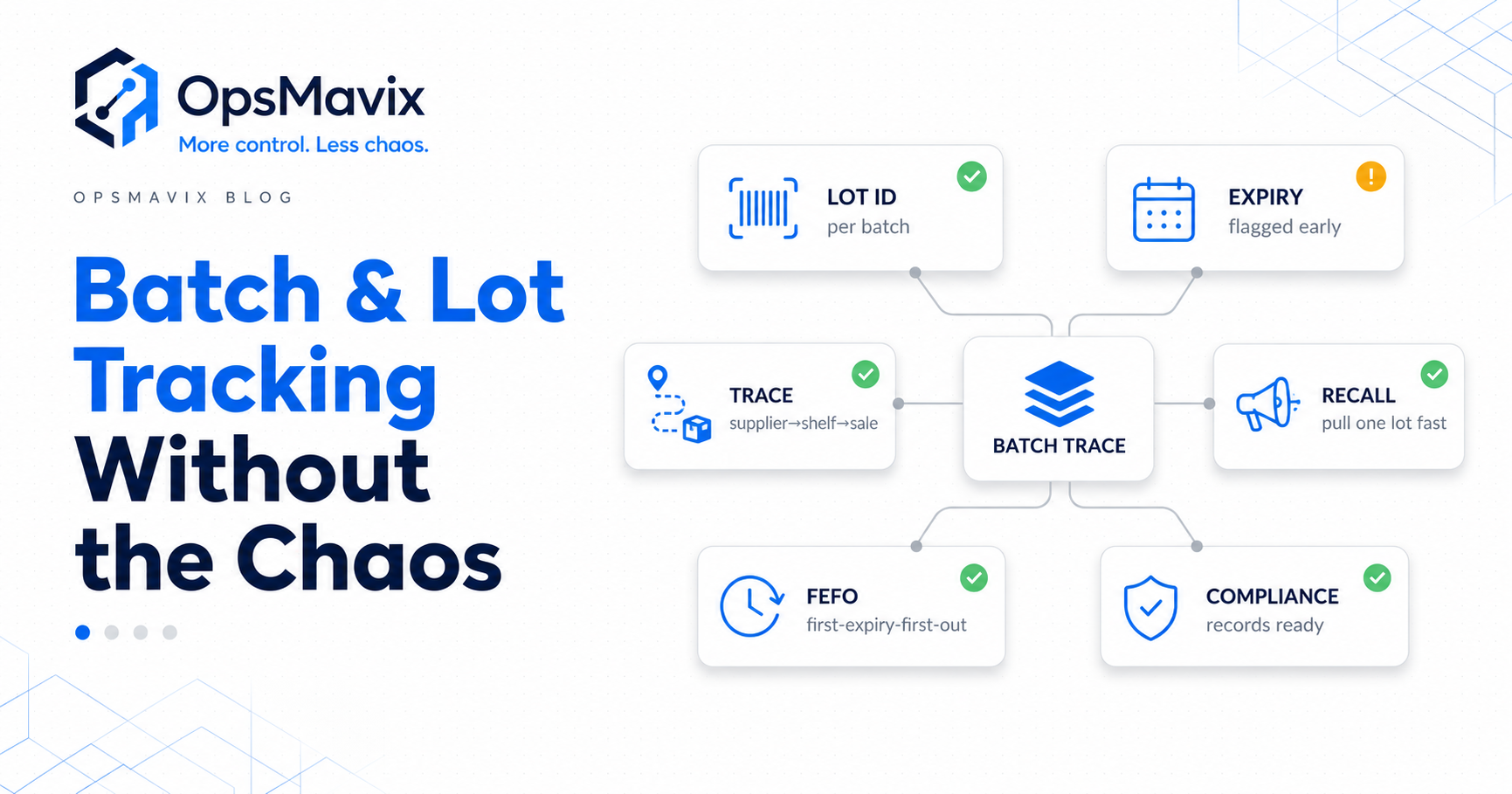
A supplier calls to say batch 4471 was contaminated. Now you need three things, fast: which units came in on that batch, where they sit on the shelf, and which customers already received them. If the answer is spread across a goods-in spreadsheet, a picking sheet and someone’s memory, you’re not tracing a lot. You’re reconstructing a crime scene under pressure.
Batch and lot tracking means tagging every unit with the batch it arrived on, then carrying that batch through receiving, storage, picking and dispatch — so any unit can be traced forward to a customer or backward to a supplier. In a spreadsheet, the link breaks the moment stock moves and nobody updates the right tab. The fix isn’t counting harder. It’s making the batch travel with the stock on its own.
Here’s where batch and lot tracking falls apart in spreadsheets, and what trustworthy traceability actually looks like.
Key Takeaways
- Spreadsheet batch tracking fails because the batch-to-unit link has to be re-typed at every movement, and it never survives the gaps.
- The real cost lands during a recall or an expiry event, when you can’t prove which customers got which lot.
- Shelf-life stock needs first-expiry-first-out picking — a flat count has no idea which units expire when.
- True traceability runs both ways: lot to customer, and unit back to supplier, in minutes.
- A connected system makes the batch a property of the stock, so the trace is already there when you need it.
1The Batch Stops Travelling With the Stock
The first casualty in a spreadsheet is the link between a physical unit and the batch it belongs to. Goods arrive, the batch lands in a “received” tab, and then stock gets picked, moved and sold against a plain SKU count that no longer remembers which lot it came from. By the time a unit leaves the building, its batch identity has quietly fallen off somewhere between goods-in and dispatch. You still know you sold ten units. You no longer know which ten.
Stockout Steve, the warehouse manager this avatar is built from, runs “a million messy spreadsheets for the warehouse.” The data exists. It’s just scattered across sheets that don’t talk to each other, so the one connection that actually matters disappears into the gaps between them.
2Recalls Turn Into Days of Detective Work
A recall is the moment batch tracking either saves you or exposes you. When a supplier flags a defective lot, you need to know how much of it you received, how much is still on the shelf, and which orders already shipped it. With lots in spreadsheets, that means cross-referencing a goods-in tab against picking sheets against the sales records, and praying every hand-entry lines up. It rarely does. These same operators already admit “our spreadsheet counts wind up being off, sometimes wildly so” — so even the totals you’re tracing against are suspect.
What happens next is predictable. You take the safe, expensive route: pull and re-check far more stock than was ever affected, because you can’t prove which units are clean. A recall that should have touched one pallet ends up touching the whole line — not because the contamination spread, but because the trace was missing.
3Expiry Dates Get Picked in the Wrong Order
Batch tracking and expiry are the same problem wearing two hats. If your stock has a shelf life — food, cosmetics, chemicals, pharma-adjacent goods — knowing the batch isn’t enough. You have to ship the oldest one first. A flat stock count has no concept of which units expire when, so pickers grab whatever’s nearest. The front of the shelf rotates fine while the older batch quietly dies at the back. Eventually you write it off, having paid for it twice: once to buy it, once to bin it.
Here’s the OpsMavix view: expiry isn’t a labelling task, it’s a picking rule. Unless the system can tell a picker “take from batch 4471, not 4490,” first-expiry-first-out is a hope, not a process. Dead stock at the back of the rack is the proof it failed.
4You Can’t Trace Backward to the Supplier Either
Traceability runs both ways, and spreadsheets break both. Forward tracing answers “which customers got this lot.” Backward tracing answers the harder question: this returned or faulty unit — which batch is it, and which supplier sent it? When a customer ships back a damaged item or a quality complaint lands, you want to know instantly whether it’s a one-off or a pattern across a whole batch from one source. Without the unit-to-batch link, every complaint reads as isolated. A systemic supplier problem then hides in plain sight until it’s cost you a major account.
This is the same root cause behind why stock never matches the system: movements happen in the real world, but the record only updates when someone remembers to type it in. Lose the movement, lose the trace.
5The Trace Only Exists If Someone Remembered to Build It
The quiet killer is that spreadsheet batch tracking leans entirely on a discipline that never holds at volume. Every receipt, transfer and pick has to be logged by hand against the right batch, by busy people in the middle of the working day. Miss a few entries — and everyone does — and the chain has holes in exactly the places you’ll later need it whole. You don’t find the gaps until the recall or the audit, by which point it’s far too late to backfill them honestly.
These operators have been burned before by tools that promised this and lied: inventory “numbers change for no reason,” a stock-value difference of tens of thousands “that cannot be explained.” The lesson isn’t that tracking is hopeless. It’s that the trace has to be a by-product of normal work, never a second job nobody has time for.
What Trustworthy Batch Tracking Looks Like
Reliable batch and lot tracking makes the batch a property of the stock itself, not a note on a separate sheet. At goods-in, each unit is tied to its batch and expiry. From that point on, every movement — pick, transfer, dispatch, return — carries the batch with it automatically. The link is never something a person has to remember to preserve.
That one change hands you both directions of trace on demand. Forward: type a batch number, see every order and customer it reached. Backward: scan a returned unit, see its batch and supplier. Expiry stops being a sticker and becomes a picking instruction, so the oldest stock genuinely goes first. When a supplier calls about batch 4471, you answer in minutes, with proof, instead of pulling the whole product line “just to be safe.” It’s the same connected discipline behind a real inventory system: capture the truth once, at the moment it happens, and let every later question answer itself.
FAQ
What is the difference between batch and lot tracking?
In practice they’re used interchangeably. Both mean grouping units that were produced or received together under one identifier, then following that identifier through your operation. “Lot” tends to come up in distribution and pharma, “batch” in manufacturing and food. The goal is identical: tie every unit to its group so you can trace it.
Why is batch tracking so hard in spreadsheets?
Because the batch-to-unit link has to be re-recorded by hand at every movement, and it never survives the gaps. Stock gets picked and sold against a plain SKU count that forgets which lot it came from, so by dispatch the batch identity is gone. The data lives in scattered tabs; the connection between them does not.
How does batch tracking help with recalls?
It answers the only questions that matter in a recall, quickly: how much of the affected batch you received, how much is still on the shelf, and which customers already got it. With a proper trace you isolate exactly the affected units, rather than pulling far more stock than necessary because you can’t prove what’s clean.
Can batch tracking manage expiry dates and shelf life?
Yes, and it should. When each batch carries its expiry, the system can enforce first-expiry-first-out picking, telling staff which batch to take so the oldest ships first. That stops good stock dying at the back of the shelf and getting written off after you’ve already paid for it.
Do I need a full ERP for batch and lot tracking?
No. Plenty of mid-size operations sit between a spreadsheet that can’t trace lots and a six-figure ERP that’s overkill. A custom inventory system can deliver batch capture, two-way traceability and expiry-aware picking built around your actual flow, without the enterprise price tag or the per-seat lock-in.
How OpsMavix Can Help
OpsMavix builds custom inventory systems where the batch and expiry are tied to the stock at goods-in and travel with every movement through to dispatch. A recall, an expiry check or a customer query becomes a search, not a salvage operation. You trace forward to the customer and backward to the supplier in minutes, and you own the system outright — no vendor can switch it off or price-gouge your own data.
If you can’t prove which customers received a given lot, that’s an operational leak measured in recall scope, written-off expiry and the account you lose when a trace comes up empty. Book an Operations Leak Audit and we’ll map exactly where your traceability breaks down, and what it’s costing you.