
ATUM Inventory Alternative: Past the WooCommerce Plugin
ATUM is a solid free stock-management plugin — until you sell on more than WooCommerce. Here's the honest line on when ATUM is the right call, when you've outgrown it, and what a custom inventory system does that a plugin can't.
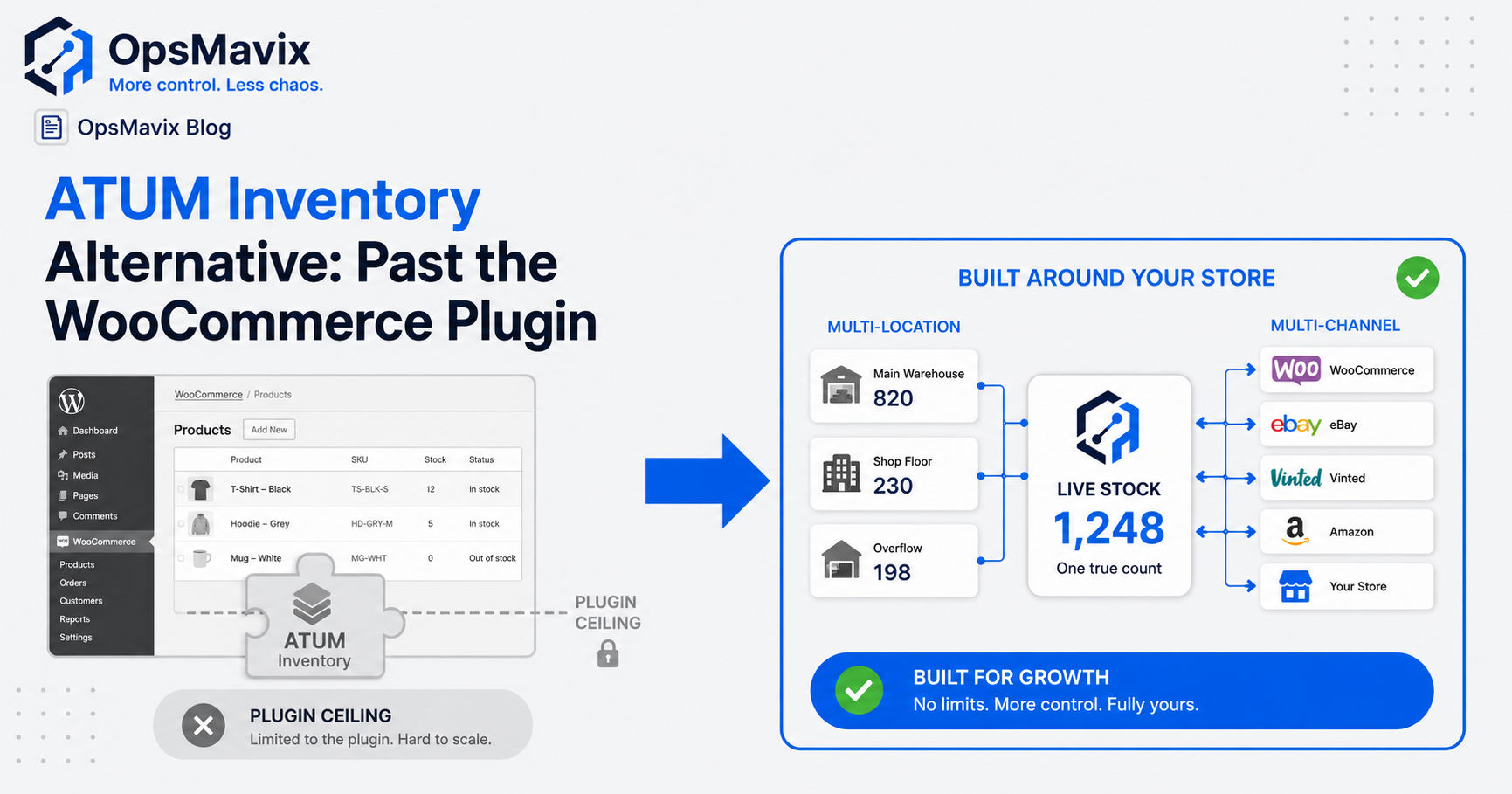
The best ATUM Inventory alternative depends on the gap in your current setup. If WooCommerce stock management is the main requirement, improving ATUM’s configuration or adding a suitable extension may be enough. If you need broader order, warehouse or channel workflows, compare supported connectors and inventory platforms before assuming a custom build is necessary.
Adding Amazon, eBay or another warehouse does not automatically mean the plugin model has failed. ATUM offers paid add-ons, including Multi-Inventory, and integration options. The question is whether the proposed configuration covers your actual movements, reservations and selling channels reliably.
This guide explains how to assess that coverage, diagnose stock discrepancies and compare staying, extending, replacing or building. Start with the costly workflow, then choose the software that can demonstrably improve it.

Stock control needs a clear record of items, locations and movements, whether the software sits inside WooCommerce or alongside it.
Key Takeaways
- ATUM is more than a single-location stock list. Its add-ons and integration options deserve assessment before replacement.
- Multiple marketplaces do not automatically require custom software. Supported connectors or a standard inventory platform may meet the need.
- Define which system owns the stock record and which processes can update it. Conflicting writers can cause discrepancies even when each tool works individually.
- Custom systems still need maintenance and external connections. Ownership does not make software immune to updates or failed integrations.
- Compare the complete workflow and total cost, including add-ons, hosting, configuration, migration and support.
- Pilot representative stock events before switching, then establish a clear cutover and reconciliation process.
In this guide:
- 1. Check What ATUM Already Supports
- 2. Define the Scope of Your Stock Operation
- 3. Trace the Discrepancy Before Replacing the Plugin
- 4. Compare the Practical Alternatives
- 5. Design Availability and Channel Updates Clearly
- 6. Manage Dependencies With Either Approach
- 7. Compare Total Cost With a Worked Example
- 8. Pilot and Migrate With Stock Controls
- Frequently Asked Questions
- How OpsMavix Can Help
1. Check What ATUM Already Supports
ATUM provides inventory-management functionality within the WooCommerce environment. The core plugin and additional modules should be assessed separately, since capabilities depend on what you install and configure.
Being a WordPress plugin does not prevent a product from managing multiple inventories or exchanging data with external tools.
Assess the Relevant Add-Ons
The vendor’s ATUM add-on catalogue includes modules for inventory and warehouse workflows. Its Multi-Inventory product page describes multiple inventories per product, locations, batches, expiry and selling priorities.
Those functions make the draft’s “one store means one location” assumption too narrow. They do not, by themselves, prove that every external marketplace connection you require is included.
Check the Integration Route
ATUM’s official integration guidance points to its REST API for custom connections. WooCommerce also provides REST API capabilities.
An available API is a starting point. Confirm that the required records and operations are exposed, that permissions are appropriate, and that someone will support the connection.
Request a Complete Demonstration
Ask the implementer to show your actual workflow: receiving stock, choosing the fulfilment location, reserving an order, picking, dispatching, returning and correcting a discrepancy.
Confirm which modules and connections are needed. A function shown in a demonstration may not be included in the free plugin or your current installation.
2. Define the Scope of Your Stock Operation
The alternative question becomes easier when you distinguish physical stock, sales destinations and operational work.
A second warehouse creates a location requirement. A second marketplace creates a channel requirement. A kit creates a component requirement. They need different controls.
Build a Requirements Map
| Area | Questions to answer |
|---|---|
| Catalogue | Do you stock variants, packs, bundles or serialised items? |
| Locations | Where is stock physically held, and how are transfers recorded? |
| Channels | Which destinations publish availability and send accepted orders? |
| Reservations | When is stock committed, and when is that commitment released? |
| Warehouse work | How are receipts, picks, returns and damage captured? |
| Reporting | Which balances and movement records must staff be able to explain? |
| Support | Who handles failed updates and compatibility changes? |
Separate Physical Locations From Channels
WooCommerce and eBay may display quantities from the same warehouse pool. Their listing quantities are not additional physical stock to add together.
Stock held by a fulfilment partner may be a distinct pool with its own access and lead-time rules. The location model should reflect whether that stock can actually fulfil an order placed elsewhere.
Use the Spreadsheet as Evidence
If staff keep a separate workbook, identify its purpose. It may compensate for a missing capability, duplicate a supported function or provide useful analysis.
Document repeated copying, corrections and decisions made from the file. A spreadsheet beside the plugin is a reason to investigate, not automatic proof that the plugin must go.
For the underlying problem, see why stock never matches the system.
3. Trace the Discrepancy Before Replacing the Plugin
An oversold order or wrong balance shows that a control failed. It does not establish whether the failure was in ATUM, a connector, the source data or a physical process.
Choose one incident and reconstruct its timeline.
Follow the Stock and the Update
For the affected SKU, check:
- The physical and recorded quantity before the incident.
- The available quantity after reservations or restrictions.
- The order and any stock movements that followed.
- The quantity published to the external channel.
- The result and timing of the update.
- Any subsequent adjustment or overwrite.
The difference between a stale publication and an unrecorded return matters. Replacing a marketplace connector will not correct a return that never reached the inventory record.
Look for Conflicting Writers
A supplier feed, marketplace connector and manual edit may all change the same stock field. A correct reduction can be overwritten by an older quantity from another process.
Define which system or workflow can write each quantity. Review mapping, units and overwrite rules before adding another integration.
Check Order-State Rules
An accepted order may reserve stock before dispatch. A cancellation should release the appropriate commitment. A return needs physical receipt and condition checks before it becomes sellable again.
If stock is deducted at more than one stage without a consistent model, the system may reduce it twice. If no stage creates a commitment, another channel may continue promising it.
Retain the Explanation
Useful evidence includes the item, quantity, location, source reference, time, responsible process and adjustment reason. Integration records should also show failed or delayed updates.

Each stock connection needs defined mappings and responsibility for reading, reserving and publishing quantities.
4. Compare the Practical Alternatives
There are several credible routes beyond your current configuration. Compare them against the same required workflow.
| Route | When it may fit | What needs proving |
|---|---|---|
| Keep and configure ATUM | The required capability already exists | Correct stock rules, user workflow and adoption |
| Add an ATUM module or connector | A separable requirement needs additional support | Compatibility, scope, update ownership and support |
| Choose another WooCommerce inventory solution | Another supported configuration fits better | Migration, equivalent functions and total cost |
| Adopt a separate inventory platform | A wider operation needs central stock and order control | Interfaces, reservations, warehouse workflow and cutover |
| Build a focused custom extension or system | A measurable gap remains poorly served | Feasible access, design, testing and ongoing maintenance |
Staying Can Be the Right Answer
If an ATUM module or supported connector handles the requirement cleanly, using it may cost less and be easier to maintain than replacing the whole setup.
Assess the operational result. The goal is not to minimise the number of tools at any cost, but to make their responsibilities clear and their connections reliable.
A Separate Platform Can Be Standard Software
Central inventory does not require a bespoke build. Standard inventory, warehouse or ERP products may provide the records and connections you need.
An ERP is not automatically a six-figure commitment or a requirement to implement every module. Compare the relevant scope and realistic rollout plan.
Custom Should Address a Defined Gap
A custom build may help with unusual allocation rules, component logic, internal approvals or unsupported connections to your existing tools.
It can also be a focused extension around ATUM rather than its replacement. For the wider decision, see when to get custom software and operational systems versus ERP.
5. Design Availability and Channel Updates Clearly
An authoritative stock record tells the business which data and rules control availability. It can live inside WooCommerce, in a standard inventory platform or in a custom system.
Its location matters less than consistent definitions and a reliable way to exchange changes.
Worked Example: Stock You Can Promise
Suppose a warehouse holds 30 units of a SKU. Eight are reserved, three are unavailable because of damage, and the business applies a shared buffer of two.
| Quantity | Units |
|---|---|
| On hand | 30 |
| Reserved | −8 |
| Unavailable | −3 |
| Shared safety buffer | −2 |
| Available for publication under this rule | 17 |
This is an illustrative policy. Confirm which states your system already includes so the same buffer or restriction is not subtracted twice.
Incoming stock should not be treated as immediately ready to ship unless you explicitly support a preorder or backorder process.
Decide How Channels Share the Pool
Publishing 17 units to two channels does not create 34 physical units. It publishes views of one shared pool.
Orders arriving close together can compete before updates reach the other channel. Buffers or allocations can reduce that exposure, with a trade-off against available selling capacity.
For example, assigning ten units to one channel and seven to another limits the combined allocation to 17. It also requires rules for reallocating unsold stock when demand differs.
Design for Failed Updates
WooCommerce documents webhooks and their troubleshooting logs. A connector should expose failed notifications, retry safely and reconcile missed changes.
A custom system still depends on external APIs and processing. It cannot make every channel read and write the same quantity at the exact same instant.
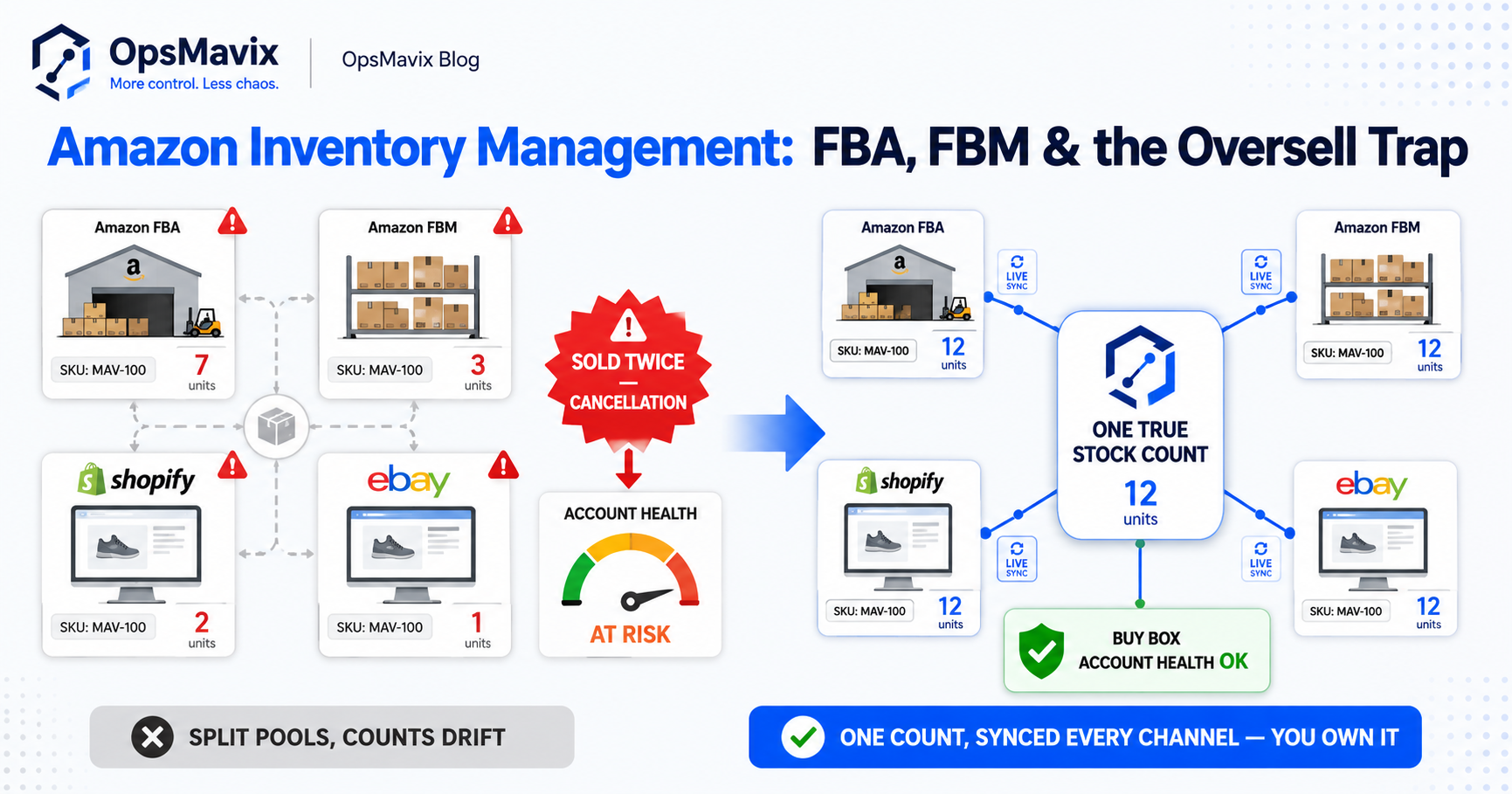
Monitor the last accepted publication, pending updates and stale connections. For the wider risk, see reducing overselling across Shopify, Amazon and eBay; the underlying stock-authority principles also apply to WooCommerce workflows.
6. Manage Dependencies With Either Approach
A WordPress-based inventory stack depends on hosting, WordPress, WooCommerce, extensions and connections remaining compatible. That creates maintenance work, but it is not unique to plugins.
A separate custom system has dependencies too: its database, libraries, hosting environment, authentication and external interfaces.
Plan Updates Rather Than Avoid Them
Use a test environment for material changes. Back up the relevant data and agree a recovery process before production updates.
Run representative stock tests after changes: a receipt, reservation, dispatch, cancellation and return, plus a channel update. A successful website load does not prove the inventory workflow still behaves correctly.
Assign Support Responsibilities
When an update fails, someone needs to know whether the issue belongs to hosting, the inventory component or the marketplace connection.
Document the boundary between vendors or developers. A stack with several supported components can work well if responsibility is clear; a single custom application can be difficult to operate if it is not.
Make Ownership and Exit Terms Practical
For a custom build, confirm source-code rights, administrator access, backups, exports and documentation. Establish whether another developer can take over.
For a standard product, confirm licences, renewal terms, data access and supported exit arrangements. Do not assume that custom ownership removes continuing costs or that a plugin necessarily holds your data hostage.
Security maintenance, hosting and integration changes still need a budget. External platforms can change their interfaces regardless of who owns your code.
7. Compare Total Cost With a Worked Example
A free core plugin is not the whole operating cost. Add-ons, configuration, hosting, support and manual work all belong in the comparison.
Equally, a fixed development quote is not the entire cost of running custom software.
A Three-Year Workflow Comparison
The following figures are hypothetical planning assumptions, not ATUM prices or supplier quotations. Manual work is valued at £25 an hour over 48 working weeks each year.
| Cost over three years | Keep current workflow | Configure add-ons and connections | Focused custom system |
|---|---|---|---|
| Setup, migration and training | £0 | £5,000 | £18,000 |
| Annual software, hosting and support allowance | £1,500 | £2,500 | £3,600 |
| Remaining manual work per week | 8 hours | 3 hours | 2 hours |
| Manual work over three years | £28,800 | £10,800 | £7,200 |
| Total over three years | £33,300 | £23,300 | £36,000 |
In this example, configuration and connections cost least if they meet the requirements. Custom would need a necessary capability or credible additional benefit to justify the higher total.
The current workflow is £1,500 multiplied by three years, plus eight hours multiplied by 48 weeks, £25 and three years: £33,300.
The comparison assumes the scopes deliver the required functions. If one option omits essential warehouse work, its lower cost does not make it suitable.
Use Verified Benefits
Include reductions in cancellations or reconciliation only where you have evidence that the proposed change addresses their cause. Avoid counting the same benefit twice.
Recovered time is capacity, not automatically cash saved. Its financial value depends on reduced overtime, avoided hiring or useful work the business can actually fulfil.
Include Switching Risks
Allow for catalogue cleanup, opening balances, outstanding orders, integration testing, training and disruption. If the business cannot maintain the proposed software, a low initial cost may hide continuing risk.
Visible exceptions, shared responsibilities and documented recovery help a stock workflow remain usable as the business grows.
8. Pilot and Migrate With Stock Controls
Start with a representative product group and the required locations and channels. Include a variant, a restricted return or another exception that matters to the business.
Clean the Identifiers
Confirm internal SKUs, WooCommerce product and variant references, external listings and location mappings. Document pack quantities and units.
Importing a quantity against the wrong variation or location can make a migration appear complete while leaving availability incorrect.
Establish the Opening Position
Agree opening on-hand quantities, reservations, unavailable stock and any in-transit units. Preserve links to outstanding orders and transfers.
If work continues between a physical count and cutover, capture those movements and reconcile them. Otherwise the new opening position may be outdated before it is used.
Test Real Events and Failures
Include a receipt, transfer, sale, partial fulfilment, cancellation, return and write-off. Test a failed update, a repeated notification and a conflicting stock writer.
Check the physical record, reservation state and published quantity. Confirm that a dispatch does not deduct stock already consumed by the same outbound workflow.
Cut Over Deliberately
Define when the old process stops writing and the new one becomes authoritative. Parallel observation can help validation; parallel competing updates can create discrepancies.
Set acceptance criteria for correct test results, traceable corrections, failure recovery and reduced manual effort. A live reporting view can expose exceptions and freshness, provided its underlying records are reliable.
A focused improvement may provide value in weeks when scope and data are ready. Multiple connections, complex stock rules and cleanup can extend the work; estimate those tasks before promising a launch date.
Frequently Asked Questions
What is the best ATUM Inventory alternative?
There is no universal best option. Assess configuration and ATUM add-ons, another supported WooCommerce solution, a separate inventory platform and custom development against your requirements. Choose based on demonstrated fit and total cost.
Can ATUM manage multiple stock locations?
Its Multi-Inventory add-on provides multiple inventories and location-related capabilities. Confirm the modules and configuration needed for your workflow. A second warehouse alone does not prove ATUM must be replaced.
Can a WooCommerce plugin connect to external systems?
Yes. WooCommerce provides APIs and webhooks, and ATUM documents integration options. The required data and operations still need to be supported, tested and maintained; an API is not a ready-made connector to every marketplace.
Does adding Amazon or eBay mean I need custom software?
No. A supported connector or standard inventory platform may meet the requirement. Custom development is worth considering when a measurable gap remains after those options are assessed.
Why do stock counts disagree across channels?
Possible causes include stale updates, missing movements, mapping errors, reservations and conflicting writers. Trace a recent incident to establish the cause before replacing the tool.
Is WooCommerce a valid source of truth?
It can be for a suitable workflow with clear stock ownership and controls. A separate platform may suit a wider operation better, but being outside WordPress does not inherently make its records more accurate.
Will custom software eliminate compatibility risk?
No. It has its own software and infrastructure dependencies and still connects to external platforms. Good testing, monitoring, support and documentation reduce risk with either approach.
Can I keep ATUM and add a custom connection?
Potentially. Confirm the required interface and define which system owns each record and update. A focused extension can be preferable to duplicating functions that already work.
Does custom ownership mean no ongoing fees?
No. Hosting, support, maintenance and third-party services may still cost money. Confirm code rights, access, exports and handover terms so ownership provides practical control.
How OpsMavix Can Help
OpsMavix builds focused eCommerce inventory automation for businesses whose current stock workflows or connections leave measurable gaps.
We start with where stock is held, how movements are recorded and how availability reaches each channel. That helps distinguish a configuration issue from a missing capability or unreliable connection.
OpsMavix can help you:
- Map stock authority, locations and channel connections.
- Define reservations, restrictions and fulfilment rules.
- Investigate discrepancies and conflicting updates.
- Identify existing tools and modules worth retaining.
- Build focused integrations or workflows where justified.
- Make failures and stale data visible.
- Plan migration, pilot testing, documentation and support.
If ATUM meets the requirement with suitable configuration, retaining it may be the better route. If a wider inventory system is needed, its scope should address the demonstrated gap with clear controls and support arrangements.
Bring an oversold order, an unexplained balance or a recurring spreadsheet reconciliation to an Operations Leak Audit. We will map where the workflow breaks down and which changes could improve it, so you can assess whether to configure, connect, replace or build.
Keep reading

Getting value from OpsMavix? Add us as a preferred source on Google — you'll see more of our operations content in your AI Overviews, AI Mode and Search.